R Programming Introduction
By Ms. Sonali Sonavane
What is R?
• R is a popular programming language used for
statistical computing and graphical
presentation.
• Its most common use is to analyze and
visualize data.
Why Use R?
• It is a great resource for data analysis, data visualization, data
science and machine learning
• It provides many statistical techniques (such as statistical tests,
classification, clustering and data reduction)
• It is easy to draw graphs in R, like pie charts, histograms, box
plot, scatter plot etc
• It works on different platforms (Windows, Mac, Linux)
• It is open-source and free
• It has a large community support
• It has many packages (libraries of functions) that can be used
to solve different problems
How to Install R
• To install R, go to https://cloud.r-project.org/
and download the latest version of R for
Windows, Mac or Linux.
• When you have downloaded and installed R,
you can run R on your computer.
• Print Output
– print("Hello World!")
• Comment
– Comments starts with a #. When executing code,
R will ignore anything that starts with #.
– no syntax in R for multiline comments
• Creating Variables in R
– To assign a value to a variable, use the <- sign.
Variable Names
• A variable can have a short name (like x and y) or a more
descriptive name (age, carname, total_volume).
• Rules for R variables are: A variable name must start with a
letter and can be a combination of letters, digits, period(.)
and underscore(_). If it starts with period(.), it cannot be
followed by a digit.
• A variable name cannot start with a number or underscore (_)
• Variable names are case-sensitive (age, Age and AGE are three
different variables)
• Reserved words cannot be used as variables (TRUE, FALSE,
NULL, if...)
Basic Data Types
Basic data types in R can be divided into the following
types:
• numeric - (10.5, 55, 787)
• integer - (1L, 55L, 100L, where the letter "L" declares
this as an integer)
• complex - (9 + 3i, where "i" is the imaginary part)
• character (string) - ("k", "R is exciting", "FALSE", "11.5")
• logical (boolean) - (TRUE or FALSE)
• We can use the class() function to check the data type
of a variable
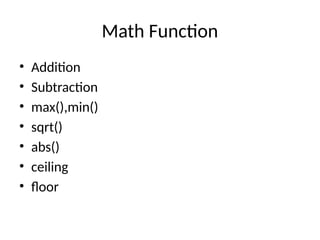
Math Function
• Addition
• Subtraction
• max(),min()
• sqrt()
• abs()
• ceiling
• floor
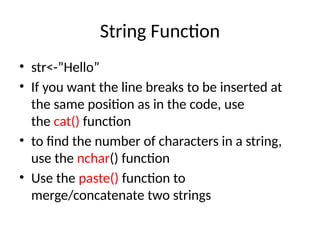
String Function
• str<-”Hello”
• If you want the line breaks to be inserted at
the same position as in the code, use
the cat() function
• to find the number of characters in a string,
use the nchar() function
• Use the paste() function to
merge/concatenate two strings
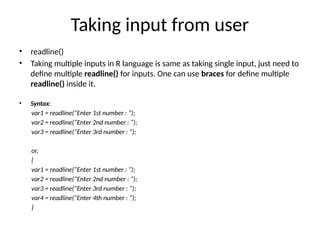
Taking input from user
• readline()
• Taking multiple inputs in R language is same as taking single input, just need to
define multiple readline() for inputs. One can use braces for define multiple
readline() inside it.
• Syntax:
var1 = readline(“Enter 1st number : “);
var2 = readline(“Enter 2nd number : “);
var3 = readline(“Enter 3rd number : “);
or,
{
var1 = readline(“Enter 1st number : “);
var2 = readline(“Enter 2nd number : “);
var3 = readline(“Enter 3rd number : “);
var4 = readline(“Enter 4th number : “);
}

program to create bell curve of a random normal distribution

  • 1.
    R Programming Introduction ByMs. Sonali Sonavane
  • 2.
    What is R? •R is a popular programming language used for statistical computing and graphical presentation. • Its most common use is to analyze and visualize data.
  • 3.
    Why Use R? •It is a great resource for data analysis, data visualization, data science and machine learning • It provides many statistical techniques (such as statistical tests, classification, clustering and data reduction) • It is easy to draw graphs in R, like pie charts, histograms, box plot, scatter plot etc • It works on different platforms (Windows, Mac, Linux) • It is open-source and free • It has a large community support • It has many packages (libraries of functions) that can be used to solve different problems
  • 4.
    How to InstallR • To install R, go to https://cloud.r-project.org/ and download the latest version of R for Windows, Mac or Linux. • When you have downloaded and installed R, you can run R on your computer.
  • 5.
    • Print Output –print("Hello World!") • Comment – Comments starts with a #. When executing code, R will ignore anything that starts with #. – no syntax in R for multiline comments • Creating Variables in R – To assign a value to a variable, use the <- sign.
  • 6.
    Variable Names • Avariable can have a short name (like x and y) or a more descriptive name (age, carname, total_volume). • Rules for R variables are: A variable name must start with a letter and can be a combination of letters, digits, period(.) and underscore(_). If it starts with period(.), it cannot be followed by a digit. • A variable name cannot start with a number or underscore (_) • Variable names are case-sensitive (age, Age and AGE are three different variables) • Reserved words cannot be used as variables (TRUE, FALSE, NULL, if...)
  • 7.
    Basic Data Types Basicdata types in R can be divided into the following types: • numeric - (10.5, 55, 787) • integer - (1L, 55L, 100L, where the letter "L" declares this as an integer) • complex - (9 + 3i, where "i" is the imaginary part) • character (string) - ("k", "R is exciting", "FALSE", "11.5") • logical (boolean) - (TRUE or FALSE) • We can use the class() function to check the data type of a variable
  • 8.
    Math Function • Addition •Subtraction • max(),min() • sqrt() • abs() • ceiling • floor
  • 9.
    String Function • str<-”Hello” •If you want the line breaks to be inserted at the same position as in the code, use the cat() function • to find the number of characters in a string, use the nchar() function • Use the paste() function to merge/concatenate two strings
  • 10.
    Taking input fromuser • readline() • Taking multiple inputs in R language is same as taking single input, just need to define multiple readline() for inputs. One can use braces for define multiple readline() inside it. • Syntax: var1 = readline(“Enter 1st number : “); var2 = readline(“Enter 2nd number : “); var3 = readline(“Enter 3rd number : “); or, { var1 = readline(“Enter 1st number : “); var2 = readline(“Enter 2nd number : “); var3 = readline(“Enter 3rd number : “); var4 = readline(“Enter 4th number : “); }