Privacy and Security
• Security and Privacy is an important part of
our online lives
• So we should know how to handle it and keep
the web healthy
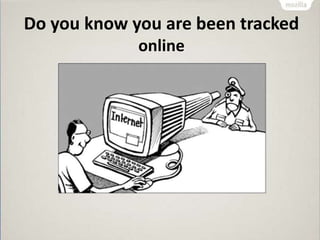
Do you know you are been tracked
online
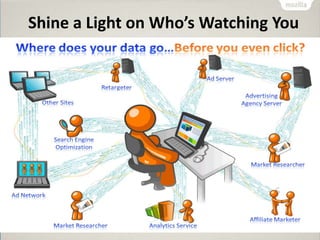
Shine a Light on Who’s Watching You
Watching You
Lightbeam
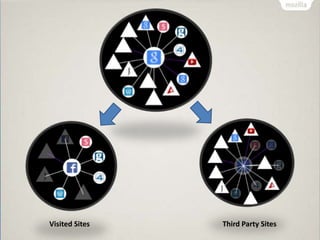
•Lightbeam is a Firefox add-on
•It uses interactive visualizations to show you the first
and third party sites you interact with on the Web
•Reveals parts that are not transparent to the average
user
Visited Sites Third Party Sites
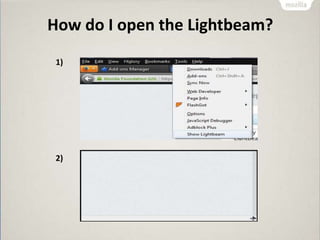
How do I open the Lightbeam?
1)
2)
Permissions Manager
• Using which you can give certain websites the
ability to store passwords, set cookies and
more
• The Permissions Manager now collects various
website permissions all in one place
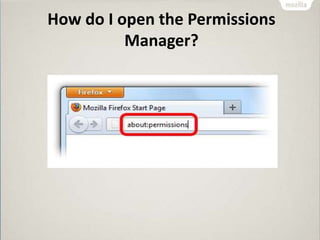
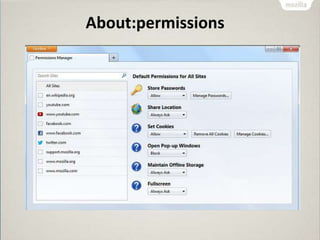
How do I open the Permissions
Manager?
About:permissions
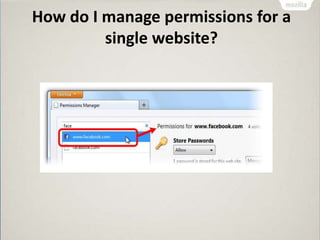
How do I manage permissions for a
single website?
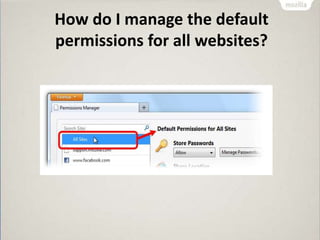
How do I manage the default
permissions for all websites?
Private Browsing
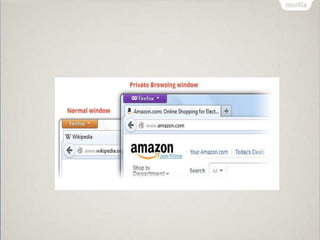
• Private Browsing allows you to browse the
Internet without saving any information
• Information about which sites and pages
you’ve visited
• Many a times you need the browser not to
store the information (history)
What does Private Browsing not
save?
• Visited pages
• Form and Search Bar entries
• Passwords
• Download List entries
• Cookies
• Cached Web Content
• Offline Web Content
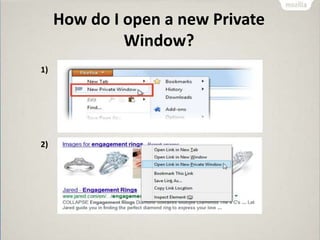
How do I open a new Private
Window?
1)
2)
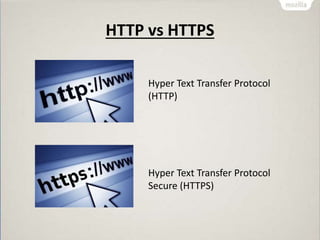
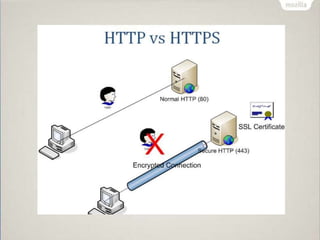
HTTP vs HTTPS
Hyper Text Transfer Protocol
(HTTP)
Hyper Text Transfer Protocol
Secure (HTTPS)
Why do we need extra “S”?
• That extra "S" in the URL means your
connection is secure
• It is much harder for anyone else to see what
you're doing
• it's primarily used by sites that handle money
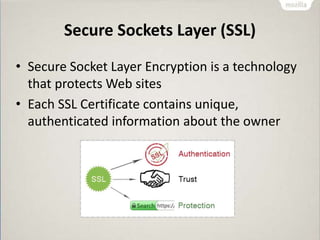
Secure Sockets Layer (SSL)
• Secure Socket Layer Encryption is a technology
that protects Web sites
• Each SSL Certificate contains unique,
authenticated information about the owner
What are Internet Cookies?
• A cookie is a type of message that is given to a
browser by a Web server
• A cookie is information stored on your computer
by a website you visit
• Cookies store your settings for a website, such as
preferred language or location
• This allows the site to present you with
information you needs
Can Cookies be malicious?
• Cookies that watch your online activity are
called malicious or tracking cookies
• These types of cookies can be used to store
and track your activity online
• Many antivirus today will flag suspicious
cookies when scanning your system for viruses
Thank you !!
Mayur Patil
Twitter: @yomanpatil
Facebook: www.facebook.com/yomanpatil
Email: Mayurpatilmu7@gmail.com

Privacy and Security

  • 1.
  • 2.
    Privacy and Security •Security and Privacy is an important part of our online lives • So we should know how to handle it and keep the web healthy
  • 3.
    Do you knowyou are been tracked online
  • 4.
    Shine a Lighton Who’s Watching You Watching You
  • 5.
    Lightbeam •Lightbeam is aFirefox add-on •It uses interactive visualizations to show you the first and third party sites you interact with on the Web •Reveals parts that are not transparent to the average user
  • 6.
  • 7.
    How do Iopen the Lightbeam? 1) 2)
  • 8.
    Permissions Manager • Usingwhich you can give certain websites the ability to store passwords, set cookies and more • The Permissions Manager now collects various website permissions all in one place
  • 9.
    How do Iopen the Permissions Manager?
  • 10.
  • 11.
    How do Imanage permissions for a single website?
  • 12.
    How do Imanage the default permissions for all websites?
  • 13.
    Private Browsing • PrivateBrowsing allows you to browse the Internet without saving any information • Information about which sites and pages you’ve visited • Many a times you need the browser not to store the information (history)
  • 14.
    What does PrivateBrowsing not save? • Visited pages • Form and Search Bar entries • Passwords • Download List entries • Cookies • Cached Web Content • Offline Web Content
  • 15.
    How do Iopen a new Private Window? 1) 2)
  • 17.
    HTTP vs HTTPS HyperText Transfer Protocol (HTTP) Hyper Text Transfer Protocol Secure (HTTPS)
  • 18.
    Why do weneed extra “S”? • That extra "S" in the URL means your connection is secure • It is much harder for anyone else to see what you're doing • it's primarily used by sites that handle money
  • 20.
    Secure Sockets Layer(SSL) • Secure Socket Layer Encryption is a technology that protects Web sites • Each SSL Certificate contains unique, authenticated information about the owner
  • 21.
    What are InternetCookies? • A cookie is a type of message that is given to a browser by a Web server • A cookie is information stored on your computer by a website you visit • Cookies store your settings for a website, such as preferred language or location • This allows the site to present you with information you needs
  • 22.
    Can Cookies bemalicious? • Cookies that watch your online activity are called malicious or tracking cookies • These types of cookies can be used to store and track your activity online • Many antivirus today will flag suspicious cookies when scanning your system for viruses
  • 23.
    Thank you !! MayurPatil Twitter: @yomanpatil Facebook: www.facebook.com/yomanpatil Email: Mayurpatilmu7@gmail.com