PRINTER DRIVER INSTALLATION
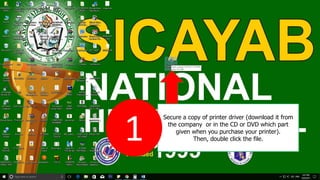
Secure a copy of printer driver (download it from
the company or in the CD or DVD which part
given when you purchase your printer).
Then, double click the file.1
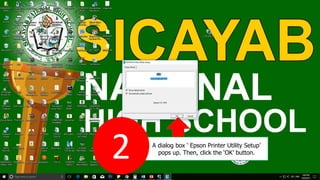
A dialog box ‘ Epson Printer Utility Setup’
pops up. Then, click the ‘OK’ button.
2
Then, click ‘OK’ button to continue.
3
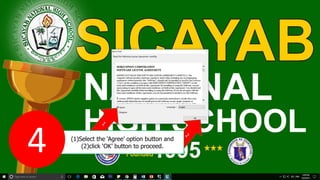
(1)Select the ‘Agree’ option button and
(2)click ‘OK’ button to proceed.
4
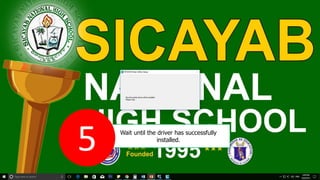
Wait until the driver has successfully
installed.
5
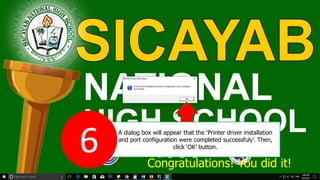
A dialog box will appear that the ‘Printer driver installation
and port configuration were completed successfuly’. Then,
click ‘OK’ button.
6 Congratulations! You did it!

Printer Driver installation

  • 2.
  • 3.
    Secure a copyof printer driver (download it from the company or in the CD or DVD which part given when you purchase your printer). Then, double click the file.1
  • 4.
    A dialog box‘ Epson Printer Utility Setup’ pops up. Then, click the ‘OK’ button. 2
  • 5.
    Then, click ‘OK’button to continue. 3
  • 6.
    (1)Select the ‘Agree’option button and (2)click ‘OK’ button to proceed. 4
  • 7.
    Wait until thedriver has successfully installed. 5
  • 8.
    A dialog boxwill appear that the ‘Printer driver installation and port configuration were completed successfuly’. Then, click ‘OK’ button. 6 Congratulations! You did it!