

Presentations At Google Docs
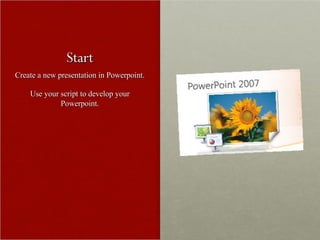
Start Create a new presentation in Powerpoint. Use your script to develop your Powerpoint.
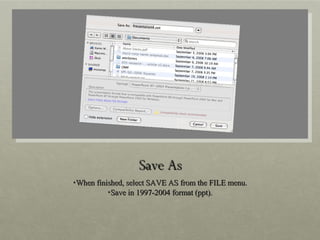
Save As When finished, select SAVE AS from the FILE menu. Save in 1997-2004 format (ppt).
Upload to Google Docs Visit  http://docs.google.com Login with your google username/password. Click on the UPLOAD button and browse for your powerpoint.
Gliches I found a gliche I can’t explain, so the last thing you need to do is open your presentation at google docs. Under the FILE menu (in google docs) select NEW COPY OF PRESENTATION. Rename this new copy by selecting RENAME under the FILE menu.
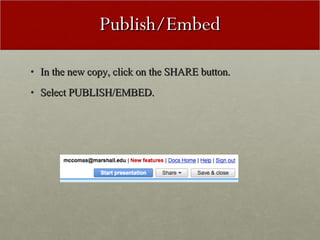
Publish/Embed In the new copy, click on the SHARE button. Select PUBLISH/EMBED.
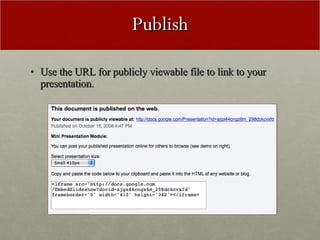
Publish Use the URL for publicly viewable file to link to your presentation.
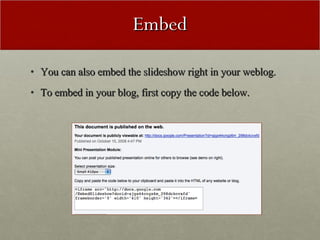
Embed You can also embed the slideshow right in your weblog. To embed in your blog, first copy the code below.
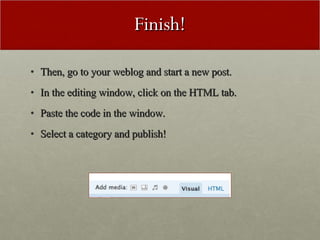
Finish! Then, go to your weblog and start a new post. In the editing window, click on the HTML tab. Paste the code in the window. Select a category and publish!

Presentations Google Docs

  • 1.
  • 2.
    Start Create anew presentation in Powerpoint. Use your script to develop your Powerpoint.
  • 3.
    Save As Whenfinished, select SAVE AS from the FILE menu. Save in 1997-2004 format (ppt).
  • 4.
    Upload to GoogleDocs Visit http://docs.google.com Login with your google username/password. Click on the UPLOAD button and browse for your powerpoint.
  • 5.
    Gliches I founda gliche I can’t explain, so the last thing you need to do is open your presentation at google docs. Under the FILE menu (in google docs) select NEW COPY OF PRESENTATION. Rename this new copy by selecting RENAME under the FILE menu.
  • 6.
    Publish/Embed In thenew copy, click on the SHARE button. Select PUBLISH/EMBED.
  • 7.
    Publish Use theURL for publicly viewable file to link to your presentation.
  • 8.
    Embed You canalso embed the slideshow right in your weblog. To embed in your blog, first copy the code below.
  • 9.
    Finish! Then, goto your weblog and start a new post. In the editing window, click on the HTML tab. Paste the code in the window. Select a category and publish!