10 Slide Tips from Garr 
Reynolds 
http://www.garrreynolds.com/preso-tips/ 
design/
Keep It Simple 
Source: Li Jen Jian, https://www.flickr.com/photos/graceshome/14398882007
Limit text 
Source: 42andpointless, https://www.flickr.com/photos/42andpointless/10552258666
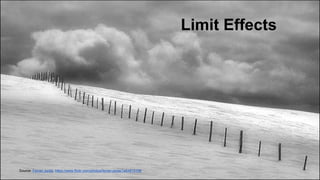
Limit Effects 
Source: Ferran Jordà, https://www.flickr.com/photos/ferran-jorda/1464915106
Use high-quality 
graphics 
Source: Yasunari(康就) Nakamura, https://www.flickr.com/photos/nam2_7676/2328272642
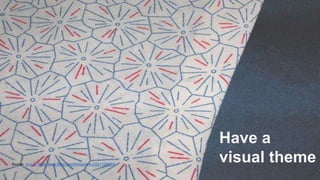
Have a 
visual theme Source: .m.e.c., https://www.flickr.com/photos/m-e-c/2211329764
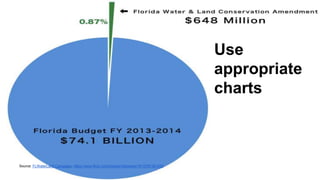
Use 
appropriate 
charts 
Source: FLWaterLand Campaign, https://www.flickr.com/photos/voteyeson1fl/13781361535
Use Color Well 
Source: Anant Nath Sharma, https://www.flickr.com/photos/anantns/6742980577
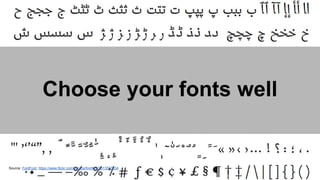
Choose your fonts well 
Source: FontFont, https://www.flickr.com/photos/fontfont/3613567334
Use 
video or 
audio 
Source: David Salafia, https://www.flickr.com/photos/djs1021/5917140469
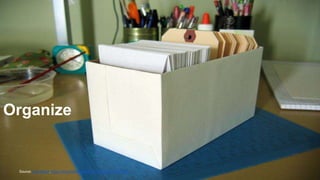
Organize 
Source: Aya Otake, https://www.flickr.com/photos/ayalan/577665184/

10 Presentation Tips According to Garr Reynolds

  • 1.
    10 Slide Tipsfrom Garr Reynolds http://www.garrreynolds.com/preso-tips/ design/
  • 2.
    Keep It Simple Source: Li Jen Jian, https://www.flickr.com/photos/graceshome/14398882007
  • 3.
    Limit text Source:42andpointless, https://www.flickr.com/photos/42andpointless/10552258666
  • 4.
    Limit Effects Source:Ferran Jordà, https://www.flickr.com/photos/ferran-jorda/1464915106
  • 5.
    Use high-quality graphics Source: Yasunari(康就) Nakamura, https://www.flickr.com/photos/nam2_7676/2328272642
  • 6.
    Have a visualtheme Source: .m.e.c., https://www.flickr.com/photos/m-e-c/2211329764
  • 7.
    Use appropriate charts Source: FLWaterLand Campaign, https://www.flickr.com/photos/voteyeson1fl/13781361535
  • 8.
    Use Color Well Source: Anant Nath Sharma, https://www.flickr.com/photos/anantns/6742980577
  • 9.
    Choose your fontswell Source: FontFont, https://www.flickr.com/photos/fontfont/3613567334
  • 10.
    Use video or audio Source: David Salafia, https://www.flickr.com/photos/djs1021/5917140469
  • 11.
    Organize Source: AyaOtake, https://www.flickr.com/photos/ayalan/577665184/

Editor's Notes

  • #3 Have the slide be as simple as can be. Empty space is good for a slide.
  • #4 Slides with bullets create a boring presentation and very cluttered slide. Limit the amount of bullets you have along with the amount of text.
  • #5 Using slow, tedious transitions will create a boring and long presentation for your viewers. Limit the amount of transitions and builds.
  • #7 Avoid using the PowerPoint templates. These have been seen by your audience plenty of times and create another boring and standard presentation.
  • #8 Put as much detail as you need but don’t overwhelm your presentation with it.
  • #9 Try and pick either a cool or warm color scheme.
  • #10 Sans Serif is the best font to use for presentation.
  • #11 This will promote active cognitive processing.
  • #12 Use the slide sorter in order to make your PowerPoint clear and organized.