Intro to GIT
Gharpay – Friday 3/08/2012
Arpit Mohan
Version Control?
Why?
How?
Ctrl-C + Ctrl-V ( Most popular )
Centralized VCS ( Version Control System ) Eg.
SVN, Perforce.
Distributed VCS. Eg. Git, Mercurial

When?
Salient Features of Git
Distributed VCS. Each system is a complete
mirror of the repository.

Data integrity. All data is check-summed and
stored as the SHA1-ID.

Differential data. Capability to do-undo changes
without fear of data corruption.
Install GIT

You already know this! Else, try out the awesome
website a few friends, Sergey Brin and Larry
Page built – http://www.google.com 
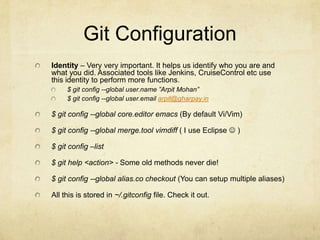
Git Configuration
Identity – Very very important. It helps us identify who you are and
what you did. Associated tools like Jenkins, CruiseControl etc use
this identity to perform more functions.
$ git config --global user.name ”Arpit Mohan”
$ git config --global user.email arpit@gharpay.in

$ git config --global core.editor emacs (By default Vi/Vim)
$ git config --global merge.tool vimdiff ( I use Eclipse  )
$ git config –list
$ git help <action> - Some old methods never die!
$ git config --global alias.co checkout (You can setup multiple aliases)
All this is stored in ~/.gitconfig file. Check it out.
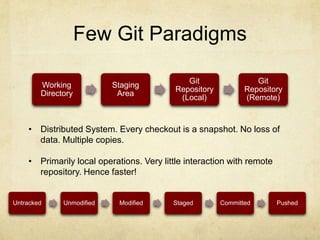
Few Git Paradigms
Working
Directory

Staging
Area

Git
Repository
(Local)

Git
Repository
(Remote)

• Distributed System. Every checkout is a snapshot. No loss of
data. Multiple copies.

• Primarily local operations. Very little interaction with remote
repository. Hence faster!

Untracked

Unmodified

Modified

Staged

Committed

Pushed
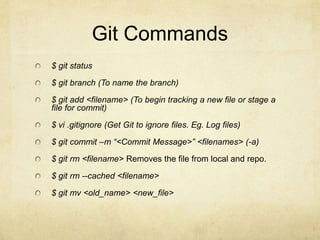
Git Commands
$ git status
$ git branch (To name the branch)
$ git add <filename> (To begin tracking a new file or stage a
file for commit)
$ vi .gitignore (Get Git to ignore files. Eg. Log files)
$ git commit –m “<Commit Message>” <filenames> (-a)

$ git rm <filename> Removes the file from local and repo.
$ git rm --cached <filename>
$ git mv <old_name> <new_file>
Git Logs (contd)
$ git log –pretty=oneline (Pretty print the log)
$ git log --pretty=format:"%h - %an, %ar : %s”
$ git log –graph
Amending the Tree
$ git commit –amend
Example:
$ git commit -m ’initial commit’
$ git add forgotten_file
$ git commit –amend

Be Careful while amending the tree because the
changes are permanent!
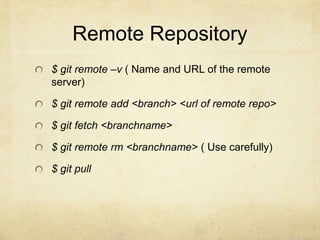
Remote Repository
$ git remote –v ( Name and URL of the remote
server)

$ git remote add <branch> <url of remote repo>
$ git fetch <branchname>
$ git remote rm <branchname> ( Use carefully)
$ git pull
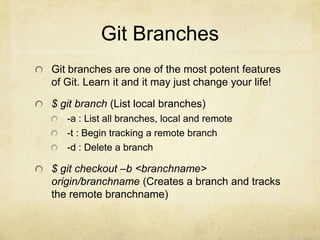
Git Branches
Git branches are one of the most potent features
of Git. Learn it and it may just change your life!

$ git branch (List local branches)
-a : List all branches, local and remote
-t : Begin tracking a remote branch
-d : Delete a branch

$ git checkout –b <branchname>
origin/branchname (Creates a branch and tracks
the remote branchname)
Merging & Rebasing
$ git merge <branchname> ( Merging another
branch into this )

$ git rebase [basebranch] [topicbranch]( Plays
the child commits on the master )
Interesting things can be done with rebase. Look
at whiteboard!
IMP: Don’t rebase stuff that has been committed
to the remote repository! Such people are hated
and stoned 
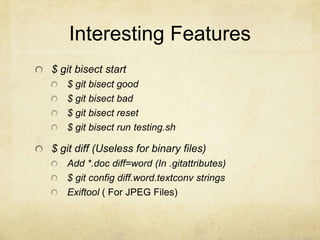
Interesting Features
$ git bisect start
$ git bisect good
$ git bisect bad
$ git bisect reset
$ git bisect run testing.sh

$ git diff (Useless for binary files)
Add *.doc diff=word (In .gitattributes)
$ git config diff.word.textconv strings
Exiftool ( For JPEG Files)
Interesting Features
Hooks (Server side and Client side)
Pre-commit hooks
Post-commit hooks

$ git gc

Introduction to GIT

  • 1.
    Intro to GIT Gharpay– Friday 3/08/2012 Arpit Mohan
  • 2.
    Version Control? Why? How? Ctrl-C +Ctrl-V ( Most popular ) Centralized VCS ( Version Control System ) Eg. SVN, Perforce. Distributed VCS. Eg. Git, Mercurial When?
  • 3.
    Salient Features ofGit Distributed VCS. Each system is a complete mirror of the repository. Data integrity. All data is check-summed and stored as the SHA1-ID. Differential data. Capability to do-undo changes without fear of data corruption.
  • 4.
    Install GIT You alreadyknow this! Else, try out the awesome website a few friends, Sergey Brin and Larry Page built – http://www.google.com 
  • 5.
    Git Configuration Identity –Very very important. It helps us identify who you are and what you did. Associated tools like Jenkins, CruiseControl etc use this identity to perform more functions. $ git config --global user.name ”Arpit Mohan” $ git config --global user.email arpit@gharpay.in $ git config --global core.editor emacs (By default Vi/Vim) $ git config --global merge.tool vimdiff ( I use Eclipse  ) $ git config –list $ git help <action> - Some old methods never die! $ git config --global alias.co checkout (You can setup multiple aliases) All this is stored in ~/.gitconfig file. Check it out.
  • 6.
    Few Git Paradigms Working Directory Staging Area Git Repository (Local) Git Repository (Remote) •Distributed System. Every checkout is a snapshot. No loss of data. Multiple copies. • Primarily local operations. Very little interaction with remote repository. Hence faster! Untracked Unmodified Modified Staged Committed Pushed
  • 7.
    Git Commands $ gitstatus $ git branch (To name the branch) $ git add <filename> (To begin tracking a new file or stage a file for commit) $ vi .gitignore (Get Git to ignore files. Eg. Log files) $ git commit –m “<Commit Message>” <filenames> (-a) $ git rm <filename> Removes the file from local and repo. $ git rm --cached <filename> $ git mv <old_name> <new_file>
  • 8.
    Git Logs (contd) $git log –pretty=oneline (Pretty print the log) $ git log --pretty=format:"%h - %an, %ar : %s” $ git log –graph
  • 9.
    Amending the Tree $git commit –amend Example: $ git commit -m ’initial commit’ $ git add forgotten_file $ git commit –amend Be Careful while amending the tree because the changes are permanent!
  • 10.
    Remote Repository $ gitremote –v ( Name and URL of the remote server) $ git remote add <branch> <url of remote repo> $ git fetch <branchname> $ git remote rm <branchname> ( Use carefully) $ git pull
  • 11.
    Git Branches Git branchesare one of the most potent features of Git. Learn it and it may just change your life! $ git branch (List local branches) -a : List all branches, local and remote -t : Begin tracking a remote branch -d : Delete a branch $ git checkout –b <branchname> origin/branchname (Creates a branch and tracks the remote branchname)
  • 12.
    Merging & Rebasing $git merge <branchname> ( Merging another branch into this ) $ git rebase [basebranch] [topicbranch]( Plays the child commits on the master ) Interesting things can be done with rebase. Look at whiteboard! IMP: Don’t rebase stuff that has been committed to the remote repository! Such people are hated and stoned 
  • 13.
    Interesting Features $ gitbisect start $ git bisect good $ git bisect bad $ git bisect reset $ git bisect run testing.sh $ git diff (Useless for binary files) Add *.doc diff=word (In .gitattributes) $ git config diff.word.textconv strings Exiftool ( For JPEG Files)
  • 14.
    Interesting Features Hooks (Serverside and Client side) Pre-commit hooks Post-commit hooks $ git gc