Raju Pandey
Ashok Basnet             062/DCT/407
Bishnu Parajulli          062/DCT/410
Ishwor Pd.Rijal          062/DCT/416

                                               &
Kabindra Kaji Bajrachraya 062/DCT/419
Kiran Karki              062/DCT/420
Krishna Bdr Shrestha       062/DCT/421
Mohan Pandey
Ramhari Regmi
                          062/DCT/422
                          062/DCT/430    Pravin shakya
Introduction
Objectives
1.   To be familiar with image processing technique for detection of Number
     plate area.
2.   To be familiar with OCR.
3.   To be familiar with MATLAB software.
4.   To interface hardware using parallel port of the computer.
5.   To develop a line tracking robot which can move in a guided track and
     detect the closed door.
6.   To be familiar with Microcontroller and related components for building
     automatic robot.
7.   To know assembly level programming language and implement it in
     ALR.
8.   To develop a security system.
(SIMPLY INTRODUCTION)
1.MAT LAB

2. OCR (Optical Capturing Recognizer)

3. PARALLEL PORT

4. ALGORITHM:
                  Convert Image into Binary
                  Detecting Number Plate Area

5. REQUIREMENT:
                      Software
                      Hardware

6. SYSTEM BLOCK DIAGRAM:
                                    ALR (Automatic Line –Tracking Robert)
                                    Image Processing
                                    Parallel Port
                                    Data Control

7. DESIGN:
             DFD (Data Flow Diagram)(0,1)
             ERD (Entity Relationship Diagram)

8. AUTOMATIC LINE-TRACKING ROBORT

9. SYSTEM

10. ESTIMATED COST

11. DISCUSSION SND CONCLUSION
Introduction
    Massive integration of information technologies into all aspects of modern life caused
     demand for processing vehicles as conceptual resources in information systems. Because a
     standalone information system without any data has no sense, there was also a need to
     transform information about vehicles between the reality and information systems. This can
     be achieved by a human agent, or by special intelligent equipment which is be able to
     recognize vehicles by their number plates in a real environment and reflect it into conceptual
     resources. Because of this, various recognition techniques have been developed and number
     plate recognition systems are today used in various traffic and security applications, such as
     parking, access and border control, or tracking of stolen cars.

    In entrance gate, number plates are used to identify the vehicles. When a vehicle enters an
     input gate, number plate is automatically recognized and stored in database and black-listed
     number is not given permission. When a vehicle later exits the place through the gate,
     number plate is recognized again and paired with the first-one stored in the database and it is
     taken a count. Automatic number plate recognition systems can be used in access control.
     For example, this technology is used in many companies to grant access only to vehicles of
     authorized personnel.
    In some countries, ANPR systems installed on country borders automatically detect and
     monitor border crossings. Each vehicle can be registered in a central database and
     compared to a black list of stolen vehicles. In traffic control, vehicles can be directed to
     different lanes for a better congestion control in busy urban communications during the rush
     hours.
    Automatic Line Tracking Robot (ALR) is used in this project as a vehicle which contains
     circuitry for moving in a guided track. It will have mechanism to detect the opened and closed
     door. It also will have capacity to park in the given parking area.
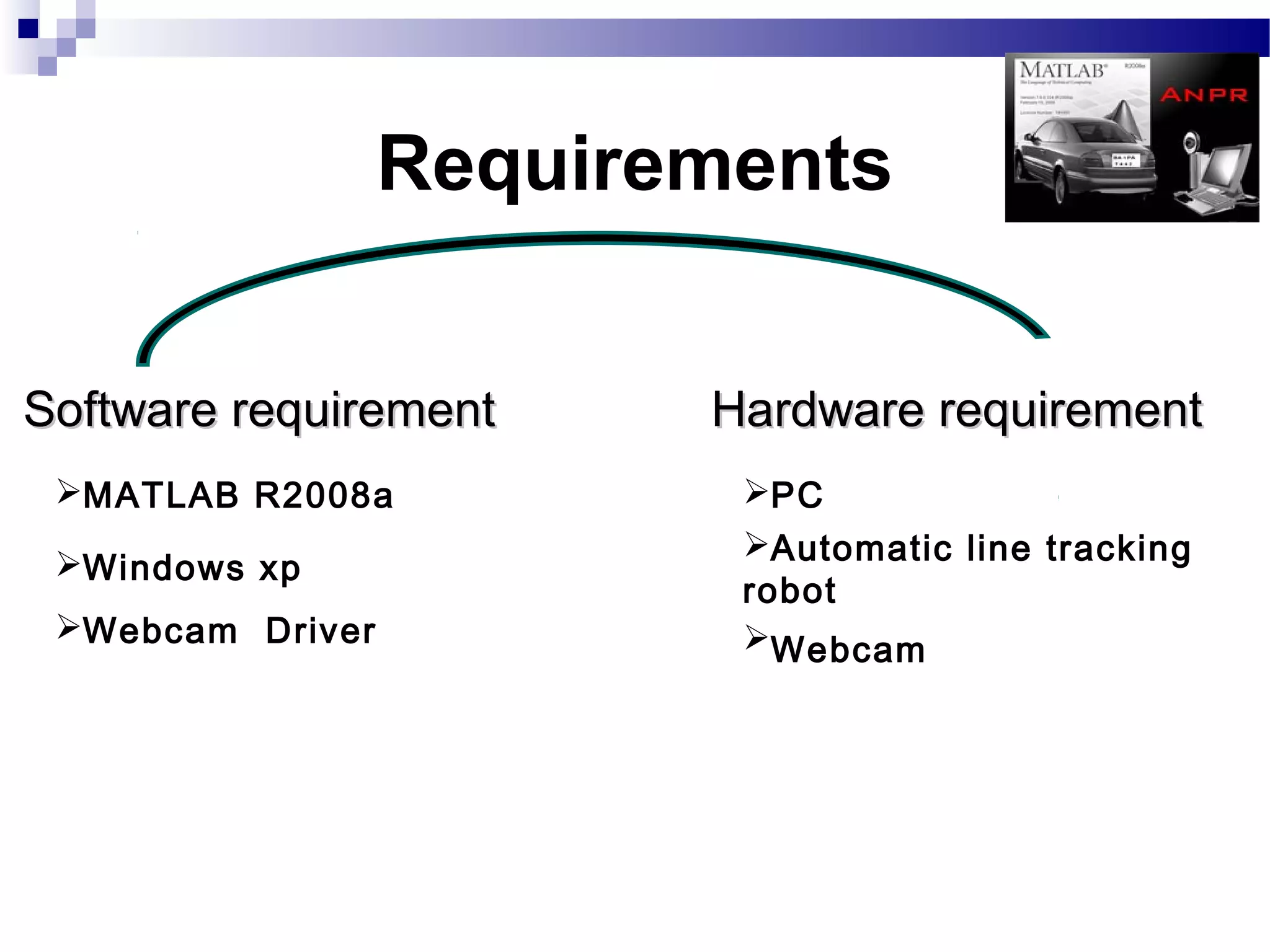
Requirements


Software requirement     Hardware requirement
 MATLAB R2008a           PC
                          Automatic line tracking
 Windows xp
                          robot
 Webcam Driver           Webcam
System Block
  Diagram
System
Design
Design

1.DATA FLOW DIAGRAM
   Level O DFD (context diagram)
   Level 1 DFD

2 ENTITY RELATIONSHIP DIAGRAM
Level 0 DFD
Level 1 DFD
Image Processing
   and Matlab
Matlab
   Matlab is an abbreviation of Matrix Laboratory.
   It is a popular Mathematical Programming Environment
    used extensively in Education as well as in Industry.
   The trick behind Matlab is that everything is represented
    in the form of arrays or matrices.
   Mathematical Operations starting from simple algebra to
    complex calculus may be conveniently carried out using
    this environment.
   The main use of Matlab in Software Development is
    Algorithm Design and Development.
   Code developed in Matlab can be converted into C, C++
    or Visual C++.
   Additionally Matlab may be called as ActiveX Object from
    still higher level languages like Visual Basic, etc.
Image Processing
   Image Processing generally involves extraction
    of useful information from an image.
   This useful information may be the dimensions
    of an engineering component, size of diagnosed
    tumor, or even a 3D view of an unborn baby.
   The main areas of application of Image
    Processing are Bio-Medical, Engineering,
    Quality Control, Face Detection , Traffic Control
    etc.
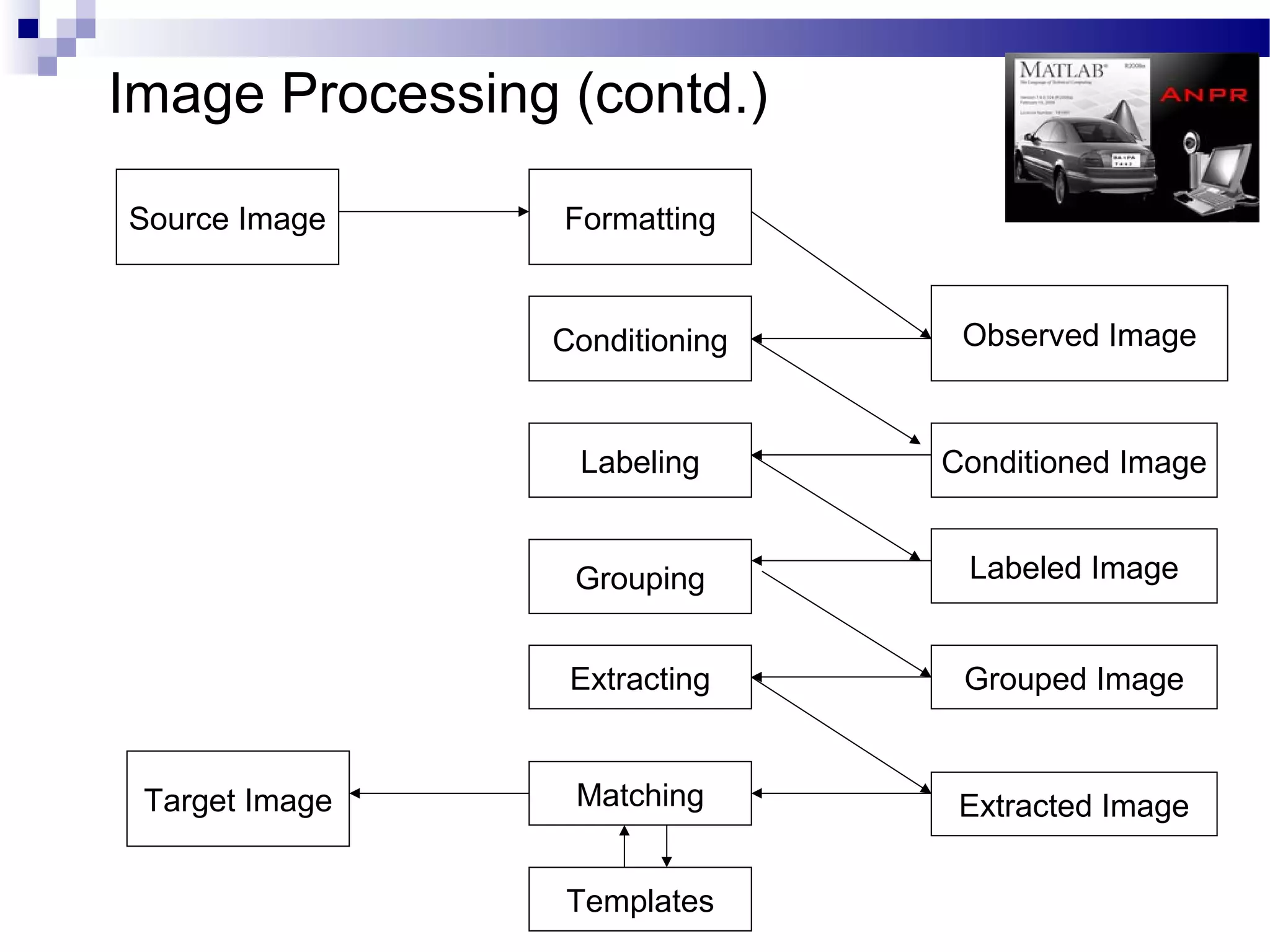
Image Processing (contd.)

Source Image     Formatting


                Conditioning    Observed Image


                  Labeling     Conditioned Image


                 Grouping       Labeled Image


                 Extracting     Grouped Image


 Target Image    Matching       Extracted Image


                 Templates
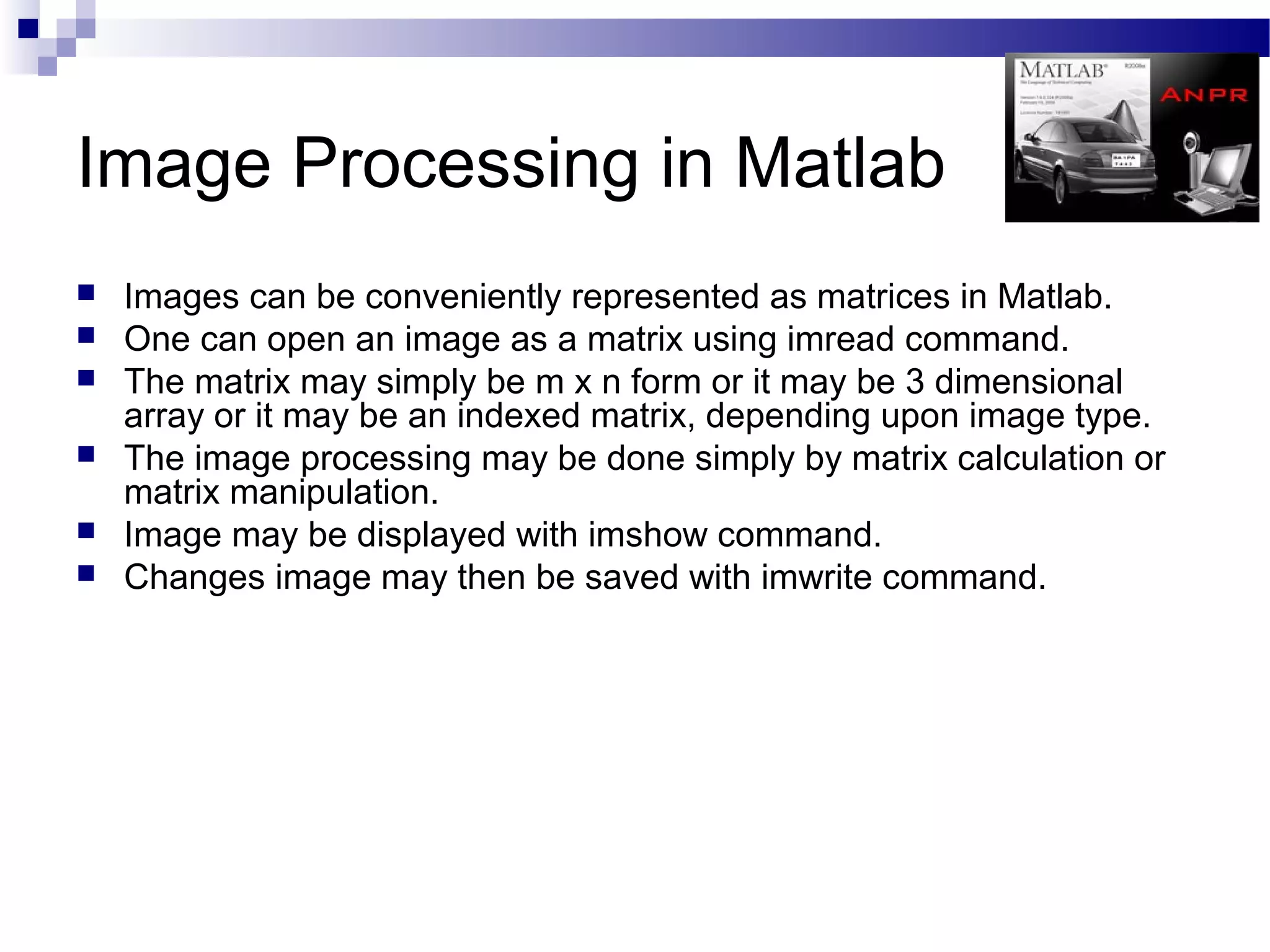
Image Processing in Matlab
   Images can be conveniently represented as matrices in Matlab.
   One can open an image as a matrix using imread command.
   The matrix may simply be m x n form or it may be 3 dimensional
    array or it may be an indexed matrix, depending upon image type.
   The image processing may be done simply by matrix calculation or
    matrix manipulation.
   Image may be displayed with imshow command.
   Changes image may then be saved with imwrite command.
Algorithms
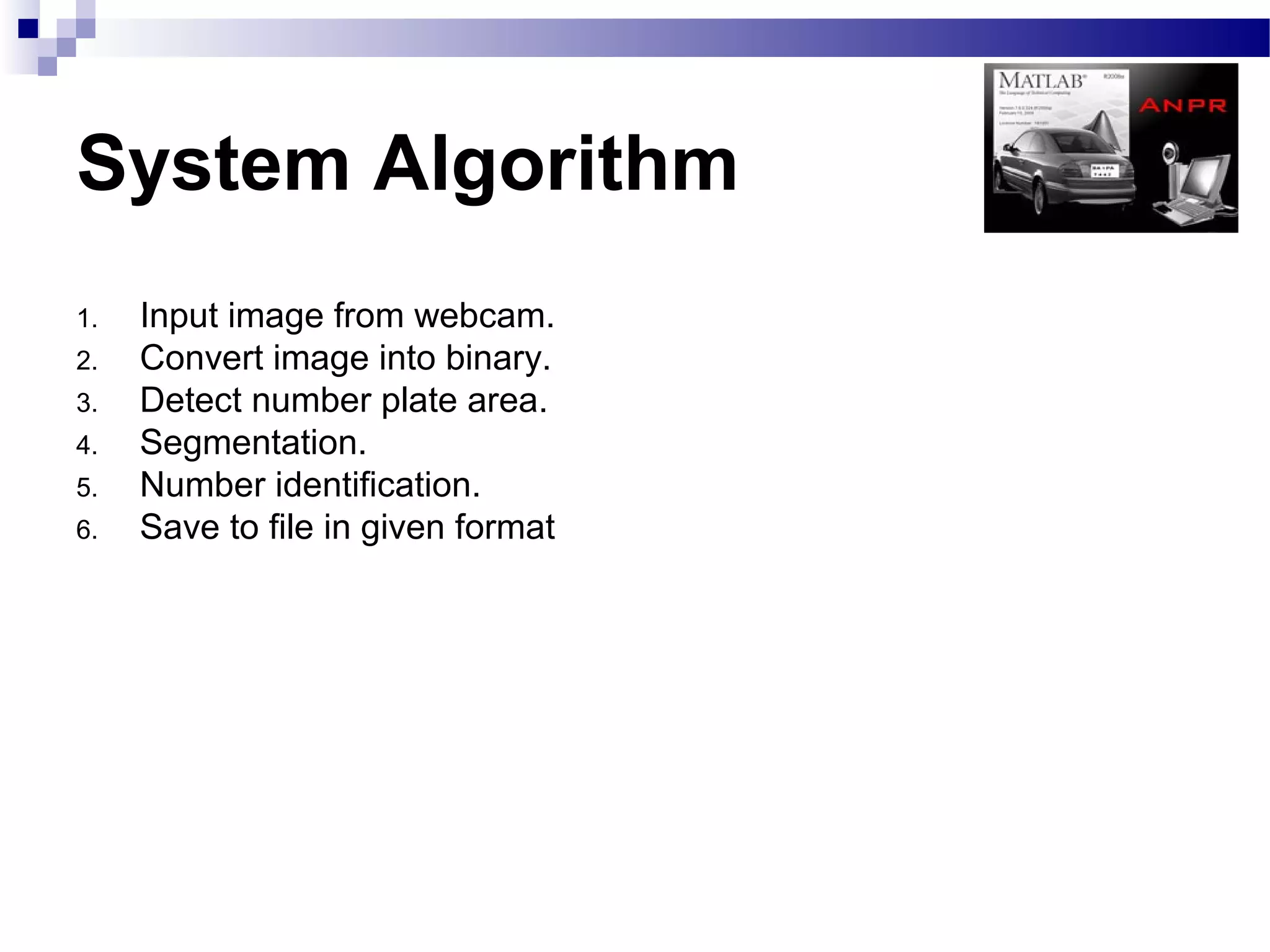
System Algorithm
1.   Input image from webcam.
2.   Convert image into binary.
3.   Detect number plate area.
4.   Segmentation.
5.   Number identification.
6.   Save to file in given format
Algo: Input Image
1. Capture image from webcam.
2. Store the captured image into a image file for further processing.
Algo: Convert Image into Binary

1.Identify the intensity of the image.
    If image intensity = high
        Reduce intensity
     Else if intensity = low
        Increase intensity
     Else
        No change.
2.Convert image into grayscale.
3.Calculate appropriate threshold value for the image.
4.Convert the image into binary image using the calculated threshold.
Algo: Detecting Number plate area
1.Fill small holes including numbers of Number plate so that number plate area
   will be large to isolate from figure.
2.Determine width and height of the image.
3.Scan each pixel of line counting number of white pixels in the following
   system,
                If number of ‘white’ pixels < x; pixels become ‘black’
                                      Else; no change
                 If number of ‘white’ pixels > y; pixels become ‘black’
                                      Else; no change
  The value of x and y may be changed according the image intensity and plate
                                           area.

4. Use the step no. 3 for both horizontal and vertical direction.
5.Check number of possible areas.
6. Logically AND with binary image obtained at “Convert image into binary
    algorithm.

7.Crop the required area.
Algo: Segmentation


1. Filter the noise level present in the image.
2. Clip the plate area in such a way that only numbers of plate area
   extracted.
3. Separate each character from the plate.
Algo: Number Identification

1.   Create the template file from the stored template images.
2.   Resize image obtained from segmentation to the size of template.
3.   Compare each character with the templates.
4.   Store the best matched character.
Algo: Save to file in given format

1. Open a text file in write mode.
2. Store the character obtained from the number identification process to text
   file in given format.
3. Close the file.
Parallel Port
Interfacing
Parallel Port

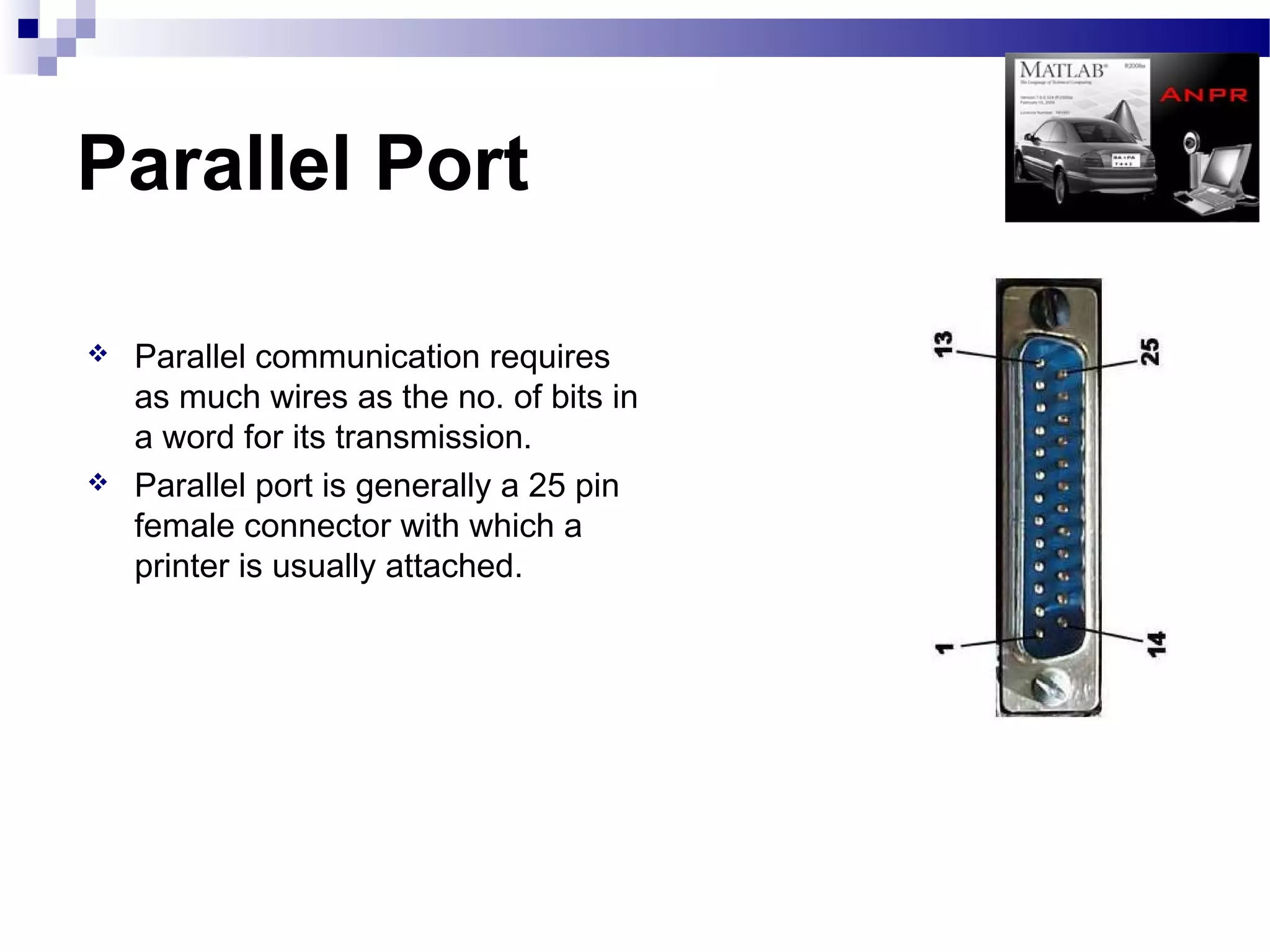
   Parallel communication requires
    as much wires as the no. of bits in
    a word for its transmission.
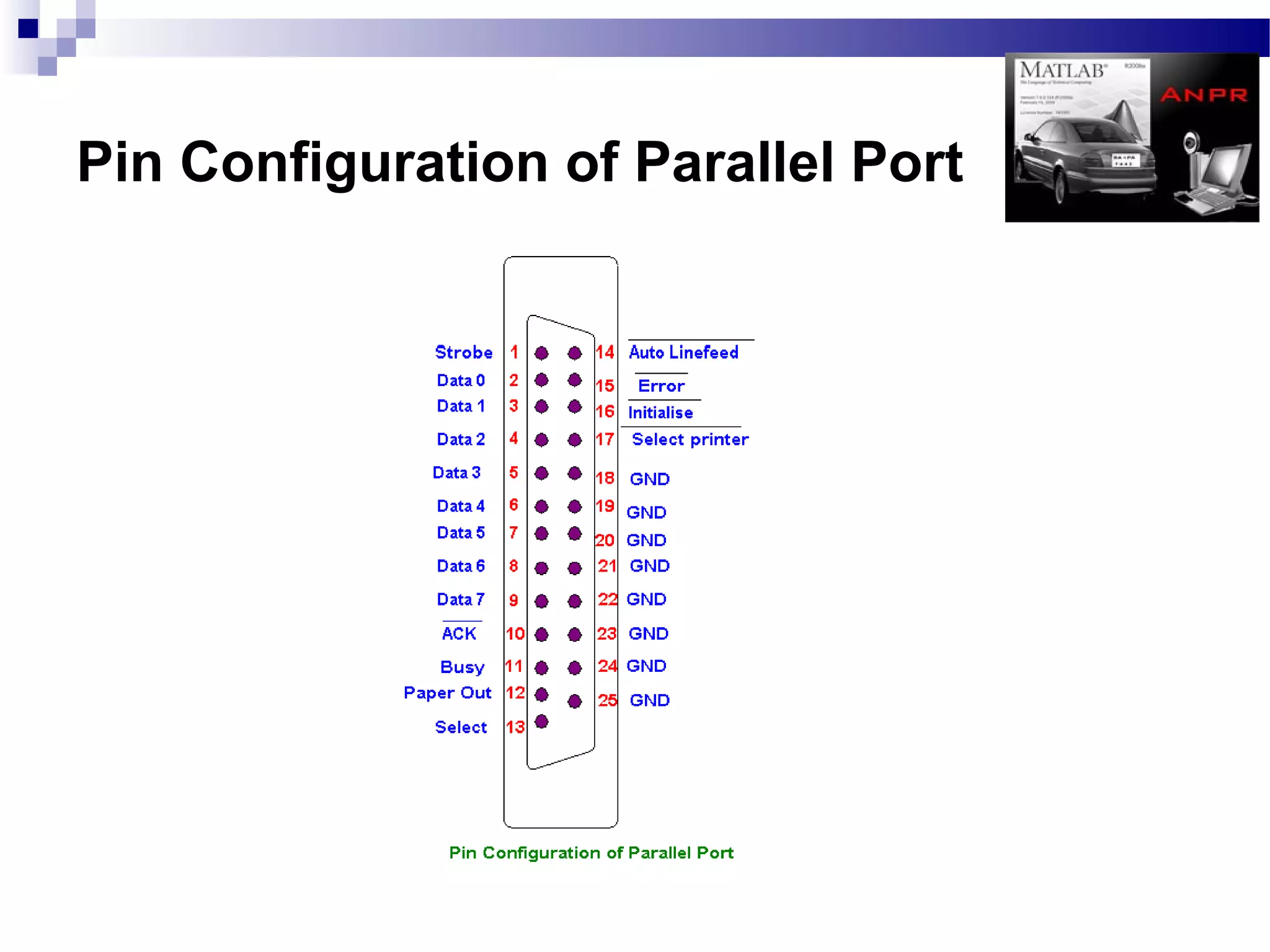
   Parallel port is generally a 25 pin
    female connector with which a
    printer is usually attached.
Pin Configuration of Parallel Port
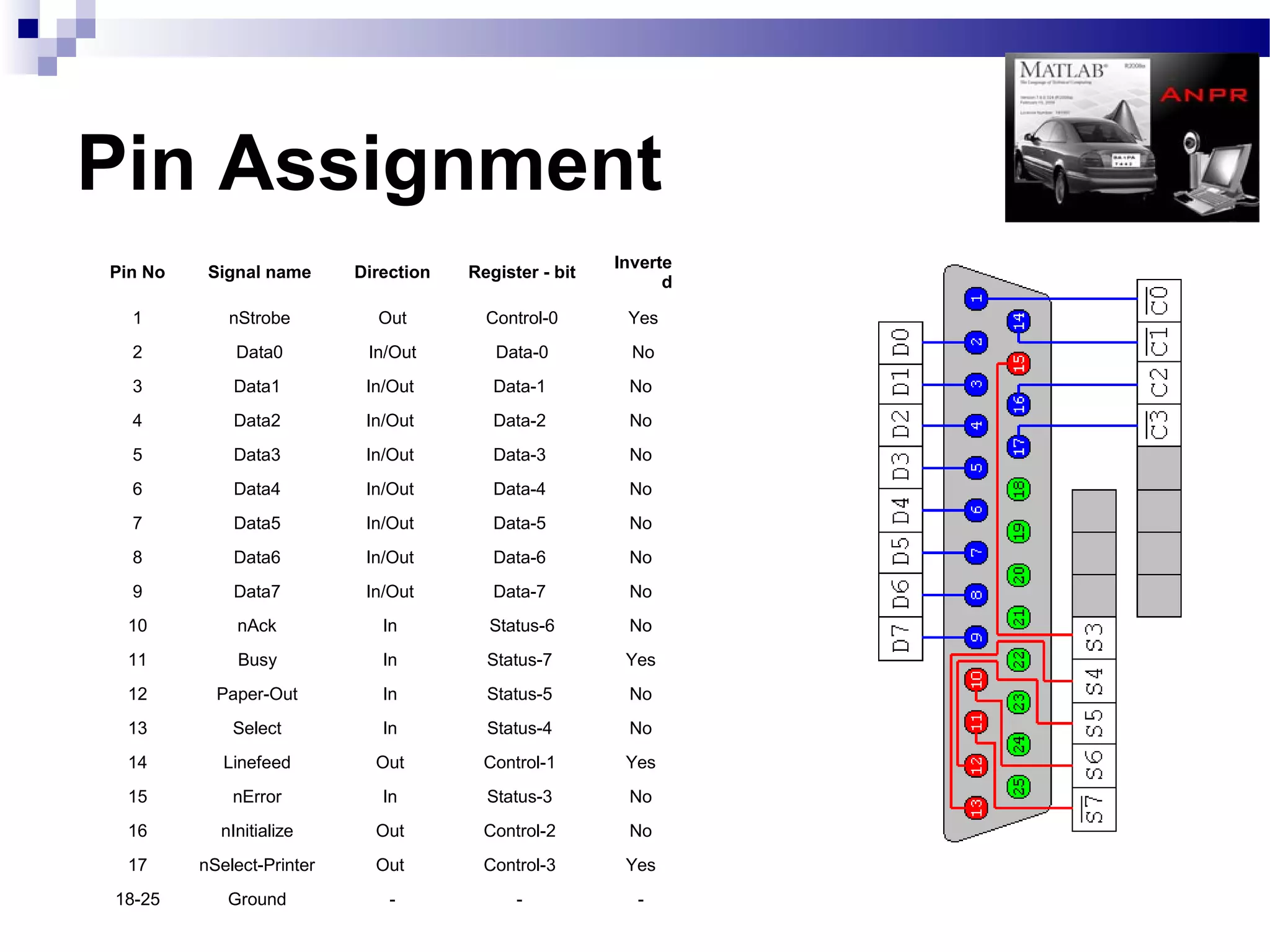
Pin Assignment
                                                        Inverte
Pin No    Signal name      Direction   Register - bit
                                                              d

  1         nStrobe          Out         Control-0       Yes
  2          Data0          In/Out        Data-0          No
  3          Data1          In/Out        Data-1         No
  4          Data2          In/Out        Data-2         No
  5          Data3          In/Out        Data-3         No
  6          Data4          In/Out        Data-4         No
  7          Data5          In/Out        Data-5         No
  8          Data6          In/Out        Data-6         No
  9          Data7          In/Out        Data-7         No
 10          nAck             In         Status-6        No
 11           Busy            In         Status-7        Yes
 12        Paper-Out          In         Status-5        No
 13          Select           In         Status-4        No
 14         Linefeed         Out         Control-1       Yes
 15          nError           In         Status-3        No
 16        nInitialize       Out         Control-2       No
 17      nSelect-Printer     Out         Control-3       Yes
18-25       Ground             -             -            -
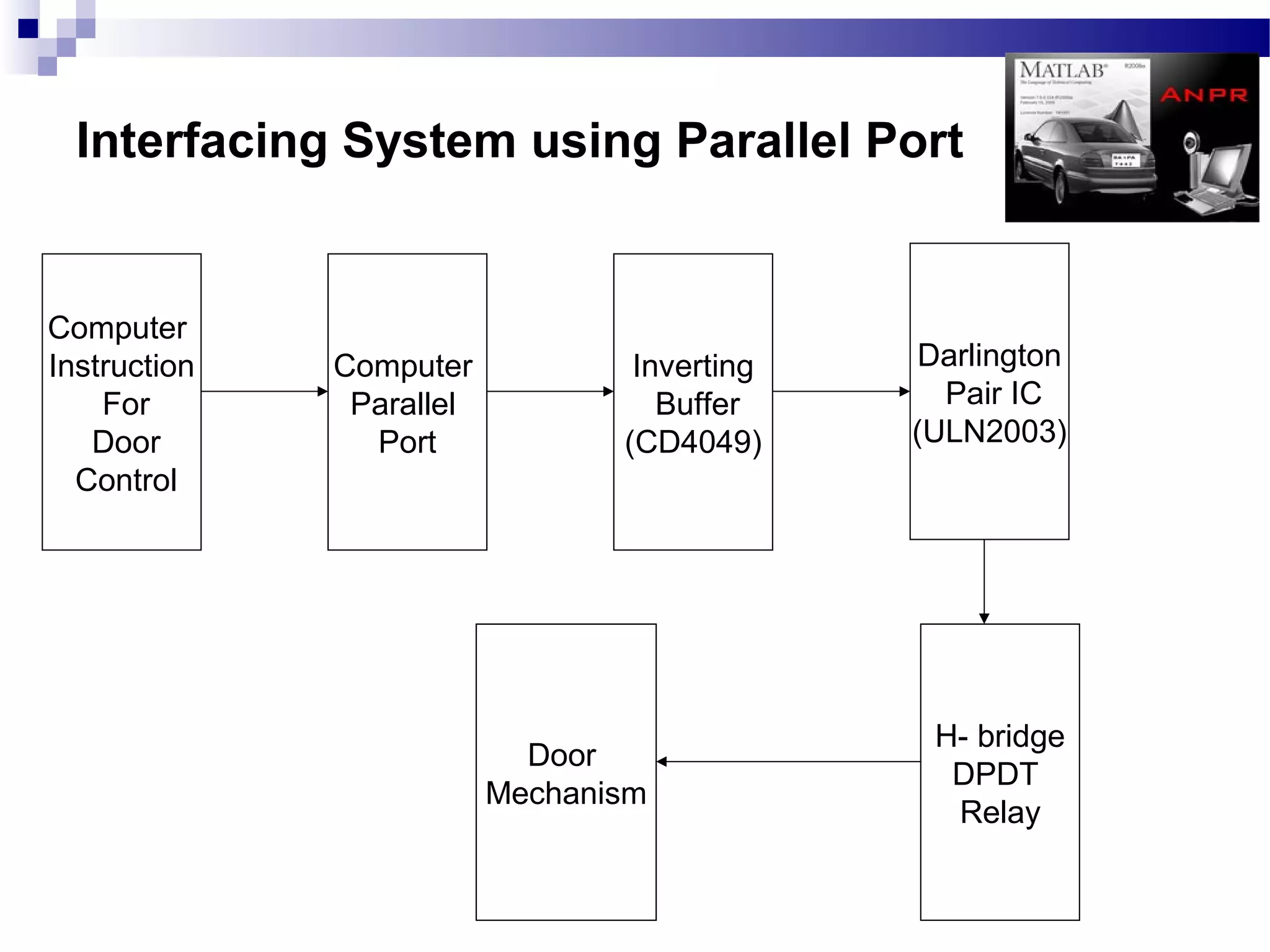
Interfacing System using Parallel Port


Computer
Instruction   Computer            Inverting    Darlington
    For        Parallel             Buffer      Pair IC
   Door         Port             (CD4049)     (ULN2003)
  Control


                                               H- bridge
                            Door
                                                DPDT
                          Mechanism
                                                Relay
Automatic Line
   Tracking
 Robot(ALR)
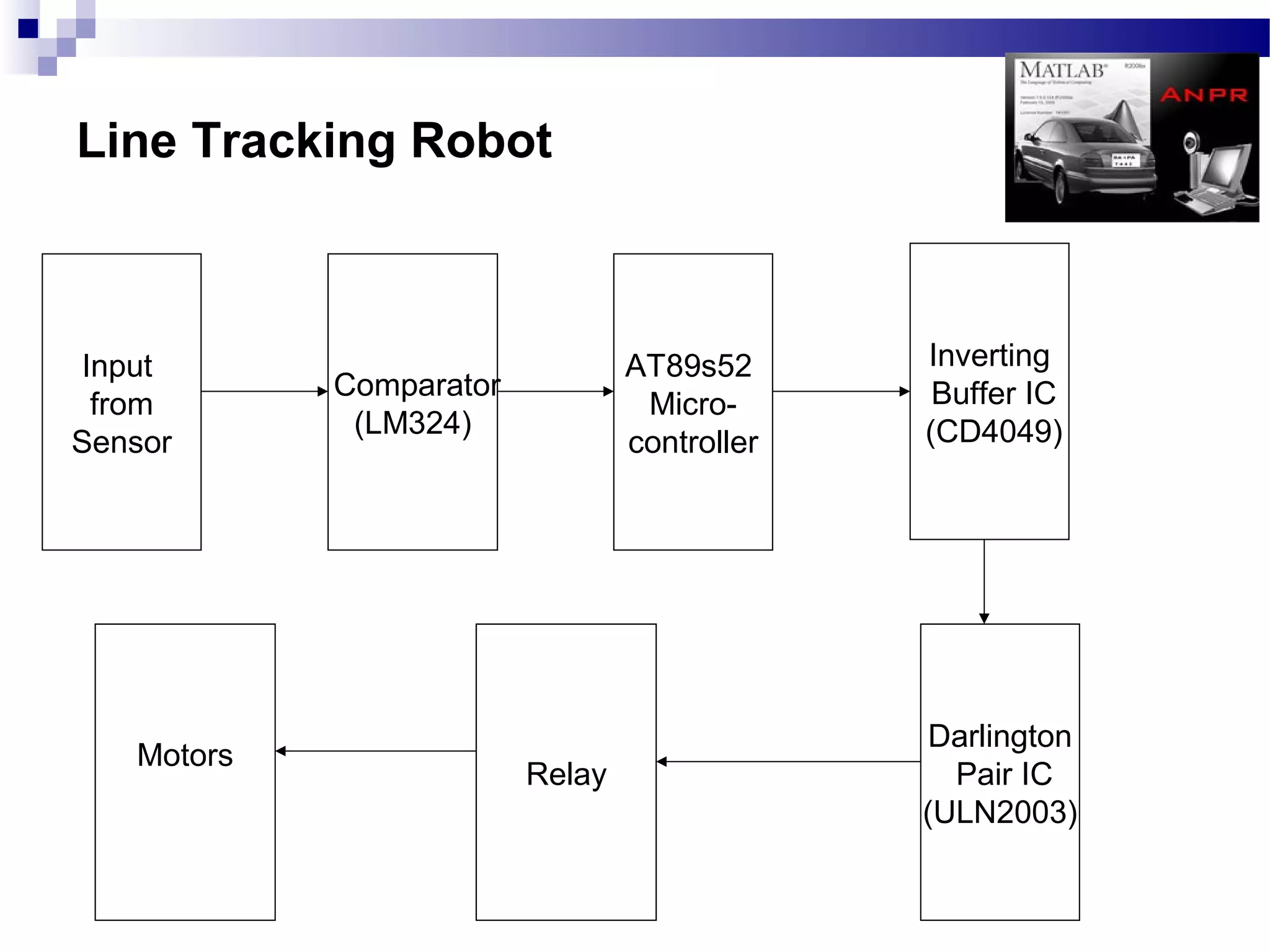
Line Tracking Robot


 Input                           AT89s52      Inverting
            Comparator                         Buffer IC
  from                            Micro-
             (LM324)                          (CD4049)
Sensor                           controller


                                               Darlington
   Motors
                         Relay                  Pair IC
                                              (ULN2003)
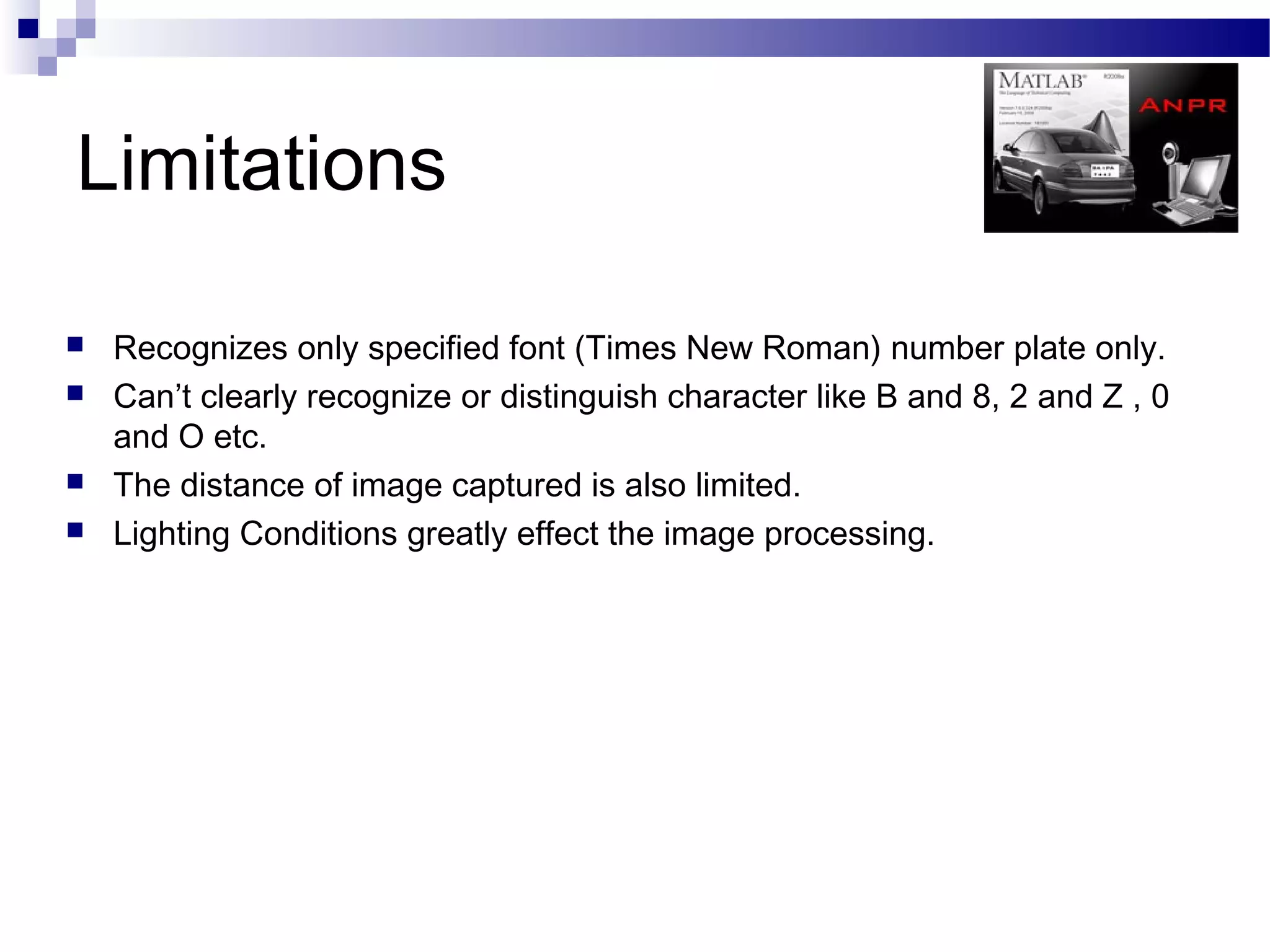
Limitations
Limitations

   Recognizes only specified font (Times New Roman) number plate only.
   Can’t clearly recognize or distinguish character like B and 8, 2 and Z , 0
    and O etc.
   The distance of image captured is also limited.
   Lighting Conditions greatly effect the image processing.
Cost Estimation
   Effort Cost= Rs.150000
   Software requirements=Rs.2500
   Hardware Requirements=Rs.6000
   Internet Surfing= Rs.2000
    Reference materials bought=Rs.5000
   Transportation Cost=Rs.1000
   Communication Cost=Rs.1000

     Total cost = Rs. 1,67,500/-
Conclusion
        and
Discussion
 To our project Supervisor Mr. Raju
  Pandey & Mr.Pravin Shakya
 The Department of Computer and
  Electronics
 All the Supporting Teachers in our Project

ANPR based Security System Using ALR

  • 1.
    Raju Pandey Ashok Basnet 062/DCT/407 Bishnu Parajulli 062/DCT/410 Ishwor Pd.Rijal 062/DCT/416 & Kabindra Kaji Bajrachraya 062/DCT/419 Kiran Karki 062/DCT/420 Krishna Bdr Shrestha 062/DCT/421 Mohan Pandey Ramhari Regmi 062/DCT/422 062/DCT/430 Pravin shakya
  • 2.
  • 3.
    Objectives 1. To be familiar with image processing technique for detection of Number plate area. 2. To be familiar with OCR. 3. To be familiar with MATLAB software. 4. To interface hardware using parallel port of the computer. 5. To develop a line tracking robot which can move in a guided track and detect the closed door. 6. To be familiar with Microcontroller and related components for building automatic robot. 7. To know assembly level programming language and implement it in ALR. 8. To develop a security system.
  • 4.
    (SIMPLY INTRODUCTION) 1.MAT LAB 2.OCR (Optical Capturing Recognizer) 3. PARALLEL PORT 4. ALGORITHM: Convert Image into Binary Detecting Number Plate Area 5. REQUIREMENT: Software Hardware 6. SYSTEM BLOCK DIAGRAM: ALR (Automatic Line –Tracking Robert) Image Processing Parallel Port Data Control 7. DESIGN: DFD (Data Flow Diagram)(0,1) ERD (Entity Relationship Diagram) 8. AUTOMATIC LINE-TRACKING ROBORT 9. SYSTEM 10. ESTIMATED COST 11. DISCUSSION SND CONCLUSION
  • 5.
    Introduction  Massive integration of information technologies into all aspects of modern life caused demand for processing vehicles as conceptual resources in information systems. Because a standalone information system without any data has no sense, there was also a need to transform information about vehicles between the reality and information systems. This can be achieved by a human agent, or by special intelligent equipment which is be able to recognize vehicles by their number plates in a real environment and reflect it into conceptual resources. Because of this, various recognition techniques have been developed and number plate recognition systems are today used in various traffic and security applications, such as parking, access and border control, or tracking of stolen cars.  In entrance gate, number plates are used to identify the vehicles. When a vehicle enters an input gate, number plate is automatically recognized and stored in database and black-listed number is not given permission. When a vehicle later exits the place through the gate, number plate is recognized again and paired with the first-one stored in the database and it is taken a count. Automatic number plate recognition systems can be used in access control. For example, this technology is used in many companies to grant access only to vehicles of authorized personnel.  In some countries, ANPR systems installed on country borders automatically detect and monitor border crossings. Each vehicle can be registered in a central database and compared to a black list of stolen vehicles. In traffic control, vehicles can be directed to different lanes for a better congestion control in busy urban communications during the rush hours.  Automatic Line Tracking Robot (ALR) is used in this project as a vehicle which contains circuitry for moving in a guided track. It will have mechanism to detect the opened and closed door. It also will have capacity to park in the given parking area.
  • 6.
    Requirements Software requirement Hardware requirement MATLAB R2008a PC Automatic line tracking Windows xp robot Webcam Driver Webcam
  • 7.
  • 8.
  • 9.
  • 10.
    Design 1.DATA FLOW DIAGRAM Level O DFD (context diagram) Level 1 DFD 2 ENTITY RELATIONSHIP DIAGRAM
  • 11.
  • 12.
  • 14.
  • 15.
    Matlab  Matlab is an abbreviation of Matrix Laboratory.  It is a popular Mathematical Programming Environment used extensively in Education as well as in Industry.  The trick behind Matlab is that everything is represented in the form of arrays or matrices.  Mathematical Operations starting from simple algebra to complex calculus may be conveniently carried out using this environment.  The main use of Matlab in Software Development is Algorithm Design and Development.  Code developed in Matlab can be converted into C, C++ or Visual C++.  Additionally Matlab may be called as ActiveX Object from still higher level languages like Visual Basic, etc.
  • 16.
    Image Processing  Image Processing generally involves extraction of useful information from an image.  This useful information may be the dimensions of an engineering component, size of diagnosed tumor, or even a 3D view of an unborn baby.  The main areas of application of Image Processing are Bio-Medical, Engineering, Quality Control, Face Detection , Traffic Control etc.
  • 17.
    Image Processing (contd.) SourceImage Formatting Conditioning Observed Image Labeling Conditioned Image Grouping Labeled Image Extracting Grouped Image Target Image Matching Extracted Image Templates
  • 18.
    Image Processing inMatlab  Images can be conveniently represented as matrices in Matlab.  One can open an image as a matrix using imread command.  The matrix may simply be m x n form or it may be 3 dimensional array or it may be an indexed matrix, depending upon image type.  The image processing may be done simply by matrix calculation or matrix manipulation.  Image may be displayed with imshow command.  Changes image may then be saved with imwrite command.
  • 19.
  • 20.
    System Algorithm 1. Input image from webcam. 2. Convert image into binary. 3. Detect number plate area. 4. Segmentation. 5. Number identification. 6. Save to file in given format
  • 21.
    Algo: Input Image 1.Capture image from webcam. 2. Store the captured image into a image file for further processing.
  • 22.
    Algo: Convert Imageinto Binary 1.Identify the intensity of the image. If image intensity = high Reduce intensity Else if intensity = low Increase intensity Else No change. 2.Convert image into grayscale. 3.Calculate appropriate threshold value for the image. 4.Convert the image into binary image using the calculated threshold.
  • 23.
    Algo: Detecting Numberplate area 1.Fill small holes including numbers of Number plate so that number plate area will be large to isolate from figure. 2.Determine width and height of the image. 3.Scan each pixel of line counting number of white pixels in the following system, If number of ‘white’ pixels < x; pixels become ‘black’ Else; no change If number of ‘white’ pixels > y; pixels become ‘black’ Else; no change The value of x and y may be changed according the image intensity and plate area. 4. Use the step no. 3 for both horizontal and vertical direction. 5.Check number of possible areas. 6. Logically AND with binary image obtained at “Convert image into binary algorithm. 7.Crop the required area.
  • 24.
    Algo: Segmentation 1. Filterthe noise level present in the image. 2. Clip the plate area in such a way that only numbers of plate area extracted. 3. Separate each character from the plate.
  • 25.
    Algo: Number Identification 1. Create the template file from the stored template images. 2. Resize image obtained from segmentation to the size of template. 3. Compare each character with the templates. 4. Store the best matched character.
  • 26.
    Algo: Save tofile in given format 1. Open a text file in write mode. 2. Store the character obtained from the number identification process to text file in given format. 3. Close the file.
  • 27.
  • 28.
    Parallel Port  Parallel communication requires as much wires as the no. of bits in a word for its transmission.  Parallel port is generally a 25 pin female connector with which a printer is usually attached.
  • 29.
    Pin Configuration ofParallel Port
  • 30.
    Pin Assignment Inverte Pin No Signal name Direction Register - bit d 1 nStrobe Out Control-0 Yes 2 Data0 In/Out Data-0 No 3 Data1 In/Out Data-1 No 4 Data2 In/Out Data-2 No 5 Data3 In/Out Data-3 No 6 Data4 In/Out Data-4 No 7 Data5 In/Out Data-5 No 8 Data6 In/Out Data-6 No 9 Data7 In/Out Data-7 No 10 nAck In Status-6 No 11 Busy In Status-7 Yes 12 Paper-Out In Status-5 No 13 Select In Status-4 No 14 Linefeed Out Control-1 Yes 15 nError In Status-3 No 16 nInitialize Out Control-2 No 17 nSelect-Printer Out Control-3 Yes 18-25 Ground - - -
  • 31.
    Interfacing System usingParallel Port Computer Instruction Computer Inverting Darlington For Parallel Buffer Pair IC Door Port (CD4049) (ULN2003) Control H- bridge Door DPDT Mechanism Relay
  • 32.
    Automatic Line Tracking Robot(ALR)
  • 33.
    Line Tracking Robot Input AT89s52 Inverting Comparator Buffer IC from Micro- (LM324) (CD4049) Sensor controller Darlington Motors Relay Pair IC (ULN2003)
  • 34.
  • 35.
    Limitations  Recognizes only specified font (Times New Roman) number plate only.  Can’t clearly recognize or distinguish character like B and 8, 2 and Z , 0 and O etc.  The distance of image captured is also limited.  Lighting Conditions greatly effect the image processing.
  • 36.
    Cost Estimation  Effort Cost= Rs.150000  Software requirements=Rs.2500  Hardware Requirements=Rs.6000  Internet Surfing= Rs.2000  Reference materials bought=Rs.5000  Transportation Cost=Rs.1000  Communication Cost=Rs.1000 Total cost = Rs. 1,67,500/-
  • 38.
    Conclusion and Discussion
  • 39.
     To ourproject Supervisor Mr. Raju Pandey & Mr.Pravin Shakya  The Department of Computer and Electronics  All the Supporting Teachers in our Project