PREP & PHASE 0
Where are we? Where are we
going?
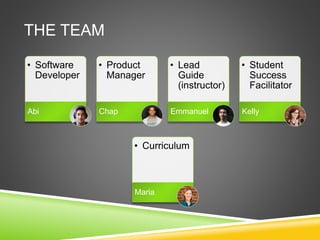
THE TEAM
• Software
Developer
Abi
• Product
Manager
Chap
• Lead
Guide
(instructor)
Emmanuel
• Student
Success
Facilitator
Kelly
• Curriculum
Maria
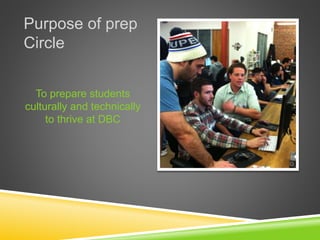
Purpose of prep
Circle
To prepare students
culturally and technically
to thrive at DBC
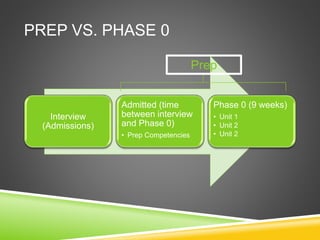
PREP VS. PHASE 0
Interview
(Admissions)
Admitted (time
between interview
and Phase 0)
• Prep Competencies
Phase 0 (9 weeks)
• Unit 1
• Unit 2
• Unit 2
Prep
PROBLEMS BEFORE…
 Prep was designed to give students:
 Things to study before entering Phase 0 (to deal with the long wait times we
had in SF and CHI)
 A taste of the DBC experience
 A stronger foundation in:
 Programming concepts
 Syntax
 Research
 DBC culture
 Chances to pair and learn with one another
 We also wanted to better assess students. Some found the old
assessment a flawed indicator of student preparedness
PHASE 0 PREREQUISITES
 Students are expected to come into Phase 0 with basic knowledge
of:
 Their learning and thinking styles (VARK and Gregorc)
 How to set up their computer
 The command line (pwd, mkdir, cd, ls, touch, cp, mv, rm, etc.)
 Ruby (Learn to Program and Codecademy)
 Typing (be able to type at least 40wpm)
 We designed the prep competencies with the assumption that
students would have one week to go through the curriculum before
starting phase 0.
 This has been a problem for recent Chicago and NYC cohorts
 Students in SF continue to request additional work
 See the competencies
CURRICULUM OVERVIEW
 Unit expectations
 Students need to pair with their peers at least 4 times in Unit 1 and 6 times in
Unit 2 and submit feedback for their pair
 Attend required Guided Pairing Sessions and submit feedback for their pair
 Rate at least 20 pieces of feedback
 Weekly
 Students have between 5 - 8 technical coding challenges
 2 blog assignments per week (one technical and one cultural)
Also see the Phase 0 Student Handbook
CURRICULUM OUTLINE
The 12 week Phase 0 curriculum was a good start, but lacked in three
categories we addressed in the 9 week program:
 Culture
 Weekly cultural blog assignments:
 Kitchen vs. restaurant, fears about DBC, thinking/learning styles, issues in tech, feedback,
stereotype threat, conflict
 Community
 Cohorts for all locations are in the same community, which helps students
communicate, get answers to their questions, and answer others’ questions
 Technical blog assignments relating to a topic of the week students are asked to
share with their cohort
 Comprehension
 Students required to reflect on their learning for each challenge more explicitly
 Technical blogs reinforce concepts they’ve learned or researched during the week
CURRICULUM OUTLINE
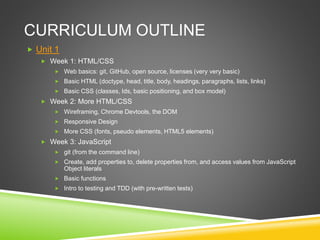
 Unit 1
 Week 1: HTML/CSS
 Web basics: git, GitHub, open source, licenses (very very basic)
 Basic HTML (doctype, head, title, body, headings, paragraphs, lists, links)
 Basic CSS (classes, Ids, basic positioning, and box model)
 Week 2: More HTML/CSS
 Wireframing, Chrome Devtools, the DOM
 Responsive Design
 More CSS (fonts, pseudo elements, HTML5 elements)
 Week 3: JavaScript
 git (from the command line)
 Create, add properties to, delete properties from, and access values from JavaScript
Object literals
 Basic functions
 Intro to testing and TDD (with pre-written tests)
CURRICULUM OUTLINE
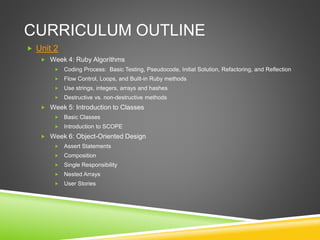
 Unit 2
 Week 4: Ruby Algorithms
 Coding Process: Basic Testing, Pseudocode, Initial Solution, Refactoring, and Reflection
 Flow Control, Loops, and Built-in Ruby methods
 Use strings, integers, arrays and hashes
 Destructive vs. non-destructive methods
 Week 5: Introduction to Classes
 Basic Classes
 Introduction to SCOPE
 Week 6: Object-Oriented Design
 Assert Statements
 Composition
 Single Responsibility
 Nested Arrays
 User Stories
CURRICULUM OUTLINE
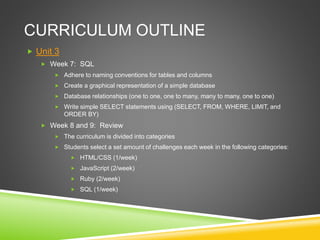
 Unit 3
 Week 7: SQL
 Adhere to naming conventions for tables and columns
 Create a graphical representation of a simple database
 Database relationships (one to one, one to many, many to many, one to one)
 Write simple SELECT statements using (SELECT, FROM, WHERE, LIMIT, and
ORDER BY)
 Week 8 and 9: Review
 The curriculum is divided into categories
 Students select a set amount of challenges each week in the following categories:
 HTML/CSS (1/week)
 JavaScript (2/week)
 Ruby (2/week)
 SQL (1/week)
GUIDES
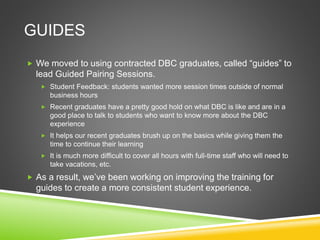
 We moved to using contracted DBC graduates, called “guides” to
lead Guided Pairing Sessions.
 Student Feedback: students wanted more session times outside of normal
business hours
 Recent graduates have a pretty good hold on what DBC is like and are in a
good place to talk to students who want to know more about the DBC
experience
 It helps our recent graduates brush up on the basics while giving them the
time to continue their learning
 It is much more difficult to cover all hours with full-time staff who will need to
take vacations, etc.
 As a result, we’ve been working on improving the training for
guides to create a more consistent student experience.
ASSESSMENT
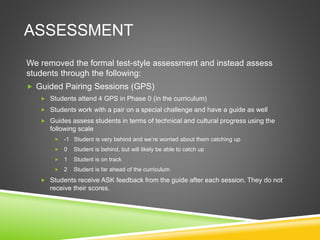
We removed the formal test-style assessment and instead assess
students through the following:
 Guided Pairing Sessions (GPS)
 Students attend 4 GPS in Phase 0 (in the curriculum)
 Students work with a pair on a special challenge and have a guide as well
 Guides assess students in terms of technical and cultural progress using the
following scale
 -1 Student is very behind and we’re worried about them catching up
 0 Student is behind, but will likely be able to catch up
 1 Student is on track
 2 Student is far ahead of the curriculum
 Students receive ASK feedback from the guide after each session. They do not
receive their scores.
ASSESSMENT
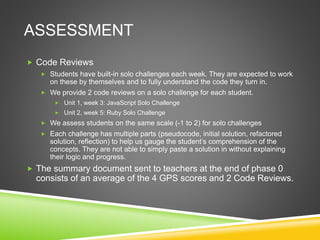
 Code Reviews
 Students have built-in solo challenges each week. They are expected to work
on these by themselves and to fully understand the code they turn in.
 We provide 2 code reviews on a solo challenge for each student.
 Unit 1, week 3: JavaScript Solo Challenge
 Unit 2, week 5: Ruby Solo Challenge
 We assess students on the same scale (-1 to 2) for solo challenges
 Each challenge has multiple parts (pseudocode, initial solution, refactored
solution, reflection) to help us gauge the student’s comprehension of the
concepts. They are not able to simply paste a solution in without explaining
their logic and progress.
 The summary document sent to teachers at the end of phase 0
consists of an average of the 4 GPS scores and 2 Code Reviews.
WHAT WE HAVE DONE WELL
 Students have more chances to interact with DBC
 We offer 30 min tutoring sessions to help students who are struggling
 We have 10 office hours per week where students can jump in and ask a
question
 Students are getting feedback more consistently on their progress
 Students are pairing more often – required to pair 4 times in unit
1, 6 times in units 2 and 3
 Students are interacting with one another and answering others’
questions
 Students have more interaction with our culture and are
introduced to IKE, feedback, and other cultural topics we believe
in – The amount of EE at DBC is not a surprise.
WHAT WE STILL SUCK AT
 Being flexible
 Assessing consistently (and more objectively)
 Mediating between the needs of the guides and students
 Having a diverse curriculum that has challenges with different
structures (creative, experimental, research-and-apply, group,
etc.)
 Communicating with the rest of DBC
 Getting other DBC instructors involved
 Having more resources for students to engage with us
THE END
Questions? Comments?

Prep and Phase 0 Presentation (06/12)

  • 1.
    PREP & PHASE0 Where are we? Where are we going?
  • 2.
    THE TEAM • Software Developer Abi •Product Manager Chap • Lead Guide (instructor) Emmanuel • Student Success Facilitator Kelly • Curriculum Maria
  • 3.
    Purpose of prep Circle Toprepare students culturally and technically to thrive at DBC
  • 4.
    PREP VS. PHASE0 Interview (Admissions) Admitted (time between interview and Phase 0) • Prep Competencies Phase 0 (9 weeks) • Unit 1 • Unit 2 • Unit 2 Prep
  • 5.
    PROBLEMS BEFORE…  Prepwas designed to give students:  Things to study before entering Phase 0 (to deal with the long wait times we had in SF and CHI)  A taste of the DBC experience  A stronger foundation in:  Programming concepts  Syntax  Research  DBC culture  Chances to pair and learn with one another  We also wanted to better assess students. Some found the old assessment a flawed indicator of student preparedness
  • 6.
    PHASE 0 PREREQUISITES Students are expected to come into Phase 0 with basic knowledge of:  Their learning and thinking styles (VARK and Gregorc)  How to set up their computer  The command line (pwd, mkdir, cd, ls, touch, cp, mv, rm, etc.)  Ruby (Learn to Program and Codecademy)  Typing (be able to type at least 40wpm)  We designed the prep competencies with the assumption that students would have one week to go through the curriculum before starting phase 0.  This has been a problem for recent Chicago and NYC cohorts  Students in SF continue to request additional work  See the competencies
  • 7.
    CURRICULUM OVERVIEW  Unitexpectations  Students need to pair with their peers at least 4 times in Unit 1 and 6 times in Unit 2 and submit feedback for their pair  Attend required Guided Pairing Sessions and submit feedback for their pair  Rate at least 20 pieces of feedback  Weekly  Students have between 5 - 8 technical coding challenges  2 blog assignments per week (one technical and one cultural) Also see the Phase 0 Student Handbook
  • 8.
    CURRICULUM OUTLINE The 12week Phase 0 curriculum was a good start, but lacked in three categories we addressed in the 9 week program:  Culture  Weekly cultural blog assignments:  Kitchen vs. restaurant, fears about DBC, thinking/learning styles, issues in tech, feedback, stereotype threat, conflict  Community  Cohorts for all locations are in the same community, which helps students communicate, get answers to their questions, and answer others’ questions  Technical blog assignments relating to a topic of the week students are asked to share with their cohort  Comprehension  Students required to reflect on their learning for each challenge more explicitly  Technical blogs reinforce concepts they’ve learned or researched during the week
  • 9.
    CURRICULUM OUTLINE  Unit1  Week 1: HTML/CSS  Web basics: git, GitHub, open source, licenses (very very basic)  Basic HTML (doctype, head, title, body, headings, paragraphs, lists, links)  Basic CSS (classes, Ids, basic positioning, and box model)  Week 2: More HTML/CSS  Wireframing, Chrome Devtools, the DOM  Responsive Design  More CSS (fonts, pseudo elements, HTML5 elements)  Week 3: JavaScript  git (from the command line)  Create, add properties to, delete properties from, and access values from JavaScript Object literals  Basic functions  Intro to testing and TDD (with pre-written tests)
  • 10.
    CURRICULUM OUTLINE  Unit2  Week 4: Ruby Algorithms  Coding Process: Basic Testing, Pseudocode, Initial Solution, Refactoring, and Reflection  Flow Control, Loops, and Built-in Ruby methods  Use strings, integers, arrays and hashes  Destructive vs. non-destructive methods  Week 5: Introduction to Classes  Basic Classes  Introduction to SCOPE  Week 6: Object-Oriented Design  Assert Statements  Composition  Single Responsibility  Nested Arrays  User Stories
  • 11.
    CURRICULUM OUTLINE  Unit3  Week 7: SQL  Adhere to naming conventions for tables and columns  Create a graphical representation of a simple database  Database relationships (one to one, one to many, many to many, one to one)  Write simple SELECT statements using (SELECT, FROM, WHERE, LIMIT, and ORDER BY)  Week 8 and 9: Review  The curriculum is divided into categories  Students select a set amount of challenges each week in the following categories:  HTML/CSS (1/week)  JavaScript (2/week)  Ruby (2/week)  SQL (1/week)
  • 12.
    GUIDES  We movedto using contracted DBC graduates, called “guides” to lead Guided Pairing Sessions.  Student Feedback: students wanted more session times outside of normal business hours  Recent graduates have a pretty good hold on what DBC is like and are in a good place to talk to students who want to know more about the DBC experience  It helps our recent graduates brush up on the basics while giving them the time to continue their learning  It is much more difficult to cover all hours with full-time staff who will need to take vacations, etc.  As a result, we’ve been working on improving the training for guides to create a more consistent student experience.
  • 13.
    ASSESSMENT We removed theformal test-style assessment and instead assess students through the following:  Guided Pairing Sessions (GPS)  Students attend 4 GPS in Phase 0 (in the curriculum)  Students work with a pair on a special challenge and have a guide as well  Guides assess students in terms of technical and cultural progress using the following scale  -1 Student is very behind and we’re worried about them catching up  0 Student is behind, but will likely be able to catch up  1 Student is on track  2 Student is far ahead of the curriculum  Students receive ASK feedback from the guide after each session. They do not receive their scores.
  • 14.
    ASSESSMENT  Code Reviews Students have built-in solo challenges each week. They are expected to work on these by themselves and to fully understand the code they turn in.  We provide 2 code reviews on a solo challenge for each student.  Unit 1, week 3: JavaScript Solo Challenge  Unit 2, week 5: Ruby Solo Challenge  We assess students on the same scale (-1 to 2) for solo challenges  Each challenge has multiple parts (pseudocode, initial solution, refactored solution, reflection) to help us gauge the student’s comprehension of the concepts. They are not able to simply paste a solution in without explaining their logic and progress.  The summary document sent to teachers at the end of phase 0 consists of an average of the 4 GPS scores and 2 Code Reviews.
  • 15.
    WHAT WE HAVEDONE WELL  Students have more chances to interact with DBC  We offer 30 min tutoring sessions to help students who are struggling  We have 10 office hours per week where students can jump in and ask a question  Students are getting feedback more consistently on their progress  Students are pairing more often – required to pair 4 times in unit 1, 6 times in units 2 and 3  Students are interacting with one another and answering others’ questions  Students have more interaction with our culture and are introduced to IKE, feedback, and other cultural topics we believe in – The amount of EE at DBC is not a surprise.
  • 16.
    WHAT WE STILLSUCK AT  Being flexible  Assessing consistently (and more objectively)  Mediating between the needs of the guides and students  Having a diverse curriculum that has challenges with different structures (creative, experimental, research-and-apply, group, etc.)  Communicating with the rest of DBC  Getting other DBC instructors involved  Having more resources for students to engage with us
  • 17.

Editor's Notes

  • #7 Wilfred Wing Fat Lau and Allan Hoi Kau Yuen, “Gender differences in learning styles: Nurturing a gender and style sensitive computer science classroom”, in Australasian Journal of Educational Technology 26 no.7 (2010): 1090-1103. Which noted females had a higher preference for Concrete Sequential and Abstract Random compared with males, who had a higher preference for Concrete Random.