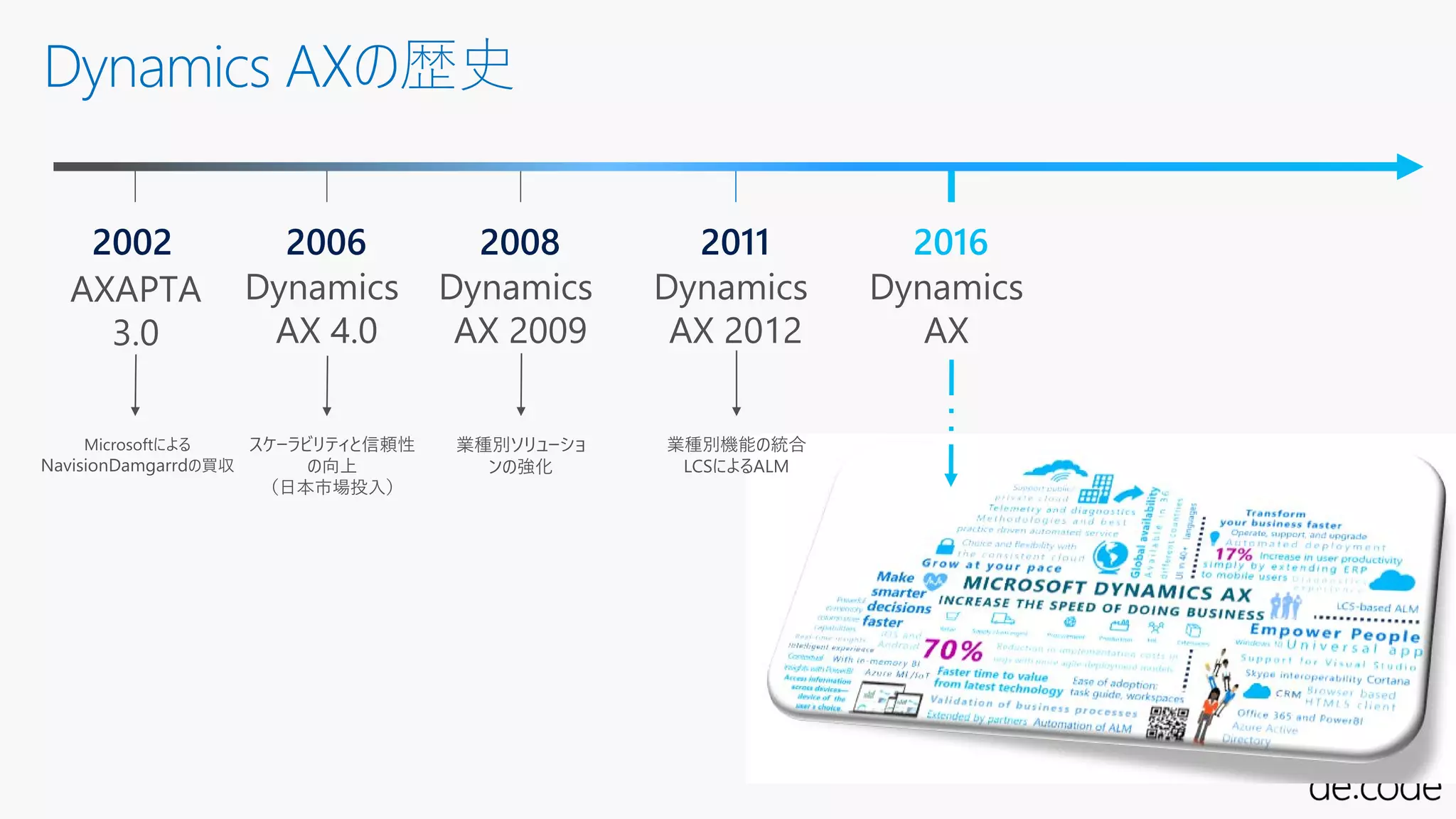
Microsoft Dynamics AXwhat’s new
WEBクライアント
Web Based
Client
ALM
Application
Lifecycle Exp.
Azureネイティブ
Azure Cloud
Enabled
新しいUX
Immersive
Experience
業種別機能
Global
Industries
新しい開発基盤
Developer
Experience
継続的な更新
Continuous update
データ統合基盤
Integration
Platform
7.
Azure AD
Azure SQL
VisualStudio 2015 IDEAX MorphX Dev Tools
Active Directory
SQL Server 2014
SSAS SSRS
WIN32
リッチクライアント
SharePoint
Enterprise Portal
Modern App
Windowsサーバ
MOM
AX アプリケーション
Microsoft Dynamics AX
Microsoft Dynamics AX(オンプレ→クラウド)
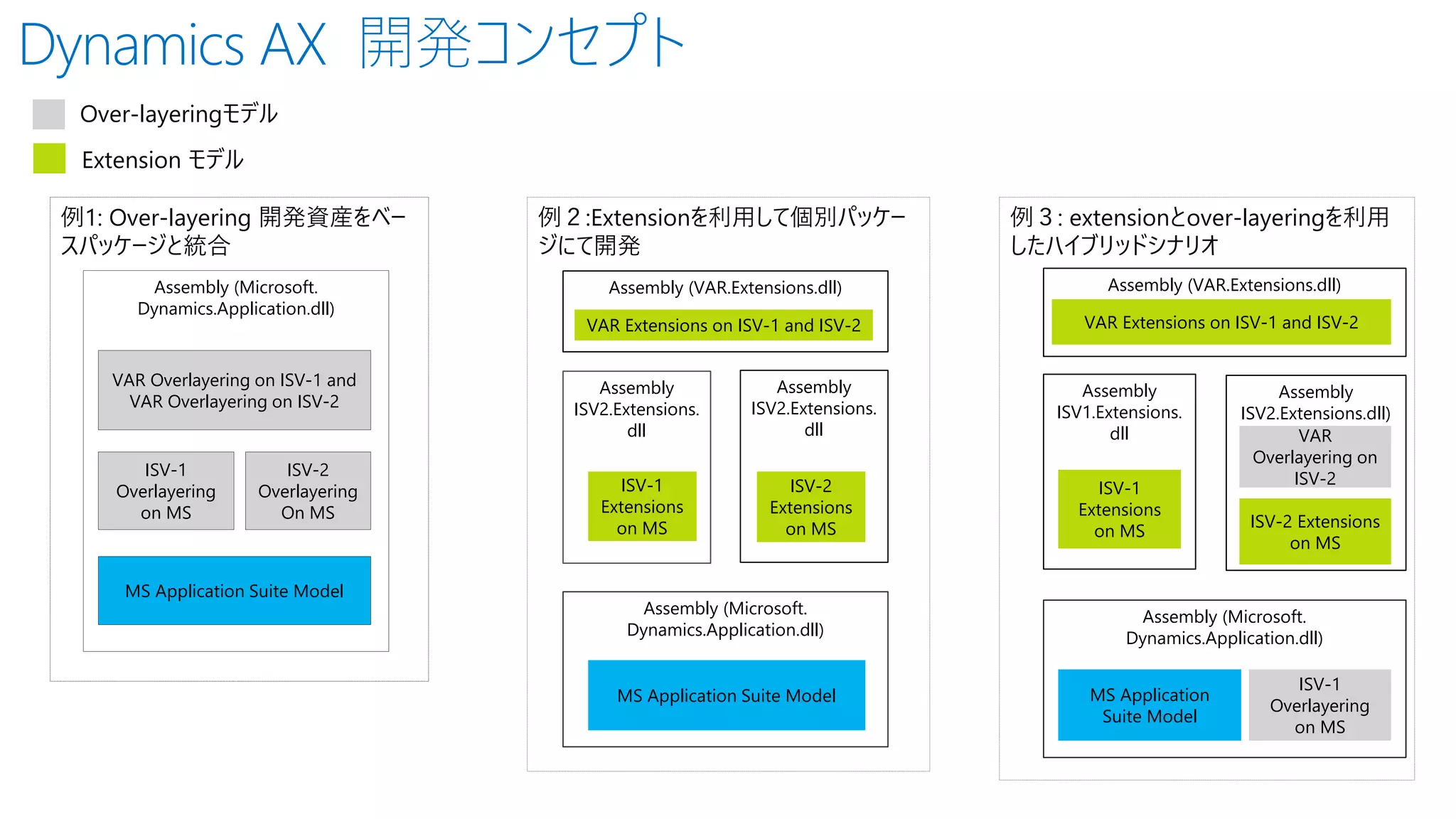
Dynamics AX 開発コンセプト
例1:Over-layering 開発資産をベー
スパッケージと統合
Assembly (Microsoft.
Dynamics.Application.dll)
ISV-1
Overlayering
on MS
ISV-2
Overlayering
On MS
VAR Overlayering on ISV-1 and
VAR Overlayering on ISV-2
MS Application Suite Model
Over-layeringモデル
Extension モデル
Assembly
ISV2.Extensions.
dll
Assembly (Microsoft.
Dynamics.Application.dll)
ISV-1
Extensions
on MS
例2:Extensionを利用して個別パッケー
ジにて開発
Assembly (VAR.Extensions.dll)
VAR Extensions on ISV-1 and ISV-2
MS Application Suite Model
Assembly
ISV2.Extensions.
dll
ISV-2
Extensions
on MS
例3: extensionとover-layeringを利用
したハイブリッドシナリオ
Assembly
ISV1.Extensions.
dll
Assembly (Microsoft.
Dynamics.Application.dll)
ISV-1
Extensions
on MS
Assembly (VAR.Extensions.dll)
VAR Extensions on ISV-1 and ISV-2
MS Application
Suite Model
Assembly
ISV2.Extensions.dll)
ISV-2 Extensions
on MS
VAR
Overlayering on
ISV-2
ISV-1
Overlayering
on MS
24
インテグレーション: Data Entities/OData
Justset a couple of properties to expose as OData e.g.
https://usncax1aos.cloud.onebox.dynamics.com/data/ExchangeRates
ExchangeRateのデータエンティティ











![[HAKODATE Developer Conference 2018] 「Azure Functions」で始めるサーバーレス アプリケーション開発](https://cdn.slidesharecdn.com/ss_thumbnails/20180929hakodateserverlessfunctions-180930062615-thumbnail.jpg?width=640&height=640&fit=bounds)


![[BA08] Dynamics 365 + PowerApps で実践!現場が喜ぶデジタルトランスフォーメーション](https://cdn.slidesharecdn.com/ss_thumbnails/ba08-170605021441-thumbnail.jpg?width=640&height=640&fit=bounds)


