BAB 2CSS (Cascading Style Sheet) 
By: 
Yunia ikawati 
NEXT 
Praktek Pemrograman WEB
•Tujuan: 
Memahami dan mempelajari elemen web Cascading Style Sheets(Syntax CSS, agaimana menggunakan CSS, Background CSS, Text CSS,Font CSS,Border CSS,Margin CSS,Padding CSS,List CSS,Dimensi CSS,Klasifikasi CSS) 
CSS (CASCADING STYLE SHEET)
CSS (Cascading Style Sheet) 
Manfaat: 
•Memperindah tampilan halaman website. 
•Mempermudah mengubah secara keseluruhan warna dan tampilan. 
•Memformat ulang situs Anda secara cepat. 
•Menghemat kode dan waktu dalam mendesain tampilan website. 
NEXT
CSS (Cascading Style Sheet) 
KetentuanMendasar 
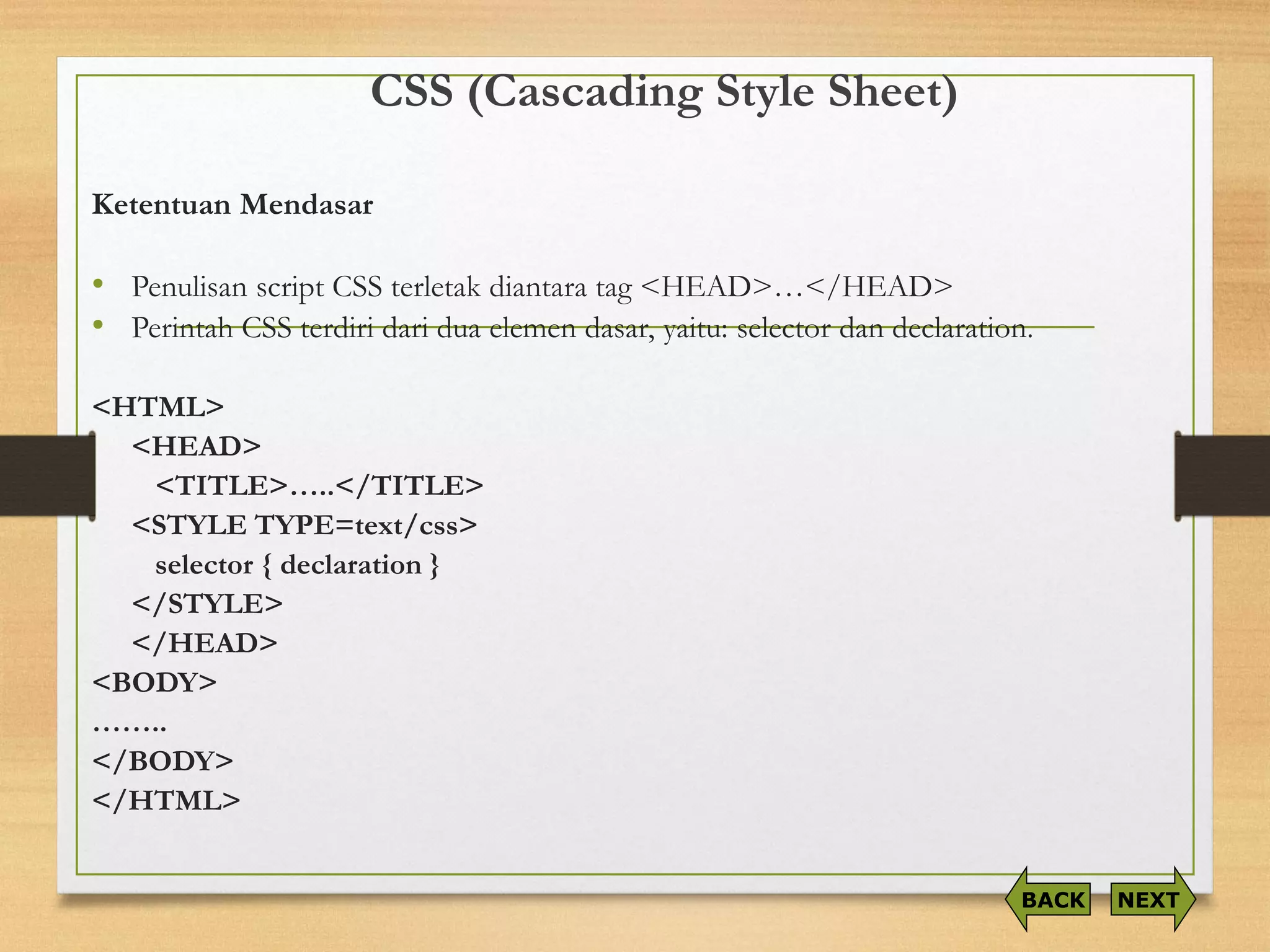
•Penulisanscript CSS terletakdiantaratag <HEAD>…</HEAD> 
•PerintahCSS terdiridariduaelemendasar, yaitu: selector dandeclaration. 
<HTML> 
<HEAD> 
<TITLE>…..</TITLE> 
<STYLE TYPE=text/css> 
selector { declaration } 
</STYLE> 
</HEAD> 
<BODY> 
…….. 
</BODY> 
</HTML> 
NEXT 
BACK
CSS (Cascading Style Sheet) 
Tag Komentar 
<html> 
<head> 
<title>……</title> 
<style type=text/css> 
…aturan-aturancssdisini… /* masukkankomentarAndadalamblokini*/ 
</style> 
</head> 
<body> 
………………… 
</body> 
</html> 
NEXT 
BACK
CSS (Cascading Style Sheet) 
CSS dapat diimplementasikan dalam 3 cara: 
1.Inline Style yaitu menjadi atribut dalam tag HTML, atributnya adalah style. 
2.Internal Style Sheet atau Embed Style yaitu berada di dalam tag <HEAD> . 
3.External Style Sheet atau Linked Style Sheet yaitu style CSS berada terpisah pada sebuahfile.css, sedangkan untuk pemanggilannya dalam document HTML yang akan menggunakannya dilakukan dengan cara: 
<link rel=“stylesheet” href=“file.css” type=“teks/css” />
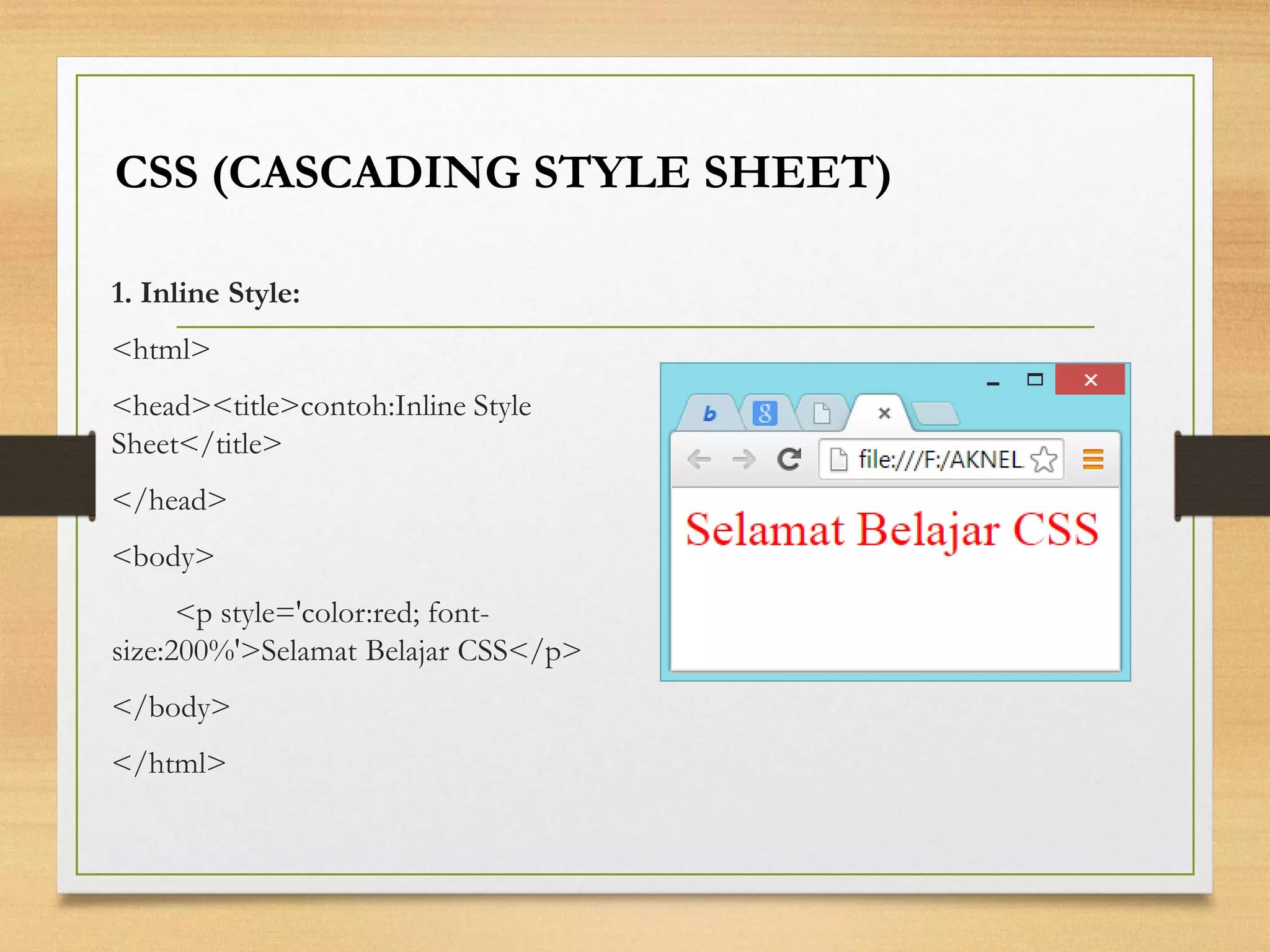
1. Inline Style: 
<html> 
<head><title>contoh:Inline Style Sheet</title> 
</head> 
<body> 
<p style='color:red; font- size:200%'>Selamat Belajar CSS</p> 
</body> 
</html> 
CSS (CASCADING STYLE SHEET)
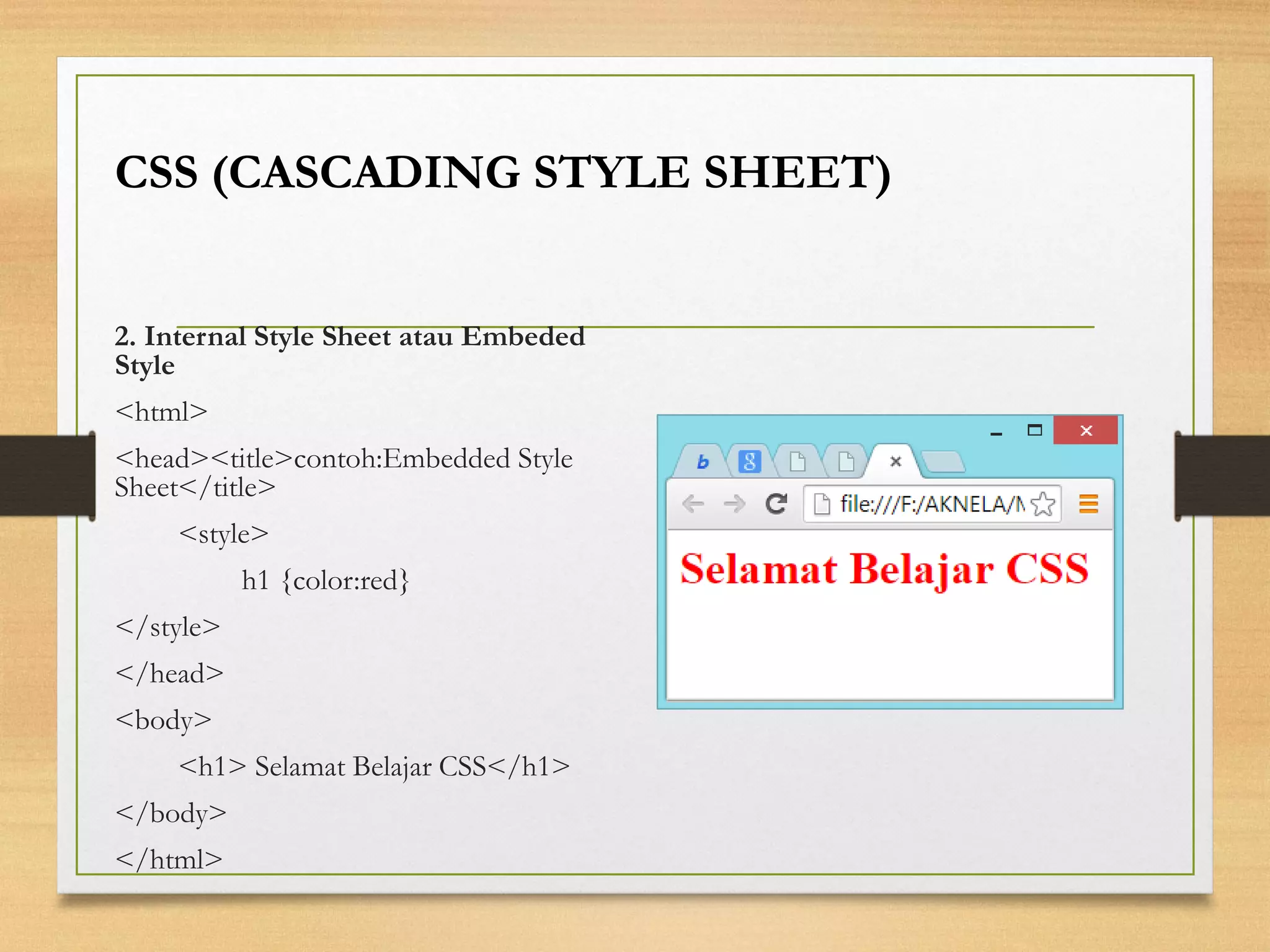
2. Internal Style Sheet atau Embeded Style 
<html> 
<head><title>contoh:Embedded Style Sheet</title> 
<style> 
h1 {color:red} 
</style> 
</head> 
<body> 
<h1> Selamat Belajar CSS</h1> 
</body> 
</html> 
CSS (CASCADING STYLE SHEET)
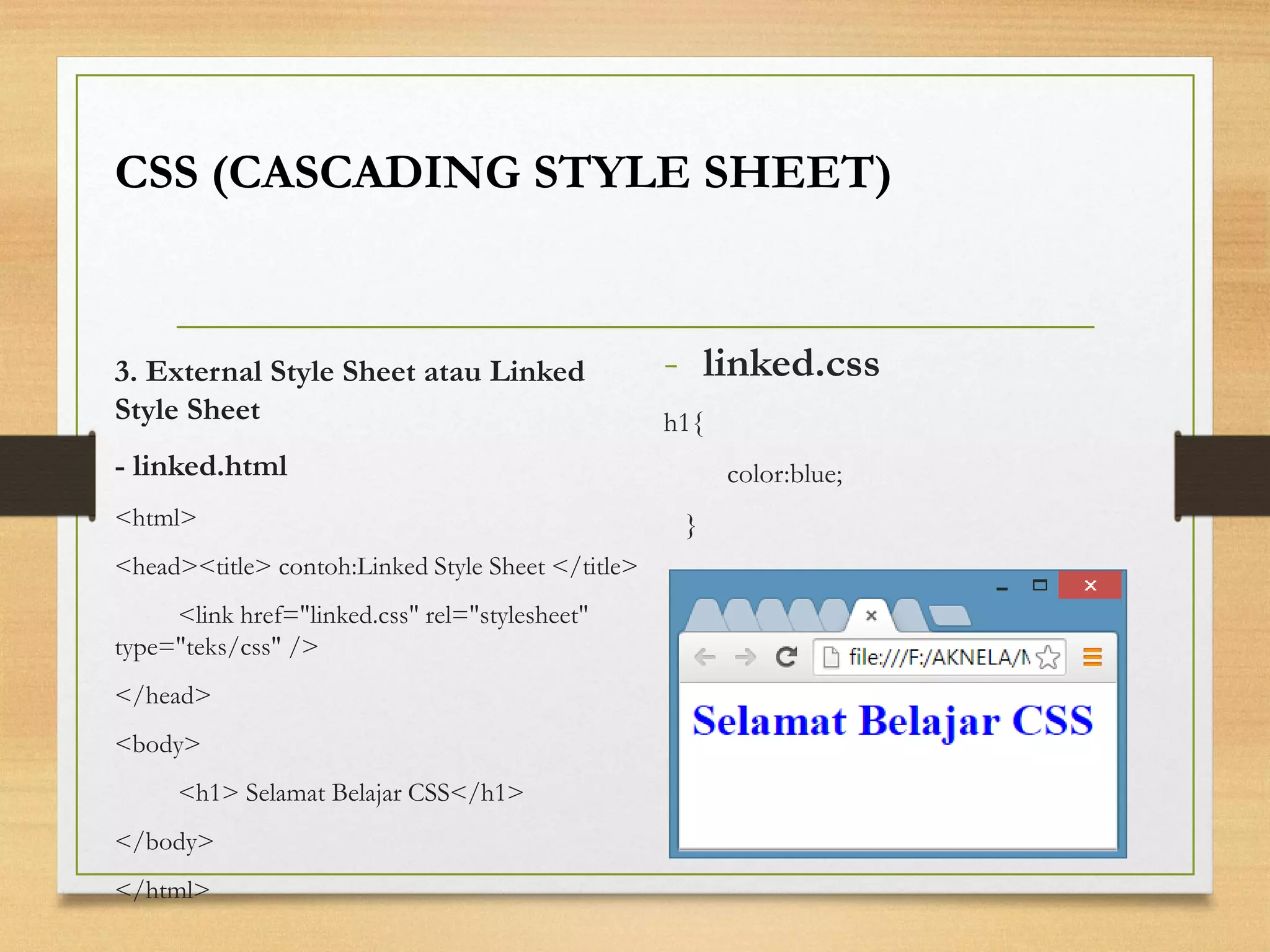
-linked.css 
h1{ 
color:blue; 
} 
CSS (CASCADING STYLE SHEET) 
3. External Style Sheet atau Linked Style Sheet 
-linked.html 
<html> 
<head><title> contoh:Linked Style Sheet </title> 
<link href="linked.css" rel="stylesheet" type="teks/css" /> 
</head> 
<body> 
<h1> Selamat Belajar CSS</h1> 
</body> 
</html>
CSS (Cascading Style Sheet) 
Konsep: 
•Pewarisan (inheritance) 
•Selektor-Kontekstual (Contextual Selector) 
•Kelas (classes) 
NEXT 
BACK
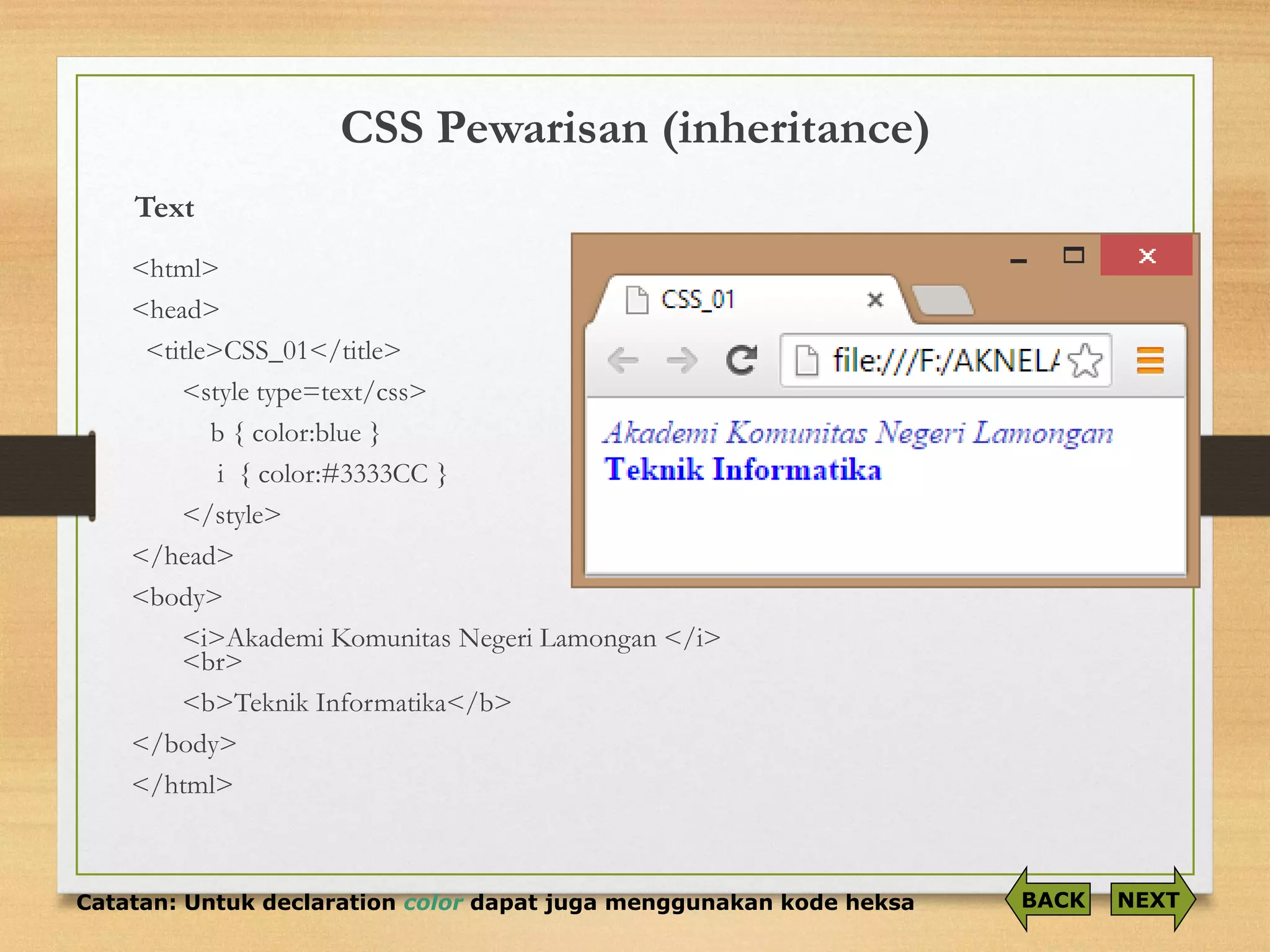
CSS Pewarisan (inheritance) 
Text<html> 
<head> 
<title>CSS_01</title> 
<style type=text/css> 
b { color:blue} 
i { color:#3333CC } 
</style> 
</head> 
<body> 
<i>Akademi Komunitas Negeri Lamongan </i> <br> 
<b>Teknik Informatika</b> 
</body> 
</html> 
Catatan: Untuk declaration colordapat juga menggunakan kode heksa 
NEXT 
BACK
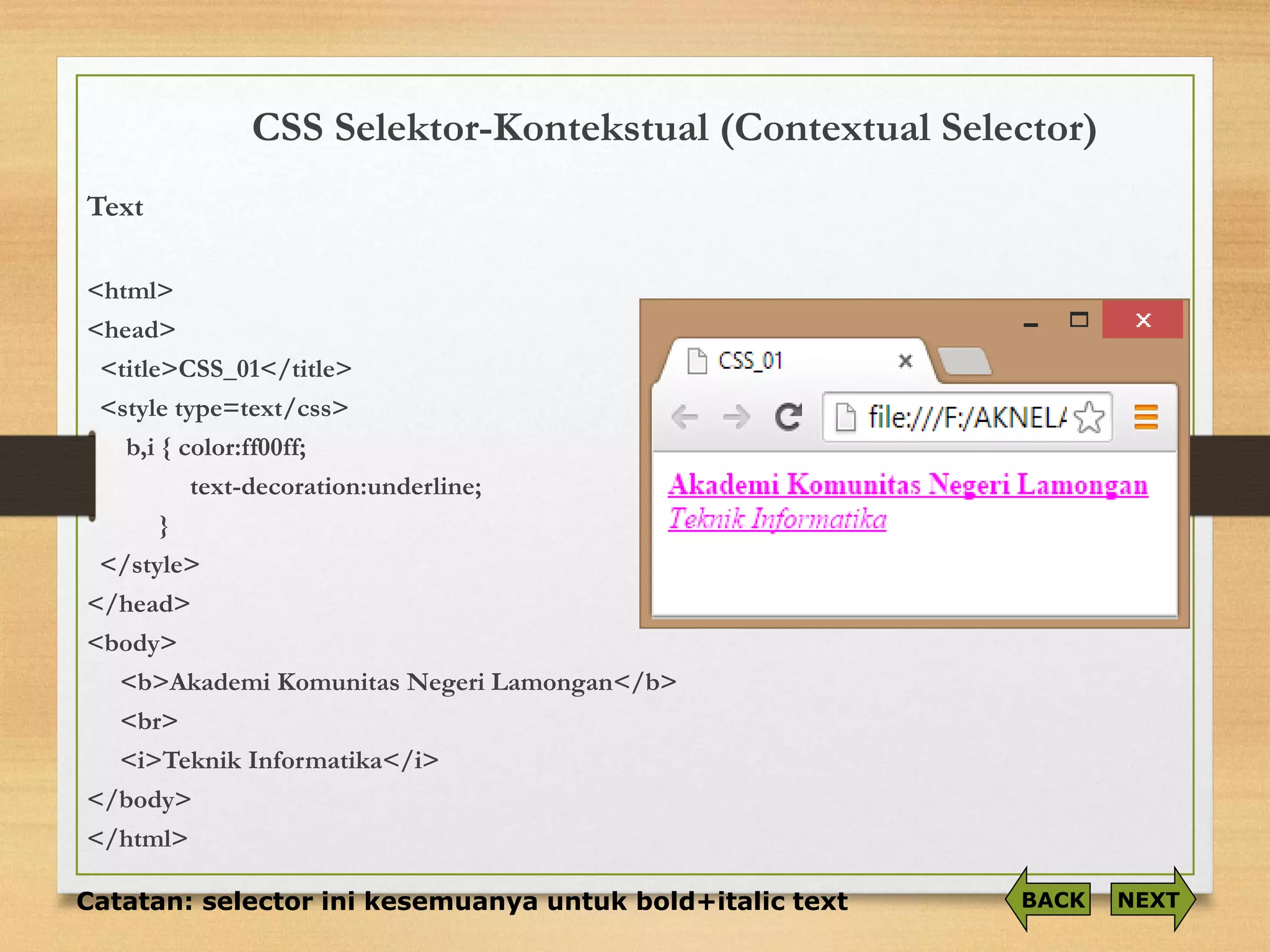
CSS Selektor-Kontekstual(Contextual Selector) 
Text 
<html> 
<head> 
<title>CSS_01</title> 
<style type=text/css> 
b,i{ color:ff00ff; 
text-decoration:underline; 
} 
</style> 
</head> 
<body> 
<b>Akademi Komunitas Negeri Lamongan</b> 
<br> 
<i>Teknik Informatika</i> 
</body> 
</html> 
Catatan: selector ini kesemuanya untuk bold+italic text 
NEXT 
BACK
CSS (Cascading Style Sheet) 
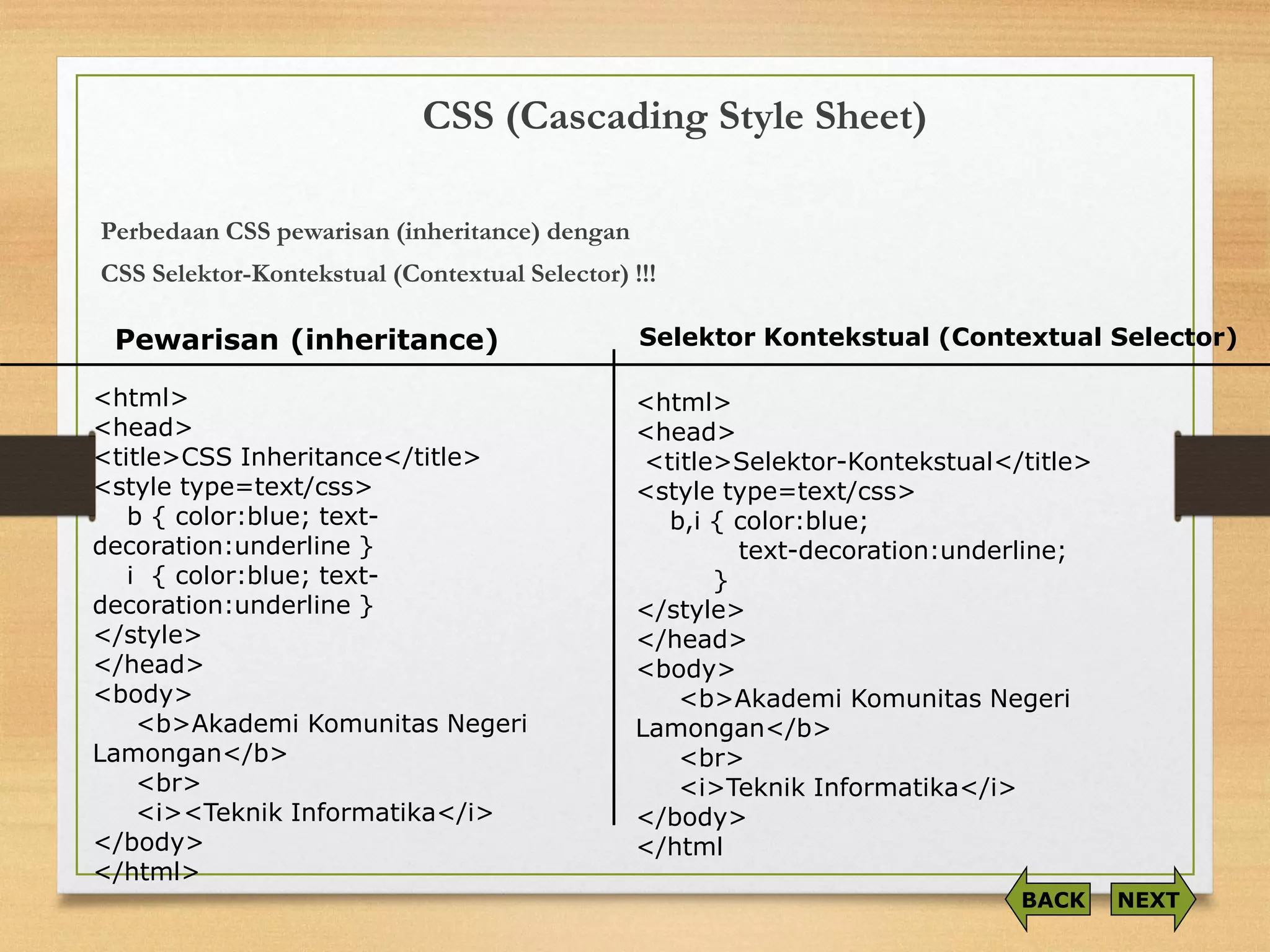
PerbedaanCSS pewarisan(inheritance) dengan 
CSS Selektor-Kontekstual(Contextual Selector) !!! 
<html> 
<head> 
<title>CSS Inheritance</title> 
<style type=text/css> 
b { color:blue; text- decoration:underline } 
i { color:blue; text- decoration:underline } 
</style> 
</head> 
<body> 
<b>Akademi Komunitas Negeri Lamongan</b> <br> 
<i><Teknik Informatika</i> 
</body> 
</html> 
<html> 
<head> 
<title>Selektor-Kontekstual</title> 
<style type=text/css> 
b,i { color:blue; 
text-decoration:underline; 
} 
</style> 
</head> 
<body> 
<b>Akademi Komunitas Negeri Lamongan</b> 
<br> 
<i>Teknik Informatika</i> 
</body> 
</html 
Pewarisan (inheritance) 
Selektor Kontekstual (Contextual Selector) 
NEXT 
BACK
CSS (Cascading Style Sheet) 
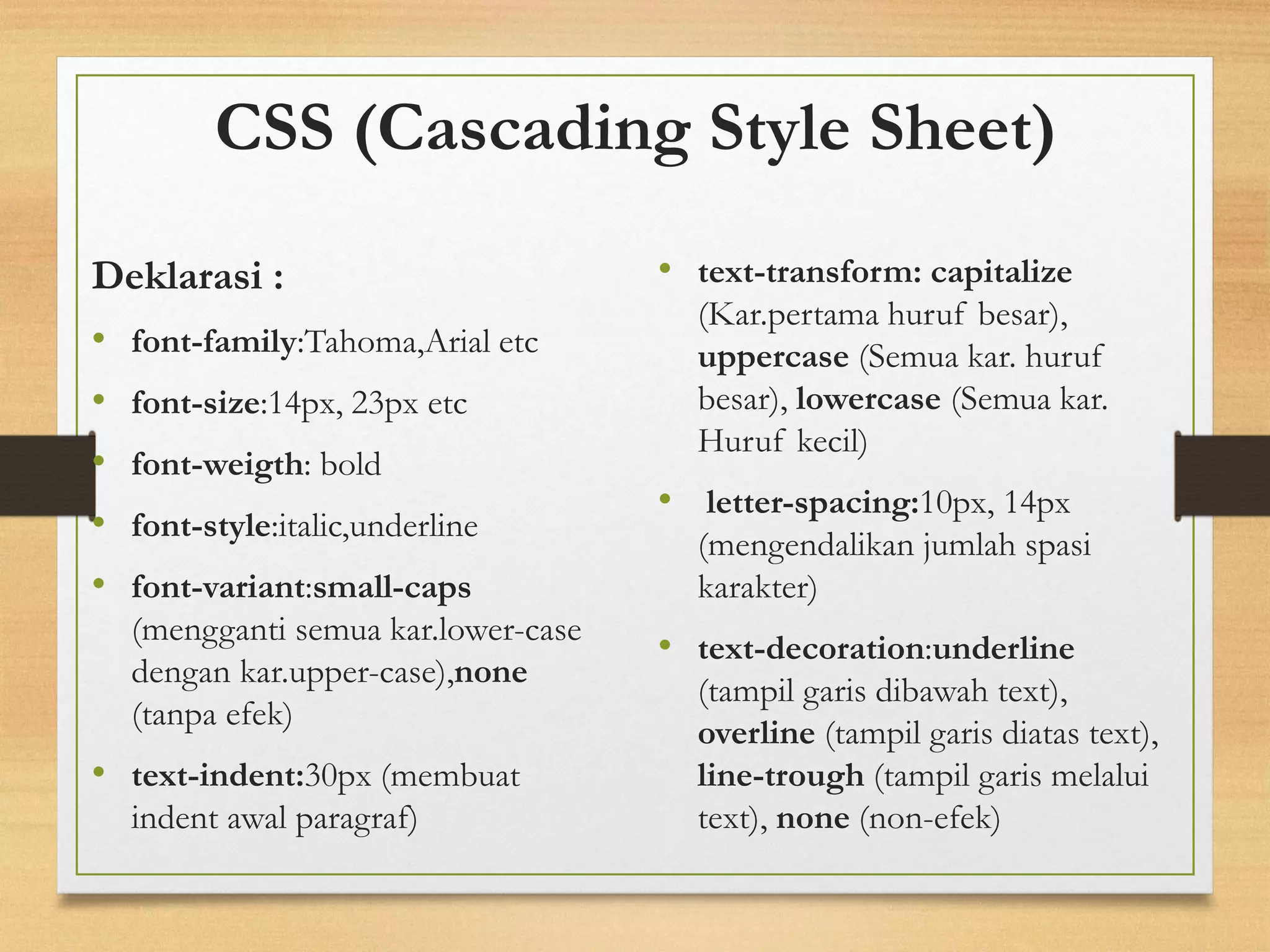
Deklarasi : 
•font-family:Tahoma,Arial etc 
•font-size:14px, 23px etc 
•font-weigth: bold 
•font-style:italic,underline 
•font-variant:small-caps(menggantisemuakar.lower-case dengankar.upper-case),none(tanpaefek) 
•text-indent:30px(membuat indent awal paragraf) 
•text-transform:capitalize(Kar.pertamahurufbesar), uppercase(Semuakar. hurufbesar), lowercase(Semuakar. Hurufkecil) 
•letter-spacing:10px, 14px (mengendalikan jumlah spasi karakter) 
•text-decoration:underline(tampilgarisdibawahtext), overline(tampilgarisdiatastext), line-trough(tampilgarismelaluitext),none(non-efek)
CSS (Cascading Style Sheet) 
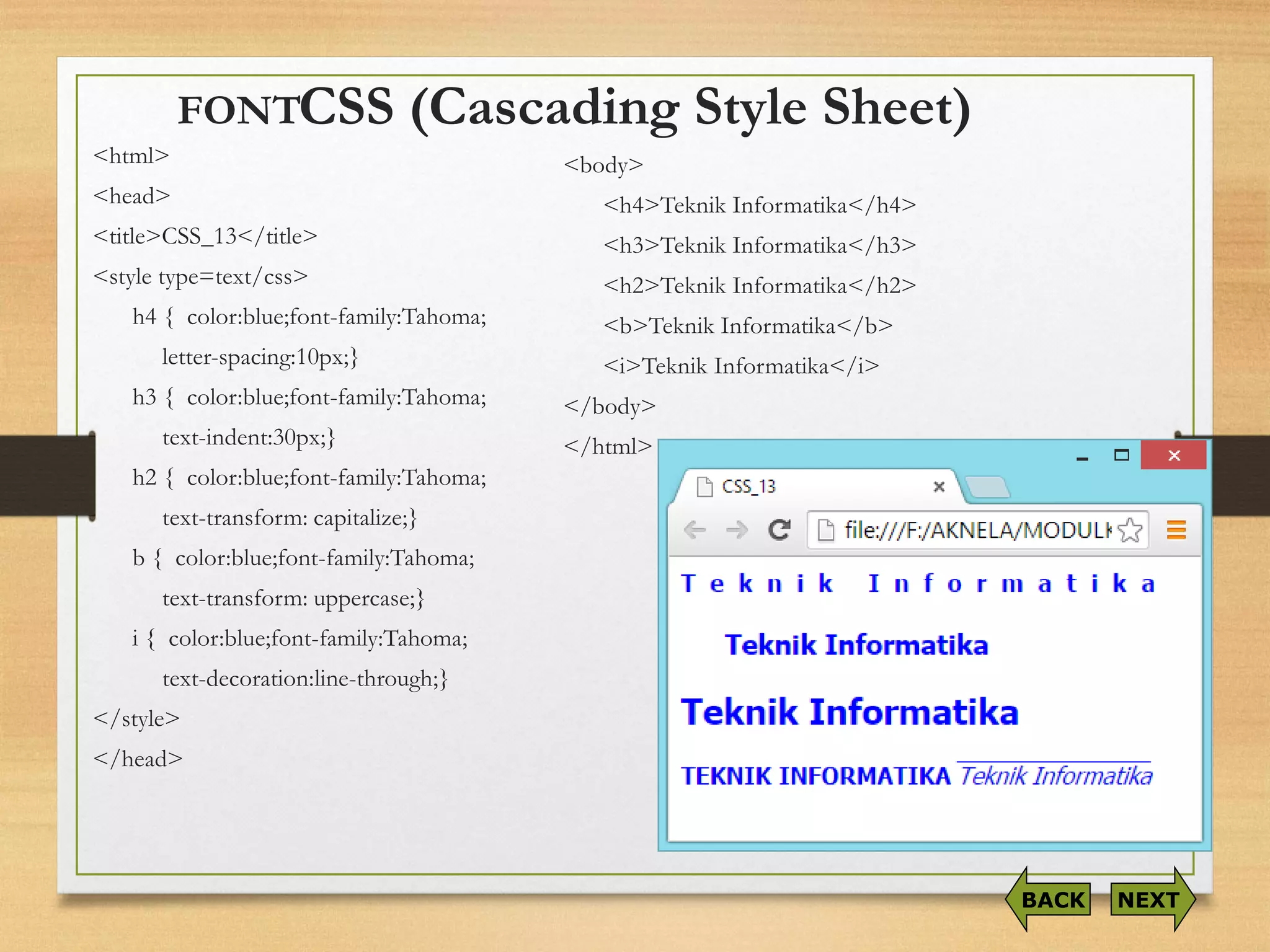
<html> 
<head> 
<title>CSS_13</title> 
<style type=text/css> 
h4 { color:blue;font-family:Tahoma; 
letter-spacing:10px;} 
h3 { color:blue;font-family:Tahoma; 
text-indent:30px;} 
h2 { color:blue;font-family:Tahoma; 
text-transform: capitalize;} 
b { color:blue;font-family:Tahoma; 
text-transform: uppercase;} 
i{ color:blue;font-family:Tahoma; 
text-decoration:line-through;} 
</style> 
</head> 
NEXT 
BACK 
<body> 
<h4>TeknikInformatika</h4> 
<h3>TeknikInformatika</h3> 
<h2>TeknikInformatika</h2> 
<b>TeknikInformatika</b> 
<i>TeknikInformatika</i> 
</body> 
</html> 
FONT
CSS (Cascading Style Sheet) 
Catatan: 
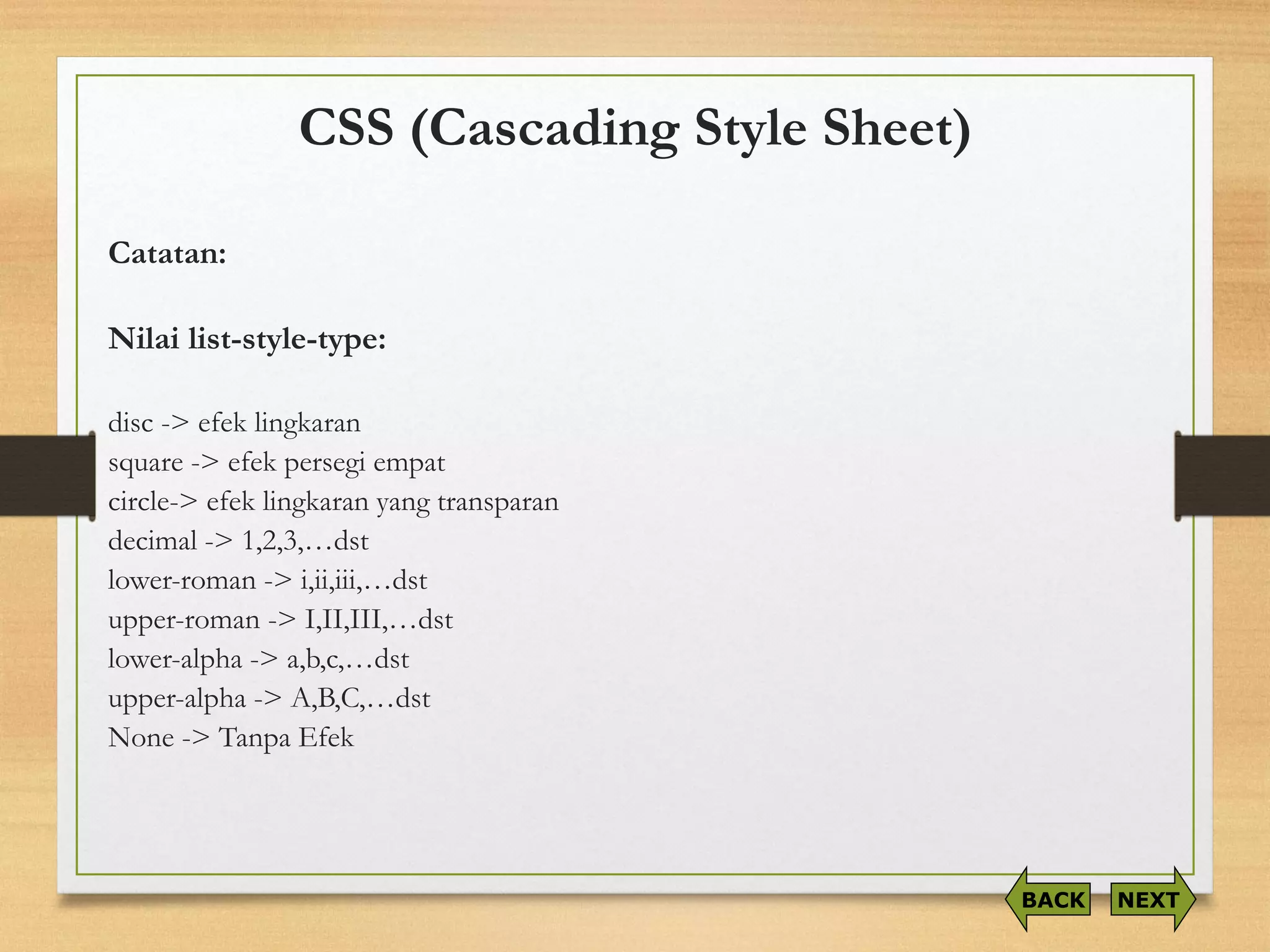
Nilailist-style-type: 
disc -> efeklingkaran 
square-> efekpersegiempat 
circle-> efeklingkaranyang transparan 
decimal -> 1,2,3,…dst 
lower-roman -> i,ii,iii,…dst 
upper-roman -> I,II,III,…dst 
lower-alpha -> a,b,c,…dst 
upper-alpha -> A,B,C,…dst 
None -> TanpaEfek 
NEXT 
BACK
CSS (Cascading Style Sheet) 
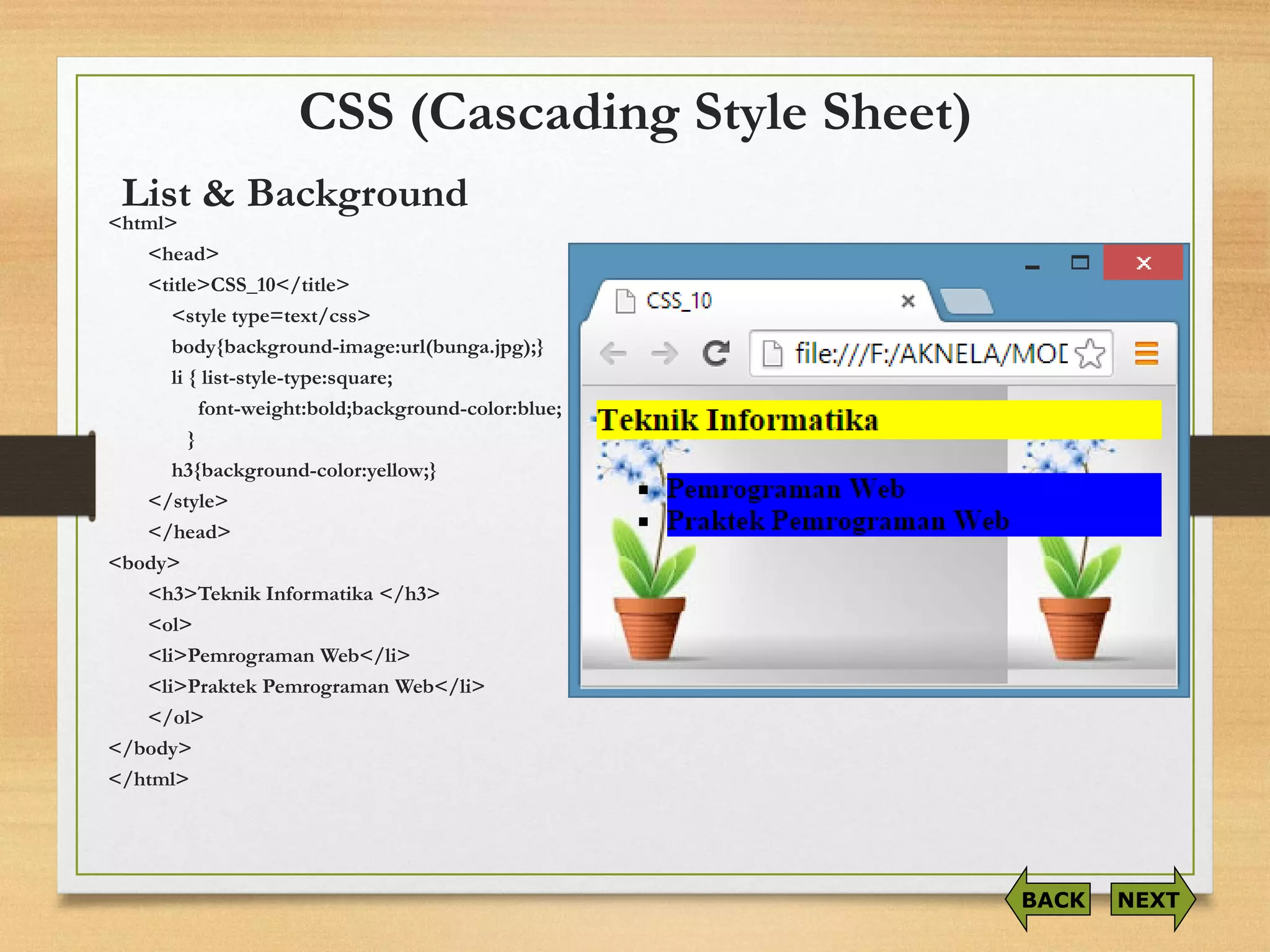
<html> 
<head> 
<title>CSS_10</title> 
<style type=text/css> 
body{background-image:url(bunga.jpg);} 
li { list-style-type:square; 
font-weight:bold;background-color:blue; 
} 
h3{background-color:yellow;} 
</style> 
</head> 
<body> 
<h3>TeknikInformatika</h3> 
<ol> 
<li>PemrogramanWeb</li> 
<li>PraktekPemrogramanWeb</li> 
</ol> 
</body> 
</html> 
NEXT 
BACK 
List & Background
CSS (Cascading Style Sheet) 
<html> 
<head> 
<style type="text/css"> 
p1 
{border: medium double rgb(300,0,255)} 
p2 
{border: dashed rgb(200,450,200)} 
</style> 
</head> 
<body> 
<p1>Pemrograman Web</p1> 
<br><br> 
<p2>Pemrograman Web</p2> 
</body> 
</html> 
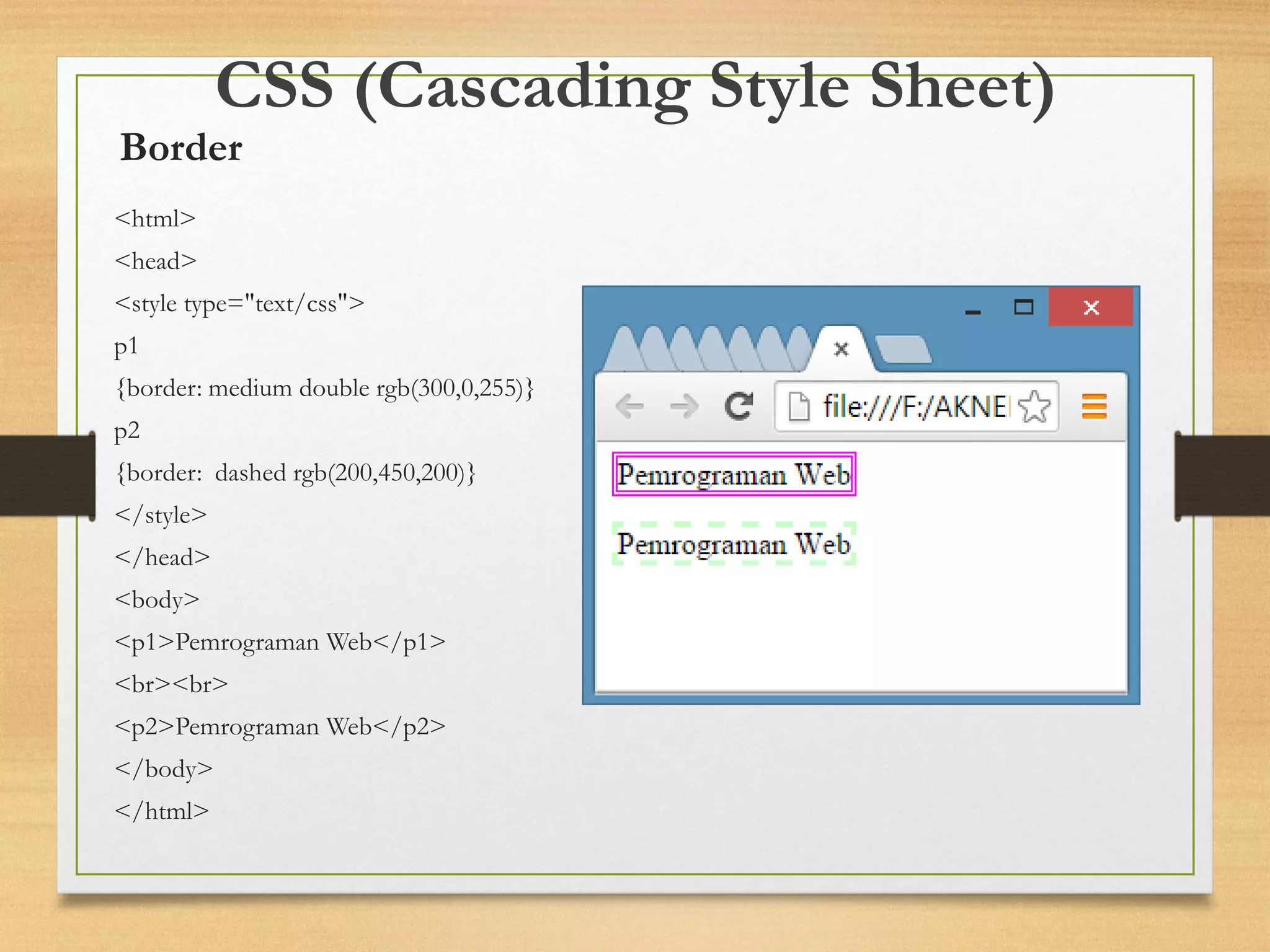
Border
CSS (Cascading Style Sheet) 
<html> 
<head> 
<style type="text/css"> 
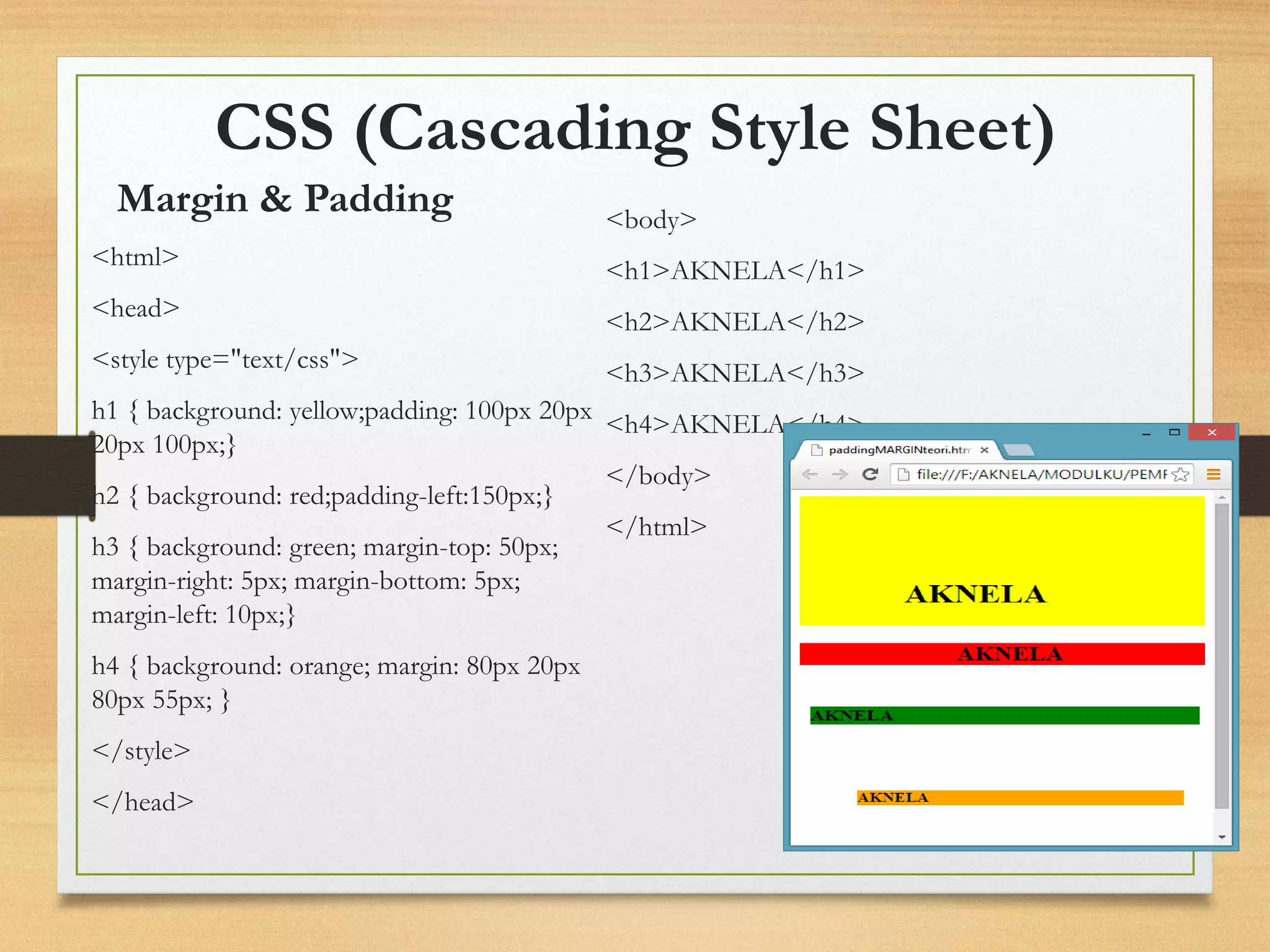
h1 { background: yellow;padding: 100px 20px 20px 100px;} 
h2 { background: red;padding-left:150px;} 
h3 { background: green; margin-top: 50px; margin-right: 5px; margin-bottom: 5px; margin-left: 10px;} 
h4 { background: orange; margin: 80px 20px 80px 55px; } 
</style> 
</head> 
<body> 
<h1>AKNELA</h1> 
<h2>AKNELA</h2> 
<h3>AKNELA</h3> 
<h4>AKNELA</h4> 
</body> 
</html> 
Margin & Padding
CSS (Cascading Style Sheet) 
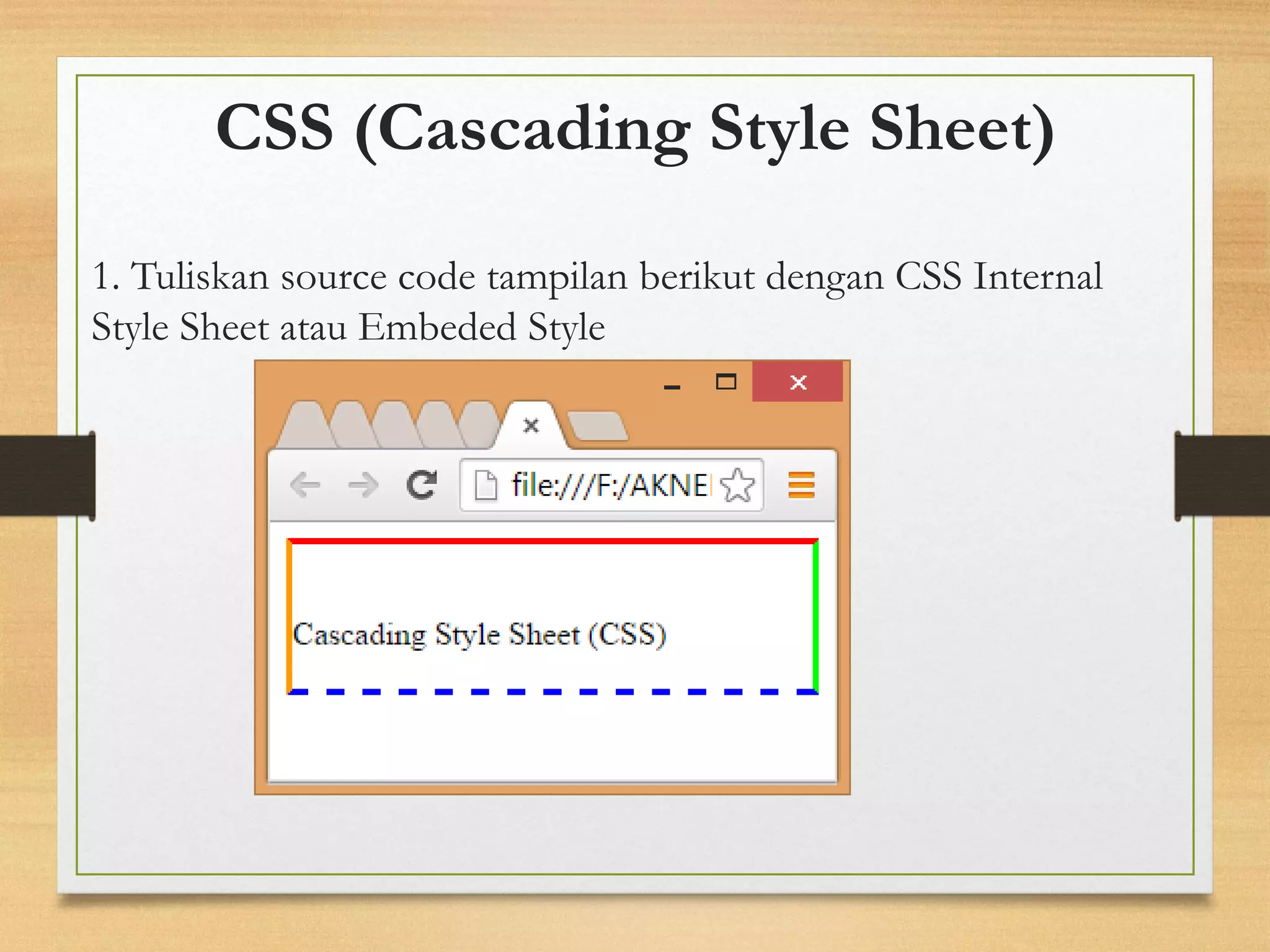
1. Tuliskan source code tampilan berikut dengan CSS Internal Style Sheet atau Embeded Style
CSS (Cascading Style Sheet) 
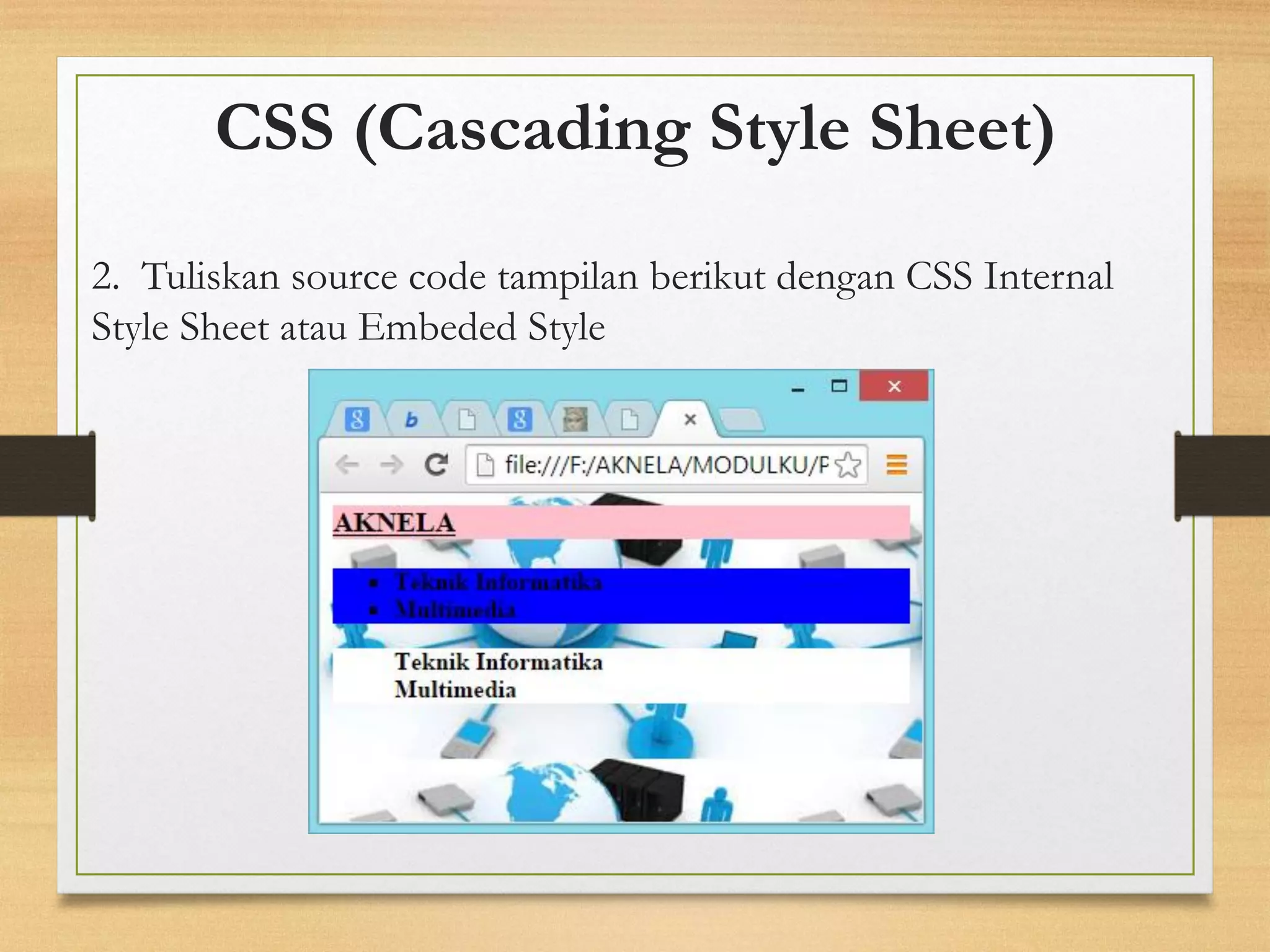
2. Tuliskan source code tampilan berikut dengan CSS Internal Style Sheet atau Embeded Style
CSS (Cascading Style Sheet) 
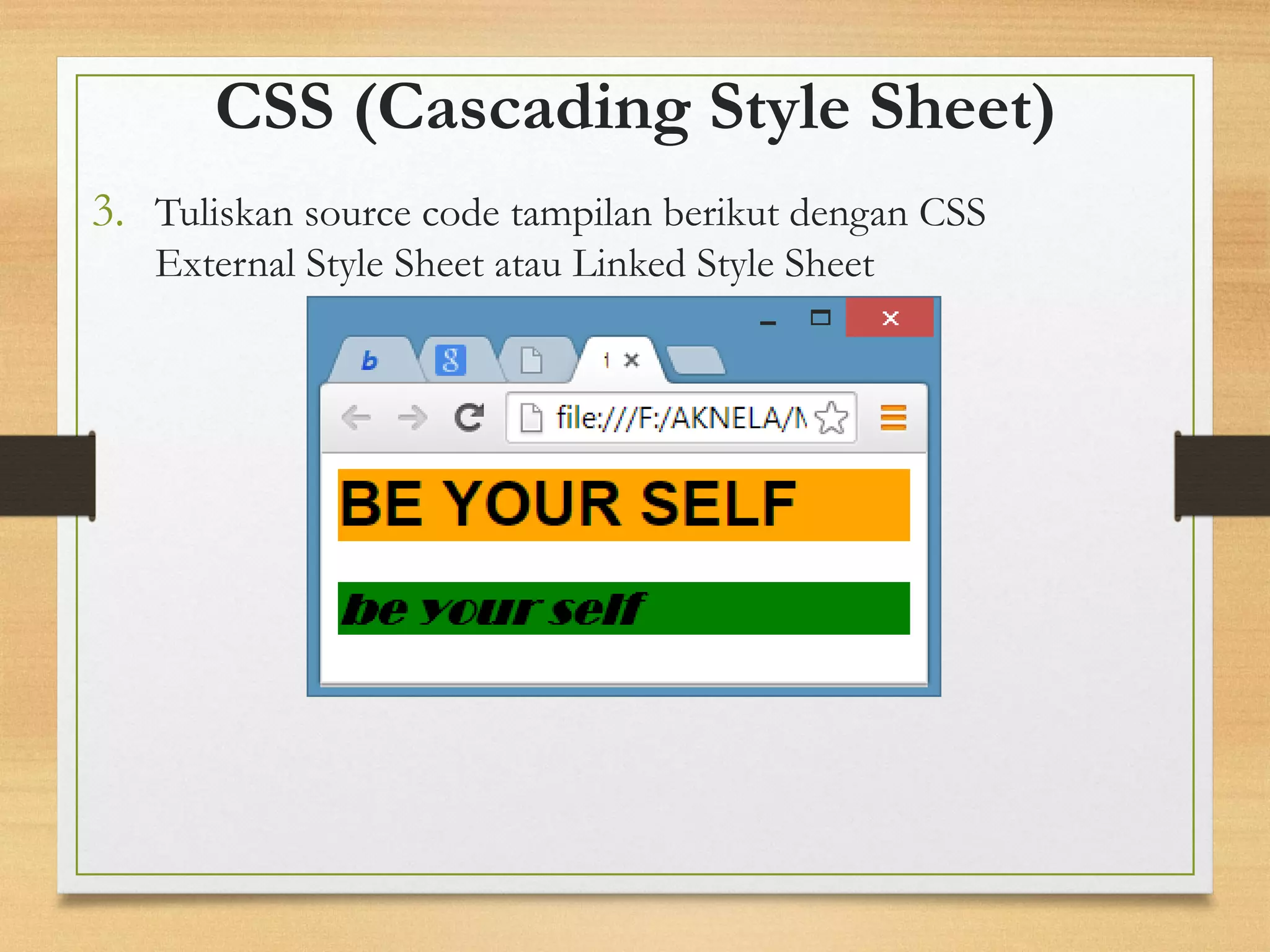
3.Tuliskan source code tampilan berikut dengan CSS External Style Sheet atau Linked Style Sheet

Praktikum CSS

  • 1.
    BAB 2CSS (CascadingStyle Sheet) By: Yunia ikawati NEXT Praktek Pemrograman WEB
  • 2.
    •Tujuan: Memahami danmempelajari elemen web Cascading Style Sheets(Syntax CSS, agaimana menggunakan CSS, Background CSS, Text CSS,Font CSS,Border CSS,Margin CSS,Padding CSS,List CSS,Dimensi CSS,Klasifikasi CSS) CSS (CASCADING STYLE SHEET)
  • 3.
    CSS (Cascading StyleSheet) Manfaat: •Memperindah tampilan halaman website. •Mempermudah mengubah secara keseluruhan warna dan tampilan. •Memformat ulang situs Anda secara cepat. •Menghemat kode dan waktu dalam mendesain tampilan website. NEXT
  • 4.
    CSS (Cascading StyleSheet) KetentuanMendasar •Penulisanscript CSS terletakdiantaratag <HEAD>…</HEAD> •PerintahCSS terdiridariduaelemendasar, yaitu: selector dandeclaration. <HTML> <HEAD> <TITLE>…..</TITLE> <STYLE TYPE=text/css> selector { declaration } </STYLE> </HEAD> <BODY> …….. </BODY> </HTML> NEXT BACK
  • 5.
    CSS (Cascading StyleSheet) Tag Komentar <html> <head> <title>……</title> <style type=text/css> …aturan-aturancssdisini… /* masukkankomentarAndadalamblokini*/ </style> </head> <body> ………………… </body> </html> NEXT BACK
  • 6.
    CSS (Cascading StyleSheet) CSS dapat diimplementasikan dalam 3 cara: 1.Inline Style yaitu menjadi atribut dalam tag HTML, atributnya adalah style. 2.Internal Style Sheet atau Embed Style yaitu berada di dalam tag <HEAD> . 3.External Style Sheet atau Linked Style Sheet yaitu style CSS berada terpisah pada sebuahfile.css, sedangkan untuk pemanggilannya dalam document HTML yang akan menggunakannya dilakukan dengan cara: <link rel=“stylesheet” href=“file.css” type=“teks/css” />
  • 7.
    1. Inline Style: <html> <head><title>contoh:Inline Style Sheet</title> </head> <body> <p style='color:red; font- size:200%'>Selamat Belajar CSS</p> </body> </html> CSS (CASCADING STYLE SHEET)
  • 8.
    2. Internal StyleSheet atau Embeded Style <html> <head><title>contoh:Embedded Style Sheet</title> <style> h1 {color:red} </style> </head> <body> <h1> Selamat Belajar CSS</h1> </body> </html> CSS (CASCADING STYLE SHEET)
  • 9.
    -linked.css h1{ color:blue; } CSS (CASCADING STYLE SHEET) 3. External Style Sheet atau Linked Style Sheet -linked.html <html> <head><title> contoh:Linked Style Sheet </title> <link href="linked.css" rel="stylesheet" type="teks/css" /> </head> <body> <h1> Selamat Belajar CSS</h1> </body> </html>
  • 10.
    CSS (Cascading StyleSheet) Konsep: •Pewarisan (inheritance) •Selektor-Kontekstual (Contextual Selector) •Kelas (classes) NEXT BACK
  • 11.
    CSS Pewarisan (inheritance) Text<html> <head> <title>CSS_01</title> <style type=text/css> b { color:blue} i { color:#3333CC } </style> </head> <body> <i>Akademi Komunitas Negeri Lamongan </i> <br> <b>Teknik Informatika</b> </body> </html> Catatan: Untuk declaration colordapat juga menggunakan kode heksa NEXT BACK
  • 12.
    CSS Selektor-Kontekstual(Contextual Selector) Text <html> <head> <title>CSS_01</title> <style type=text/css> b,i{ color:ff00ff; text-decoration:underline; } </style> </head> <body> <b>Akademi Komunitas Negeri Lamongan</b> <br> <i>Teknik Informatika</i> </body> </html> Catatan: selector ini kesemuanya untuk bold+italic text NEXT BACK
  • 13.
    CSS (Cascading StyleSheet) PerbedaanCSS pewarisan(inheritance) dengan CSS Selektor-Kontekstual(Contextual Selector) !!! <html> <head> <title>CSS Inheritance</title> <style type=text/css> b { color:blue; text- decoration:underline } i { color:blue; text- decoration:underline } </style> </head> <body> <b>Akademi Komunitas Negeri Lamongan</b> <br> <i><Teknik Informatika</i> </body> </html> <html> <head> <title>Selektor-Kontekstual</title> <style type=text/css> b,i { color:blue; text-decoration:underline; } </style> </head> <body> <b>Akademi Komunitas Negeri Lamongan</b> <br> <i>Teknik Informatika</i> </body> </html Pewarisan (inheritance) Selektor Kontekstual (Contextual Selector) NEXT BACK
  • 14.
    CSS (Cascading StyleSheet) Deklarasi : •font-family:Tahoma,Arial etc •font-size:14px, 23px etc •font-weigth: bold •font-style:italic,underline •font-variant:small-caps(menggantisemuakar.lower-case dengankar.upper-case),none(tanpaefek) •text-indent:30px(membuat indent awal paragraf) •text-transform:capitalize(Kar.pertamahurufbesar), uppercase(Semuakar. hurufbesar), lowercase(Semuakar. Hurufkecil) •letter-spacing:10px, 14px (mengendalikan jumlah spasi karakter) •text-decoration:underline(tampilgarisdibawahtext), overline(tampilgarisdiatastext), line-trough(tampilgarismelaluitext),none(non-efek)
  • 15.
    CSS (Cascading StyleSheet) <html> <head> <title>CSS_13</title> <style type=text/css> h4 { color:blue;font-family:Tahoma; letter-spacing:10px;} h3 { color:blue;font-family:Tahoma; text-indent:30px;} h2 { color:blue;font-family:Tahoma; text-transform: capitalize;} b { color:blue;font-family:Tahoma; text-transform: uppercase;} i{ color:blue;font-family:Tahoma; text-decoration:line-through;} </style> </head> NEXT BACK <body> <h4>TeknikInformatika</h4> <h3>TeknikInformatika</h3> <h2>TeknikInformatika</h2> <b>TeknikInformatika</b> <i>TeknikInformatika</i> </body> </html> FONT
  • 16.
    CSS (Cascading StyleSheet) Catatan: Nilailist-style-type: disc -> efeklingkaran square-> efekpersegiempat circle-> efeklingkaranyang transparan decimal -> 1,2,3,…dst lower-roman -> i,ii,iii,…dst upper-roman -> I,II,III,…dst lower-alpha -> a,b,c,…dst upper-alpha -> A,B,C,…dst None -> TanpaEfek NEXT BACK
  • 17.
    CSS (Cascading StyleSheet) <html> <head> <title>CSS_10</title> <style type=text/css> body{background-image:url(bunga.jpg);} li { list-style-type:square; font-weight:bold;background-color:blue; } h3{background-color:yellow;} </style> </head> <body> <h3>TeknikInformatika</h3> <ol> <li>PemrogramanWeb</li> <li>PraktekPemrogramanWeb</li> </ol> </body> </html> NEXT BACK List & Background
  • 18.
    CSS (Cascading StyleSheet) <html> <head> <style type="text/css"> p1 {border: medium double rgb(300,0,255)} p2 {border: dashed rgb(200,450,200)} </style> </head> <body> <p1>Pemrograman Web</p1> <br><br> <p2>Pemrograman Web</p2> </body> </html> Border
  • 19.
    CSS (Cascading StyleSheet) <html> <head> <style type="text/css"> h1 { background: yellow;padding: 100px 20px 20px 100px;} h2 { background: red;padding-left:150px;} h3 { background: green; margin-top: 50px; margin-right: 5px; margin-bottom: 5px; margin-left: 10px;} h4 { background: orange; margin: 80px 20px 80px 55px; } </style> </head> <body> <h1>AKNELA</h1> <h2>AKNELA</h2> <h3>AKNELA</h3> <h4>AKNELA</h4> </body> </html> Margin & Padding
  • 20.
    CSS (Cascading StyleSheet) 1. Tuliskan source code tampilan berikut dengan CSS Internal Style Sheet atau Embeded Style
  • 21.
    CSS (Cascading StyleSheet) 2. Tuliskan source code tampilan berikut dengan CSS Internal Style Sheet atau Embeded Style
  • 22.
    CSS (Cascading StyleSheet) 3.Tuliskan source code tampilan berikut dengan CSS External Style Sheet atau Linked Style Sheet