Cascading Style Sheets (CSS)
Pengertian CSS
 CSS singkatan dari Cascading Style Sheets, yaitu
bahasa yang digunakan untuk memberikan konten
gaya penampilan yang bagus
 CSS menggambarkan bagaimana elemen-elemen
HTML ditampilkan di layar, kertas, atau media
lainnya.
 Penggunaan CSS akan mempermudah kerja karena
CSS dapat mengontrol layout multiple web pages
hanya dengan satu pengaturan.
 External stylesheets disimpan dalam bentuk CSS
files
 CSS digunakan untuk mendefinisikan style
halaman web termasuk design, layout,dan
variasi tampilan pada berbagai perangkat dan
ukuran layar.
 CSS menggantikan performatan dengan style
pada halama HTML.
CSS Syntax
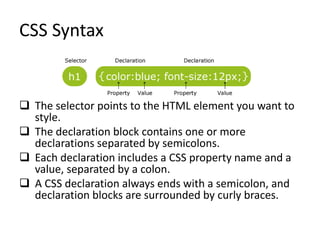
 The selector points to the HTML element you want to
style.
 The declaration block contains one or more
declarations separated by semicolons.
 Each declaration includes a CSS property name and a
value, separated by a colon.
 A CSS declaration always ends with a semicolon, and
declaration blocks are surrounded by curly braces.
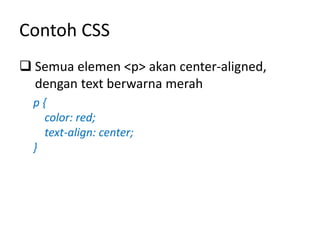
Contoh CSS
 Semua elemen <p> akan center-aligned,
dengan text berwarna merah
p {
color: red;
text-align: center;
}
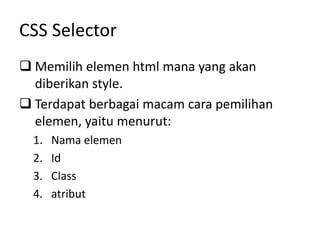
CSS Selector
 Memilih elemen html mana yang akan
diberikan style.
 Terdapat berbagai macam cara pemilihan
elemen, yaitu menurut:
1. Nama elemen
2. Id
3. Class
4. atribut
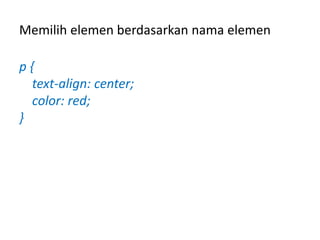
Memilih elemen berdasarkan nama elemen
p {
text-align: center;
color: red;
}
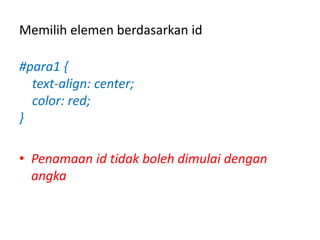
Memilih elemen berdasarkan id
#para1 {
text-align: center;
color: red;
}
• Penamaan id tidak boleh dimulai dengan
angka
Memilih elemen berdasarkan class
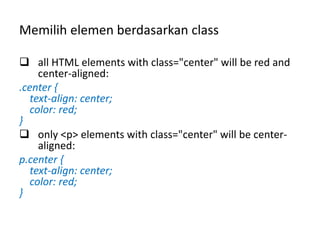
 all HTML elements with class="center" will be red and
center-aligned:
.center {
text-align: center;
color: red;
}
 only <p> elements with class="center" will be center-
aligned:
p.center {
text-align: center;
color: red;
}
Memilih elemen berdasarkan class
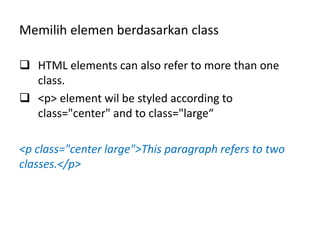
 HTML elements can also refer to more than one
class.
 <p> element wil be styled according to
class="center" and to class="large“
<p class="center large">This paragraph refers to two
classes.</p>
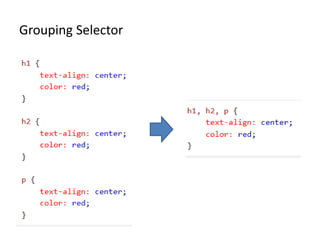
Grouping Selector
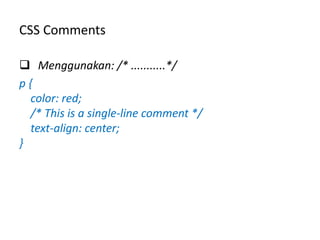
CSS Comments
 Menggunakan: /* ...........*/
p {
color: red;
/* This is a single-line comment */
text-align: center;
}
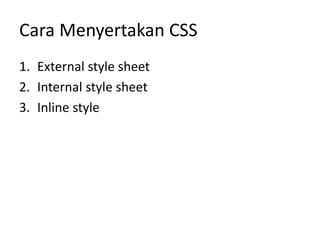
Cara Menyertakan CSS
1. External style sheet
2. Internal style sheet
3. Inline style
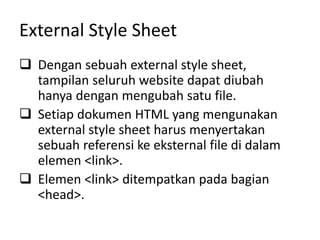
External Style Sheet
 Dengan sebuah external style sheet,
tampilan seluruh website dapat diubah
hanya dengan mengubah satu file.
 Setiap dokumen HTML yang mengunakan
external style sheet harus menyertakan
sebuah referensi ke eksternal file di dalam
elemen <link>.
 Elemen <link> ditempatkan pada bagian
<head>.
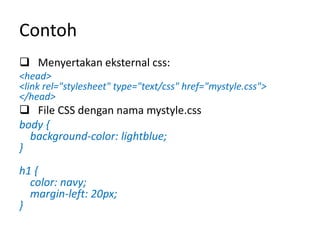
Contoh
 Menyertakan eksternal css:
<head>
<link rel="stylesheet" type="text/css" href="mystyle.css">
</head>
 File CSS dengan nama mystyle.css
body {
background-color: lightblue;
}
h1 {
color: navy;
margin-left: 20px;
}
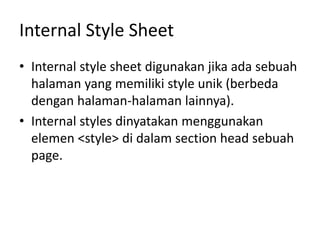
Internal Style Sheet
• Internal style sheet digunakan jika ada sebuah
halaman yang memiliki style unik (berbeda
dengan halaman-halaman lainnya).
• Internal styles dinyatakan menggunakan
elemen <style> di dalam section head sebuah
page.
Contoh
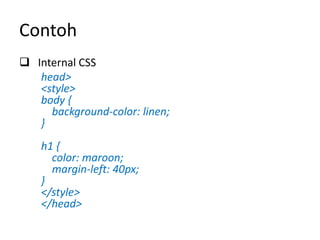
 Internal CSS
head>
<style>
body {
background-color: linen;
}
h1 {
color: maroon;
margin-left: 40px;
}
</style>
</head>
Inline Style Sheet
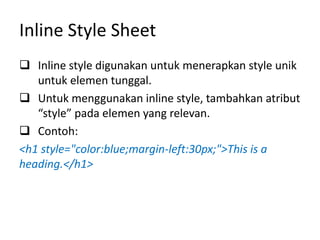
 Inline style digunakan untuk menerapkan style unik
untuk elemen tunggal.
 Untuk menggunakan inline style, tambahkan atribut
“style” pada elemen yang relevan.
 Contoh:
<h1 style="color:blue;margin-left:30px;">This is a
heading.</h1>
Multiple Style Sheet
• Jika property style sheet untuk sebuah elemen
didefinisikan oleh lebih dari satu style sheet,
maka nilai property yang diambil adalah nilai
property yang berasal dari style sheet yang
terakhir kali dibaca.
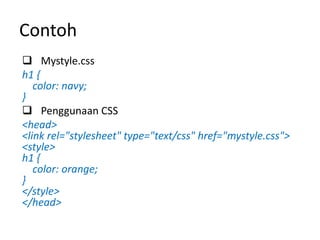
Contoh
 Mystyle.css
h1 {
color: navy;
}
 Penggunaan CSS
<head>
<link rel="stylesheet" type="text/css" href="mystyle.css">
<style>
h1 {
color: orange;
}
</style>
</head>
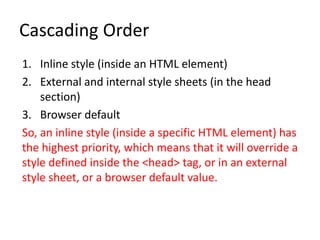
Cascading Order
1. Inline style (inside an HTML element)
2. External and internal style sheets (in the head
section)
3. Browser default
So, an inline style (inside a specific HTML element) has
the highest priority, which means that it will override a
style defined inside the <head> tag, or in an external
style sheet, or a browser default value.
Cascading Style Sheets (CSS).pdf

Cascading Style Sheets (CSS).pdf

  • 1.
  • 2.
    Pengertian CSS  CSSsingkatan dari Cascading Style Sheets, yaitu bahasa yang digunakan untuk memberikan konten gaya penampilan yang bagus  CSS menggambarkan bagaimana elemen-elemen HTML ditampilkan di layar, kertas, atau media lainnya.  Penggunaan CSS akan mempermudah kerja karena CSS dapat mengontrol layout multiple web pages hanya dengan satu pengaturan.  External stylesheets disimpan dalam bentuk CSS files
  • 3.
     CSS digunakanuntuk mendefinisikan style halaman web termasuk design, layout,dan variasi tampilan pada berbagai perangkat dan ukuran layar.  CSS menggantikan performatan dengan style pada halama HTML.
  • 4.
    CSS Syntax  Theselector points to the HTML element you want to style.  The declaration block contains one or more declarations separated by semicolons.  Each declaration includes a CSS property name and a value, separated by a colon.  A CSS declaration always ends with a semicolon, and declaration blocks are surrounded by curly braces.
  • 5.
    Contoh CSS  Semuaelemen <p> akan center-aligned, dengan text berwarna merah p { color: red; text-align: center; }
  • 6.
    CSS Selector  Memilihelemen html mana yang akan diberikan style.  Terdapat berbagai macam cara pemilihan elemen, yaitu menurut: 1. Nama elemen 2. Id 3. Class 4. atribut
  • 7.
    Memilih elemen berdasarkannama elemen p { text-align: center; color: red; }
  • 8.
    Memilih elemen berdasarkanid #para1 { text-align: center; color: red; } • Penamaan id tidak boleh dimulai dengan angka
  • 9.
    Memilih elemen berdasarkanclass  all HTML elements with class="center" will be red and center-aligned: .center { text-align: center; color: red; }  only <p> elements with class="center" will be center- aligned: p.center { text-align: center; color: red; }
  • 10.
    Memilih elemen berdasarkanclass  HTML elements can also refer to more than one class.  <p> element wil be styled according to class="center" and to class="large“ <p class="center large">This paragraph refers to two classes.</p>
  • 11.
  • 12.
    CSS Comments  Menggunakan:/* ...........*/ p { color: red; /* This is a single-line comment */ text-align: center; }
  • 13.
    Cara Menyertakan CSS 1.External style sheet 2. Internal style sheet 3. Inline style
  • 14.
    External Style Sheet Dengan sebuah external style sheet, tampilan seluruh website dapat diubah hanya dengan mengubah satu file.  Setiap dokumen HTML yang mengunakan external style sheet harus menyertakan sebuah referensi ke eksternal file di dalam elemen <link>.  Elemen <link> ditempatkan pada bagian <head>.
  • 15.
    Contoh  Menyertakan eksternalcss: <head> <link rel="stylesheet" type="text/css" href="mystyle.css"> </head>  File CSS dengan nama mystyle.css body { background-color: lightblue; } h1 { color: navy; margin-left: 20px; }
  • 16.
    Internal Style Sheet •Internal style sheet digunakan jika ada sebuah halaman yang memiliki style unik (berbeda dengan halaman-halaman lainnya). • Internal styles dinyatakan menggunakan elemen <style> di dalam section head sebuah page.
  • 17.
    Contoh  Internal CSS head> <style> body{ background-color: linen; } h1 { color: maroon; margin-left: 40px; } </style> </head>
  • 18.
    Inline Style Sheet Inline style digunakan untuk menerapkan style unik untuk elemen tunggal.  Untuk menggunakan inline style, tambahkan atribut “style” pada elemen yang relevan.  Contoh: <h1 style="color:blue;margin-left:30px;">This is a heading.</h1>
  • 19.
    Multiple Style Sheet •Jika property style sheet untuk sebuah elemen didefinisikan oleh lebih dari satu style sheet, maka nilai property yang diambil adalah nilai property yang berasal dari style sheet yang terakhir kali dibaca.
  • 20.
    Contoh  Mystyle.css h1 { color:navy; }  Penggunaan CSS <head> <link rel="stylesheet" type="text/css" href="mystyle.css"> <style> h1 { color: orange; } </style> </head>
  • 21.
    Cascading Order 1. Inlinestyle (inside an HTML element) 2. External and internal style sheets (in the head section) 3. Browser default So, an inline style (inside a specific HTML element) has the highest priority, which means that it will override a style defined inside the <head> tag, or in an external style sheet, or a browser default value.