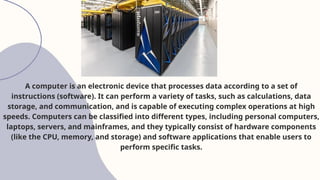
A computer isan electronic device that processes data according to a set of
instructions (software). It can perform a variety of tasks, such as calculations, data
storage, and communication, and is capable of executing complex operations at high
speeds. Computers can be classified into different types, including personal computers,
laptops, servers, and mainframes, and they typically consist of hardware components
(like the CPU, memory, and storage) and software applications that enable users to
perform specific tasks.
5.
ABOUT
TYPES OF SOFTWARE
1.System Software
• Purpose: Manages computer resources
• User Interaction: Minimal user interaction
• Examples: Operating systems, device drivers, firmware
• Scope: Fundamental system operations
System software is responsible for controlling and managing
the computer’s hardware and providing a platform for running
application software.
6.
2. Application Software
•Purpose: Performs specific user tasks
• User Interaction: High user interaction
• Examples: Word processors, web browsers, games
7.
3. Programming Software
•Purpose: Develops and maintains software
• User Interaction: High user interaction
• Examples: IDEs (Integrated Development Environments), compilers, interpreters,
debuggers
8.
COMPUTER
HARDWARE
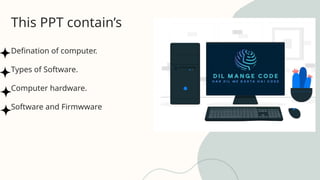
Computer hardware refersto the physical components of a computer system. It includes the tangible
parts that make up the computer, such as:
• Motherboard: The main circuit board that connects all hardware components together.
• Central Processing Unit (CPU): The brain of the computer, responsible for executing instructions
and performing calculations.
• Random Access Memory (RAM): Temporary storage for data and program instructions.
• Storage Drive (HDD or SSD): A non-volatile storage device for long-term data retention.
• Graphics Processing Unit (GPU): A specialized chip for handling graphics and computational tasks.
• Keyboard, Mouse, and Monitor: Input/output devices for user interaction.
9.
FIRMWARE
What is firmware?
Firmwareis a type of software that provides machine
instructions to a device’s hardware components,
enabling it to function on a basic level. Because
firmware is installed by the manufacturer and typically
cannot be removed, it is sometimes referred to as
embedded software.
10.
TYPES OF
FIRMWARE
1) Low-levelfirmware: This firmware is usually stored in non-volatile memory chips like
read-only memory (ROM) and one-time programmable (OTP) memory. These chips cannot
be rewritten or updated, and the firmware is intrinsic to the hardware, such as a computer.
2) High-level firmware: This firmware is deployed within flash memory chips and comes
with more complex instructions that allow updates to be made.
3) Subsystems: These are semi-independent devices that are part of a more extensive
system. Firmware at this level is embedded within central processing units (CPUs), flash
chips, and liquid crystal display (LCD) units.