Advance Relational DBMS
Views,
Triggers,
Functions ,
Stored Procedures,
Indexing
and Joins
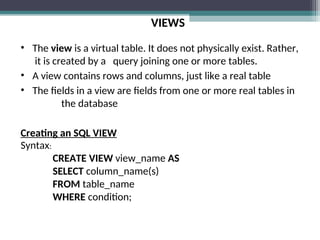
VIEWS
• The view is a virtual table. It does not physically exist. Rather,
it is created by a query joining one or more tables.
• A view contains rows and columns, just like a real table
• The fields in a view are fields from one or more real tables in
the database
Creating an SQL VIEW
Syntax:
CREATE VIEW view_name AS
SELECT column_name(s)
FROM table_name
WHERE condition;
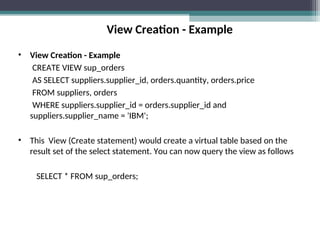
View Creation - Example
• View Creation - Example
CREATE VIEW sup_orders
AS SELECT suppliers.supplier_id, orders.quantity, orders.price
FROM suppliers, orders
WHERE suppliers.supplier_id = orders.supplier_id and
suppliers.supplier_name = 'IBM';
• This View (Create statement) would create a virtual table based on the
result set of the select statement. You can now query the view as follows
SELECT * FROM sup_orders;
Updating VIEW
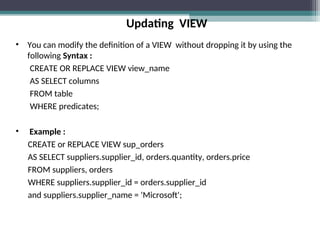
• You can modify the definition of a VIEW without dropping it by using the
following Syntax :
CREATE OR REPLACE VIEW view_name
AS SELECT columns
FROM table
WHERE predicates;
• Example :
CREATE or REPLACE VIEW sup_orders
AS SELECT suppliers.supplier_id, orders.quantity, orders.price
FROM suppliers, orders
WHERE suppliers.supplier_id = orders.supplier_id
and suppliers.supplier_name = 'Microsoft';
Dropping VIEW
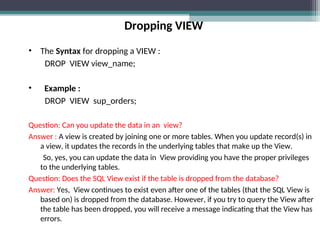
• The Syntax for dropping a VIEW :
DROP VIEW view_name;
• Example :
DROP VIEW sup_orders;
Question: Can you update the data in an view?
Answer : A view is created by joining one or more tables. When you update record(s) in
a view, it updates the records in the underlying tables that make up the View.
So, yes, you can update the data in View providing you have the proper privileges
to the underlying tables.
Question: Does the SQL View exist if the table is dropped from the database?
Answer: Yes, View continues to exist even after one of the tables (that the SQL View is
based on) is dropped from the database. However, if you try to query the View after
the table has been dropped, you will receive a message indicating that the View has
errors.
Functions
Creating a Function
A standalone function is created using the CREATE FUNCTION statement.
SSyntax :
CREATE [OR REPLACE] FUNCTION function_name
[(parameter_name [IN | OUT | IN OUT] type [, ...])]
RETURN return_datatype
{IS | AS}
BEGIN
< function_body >
END [function_name];
Example
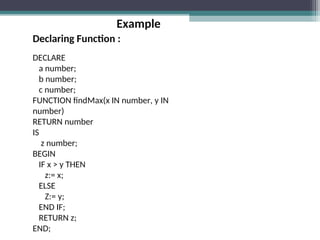
Declaring Function :
DECLARE
a number;
b number;
c number;
FUNCTION findMax(x IN number, y IN
number)
RETURN number
IS
z number;
BEGIN
IF x > y THEN
z:= x;
ELSE
Z:= y;
END IF;
RETURN z;
END;
Example
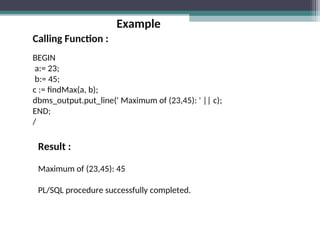
Calling Function :
BEGIN
a:= 23;
b:= 45;
c := findMax(a, b);
dbms_output.put_line(' Maximum of (23,45): ' || c);
END;
/
Result :
Maximum of (23,45): 45
PL/SQL procedure successfully completed.
TRIGGER
• What is a Trigger?
A trigger is a block structure which is fired when a DML statements like Insert,
Delete, Update is executed on a database table. A trigger is triggered automatically
when an associated DML statement is executed.
• Syntax of Triggers
CREATE [OR REPLACE ] TRIGGER trigger_name
{BEFORE | AFTER | INSTEAD OF }
{INSERT [OR] | UPDATE [OR] | DELETE}
[OF col_name]
ON table_name
[REFERENCING OLD AS o NEW AS n]
[FOR EACH ROW]
WHEN (condition) ;
TRIGGER
• The syntax for a dropping a Trigger is:
DROP TRIGGER trigger_name ON tbl_name;
• The syntax for a disabling a Trigger is:
ALTER TRIGGER trigger_name DISABLE;
• The syntax for a enabling a Trigger is:
ALTER TRIGGER trigger_name ENABLE;
Example
• Creating Trigger
CREATE TRIGGER deleted_detailss
BEFORE
DELETE on tbl_customer
FOR EACH ROW
EXECUTE PROCEDURE customerss_delete();
• Drop Trigger
drop trigger delete_details on tbl_customer;
INDEX
• The CREATE INDEX statement is used to create indexes in tables
• Indexes allow the database application to find data fast; without reading
the whole table
• An index can be created in a table to find data more quickly and efficiently
• The users cannot see the indexes, they are just used to speed up
searches/queries
INDEX
• CREATE INDEX Syntax
Creates an index on a table. Duplicate values are allowed:
CREATE INDEX index_name
ON table_name (column_name);
• CREATE UNIQUE INDEX Syntax
Creates a unique index on a table. Duplicate values are not allowed:
CREATE UNIQUE INDEX index_name
ON table_name (column_name);
• UNIQUE indicates that the combination of values in the indexed columns
must be unique
INDEX
• Rename an Index
The syntax for renaming an index is:
ALTER INDEX index_name RENAME TO new_index_name;
• Drop an Index
The syntax for dropping an index is:
DROP INDEX index_name;
JOINS
• Joins are used to query data from two or more tables, based on a
relationship between certain columns in these tables
• Types of Joins
LEFT JOIN: Return all rows from the left table, even if there are no
matches in the right table
RIGHT JOIN: Return all rows from the right table, even if there are no
matches in the left table
FULL JOIN: Return rows when there is a match in one of the tables
INNER JOIN
• The INNER JOIN keyword returns rows when there is at least one match in
both tables
• INNER JOIN Syntax
SELECT column_name(s)
FROM table_name1
INNER JOIN table_name2
ON table_name1.column_name=table_name2.column_name;
• If there are rows in “table_name1 " that do not have matches in "
table_name2 ", those rows will NOT be listed
LEFT JOIN
• The LEFT JOIN keyword returns all rows from the left table (table_name1),
even if ther are no matches in the right table (table_name2)
• LEFT JOIN Syntax
SELECT column_name(s)
FROM table_name1
LEFT JOIN table_name2
ON table_name1.column_name=table_name2.column_name;
RIGHT JOIN
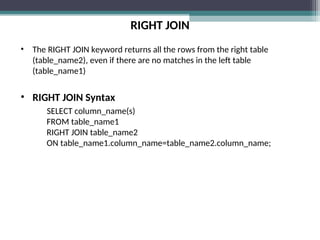
• The RIGHT JOIN keyword returns all the rows from the right table
(table_name2), even if there are no matches in the left table
(table_name1)
• RIGHT JOIN Syntax
SELECT column_name(s)
FROM table_name1
RIGHT JOIN table_name2
ON table_name1.column_name=table_name2.column_name;
FULL JOIN
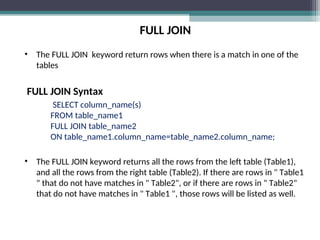
• The FULL JOIN keyword return rows when there is a match in one of the
tables
FULL JOIN Syntax
SELECT column_name(s)
FROM table_name1
FULL JOIN table_name2
ON table_name1.column_name=table_name2.column_name;
• The FULL JOIN keyword returns all the rows from the left table (Table1),
and all the rows from the right table (Table2). If there are rows in " Table1
" that do not have matches in " Table2", or if there are rows in " Table2"
that do not have matches in " Table1 ", those rows will be listed as well.
Stored Procedure
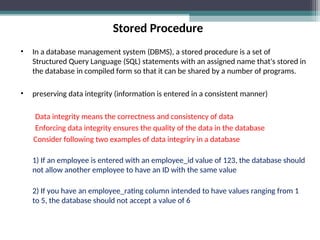
• In a database management system (DBMS), a stored procedure is a set of
Structured Query Language (SQL) statements with an assigned name that's stored in
the database in compiled form so that it can be shared by a number of programs.
• preserving data integrity (information is entered in a consistent manner)
Data integrity means the correctness and consistency of data
Enforcing data integrity ensures the quality of the data in the database
Consider following two examples of data integriry in a database
1) If an employee is entered with an employee_id value of 123, the database should
not allow another employee to have an ID with the same value
2) If you have an employee_rating column intended to have values ranging from 1
to 5, the database should not accept a value of 6
Example
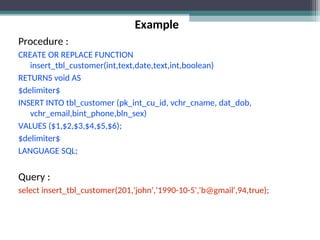
Procedure :
CREATE OR REPLACE FUNCTION
insert_tbl_customer(int,text,date,text,int,boolean)
RETURNS void AS
$delimiter$
INSERT INTO tbl_customer (pk_int_cu_id, vchr_cname, dat_dob,
vchr_email,bint_phone,bln_sex)
VALUES ($1,$2,$3,$4,$5,$6);
$delimiter$
LANGUAGE SQL;
Query :
select insert_tbl_customer(201,'john','1990-10-5','b@gmail',94,true);
PPT for Advanced Relational Database Management System

PPT for Advanced Relational Database Management System

  • 1.
  • 2.
  • 3.
    VIEWS • The viewis a virtual table. It does not physically exist. Rather, it is created by a query joining one or more tables. • A view contains rows and columns, just like a real table • The fields in a view are fields from one or more real tables in the database Creating an SQL VIEW Syntax: CREATE VIEW view_name AS SELECT column_name(s) FROM table_name WHERE condition;
  • 4.
    View Creation -Example • View Creation - Example CREATE VIEW sup_orders AS SELECT suppliers.supplier_id, orders.quantity, orders.price FROM suppliers, orders WHERE suppliers.supplier_id = orders.supplier_id and suppliers.supplier_name = 'IBM'; • This View (Create statement) would create a virtual table based on the result set of the select statement. You can now query the view as follows SELECT * FROM sup_orders;
  • 5.
    Updating VIEW • Youcan modify the definition of a VIEW without dropping it by using the following Syntax : CREATE OR REPLACE VIEW view_name AS SELECT columns FROM table WHERE predicates; • Example : CREATE or REPLACE VIEW sup_orders AS SELECT suppliers.supplier_id, orders.quantity, orders.price FROM suppliers, orders WHERE suppliers.supplier_id = orders.supplier_id and suppliers.supplier_name = 'Microsoft';
  • 6.
    Dropping VIEW • TheSyntax for dropping a VIEW : DROP VIEW view_name; • Example : DROP VIEW sup_orders; Question: Can you update the data in an view? Answer : A view is created by joining one or more tables. When you update record(s) in a view, it updates the records in the underlying tables that make up the View. So, yes, you can update the data in View providing you have the proper privileges to the underlying tables. Question: Does the SQL View exist if the table is dropped from the database? Answer: Yes, View continues to exist even after one of the tables (that the SQL View is based on) is dropped from the database. However, if you try to query the View after the table has been dropped, you will receive a message indicating that the View has errors.
  • 7.
    Functions Creating a Function Astandalone function is created using the CREATE FUNCTION statement. SSyntax : CREATE [OR REPLACE] FUNCTION function_name [(parameter_name [IN | OUT | IN OUT] type [, ...])] RETURN return_datatype {IS | AS} BEGIN < function_body > END [function_name];
  • 8.
    Example Declaring Function : DECLARE anumber; b number; c number; FUNCTION findMax(x IN number, y IN number) RETURN number IS z number; BEGIN IF x > y THEN z:= x; ELSE Z:= y; END IF; RETURN z; END;
  • 9.
    Example Calling Function : BEGIN a:=23; b:= 45; c := findMax(a, b); dbms_output.put_line(' Maximum of (23,45): ' || c); END; / Result : Maximum of (23,45): 45 PL/SQL procedure successfully completed.
  • 10.
    TRIGGER • What isa Trigger? A trigger is a block structure which is fired when a DML statements like Insert, Delete, Update is executed on a database table. A trigger is triggered automatically when an associated DML statement is executed. • Syntax of Triggers CREATE [OR REPLACE ] TRIGGER trigger_name {BEFORE | AFTER | INSTEAD OF } {INSERT [OR] | UPDATE [OR] | DELETE} [OF col_name] ON table_name [REFERENCING OLD AS o NEW AS n] [FOR EACH ROW] WHEN (condition) ;
  • 11.
    TRIGGER • The syntaxfor a dropping a Trigger is: DROP TRIGGER trigger_name ON tbl_name; • The syntax for a disabling a Trigger is: ALTER TRIGGER trigger_name DISABLE; • The syntax for a enabling a Trigger is: ALTER TRIGGER trigger_name ENABLE;
  • 12.
    Example • Creating Trigger CREATETRIGGER deleted_detailss BEFORE DELETE on tbl_customer FOR EACH ROW EXECUTE PROCEDURE customerss_delete(); • Drop Trigger drop trigger delete_details on tbl_customer;
  • 13.
    INDEX • The CREATEINDEX statement is used to create indexes in tables • Indexes allow the database application to find data fast; without reading the whole table • An index can be created in a table to find data more quickly and efficiently • The users cannot see the indexes, they are just used to speed up searches/queries
  • 14.
    INDEX • CREATE INDEXSyntax Creates an index on a table. Duplicate values are allowed: CREATE INDEX index_name ON table_name (column_name); • CREATE UNIQUE INDEX Syntax Creates a unique index on a table. Duplicate values are not allowed: CREATE UNIQUE INDEX index_name ON table_name (column_name); • UNIQUE indicates that the combination of values in the indexed columns must be unique
  • 15.
    INDEX • Rename anIndex The syntax for renaming an index is: ALTER INDEX index_name RENAME TO new_index_name; • Drop an Index The syntax for dropping an index is: DROP INDEX index_name;
  • 16.
    JOINS • Joins areused to query data from two or more tables, based on a relationship between certain columns in these tables • Types of Joins LEFT JOIN: Return all rows from the left table, even if there are no matches in the right table RIGHT JOIN: Return all rows from the right table, even if there are no matches in the left table FULL JOIN: Return rows when there is a match in one of the tables
  • 17.
    INNER JOIN • TheINNER JOIN keyword returns rows when there is at least one match in both tables • INNER JOIN Syntax SELECT column_name(s) FROM table_name1 INNER JOIN table_name2 ON table_name1.column_name=table_name2.column_name; • If there are rows in “table_name1 " that do not have matches in " table_name2 ", those rows will NOT be listed
  • 18.
    LEFT JOIN • TheLEFT JOIN keyword returns all rows from the left table (table_name1), even if ther are no matches in the right table (table_name2) • LEFT JOIN Syntax SELECT column_name(s) FROM table_name1 LEFT JOIN table_name2 ON table_name1.column_name=table_name2.column_name;
  • 19.
    RIGHT JOIN • TheRIGHT JOIN keyword returns all the rows from the right table (table_name2), even if there are no matches in the left table (table_name1) • RIGHT JOIN Syntax SELECT column_name(s) FROM table_name1 RIGHT JOIN table_name2 ON table_name1.column_name=table_name2.column_name;
  • 20.
    FULL JOIN • TheFULL JOIN keyword return rows when there is a match in one of the tables FULL JOIN Syntax SELECT column_name(s) FROM table_name1 FULL JOIN table_name2 ON table_name1.column_name=table_name2.column_name; • The FULL JOIN keyword returns all the rows from the left table (Table1), and all the rows from the right table (Table2). If there are rows in " Table1 " that do not have matches in " Table2", or if there are rows in " Table2" that do not have matches in " Table1 ", those rows will be listed as well.
  • 21.
    Stored Procedure • Ina database management system (DBMS), a stored procedure is a set of Structured Query Language (SQL) statements with an assigned name that's stored in the database in compiled form so that it can be shared by a number of programs. • preserving data integrity (information is entered in a consistent manner) Data integrity means the correctness and consistency of data Enforcing data integrity ensures the quality of the data in the database Consider following two examples of data integriry in a database 1) If an employee is entered with an employee_id value of 123, the database should not allow another employee to have an ID with the same value 2) If you have an employee_rating column intended to have values ranging from 1 to 5, the database should not accept a value of 6
  • 22.
    Example Procedure : CREATE ORREPLACE FUNCTION insert_tbl_customer(int,text,date,text,int,boolean) RETURNS void AS $delimiter$ INSERT INTO tbl_customer (pk_int_cu_id, vchr_cname, dat_dob, vchr_email,bint_phone,bln_sex) VALUES ($1,$2,$3,$4,$5,$6); $delimiter$ LANGUAGE SQL; Query : select insert_tbl_customer(201,'john','1990-10-5','b@gmail',94,true);