CRIME RECORD MANAGEMENT SYSTEM
A project for Database management system
65-NIHARIKA THAKUR
66-DIYA PANDEY
67-GANESH SHINDE
68-TARUN SINGH
69-SHUBHAM CHAUHAN
70-IBRAHIM BUKHARI
Table Of Contents:
◦ Introduction
◦ E-R diagram
◦ Description
◦ Attributes
◦ Pl sql and it’s operations
◦ Create table
◦ Describe command
◦ Insert command
◦ Update
◦ Implicit cursor and loop
◦ Date and time
◦ Exception handling
◦ view
◦ Delete
◦ Alter
◦ Group by clause
◦ Having clause
◦ Order by clause
◦ Copy table
◦ Greater than operator
◦ joins: inner,outer and full join
◦ Index
◦ Cursor and loop
◦ Trigger
◦ conclusion
Introduction
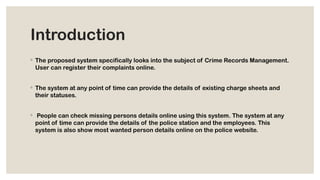
◦ The proposed system specifically looks into the subject of Crime Records Management.
User can register their complaints online.
◦ The system at any point of time can provide the details of existing charge sheets and
their statuses.
◦ People can check missing persons details online using this system. The system at any
point of time can provide the details of the police station and the employees. This
system is also show most wanted person details online on the police website.
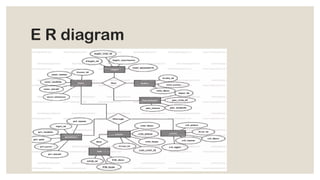
E R diagram
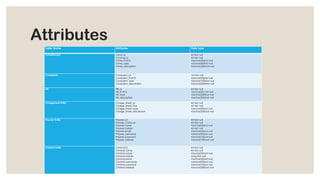
Attributes
Table Name Attributes Data type
CrimeRecord Crime_id
Criminal_id
Crime_PLACE
Crime_type
Crime_description
Int Not null
Int Not null
Varchar(50)Not null
Varchar(50)Not null
Varchar(200)Not null
Complaints Complaint_id
Complaint_PLACE
Complaint_type
Complains_description
Int Not null
Varchar(50)Not null
Varchar(100)Not null
Varchar(200)Not null
FIR FIR_id
FIR_PLACE
FIR_type
FIR_description
Int Not null
Varchar(50) not null
Varchar(200)not null
Chargesheet Entity Charge_sheet_id
Charge_sheet_fine
Charge_sheet_type
Charge_sheet_description
Int Not null
Int Not null
Varchar(50)not null
Varchar(200)not null
Prisoner Entity Prisoner_id
Prisoner_Crime_id
Prisoner name
Prisoner mobile
Prisoner email
Prisoner username
Prisoner password
Prisoner address
Int Not null
Int Not null
Varchar(50)not null
Int Not null
Varchar(50)not null
Varchar(50)not null
Varchar(10)not null
Varchar(100)not null
Criminal Entity Criminal id
Criminal Crime
Criminal name
Criminal mobile
Criminal email
Criminal username
Criminal password
Criminal address
Int Not null
Int Not null
Varchar(50)not null
Long Not null
Varchar(50)not null
Varchar(50)not null
Varchar(10)not null
Varchar(200)not null
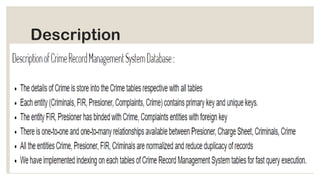
Description
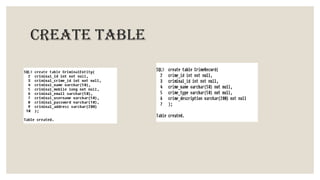
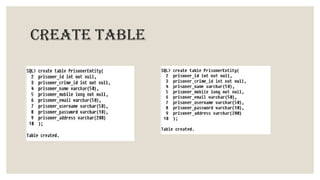
Create table
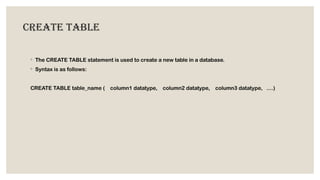
◦ The CREATE TABLE statement is used to create a new table in a database.
◦ Syntax is as follows:
CREATE TABLE table_name ( column1 datatype, column2 datatype, column3 datatype, ....)
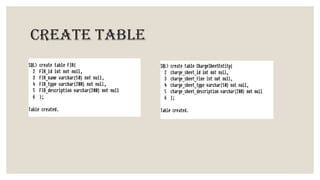
Create table
Create table
Create table
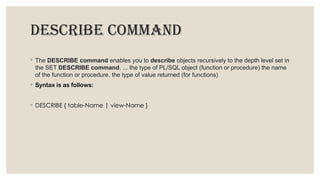
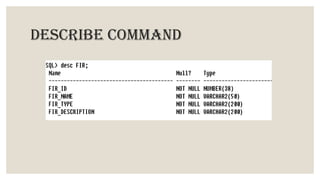
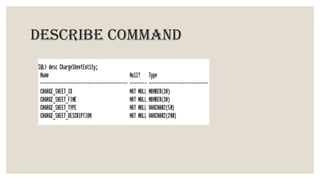
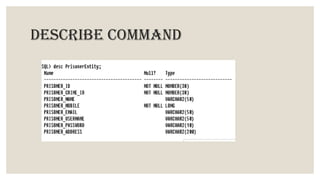
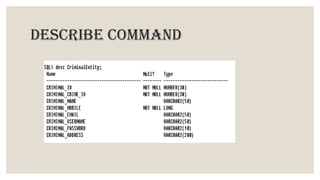
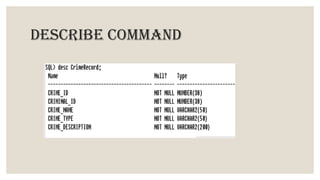
DESCRIBE COMMAND
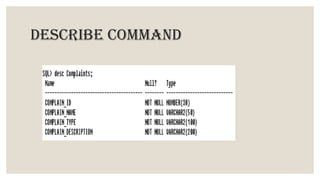
◦ The DESCRIBE command enables you to describe objects recursively to the depth level set in
the SET DESCRIBE command. ... the type of PL/SQL object (function or procedure) the name
of the function or procedure. the type of value returned (for functions)
◦ Syntax is as follows:
◦ DESCRIBE { table-Name | view-Name }
DESCRIBE COMMAND
DESCRIBE COMMAND
DESCRIBE COMMAND
DESCRIBE COMMAND
DESCRIBE COMMAND
DESCRIBE COMMAND
INSERT COMMAND
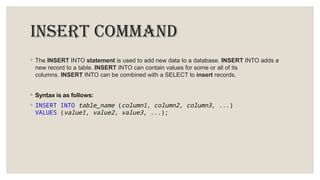
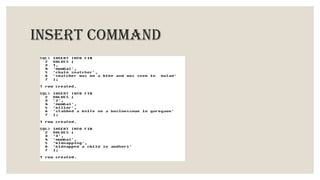
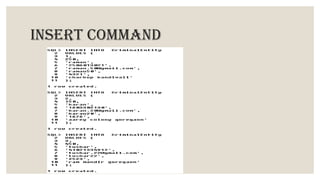
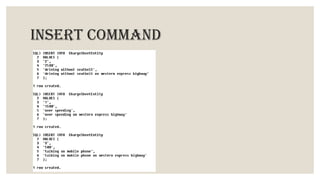
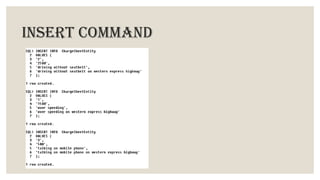
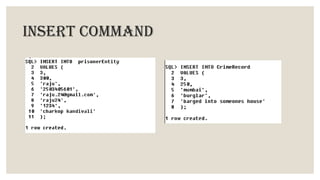
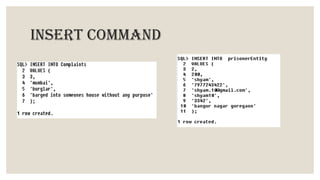
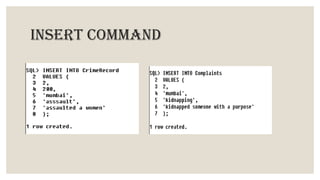
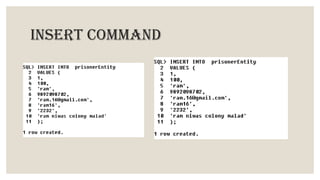
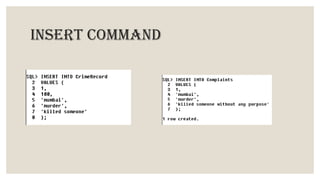
◦ The INSERT INTO statement is used to add new data to a database. INSERT INTO adds a
new record to a table. INSERT INTO can contain values for some or all of its
columns. INSERT INTO can be combined with a SELECT to insert records.
◦ Syntax is as follows:
◦ INSERT INTO table_name (column1, column2, column3, ...)
VALUES (value1, value2, value3, ...);
INSERT COMMAND
INSERT COMMAND
INSERT COMMAND
INSERT COMMAND
INSERT COMMAND
INSERT COMMAND
INSERT COMMAND
INSERT COMMAND
INSERT COMMAND
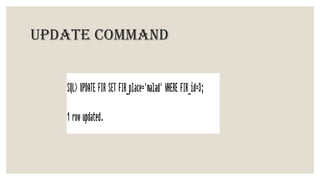
UPDATE COMMAND
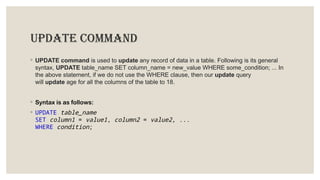
◦ UPDATE command is used to update any record of data in a table. Following is its general
syntax, UPDATE table_name SET column_name = new_value WHERE some_condition; ... In
the above statement, if we do not use the WHERE clause, then our update query
will update age for all the columns of the table to 18.
◦ Syntax is as follows:
◦ UPDATE table_name
SET column1 = value1, column2 = value2, ...
WHERE condition;
UPDATE COMMAND
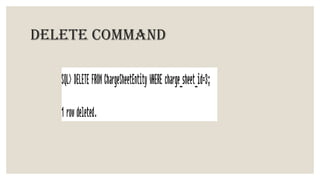
DELETE COMMAND
◦ In the database structured query language (SQL), the DELETE statement removes one or
more records from a table. A subset may be defined for deletion using a condition, otherwise all
records are removed.
◦ Syntax is as follows:
◦ UPDATE table_name
SET column1 = value1, column2 = value2, ...
WHERE condition;
DELETE COMMAND
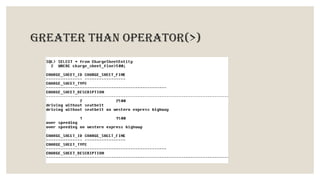
GREATER THAN OPERATOR(>)
◦ Greater than ( > ) — returns true if the value on the left is greater than the value on the right,
otherwise it returns false . Less than or equal to ( <= ) — returns true if the value on the left is
less than or equal to the value on the right, otherwise it returns false .
◦ Syntax is as follows
◦ SELECT * FROM table_name WHERE condition;
GREATER THAN OPERATOR(>)
JOINS
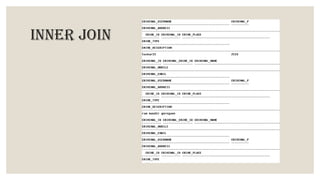
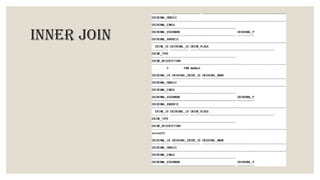
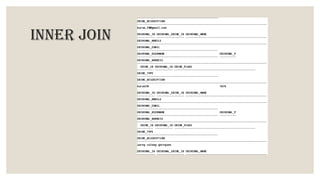
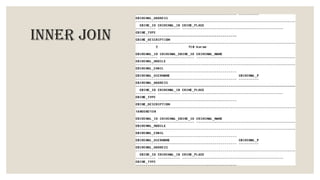
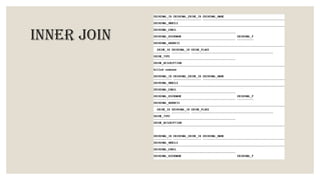
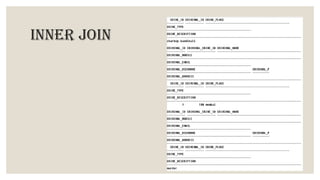
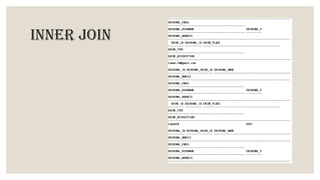
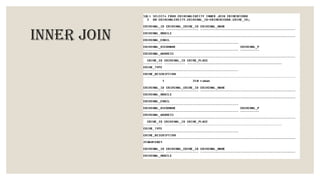
INNER JOIN
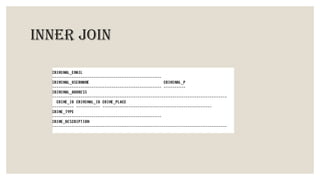
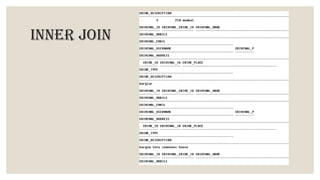
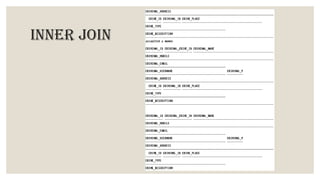
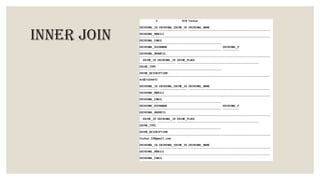
◦ The INNER JOIN selects all rows from both participating tables as long as there is a match
between the columns. An SQL INNER JOIN is same as JOIN clause, combining rows from two
or more tables. ... For example, retrieving all rows where the student identification number is
the same for both the students and courses tables
◦ Syntax is as follows
◦ SELECT column_name(s)
FROM table1
INNER JOIN table2
ON table1.column_name = table2.column_name;
INNER JOIN
INNER JOIN
INNER JOIN
INNER JOIN
INNER JOIN
INNER JOIN
INNER JOIN
INNER JOIN
INNER JOIN
INNER JOIN
INNER JOIN
INNER JOIN
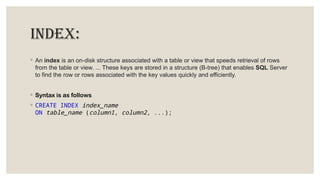
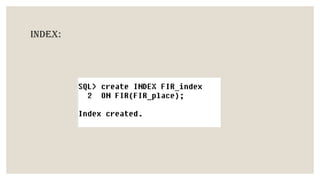
INDEX:
◦ An index is an on-disk structure associated with a table or view that speeds retrieval of rows
from the table or view. ... These keys are stored in a structure (B-tree) that enables SQL Server
to find the row or rows associated with the key values quickly and efficiently.
◦ Syntax is as follows
◦ CREATE INDEX index_name
ON table_name (column1, column2, ...);
INDEX:
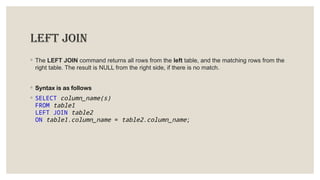
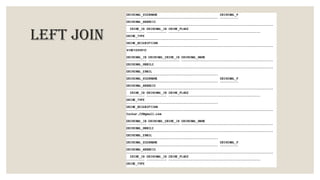
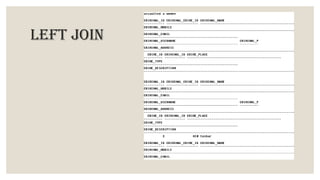
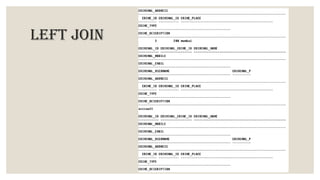
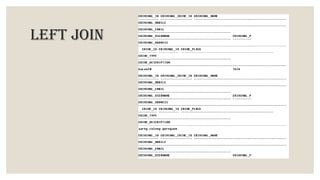
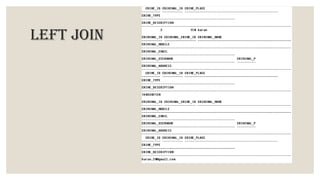
LEFT JOIN
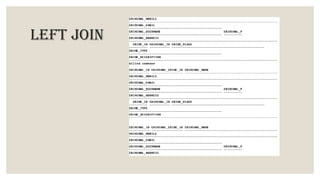
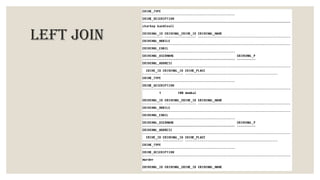
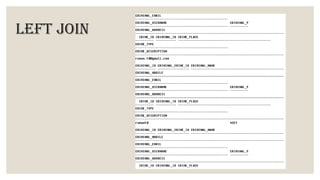
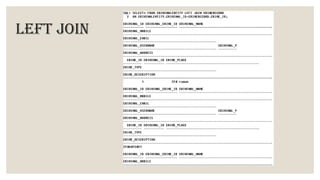
◦ The LEFT JOIN command returns all rows from the left table, and the matching rows from the
right table. The result is NULL from the right side, if there is no match.
◦ Syntax is as follows
◦ SELECT column_name(s)
FROM table1
LEFT JOIN table2
ON table1.column_name = table2.column_name;
LEFT JOIN
LEFT JOIN
LEFT JOIN
LEFT JOIN
LEFT JOIN
LEFT JOIN
LEFT JOIN
LEFT JOIN
LEFT JOIN
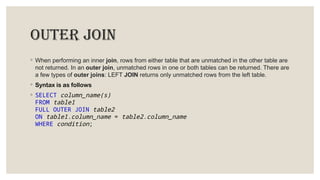
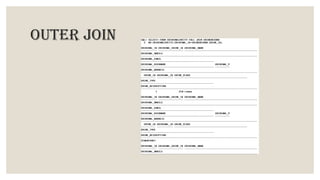
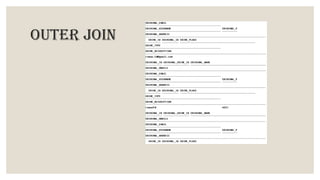
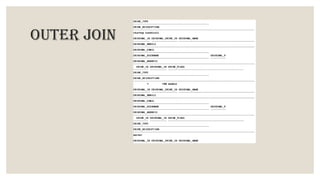
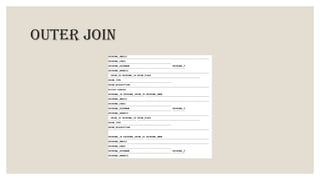
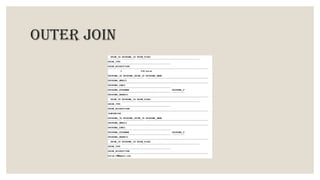
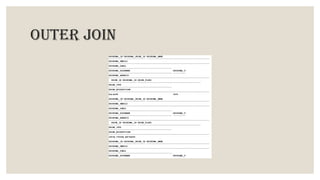
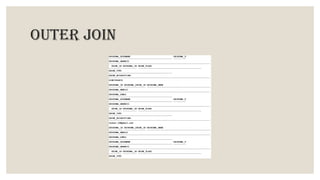
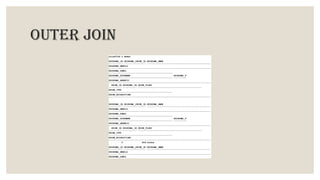
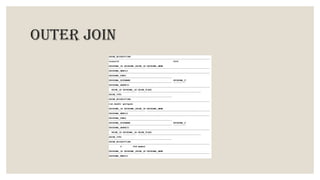
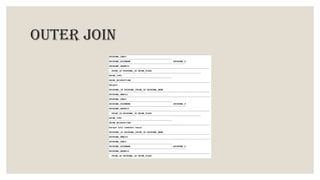
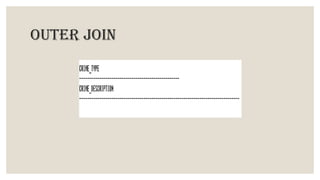
outer join
◦ When performing an inner join, rows from either table that are unmatched in the other table are
not returned. In an outer join, unmatched rows in one or both tables can be returned. There are
a few types of outer joins: LEFT JOIN returns only unmatched rows from the left table.
◦ Syntax is as follows
◦ SELECT column_name(s)
FROM table1
FULL OUTER JOIN table2
ON table1.column_name = table2.column_name
WHERE condition;
outer join
outer join
outer join
outer join
outer join
outer join
outer join
outer join
outer join
outer join
outer join
CURSOR and LOOP
IMPLICIT CURSOR
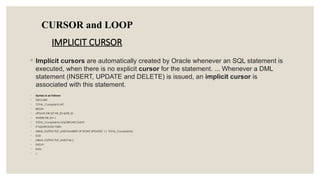
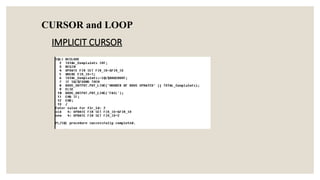
◦ Implicit cursors are automatically created by Oracle whenever an SQL statement is
executed, when there is no explicit cursor for the statement. ... Whenever a DML
statement (INSERT, UPDATE and DELETE) is issued, an implicit cursor is
associated with this statement.
◦ Syntax is as follows
◦ DECLARE
◦ TOTAL_Complaints INT;
◦ BEGIN
◦ UPDATE FIR SET FIR_ID=&FIR_ID
◦ WHERE FIR_ID=1;
◦ TOTAL_Complaints:=SQL%ROWCOUNT;
◦ IF SQL%FOUND THEN
◦ DBMS_OUTPUT.PUT_LINE('NUMBER OF ROWS UPDATED' || TOTAL_Complaints);
◦ ELSE
◦ DBMS_OUTPUT.PUT_LINE('FAIL');
◦ END IF;
◦ END;
◦ /
CURSOR and LOOP
IMPLICIT CURSOR
EXPLICIT CURSOR AND LOOP
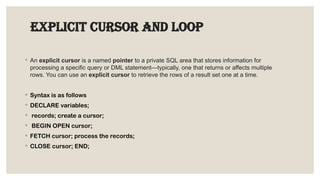
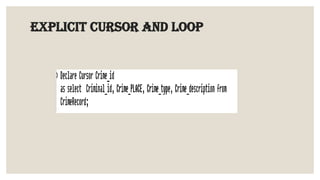
◦ An explicit cursor is a named pointer to a private SQL area that stores information for
processing a specific query or DML statement—typically, one that returns or affects multiple
rows. You can use an explicit cursor to retrieve the rows of a result set one at a time.
◦ Syntax is as follows
◦ DECLARE variables;
◦ records; create a cursor;
◦ BEGIN OPEN cursor;
◦ FETCH cursor; process the records;
◦ CLOSE cursor; END;
EXPLICIT CURSOR AND LOOP
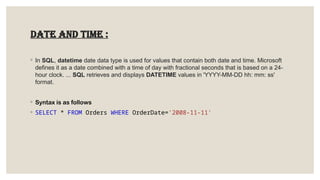
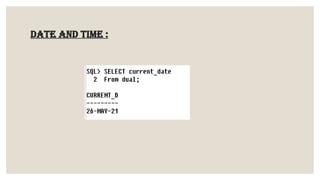
Date and time :
◦ In SQL, datetime date data type is used for values that contain both date and time. Microsoft
defines it as a date combined with a time of day with fractional seconds that is based on a 24-
hour clock. ... SQL retrieves and displays DATETIME values in 'YYYY-MM-DD hh: mm: ss'
format.
◦ Syntax is as follows
◦ SELECT * FROM Orders WHERE OrderDate='2008-11-11'
Date and time :
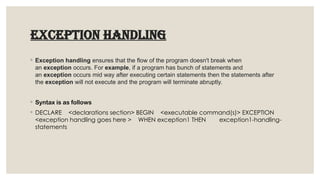
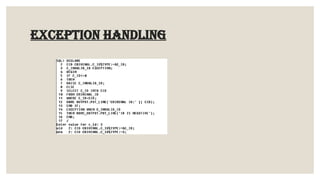
EXCEPTION HANDLING
◦ Exception handling ensures that the flow of the program doesn't break when
an exception occurs. For example, if a program has bunch of statements and
an exception occurs mid way after executing certain statements then the statements after
the exception will not execute and the program will terminate abruptly.
◦ Syntax is as follows
◦ DECLARE <declarations section> BEGIN <executable command(s)> EXCEPTION
<exception handling goes here > WHEN exception1 THEN exception1-handling-
statements
EXCEPTION HANDLING
View
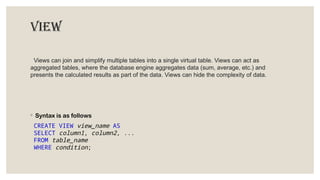
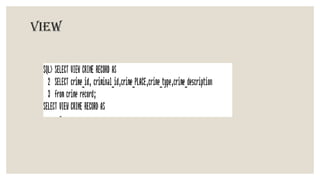
Views can join and simplify multiple tables into a single virtual table. Views can act as
aggregated tables, where the database engine aggregates data (sum, average, etc.) and
presents the calculated results as part of the data. Views can hide the complexity of data.
◦ Syntax is as follows
CREATE VIEW view_name AS
SELECT column1, column2, ...
FROM table_name
WHERE condition;
View
Trigger
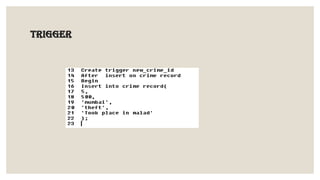
◦ A trigger is a special type of stored procedure that automatically runs when an event occurs in
the database server. DML triggers run when a user tries to modify data through a data
manipulation language (DML) event. ... SQL Server lets you create multiple triggers for any
specific statement.
◦ Syntax is as follows
◦ CREATE [OR REPLACE ] TRIGGER trigger_name.{BEFORE | AFTER | INSTEAD OF }{INSERT
[OR] | UPDATE [OR] | DELETE}[OF col_name]ON table_name.
Trigger
FUTURE SCOPE:
The scope of the project includes that what all future enhancement scan be done in this system to make it
more feasible to us:
 Databases for different products range and storage can be provided.
 Multilingual support can be provided so that it can be understandable by the person of
any language.
 More graphics can be added to make it more user friendly and understandable.
 Manage & backup versions of documents online.
CONCLUSION:
 Now-a-days everything is getting computerized.
 Manual work usually consumes a lot of time and is error prone.
 To make complaining easy and manage crime records this application is very helpful.
 The “Crime Management System” is a web based website for online complaining and computerized
management of crime records.
 Here in this website a person who wishes to file a complaint or report an incident must register before log in and
once the admin authenticates the user that he or she can login into the website and file a complaint.
This complaint will be received by police and police can send a message regarding status of the complaint to the
user who filed.
Thank you

Crime record management system project.pptx

  • 1.
    CRIME RECORD MANAGEMENTSYSTEM A project for Database management system 65-NIHARIKA THAKUR 66-DIYA PANDEY 67-GANESH SHINDE 68-TARUN SINGH 69-SHUBHAM CHAUHAN 70-IBRAHIM BUKHARI
  • 2.
    Table Of Contents: ◦Introduction ◦ E-R diagram ◦ Description ◦ Attributes ◦ Pl sql and it’s operations ◦ Create table ◦ Describe command ◦ Insert command ◦ Update ◦ Implicit cursor and loop ◦ Date and time ◦ Exception handling ◦ view ◦ Delete ◦ Alter ◦ Group by clause ◦ Having clause ◦ Order by clause ◦ Copy table ◦ Greater than operator ◦ joins: inner,outer and full join ◦ Index ◦ Cursor and loop ◦ Trigger ◦ conclusion
  • 3.
    Introduction ◦ The proposedsystem specifically looks into the subject of Crime Records Management. User can register their complaints online. ◦ The system at any point of time can provide the details of existing charge sheets and their statuses. ◦ People can check missing persons details online using this system. The system at any point of time can provide the details of the police station and the employees. This system is also show most wanted person details online on the police website.
  • 4.
  • 5.
    Attributes Table Name AttributesData type CrimeRecord Crime_id Criminal_id Crime_PLACE Crime_type Crime_description Int Not null Int Not null Varchar(50)Not null Varchar(50)Not null Varchar(200)Not null Complaints Complaint_id Complaint_PLACE Complaint_type Complains_description Int Not null Varchar(50)Not null Varchar(100)Not null Varchar(200)Not null FIR FIR_id FIR_PLACE FIR_type FIR_description Int Not null Varchar(50) not null Varchar(200)not null Varchar(200)not null Chargesheet Entity Charge_sheet_id Charge_sheet_fine Charge_sheet_type Charge_sheet_description Int Not null Int Not null Varchar(50)not null Varchar(200)not null Prisoner Entity Prisoner_id Prisoner_Crime_id Prisoner name Prisoner mobile Prisoner email Prisoner username Prisoner password Prisoner address Int Not null Int Not null Varchar(50)not null Int Not null Varchar(50)not null Varchar(50)not null Varchar(10)not null Varchar(100)not null Criminal Entity Criminal id Criminal Crime Criminal name Criminal mobile Criminal email Criminal username Criminal password Criminal address Int Not null Int Not null Varchar(50)not null Long Not null Varchar(50)not null Varchar(50)not null Varchar(10)not null Varchar(200)not null
  • 6.
  • 7.
    Create table ◦ TheCREATE TABLE statement is used to create a new table in a database. ◦ Syntax is as follows: CREATE TABLE table_name ( column1 datatype, column2 datatype, column3 datatype, ....)
  • 8.
  • 9.
  • 10.
  • 11.
    DESCRIBE COMMAND ◦ TheDESCRIBE command enables you to describe objects recursively to the depth level set in the SET DESCRIBE command. ... the type of PL/SQL object (function or procedure) the name of the function or procedure. the type of value returned (for functions) ◦ Syntax is as follows: ◦ DESCRIBE { table-Name | view-Name }
  • 12.
  • 13.
  • 14.
  • 15.
  • 16.
  • 17.
  • 18.
    INSERT COMMAND ◦ TheINSERT INTO statement is used to add new data to a database. INSERT INTO adds a new record to a table. INSERT INTO can contain values for some or all of its columns. INSERT INTO can be combined with a SELECT to insert records. ◦ Syntax is as follows: ◦ INSERT INTO table_name (column1, column2, column3, ...) VALUES (value1, value2, value3, ...);
  • 19.
  • 20.
  • 21.
  • 22.
  • 23.
  • 24.
  • 25.
  • 26.
  • 27.
  • 28.
    UPDATE COMMAND ◦ UPDATEcommand is used to update any record of data in a table. Following is its general syntax, UPDATE table_name SET column_name = new_value WHERE some_condition; ... In the above statement, if we do not use the WHERE clause, then our update query will update age for all the columns of the table to 18. ◦ Syntax is as follows: ◦ UPDATE table_name SET column1 = value1, column2 = value2, ... WHERE condition;
  • 29.
  • 30.
    DELETE COMMAND ◦ Inthe database structured query language (SQL), the DELETE statement removes one or more records from a table. A subset may be defined for deletion using a condition, otherwise all records are removed. ◦ Syntax is as follows: ◦ UPDATE table_name SET column1 = value1, column2 = value2, ... WHERE condition;
  • 31.
  • 32.
    GREATER THAN OPERATOR(>) ◦Greater than ( > ) — returns true if the value on the left is greater than the value on the right, otherwise it returns false . Less than or equal to ( <= ) — returns true if the value on the left is less than or equal to the value on the right, otherwise it returns false . ◦ Syntax is as follows ◦ SELECT * FROM table_name WHERE condition;
  • 33.
  • 34.
    JOINS INNER JOIN ◦ TheINNER JOIN selects all rows from both participating tables as long as there is a match between the columns. An SQL INNER JOIN is same as JOIN clause, combining rows from two or more tables. ... For example, retrieving all rows where the student identification number is the same for both the students and courses tables ◦ Syntax is as follows ◦ SELECT column_name(s) FROM table1 INNER JOIN table2 ON table1.column_name = table2.column_name;
  • 35.
  • 36.
  • 37.
  • 38.
  • 39.
  • 40.
  • 41.
  • 42.
  • 43.
  • 44.
  • 45.
  • 46.
  • 47.
    INDEX: ◦ An indexis an on-disk structure associated with a table or view that speeds retrieval of rows from the table or view. ... These keys are stored in a structure (B-tree) that enables SQL Server to find the row or rows associated with the key values quickly and efficiently. ◦ Syntax is as follows ◦ CREATE INDEX index_name ON table_name (column1, column2, ...);
  • 48.
  • 49.
    LEFT JOIN ◦ TheLEFT JOIN command returns all rows from the left table, and the matching rows from the right table. The result is NULL from the right side, if there is no match. ◦ Syntax is as follows ◦ SELECT column_name(s) FROM table1 LEFT JOIN table2 ON table1.column_name = table2.column_name;
  • 50.
  • 51.
  • 52.
  • 53.
  • 54.
  • 55.
  • 56.
  • 57.
  • 58.
  • 59.
    outer join ◦ Whenperforming an inner join, rows from either table that are unmatched in the other table are not returned. In an outer join, unmatched rows in one or both tables can be returned. There are a few types of outer joins: LEFT JOIN returns only unmatched rows from the left table. ◦ Syntax is as follows ◦ SELECT column_name(s) FROM table1 FULL OUTER JOIN table2 ON table1.column_name = table2.column_name WHERE condition;
  • 60.
  • 61.
  • 62.
  • 63.
  • 64.
  • 65.
  • 66.
  • 67.
  • 68.
  • 69.
  • 70.
  • 71.
    CURSOR and LOOP IMPLICITCURSOR ◦ Implicit cursors are automatically created by Oracle whenever an SQL statement is executed, when there is no explicit cursor for the statement. ... Whenever a DML statement (INSERT, UPDATE and DELETE) is issued, an implicit cursor is associated with this statement. ◦ Syntax is as follows ◦ DECLARE ◦ TOTAL_Complaints INT; ◦ BEGIN ◦ UPDATE FIR SET FIR_ID=&FIR_ID ◦ WHERE FIR_ID=1; ◦ TOTAL_Complaints:=SQL%ROWCOUNT; ◦ IF SQL%FOUND THEN ◦ DBMS_OUTPUT.PUT_LINE('NUMBER OF ROWS UPDATED' || TOTAL_Complaints); ◦ ELSE ◦ DBMS_OUTPUT.PUT_LINE('FAIL'); ◦ END IF; ◦ END; ◦ /
  • 72.
  • 73.
    EXPLICIT CURSOR ANDLOOP ◦ An explicit cursor is a named pointer to a private SQL area that stores information for processing a specific query or DML statement—typically, one that returns or affects multiple rows. You can use an explicit cursor to retrieve the rows of a result set one at a time. ◦ Syntax is as follows ◦ DECLARE variables; ◦ records; create a cursor; ◦ BEGIN OPEN cursor; ◦ FETCH cursor; process the records; ◦ CLOSE cursor; END;
  • 74.
  • 75.
    Date and time: ◦ In SQL, datetime date data type is used for values that contain both date and time. Microsoft defines it as a date combined with a time of day with fractional seconds that is based on a 24- hour clock. ... SQL retrieves and displays DATETIME values in 'YYYY-MM-DD hh: mm: ss' format. ◦ Syntax is as follows ◦ SELECT * FROM Orders WHERE OrderDate='2008-11-11'
  • 76.
  • 77.
    EXCEPTION HANDLING ◦ Exceptionhandling ensures that the flow of the program doesn't break when an exception occurs. For example, if a program has bunch of statements and an exception occurs mid way after executing certain statements then the statements after the exception will not execute and the program will terminate abruptly. ◦ Syntax is as follows ◦ DECLARE <declarations section> BEGIN <executable command(s)> EXCEPTION <exception handling goes here > WHEN exception1 THEN exception1-handling- statements
  • 78.
  • 79.
    View Views can joinand simplify multiple tables into a single virtual table. Views can act as aggregated tables, where the database engine aggregates data (sum, average, etc.) and presents the calculated results as part of the data. Views can hide the complexity of data. ◦ Syntax is as follows CREATE VIEW view_name AS SELECT column1, column2, ... FROM table_name WHERE condition;
  • 80.
  • 81.
    Trigger ◦ A triggeris a special type of stored procedure that automatically runs when an event occurs in the database server. DML triggers run when a user tries to modify data through a data manipulation language (DML) event. ... SQL Server lets you create multiple triggers for any specific statement. ◦ Syntax is as follows ◦ CREATE [OR REPLACE ] TRIGGER trigger_name.{BEFORE | AFTER | INSTEAD OF }{INSERT [OR] | UPDATE [OR] | DELETE}[OF col_name]ON table_name.
  • 82.
  • 83.
    FUTURE SCOPE: The scopeof the project includes that what all future enhancement scan be done in this system to make it more feasible to us:  Databases for different products range and storage can be provided.  Multilingual support can be provided so that it can be understandable by the person of any language.  More graphics can be added to make it more user friendly and understandable.  Manage & backup versions of documents online.
  • 84.
    CONCLUSION:  Now-a-days everythingis getting computerized.  Manual work usually consumes a lot of time and is error prone.  To make complaining easy and manage crime records this application is very helpful.  The “Crime Management System” is a web based website for online complaining and computerized management of crime records.  Here in this website a person who wishes to file a complaint or report an incident must register before log in and once the admin authenticates the user that he or she can login into the website and file a complaint. This complaint will be received by police and police can send a message regarding status of the complaint to the user who filed.
  • 85.