UNIT – 1
Problemsolving with computer (Part I)
C PROGRAMMING (CSC115)
BSC CSIT FIRST SEMESTER (TU)
PREPARED BY:
DABBAL SINGH MAHARA
ASCOL (2025)
1
2.
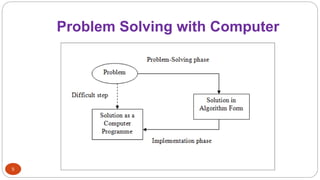
Problem Solving withComputer
2
There are a number of problems to be solved.
• Problem – A problem is a task or question that needs a solution.
• Problem solving is finding a way to overcome a challenge or accomplish a
task efficiently.
How to solve these problems?
➢Write a program in computer.
Problem Solving with Computer – Implementing the solution in the form of a
program that the computer can execute.
3.
Why Problem Solving?
3
Problem solving is the heart of programming, as it guides how a program is designed, coded,
and executed effectively.
Importance of Problem Solving:
Foundation of Programming: Programming is essentially about solving problems using a
computer. Without problem-solving skills, writing effective programs is impossible.
Efficient Solutions: Good problem-solving helps create programs that are correct, efficient,
and optimized, saving time and resources.
Logical Thinking Development: It enhances analytical and logical thinking, which is
essential for designing algorithms and debugging code.
Error Reduction: Careful problem analysis and planning reduce errors and bugs in
programs.
Application in Real Life: Problem-solving skills allow programmers to tackle real-world
challenges, like managing data, automating tasks, or developing software applications.
4.
Problem Solving withComputer
4
Problem Solving with Computers can be defined in three
points:
1. Understanding the Problem – Analyze the problem clearly to know the
inputs, outputs, and requirements.
2. Designing a Solution – Plan a step-by-step method (algorithm) to solve the
problem efficiently.
3. Implementing and Testing – Convert the solution into a program using a
programming language and verify that it works correctly.
Steps in SolvingProblem with Computer
7
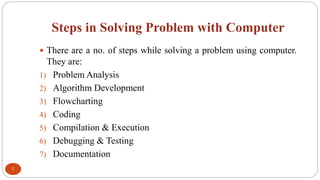
There are a no. of steps while solving a problem using computer.
They are:
1) Problem Analysis
2) Algorithm Development
3) Flowcharting
4) Coding
5) Compilation & Execution
6) Debugging & Testing
7) Documentation
8.
1. Problem Analysis
8
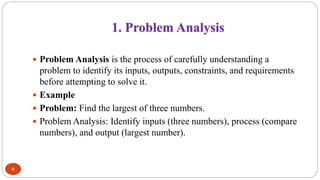
Problem Analysis is the process of carefully understanding a
problem to identify its inputs, outputs, constraints, and requirements
before attempting to solve it.
Example
Problem: Find the largest of three numbers.
Problem Analysis: Identify inputs (three numbers), process (compare
numbers), and output (largest number).
9.
2. Algorithm Development
9
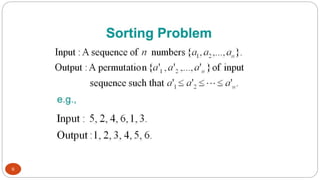
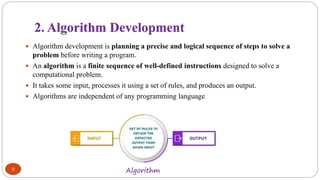
Algorithm development is planning a precise and logical sequence of steps to solve a
problem before writing a program.
An algorithm is a finite sequence of well-defined instructions designed to solve a
computational problem.
It takes some input, processes it using a set of rules, and produces an output.
Algorithms are independent of any programming language
Algorithm
10.
Characteristics of Algorithms
Finiteness
The algorithm must terminate after a finite number of steps.
It should not go into an infinite loop.
Example: A sorting algorithm must stop once all elements are
ordered.
Definiteness
Each step of the algorithm must be clear, unambiguous, and well-
defined.
There should be no confusion about what each instruction means.
Example: “Add 1 to X” is clear; “Increase X” could be ambiguous.
Input
An algorithm should have zero or more inputs, which are provided
before execution begins.
Example: A search algorithm takes a list and a key as input.
Output
An algorithm should produce at least one output (the result).
Example: A sorting algorithm outputs the sorted list.
Effectiveness
Each step of the algorithm should be simple enough to be carried
out exactly and within a reasonable time.
It should not require infinite resources or abstract operations that
can’t be implemented.
Generality
The algorithm should be applicable to a broad set of problems of
a particular type, not just one specific case.
Example: Binary Search works for any sorted list, not just one
list.
Efficiency
A good algorithm should make optimal use of time and memory
resources.
Correctness
The algorithm must produce the correct output for all valid
inputs.
10
11.
Control Structures ofan Algorithm
11
Control structures define the flow of an algorithm—whether steps are done
sequentially, conditionally, or repeatedly.
There are three main types of control structures:
1. Sequence (Process)
Sequence refers to the execution of instructions one after another in a fixed order.
Every algorithm starts with a sequence of steps such as input, processing, and output.
Example: Reading data, performing calculations, and displaying results.
2. Decision (Selection)
Decision allows an algorithm to choose between alternative paths based on a condition.
Example: if, if–else, switch statements to compare values and take actions.
3. Repetition (Iteration)
Repetition enables a set of instructions to be executed repeatedly until a condition is met.
Example: for, while, and do–while loops for repeated tasks.
12.
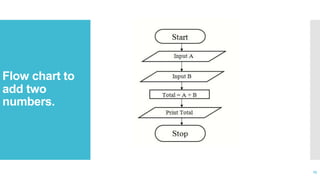
Problem 1: Writean algorithm for finding the sum of
any two numbers
12
Algorithm
Step 1: Start
Step 2: Display “Enter two numbers”
Step 3: Read A and B
Step 4: C =A + B
Step 5: Display “C as sum of two numbers”
Step 6: Stop
13.
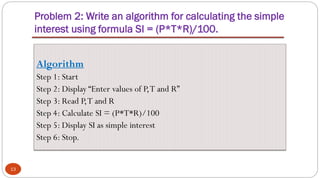
Problem 2: Writean algorithm for calculating the simple
interest using formula SI = (P*T*R)/100.
13
Algorithm
Step 1: Start
Step 2: Display “Enter values of P,T and R”
Step 3: Read P,T and R
Step 4: Calculate SI = (P*T*R)/100
Step 5: Display SI as simple interest
Step 6: Stop.
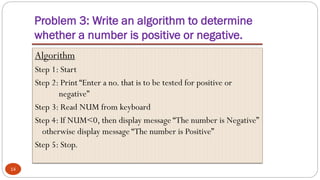
14.
Problem 3: Writean algorithm to determine
whether a number is positive or negative.
14
Algorithm
Step 1: Start
Step 2: Print “Enter a no. that is to be tested for positive or
negative”
Step 3: Read NUM from keyboard
Step 4: If NUM<0, then display message “The number is Negative”
otherwise display message “The number is Positive”
Step 5: Stop.
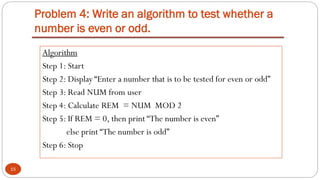
15.
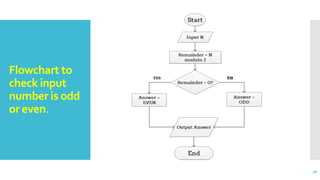
Problem 4: Writean algorithm to test whether a
number is even or odd.
15
Algorithm
Step 1: Start
Step 2: Display “Enter a number that is to be tested for even or odd”
Step 3: Read NUM from user
Step 4: Calculate REM = NUM MOD 2
Step 5: If REM = 0, then print “The number is even”
else print “The number is odd”
Step 6: Stop
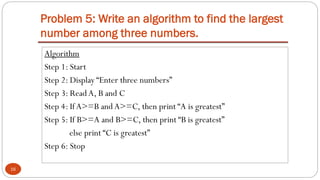
16.
Problem 5: Writean algorithm to find the largest
number among three numbers.
16
Algorithm
Step 1: Start
Step 2: Display “Enter three numbers”
Step 3: Read A, B and C
Step 4: IfA>=B and A>=C, then print “A is greatest”
Step 5: If B>=A and B>=C, then print “B is greatest”
else print “C is greatest”
Step 6: Stop
17.
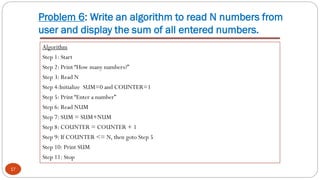
Problem 6: Writean algorithm to read N numbers from
user and display the sum of all entered numbers.
17
Algorithm
Step 1: Start
Step 2: Print “How many numbers?”
Step 3: Read N
Step 4:Initialize SUM=0 and COUNTER=1
Step 5: Print “Enter a number”
Step 6: Read NUM
Step 7: SUM = SUM+NUM
Step 8: COUNTER = COUNTER + 1
Step 9: If COUNTER <= N, then goto Step 5
Step 10: Print SUM
Step 11: Stop
18.
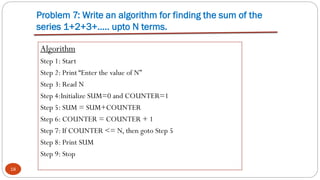
Problem 7: Writean algorithm for finding the sum of the
series 1+2+3+….. upto N terms.
18
Algorithm
Step 1: Start
Step 2: Print “Enter the value of N”
Step 3: Read N
Step 4:Initialize SUM=0 and COUNTER=1
Step 5: SUM = SUM+COUNTER
Step 6: COUNTER = COUNTER + 1
Step 7: If COUNTER <= N, then goto Step 5
Step 8: Print SUM
Step 9: Stop
19.
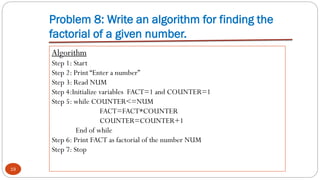
Problem 8: Writean algorithm for finding the
factorial of a given number.
19
Algorithm
Step 1: Start
Step 2: Print “Enter a number”
Step 3: Read NUM
Step 4:Initialize variables FACT=1 and COUNTER=1
Step 5: while COUNTER<=NUM
FACT=FACT*COUNTER
COUNTER=COUNTER+1
End of while
Step 6: Print FACT as factorial of the number NUM
Step 7: Stop
20.
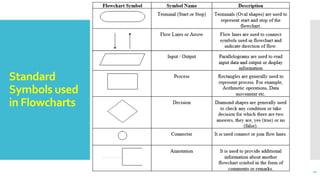
3) Flowchart
20
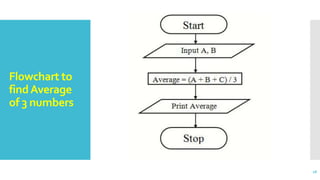
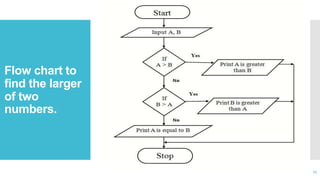
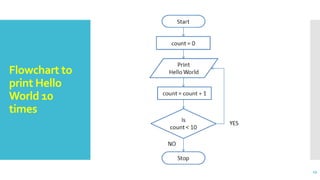
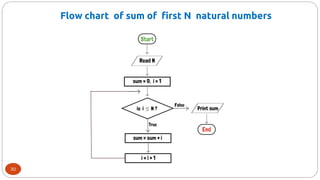
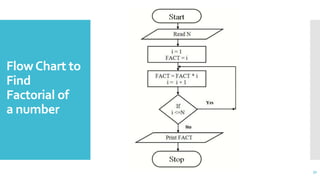
Flowchartis the graphical representation of an algorithm
using standard symbols.
Programmers often use it as a program-planning tool to
solve a problem.
It makes use of symbols which are connected among them
to indicate the flow of information and processing.
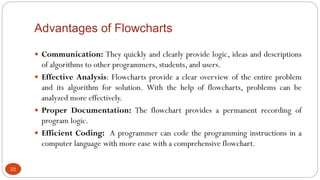
Advantages of Flowcharts
22
Communication: They quickly and clearly provide logic, ideas and descriptions
of algorithms to other programmers, students, and users.
Effective Analysis: Flowcharts provide a clear overview of the entire problem
and its algorithm for solution. With the help of flowcharts, problems can be
analyzed more effectively.
Proper Documentation: The flowchart provides a permanent recording of
program logic.
Efficient Coding: A programmer can code the programming instructions in a
computer language with more ease with a comprehensive flowchart.
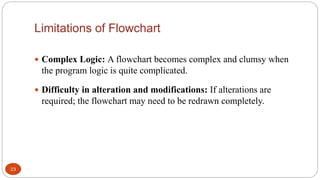
23.
Limitations of Flowchart
23
Complex Logic: A flowchart becomes complex and clumsy when
the program logic is quite complicated.
Difficulty in alteration and modifications: If alterations are
required; the flowchart may need to be redrawn completely.
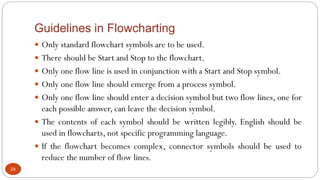
24.
Guidelines in Flowcharting
24
Only standard flowchart symbols are to be used.
There should be Start and Stop to the flowchart.
Only one flow line is used in conjunction with a Start and Stop symbol.
Only one flow line should emerge from a process symbol.
Only one flow line should enter a decision symbol but two flow lines, one for
each possible answer, can leave the decision symbol.
The contents of each symbol should be written legibly. English should be
used in flowcharts, not specific programming language.
If the flowchart becomes complex, connector symbols should be used to
reduce the number of flow lines.
4. Coding
32
Codingis the act of transforming steps in the algorithm in terms of the statement
of the programming language.
Coding is done using a programming language such as C, C++, Java, Python etc.
It follow syntax rules the programming language.
The code developed using a programming language is also called source code.
Coding must eliminate all syntax and logical errors.
It uses meaningful variable names.
It adds comments for clarity.
33.
5. Compilation andExecution
33
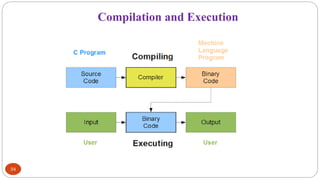
Compilation is the process of translating high level language into machine level
language.
It is done by special software, known as compiler.
During compilation, the compiler also checks for syntax errors. If there are syntax
errors, compiler cannot compile the code.
After successful compilation, the output is usually an executable file (like .exe on
Windows).
Execution is the process of running a program on a computer so that it performs the
tasks written in the code and produces results.
During execution, the program may ask for user inputs and generates outputs after
processing the inputs.
6. Debugging &Testing
35
Debugging is the process of identifying, locating, and correcting errors (bugs) in
a program.
Types of Errors:
Syntax errors: Violations of language rules
Runtime errors: Errors during execution (e.g., division by zero)
Logical errors: Program runs but gives wrong output
Testing is the process of executing a program with different inputs to verify that
it produces the expected output.
Ensures correctness, reliability, and performance
36.
7. Documentation
36
Documentationis the written description of a program that explains how it works, how to use it,
and how to maintain it.
Types of Documentation:
Internal Documentation: Comments written inside the code to explain specific lines or sections.
External Documentation: Separate manuals or guides describing program functionality, design,
inputs, outputs, and usage.
Benefits:
Aids Maintenance: Helps programmers update, modify, or debug the program easily.
Improves Understanding: Makes it easier for other programmers or future users to understand the
code.
Reduces Errors: Proper documentation minimizes mistakes when changes are made to the program.
37.
Write algorithms andFlowcharts for the following
problems:
Assignment
#1
37
1. To convert temperature from Celsius to
Fahrenheit [ F = (9.0/5.0 x C) + 32 ]
2. To find the smallest of two numbers
3. To display Even numbers between 1 to 50
4. Linear Search
5. Bubble Sort

![Write algorithms and Flowcharts for the following
problems:
Assignment
#1
37
1. To convert temperature from Celsius to
Fahrenheit [ F = (9.0/5.0 x C) + 32 ]
2. To find the smallest of two numbers
3. To display Even numbers between 1 to 50
4. Linear Search
5. Bubble Sort](https://image.slidesharecdn.com/unit1problemsolvingwithcomputerparti-251218160546-c62e91b2/85/Unit-1-Problem-Solving-with-Computer-Part-I-pdf-37-320.jpg)