POINTER
Prepared By ,
S.Sajini,AP/CSE
Pointer
• A pointer is a variable that stores / points the address
of another variable.
• A pointer is used to allocate memory dynamically i.e.
at run time.
• The pointer variable may belong to any of the data
types such as int, float, char, double, etc.
• The size of a pointer depends on the architecture.
However, in 32-bit architecture, the size of a pointer
is 2 bytes.
Syntax :
• data_type *var_name;
• Example:
• int *p, where * is used to denote that p is a pointer
variable.
• int *a; // pointer to integer
• char *c; // pointer to character
• Suppose int n = 10;
• int * p = &n; Here p is a pointer
variable pointing to the address of the variable n of typ
e integer.
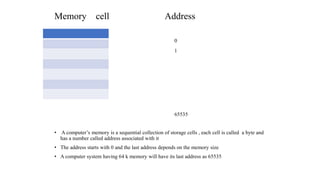
Memory cell Address
0
1
65535
• A computer’s memory is a sequential collection of storage cells , each cell is called a byte and
has a number called address associated with it
• The address starts with 0 and the last address depends on the memory size
• A computer system having 64 k memory will have its last address as 65535
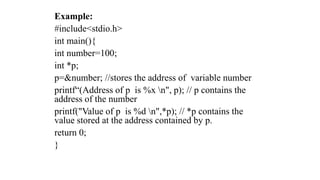
Example:
#include<stdio.h>
int main(){
int number=100;
int *p;
p=&number; //stores the address of variable number
printf“(Address of p is %x n", p); // p contains the
address of the number
printf("Value of p is %d n",*p); // *p contains the
value stored at the address contained by p.
return 0;
}
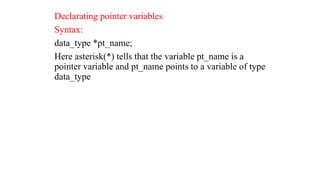
Declarating pointer variables
Syntax:
data_type *pt_name;
Here asterisk(*) tells that the variable pt_name is a
pointer variable and pt_name points to a variable of type
data_type
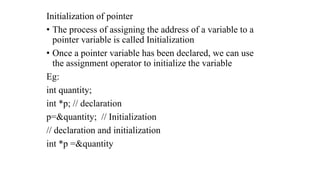
Initialization of pointer
• The process of assigning the address of a variable to a
pointer variable is called Initialization
• Once a pointer variable has been declared, we can use
the assignment operator to initialize the variable
Eg:
int quantity;
int *p; // declaration
p=&quantity; // Initialization
// declaration and initialization
int *p =&quantity
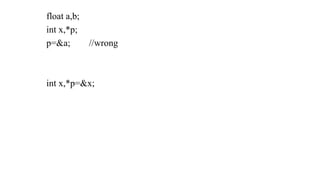
float a,b;
int x,*p;
p=&a; //wrong
int x,*p=&x;
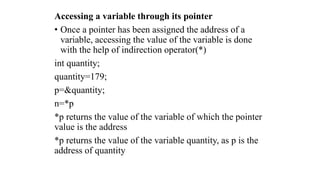
Accessing a variable through its pointer
• Once a pointer has been assigned the address of a
variable, accessing the value of the variable is done
with the help of indirection operator(*)
int quantity;
quantity=179;
p=&quantity;
n=*p
*p returns the value of the variable of which the pointer
value is the address
*p returns the value of the variable quantity, as p is the
address of quantity
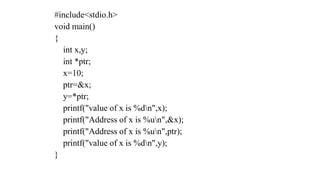
#include<stdio.h>
void main()
{
int x,y;
int *ptr;
x=10;
ptr=&x;
y=*ptr;
printf("value of x is %dn",x);
printf("Address of x is %un",&x);
printf("Address of x is %un",ptr);
printf("value of x is %dn",y);
}
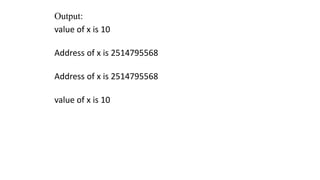
Output:
value of x is 10
Address of x is 2514795568
value of x is 10
Pointer and Array
• When an array is declared, the compiler allocates
sufficient amount of memory to contain all the
elements of the array. Base address is the address of
the first element of an array.
Consider, int arr[5] = { 1, 2, 3, 4, 5 };
• Assuming that the base address of arr is 2000 and each
integer requires two bytes, the five elements will be
stored as follows:
Element arr[0] arr[1] arr[2] arr[3] arr[4]
Address 2000 2002 2004 2006 2008
• Here variable arr gives the base address, which is a
constant pointer pointing to the first element of the array.
• Hence arr contains the address of arr[0] i.e 2000. Therefore, arr
is equal to &arr[0].
• Now we can access every element of the array arr by
incrementing the pointer to move from one element to
another.
1 2 3 4 5
Pointer to Array
We can use a pointer to point to an array and then we can use that pointer to access the array
elements.
Example:
#include <stdio.h>
int main()
{
int i;
int a[5] = {1, 2, 3, 4, 5};
int *p = a; // Similar to int*p = &a[0]
for (i = 0; i < 5; i++)
{
printf("%dn", *p);
p++;
}
return 0;
}
Output
1
2
3
4
5
Note: *(a+i) is same as a[i]
Array of Pointers
• Like an array of int,float, etc, we can also declare an array of
pointers.
Syntax: datatype *array_name[size];
Example:
int *arr_ptr[5];
Here arr_ptr is an array of 5 integer pointers. It means that this
array can hold the address of 5 integer variables.
Example:
#include<stdio.h>
int main()
{
int *arr_ptr[3];
int a = 10, b = 20, c = 50, i;
arr_ptr[0] = &a;
arr_ptr[1] = &b;
arr_ptr[2] = &c;
for(i = 0; i < 3; i++)
{
printf("Address = %dt Value = %dn", arr_ptr[i], *arr_ptr[i]);
}
• return 0;
• }
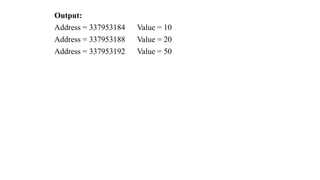
Output:
Address = 337953184 Value = 10
Address = 337953188 Value = 20
Address = 337953192 Value = 50
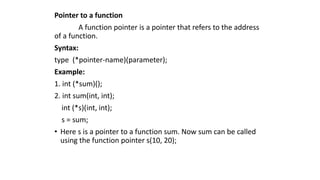
Pointer to a function
A function pointer is a pointer that refers to the address
of a function.
Syntax:
type (*pointer-name)(parameter);
Example:
1. int (*sum)();
2. int sum(int, int);
int (*s)(int, int);
s = sum;
• Here s is a pointer to a function sum. Now sum can be called
using the function pointer s(10, 20);
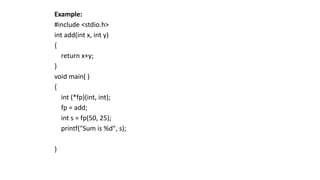
Example:
#include <stdio.h>
int add(int x, int y)
{
return x+y;
}
void main( )
{
int (*fp)(int, int);
fp = add;
int s = fp(50, 25);
printf("Sum is %d", s);
}
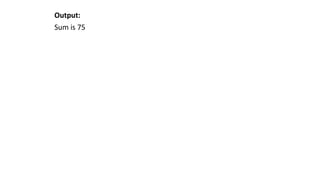
Output:
Sum is 75
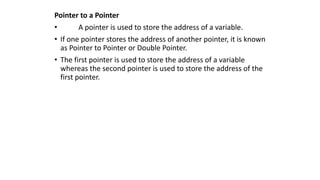
Pointer to a Pointer
• A pointer is used to store the address of a variable.
• If one pointer stores the address of another pointer, it is known
as Pointer to Pointer or Double Pointer.
• The first pointer is used to store the address of a variable
whereas the second pointer is used to store the address of the
first pointer.
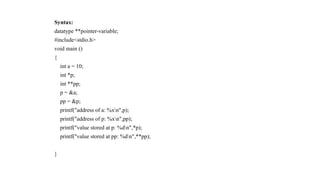
Syntax:
datatype **pointer-variable;
#include<stdio.h>
void main ()
{
int a = 10;
int *p;
int **pp;
p = &a;
pp = &p;
printf("address of a: %xn",p);
printf("address of p: %xn",pp);
printf("value stored at p: %dn",*p);
printf("value stored at pp: %dn",**pp);
}
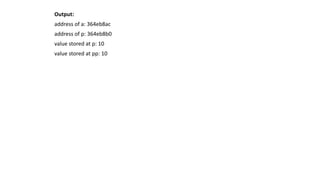
Output:
address of a: 364eb8ac
address of p: 364eb8b0
value stored at p: 10
value stored at pp: 10
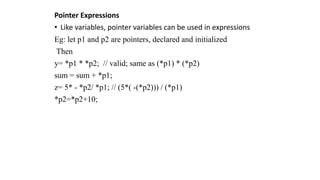
Pointer Expressions
• Like variables, pointer variables can be used in expressions
Eg: let p1 and p2 are pointers, declared and initialized
Then
y= *p1 * *p2; // valid; same as (*p1) * (*p2)
sum = sum + *p1;
z= 5* - *p2/ *p1; // (5*( -(*p2))) / (*p1)
*p2=*p2+10;
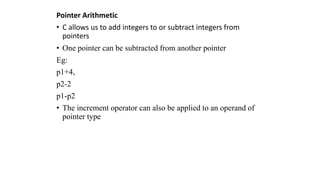
Pointer Arithmetic
• C allows us to add integers to or subtract integers from
pointers
• One pointer can be subtracted from another pointer
Eg:
p1+4,
p2-2
p1-p2
• The increment operator can also be applied to an operand of
pointer type
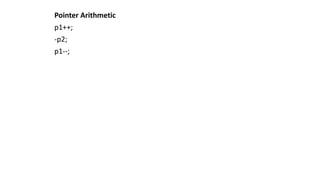
Pointer Arithmetic
p1++;
-p2;
p1--;
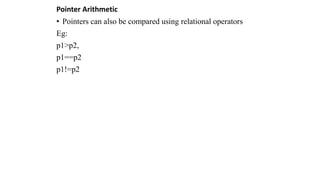
Pointer Arithmetic
• Pointers can also be compared using relational operators
Eg:
p1>p2,
p1==p2
p1!=p2
Pointer Arithmetic
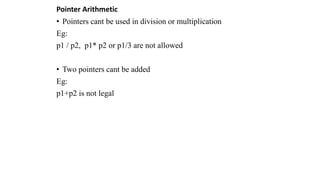
• Pointers cant be used in division or multiplication
Eg:
p1 / p2, p1* p2 or p1/3 are not allowed
• Two pointers cant be added
Eg:
p1+p2 is not legal
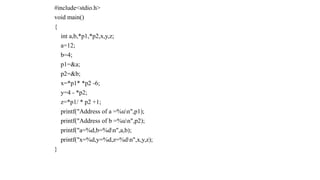
#include<stdio.h>
void main()
{
int a,b,*p1,*p2,x,y,z;
a=12;
b=4;
p1=&a;
p2=&b;
x=*p1* *p2 -6;
y=4 - *p2;
z=*p1/ * p2 +1;
printf("Address of a =%un",p1);
printf("Address of b =%un",p2);
printf("a=%d,b=%dn",a,b);
printf("x=%d,y=%d,z=%dn",x,y,z);
}
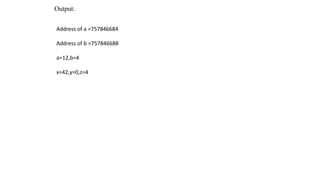
Output:
Address of a =757846684
Address of b =757846688
a=12,b=4
x=42,y=0,z=4
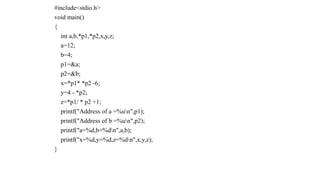
#include<stdio.h>
void main()
{
int a,b,*p1,*p2,x,y,z;
a=12;
b=4;
p1=&a;
p2=&b;
x=*p1* *p2 -6;
y=4 - *p2;
z=*p1/ * p2 +1;
printf("Address of a =%un",p1);
printf("Address of b =%un",p2);
printf("a=%d,b=%dn",a,b);
printf("x=%d,y=%d,z=%dn",x,y,z);
}
Pointers and strings
• We know that strings are treated as character arrays
• They can be initialized as follows:
• char str[5] =“good”;
• The compiler will automatically inserts null character ‘0’ at the
end of the string
• C provides a method to create strings using pointer variables of
type char
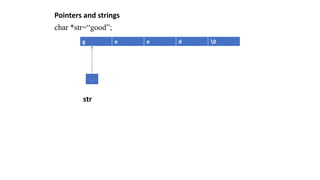
• char *str=“good”;
• This will create a string and stores its address in the pointer
variable str and str points to the 1st character of the string
“good”
Pointers and strings
char *str=“good”;
str
g o o d 0
.
Pointers and strings
#include<stdio.h>
void main()
{
char str[]="Hello";
char *pstr;
pstr =str;
printf("n The string is:");
while(*pstr!='0')
{
printf("%c",*pstr);
pstr++;
}
}
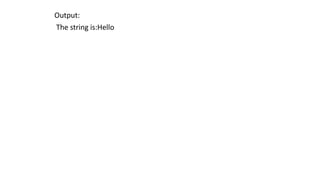
Output:
The string is:Hello
Null Pointer
• It is a pointer which doesn’t point to any value
• To declare a null pointer, the predefined constant NULL is used.
NULL is defined in several headers files including <stdio.h>,
<string.h>, etc
• We can also a pointer as NULL pointer by using a constant 0
Eg:
int *ptr=NULL;
or
int *ptr1=0;
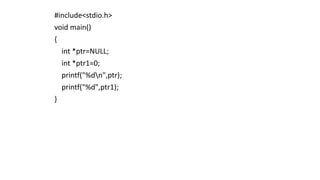
#include<stdio.h>
void main()
{
int *ptr=NULL;
int *ptr1=0;
printf("%dn",ptr);
printf("%d",ptr1);
}
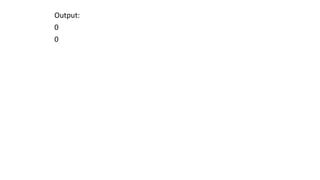
Output:
0
0

PPS-POINTERS.pptx

  • 1.
  • 2.
    Pointer • A pointeris a variable that stores / points the address of another variable. • A pointer is used to allocate memory dynamically i.e. at run time. • The pointer variable may belong to any of the data types such as int, float, char, double, etc. • The size of a pointer depends on the architecture. However, in 32-bit architecture, the size of a pointer is 2 bytes. Syntax : • data_type *var_name;
  • 3.
    • Example: • int*p, where * is used to denote that p is a pointer variable. • int *a; // pointer to integer • char *c; // pointer to character • Suppose int n = 10; • int * p = &n; Here p is a pointer variable pointing to the address of the variable n of typ e integer.
  • 4.
    Memory cell Address 0 1 65535 •A computer’s memory is a sequential collection of storage cells , each cell is called a byte and has a number called address associated with it • The address starts with 0 and the last address depends on the memory size • A computer system having 64 k memory will have its last address as 65535
  • 5.
    Example: #include<stdio.h> int main(){ int number=100; int*p; p=&number; //stores the address of variable number printf“(Address of p is %x n", p); // p contains the address of the number printf("Value of p is %d n",*p); // *p contains the value stored at the address contained by p. return 0; }
  • 6.
    Declarating pointer variables Syntax: data_type*pt_name; Here asterisk(*) tells that the variable pt_name is a pointer variable and pt_name points to a variable of type data_type
  • 7.
    Initialization of pointer •The process of assigning the address of a variable to a pointer variable is called Initialization • Once a pointer variable has been declared, we can use the assignment operator to initialize the variable Eg: int quantity; int *p; // declaration p=&quantity; // Initialization // declaration and initialization int *p =&quantity
  • 8.
    float a,b; int x,*p; p=&a;//wrong int x,*p=&x;
  • 9.
    Accessing a variablethrough its pointer • Once a pointer has been assigned the address of a variable, accessing the value of the variable is done with the help of indirection operator(*) int quantity; quantity=179; p=&quantity; n=*p *p returns the value of the variable of which the pointer value is the address *p returns the value of the variable quantity, as p is the address of quantity
  • 10.
    #include<stdio.h> void main() { int x,y; int*ptr; x=10; ptr=&x; y=*ptr; printf("value of x is %dn",x); printf("Address of x is %un",&x); printf("Address of x is %un",ptr); printf("value of x is %dn",y); }
  • 11.
    Output: value of xis 10 Address of x is 2514795568 Address of x is 2514795568 value of x is 10
  • 12.
    Pointer and Array •When an array is declared, the compiler allocates sufficient amount of memory to contain all the elements of the array. Base address is the address of the first element of an array. Consider, int arr[5] = { 1, 2, 3, 4, 5 }; • Assuming that the base address of arr is 2000 and each integer requires two bytes, the five elements will be stored as follows:
  • 13.
    Element arr[0] arr[1]arr[2] arr[3] arr[4] Address 2000 2002 2004 2006 2008 • Here variable arr gives the base address, which is a constant pointer pointing to the first element of the array. • Hence arr contains the address of arr[0] i.e 2000. Therefore, arr is equal to &arr[0]. • Now we can access every element of the array arr by incrementing the pointer to move from one element to another. 1 2 3 4 5
  • 14.
    Pointer to Array Wecan use a pointer to point to an array and then we can use that pointer to access the array elements. Example: #include <stdio.h> int main() { int i; int a[5] = {1, 2, 3, 4, 5}; int *p = a; // Similar to int*p = &a[0] for (i = 0; i < 5; i++) { printf("%dn", *p); p++; } return 0; }
  • 15.
  • 16.
    Array of Pointers •Like an array of int,float, etc, we can also declare an array of pointers. Syntax: datatype *array_name[size]; Example: int *arr_ptr[5]; Here arr_ptr is an array of 5 integer pointers. It means that this array can hold the address of 5 integer variables.
  • 17.
    Example: #include<stdio.h> int main() { int *arr_ptr[3]; inta = 10, b = 20, c = 50, i; arr_ptr[0] = &a; arr_ptr[1] = &b; arr_ptr[2] = &c; for(i = 0; i < 3; i++) { printf("Address = %dt Value = %dn", arr_ptr[i], *arr_ptr[i]); } • return 0; • }
  • 18.
    Output: Address = 337953184Value = 10 Address = 337953188 Value = 20 Address = 337953192 Value = 50
  • 19.
    Pointer to afunction A function pointer is a pointer that refers to the address of a function. Syntax: type (*pointer-name)(parameter); Example: 1. int (*sum)(); 2. int sum(int, int); int (*s)(int, int); s = sum; • Here s is a pointer to a function sum. Now sum can be called using the function pointer s(10, 20);
  • 20.
    Example: #include <stdio.h> int add(intx, int y) { return x+y; } void main( ) { int (*fp)(int, int); fp = add; int s = fp(50, 25); printf("Sum is %d", s); }
  • 21.
  • 22.
    Pointer to aPointer • A pointer is used to store the address of a variable. • If one pointer stores the address of another pointer, it is known as Pointer to Pointer or Double Pointer. • The first pointer is used to store the address of a variable whereas the second pointer is used to store the address of the first pointer.
  • 23.
    Syntax: datatype **pointer-variable; #include<stdio.h> void main() { int a = 10; int *p; int **pp; p = &a; pp = &p; printf("address of a: %xn",p); printf("address of p: %xn",pp); printf("value stored at p: %dn",*p); printf("value stored at pp: %dn",**pp); }
  • 24.
    Output: address of a:364eb8ac address of p: 364eb8b0 value stored at p: 10 value stored at pp: 10
  • 25.
    Pointer Expressions • Likevariables, pointer variables can be used in expressions Eg: let p1 and p2 are pointers, declared and initialized Then y= *p1 * *p2; // valid; same as (*p1) * (*p2) sum = sum + *p1; z= 5* - *p2/ *p1; // (5*( -(*p2))) / (*p1) *p2=*p2+10;
  • 26.
    Pointer Arithmetic • Callows us to add integers to or subtract integers from pointers • One pointer can be subtracted from another pointer Eg: p1+4, p2-2 p1-p2 • The increment operator can also be applied to an operand of pointer type
  • 27.
  • 28.
    Pointer Arithmetic • Pointerscan also be compared using relational operators Eg: p1>p2, p1==p2 p1!=p2
  • 29.
    Pointer Arithmetic • Pointerscant be used in division or multiplication Eg: p1 / p2, p1* p2 or p1/3 are not allowed • Two pointers cant be added Eg: p1+p2 is not legal
  • 30.
    #include<stdio.h> void main() { int a,b,*p1,*p2,x,y,z; a=12; b=4; p1=&a; p2=&b; x=*p1**p2 -6; y=4 - *p2; z=*p1/ * p2 +1; printf("Address of a =%un",p1); printf("Address of b =%un",p2); printf("a=%d,b=%dn",a,b); printf("x=%d,y=%d,z=%dn",x,y,z); }
  • 31.
    Output: Address of a=757846684 Address of b =757846688 a=12,b=4 x=42,y=0,z=4
  • 32.
    #include<stdio.h> void main() { int a,b,*p1,*p2,x,y,z; a=12; b=4; p1=&a; p2=&b; x=*p1**p2 -6; y=4 - *p2; z=*p1/ * p2 +1; printf("Address of a =%un",p1); printf("Address of b =%un",p2); printf("a=%d,b=%dn",a,b); printf("x=%d,y=%d,z=%dn",x,y,z); }
  • 33.
    Pointers and strings •We know that strings are treated as character arrays • They can be initialized as follows: • char str[5] =“good”; • The compiler will automatically inserts null character ‘0’ at the end of the string • C provides a method to create strings using pointer variables of type char • char *str=“good”; • This will create a string and stores its address in the pointer variable str and str points to the 1st character of the string “good”
  • 34.
    Pointers and strings char*str=“good”; str g o o d 0 .
  • 35.
    Pointers and strings #include<stdio.h> voidmain() { char str[]="Hello"; char *pstr; pstr =str; printf("n The string is:"); while(*pstr!='0') { printf("%c",*pstr); pstr++; } }
  • 36.
  • 37.
    Null Pointer • Itis a pointer which doesn’t point to any value • To declare a null pointer, the predefined constant NULL is used. NULL is defined in several headers files including <stdio.h>, <string.h>, etc • We can also a pointer as NULL pointer by using a constant 0 Eg: int *ptr=NULL; or int *ptr1=0;
  • 38.
    #include<stdio.h> void main() { int *ptr=NULL; int*ptr1=0; printf("%dn",ptr); printf("%d",ptr1); }
  • 39.