21st Feb, 2013
Flow of presentation


    Introduction

    How does it spread

    Types of Computer Viruses

    Prevention, Cure and Antivirus Software

    Conclusion


Computer Viruses – Page2
Introduction
        Computer viruses are a type of
         software program that, like a
         biological virus, reproduces and
         spreads itself

        Some virus may display only a
         message on the screen, others may
         slow down the Pc

        They can also erase files or even
         format your floppy or hard disk and
         crash the system


Computer Viruses - Page 3
How does it spread
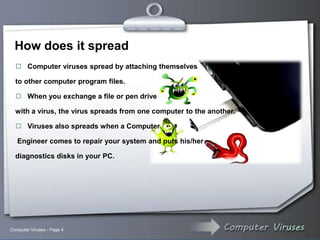
   Computer viruses spread by attaching themselves

  to other computer program files.

   When you exchange a file or pen drive

  with a virus, the virus spreads from one computer to the another.

   Viruses also spreads when a Computer

   Engineer comes to repair your system and puts his/her

  diagnostics disks in your PC.


Computer Viruses - Page 4
How does it spread
  Computer viruses usually spread in one of three ways: from removable media;
   from downloads off the Internet; and from e-mail attachments.to other computer
   program files.

  Also Computer Viruses has many ways to spread like :


      Email attachments             Infected Software

      Rogue Websites                Instant Messaging

      Networks and Hackers          Fake Anti Virus Software

      From Mobile Devices           Friends and Relatives


Computer Viruses - Page 5
Types of computer viruses

     Boot viruses:- The boot virus copies the virus code in the
         boot sector.

     Worms:- Worms are program that replicate and spread to
         other system.

     Trojans:- A Trojan is a program file that claims to do
         something but it actually does something that is not required.


Computer Viruses - Page 6
Types of computer viruses


      Polymorphic viruses:- They are coded in such a way that
           they infect a system and change their signature.

      Macro viruses:- Macros are blocks of code written to
           automate frequently performed tasks and embedded in a
           program file.


Computer Viruses - Page 7
Preservation and cure
                             Install an Antivirus software.

                             Keep Your Antivirus Software Up
                               To Date

                             Make     Sure     You      Have
                               AntiSpyware Software Also.

                             Set Up Full System Scans.

                             Install only registered copies of
                               software on the system.

                             Install a Software Firewall


Computer Viruses - Page 8
Preservation and cure
                             Regularly update the program.

                             Open     email attachment files
                               only if you are expecting the
                               attached files, or the sender is
                               known and has confirmed
                               sending the file.

                             Try to avoid downloading and
                               installing   software   from   the
                               Internet.

                             Install only registered copies of
                               software on the system.


Computer Viruses - Page 9
Antivirus Software

       Norton Anti-Virus

       MaCfee

       Avast

       Quick Heal

       Panda


Computer Viruses - Page 10
Conclusion

    For better and safe computation anti-virus software
    should be installed and be helpful for
    global network system freely.


Computer Viruses - Page 11
Thank You


                             Members of Group

                             Yousuf Al-Harbi.

                             Zaki Alnajim.

                             Mansour Al Faridi.

                             Fahad Al-Mutairi.


                              If you have any inquiry or question about our presentation, we will
                                happy to answer it.


    www.asna.p2h.info


Computer Viruses – The End

Powerpoint

  • 1.
  • 2.
    Flow of presentation  Introduction  How does it spread  Types of Computer Viruses  Prevention, Cure and Antivirus Software  Conclusion Computer Viruses – Page2
  • 3.
    Introduction  Computer viruses are a type of software program that, like a biological virus, reproduces and spreads itself  Some virus may display only a message on the screen, others may slow down the Pc  They can also erase files or even format your floppy or hard disk and crash the system Computer Viruses - Page 3
  • 4.
    How does itspread  Computer viruses spread by attaching themselves to other computer program files.  When you exchange a file or pen drive with a virus, the virus spreads from one computer to the another.  Viruses also spreads when a Computer Engineer comes to repair your system and puts his/her diagnostics disks in your PC. Computer Viruses - Page 4
  • 5.
    How does itspread  Computer viruses usually spread in one of three ways: from removable media; from downloads off the Internet; and from e-mail attachments.to other computer program files.  Also Computer Viruses has many ways to spread like :  Email attachments  Infected Software  Rogue Websites  Instant Messaging  Networks and Hackers  Fake Anti Virus Software  From Mobile Devices  Friends and Relatives Computer Viruses - Page 5
  • 6.
    Types of computerviruses  Boot viruses:- The boot virus copies the virus code in the boot sector.  Worms:- Worms are program that replicate and spread to other system.  Trojans:- A Trojan is a program file that claims to do something but it actually does something that is not required. Computer Viruses - Page 6
  • 7.
    Types of computerviruses  Polymorphic viruses:- They are coded in such a way that they infect a system and change their signature.  Macro viruses:- Macros are blocks of code written to automate frequently performed tasks and embedded in a program file. Computer Viruses - Page 7
  • 8.
    Preservation and cure  Install an Antivirus software.  Keep Your Antivirus Software Up To Date  Make Sure You Have AntiSpyware Software Also.  Set Up Full System Scans.  Install only registered copies of software on the system.  Install a Software Firewall Computer Viruses - Page 8
  • 9.
    Preservation and cure  Regularly update the program.  Open email attachment files only if you are expecting the attached files, or the sender is known and has confirmed sending the file.  Try to avoid downloading and installing software from the Internet.  Install only registered copies of software on the system. Computer Viruses - Page 9
  • 10.
    Antivirus Software  Norton Anti-Virus  MaCfee  Avast  Quick Heal  Panda Computer Viruses - Page 10
  • 11.
    Conclusion For better and safe computation anti-virus software should be installed and be helpful for global network system freely. Computer Viruses - Page 11
  • 12.
    Thank You Members of Group Yousuf Al-Harbi. Zaki Alnajim. Mansour Al Faridi. Fahad Al-Mutairi.  If you have any inquiry or question about our presentation, we will happy to answer it. www.asna.p2h.info Computer Viruses – The End