


1
Power BI: Data Cleansing
& Power Query Editor
2
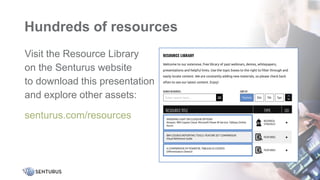
Hundreds of resources
Visit the Resource Library
on the Senturus website
to download this presentation
and explore other assets:
senturus.com/resources
2
Patrick Powers
3
•Data Scientist, Consultant and Trainer
Senturus, Inc.
Michael Weinhauer
Director
Senturus, Inc.
Introductions
Agenda
• Introductions
The importance of clean data
Leveraging Power Query Editor
Demos
• Senturus overview
• Additional resources
• Q&A
4
Enjoy the full presentation
This slide deck is from the webinar Power BI: Data Cleansing
& Power Query Editor
To view the FREE video recording and download this deck,
go to https://senturus.com/resources/power-bi-data-
cleansing-power-query-editor/
5
Why do you need to prepare data?
6
Why do you need to prepare data?
7
Good data vs. bad data
• Accurate
• Up-to-date
• Informational
8
Data issues - examples
• Data is in the wrong format
• Data comes from multiple sources
• Data is at different granularity
• Data is not “analysis friendly”
• Outliers and data “mistakes”
9
Using Power Query Editor
• Power BI provides a built-in solution for data prep needs
• In addition to basic functions, PQE provides users with the
ability to leverage M
• M allows users to create complex, advanced scripts to
ensure data is properly configured for analysis
10
See the Power BI demos
To watch the following demos and download the slide deck go to
https://senturus.com/resources/power-bi-data-cleansing-power-query-editor/
• General cleansing
• Removing null values
• Removing columns
• Unpivoting data
• Add custom columns
• Merging queries
• Working with an M script
11
$100 off Power Query training
•Get & Transform Data with Power Query Editor
•April 13, May 25, June 29
•Instructor-led in the Senturus online classroom
•Use coupon code PowerQuery at checkout (expires April 17)
•https://senturus.com/training/course-schedule/transforming-data-with-power-bi/
•See all Power BI training options
•https://senturus.com/training/powerbi/
12
The authority in
Business Intelligence
13
Exclusively focused on BI,
Senturus is unrivaled in its
expertise across the BI stack.
Decisions and actions
Business needs
Bridging the gap
14
Analysis-ready data
Full spectrum BI services
•Dashboards, reporting and visualizations
•Data preparation and modern data warehousing
•Hybrid BI environments (migrations, security, etc.)
•Software to enable bimodal BI and platform migrations
•BI support retainer (expertise on demand)
•Training and mentoring
15
A long, strong history of success
• 20+ years
• 1350+ clients
• 3000+ projects
16
Expand your
knowledge
17
Find more resources
on the Senturus website:
senturus.com/senturus-resources
Complete BI training
18
Instructor-led online courses Self-paced learning
Mentoring
Tailored group sessions
Additional resources
19
Insider viewpoints
Technical tips
Unbiased product reviews
Product demos Upcoming events
More on this subject
© 2020 by Senturus, Inc. This presentation may not be reused or distributed without the written consent of Senturus, Inc.
www.senturus.com 888 601 6010 info@senturus.com

Power BI: Data Cleansing & Power Query Editor

  • 1.
    1 Power BI: DataCleansing & Power Query Editor
  • 2.
    2 Hundreds of resources Visitthe Resource Library on the Senturus website to download this presentation and explore other assets: senturus.com/resources 2
  • 3.
    Patrick Powers 3 •Data Scientist,Consultant and Trainer Senturus, Inc. Michael Weinhauer Director Senturus, Inc. Introductions
  • 4.
    Agenda • Introductions The importanceof clean data Leveraging Power Query Editor Demos • Senturus overview • Additional resources • Q&A 4
  • 5.
    Enjoy the fullpresentation This slide deck is from the webinar Power BI: Data Cleansing & Power Query Editor To view the FREE video recording and download this deck, go to https://senturus.com/resources/power-bi-data- cleansing-power-query-editor/ 5
  • 6.
    Why do youneed to prepare data? 6
  • 7.
    Why do youneed to prepare data? 7
  • 8.
    Good data vs.bad data • Accurate • Up-to-date • Informational 8
  • 9.
    Data issues -examples • Data is in the wrong format • Data comes from multiple sources • Data is at different granularity • Data is not “analysis friendly” • Outliers and data “mistakes” 9
  • 10.
    Using Power QueryEditor • Power BI provides a built-in solution for data prep needs • In addition to basic functions, PQE provides users with the ability to leverage M • M allows users to create complex, advanced scripts to ensure data is properly configured for analysis 10
  • 11.
    See the PowerBI demos To watch the following demos and download the slide deck go to https://senturus.com/resources/power-bi-data-cleansing-power-query-editor/ • General cleansing • Removing null values • Removing columns • Unpivoting data • Add custom columns • Merging queries • Working with an M script 11
  • 12.
    $100 off PowerQuery training •Get & Transform Data with Power Query Editor •April 13, May 25, June 29 •Instructor-led in the Senturus online classroom •Use coupon code PowerQuery at checkout (expires April 17) •https://senturus.com/training/course-schedule/transforming-data-with-power-bi/ •See all Power BI training options •https://senturus.com/training/powerbi/ 12
  • 13.
    The authority in BusinessIntelligence 13 Exclusively focused on BI, Senturus is unrivaled in its expertise across the BI stack.
  • 14.
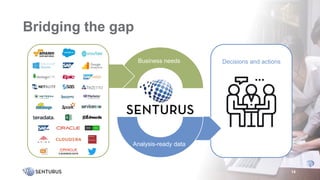
    Decisions and actions Businessneeds Bridging the gap 14 Analysis-ready data
  • 15.
    Full spectrum BIservices •Dashboards, reporting and visualizations •Data preparation and modern data warehousing •Hybrid BI environments (migrations, security, etc.) •Software to enable bimodal BI and platform migrations •BI support retainer (expertise on demand) •Training and mentoring 15
  • 16.
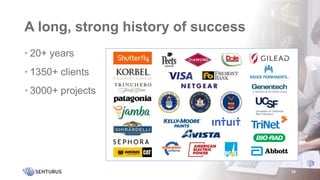
    A long, stronghistory of success • 20+ years • 1350+ clients • 3000+ projects 16
  • 17.
    Expand your knowledge 17 Find moreresources on the Senturus website: senturus.com/senturus-resources
  • 18.
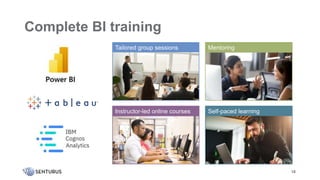
    Complete BI training 18 Instructor-ledonline courses Self-paced learning Mentoring Tailored group sessions
  • 19.
    Additional resources 19 Insider viewpoints Technicaltips Unbiased product reviews Product demos Upcoming events More on this subject
  • 20.
    © 2020 bySenturus, Inc. This presentation may not be reused or distributed without the written consent of Senturus, Inc. www.senturus.com 888 601 6010 info@senturus.com

Editor's Notes

  • #3 The first question we usually get is “Can I get a copy of the presentation?” Absolutely! It’s available on Senturus.com. Select the Resources tab and then Resources Library. Or you can click the link that was just posted in the GoToWebinar Control panel. Be sure to bookmark the resource library. It has tons of valuable content addressing a wide variety of business analytics topics.
  • #4 Joining us today is…..Patrick Powers Patrick has 20 years of experience in business intelligence and data analytics. He is a Tableau Certified Associate and a Cognos expert whose product experience goes back to version 6. He is also versed in Actuate, Hyperion and Business Objects. His certifications include multiple programming languages, including Java and C++, and database certification (MS SQL).
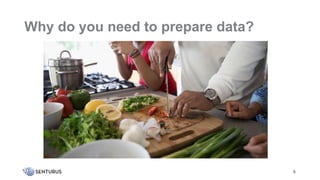
  • #7 Think of Tableau Prep as being analogous to a chef preparing ingredients for a nice meal. The nice meal doesn’t just happen. Somebody slices and dices, seasons and assembles the ingredients. The result is a beautiful meal that people can enjoy. A tableau dashboard is like that beautiful meal, it doesn't just happen. 90% of the work has to do with preparing the underlying data. Data is everywhere and you can create a quick Tableau Dashboard using just about anything. But is the data show in your dashboards accurate, informational and up to date? That is what you need it isn’t enough I think we are really seeing the impact of good data vs bad data today. Good data is an absolute requirement to make accurate projections which in turn drives supply chains and helps people make informed decisions.
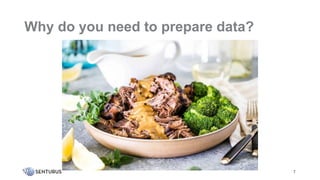
  • #8 I put a transition form preparing a meal to end result pretty meal Think of Tableau Prep as being analogous to a chef preparing ingredients for a nice meal. The nice meal doesn’t just happen. Somebody slices and dices, seasons and assembles the ingredients. The result is a beautiful meal that people can enjoy. A tableau dashboard is like that beautiful meal it doesn't just happen. 90% of the work and time involved has to do with preparing the underlying data. Data is everywhere and you can create a quick Tableau Dashboard using just about anything. But is the data show in your dashboards accurate, informational and up to date? That is what you need it isn’t enough I think we are really seeing the impact of good data vs bad data today. Good data is an absolute requirement to make accurate projections which in turn drives supply chains and helps people make informed decisions.
  • #9 Data is everywhere and you can create a quick Tableau Dashboard using just about anything. But the old garbage in garbage out principal often applies…. And end of the day the data behind your dashboards needs to be accurate, informational and up to date. ??? Good data is an absolute requirement to make accurate projections which in turn drives supply chains and helps people make informed decisions. Today we are really seeing how important good data is.
  • #10  What is “Good data” and what is “bad data” ? Often you don’t even know you have “bad data” until you use a tool like Tableau to expose the data. Some common issues uncovered when displaying data in Tableau: Wrong format – You may have you data going across like Jan Feb March sales numbers. Data in this format cant be easily aggregated . Multiple sources – you might have some HR data in one system and expense report data in another it can be harder than you think to join sources Granularity – you might have actual sales down to the day but you budget is by quarter this is different granularity and can give you the wrong results in your visualizations if you don’t deal with it properly. Analysis Friendly - Sometimes field names are not intuitive and dates are not in the correct format to let Tableau do its job in creating automatic date hierarchies. This is especially true if you are dealing with transactional systems. Outliers and data “mistakes” – Often, it isn’t until you display your data in something like Tableau that you noticed the problems, someone leaves off a few zeros, a date is in the wrong format, abbreviations are not consistent i.e. CA vs Calif vs California.
  • #11  What is “Good data” and what is “bad data” ? Often you don’t even know you have “bad data” until you use a tool like Tableau to expose the data. Some common issues uncovered when displaying data in Tableau: Wrong format – You may have you data going across like Jan Feb March sales numbers. Data in this format cant be easily aggregated . Multiple sources – you might have some HR data in one system and expense report data in another it can be harder than you think to join sources Granularity – you might have actual sales down to the day but you budget is by quarter this is different granularity and can give you the wrong results in your visualizations if you don’t deal with it properly. Analysis Friendly - Sometimes field names are not intuitive and dates are not in the correct format to let Tableau do its job in creating automatic date hierarchies. This is especially true if you are dealing with transactional systems. Outliers and data “mistakes” – Often, it isn’t until you display your data in something like Tableau that you noticed the problems, someone leaves off a few zeros, a date is in the wrong format, abbreviations are not consistent i.e. CA vs Calif vs California.
  • #13 For webinar participants we’re offering $100 off our Power Query training. Coupon code: PowerQuery, expires on April 17.
  • #14 At Senturus we concentrate our expertise on business intelligence with a depth of knowledge across the entire BI stack.
  • #15 At Senturus, our clients know us for providing clarity from the chaos of complex business requirements, disparate data sources and constantly moving targets. We have made a name for ourselves because of our strength at bridging the gap between IT and business users. We deliver solutions that give you access to reliable, analysis-ready data across the organization so you can quickly and easily get answers at the point of impact: the Decisions you Make and Actions you Take.
  • #16 Our consultants are leading experts in the field of analytics, with years of pragmatic, real-world expertise and experience advancing the state-of-the-art. We’re so confident in our team and our methodology that we back our projects with a 100% money back guarantee that is unique in the industry.
  • #17 We have been focused exclusively on business intelligence for 20 years. We work across the spectrum from Fortune 500 to mid market, We solve business problems across many industries and function areas including in the office of finance, sales and marketing, manufacturing, operations, HR and IT Our team is large enough to meet all your business analytics needs yet small enough to provide personal attention.
  • #18 Senturus has 100s of free resources on our website, from webinars on all things BI, to our fabulous up-to-the-minute, easily consumable blogs.
  • #19 We provide training in the three top BI platforms. We are ideal for organizations running multiple platforms or those moving from one to another. We can provide training in many modes and can mix and match to suit your user community.
  • #20 Senturus provides 100s of free resources on our website. We have been committed to sharing our BI expertise for over a decade.