Structured Text (ST) Programming
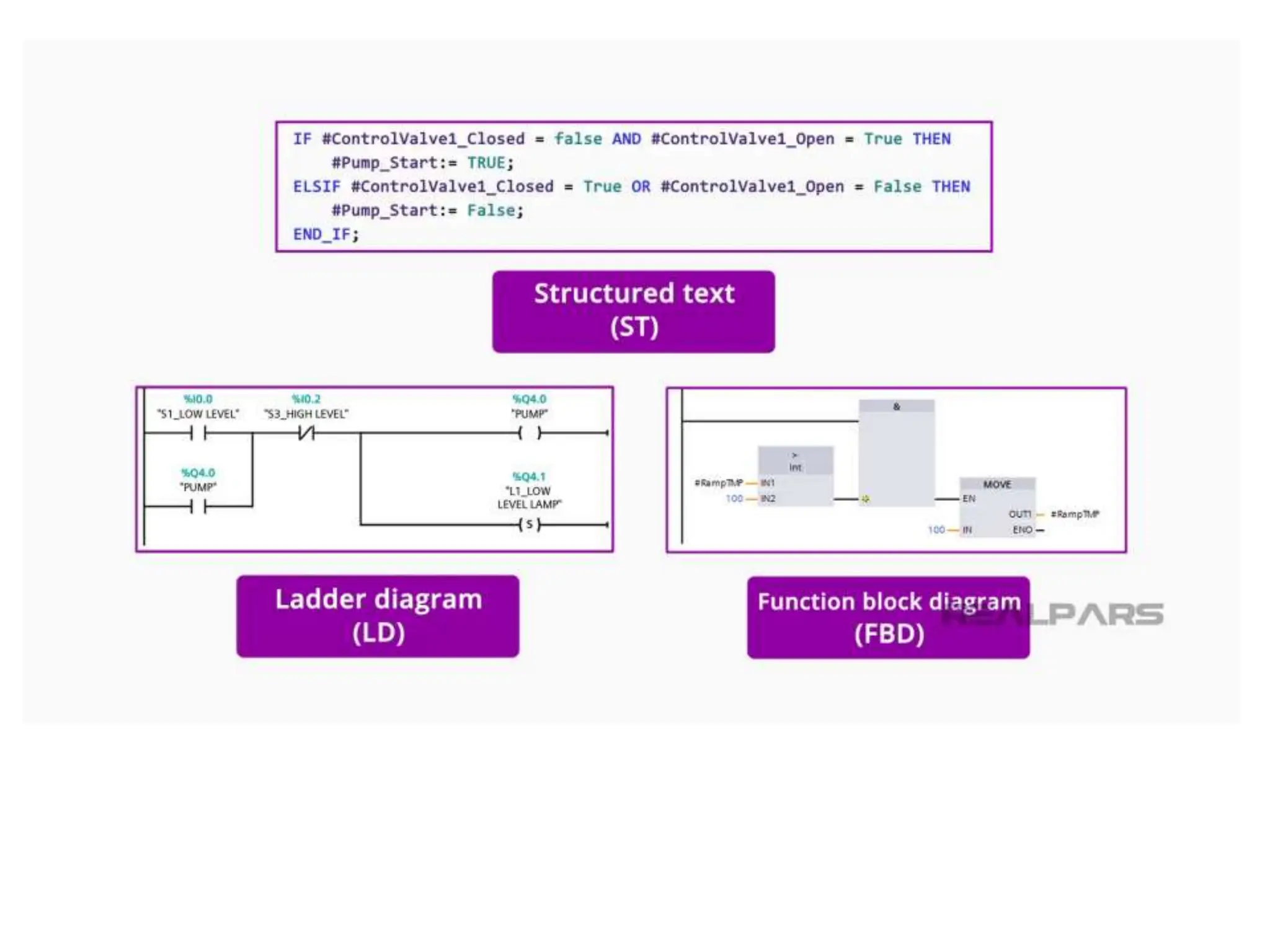
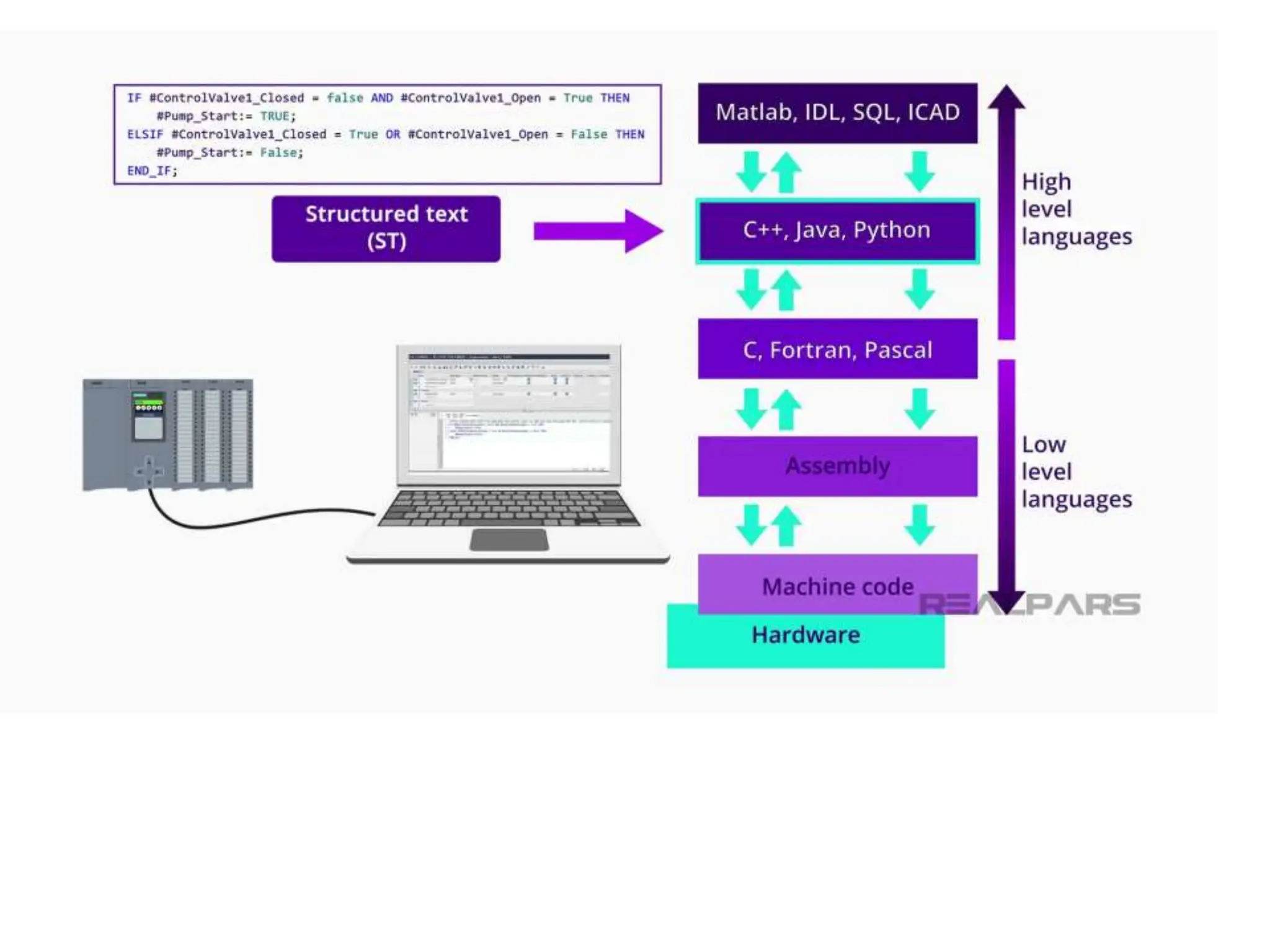
• As one of the IEC-61131 PLC programming
languages, Structured Text or just ST is based
on and resembles traditional programming
languages like Python or Java.
• Rather than being visual or graphics-based like
ladder logic or Function Block Diagram,
Structured Text is just that, text!
• Structured text programming advantages
• Like all programming languages, Structured
Text has advantages and disadvantages, and
there are also reasons you as a programmer
might choose to use Structured Text in your
next PLC programming project, so let’s get
right into it.
• 1) No PLC programming background needed
• Since Structured Text is similar to traditional
High-Level programming languages, it can be
fairly easy for many people who may not have
a background in PLC programming but have
experience in traditional coding to learn and
develop PLC projects.
• 2) ST is text-based
• In most cases, you can also develop your
Structured Text PLC programming project
without using the PLC programming software.
Since it is text-based, you can write your
project in a simple text file and copy and paste
it into your PLC project when you are ready.
• This also makes editing your project easier
when you are debugging. While this feature of
Structured Text is useful, remember
that without your programming software like
TIA Portal or RSLogix, you cannot compile and
debug your program.
•
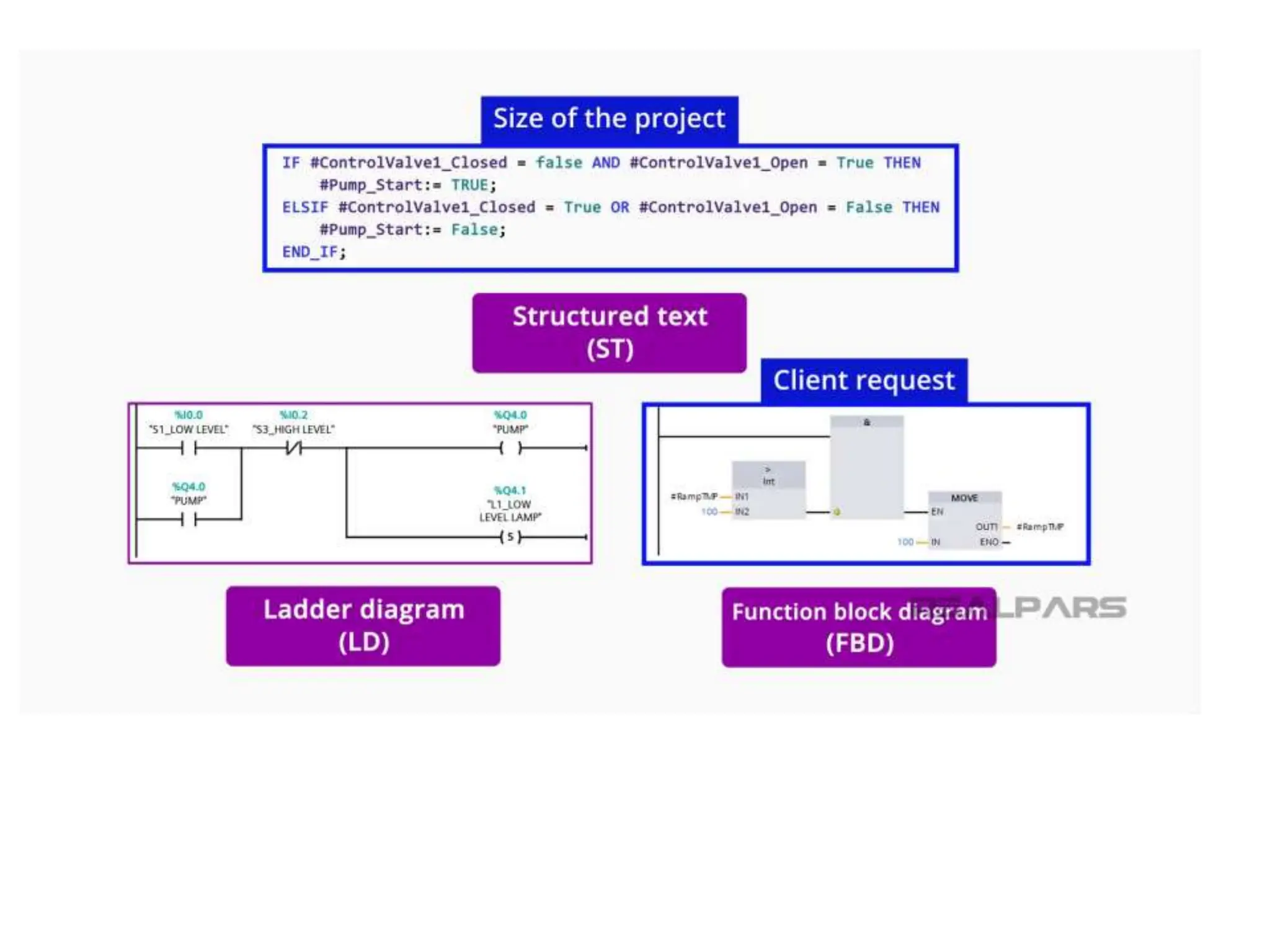
• Most PLC manufacturers support different
programming languages in their PLC’s and this
is because there are many different reasons
that a programmer will choose a particular
programming language.
• These reasons can be as simple as a client
request for a specific programming language
all the way to the size of the programming
project.
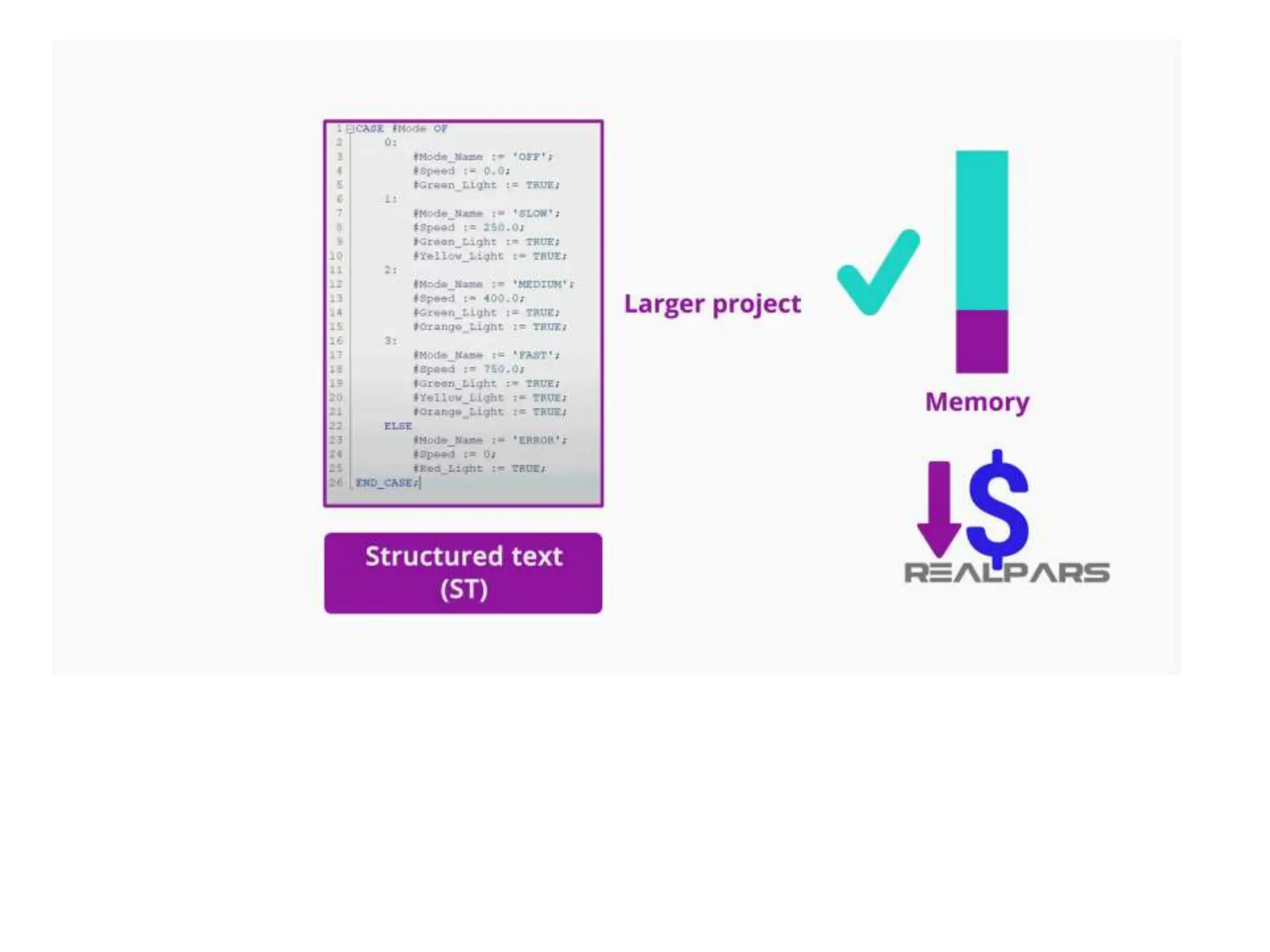
• 3) ST is a lightweight programming language
• Since Structured Text is by definition, text-
based, it means that it does not have the
memory-intensive graphical interface which
can allow for a smaller processor memory and
therefore a reduced cost.
• This makes Structured Text an ideal candidate
for larger PLC programs where controller
memory is at a premium.
• 4) ST programming files can be shared very
easily
• Some other times you might want to use
Structured Text are when you are deploying
the same PLC program over and over, such as
in a packaged machine that is sent to a
customer for a turn-key start-up.
•
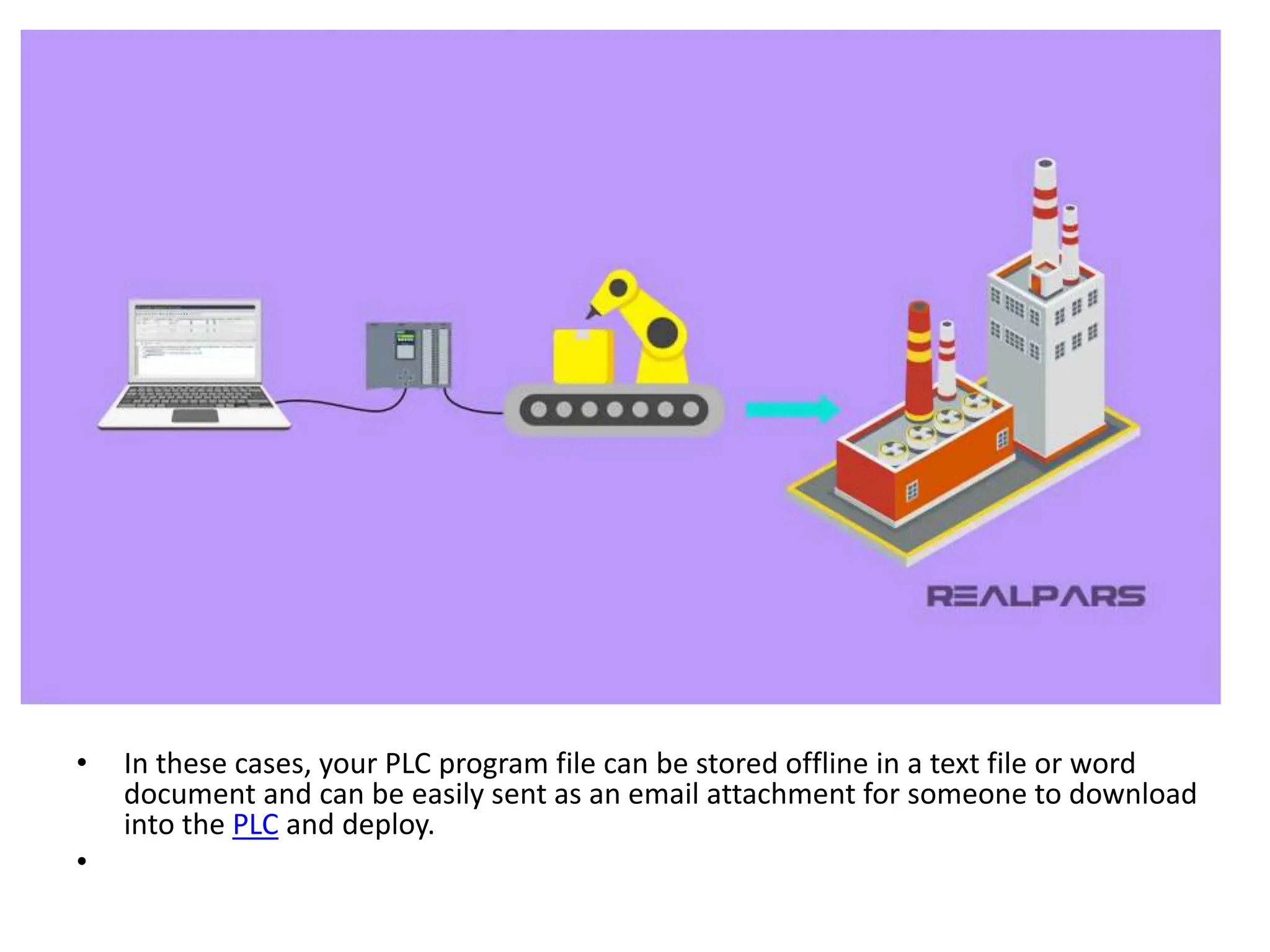
• In these cases, your PLC program file can be stored offline in a text file or word
document and can be easily sent as an email attachment for someone to download
into the PLC and deploy.
•
Basic rules of ST syntax
• The syntax of Structured Text follows some basic rules.
• – First, all statements in Structured Text will end with a
semicolon.
• – A routine will close out with an End_If statement.
• -Spaces and tabs are not required, but a good
programmer will still use them for readability.
• – Also, Structured Text is not case sensitive, but if you
are assigning a variable, known as a tag or a symbol
such as control valve 1, then using
camelCase ControlValve1 is a good practice to get into.
Use of comments in ST programming
• Another very common and useful syntax of Structured Text
is the use of a comment. As a beginning programmer, the
use of comments is essential to creating code that can be
read later on.
• Here is an example of a comment in structured text
programming:
• (*this line of code will close control valve 1*)
• As you can see, to add a comment in Structured Text you
will start with a left parenthesis followed by an asterisk. To
close your comment, you will then add another asterisk
followed by a right parenthesis.
•
Structured text operators
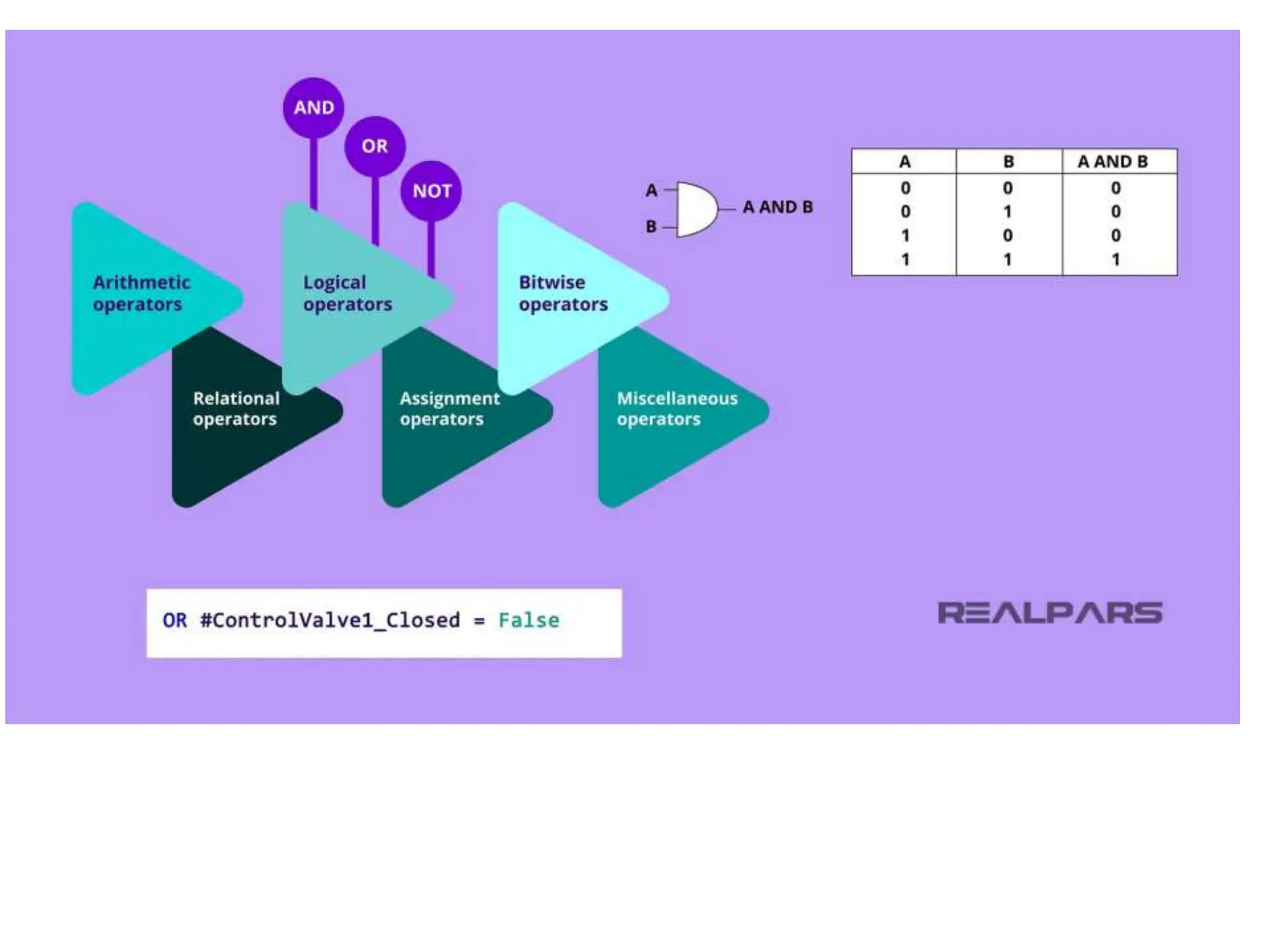
• Structured Text also uses operators to
manipulate data. Some examples of operators
are the logical operators such as AND, OR, and
NOT. A logical operator is used to compare
Boolean data and create logic from it.
Structured text examples
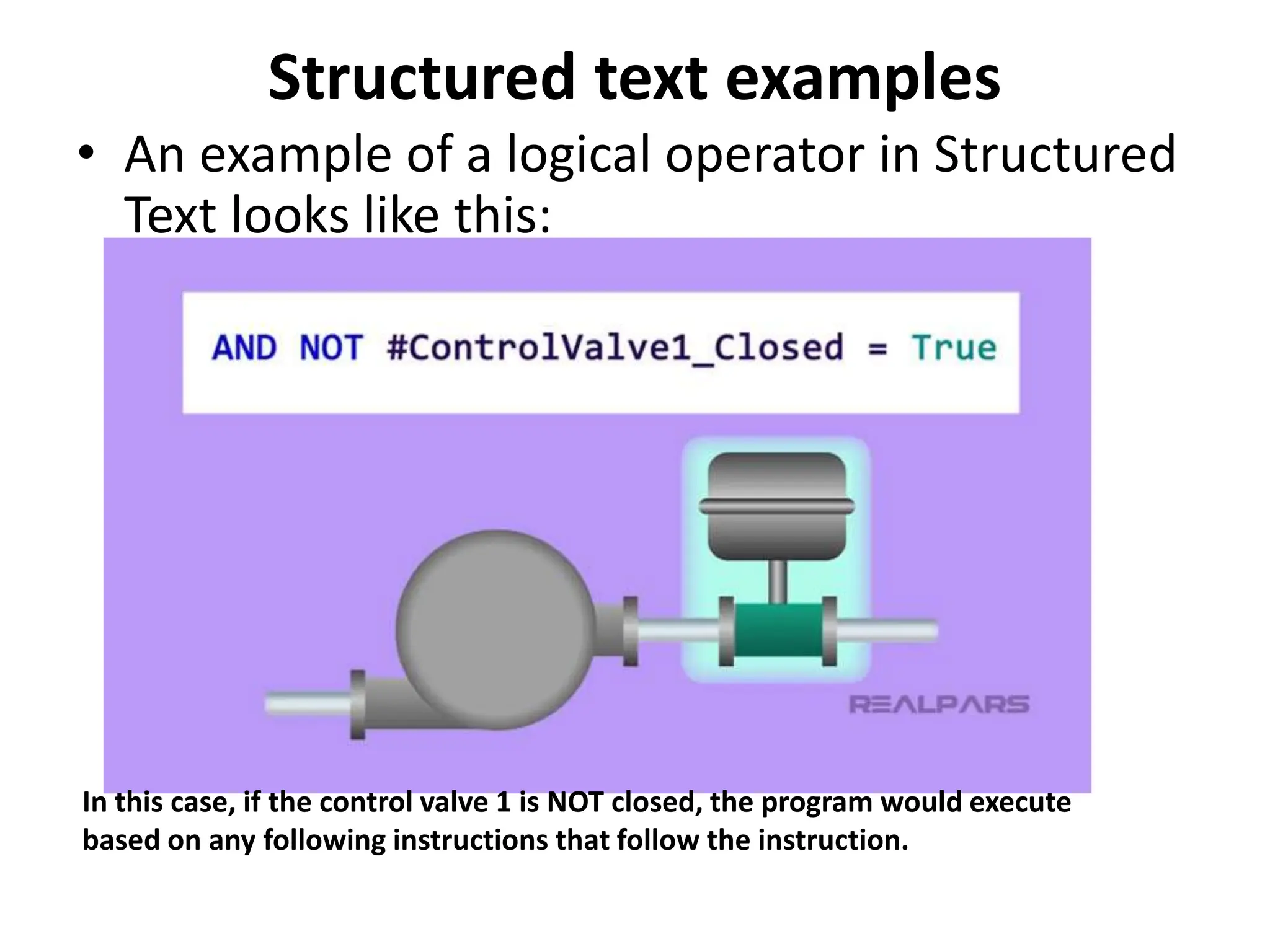
• An example of a logical operator in Structured
Text looks like this:
In this case, if the control valve 1 is NOT closed, the program would execute
based on any following instructions that follow the instruction.
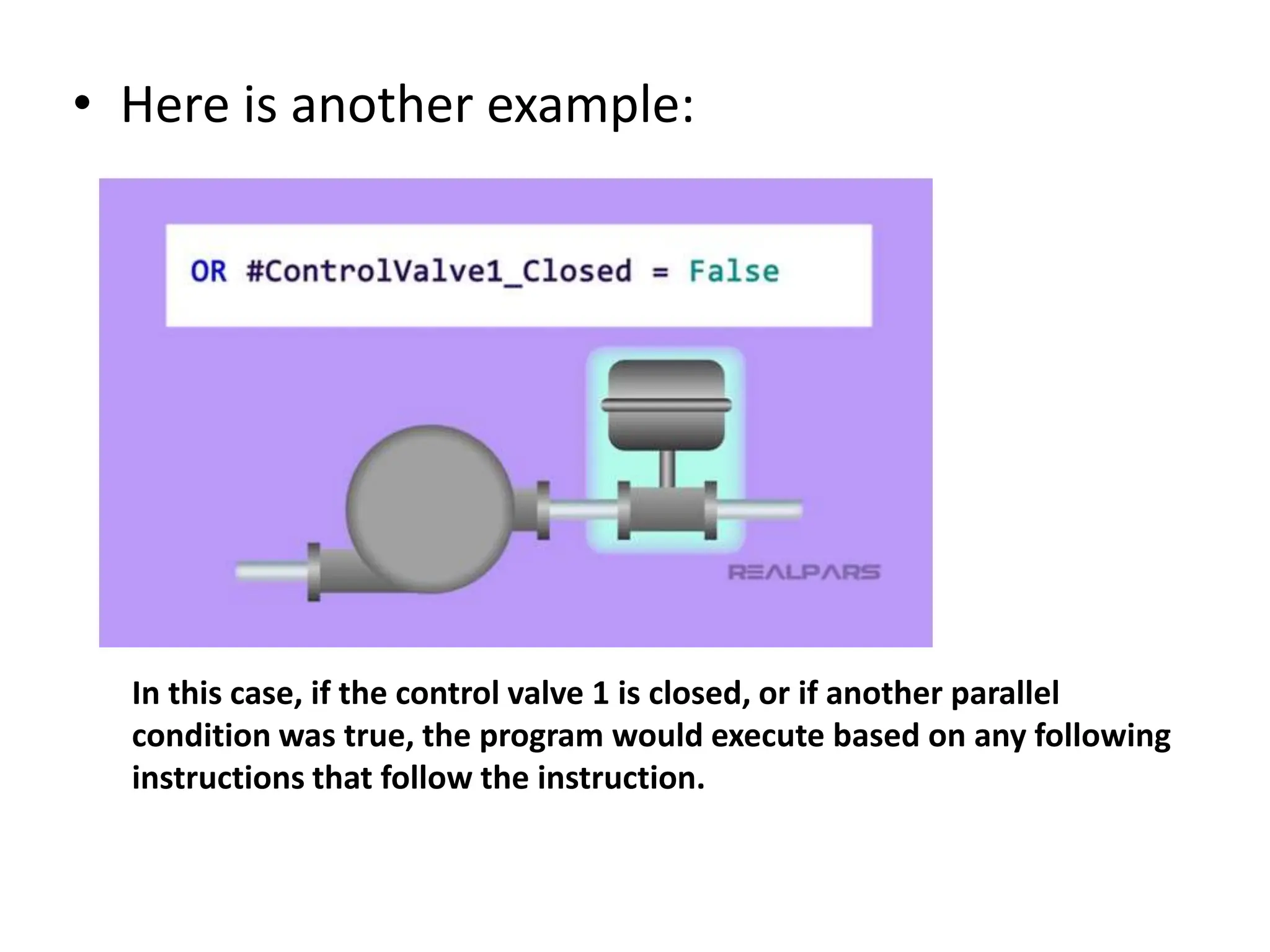
• Here is another example:
In this case, if the control valve 1 is closed, or if another parallel
condition was true, the program would execute based on any following
instructions that follow the instruction.
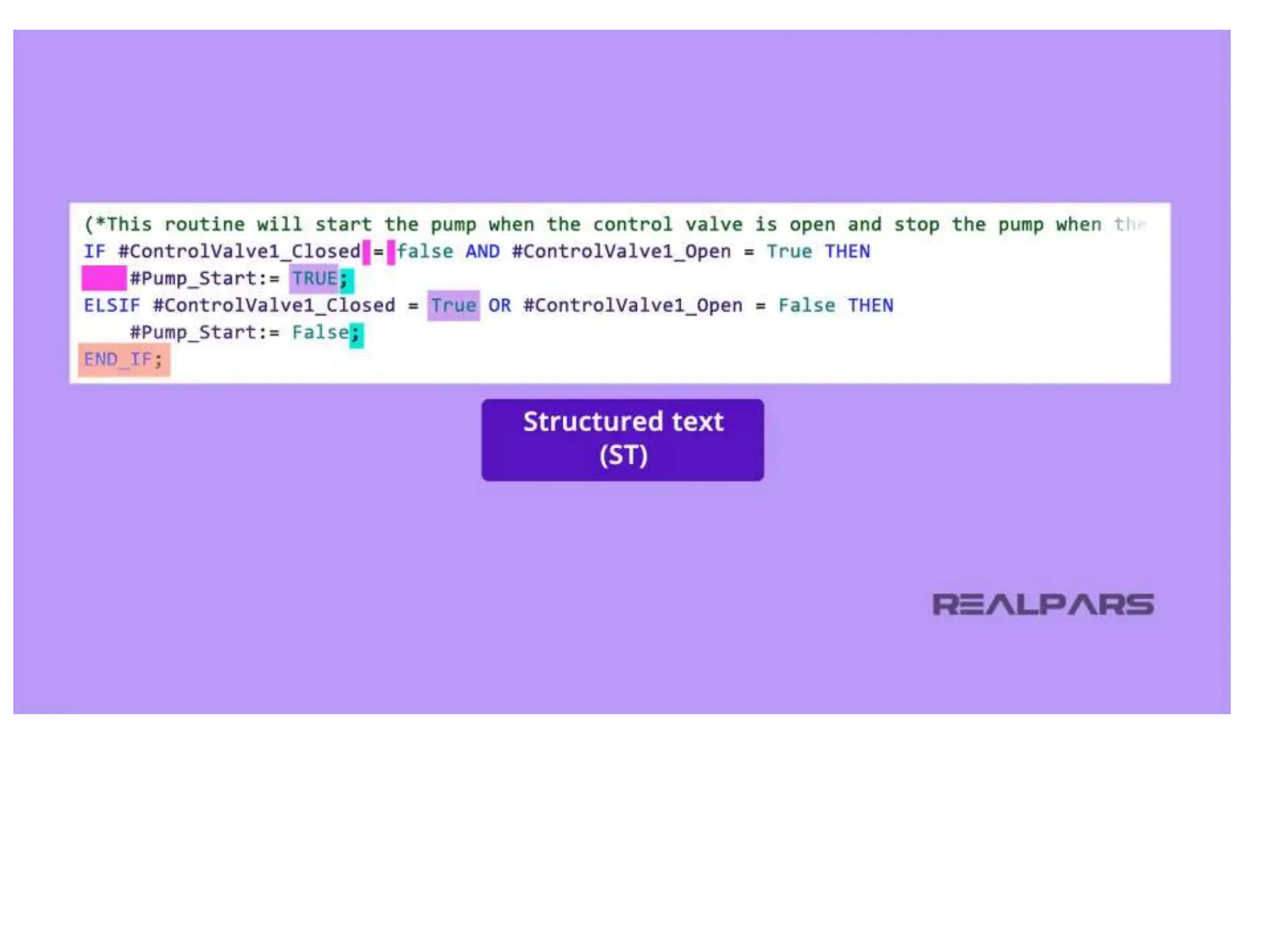
• Let’s create a simple statement in Structured
Text to turn on a pump when the control valve
is open.
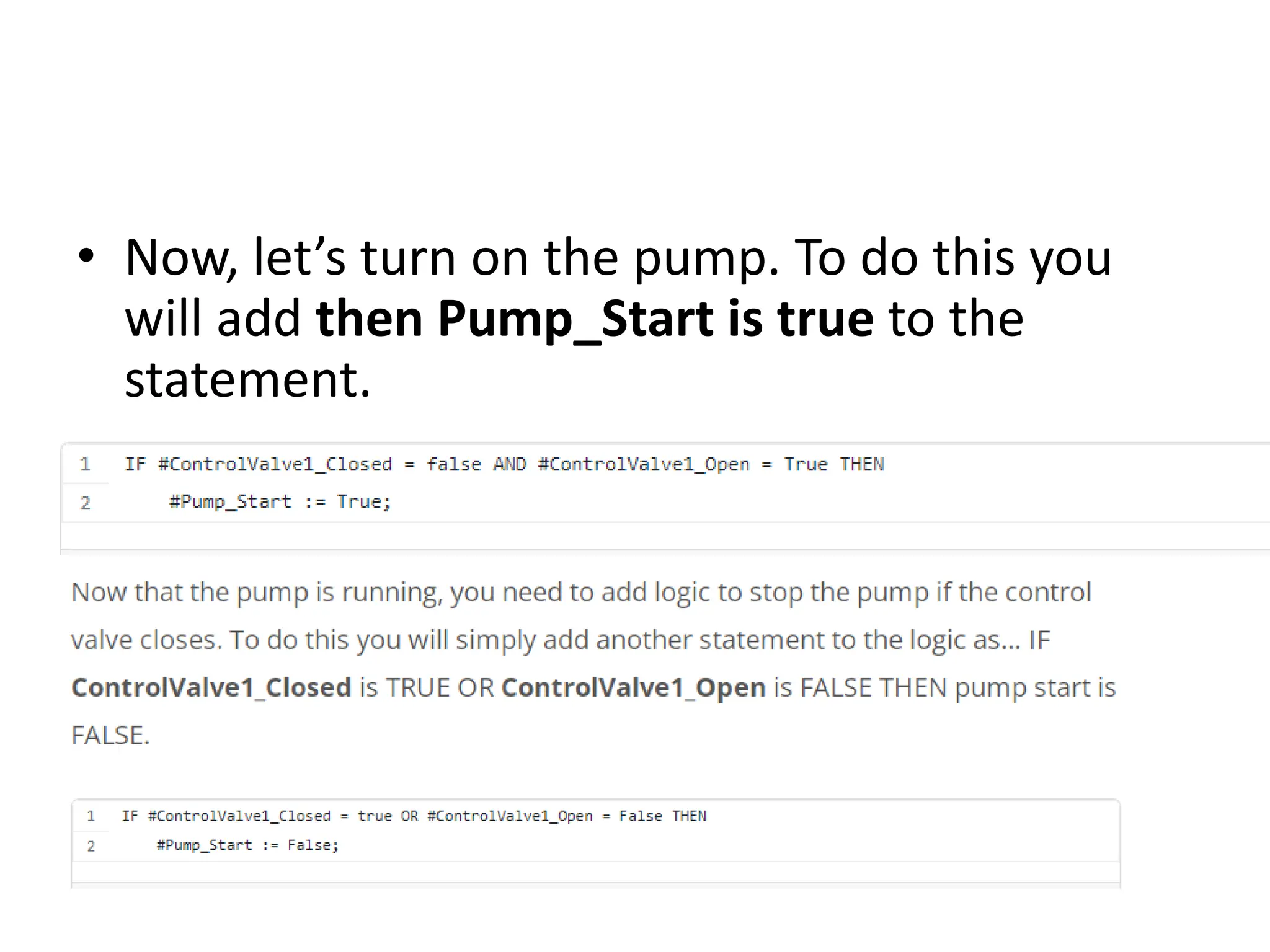
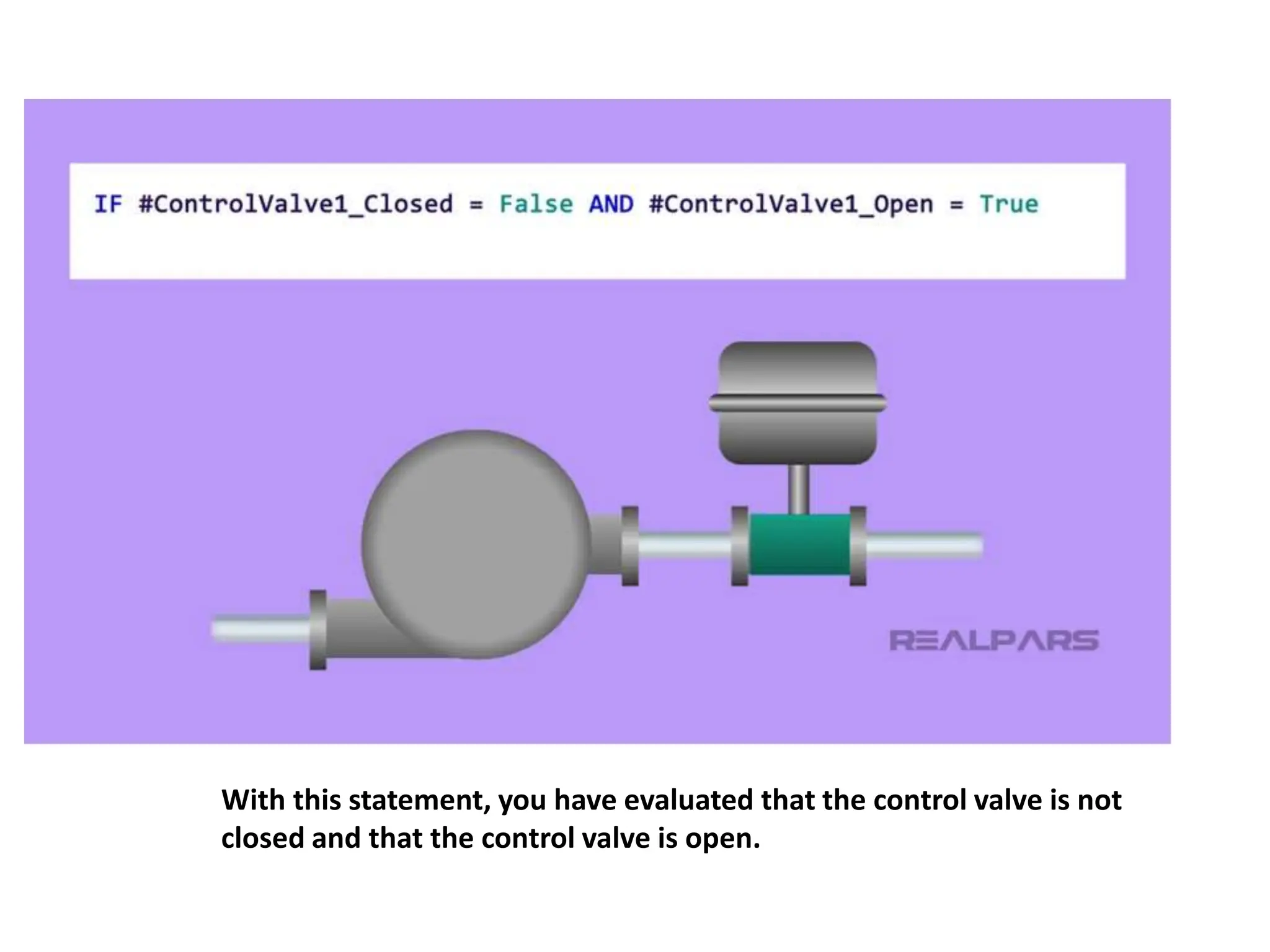
• First, let’s start by evaluating the state of the
control valve. You will want to ensure that the
valve is open by using this statement.
IF ControlValve1_Closed is False
AND ControlValve1_Open is True.
With this statement, you have evaluated that the control valve is not
closed and that the control valve is open.
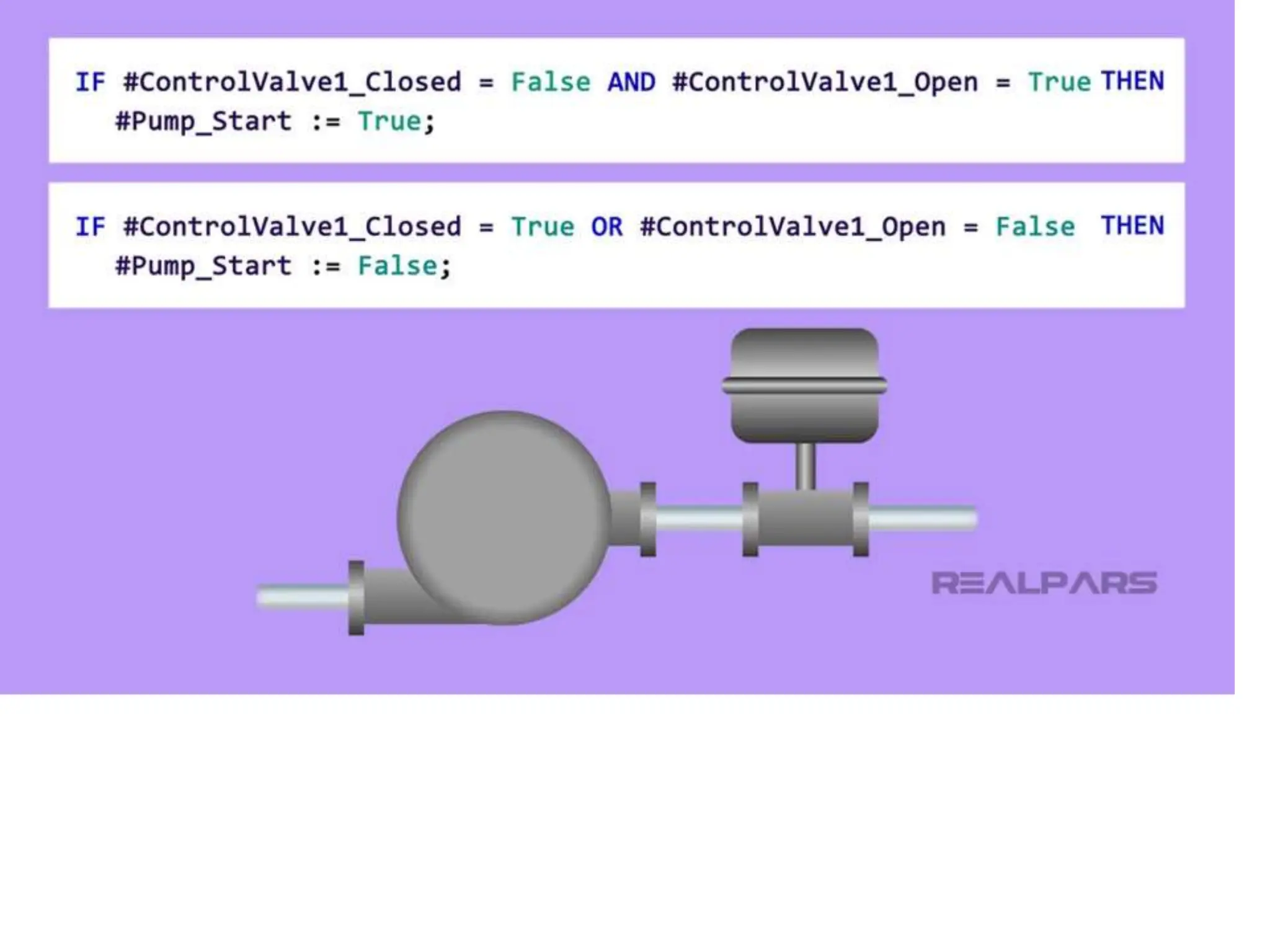
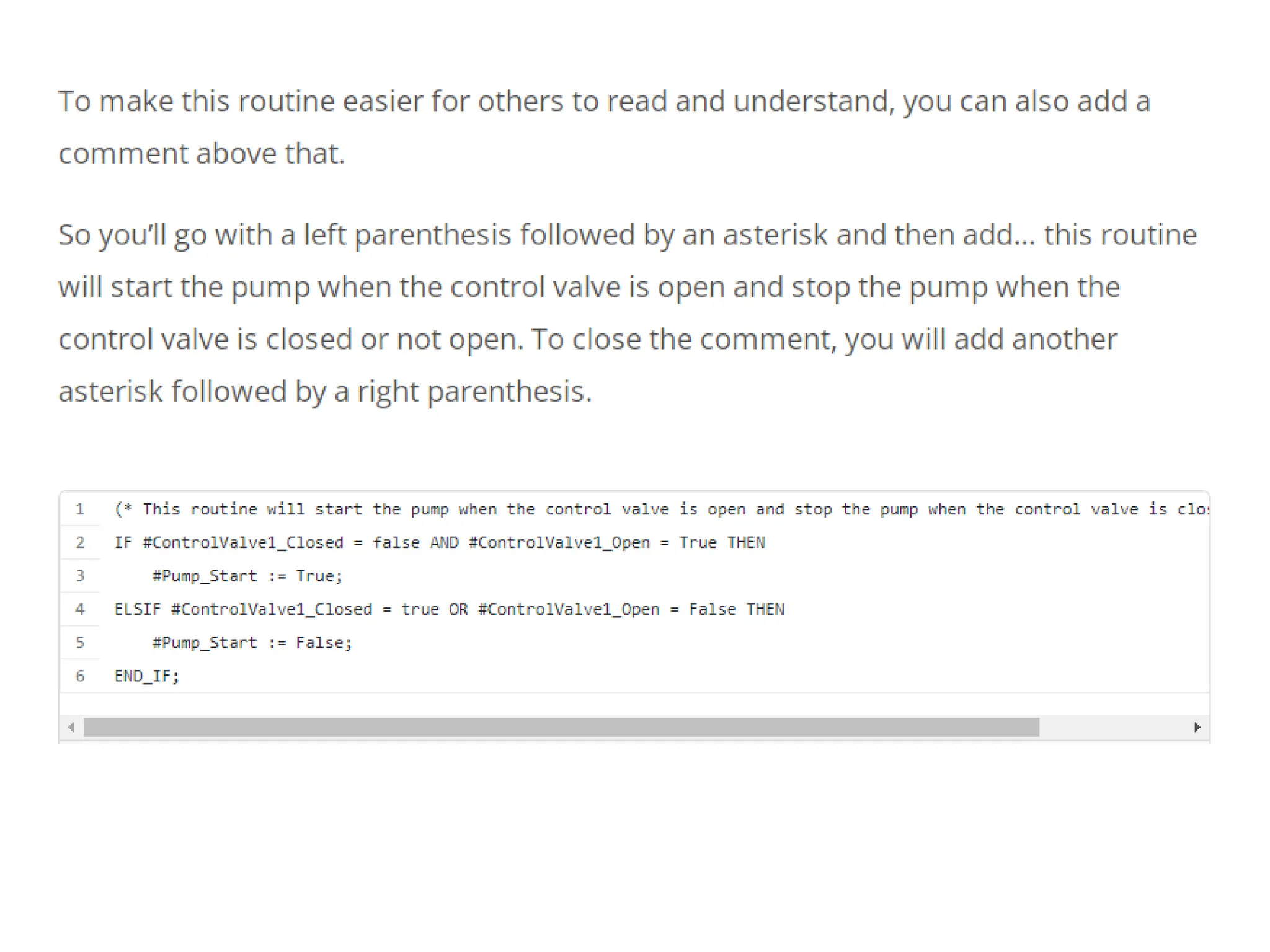
• Now, let’s turn on the pump. To do this you
will add then Pump_Start is true to the
statement.
PLC Structured Text (ST) Programming.pptx

PLC Structured Text (ST) Programming.pptx

  • 1.
  • 2.
    • As oneof the IEC-61131 PLC programming languages, Structured Text or just ST is based on and resembles traditional programming languages like Python or Java. • Rather than being visual or graphics-based like ladder logic or Function Block Diagram, Structured Text is just that, text!
  • 4.
    • Structured textprogramming advantages • Like all programming languages, Structured Text has advantages and disadvantages, and there are also reasons you as a programmer might choose to use Structured Text in your next PLC programming project, so let’s get right into it.
  • 5.
    • 1) NoPLC programming background needed • Since Structured Text is similar to traditional High-Level programming languages, it can be fairly easy for many people who may not have a background in PLC programming but have experience in traditional coding to learn and develop PLC projects.
  • 7.
    • 2) STis text-based • In most cases, you can also develop your Structured Text PLC programming project without using the PLC programming software. Since it is text-based, you can write your project in a simple text file and copy and paste it into your PLC project when you are ready.
  • 9.
    • This alsomakes editing your project easier when you are debugging. While this feature of Structured Text is useful, remember that without your programming software like TIA Portal or RSLogix, you cannot compile and debug your program. •
  • 10.
    • Most PLCmanufacturers support different programming languages in their PLC’s and this is because there are many different reasons that a programmer will choose a particular programming language. • These reasons can be as simple as a client request for a specific programming language all the way to the size of the programming project.
  • 12.
    • 3) STis a lightweight programming language • Since Structured Text is by definition, text- based, it means that it does not have the memory-intensive graphical interface which can allow for a smaller processor memory and therefore a reduced cost. • This makes Structured Text an ideal candidate for larger PLC programs where controller memory is at a premium.
  • 14.
    • 4) STprogramming files can be shared very easily • Some other times you might want to use Structured Text are when you are deploying the same PLC program over and over, such as in a packaged machine that is sent to a customer for a turn-key start-up. •
  • 15.
    • In thesecases, your PLC program file can be stored offline in a text file or word document and can be easily sent as an email attachment for someone to download into the PLC and deploy. •
  • 16.
    Basic rules ofST syntax • The syntax of Structured Text follows some basic rules. • – First, all statements in Structured Text will end with a semicolon. • – A routine will close out with an End_If statement. • -Spaces and tabs are not required, but a good programmer will still use them for readability. • – Also, Structured Text is not case sensitive, but if you are assigning a variable, known as a tag or a symbol such as control valve 1, then using camelCase ControlValve1 is a good practice to get into.
  • 18.
    Use of commentsin ST programming • Another very common and useful syntax of Structured Text is the use of a comment. As a beginning programmer, the use of comments is essential to creating code that can be read later on. • Here is an example of a comment in structured text programming: • (*this line of code will close control valve 1*) • As you can see, to add a comment in Structured Text you will start with a left parenthesis followed by an asterisk. To close your comment, you will then add another asterisk followed by a right parenthesis. •
  • 19.
    Structured text operators •Structured Text also uses operators to manipulate data. Some examples of operators are the logical operators such as AND, OR, and NOT. A logical operator is used to compare Boolean data and create logic from it.
  • 21.
    Structured text examples •An example of a logical operator in Structured Text looks like this: In this case, if the control valve 1 is NOT closed, the program would execute based on any following instructions that follow the instruction.
  • 22.
    • Here isanother example: In this case, if the control valve 1 is closed, or if another parallel condition was true, the program would execute based on any following instructions that follow the instruction.
  • 23.
    • Let’s createa simple statement in Structured Text to turn on a pump when the control valve is open. • First, let’s start by evaluating the state of the control valve. You will want to ensure that the valve is open by using this statement. IF ControlValve1_Closed is False AND ControlValve1_Open is True.
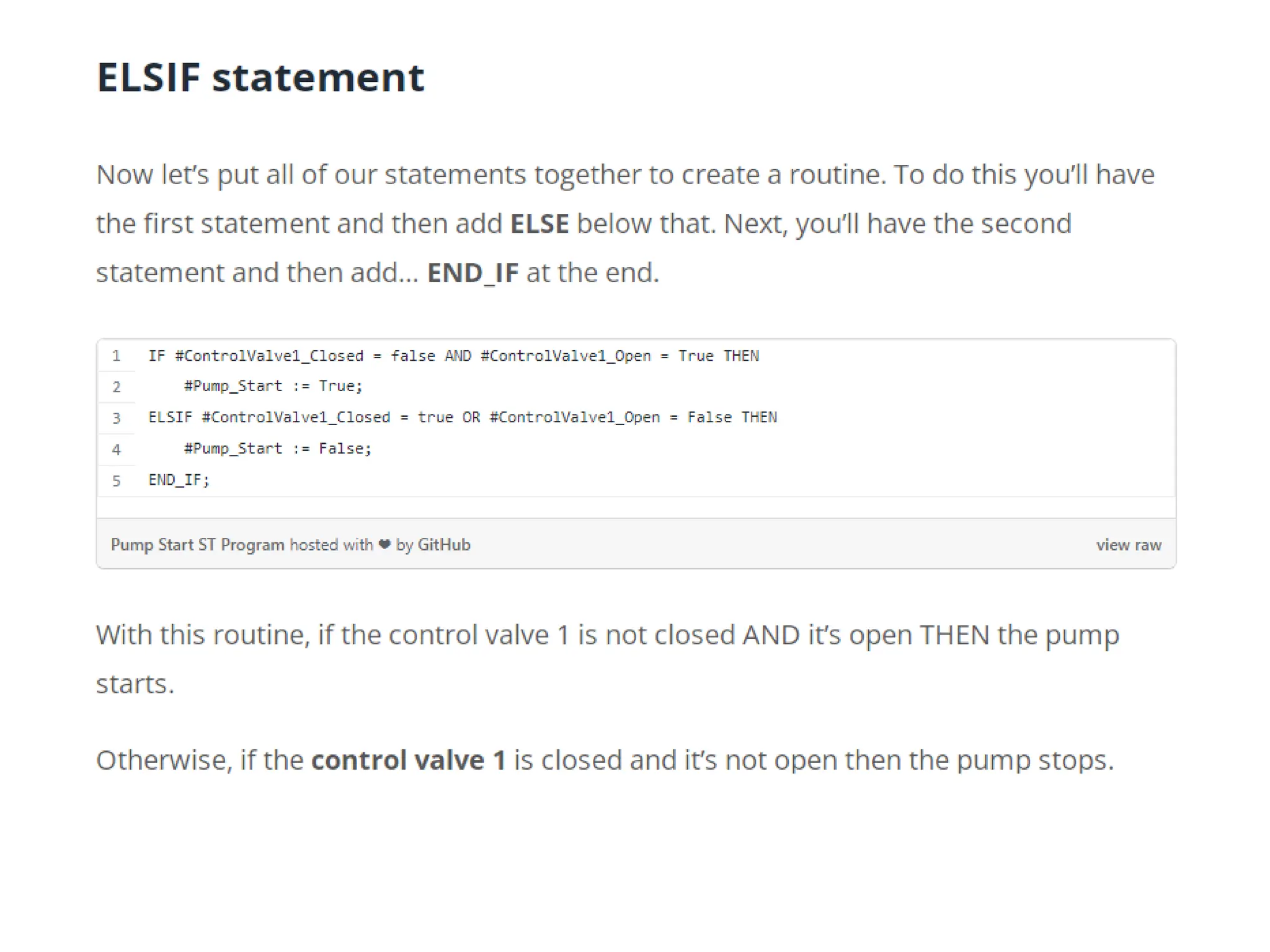
  • 24.
    With this statement,you have evaluated that the control valve is not closed and that the control valve is open.
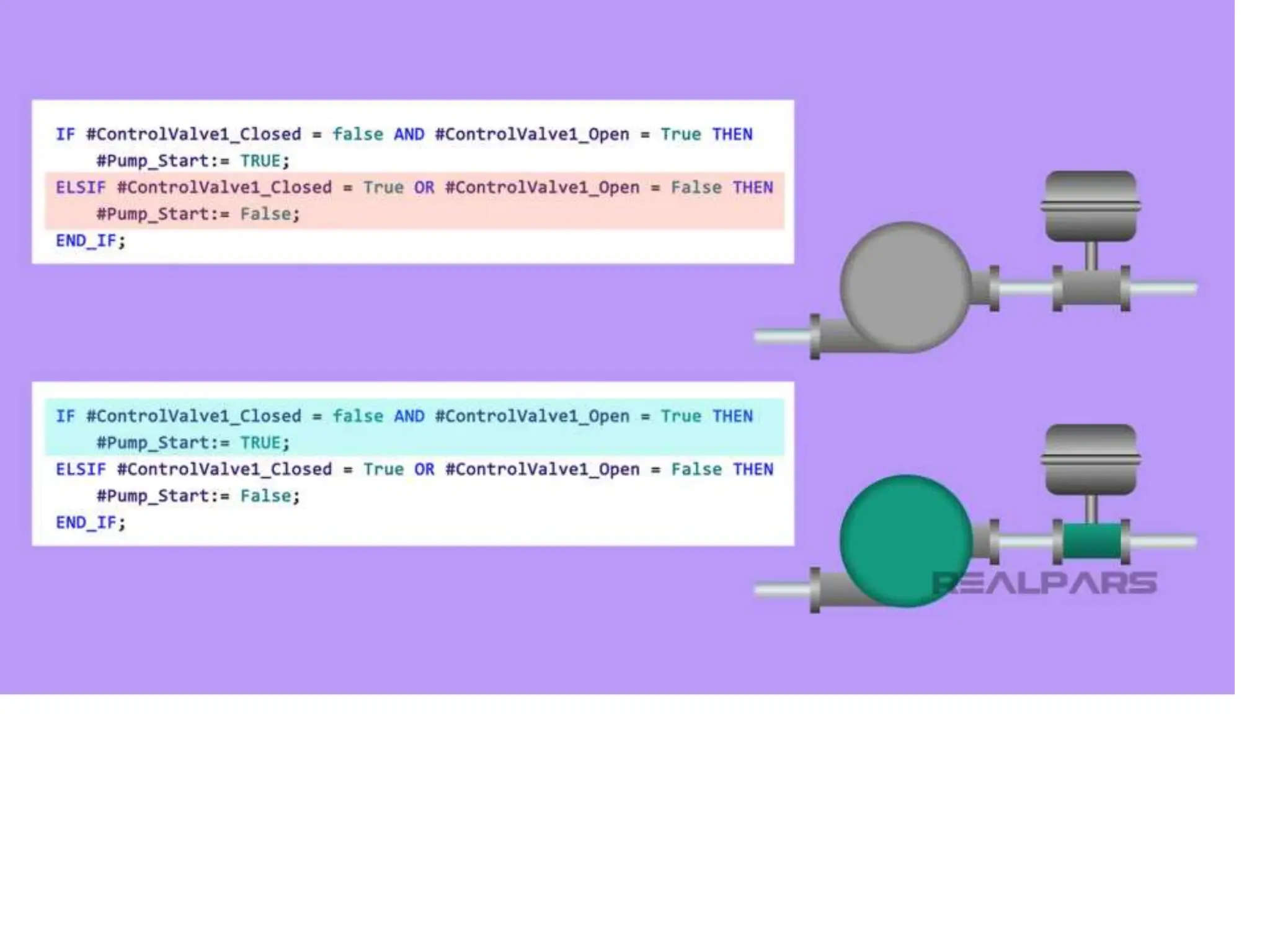
  • 25.
    • Now, let’sturn on the pump. To do this you will add then Pump_Start is true to the statement.