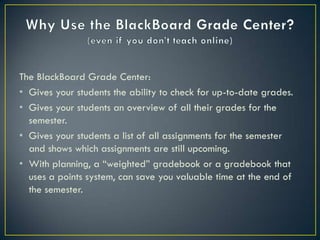
The BlackBoard Grade Center:
• Gives your students the ability to check for up-to-date grades.
• Gives your students an overview of all their grades for the
  semester.
• Gives your students a list of all assignments for the semester
  and shows which assignments are still upcoming.
• With planning, a “weighted” gradebook or a gradebook that
  uses a points system, can save you valuable time at the end of
  the semester.
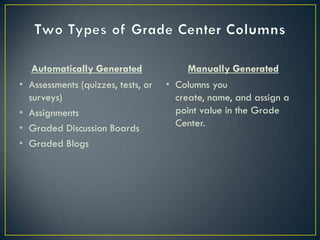
Automatically Generated               Manually Generated
•   Assessments (quizzes, tests, or   • Columns you
    surveys)                            create, name, and assign a
•   Assignments                         point value in the Grade
•   Graded Discussion Boards            Center.
•   Graded Blogs
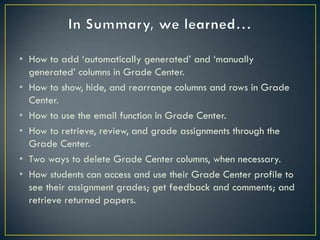
• How to add „automatically generated‟ and „manually
  generated‟ columns in Grade Center.
• How to show, hide, and rearrange columns and rows in Grade
  Center.
• How to use the email function in Grade Center.
• How to retrieve, review, and grade assignments through the
  Grade Center.
• Two ways to delete Grade Center columns, when necessary.
• How students can access and use their Grade Center profile to
  see their assignment grades; get feedback and comments; and
  retrieve returned papers.

Planning your black board grade center

  • 2.
    The BlackBoard GradeCenter: • Gives your students the ability to check for up-to-date grades. • Gives your students an overview of all their grades for the semester. • Gives your students a list of all assignments for the semester and shows which assignments are still upcoming. • With planning, a “weighted” gradebook or a gradebook that uses a points system, can save you valuable time at the end of the semester.
  • 3.
    Automatically Generated Manually Generated • Assessments (quizzes, tests, or • Columns you surveys) create, name, and assign a • Assignments point value in the Grade • Graded Discussion Boards Center. • Graded Blogs
  • 5.
    • How toadd „automatically generated‟ and „manually generated‟ columns in Grade Center. • How to show, hide, and rearrange columns and rows in Grade Center. • How to use the email function in Grade Center. • How to retrieve, review, and grade assignments through the Grade Center. • Two ways to delete Grade Center columns, when necessary. • How students can access and use their Grade Center profile to see their assignment grades; get feedback and comments; and retrieve returned papers.