Planning a Web SiteIdentifying the Audience for Your Site
Steps to Planning a WebsiteDetermine your audience.Determine the Site's purpose.Plan the Structure of the Site.Understand the best tools to serve your site's purpose.Complete a Planning Table
User-Centered DesignA client hires you and tells you what they want in a website.So, what do you do?Is there anything missing from this scenario?
Users!One of the most difficult things about designing websites is getting the client to remember the customer.
3 Design ConsiderationsOrganization-centeredTechnology-centeredUser-centered
Organization-CenteredDesigned from the company or group point of viewDesign reflects company’s culture and structureUses the company’s languageContent parallels internal company document
Organization-CenteredCheck out the site belowThink about a filing cabinetOrganization-centered site often appear to follow that type of systemLet’s take what’s in our list of things we should share and slap them on the sitehttp://www.uwm.edu/Library//AGSL/linksA-G.htmlAsk yourself – would this site work well for the general public?
Technology-CenteredThe website is built around the tools available to the designer.For example, let’s say that I’m a HUGE fan of Adobe Flash – then, every site I design will be a Flash site.Remember…technology for technology’s sake is not the way to design anything!Too much technology could overshadow the message.
User-CenteredStep 1:  Identify the audienceDefine the visitors to the siteWhat do they need?How do they work?Check out this site:http://www.rpslmc.edu/
DemographicsCharacteristics of your audience are called demographics
DemographicsDemographics to consider in website design:AgeGenderGeographic locationResidence (urban, suburban, rural)Income LevelEducation LevelRace/EthnicityInterest (why the user came to the site)History (path of Web pages the user has visited before)
DemographicsNational Geographic KidsChildren between 8-12, looking for information that will support their schoolwork and personal interests.Fidelity BrokerageAdults, living in large, urban areas who have money to invest and are interested in online trading.
Define Your AudienceBe thinking about your final project – what type of site will you be designing?The following slide has a list of questions you need to keep in mind…ALWAYS!
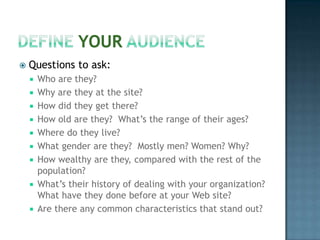
Define Your AudienceQuestions to ask:Who are they?Why are they at the site?How did they get there?How old are they?  What’s the range of their ages?Where do they live?What gender are they?  Mostly men? Women? Why?How wealthy are they, compared with the rest of the population?What’s their history of dealing with your organization?  What have they done before at your Web site?Are there any common characteristics that stand out?
Define Your AudienceThe answers to these questions are the basis of the audience definition.Use the answers to “draw” a picture of the audiencePaint a clear picture for the client – make sure they “see” the audience
Define Your AudienceHere’s a sample definition – can you identify the demographic info?The audience for the LeftyStuff Web site is potential purchasers of LeftyStuff products who have responded to one of LeftyStuff’s banner ads and are interested in items designed especially for left-handed people.  Most are adults, equally divided among men and women, between the ages of 25 and 50, who live in the US or Canada, are sports-minded, and have family incomes greater than $50,000.  Most have never visited the site before.
Compare and ContrastLook at these these sites:Aultman Hospital - http://www.aultman.com/Mercy Medical Center - http://www.cantonmercy.com/Summa Health - http://www.summahealth.com/Akron General Medical Center - http://www.akrongeneral.org/portal/page?_pageid=153,144849&_dad=portal&_schema=PORTAL
Compare and ContrastBased on what you’ve learned, choose two of the sites and assess them based on the content of this presentation.Identify what you think works and what you think doesn’t.Identify the demographics.Why did you choose those audiences?
Discussion ForumGo to Week 2, Measures.Post your observations from the previous slide in the discussion forum.Your post must be a minimum of 50 words.

Week 2 - Planning A Web Site Audience - 2

  • 1.
    Planning a WebSiteIdentifying the Audience for Your Site
  • 2.
    Steps to Planninga WebsiteDetermine your audience.Determine the Site's purpose.Plan the Structure of the Site.Understand the best tools to serve your site's purpose.Complete a Planning Table
  • 3.
    User-Centered DesignA clienthires you and tells you what they want in a website.So, what do you do?Is there anything missing from this scenario?
  • 4.
    Users!One of themost difficult things about designing websites is getting the client to remember the customer.
  • 5.
  • 6.
    Organization-CenteredDesigned from thecompany or group point of viewDesign reflects company’s culture and structureUses the company’s languageContent parallels internal company document
  • 7.
    Organization-CenteredCheck out thesite belowThink about a filing cabinetOrganization-centered site often appear to follow that type of systemLet’s take what’s in our list of things we should share and slap them on the sitehttp://www.uwm.edu/Library//AGSL/linksA-G.htmlAsk yourself – would this site work well for the general public?
  • 8.
    Technology-CenteredThe website isbuilt around the tools available to the designer.For example, let’s say that I’m a HUGE fan of Adobe Flash – then, every site I design will be a Flash site.Remember…technology for technology’s sake is not the way to design anything!Too much technology could overshadow the message.
  • 9.
    User-CenteredStep 1: Identify the audienceDefine the visitors to the siteWhat do they need?How do they work?Check out this site:http://www.rpslmc.edu/
  • 10.
    DemographicsCharacteristics of youraudience are called demographics
  • 11.
    DemographicsDemographics to considerin website design:AgeGenderGeographic locationResidence (urban, suburban, rural)Income LevelEducation LevelRace/EthnicityInterest (why the user came to the site)History (path of Web pages the user has visited before)
  • 12.
    DemographicsNational Geographic KidsChildrenbetween 8-12, looking for information that will support their schoolwork and personal interests.Fidelity BrokerageAdults, living in large, urban areas who have money to invest and are interested in online trading.
  • 13.
    Define Your AudienceBethinking about your final project – what type of site will you be designing?The following slide has a list of questions you need to keep in mind…ALWAYS!
  • 14.
    Define Your AudienceQuestionsto ask:Who are they?Why are they at the site?How did they get there?How old are they? What’s the range of their ages?Where do they live?What gender are they? Mostly men? Women? Why?How wealthy are they, compared with the rest of the population?What’s their history of dealing with your organization? What have they done before at your Web site?Are there any common characteristics that stand out?
  • 15.
    Define Your AudienceTheanswers to these questions are the basis of the audience definition.Use the answers to “draw” a picture of the audiencePaint a clear picture for the client – make sure they “see” the audience
  • 16.
    Define Your AudienceHere’sa sample definition – can you identify the demographic info?The audience for the LeftyStuff Web site is potential purchasers of LeftyStuff products who have responded to one of LeftyStuff’s banner ads and are interested in items designed especially for left-handed people. Most are adults, equally divided among men and women, between the ages of 25 and 50, who live in the US or Canada, are sports-minded, and have family incomes greater than $50,000. Most have never visited the site before.
  • 17.
    Compare and ContrastLookat these these sites:Aultman Hospital - http://www.aultman.com/Mercy Medical Center - http://www.cantonmercy.com/Summa Health - http://www.summahealth.com/Akron General Medical Center - http://www.akrongeneral.org/portal/page?_pageid=153,144849&_dad=portal&_schema=PORTAL
  • 18.
    Compare and ContrastBasedon what you’ve learned, choose two of the sites and assess them based on the content of this presentation.Identify what you think works and what you think doesn’t.Identify the demographics.Why did you choose those audiences?
  • 19.
    Discussion ForumGo toWeek 2, Measures.Post your observations from the previous slide in the discussion forum.Your post must be a minimum of 50 words.