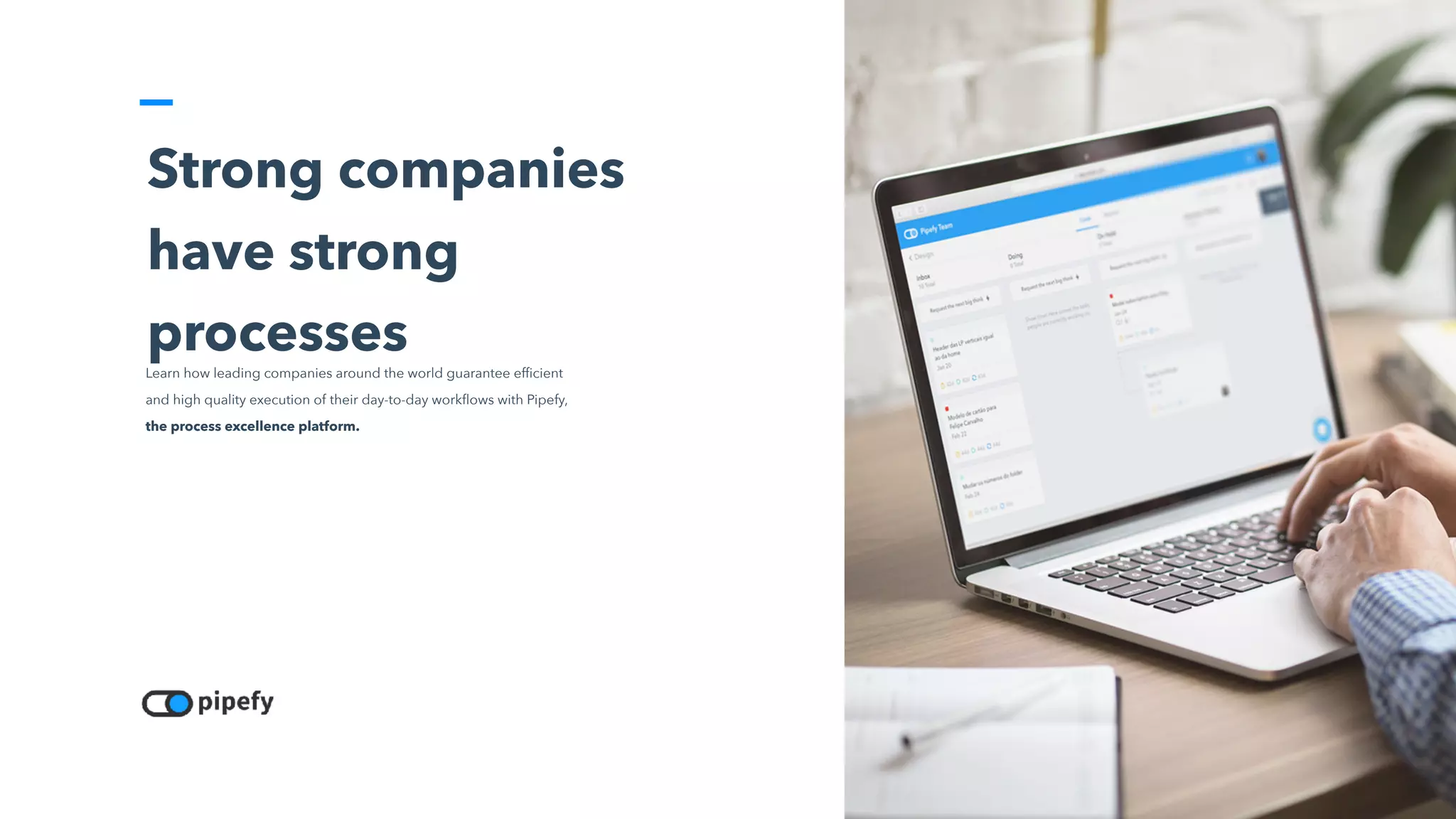
Strong companies
have strong
processes
Learn how leading companies around the world guarantee efficient
and high quality execution of their day-to-day workflows with Pipefy,
the process excellence platform.
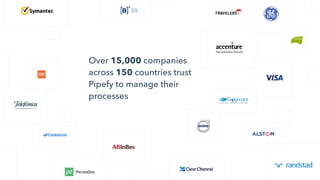
Over 15,000 companies
across 150 countries trust
Pipefy to manage their
processes
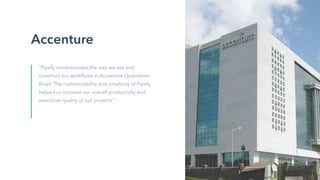
Accenture
“Pipefy revolutionized the way we see and
construct our workflows in Accenture Operations
Brazil. The customizability and simplicity of Pipefy
helped us improve our overall productivity and
execution quality of our projects.”
Our Investors
Pipefy is backed by some of the best
venture capital firms is in the world.
Common
struggles our
customers face
Typically the result of attempting
to control a process through a
patchwork of tools that are not
designed for process
management
• Your daily operations don’t have a standard procedures
• Procedure exists but employees don’t follow it, which compromises proper execution
• Every person manages their own work using their own methods
• The steps of each process aren’t clear and workers don’t always know how to move forward
• Tasks are consistently late and meeting deadlines is difficult
• Managers can’t pinpoint what (or who) is the bottleneck in your process
• Information isn’t easily accessible or isn’t passed on properly and as a result is lost
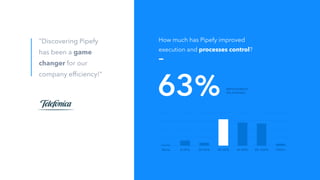
None 0-20% 20-40% 40-60% 60-80% 80-100% 100%+
How much has Pipefy improved
execution and processes control?
63% IMPROVEMENT
ON AVERAGE
"Discovering Pipefy
has been a game
changer for our
company efficiency!"
Pipefy
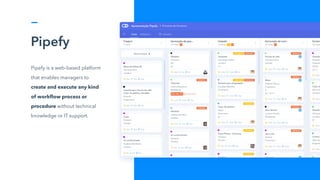
Pipefy is a web-based platform
that enables managers to
create and execute any kind
of workflow process or
procedure without technical
knowledge or IT support.
-
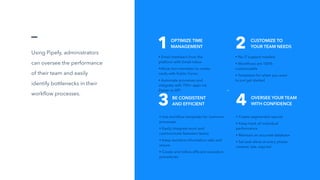
Using Pipefy, administrators
can oversee the performance
of their team and easily
identify bottlenecks in their
workflow processes.
1 2
• Email members from the
platform with Email Inbox
•Allow non-members to create
cards with Public Forms
• Automate processes and
integrate with 700+ apps via
Zapier or API
• No IT support needed
• Workflows are 100%
customizable
• Templates for when you want
to just get started
3 4
• Use workflow templates for common
processes
• Easily integrate work and
communicate between teams
• Keep sensitive information safe and
secure
• Create and follow efficient execution
procedures
• Create segmented reports
• Keep track of individual
performance
• Maintain an accurate database
• Set task alerts at every phase:
created, late, expired
OPTIMIZE TIME 

MANAGEMENT
CUSTOMIZE TO 

YOUR TEAM NEEDS
BE CONSISTENT

AND EFFICIENT
OVERSEE YOUR TEAM 

WITH CONFIDENCE
Pipefy’s infrastructure is hosted and managed in the Amazon data center, and uses Heroku and Amazon Web
Services (AWS) technology to assure the highest level of security and compliance.
Security
Security Documentation
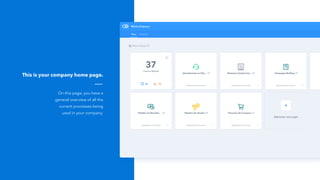
On this page, you have a
general overview of all the
current processes being
used in your company.
This is your company home page.
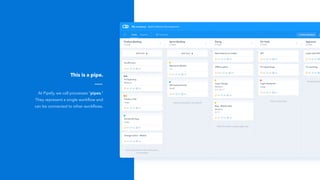
At Pipefy, we call processes “pipes.”
They represent a single workflow and
can be connected to other workflows.
This is a pipe.
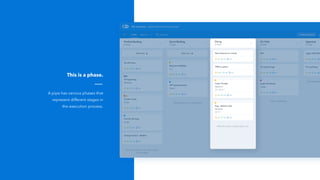
A pipe has various phases that
represent different stages in
the execution process.
This is a phase.
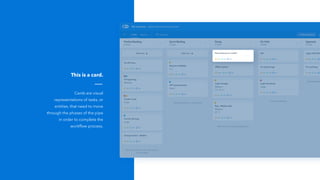
Cards are visual
representations of tasks, or
entities, that need to move
through the phases of the pipe
in order to complete the
workflow process.
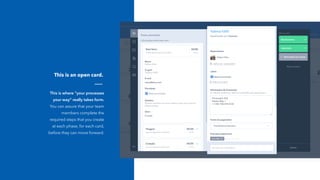
This is a card.
This is where “your processes
your way” really takes form.
You can assure that your team
members complete the
required steps that you create
at each phase, for each card,
before they can move forward.
This is an open card.
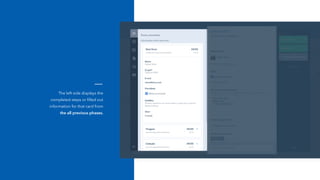
The left side displays the
completed steps or filled out
information for that card from
the all previous phases.
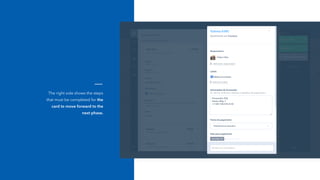
The right side shows the steps
that must be completed for the
card to move forward to the
next phase.
Features
Pipefy offers various features to optimize and accelerate your
workflow process for a more productive and efficient team.
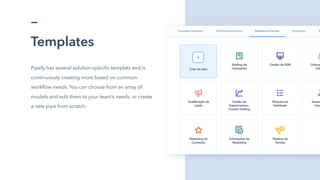
Templates
Pipefy has several solution-specific templats and is
continuously creating more based on common
workflow needs. You can choose from an array of
models and edit them to your team’s needs, or create
a new pipe from scratch.
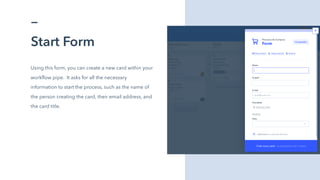
Start Form
Using this form, you can create a new card within your
workflow pipe. It asks for all the necessary
information to start the process, such as the name of
the person creating the card, their email address, and
the card title.
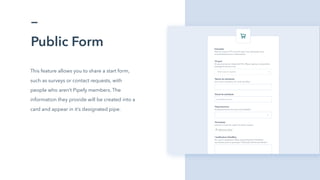
Public Form
This feature allows you to share a start form,
such as surveys or contact requests, with
people who aren’t Pipefy members. The
information they provide will be created into a
card and appear in it’s designated pipe.
SLAs
Automatic labeling to verify that cards are moving
through phases on-time (no label), behind
schedule (late), or they exceeded the allotted
workflow time (expired). These labels help
facilitate keeping track of deadlines and SLAs.
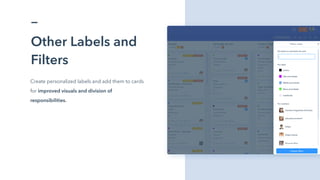
Other Labels and
Filters
Create personalized labels and add them to cards
for improved visuals and division of
responsibilities.
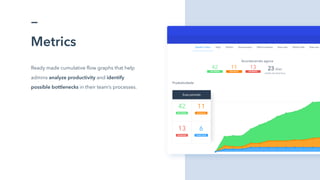
Metrics
Ready made cumulative flow graphs that help
admins analyze productivity and identify
possible bottlenecks in their team’s processes.

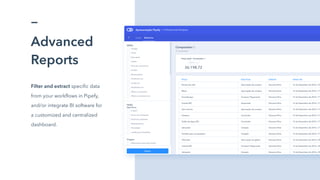
Advanced
Reports
Filter and extract specific data
from your workflows in Pipefy,
and/or integrate BI software for
a customized and centralized
dashboard.
.
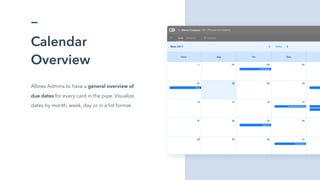
Calendar
Overview
Allows Admins to have a general overview of
due dates for every card in the pipe. Visualize
dates by month, week, day or in a list format.
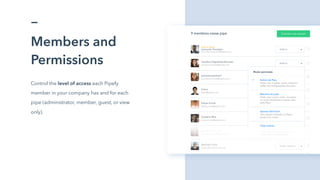
Members and
Permissions
Control the level of access each Pipefy
member in your company has and for each
pipe (administrator, member, guest, or view
only).
Record of
Activities
Using the Audit View feature, you
can have list overview of all the
activities under way in your
company pipes and cards.
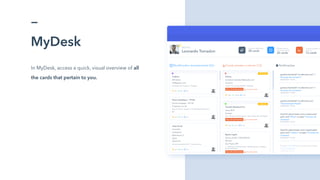
MyDesk
In MyDesk, access a quick, visual overview of all
the cards that pertain to you.
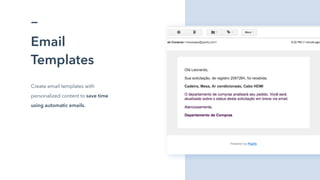
Email
Templates
Create email templates with
personalized content to save time
using automatic emails.
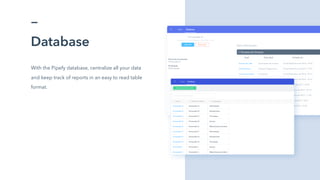
Database
With the Pipefy database, centralize all your data
and keep track of reports in an easy to read table
format.
ç
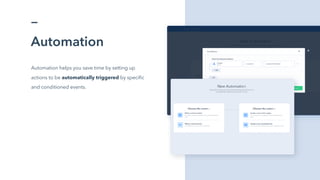
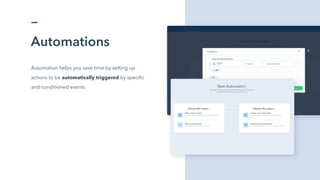
Automation
Automation helps you save time by setting up
actions to be automatically triggered by specific
and conditioned events.
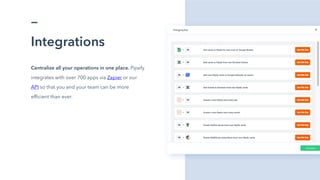
Integrations
Centralize all your operations in one place. Pipefy
integrates with over 700 apps via Zapier or our
API so that you and your team can be more
efficient than ever.
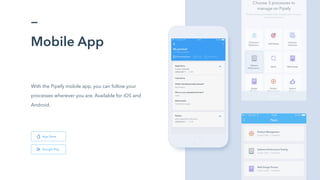
Mobile App
With the Pipefy mobile app, you can follow your
processes wherever you are. Available for iOS and
Android.
Google Play
App Store
Accenture and Telefonica
Case
“Pipefy changed the way we manage our
company processes… The platform makes it easy
to create and manage any type of process in an
intuitive and user-friendly way.
Pipefy is fundamental in running our company
efficiently!”
-
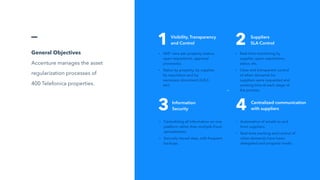
General Objectives
Accenture manages the asset
regularization processes of
400 Telefonica properties.
1 2
• 360° view per property (status,
open requisitions, approval
processes).
• Status by property, by supplier,
by requisition and by
necessary document (A,B,C,
etc).
• Real-time monitoring by
supplier, open requisitions,
status, etc.
• Clear and transparent control
of when demands for
suppliers were requested and
working time at each stage of
the process.
3 4
• Centralizing all information on one
platform rather than multiple Excel
spreadsheets.
• Securely stored data, with frequent
backups.
• Automation of emails to and
from suppliers.
• Real-time tracking and control of
when demands have been
delegated and progress made.
Visibility, Transparency
and Control
Suppliers
SLA Control
Information
Security
Centralized communication
with suppliers
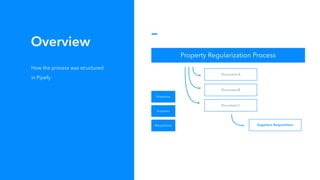
Diagram
Slide for diagrams. This is a
short description. Click here to
edit.
Properties
Suppliers
Requisitions
Property Regularization Process
Document A
Document B
Document C
Suppliers Requisitions
Overview
How the process was structured
in Pipefy
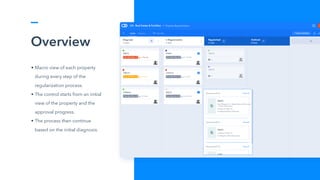
Overview
• Macro view of each property
during every step of the
regularization process.
• The control starts from an initial
view of the property and the
approval progress.
• The process then continue
based on the initial diagnosis.
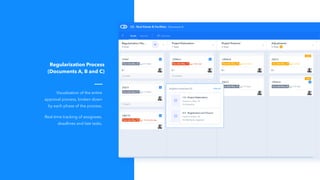
Visualization of the entire
approval process, broken down
by each phase of the process.
Real-time tracking of assignees,
deadlines and late tasks.
Regularization Process
(Documents A, B and C)
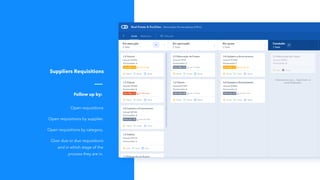
Open requisitions
Open requisitions by supplier.
Open requisitions by category.
Over due or due requisitions
and in which stage of the
process they are in.

Suppliers Requisitions
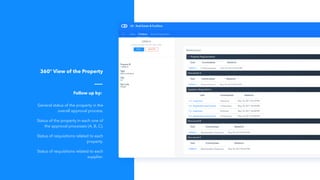
Follow up by:
General status of the property in the
overall approval process.
Status of the property in each one of
the approval processes (A, B, C).
Status of requisitions related to each
property.
Status of requisitions related to each
supplier.

360° View of the Property
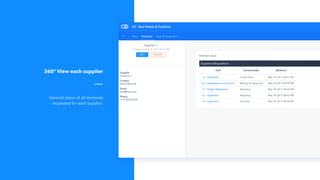
Follow up by:
General status of all demands
requested for each supplier.
360° View each supplier
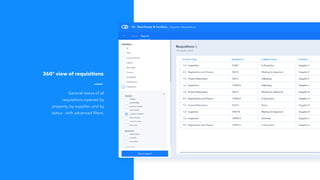
General status of all
requisitions opened by
property, by supplier, and by
status - with advanced filters.
360° view of requisitions
ç
Automations
Automation helps you save time by setting up
actions to be automatically triggered by specific
and conditioned events.
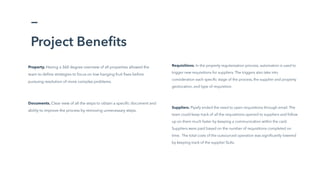
Project Benefits
Requisitions. In the property regularization process, automation is used to
trigger new requisitions for suppliers. The triggers also take into
consideration each specific stage of the process, the supplier and property
geolocation, and type of requisition.
Suppliers. Pipefy ended the need to open requisitions through email. The
team could keep track of all the requisitions opened to suppliers and follow
up on them much faster by keeping a communication within the card.
Suppliers were paid based on the number of requisitions completed on
time. The total costs of the outsourced operation was significantly lowered
by keeping track of the supplier SLAs.
Property. Having a 360 degree overview of all properties allowed the
team to define strategies to focus on low-hanging fruit fixes before
pursuing resolution of more complex problems.
Documents. Clear view of all the steps to obtain a specific document and
ability to improve the process by removing unnecessary steps.
Thank you.
We are seeking longterm, values-driven partners. We are
always available for questions.
felipe.scholz@pipefy.com
+1 415 407 6576
@
☏

Pipefy Full Presentation

  • 1.
    Strong companies have strong processes Learnhow leading companies around the world guarantee efficient and high quality execution of their day-to-day workflows with Pipefy, the process excellence platform.
  • 2.
    Over 15,000 companies across150 countries trust Pipefy to manage their processes
  • 3.
    Accenture “Pipefy revolutionized theway we see and construct our workflows in Accenture Operations Brazil. The customizability and simplicity of Pipefy helped us improve our overall productivity and execution quality of our projects.”
  • 4.
    Our Investors Pipefy isbacked by some of the best venture capital firms is in the world.
  • 5.
    Common struggles our customers face Typicallythe result of attempting to control a process through a patchwork of tools that are not designed for process management • Your daily operations don’t have a standard procedures • Procedure exists but employees don’t follow it, which compromises proper execution • Every person manages their own work using their own methods • The steps of each process aren’t clear and workers don’t always know how to move forward • Tasks are consistently late and meeting deadlines is difficult • Managers can’t pinpoint what (or who) is the bottleneck in your process • Information isn’t easily accessible or isn’t passed on properly and as a result is lost
  • 6.
    None 0-20% 20-40%40-60% 60-80% 80-100% 100%+ How much has Pipefy improved execution and processes control? 63% IMPROVEMENT ON AVERAGE "Discovering Pipefy has been a game changer for our company efficiency!"
  • 7.
    Pipefy Pipefy is aweb-based platform that enables managers to create and execute any kind of workflow process or procedure without technical knowledge or IT support.
  • 8.
    - Using Pipefy, administrators canoversee the performance of their team and easily identify bottlenecks in their workflow processes. 1 2 • Email members from the platform with Email Inbox •Allow non-members to create cards with Public Forms • Automate processes and integrate with 700+ apps via Zapier or API • No IT support needed • Workflows are 100% customizable • Templates for when you want to just get started 3 4 • Use workflow templates for common processes • Easily integrate work and communicate between teams • Keep sensitive information safe and secure • Create and follow efficient execution procedures • Create segmented reports • Keep track of individual performance • Maintain an accurate database • Set task alerts at every phase: created, late, expired OPTIMIZE TIME 
 MANAGEMENT CUSTOMIZE TO 
 YOUR TEAM NEEDS BE CONSISTENT
 AND EFFICIENT OVERSEE YOUR TEAM 
 WITH CONFIDENCE
  • 9.
    Pipefy’s infrastructure ishosted and managed in the Amazon data center, and uses Heroku and Amazon Web Services (AWS) technology to assure the highest level of security and compliance. Security Security Documentation
  • 10.
    On this page,you have a general overview of all the current processes being used in your company. This is your company home page.
  • 11.
    At Pipefy, wecall processes “pipes.” They represent a single workflow and can be connected to other workflows. This is a pipe.
  • 12.
    A pipe hasvarious phases that represent different stages in the execution process. This is a phase.
  • 13.
    Cards are visual representationsof tasks, or entities, that need to move through the phases of the pipe in order to complete the workflow process. This is a card.
  • 14.
    This is where“your processes your way” really takes form. You can assure that your team members complete the required steps that you create at each phase, for each card, before they can move forward. This is an open card.
  • 15.
    The left sidedisplays the completed steps or filled out information for that card from the all previous phases.
  • 16.
    The right sideshows the steps that must be completed for the card to move forward to the next phase.
  • 17.
    Features Pipefy offers variousfeatures to optimize and accelerate your workflow process for a more productive and efficient team.
  • 18.
    Templates Pipefy has severalsolution-specific templats and is continuously creating more based on common workflow needs. You can choose from an array of models and edit them to your team’s needs, or create a new pipe from scratch.
  • 19.
    Start Form Using thisform, you can create a new card within your workflow pipe. It asks for all the necessary information to start the process, such as the name of the person creating the card, their email address, and the card title.
  • 20.
    Public Form This featureallows you to share a start form, such as surveys or contact requests, with people who aren’t Pipefy members. The information they provide will be created into a card and appear in it’s designated pipe.
  • 21.
    SLAs Automatic labeling toverify that cards are moving through phases on-time (no label), behind schedule (late), or they exceeded the allotted workflow time (expired). These labels help facilitate keeping track of deadlines and SLAs.
  • 22.
    Other Labels and Filters Createpersonalized labels and add them to cards for improved visuals and division of responsibilities.
  • 23.
    Metrics Ready made cumulativeflow graphs that help admins analyze productivity and identify possible bottlenecks in their team’s processes.
  • 24.
    Advanced Reports Filter and extractspecific data from your workflows in Pipefy, and/or integrate BI software for a customized and centralized dashboard. .
  • 25.
    Calendar Overview Allows Admins tohave a general overview of due dates for every card in the pipe. Visualize dates by month, week, day or in a list format.
  • 26.
    Members and Permissions Control thelevel of access each Pipefy member in your company has and for each pipe (administrator, member, guest, or view only).
  • 27.
    Record of Activities Using theAudit View feature, you can have list overview of all the activities under way in your company pipes and cards.
  • 28.
    MyDesk In MyDesk, accessa quick, visual overview of all the cards that pertain to you.
  • 29.
    Email Templates Create email templateswith personalized content to save time using automatic emails.
  • 30.
    Database With the Pipefydatabase, centralize all your data and keep track of reports in an easy to read table format.
  • 31.
    ç Automation Automation helps yousave time by setting up actions to be automatically triggered by specific and conditioned events.
  • 32.
    Integrations Centralize all youroperations in one place. Pipefy integrates with over 700 apps via Zapier or our API so that you and your team can be more efficient than ever.
  • 33.
    Mobile App With thePipefy mobile app, you can follow your processes wherever you are. Available for iOS and Android. Google Play App Store
  • 34.
    Accenture and Telefonica Case “Pipefychanged the way we manage our company processes… The platform makes it easy to create and manage any type of process in an intuitive and user-friendly way. Pipefy is fundamental in running our company efficiently!”
  • 35.
    - General Objectives Accenture managesthe asset regularization processes of 400 Telefonica properties. 1 2 • 360° view per property (status, open requisitions, approval processes). • Status by property, by supplier, by requisition and by necessary document (A,B,C, etc). • Real-time monitoring by supplier, open requisitions, status, etc. • Clear and transparent control of when demands for suppliers were requested and working time at each stage of the process. 3 4 • Centralizing all information on one platform rather than multiple Excel spreadsheets. • Securely stored data, with frequent backups. • Automation of emails to and from suppliers. • Real-time tracking and control of when demands have been delegated and progress made. Visibility, Transparency and Control Suppliers SLA Control Information Security Centralized communication with suppliers
  • 36.
    Diagram Slide for diagrams.This is a short description. Click here to edit. Properties Suppliers Requisitions Property Regularization Process Document A Document B Document C Suppliers Requisitions Overview How the process was structured in Pipefy
  • 37.
    Overview • Macro viewof each property during every step of the regularization process. • The control starts from an initial view of the property and the approval progress. • The process then continue based on the initial diagnosis.
  • 38.
    Visualization of theentire approval process, broken down by each phase of the process. Real-time tracking of assignees, deadlines and late tasks. Regularization Process (Documents A, B and C)
  • 39.
    Open requisitions Open requisitionsby supplier. Open requisitions by category. Over due or due requisitions and in which stage of the process they are in.
 Suppliers Requisitions Follow up by:
  • 40.
    General status ofthe property in the overall approval process. Status of the property in each one of the approval processes (A, B, C). Status of requisitions related to each property. Status of requisitions related to each supplier.
 360° View of the Property Follow up by:
  • 41.
    General status ofall demands requested for each supplier. 360° View each supplier
  • 42.
    General status ofall requisitions opened by property, by supplier, and by status - with advanced filters. 360° view of requisitions
  • 43.
    ç Automations Automation helps yousave time by setting up actions to be automatically triggered by specific and conditioned events.
  • 44.
    Project Benefits Requisitions. Inthe property regularization process, automation is used to trigger new requisitions for suppliers. The triggers also take into consideration each specific stage of the process, the supplier and property geolocation, and type of requisition. Suppliers. Pipefy ended the need to open requisitions through email. The team could keep track of all the requisitions opened to suppliers and follow up on them much faster by keeping a communication within the card. Suppliers were paid based on the number of requisitions completed on time. The total costs of the outsourced operation was significantly lowered by keeping track of the supplier SLAs. Property. Having a 360 degree overview of all properties allowed the team to define strategies to focus on low-hanging fruit fixes before pursuing resolution of more complex problems. Documents. Clear view of all the steps to obtain a specific document and ability to improve the process by removing unnecessary steps.
  • 45.
    Thank you. We areseeking longterm, values-driven partners. We are always available for questions. felipe.scholz@pipefy.com +1 415 407 6576 @ ☏