Pimp my dev box

   Víctor Martínez
   @knoopx
   http://github.com/knoopx
   http://knoopx.net
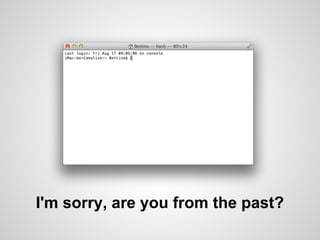
I'm sorry, are you from the past?
Pimp my shell
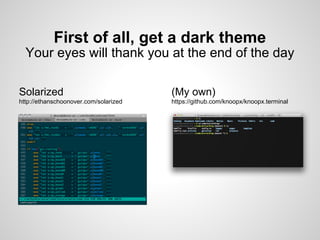
First of all, get a dark theme
  Your eyes will thank you at the end of the day

Solarized                              (My own)
http://ethanschoonover.com/solarized   https://github.com/knoopx/knoopx.terminal
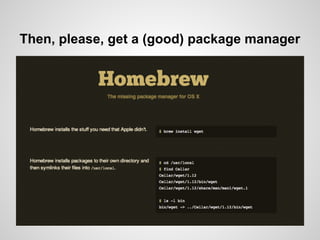
Then, please, get a (good) package manager
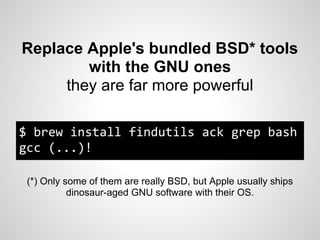
Replace Apple's bundled BSD* tools
        with the GNU ones
     they are far more powerful

$ brew install findutils ack grep bash
gcc (...)!

 (*) Only some of them are really BSD, but Apple usually ships
           dinosaur-aged GNU software with their OS.
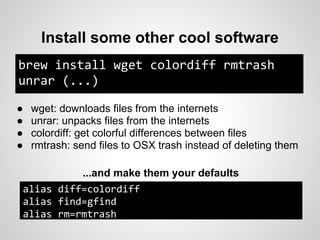
Install some other cool software
brew install wget colordiff rmtrash
unrar (...)

●   wget: downloads files from the internets
●   unrar: unpacks files from the internets
●   colordiff: get colorful differences between files
●   rmtrash: send files to OSX trash instead of deleting them

          ...and make them your defaults
alias diff=colordiff
alias find=gfind
alias rm=rmtrash
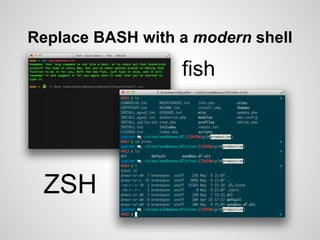
Replace BASH with a modern shell

                  fish


 ZSH
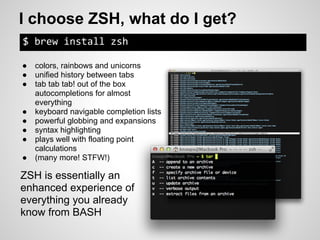
I choose ZSH, what do I get?
$ brew install zsh

●   colors, rainbows and unicorns
●   unified history between tabs
●   tab tab tab! out of the box
    autocompletions for almost
    everything
●   keyboard navigable completion lists
●   powerful globbing and expansions
●   syntax highlighting
●   plays well with floating point
    calculations
●   (many more! STFW!)

ZSH is essentially an
enhanced experience of
everything you already
know from BASH
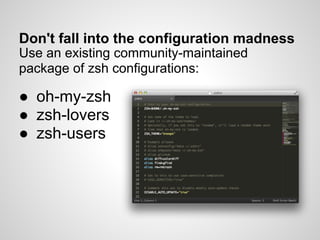
Don't fall into the configuration madness
Use an existing community-maintained
package of zsh configurations:

● oh-my-zsh
● zsh-lovers
● zsh-users
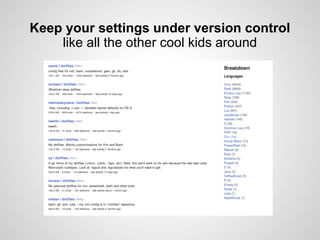
Keep your settings under version control
    like all the other cool kids around
Pimp my GIT
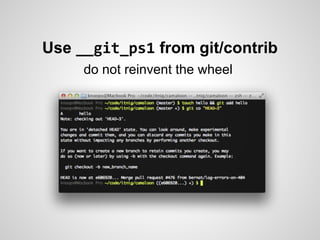
Use __git_ps1 from git/contrib
     do not reinvent the wheel
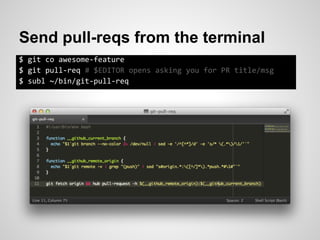
Send pull-reqs from the terminal
$ git co awesome-feature
$ git pull-req # $EDITOR opens asking you for PR title/msg
$ subl ~/bin/git-pull-req
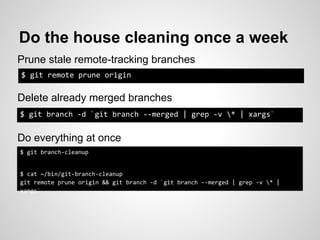
Do the house cleaning once a week
Prune stale remote-tracking branches
$ git remote prune origin

Delete already merged branches
$ git branch -d `git branch --merged | grep -v * | xargs`


Do everything at once
$ git branch-cleanup


$ cat ~/bin/git-branch-cleanup
git remote prune origin && git branch -d `git branch --merged | grep -v * |
xargs`
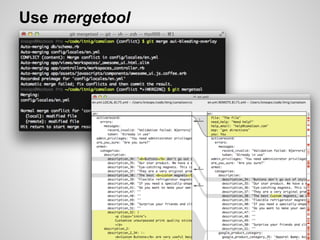
Use mergetool
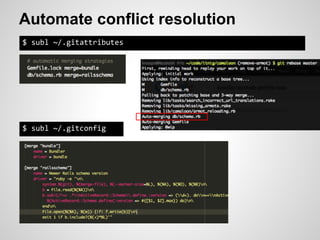
Automate conflict resolution
$ subl ~/.gitattributes


$ subl ~/.gitconfig
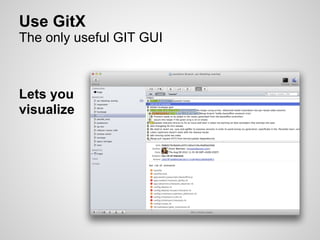
Use GitX
The only useful GIT GUI


Lets you
visualize
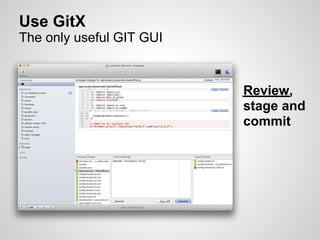
Use GitX
The only useful GIT GUI


                          Review,
                          stage and
                          commit
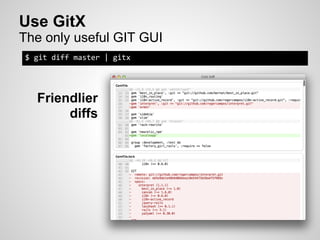
Use GitX
The only useful GIT GUI
$ git diff master | gitx


  Friendlier
       diffs
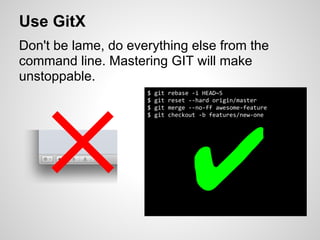
Use GitX
Don't be lame, do everything else from the
command line. Mastering GIT will make
unstoppable.
                     $   git   rebase -i HEAD~5


   ✕ ✔
                     $   git   reset --hard origin/master
                     $   git   merge --no-ff awesome-feature
                     $   git   checkout -b features/new-one
Pimp my desktop
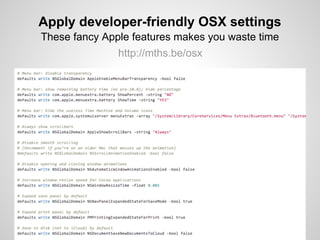
Apply developer-friendly OSX settings
These fancy Apple features makes you waste time
               http://mths.be/osx
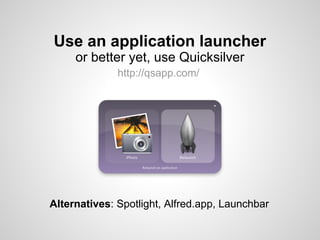
Use an application launcher
     or better yet, use Quicksilver
              http://qsapp.com/


Alternatives: Spotlight, Alfred.app, Launchbar
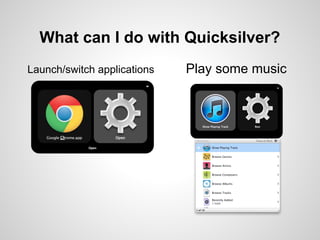
What can I do with Quicksilver?
Launch/switch applications   Play some music
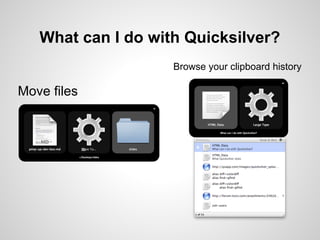
What can I do with Quicksilver?
                    Browse your clipboard history

Move files
What can I do with Quicksilver?

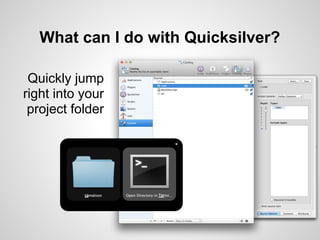
 Quickly jump
right into your
 project folder
What can I do with Quicksilver?
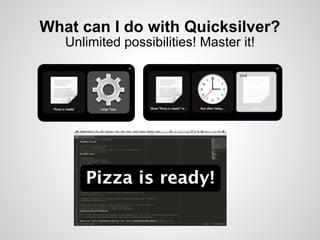
   Unlimited possibilities! Master it!
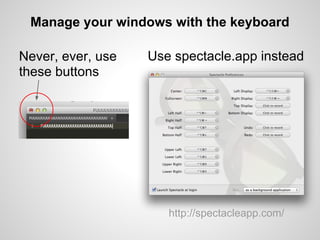
Manage your windows with the keyboard

Never, ever, use   Use spectacle.app instead
these buttons


                      http://spectacleapp.com/
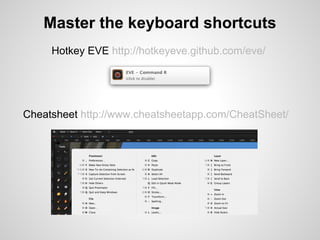
Master the keyboard shortcuts
     Hotkey EVE http://hotkeyeve.github.com/eve/


Cheatsheet http://www.cheatsheetapp.com/CheatSheet/
Now you are a little more
      productive
      Thanks for watching

Pimp my dev box (Friday Training at Itnig)

  • 1.
    Pimp my devbox Víctor Martínez @knoopx http://github.com/knoopx http://knoopx.net
  • 2.
    I'm sorry, areyou from the past?
  • 3.
  • 4.
    First of all,get a dark theme Your eyes will thank you at the end of the day Solarized (My own) http://ethanschoonover.com/solarized https://github.com/knoopx/knoopx.terminal
  • 5.
    Then, please, geta (good) package manager
  • 6.
    Replace Apple's bundledBSD* tools with the GNU ones they are far more powerful $ brew install findutils ack grep bash gcc (...)! (*) Only some of them are really BSD, but Apple usually ships dinosaur-aged GNU software with their OS.
  • 7.
    Install some othercool software brew install wget colordiff rmtrash unrar (...) ● wget: downloads files from the internets ● unrar: unpacks files from the internets ● colordiff: get colorful differences between files ● rmtrash: send files to OSX trash instead of deleting them ...and make them your defaults alias diff=colordiff alias find=gfind alias rm=rmtrash
  • 8.
    Replace BASH witha modern shell fish ZSH
  • 9.
    I choose ZSH,what do I get? $ brew install zsh ● colors, rainbows and unicorns ● unified history between tabs ● tab tab tab! out of the box autocompletions for almost everything ● keyboard navigable completion lists ● powerful globbing and expansions ● syntax highlighting ● plays well with floating point calculations ● (many more! STFW!) ZSH is essentially an enhanced experience of everything you already know from BASH
  • 10.
    Don't fall intothe configuration madness Use an existing community-maintained package of zsh configurations: ● oh-my-zsh ● zsh-lovers ● zsh-users
  • 11.
    Keep your settingsunder version control like all the other cool kids around
  • 12.
  • 13.
    Use __git_ps1 fromgit/contrib do not reinvent the wheel
  • 14.
    Send pull-reqs fromthe terminal $ git co awesome-feature $ git pull-req # $EDITOR opens asking you for PR title/msg $ subl ~/bin/git-pull-req
  • 15.
    Do the housecleaning once a week Prune stale remote-tracking branches $ git remote prune origin Delete already merged branches $ git branch -d `git branch --merged | grep -v * | xargs` Do everything at once $ git branch-cleanup $ cat ~/bin/git-branch-cleanup git remote prune origin && git branch -d `git branch --merged | grep -v * | xargs`
  • 16.
  • 17.
    Automate conflict resolution $subl ~/.gitattributes $ subl ~/.gitconfig
  • 18.
    Use GitX The onlyuseful GIT GUI Lets you visualize
  • 19.
    Use GitX The onlyuseful GIT GUI Review, stage and commit
  • 20.
    Use GitX The onlyuseful GIT GUI $ git diff master | gitx Friendlier diffs
  • 21.
    Use GitX Don't belame, do everything else from the command line. Mastering GIT will make unstoppable. $ git rebase -i HEAD~5 ✕ ✔ $ git reset --hard origin/master $ git merge --no-ff awesome-feature $ git checkout -b features/new-one
  • 22.
  • 23.
    Apply developer-friendly OSXsettings These fancy Apple features makes you waste time http://mths.be/osx
  • 24.
    Use an applicationlauncher or better yet, use Quicksilver http://qsapp.com/ Alternatives: Spotlight, Alfred.app, Launchbar
  • 25.
    What can Ido with Quicksilver? Launch/switch applications Play some music
  • 26.
    What can Ido with Quicksilver? Browse your clipboard history Move files
  • 27.
    What can Ido with Quicksilver? Quickly jump right into your project folder
  • 28.
    What can Ido with Quicksilver? Unlimited possibilities! Master it!
  • 29.
    Manage your windowswith the keyboard Never, ever, use Use spectacle.app instead these buttons http://spectacleapp.com/
  • 30.
    Master the keyboardshortcuts Hotkey EVE http://hotkeyeve.github.com/eve/ Cheatsheet http://www.cheatsheetapp.com/CheatSheet/
  • 31.
    Now you area little more productive Thanks for watching