Containers from Scratch:
what are they made from?
GIRI KUNCORO
Giri Kuncoro
Senior System Engineer
@GO-PAY Core Infrastructure
github.com/girikuncoro
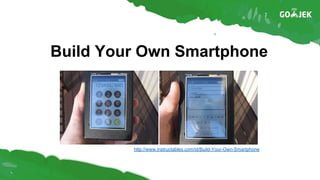
Build Your Own Smartphone
http://www.instructables.com/id/Build-Your-Own-Smartphone
Raspberry Pi A+ 256 MB
Adafruit FONA - Mini GSM Breakout
GSM Antenna
Electret Microphone
1200 mAh Lithium Ion Battery
Ingredients
Today
Build a container without a container runtime,
i.e. Docker, lxc, rkt
Ingredient #1: Container Image
TL;DR: nothing but tarball
● Application metadata
● Filesystem
Ingredient #1: Container Image
Container filesystem:
looks like an OS; but no kernel, no init system
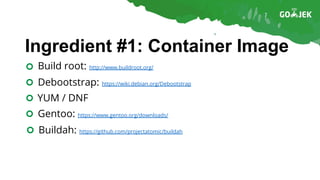
Ingredient #1: Container Image
Build root: http://www.buildroot.org/
Debootstrap: https://wiki.debian.org/Debootstrap
YUM / DNF
Gentoo: https://www.gentoo.org/downloads/
Buildah: https://github.com/projectatomic/buildah
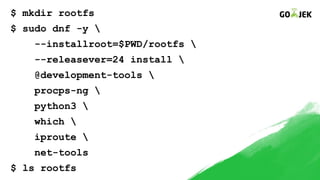
$ mkdir rootfs
$ sudo dnf -y 
--installroot=$PWD/rootfs 
--releasever=24 install 
@development-tools 
procps-ng 
python3 
which 
iproute 
net-tools
$ ls rootfs
Ingredient #2: chroot
Execute a process in our container filesystem
chroot(2): http://man7.org/linux/man-pages/man2/chroot.2.html
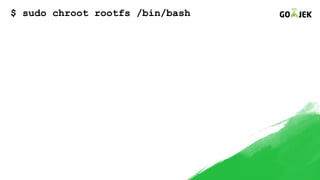
$ sudo chroot rootfs /bin/bash
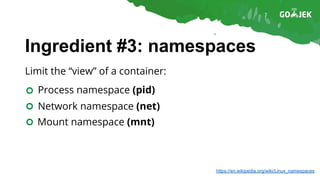
Ingredient #3: namespaces
Limit the “view” of a container:
Process namespace (pid)
Network namespace (net)
Mount namespace (mnt)
https://en.wikipedia.org/wiki/Linux_namespaces
Ingredient #3: namespaces
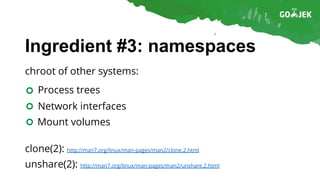
chroot of other systems:
clone(2): http://man7.org/linux/man-pages/man2/clone.2.html
unshare(2): http://man7.org/linux/man-pages/man2/unshare.2.html
Process trees
Network interfaces
Mount volumes
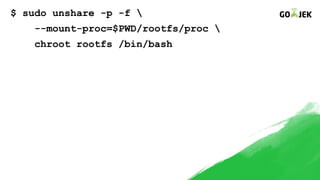
$ sudo unshare -p -f 
--mount-proc=$PWD/rootfs/proc 
chroot rootfs /bin/bash
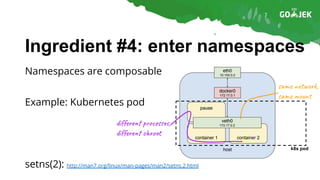
Ingredient #4: enter namespaces
Namespaces are composable
Example: Kubernetes pod
setns(2): http://man7.org/linux/man-pages/man2/setns.2.html
k8s pod
di r p o s ,
di r c o t
sa t o k,
sa un
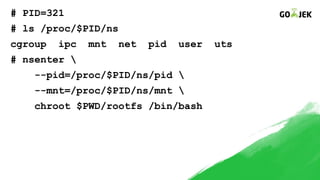
# PID=321
# ls /proc/$PID/ns
cgroup ipc mnt net pid user uts
# nsenter 
--pid=/proc/$PID/ns/pid 
--mnt=/proc/$PID/ns/mnt 
chroot $PWD/rootfs /bin/bash
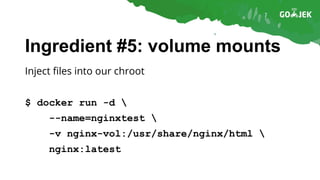
Ingredient #5: volume mounts
Inject files into our chroot
$ docker run -d 
--name=nginxtest 
-v nginx-vol:/usr/share/nginx/html 
nginx:latest
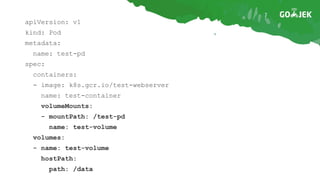
apiVersion: v1
kind: Pod
metadata:
name: test-pd
spec:
containers:
- image: k8s.gcr.io/test-webserver
name: test-container
volumeMounts:
- mountPath: /test-pd
name: test-volume
volumes:
- name: test-volume
hostPath:
path: /data
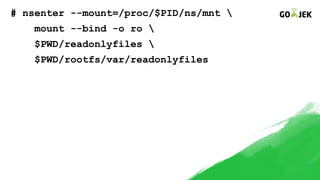
# nsenter --mount=/proc/$PID/ns/mnt 
mount --bind -o ro 
$PWD/readonlyfiles 
$PWD/rootfs/var/readonlyfiles
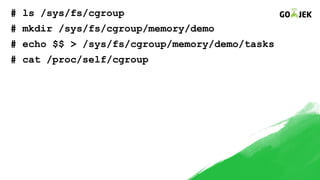
Ingredient #6: cgroups
Restrict resources for processes
# ls /sys/fs/cgroup
# mkdir /sys/fs/cgroup/memory/demo
# echo $$ > /sys/fs/cgroup/memory/demo/tasks
# cat /proc/self/cgroup
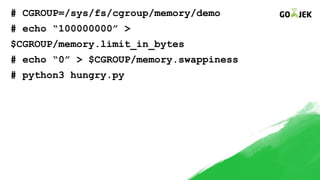
# CGROUP=/sys/fs/cgroup/memory/demo
# echo “100000000” >
$CGROUP/memory.limit_in_bytes
# echo “0” > $CGROUP/memory.swappiness
# python3 hungry.py
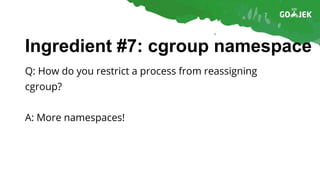
Ingredient #7: cgroup namespace
Q: How do you restrict a process from reassigning
cgroup?
A: More namespaces!
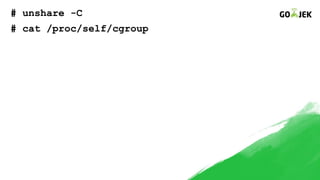
# unshare -C
# cat /proc/self/cgroup
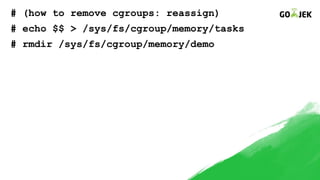
# (how to remove cgroups: reassign)
# echo $$ > /sys/fs/cgroup/memory/tasks
# rmdir /sys/fs/cgroup/memory/demo
Ingredient #8: capabilities
“Docker is about running random code downloaded
from Internet and running it as root” - Dan Walsh (Red
Hat)
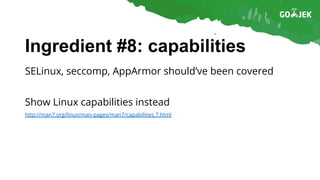
Ingredient #8: capabilities
SELinux, seccomp, AppArmor should’ve been covered
Show Linux capabilities instead
http://man7.org/linux/man-pages/man7/capabilities.7.html
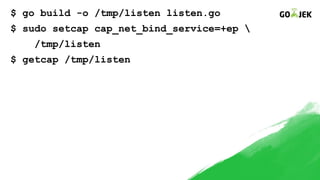
$ go build -o /tmp/listen listen.go
$ sudo setcap cap_net_bind_service=+ep 
/tmp/listen
$ getcap /tmp/listen
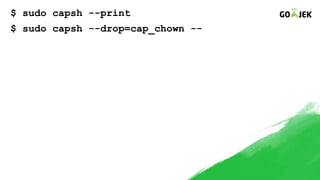
$ sudo capsh --print
$ sudo capsh --drop=cap_chown --
Ingredient #9: network namespace
Huge topic, will do simple demo for now
For the impatient, probably next talk:
https://github.com/girikuncoro/netns-demo
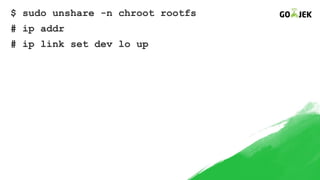
$ sudo unshare -n chroot rootfs
# ip addr
# ip link set dev lo up
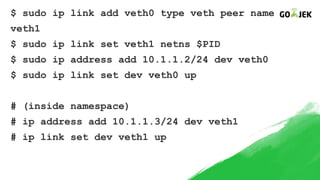
$ sudo ip link add veth0 type veth peer name
veth1
$ sudo ip link set veth1 netns $PID
$ sudo ip address add 10.1.1.2/24 dev veth0
$ sudo ip link set dev veth0 up
# (inside namespace)
# ip address add 10.1.1.3/24 dev veth1
# ip link set dev veth1 up
Conclusion
Containers are a combination between Linux kernel
features
Docker, rkt, lxc (container runtime) are just opinionated
wrapper around these
References
Containers from scratch, Eric Chiang
https://ericchiang.github.io/post/containers-from-scratch/
Building minimal containers, Brian Redbeard
https://github.com/brianredbeard/minimal_containers
Namespaces in operation, Michael Kerrisk
https://lwn.net/Articles/531114/
cgroups v1, Paul Menage
https://www.kernel.org/doc/Documentation/cgroup-v1/cgroups.txt
Bocker, Docker implemented in 100 lines of bash
https://github.com/p8952/bocker
Thanks!
giri.kuncoro@go-jek.com
twitter.com/girikuncoro
github.com/girikuncoro
Our team is hiring, come talk to us or open www.go-jek.com/careers

Containers from Scratch: what are they made from?

  • 1.
    Containers from Scratch: whatare they made from? GIRI KUNCORO
  • 2.
    Giri Kuncoro Senior SystemEngineer @GO-PAY Core Infrastructure github.com/girikuncoro
  • 3.
    Build Your OwnSmartphone http://www.instructables.com/id/Build-Your-Own-Smartphone
  • 4.
    Raspberry Pi A+256 MB Adafruit FONA - Mini GSM Breakout GSM Antenna Electret Microphone 1200 mAh Lithium Ion Battery Ingredients
  • 5.
    Today Build a containerwithout a container runtime, i.e. Docker, lxc, rkt
  • 6.
    Ingredient #1: ContainerImage TL;DR: nothing but tarball ● Application metadata ● Filesystem
  • 7.
    Ingredient #1: ContainerImage Container filesystem: looks like an OS; but no kernel, no init system
  • 8.
    Ingredient #1: ContainerImage Build root: http://www.buildroot.org/ Debootstrap: https://wiki.debian.org/Debootstrap YUM / DNF Gentoo: https://www.gentoo.org/downloads/ Buildah: https://github.com/projectatomic/buildah
  • 9.
    $ mkdir rootfs $sudo dnf -y --installroot=$PWD/rootfs --releasever=24 install @development-tools procps-ng python3 which iproute net-tools $ ls rootfs
  • 10.
    Ingredient #2: chroot Executea process in our container filesystem chroot(2): http://man7.org/linux/man-pages/man2/chroot.2.html
  • 11.
    $ sudo chrootrootfs /bin/bash
  • 12.
    Ingredient #3: namespaces Limitthe “view” of a container: Process namespace (pid) Network namespace (net) Mount namespace (mnt) https://en.wikipedia.org/wiki/Linux_namespaces
  • 13.
    Ingredient #3: namespaces chrootof other systems: clone(2): http://man7.org/linux/man-pages/man2/clone.2.html unshare(2): http://man7.org/linux/man-pages/man2/unshare.2.html Process trees Network interfaces Mount volumes
  • 14.
    $ sudo unshare-p -f --mount-proc=$PWD/rootfs/proc chroot rootfs /bin/bash
  • 15.
    Ingredient #4: enternamespaces Namespaces are composable Example: Kubernetes pod setns(2): http://man7.org/linux/man-pages/man2/setns.2.html k8s pod di r p o s , di r c o t sa t o k, sa un
  • 16.
    # PID=321 # ls/proc/$PID/ns cgroup ipc mnt net pid user uts # nsenter --pid=/proc/$PID/ns/pid --mnt=/proc/$PID/ns/mnt chroot $PWD/rootfs /bin/bash
  • 17.
    Ingredient #5: volumemounts Inject files into our chroot $ docker run -d --name=nginxtest -v nginx-vol:/usr/share/nginx/html nginx:latest
  • 18.
    apiVersion: v1 kind: Pod metadata: name:test-pd spec: containers: - image: k8s.gcr.io/test-webserver name: test-container volumeMounts: - mountPath: /test-pd name: test-volume volumes: - name: test-volume hostPath: path: /data
  • 19.
    # nsenter --mount=/proc/$PID/ns/mnt mount --bind -o ro $PWD/readonlyfiles $PWD/rootfs/var/readonlyfiles
  • 20.
    Ingredient #6: cgroups Restrictresources for processes
  • 21.
    # ls /sys/fs/cgroup #mkdir /sys/fs/cgroup/memory/demo # echo $$ > /sys/fs/cgroup/memory/demo/tasks # cat /proc/self/cgroup
  • 22.
    # CGROUP=/sys/fs/cgroup/memory/demo # echo“100000000” > $CGROUP/memory.limit_in_bytes # echo “0” > $CGROUP/memory.swappiness # python3 hungry.py
  • 23.
    Ingredient #7: cgroupnamespace Q: How do you restrict a process from reassigning cgroup? A: More namespaces!
  • 24.
    # unshare -C #cat /proc/self/cgroup
  • 25.
    # (how toremove cgroups: reassign) # echo $$ > /sys/fs/cgroup/memory/tasks # rmdir /sys/fs/cgroup/memory/demo
  • 26.
    Ingredient #8: capabilities “Dockeris about running random code downloaded from Internet and running it as root” - Dan Walsh (Red Hat)
  • 27.
    Ingredient #8: capabilities SELinux,seccomp, AppArmor should’ve been covered Show Linux capabilities instead http://man7.org/linux/man-pages/man7/capabilities.7.html
  • 28.
    $ go build-o /tmp/listen listen.go $ sudo setcap cap_net_bind_service=+ep /tmp/listen $ getcap /tmp/listen
  • 29.
    $ sudo capsh--print $ sudo capsh --drop=cap_chown --
  • 30.
    Ingredient #9: networknamespace Huge topic, will do simple demo for now For the impatient, probably next talk: https://github.com/girikuncoro/netns-demo
  • 31.
    $ sudo unshare-n chroot rootfs # ip addr # ip link set dev lo up
  • 32.
    $ sudo iplink add veth0 type veth peer name veth1 $ sudo ip link set veth1 netns $PID $ sudo ip address add 10.1.1.2/24 dev veth0 $ sudo ip link set dev veth0 up # (inside namespace) # ip address add 10.1.1.3/24 dev veth1 # ip link set dev veth1 up
  • 33.
    Conclusion Containers are acombination between Linux kernel features Docker, rkt, lxc (container runtime) are just opinionated wrapper around these
  • 34.
    References Containers from scratch,Eric Chiang https://ericchiang.github.io/post/containers-from-scratch/ Building minimal containers, Brian Redbeard https://github.com/brianredbeard/minimal_containers Namespaces in operation, Michael Kerrisk https://lwn.net/Articles/531114/ cgroups v1, Paul Menage https://www.kernel.org/doc/Documentation/cgroup-v1/cgroups.txt Bocker, Docker implemented in 100 lines of bash https://github.com/p8952/bocker
  • 35.