How to Use Layers
By
Sidtharth Sureshkumar
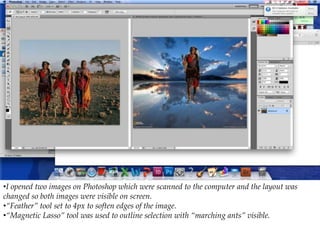
•I opened two images on Photoshop which were scanned to the computer and the layout was
changed so both images were visible on screen.
•“Feather” tool set to 4px to soften edges of the image.
•“Magnetic Lasso” tool was used to outline selection with “marching ants” visible.
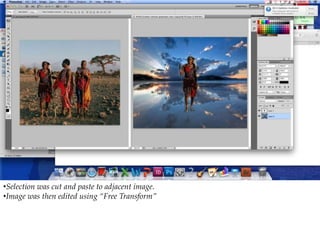
•Selection was cut and paste to adjacent image.
•Image was then edited using “Free Transform”
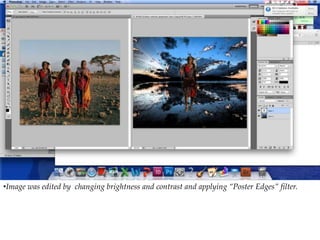
•Image was edited by changing brightness and contrast and applying “Poster Edges” filter.
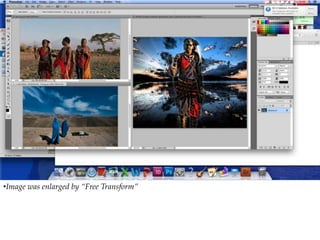
•Image was enlarged by “Free Transform”
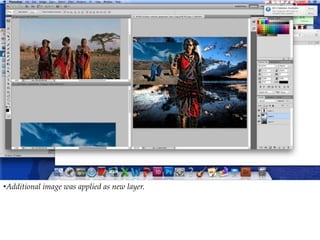
•Additional image was applied as new layer.
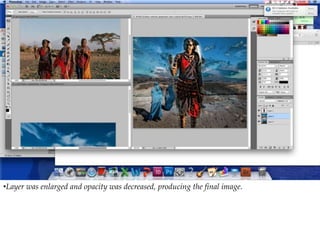
•Layer was enlarged and opacity was decreased, producing the final image.

Photoshop Skill - How to Use Layers

  • 1.
    How to UseLayers By Sidtharth Sureshkumar
  • 2.
    •I opened twoimages on Photoshop which were scanned to the computer and the layout was changed so both images were visible on screen. •“Feather” tool set to 4px to soften edges of the image. •“Magnetic Lasso” tool was used to outline selection with “marching ants” visible.
  • 3.
    •Selection was cutand paste to adjacent image. •Image was then edited using “Free Transform”
  • 4.
    •Image was editedby changing brightness and contrast and applying “Poster Edges” filter.
  • 5.
    •Image was enlargedby “Free Transform”
  • 6.
    •Additional image wasapplied as new layer.
  • 7.
    •Layer was enlargedand opacity was decreased, producing the final image.