Bringing Digital Photos  To Life
What Is Photo Story? Photo Story is a free program that allows you to take pictures and make them into a movie quick and easy.
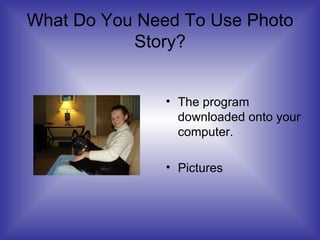
What Do You Need To Use Photo Story? The program downloaded onto your computer. Pictures
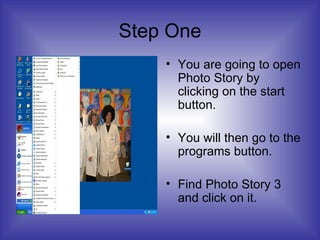
Step One You are going to open Photo Story by clicking on the start button. You will then go to the programs button. Find Photo Story 3 and click on it.
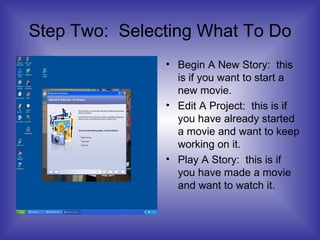
Step Two:  Selecting What To Do Begin A New Story:  this is if you want to start a new movie. Edit A Project:  this is if you have already started a movie and want to keep working on it. Play A Story:  this is if you have made a movie and want to watch it.
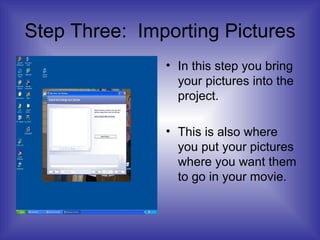
Step Three:  Importing Pictures In this step you bring your pictures into the project. This is also where you put your pictures where you want them to go in your movie.
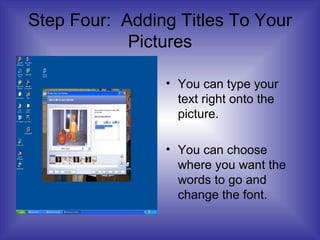
Step Four:  Adding Titles To Your Pictures You can type your text right onto the picture. You can choose where you want the words to go and change the font.
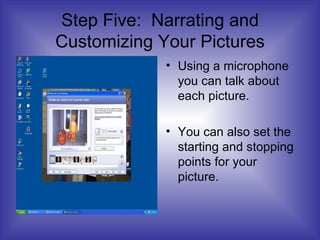
Step Five:  Narrating and Customizing Your Pictures Using a microphone you can talk about each picture. You can also set the starting and stopping points for your picture.
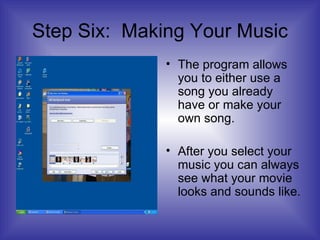
Step Six:  Making Your Music The program allows you to either use a song you already have or make your own song. After you select your music you can always see what your movie looks and sounds like.
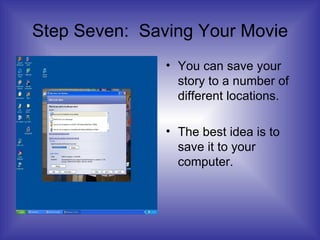
Step Seven:  Saving Your Movie You can save your story to a number of different locations. The best idea is to save it to your computer.
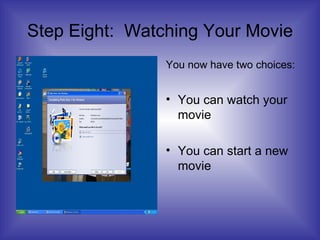
Step Eight:  Watching Your Movie You now have two choices: You can watch your movie You can start a new movie

Photo Story For Beginners

  • 1.
  • 2.
    What Is PhotoStory? Photo Story is a free program that allows you to take pictures and make them into a movie quick and easy.
  • 3.
    What Do YouNeed To Use Photo Story? The program downloaded onto your computer. Pictures
  • 4.
    Step One Youare going to open Photo Story by clicking on the start button. You will then go to the programs button. Find Photo Story 3 and click on it.
  • 5.
    Step Two: Selecting What To Do Begin A New Story: this is if you want to start a new movie. Edit A Project: this is if you have already started a movie and want to keep working on it. Play A Story: this is if you have made a movie and want to watch it.
  • 6.
    Step Three: Importing Pictures In this step you bring your pictures into the project. This is also where you put your pictures where you want them to go in your movie.
  • 7.
    Step Four: Adding Titles To Your Pictures You can type your text right onto the picture. You can choose where you want the words to go and change the font.
  • 8.
    Step Five: Narrating and Customizing Your Pictures Using a microphone you can talk about each picture. You can also set the starting and stopping points for your picture.
  • 9.
    Step Six: Making Your Music The program allows you to either use a song you already have or make your own song. After you select your music you can always see what your movie looks and sounds like.
  • 10.
    Step Seven: Saving Your Movie You can save your story to a number of different locations. The best idea is to save it to your computer.
  • 11.
    Step Eight: Watching Your Movie You now have two choices: You can watch your movie You can start a new movie