TimescaleDB:
Building a scalable
time-series
database on
PostgreSQL
Chanshik Lim
Developer at NexCloud
chanshik@gmail.com
Agenda
• Time-series Data?
• TimescaleDB Overview
• Using TimescaleDB
• Q & A
Time-series
Data?
Time-series Data? (1)
timestamp device_id cpu_1m_avg free_mem temperature location_id dev_type
2017-01-01 01:02:00 abc123 80 500MB 72 335 field
2017-01-01 01:02:23 def456 90 400MB 64 335 roof
2017-01-01 01:02:30 ghi789 120 0MB 56 77 roof
2017-01-01 01:03:12 abc123 80 500MB 72 335 field
2017-01-01 01:03:35 def456 95 350MB 64 335 roof
2017-01-01 01:03:42 ghi789 100 100MB 56 77 roof
Time-series Data? (2)
• Time-centric
• Data records always have a timestamp
• Append-only
• Data is almost solely append-only (INSERTs)
• Recent
• New data is typically about recent time intervals
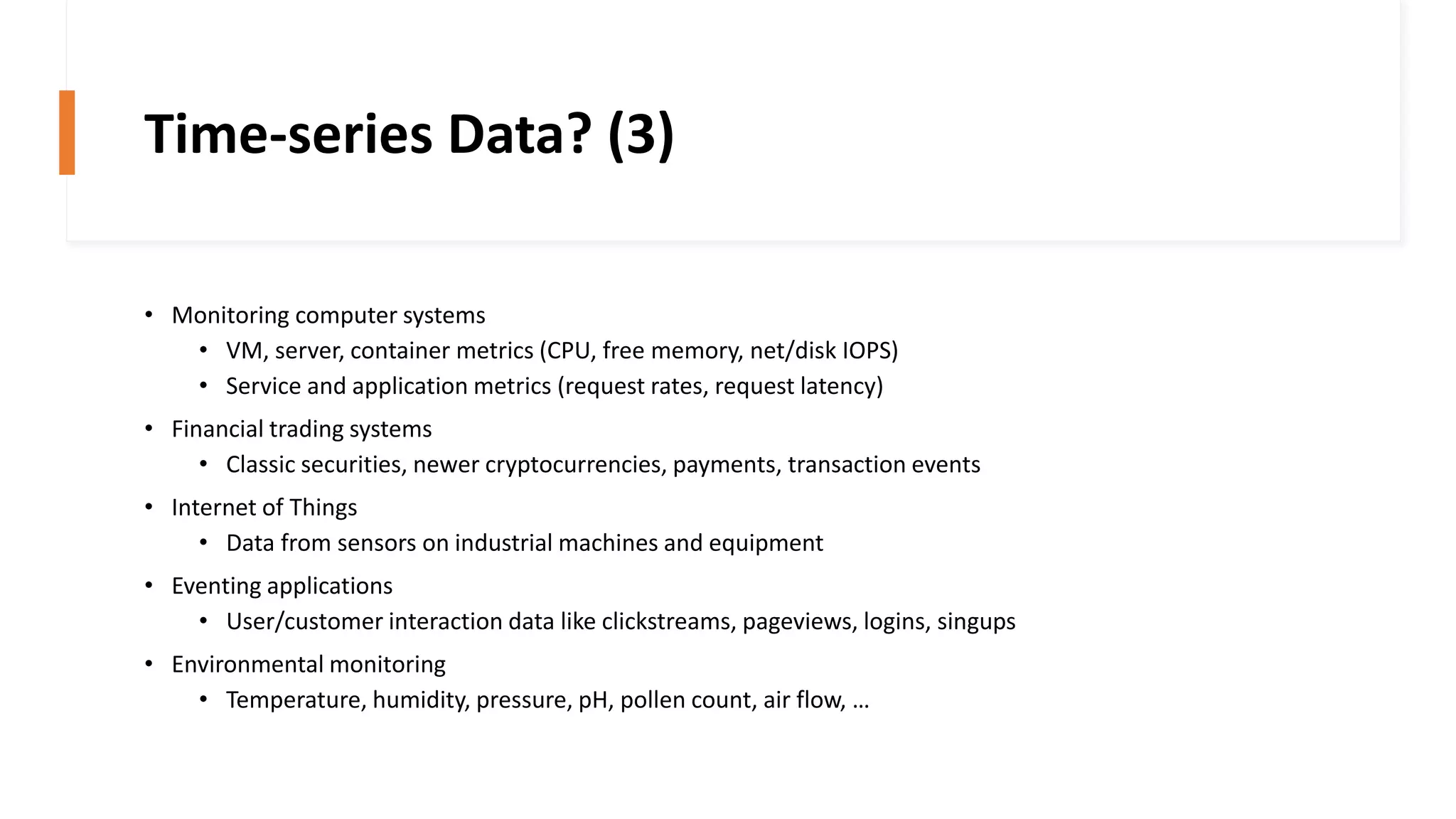
Time-series Data? (3)
• Monitoring computer systems
• VM, server, container metrics (CPU, free memory, net/disk IOPS)
• Service and application metrics (request rates, request latency)
• Financial trading systems
• Classic securities, newer cryptocurrencies, payments, transaction events
• Internet of Things
• Data from sensors on industrial machines and equipment
• Eventing applications
• User/customer interaction data like clickstreams, pageviews, logins, singups
• Environmental monitoring
• Temperature, humidity, pressure, pH, pollen count, air flow, …
TimescaleDB
Overview
Easy to Use
• Full SQL interface for all SQL natively supported by PostgreSQL
• Secondary indexes
• Non time-based aggregates
• Sub-queries
• Window functions
• Connects to any client or tool that speaks PostgresSQL
• Time-oriented features
• Robust support for Data retention policies
Scalable
• Transparent time/space partitioning
• Scaling up (single node)
• Scaling out (private beta)
• High data write rates
• Right-sized chunks
• Parallelized operations across chunks and servers
Reliable
• Engineered up from PostgreSQL, packaged as an extension
• Proven foundations
• From 20+ years of PostgreSQL research
• Streaming replication
• Backups
• Flexible management options
• Compatible with existing PostgreSQL ecosystem and tooling
Architecture
• Hypertables
• Abstraction of a single continuous table across all space and time
intervals
• Chunks
• Each chunk corresponds to a specific time interval and a region of
partition key’s space
Using
TimescaleDB
Installing
• https://docs.timescale.com/latest/getting-started/installation
• Using Docker Image
• shm-size: set /dev/shm partition size
• Mapping /var/lib/postgresql/data to host directory
$ docker run -d --name timescaledb -p 5432:5432 
-e POSTGRES_PASSWORD=password 
-v /mnt/timescaledb:/var/lib/postgresql/data 
--shm-size 1G 
timescale/timescaledb:1.5.1-pg11
Setting up
$ psql -U postgres -h localhost
postgres=# create database tutorial;
CREATE DATABASE
postgres=# c tutorial
You are now connected to database "tutorial" as user "postgres".
tutorial=# create extension if not exists timescaledb cascade;
NOTICE: extension "timescaledb" already exists, skipping
CREATE EXTENSION
Creating a Hypertable
tutorial=# CREATE TABLE conditions (
tutorial(# time TIMESTAMPTZ NOT NULL,
tutorial(# location TEXT NOT NULL,
tutorial(# temperature DOUBLE PRECISION NULL,
tutorial(# humidity DOUBLE PRECISION NULL
tutorial(# );
CREATE TABLE
tutorial=# SELECT create_hypertable('conditions', 'time’,
chunk_time_interval => interval '1 day');
create_hypertable
-------------------------
(1,public,conditions,t)
(1 row)
Inserting
tutorial=# INSERT INTO conditions
tutorial-# VALUES
tutorial-# (NOW(), 'office', 70.0, 50.0),
tutorial-# (NOW(), 'basement', 66.5, 60.0),
tutorial-# (NOW(), 'garage', 77.0, 65.2);
INSERT 0 3
tutorial=# select * from conditions;
time | location | temperature | humidity
-------------------------------+----------+-------------+----------
2019-12-06 20:12:06.987648+00 | office | 70 | 50
2019-12-06 20:12:06.987648+00 | basement | 66.5 | 60
2019-12-06 20:12:06.987648+00 | garage | 77 | 65.2
(3 rows)
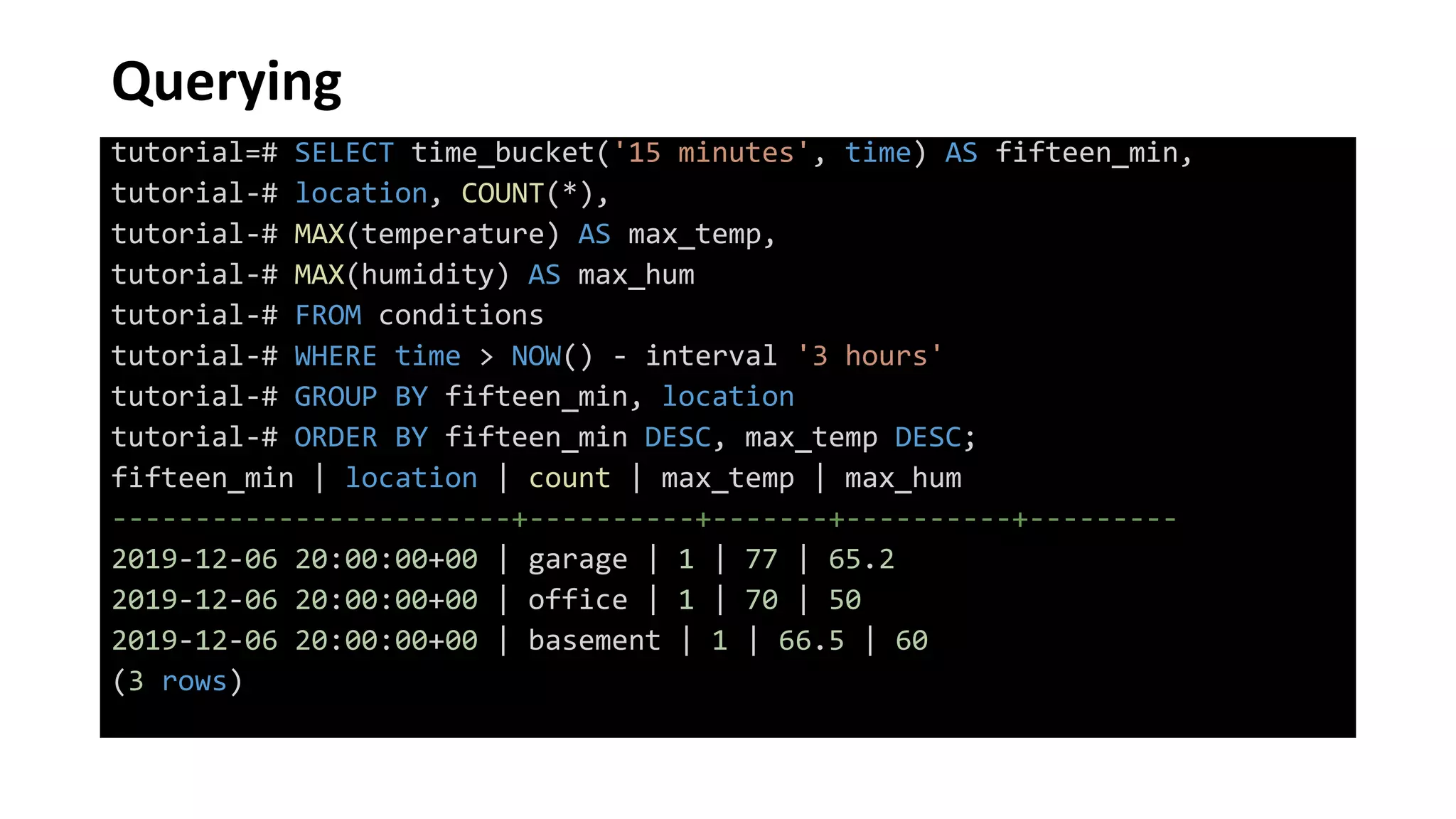
Querying
tutorial=# SELECT time_bucket('15 minutes', time) AS fifteen_min,
tutorial-# location, COUNT(*),
tutorial-# MAX(temperature) AS max_temp,
tutorial-# MAX(humidity) AS max_hum
tutorial-# FROM conditions
tutorial-# WHERE time > NOW() - interval '3 hours'
tutorial-# GROUP BY fifteen_min, location
tutorial-# ORDER BY fifteen_min DESC, max_temp DESC;
fifteen_min | location | count | max_temp | max_hum
------------------------+----------+-------+----------+---------
2019-12-06 20:00:00+00 | garage | 1 | 77 | 65.2
2019-12-06 20:00:00+00 | office | 1 | 70 | 50
2019-12-06 20:00:00+00 | basement | 1 | 66.5 | 60
(3 rows)
Q & A
References
• https://docs.timescale.com/latest/introduction
• https://www.youtube.com/watch?v=F-UGFSGlzsk
• https://blog.timescale.com/blog/building-columnar-compression-in-a-row-oriented-
database/

pgday.seoul 2019: TimescaleDB

  • 1.
    TimescaleDB: Building a scalable time-series databaseon PostgreSQL Chanshik Lim Developer at NexCloud chanshik@gmail.com
  • 2.
    Agenda • Time-series Data? •TimescaleDB Overview • Using TimescaleDB • Q & A
  • 3.
  • 4.
    Time-series Data? (1) timestampdevice_id cpu_1m_avg free_mem temperature location_id dev_type 2017-01-01 01:02:00 abc123 80 500MB 72 335 field 2017-01-01 01:02:23 def456 90 400MB 64 335 roof 2017-01-01 01:02:30 ghi789 120 0MB 56 77 roof 2017-01-01 01:03:12 abc123 80 500MB 72 335 field 2017-01-01 01:03:35 def456 95 350MB 64 335 roof 2017-01-01 01:03:42 ghi789 100 100MB 56 77 roof
  • 5.
    Time-series Data? (2) •Time-centric • Data records always have a timestamp • Append-only • Data is almost solely append-only (INSERTs) • Recent • New data is typically about recent time intervals
  • 6.
    Time-series Data? (3) •Monitoring computer systems • VM, server, container metrics (CPU, free memory, net/disk IOPS) • Service and application metrics (request rates, request latency) • Financial trading systems • Classic securities, newer cryptocurrencies, payments, transaction events • Internet of Things • Data from sensors on industrial machines and equipment • Eventing applications • User/customer interaction data like clickstreams, pageviews, logins, singups • Environmental monitoring • Temperature, humidity, pressure, pH, pollen count, air flow, …
  • 7.
  • 8.
    Easy to Use •Full SQL interface for all SQL natively supported by PostgreSQL • Secondary indexes • Non time-based aggregates • Sub-queries • Window functions • Connects to any client or tool that speaks PostgresSQL • Time-oriented features • Robust support for Data retention policies
  • 9.
    Scalable • Transparent time/spacepartitioning • Scaling up (single node) • Scaling out (private beta) • High data write rates • Right-sized chunks • Parallelized operations across chunks and servers
  • 10.
    Reliable • Engineered upfrom PostgreSQL, packaged as an extension • Proven foundations • From 20+ years of PostgreSQL research • Streaming replication • Backups • Flexible management options • Compatible with existing PostgreSQL ecosystem and tooling
  • 11.
    Architecture • Hypertables • Abstractionof a single continuous table across all space and time intervals • Chunks • Each chunk corresponds to a specific time interval and a region of partition key’s space
  • 12.
  • 13.
    Installing • https://docs.timescale.com/latest/getting-started/installation • UsingDocker Image • shm-size: set /dev/shm partition size • Mapping /var/lib/postgresql/data to host directory $ docker run -d --name timescaledb -p 5432:5432 -e POSTGRES_PASSWORD=password -v /mnt/timescaledb:/var/lib/postgresql/data --shm-size 1G timescale/timescaledb:1.5.1-pg11
  • 14.
    Setting up $ psql-U postgres -h localhost postgres=# create database tutorial; CREATE DATABASE postgres=# c tutorial You are now connected to database "tutorial" as user "postgres". tutorial=# create extension if not exists timescaledb cascade; NOTICE: extension "timescaledb" already exists, skipping CREATE EXTENSION
  • 15.
    Creating a Hypertable tutorial=#CREATE TABLE conditions ( tutorial(# time TIMESTAMPTZ NOT NULL, tutorial(# location TEXT NOT NULL, tutorial(# temperature DOUBLE PRECISION NULL, tutorial(# humidity DOUBLE PRECISION NULL tutorial(# ); CREATE TABLE tutorial=# SELECT create_hypertable('conditions', 'time’, chunk_time_interval => interval '1 day'); create_hypertable ------------------------- (1,public,conditions,t) (1 row)
  • 16.
    Inserting tutorial=# INSERT INTOconditions tutorial-# VALUES tutorial-# (NOW(), 'office', 70.0, 50.0), tutorial-# (NOW(), 'basement', 66.5, 60.0), tutorial-# (NOW(), 'garage', 77.0, 65.2); INSERT 0 3 tutorial=# select * from conditions; time | location | temperature | humidity -------------------------------+----------+-------------+---------- 2019-12-06 20:12:06.987648+00 | office | 70 | 50 2019-12-06 20:12:06.987648+00 | basement | 66.5 | 60 2019-12-06 20:12:06.987648+00 | garage | 77 | 65.2 (3 rows)
  • 17.
    Querying tutorial=# SELECT time_bucket('15minutes', time) AS fifteen_min, tutorial-# location, COUNT(*), tutorial-# MAX(temperature) AS max_temp, tutorial-# MAX(humidity) AS max_hum tutorial-# FROM conditions tutorial-# WHERE time > NOW() - interval '3 hours' tutorial-# GROUP BY fifteen_min, location tutorial-# ORDER BY fifteen_min DESC, max_temp DESC; fifteen_min | location | count | max_temp | max_hum ------------------------+----------+-------+----------+--------- 2019-12-06 20:00:00+00 | garage | 1 | 77 | 65.2 2019-12-06 20:00:00+00 | office | 1 | 70 | 50 2019-12-06 20:00:00+00 | basement | 1 | 66.5 | 60 (3 rows)
  • 18.
  • 19.
    References • https://docs.timescale.com/latest/introduction • https://www.youtube.com/watch?v=F-UGFSGlzsk •https://blog.timescale.com/blog/building-columnar-compression-in-a-row-oriented- database/