WELCOME TO
PERSONAL COMPUTER
OPERATIONS I
MISS SHARA S. CAÑADA
TEACHER
SCHOOL’S VMGO
The Sisters of Mary envisions that the
graduates, in their everyday life and in the
pursuit of their calling, will become the
new disciples in spreading the work of
redemption, and at the same time teach
and lead by example the Marian virtues of
simplicity, charity, gratitude and joy.
VISION
Inspired by her patroness, the Virgin of the Poor,
the Sisters of Mary Schools shall direct their
energy and resources to the poorest of the poor
youth of the country by way of providing them
with high quality secondary education intensive
on Vocational-Technical Curriculum molding
them into citizens committed to serve the nation,
to love their fellow being, and spread moral and
spiritual values based on the Gospels.
MISSION
The Sisters of Mary Schools aim to:
I. As Charitable Catholic Schools
-Cultivate in her students a sense of generosity and
gratitude as well as a simple and joyful disposition, in
imitation of the “Virgin of the Poor”;
-Inculcate supreme and constant love of God, and
adherence to the teachings of his Catholic Church.
GOALS & OBJECTIVES
II.As Secondary Schools with Intensive
Vocational-Technical Curriculum
-Produce graduates equipped with the best
academic and vocational-technical skills
characterizing at the same time the virtue of
honesty, integrity, loyalty, and self-discipline;
-Teach the goal of perfection in doing everyday
work as a means to honor and glorify God, love of
country and of their fellowmen.
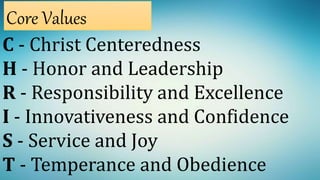
C - Christ Centeredness
H - Honor and Leadership
R - Responsibility and Excellence
I - Innovativeness and Confidence
S - Service and Joy
T - Temperance and Obedience
Core Values
Technical-Vocational Courses
Offered
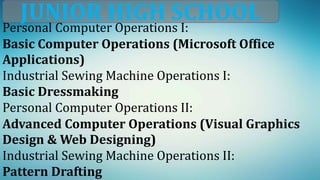
Personal Computer Operations I:
Basic Computer Operations (Microsoft Office
Applications)
Industrial Sewing Machine Operations I:
Basic Dressmaking
Personal Computer Operations II:
Advanced Computer Operations (Visual Graphics
Design & Web Designing)
Industrial Sewing Machine Operations II:
Pattern Drafting
JUNIOR HIGH SCHOOL
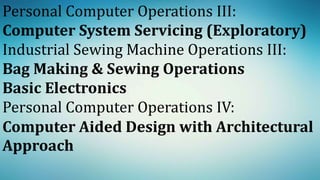
Personal Computer Operations III:
Computer System Servicing (Exploratory)
Industrial Sewing Machine Operations III:
Bag Making & Sewing Operations
Basic Electronics
Personal Computer Operations IV:
Computer Aided Design with Architectural
Approach
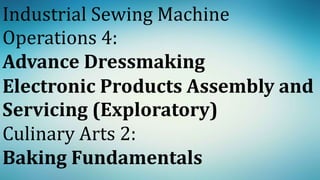
Industrial Sewing Machine
Operations 4:
Advance Dressmaking
Electronic Products Assembly and
Servicing (Exploratory)
Culinary Arts 2:
Baking Fundamentals
SENIOR HIGH SCHOOL
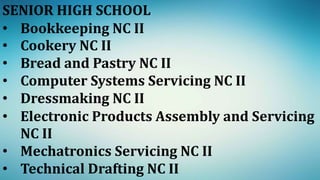
• Bookkeeping NC II
• Cookery NC II
• Bread and Pastry NC II
• Computer Systems Servicing NC II
• Dressmaking NC II
• Electronic Products Assembly and Servicing
NC II
• Mechatronics Servicing NC II
• Technical Drafting NC II
SALIENT POINTS
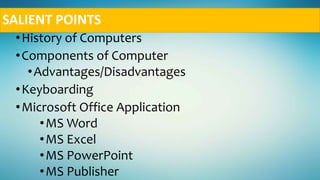
•History of Computers
•Components of Computer
•Advantages/Disadvantages
•Keyboarding
•Microsoft Office Application
•MS Word
•MS Excel
•MS PowerPoint
•MS Publisher
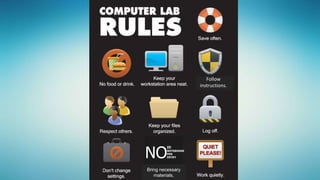
Follow
instructions.
NO
ID
NOTEBOOOK
PEN
ENTRY
Bring necessary
materials.
NO
ID
NOTEBOOOK
PEN
ENTRY
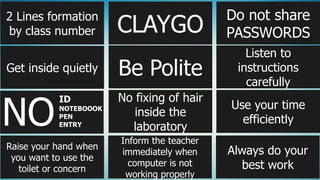
2 Lines formation
by class number
Get inside quietly
Raise your hand when
you want to use the
toilet or concern
CLAYGO
Do not share
PASSWORDS
Be Polite
Listen to
instructions
carefully
No fixing of hair
inside the
laboratory
Use your time
efficiently
Inform the teacher
immediately when
computer is not
working properly
Always do your
best work
1. Form 2 lines outside the laboratory by class
number.
2. Get inside the computer laboratory quietly.
3. Bring important things always: ID, notebook &
pen.
4. Raise your hand when you want to use the toilet or
concern and use logbook when excused or going to
Comfort room.
5. Clean as you go or always keep the laboratory
clean.
6. Be Polite: Use the magic word like EXCUSE ME,
SORRY and THANK YOU!
7. No fixing of hair inside the laboratory
8.Inform the teacher immediately when
computer is not working properly
9.Do not share PASSWORDS
10.Listen to instructions carefully
11.Use your time efficiently- do not play
waste your time; finish the task on or
before the deadline.
12.Always do your best work
13.Be ready all the time.
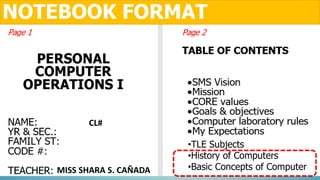
NOTEBOOK FORMAT
CL#
•TLE Subjects
•History of Computers
•Basic Concepts of ComputerMISS SHARA S. CAÑADA
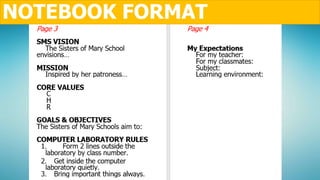
NOTEBOOK FORMAT
Expectations:
1.Teacher
2.Classmate
3.Subject
4.Learning environment

Personal Computer Operations I

  • 1.
    WELCOME TO PERSONAL COMPUTER OPERATIONSI MISS SHARA S. CAÑADA TEACHER
  • 2.
  • 3.
    The Sisters ofMary envisions that the graduates, in their everyday life and in the pursuit of their calling, will become the new disciples in spreading the work of redemption, and at the same time teach and lead by example the Marian virtues of simplicity, charity, gratitude and joy. VISION
  • 4.
    Inspired by herpatroness, the Virgin of the Poor, the Sisters of Mary Schools shall direct their energy and resources to the poorest of the poor youth of the country by way of providing them with high quality secondary education intensive on Vocational-Technical Curriculum molding them into citizens committed to serve the nation, to love their fellow being, and spread moral and spiritual values based on the Gospels. MISSION
  • 5.
    The Sisters ofMary Schools aim to: I. As Charitable Catholic Schools -Cultivate in her students a sense of generosity and gratitude as well as a simple and joyful disposition, in imitation of the “Virgin of the Poor”; -Inculcate supreme and constant love of God, and adherence to the teachings of his Catholic Church. GOALS & OBJECTIVES
  • 6.
    II.As Secondary Schoolswith Intensive Vocational-Technical Curriculum -Produce graduates equipped with the best academic and vocational-technical skills characterizing at the same time the virtue of honesty, integrity, loyalty, and self-discipline; -Teach the goal of perfection in doing everyday work as a means to honor and glorify God, love of country and of their fellowmen.
  • 7.
    C - ChristCenteredness H - Honor and Leadership R - Responsibility and Excellence I - Innovativeness and Confidence S - Service and Joy T - Temperance and Obedience Core Values
  • 8.
  • 9.
    Personal Computer OperationsI: Basic Computer Operations (Microsoft Office Applications) Industrial Sewing Machine Operations I: Basic Dressmaking Personal Computer Operations II: Advanced Computer Operations (Visual Graphics Design & Web Designing) Industrial Sewing Machine Operations II: Pattern Drafting JUNIOR HIGH SCHOOL
  • 10.
    Personal Computer OperationsIII: Computer System Servicing (Exploratory) Industrial Sewing Machine Operations III: Bag Making & Sewing Operations Basic Electronics Personal Computer Operations IV: Computer Aided Design with Architectural Approach
  • 11.
    Industrial Sewing Machine Operations4: Advance Dressmaking Electronic Products Assembly and Servicing (Exploratory) Culinary Arts 2: Baking Fundamentals
  • 12.
    SENIOR HIGH SCHOOL •Bookkeeping NC II • Cookery NC II • Bread and Pastry NC II • Computer Systems Servicing NC II • Dressmaking NC II • Electronic Products Assembly and Servicing NC II • Mechatronics Servicing NC II • Technical Drafting NC II
  • 14.
    SALIENT POINTS •History ofComputers •Components of Computer •Advantages/Disadvantages •Keyboarding •Microsoft Office Application •MS Word •MS Excel •MS PowerPoint •MS Publisher
  • 15.
  • 16.
    NO ID NOTEBOOOK PEN ENTRY 2 Lines formation byclass number Get inside quietly Raise your hand when you want to use the toilet or concern CLAYGO Do not share PASSWORDS Be Polite Listen to instructions carefully No fixing of hair inside the laboratory Use your time efficiently Inform the teacher immediately when computer is not working properly Always do your best work
  • 17.
    1. Form 2lines outside the laboratory by class number. 2. Get inside the computer laboratory quietly. 3. Bring important things always: ID, notebook & pen. 4. Raise your hand when you want to use the toilet or concern and use logbook when excused or going to Comfort room. 5. Clean as you go or always keep the laboratory clean. 6. Be Polite: Use the magic word like EXCUSE ME, SORRY and THANK YOU! 7. No fixing of hair inside the laboratory
  • 18.
    8.Inform the teacherimmediately when computer is not working properly 9.Do not share PASSWORDS 10.Listen to instructions carefully 11.Use your time efficiently- do not play waste your time; finish the task on or before the deadline. 12.Always do your best work 13.Be ready all the time.
  • 19.
    NOTEBOOK FORMAT CL# •TLE Subjects •Historyof Computers •Basic Concepts of ComputerMISS SHARA S. CAÑADA
  • 20.
  • 21.

Editor's Notes

  • #17 Form 2 lines outside the laboratory by class number. Get inside the computer laboratory quietly. Bring important things always. Use logbook when excused or going to Comfort room Clean as you go or always keep the laboratory clean. Be Polite: Use the magic word like EXCUSE ME, SORRY and THANK YOU! No fixing of hair inside the laboratory Inform the teacher immediately when computer is not working properly Do not share PASSWORDS Listen to instructions carefully Use your time efficiently- do not play waste your time, finish the task on or before the deadline. Always do your best work