Performance profiling and
testing of a Symfony
application
About me
● Developer Advocate
● Release Manager
● Trainer
● Team Leader
● Software Engineer
at
Performance profiling
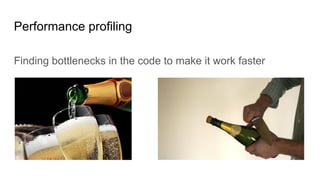
Finding bottlenecks in the code to make it work faster
Performance testing
- The process of evaluating the quality or capacity of a
product.
- Performance testing is vital in the software development
lifecycle.
The goal
To measure code quality
Profiling without testing
- Possible only when your project will not be changed.
- If the code is left tested, even one line can break
everything with the damage discovered by clients already
in production.
When do we need profiling?
- The website is down because of overload
- Website load takes more than 2 seconds (performance is
a mandatory feature of any website)
- How One Second Could Cost Amazon $1.6 Billion In
Sales
When we don’t need profiling?
- The customer said there would have a significant load in production without
giving any proof.
- Premature optimization is almost always a bad idea.
This doesn’t mean you should use $repo->findAll()->paginate(),
This means: don’t do profiling when there are no performance issues.
Step #1
At ORO we started with:
- A time limit for Behat tests
- A network tab in the Chrome Dev Toolbar
Issue #1
Time is a good but unreliable metric.
How to know when time goes up because of:
- VM load
- CPU throttling
- Network issues
- Unreliable external API
- Or bad code ?
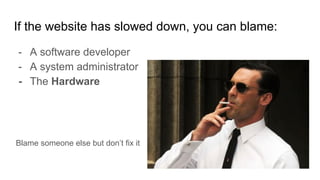
If the website has slowed down, you can blame:
- A software developer
- A system administrator
- The Hardware
Blame someone else but don’t fix it
How to blame the PHP code?
Don’t measure the time, measure the code quality.
The quality from performance perspective, not OOD
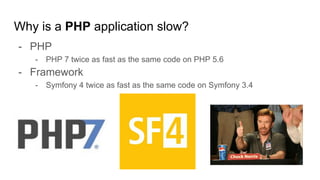
Why is a PHP application slow?
- PHP
- PHP 7 twice as fast as the same code on PHP 5.6
- Framework
- Symfony 4 twice as fast as the same code on Symfony 3.4
because of
SQL
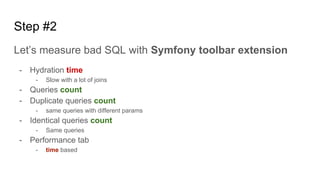
Step #2
Let’s measure bad SQL with Symfony toolbar extension
- Hydration time
- Slow with a lot of joins
- Queries count
- Duplicate queries count
- same queries with different params
- Identical queries count
- Same queries
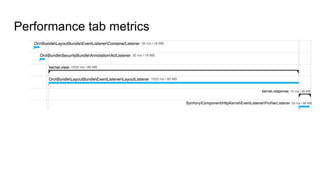
- Performance tab
- time based
Performance tab metrics
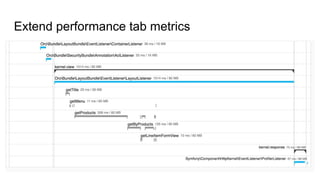
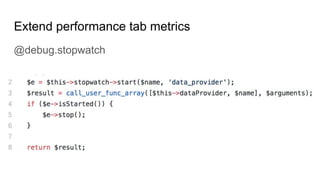
Extend performance tab metrics
@debug.stopwatch
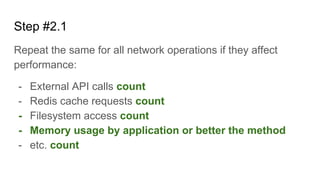
Step #2.1
Repeat the same for all network operations if they affect
performance:
- External API calls count
- Redis cache requests count
- Filesystem access count
- Memory usage by application or better the method
- etc. count
Issue #2
Developers don’t check Toolbar
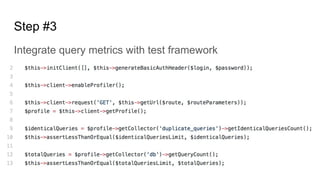
Step #3
Integrate query metrics with test framework
Test query metrics only on real or real-life data.
Issue #3
Now PHP and Framework usage is a bottleneck
Symfony Toolbar Main Issue
Symfony developer toolbar adds overhead by itself and
can’t be used in production
So it can’t be used for real precise profiling
Step #4
Choose the tool for profiling PHP code.
- xDebug
- good start, but it’s not a profiler
- Xhprof
- very basic functionality, only time and memory
- Blackfire
- fork of Xhprof, widely used, a lot of integrations
- free plan has all xhprof features in a fancy interface, paid plans bring a lot of features
- Tideways
- fork of Xhprof
- Very similar to blackfire by the feature list but not so common
Blackfire pros
- Low overhead *
- Can be used in production
- A lot of ways to use, from CURL to Player
- Profile comparing
- Sharing
- Cross platform support
- Testing by all the metrics
- Periodic builds on production
- Profile every N request on overloaded application
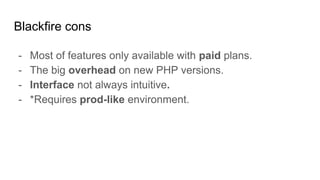
Blackfire cons
- Most of features only available with paid plans.
- The big overhead on new PHP versions.
- Interface not always intuitive.
- *Requires prod-like environment.
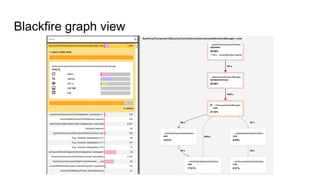
Blackfire graph view
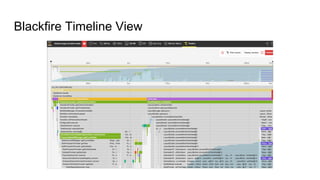
Blackfire Timeline View
Blackfire Recorder
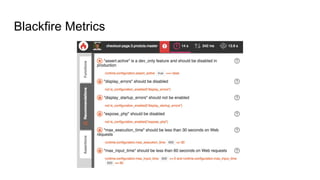
Blackfire Metrics
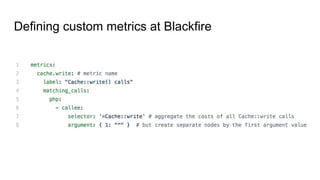
Defining custom metrics at Blackfire
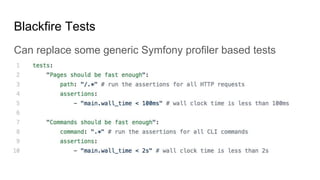
Blackfire Tests
Can replace some generic Symfony profiler based tests
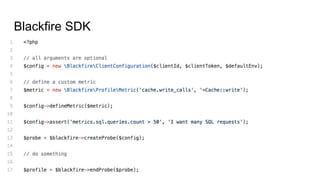
Blackfire SDK
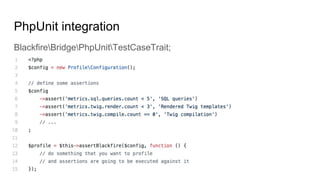
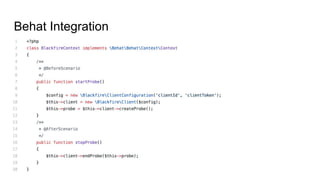
PhpUnit integration
BlackfireBridgePhpUnitTestCaseTrait;
Behat Integration
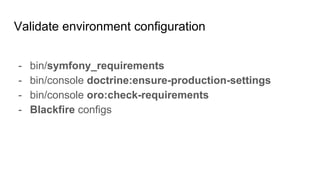
Validate environment configuration
- bin/symfony_requirements
- bin/console doctrine:ensure-production-settings
- bin/console oro:check-requirements
- Blackfire configs
What else?
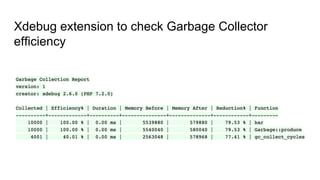
Xdebug extension to check Garbage Collector
efficiency
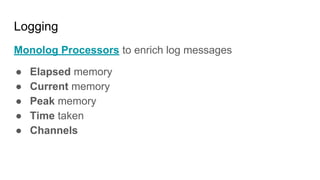
Logging
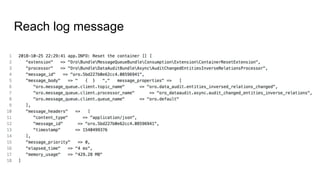
Monolog Processors to enrich log messages
● Elapsed memory
● Current memory
● Peak memory
● Time taken
● Channels
Reach log message
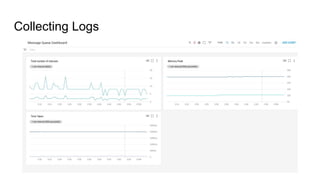
Collecting Logs
Logs Monitoring
To summarize
Metrics can be used for:
- Local profiling
- CI tests
- Production testing
- Load testing
To summarize
To make a developer follow metrics:
- Make every metric explicit and as small as possible
- Describe the value of all the metrics and how to fix them
- Don’t rely on time or other unstable metrics
- Don’t add tests to common metrics that you don’t know
how to fix
To summarize
- Symfony Toolbar and Blackfire are best friends of
profiling
- xDebug could help too but be carefull
- Logging helps to “profile” in production
Questions

Performance profiling and testing of symfony application 2

  • 1.
    Performance profiling and testingof a Symfony application
  • 3.
    About me ● DeveloperAdvocate ● Release Manager ● Trainer ● Team Leader ● Software Engineer at
  • 4.
    Performance profiling Finding bottlenecksin the code to make it work faster
  • 5.
    Performance testing - Theprocess of evaluating the quality or capacity of a product. - Performance testing is vital in the software development lifecycle.
  • 6.
    The goal To measurecode quality
  • 7.
    Profiling without testing -Possible only when your project will not be changed. - If the code is left tested, even one line can break everything with the damage discovered by clients already in production.
  • 8.
    When do weneed profiling? - The website is down because of overload - Website load takes more than 2 seconds (performance is a mandatory feature of any website) - How One Second Could Cost Amazon $1.6 Billion In Sales
  • 9.
    When we don’tneed profiling? - The customer said there would have a significant load in production without giving any proof. - Premature optimization is almost always a bad idea. This doesn’t mean you should use $repo->findAll()->paginate(), This means: don’t do profiling when there are no performance issues.
  • 10.
    Step #1 At OROwe started with: - A time limit for Behat tests - A network tab in the Chrome Dev Toolbar
  • 11.
    Issue #1 Time isa good but unreliable metric. How to know when time goes up because of: - VM load - CPU throttling - Network issues - Unreliable external API - Or bad code ?
  • 12.
    If the websitehas slowed down, you can blame: - A software developer - A system administrator - The Hardware Blame someone else but don’t fix it
  • 13.
    How to blamethe PHP code? Don’t measure the time, measure the code quality. The quality from performance perspective, not OOD
  • 14.
    Why is aPHP application slow? - PHP - PHP 7 twice as fast as the same code on PHP 5.6 - Framework - Symfony 4 twice as fast as the same code on Symfony 3.4
  • 15.
  • 16.
    Step #2 Let’s measurebad SQL with Symfony toolbar extension - Hydration time - Slow with a lot of joins - Queries count - Duplicate queries count - same queries with different params - Identical queries count - Same queries - Performance tab - time based
  • 17.
  • 18.
  • 19.
    Extend performance tabmetrics @debug.stopwatch
  • 20.
    Step #2.1 Repeat thesame for all network operations if they affect performance: - External API calls count - Redis cache requests count - Filesystem access count - Memory usage by application or better the method - etc. count
  • 21.
  • 22.
    Step #3 Integrate querymetrics with test framework
  • 23.
    Test query metricsonly on real or real-life data.
  • 24.
    Issue #3 Now PHPand Framework usage is a bottleneck
  • 25.
    Symfony Toolbar MainIssue Symfony developer toolbar adds overhead by itself and can’t be used in production So it can’t be used for real precise profiling
  • 26.
    Step #4 Choose thetool for profiling PHP code. - xDebug - good start, but it’s not a profiler - Xhprof - very basic functionality, only time and memory - Blackfire - fork of Xhprof, widely used, a lot of integrations - free plan has all xhprof features in a fancy interface, paid plans bring a lot of features - Tideways - fork of Xhprof - Very similar to blackfire by the feature list but not so common
  • 27.
    Blackfire pros - Lowoverhead * - Can be used in production - A lot of ways to use, from CURL to Player - Profile comparing - Sharing - Cross platform support - Testing by all the metrics - Periodic builds on production - Profile every N request on overloaded application
  • 28.
    Blackfire cons - Mostof features only available with paid plans. - The big overhead on new PHP versions. - Interface not always intuitive. - *Requires prod-like environment.
  • 29.
  • 30.
  • 31.
  • 32.
  • 33.
  • 34.
    Blackfire Tests Can replacesome generic Symfony profiler based tests
  • 35.
  • 36.
  • 37.
  • 38.
    Validate environment configuration -bin/symfony_requirements - bin/console doctrine:ensure-production-settings - bin/console oro:check-requirements - Blackfire configs
  • 39.
  • 40.
    Xdebug extension tocheck Garbage Collector efficiency
  • 41.
    Logging Monolog Processors toenrich log messages ● Elapsed memory ● Current memory ● Peak memory ● Time taken ● Channels
  • 42.
  • 43.
  • 44.
  • 45.
    To summarize Metrics canbe used for: - Local profiling - CI tests - Production testing - Load testing
  • 46.
    To summarize To makea developer follow metrics: - Make every metric explicit and as small as possible - Describe the value of all the metrics and how to fix them - Don’t rely on time or other unstable metrics - Don’t add tests to common metrics that you don’t know how to fix
  • 47.
    To summarize - SymfonyToolbar and Blackfire are best friends of profiling - xDebug could help too but be carefull - Logging helps to “profile” in production
  • 48.