Boosting your performance
with Blackfire
StartIT Centar 2019
Who are we
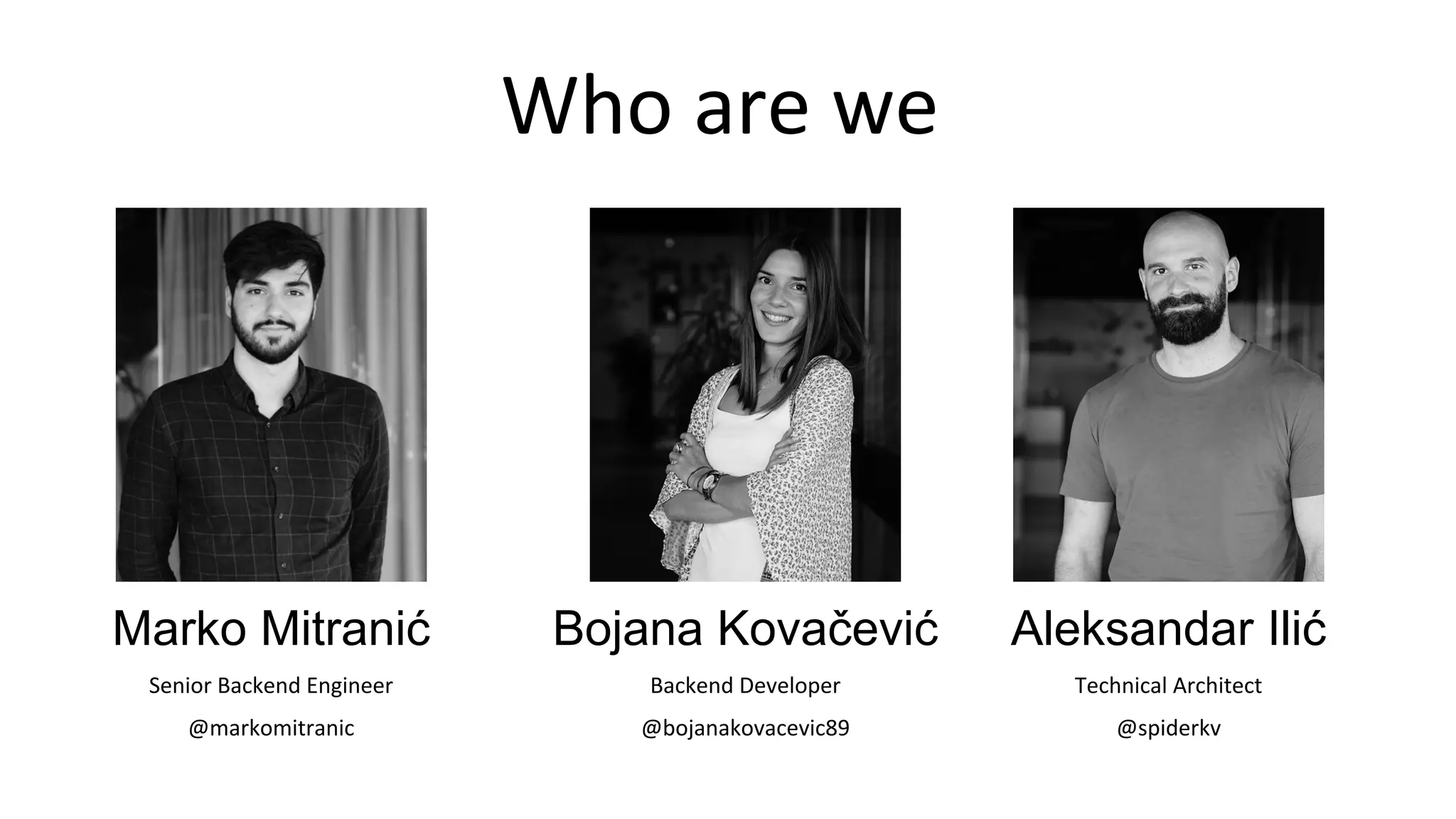
Marko Mitranić
Senior Backend Engineer
@markomitranic
Aleksandar Ilić
Technical Architect
@spiderkv
Bojana Kovačević
Backend Developer
@bojanakovacevic89
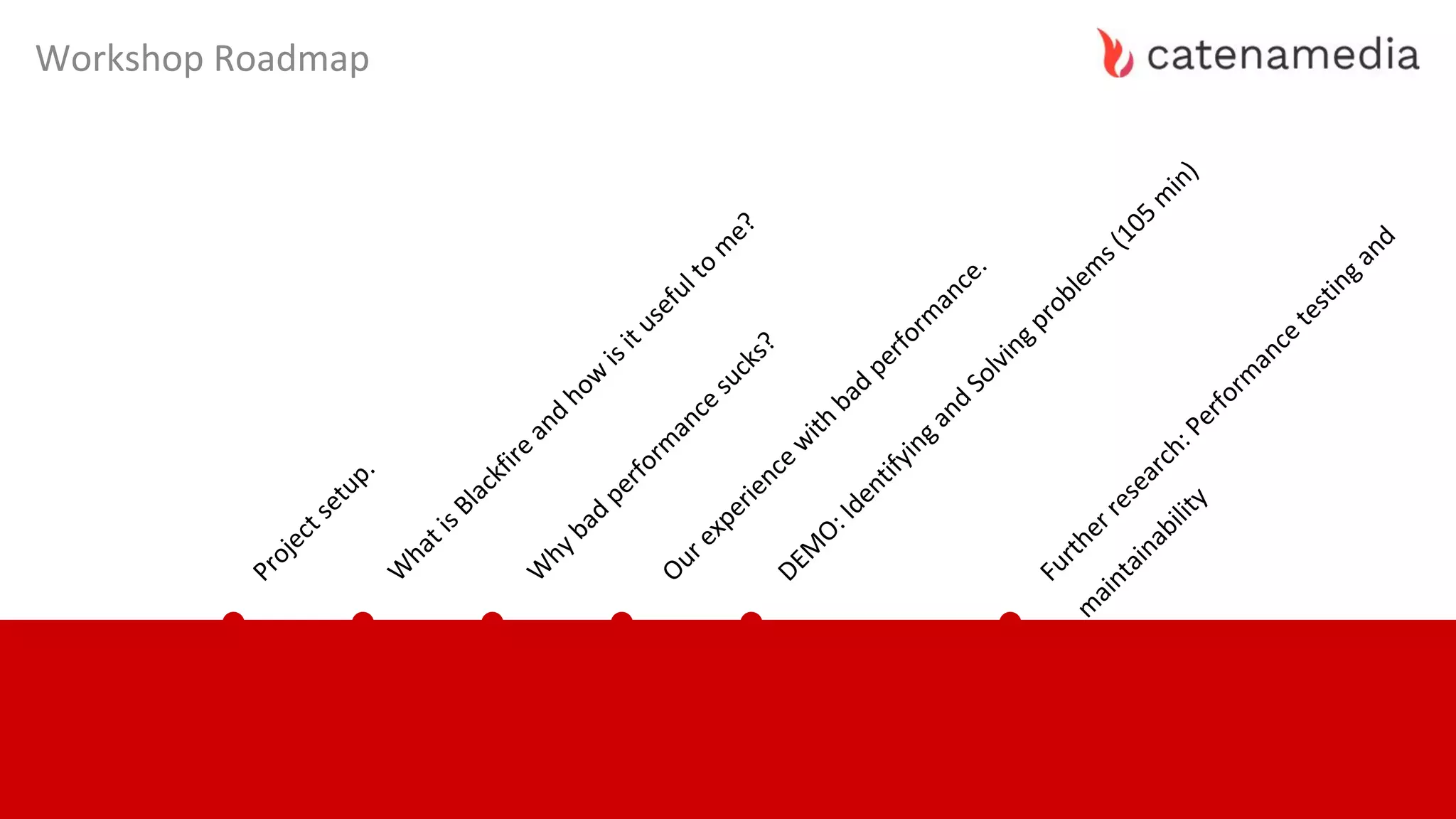
Workshop Roadmap
Projectsetup.
W
hatisBlackfire
and
how
isitusefulto
m
e?
W
hybad
perform
ance
sucks?
Ourexperience
w
ith
bad
perform
ance.
DEM
O:Identifyingand
Solvingproblem
s(105
m
in)
Furtherresearch:Perform
ance
testingand
m
aintainability
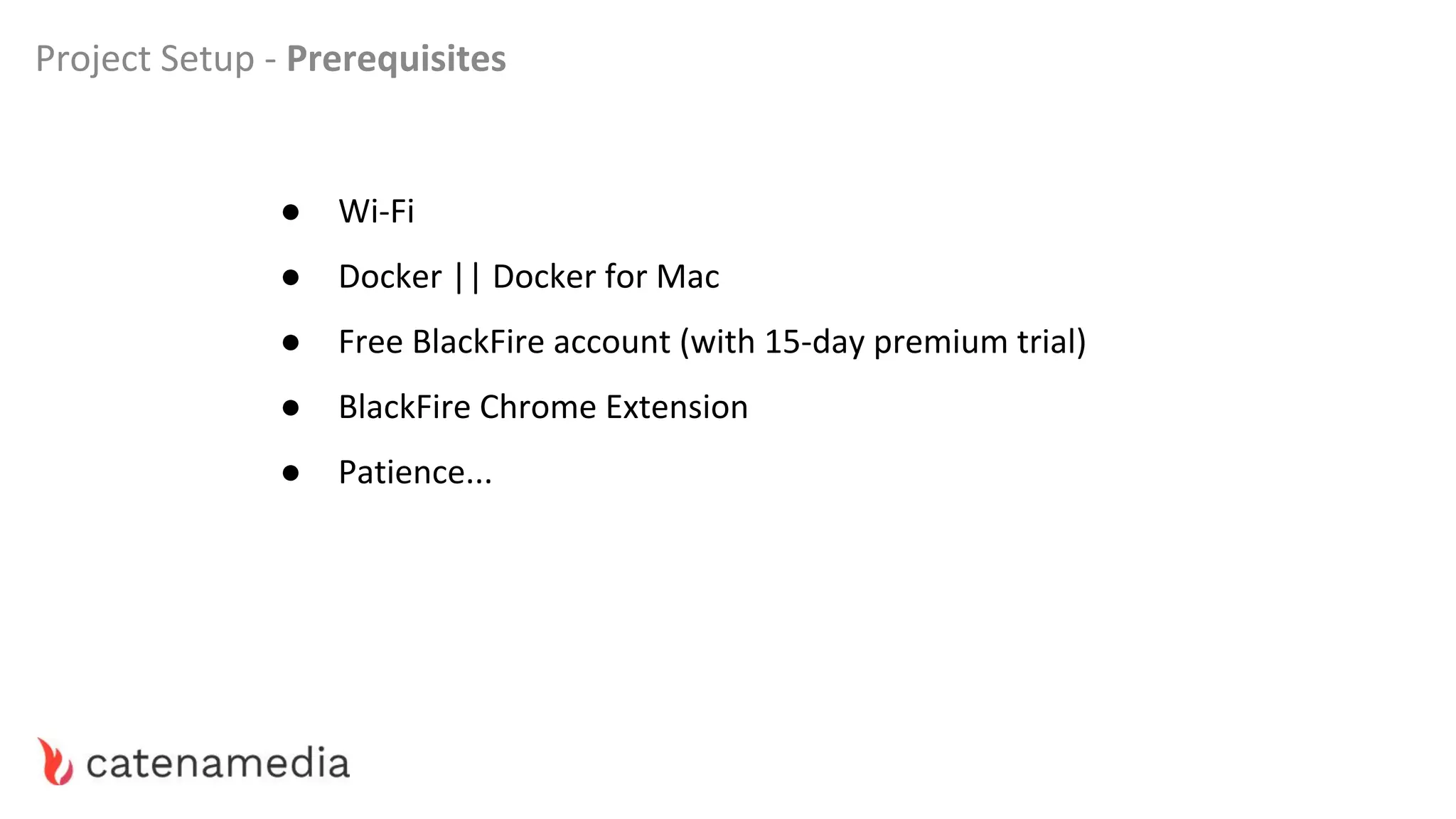
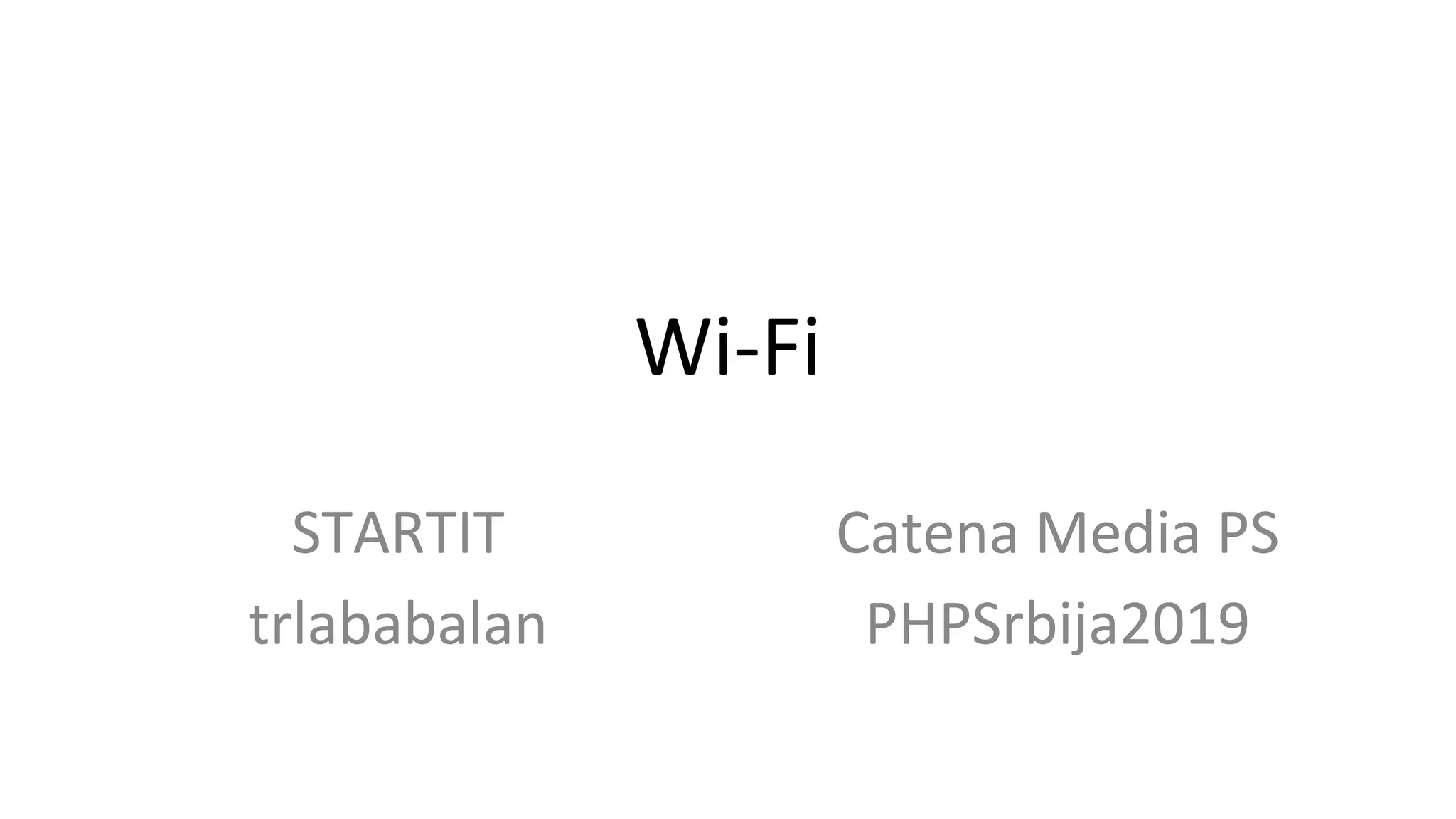
● Wi-Fi
● Docker || Docker for Mac
● Free BlackFire account (with 15-day premium trial)
● BlackFire Chrome Extension
● Patience...
Project Setup - Prerequisites
Wi-Fi
STARTIT
trlababalan
Catena Media PS
PHPSrbija2019
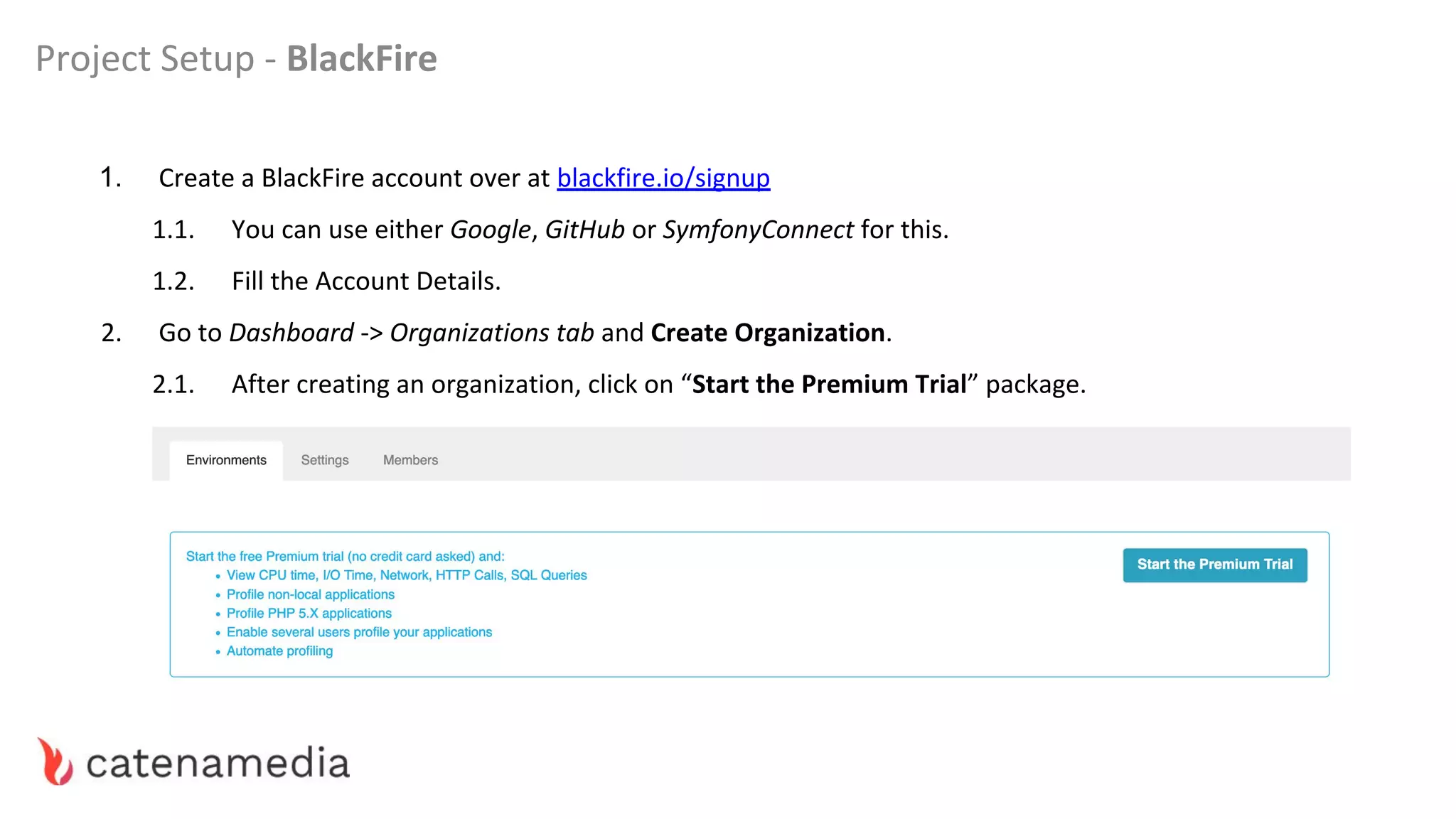
Project Setup - BlackFire
1. Create a BlackFire account over at blackfire.io/signup
1.1. You can use either Google, GitHub or SymfonyConnect for this.
1.2. Fill the Account Details.
2. Go to Dashboard -> Organizations tab and Create Organization.
2.1. After creating an organization, click on “Start the Premium Trial” package.
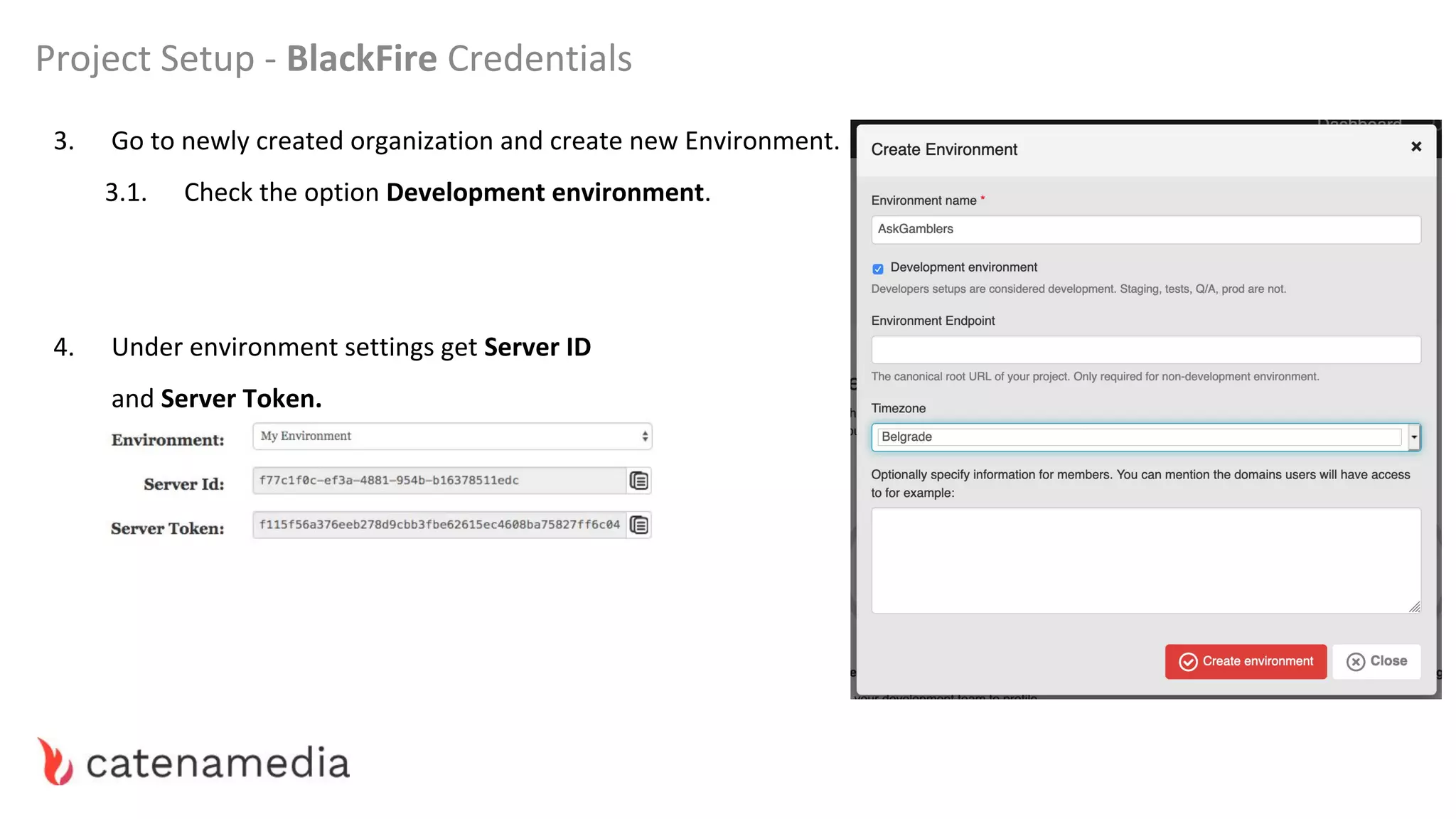
3. Go to newly created organization and create new Environment.
3.1. Check the option Development environment.
4. Under environment settings get Server ID
and Server Token.
Project Setup - BlackFire Credentials
Prerequisite for running a project is a Docker.
If you haven’t installed it follow procedure on official website.
Some of the steps:
● sign up
● confirm email
● download and install
● run
https://www.docker.com/
Project Setup - Prerequisite
Project Setup - Repository
Download the Workshop Repository from:
https://markomitranic.github.io/
PHP-Serbia-2019-Performance/
or shorthand
https://bit.ly/2EmfCZU
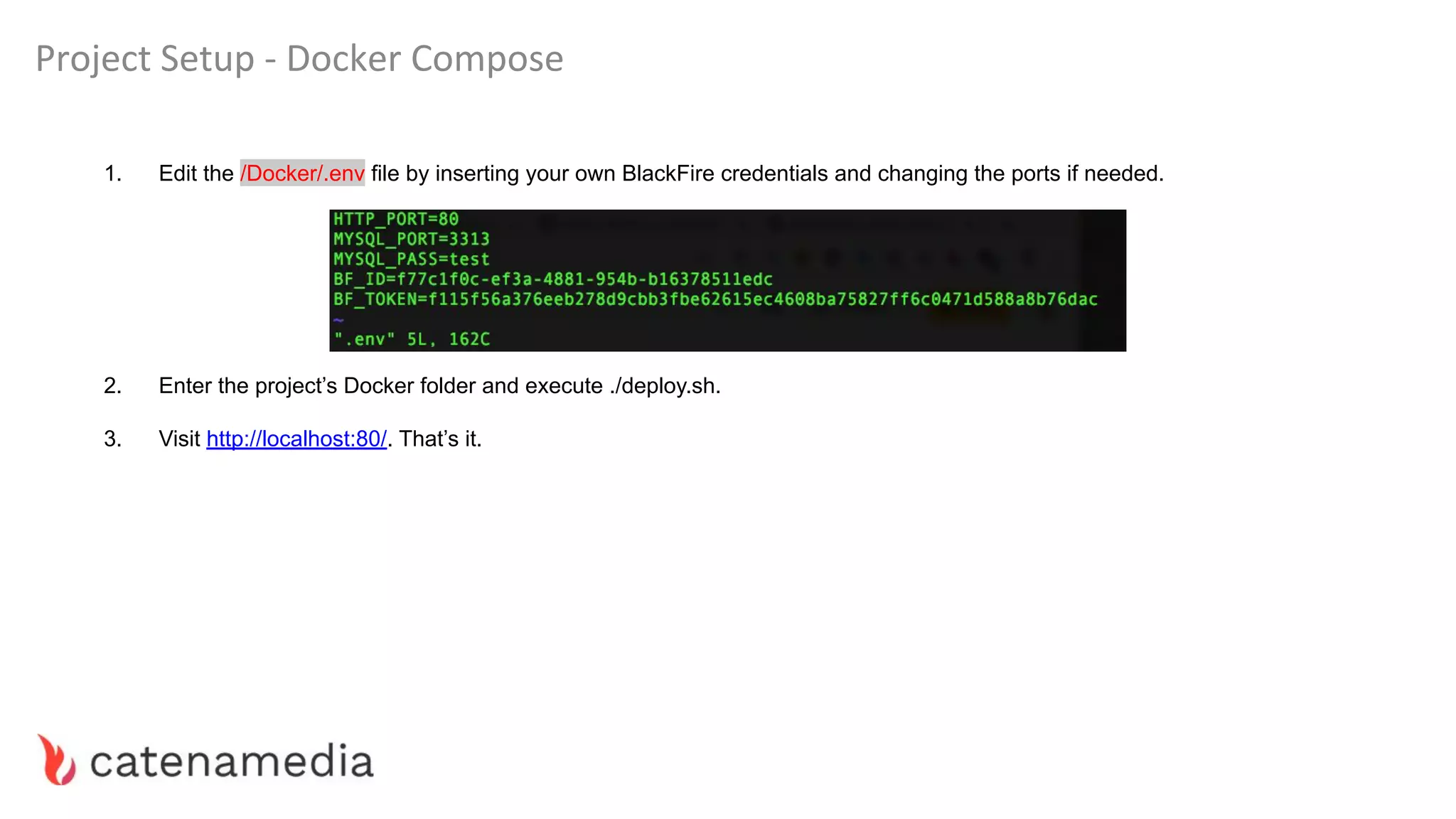
Project Setup - Docker Compose
1. Edit the /Docker/.env file by inserting your own BlackFire credentials and changing the ports if needed.
2. Enter the project’s Docker folder and execute ./deploy.sh.
3. Visit http://localhost:80/. That’s it.
in 10 minutes or less.
Introduction to BlackFire - What do we look for?
Some usual suspect tools:
FrontEnd — Google Chrome developer tools, PageSpeedInsight, Phantomas
PHP layer — Blackfire, XDebug, microtime(), Symfony profiler
Database — Depends on the database. For instance, for MySQL, we can use the inbuilt
profiler and Jet profiler.
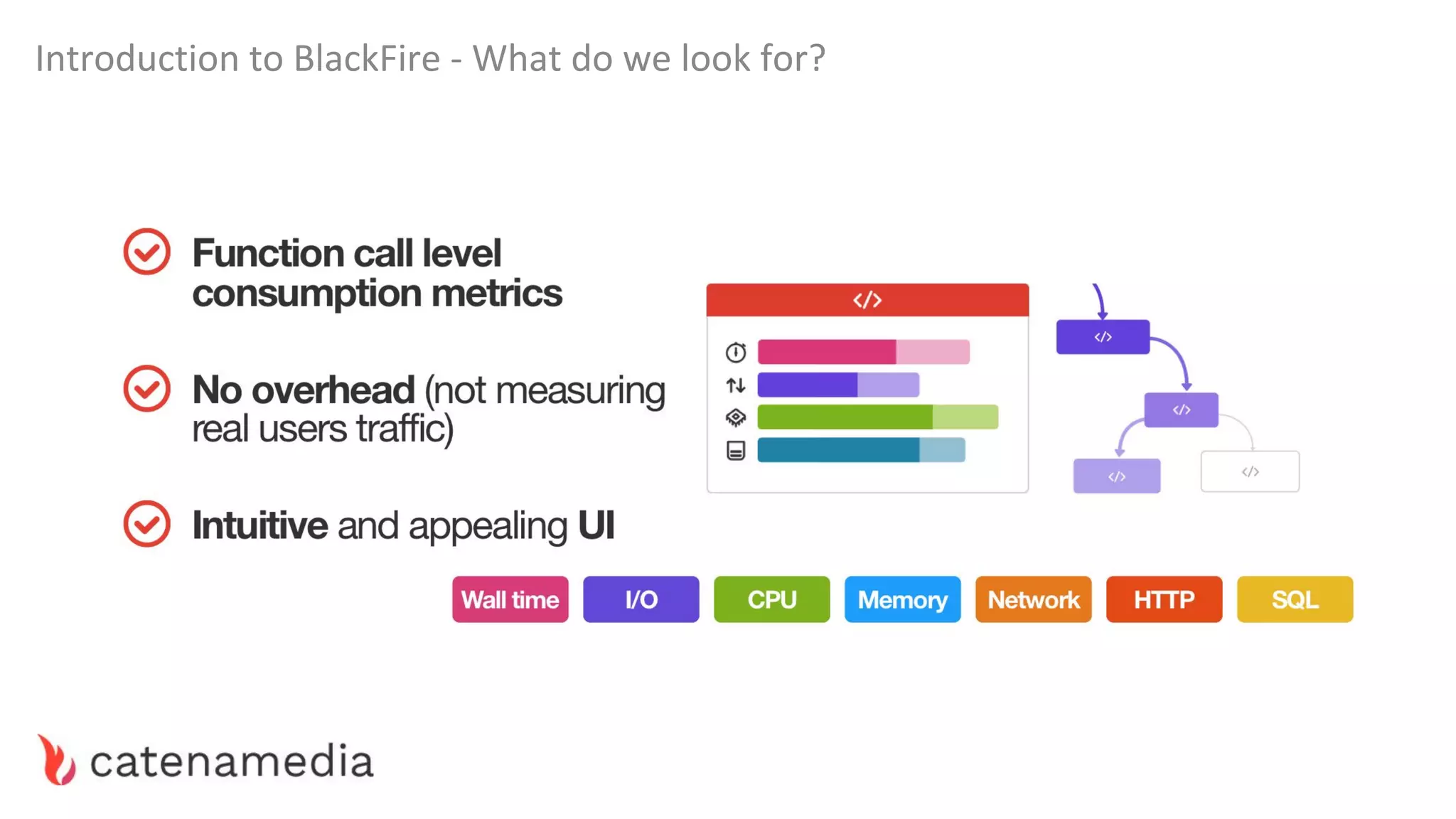
Introduction to BlackFire - What do we look for?
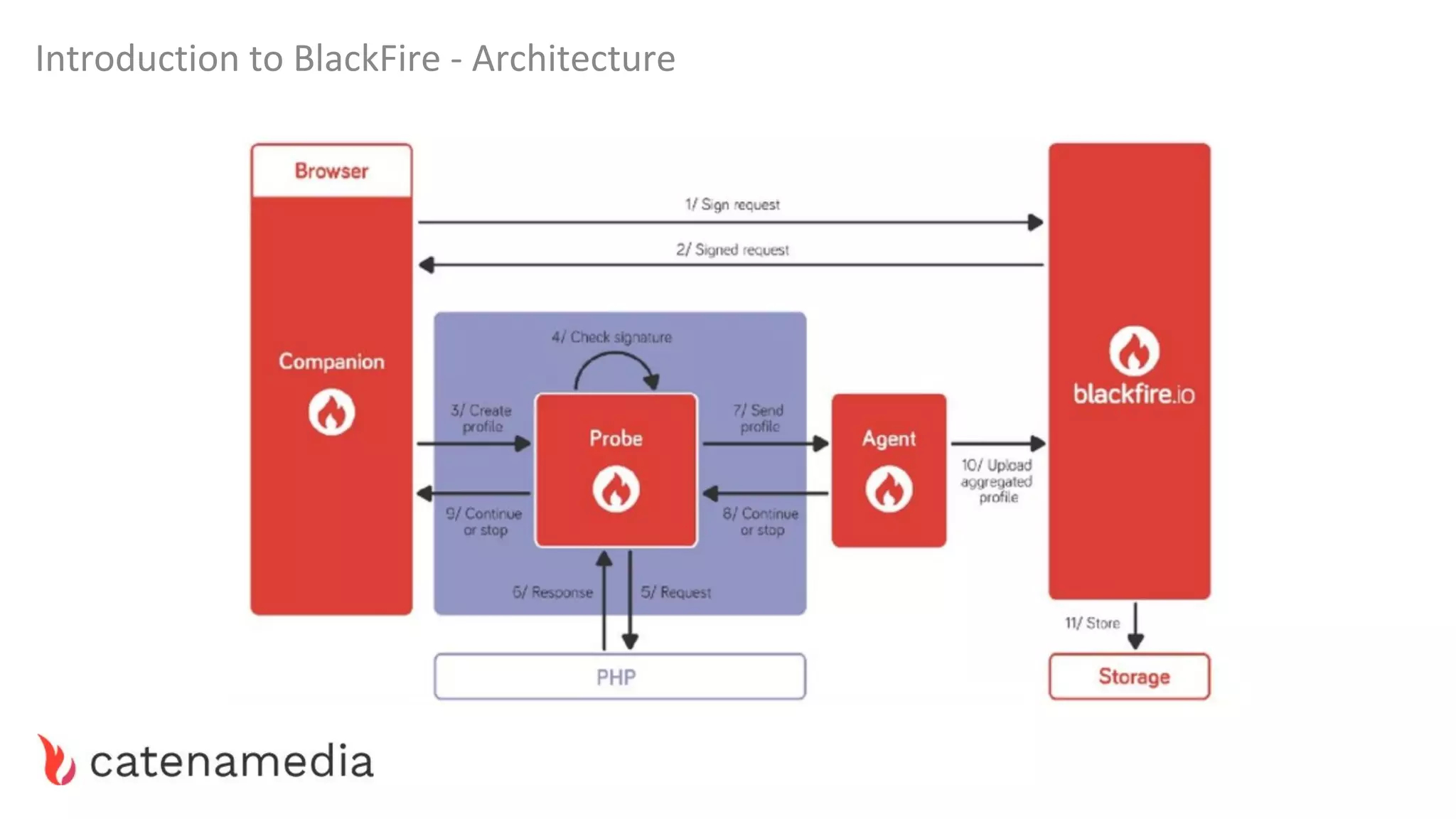
Introduction to BlackFire - Architecture
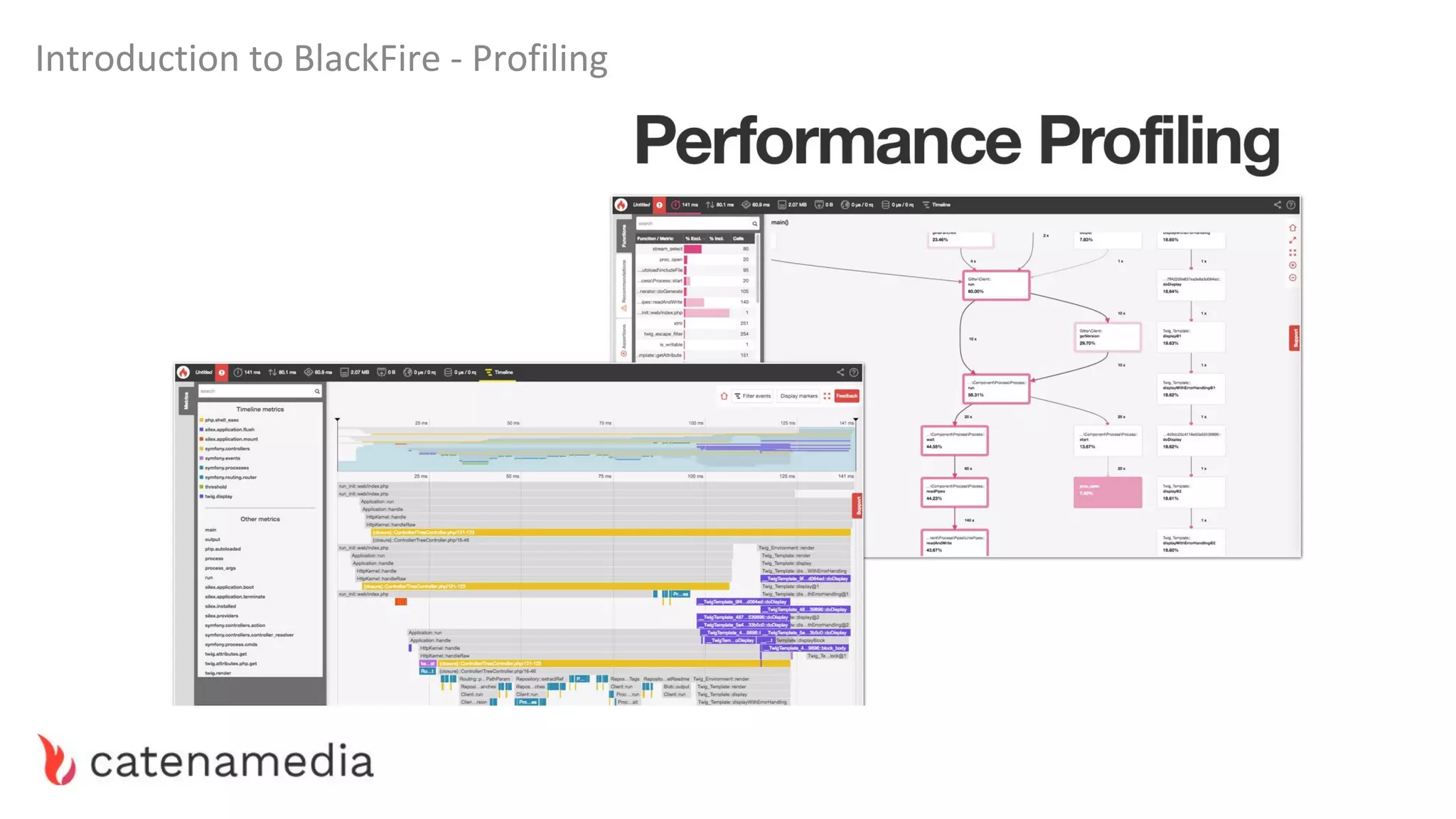
Introduction to BlackFire - Profiling
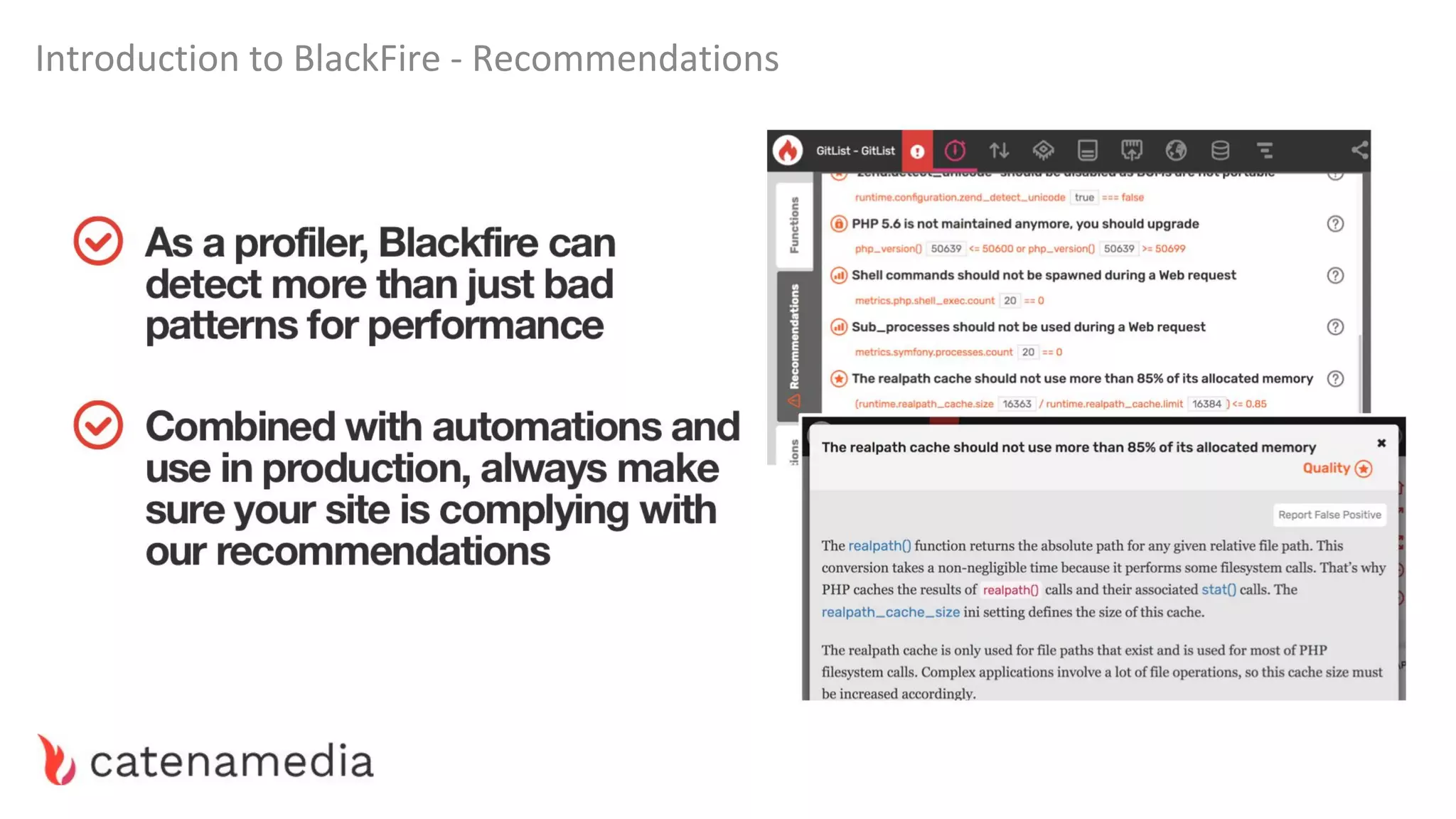
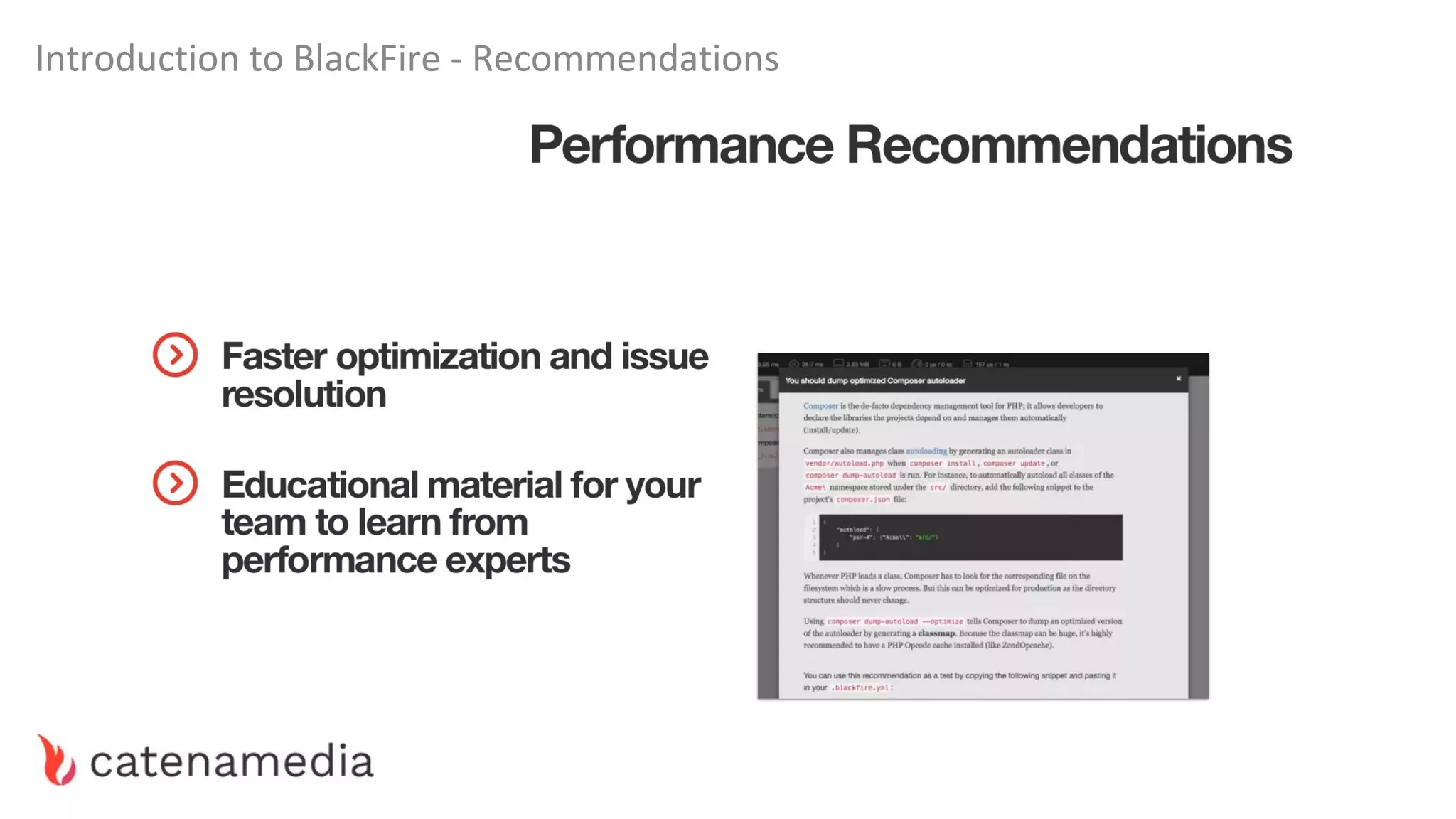
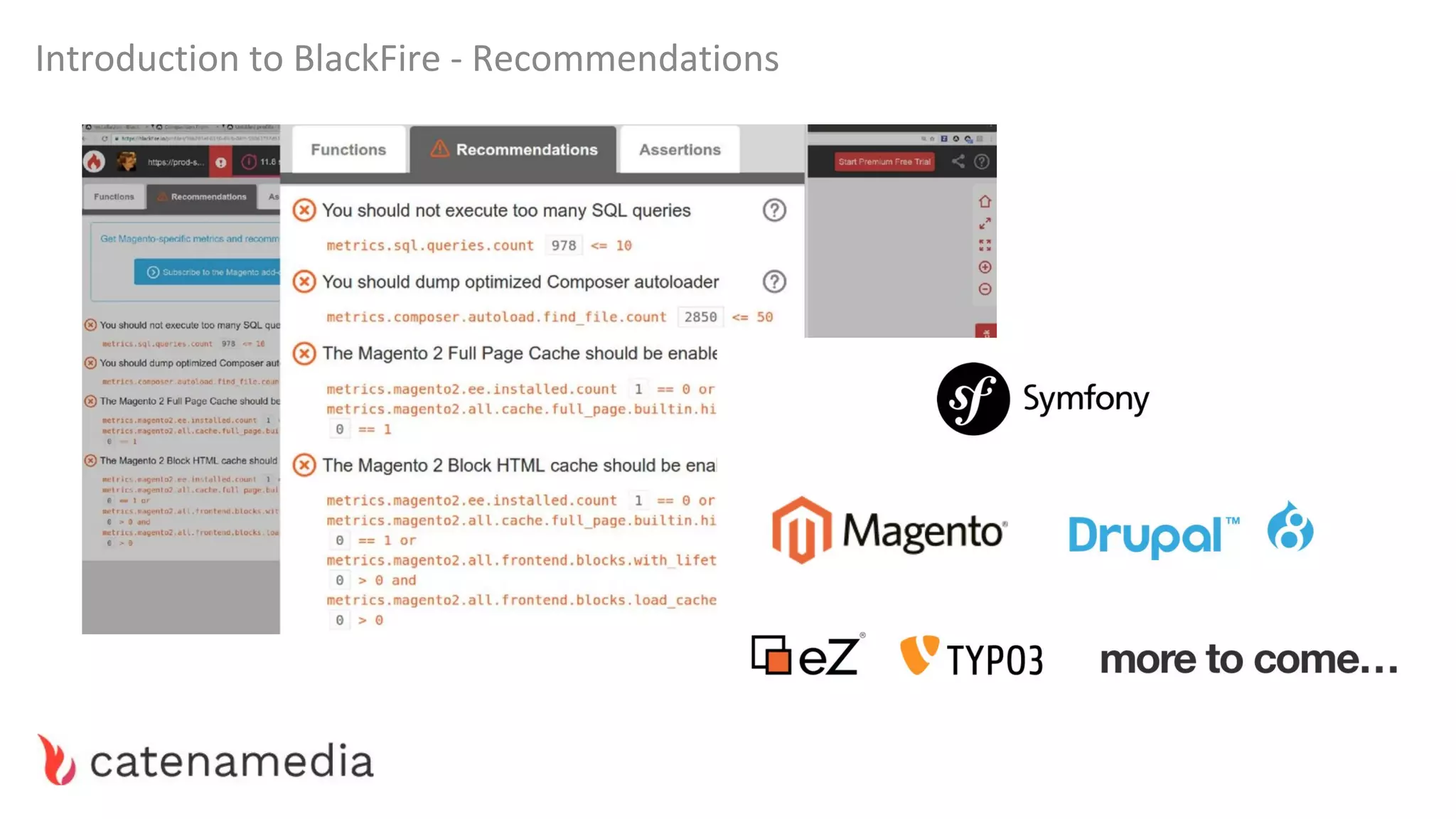
Introduction to BlackFire - Recommendations
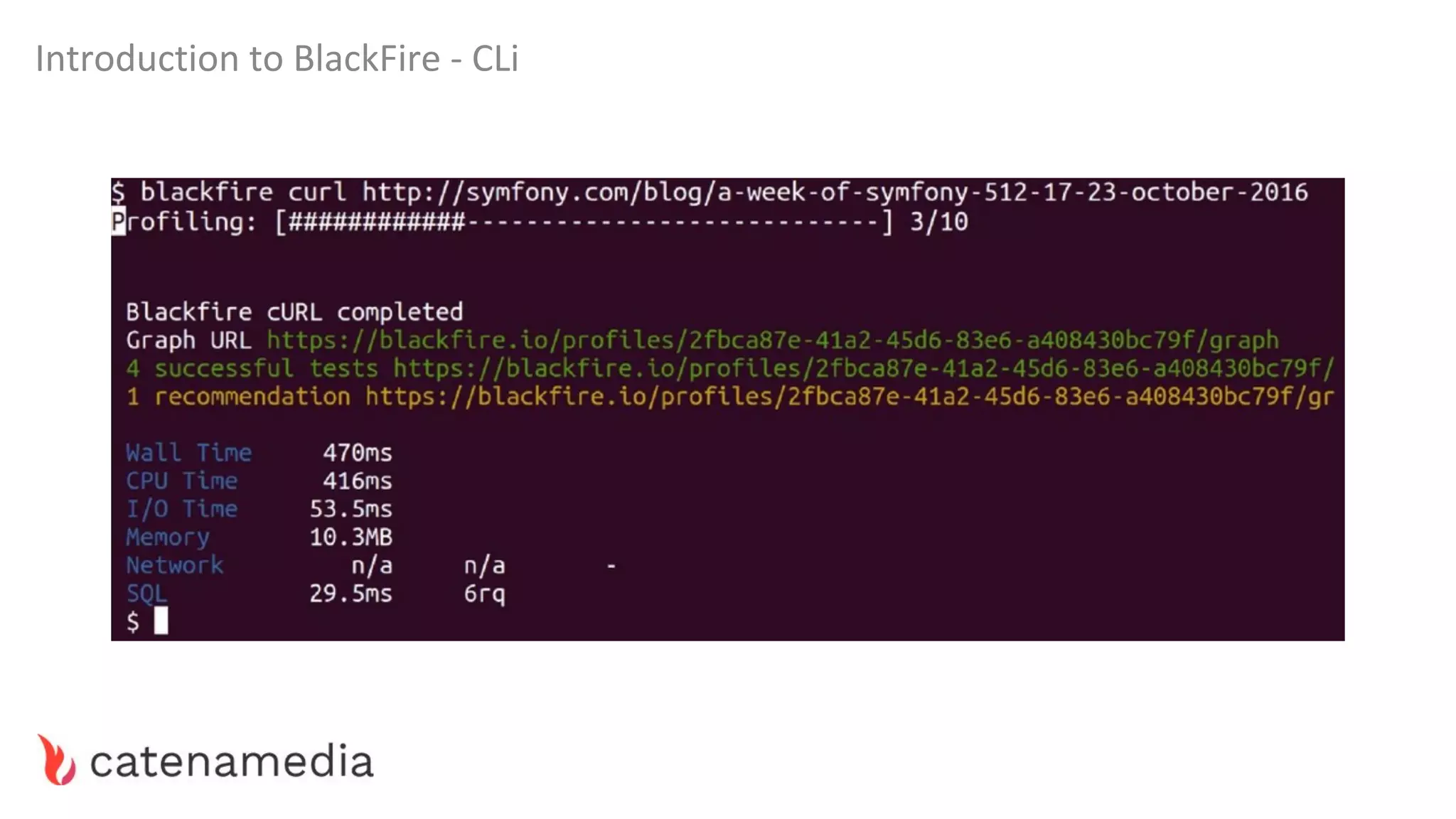
Introduction to BlackFire - CLi
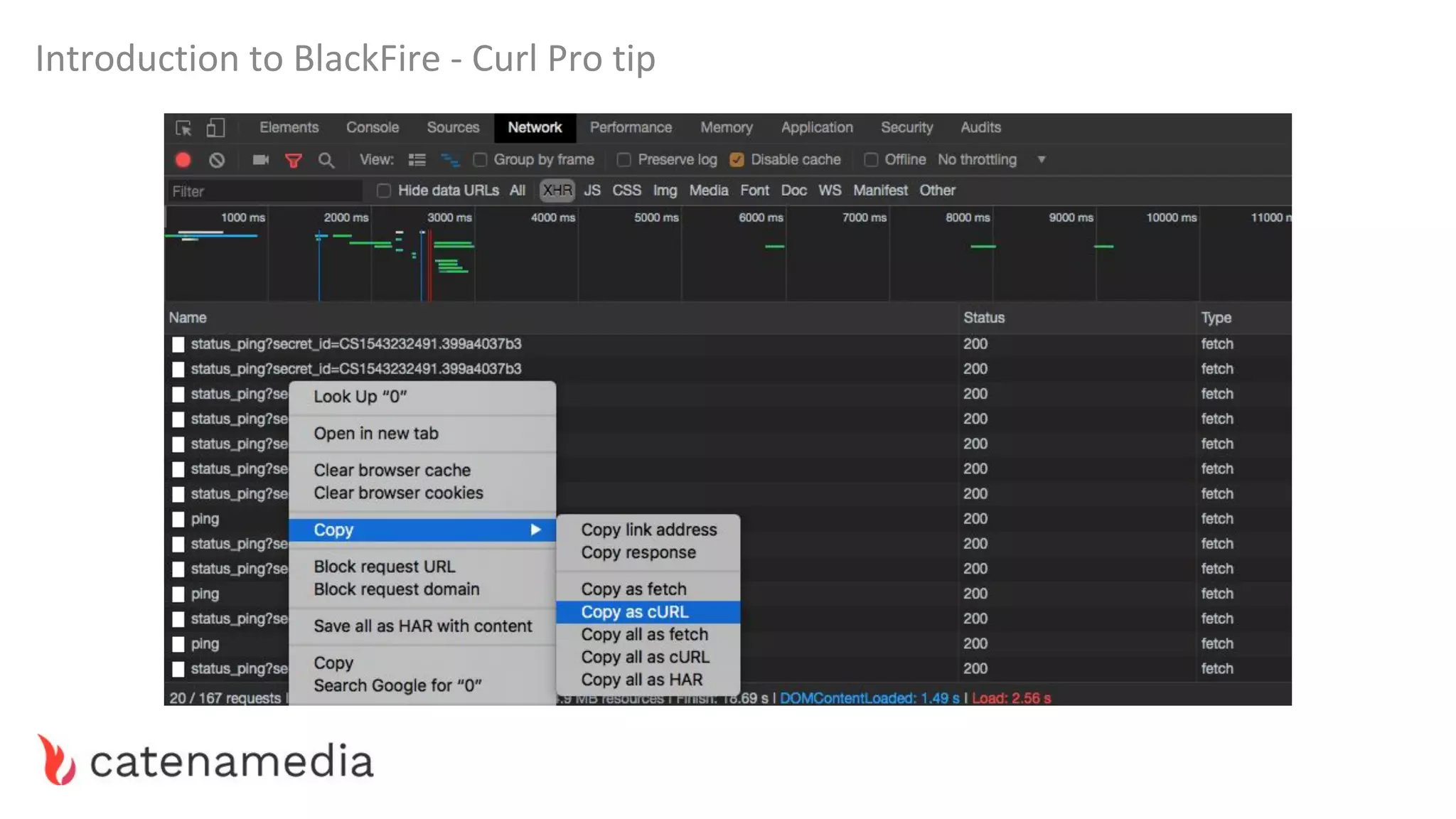
Introduction to BlackFire - Curl Pro tip
Improving performance is all
about optimizing resource usage
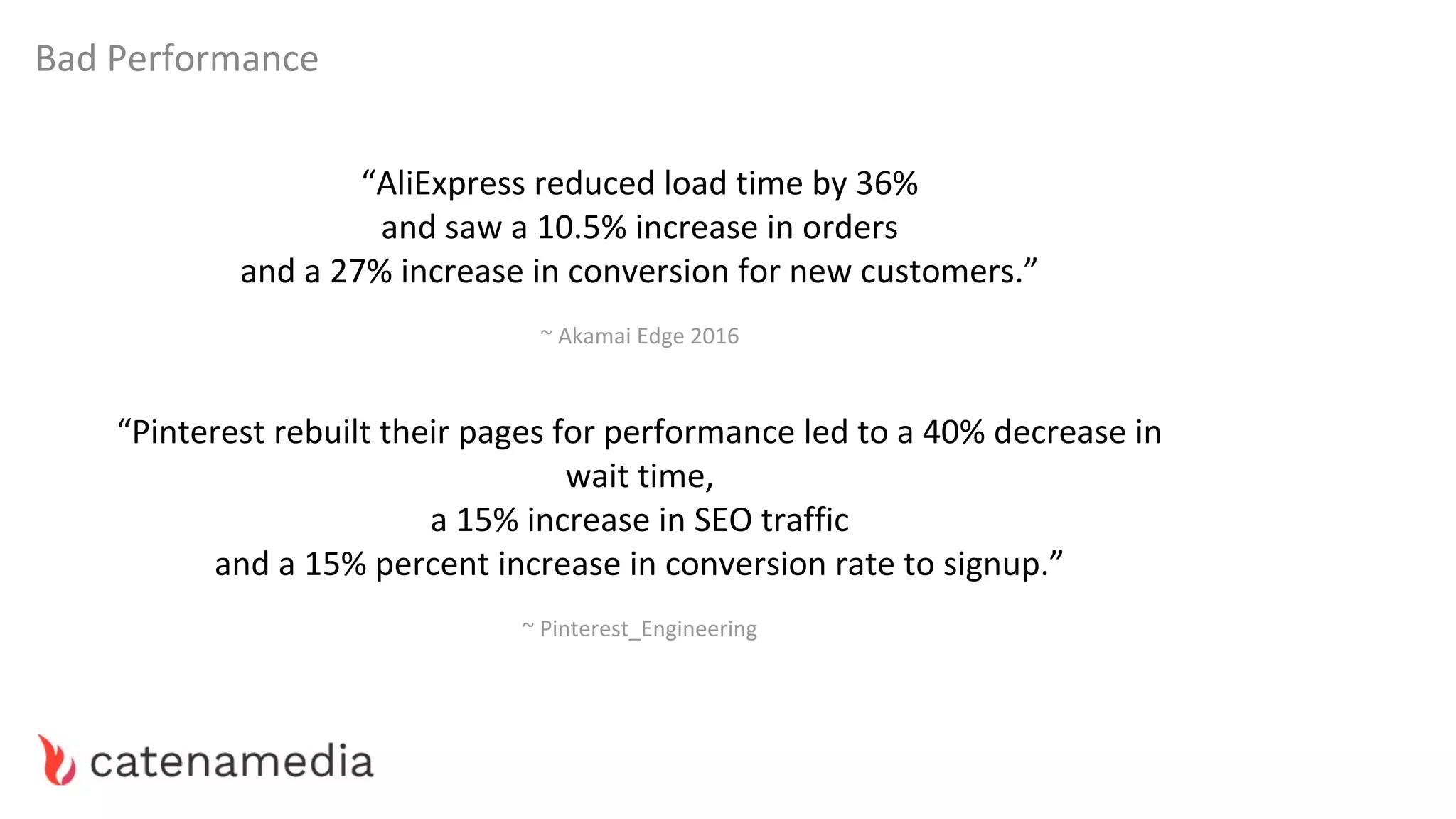
Bad Performance
“AliExpress reduced load time by 36%
and saw a 10.5% increase in orders
and a 27% increase in conversion for new customers.”
~ Akamai Edge 2016
“Pinterest rebuilt their pages for performance led to a 40% decrease in
wait time,
a 15% increase in SEO traffic
and a 15% percent increase in conversion rate to signup.”
~ Pinterest_Engineering
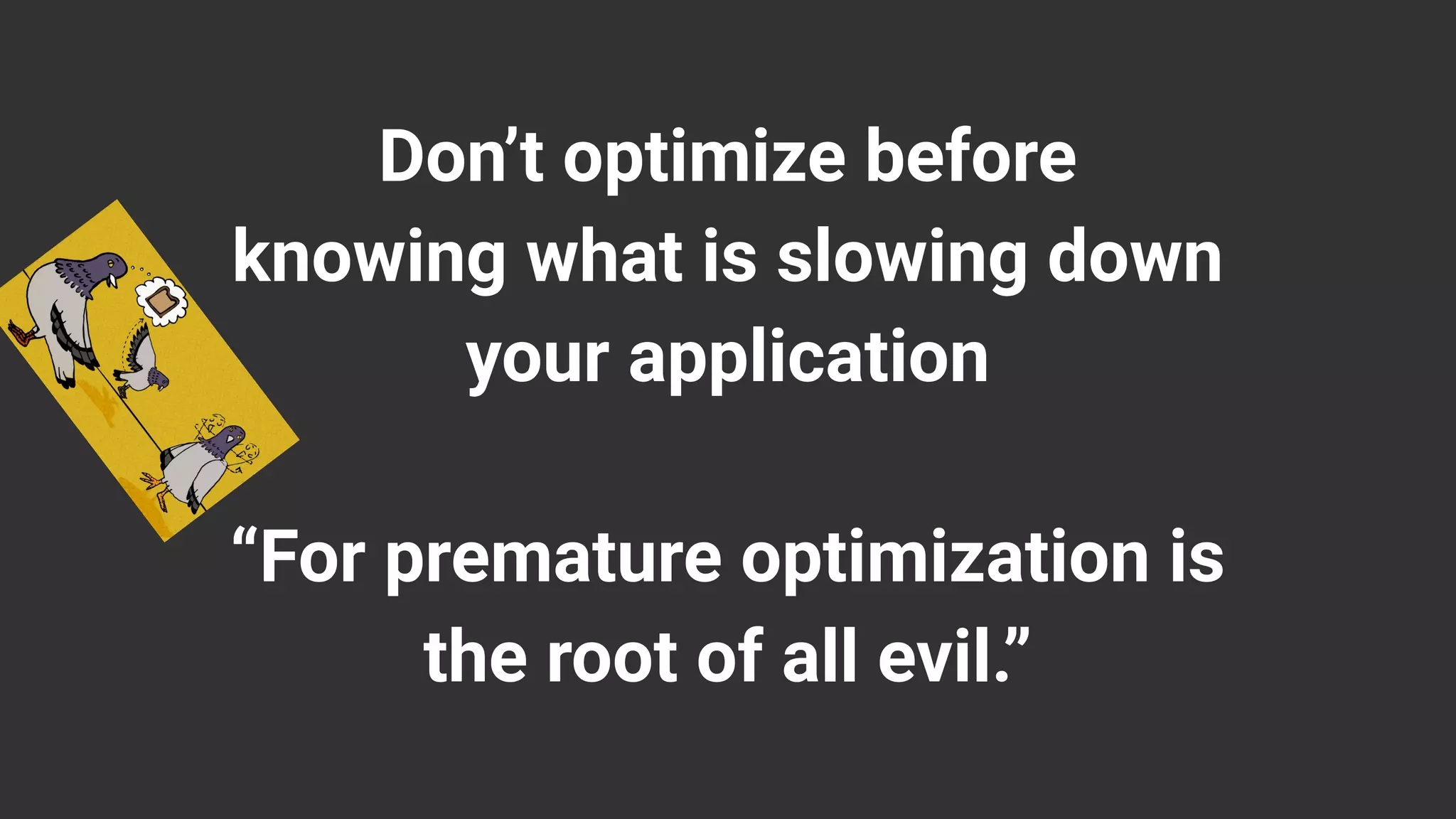
Don’t optimize before
knowing what is slowing down
your application
“For premature optimization is
the root of all evil.”
Introduction to Blackfire - Superstition
'SUPERSTITION' IN THE PIGEON
Bad Performance - Day-to-Day Profiling Methodology
1. Profile key pages
2. Start from the slowest ones
3. Compare and analyze profiles to spot differences and bottlenecks
4. Always look for the biggest (solvable) bottleneck
5. Not all bottlenecks should be solved, sometimes they are the price of business
Bad Performance - Price of Business
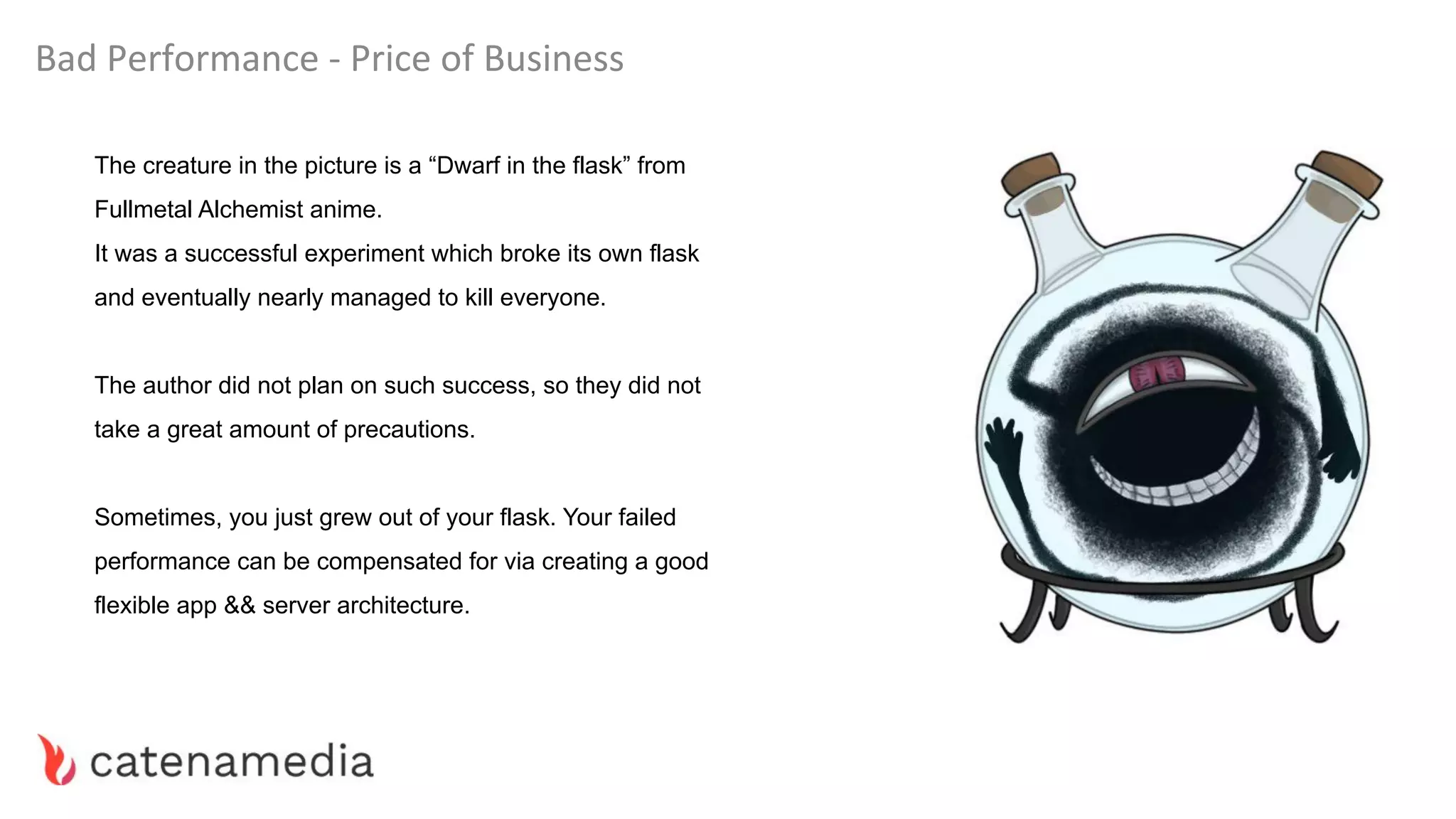
The creature in the picture is a “Dwarf in the flask” from
Fullmetal Alchemist anime.
It was a successful experiment which broke its own flask
and eventually nearly managed to kill everyone.
The author did not plan on such success, so they did not
take a great amount of precautions.
Sometimes, you just grew out of your flask. Your failed
performance can be compensated for via creating a good
flexible app && server architecture.
Bad Performance - Price of Business
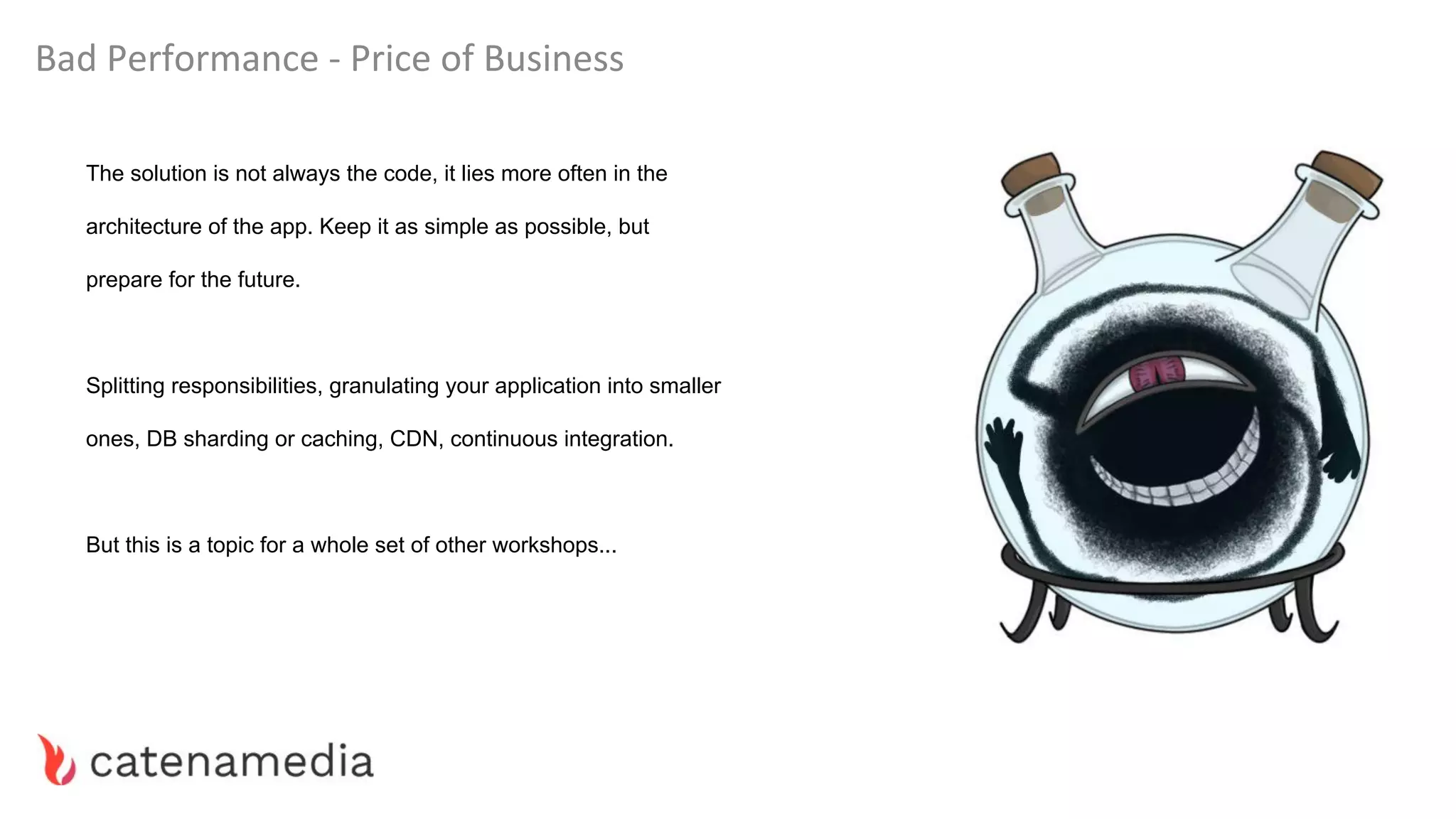
The solution is not always the code, it lies more often in the
architecture of the app. Keep it as simple as possible, but
prepare for the future.
Splitting responsibilities, granulating your application into smaller
ones, DB sharding or caching, CDN, continuous integration.
But this is a topic for a whole set of other workshops...
Case Study
Our Case Study - Database - Heavy Queries
When faced with a really heavy query, there is usually not much you can do.
Sometimes you can do better indexing, optimize joins, even do some caching.
40k Client entities in total
Sort and extract top 10. Based on a complex set of requirements.
Symfony 3.4 | MongoDB 3.3 | Doctrine ODM
Query Took ~6.2 seconds to complete.
On each non-cached load of this page.
Our Case Study - Database - Heavy Queries
The business logic is what it is, you can’t make it simpler because it suits you.
What you would usually do is start optimizing the query. Indexing, making joins when
possible etc.
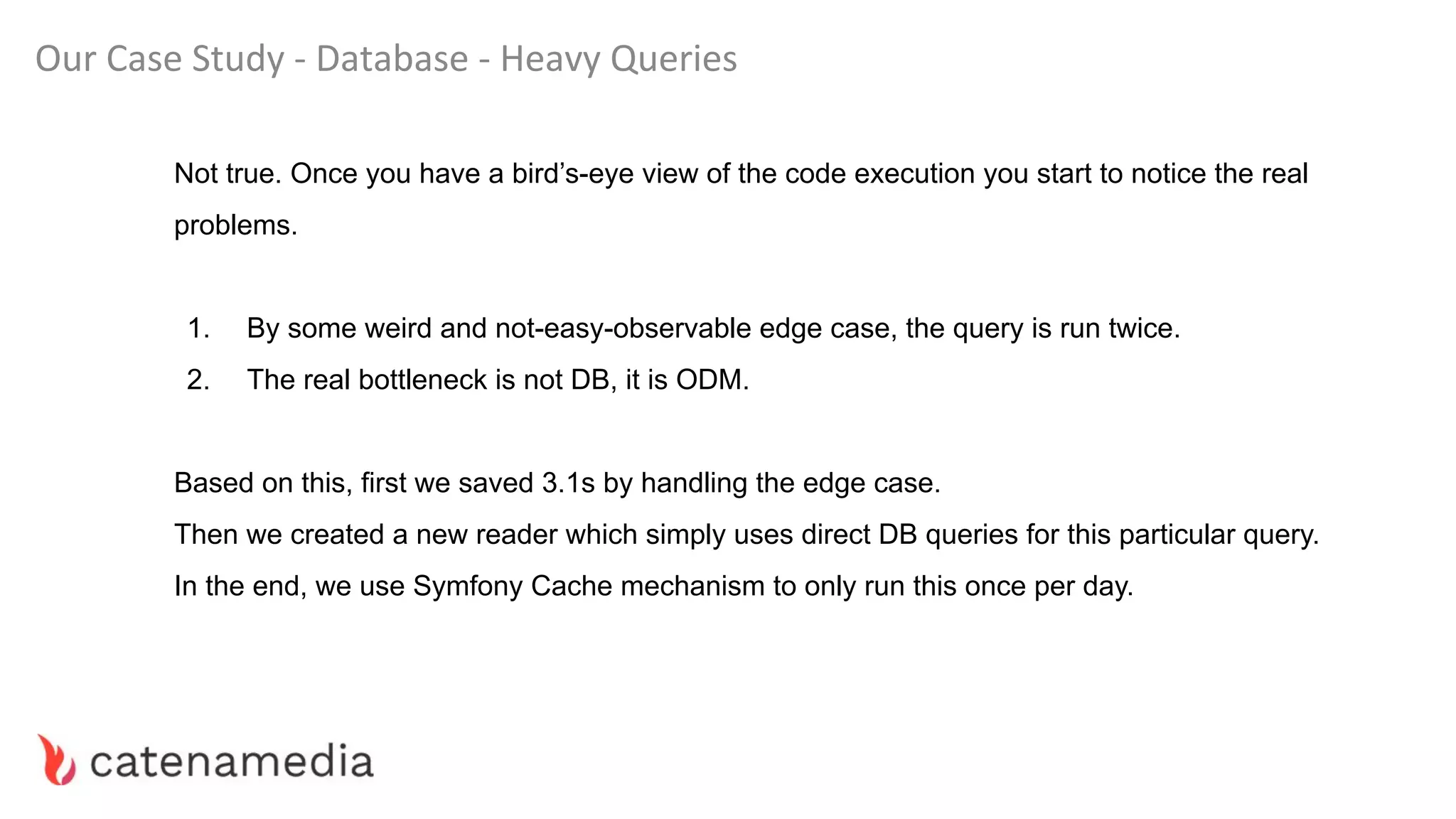
But in this case all of that was already done by the previous team…
So, it seems that no code could be improved.
Our Case Study - Database - Heavy Queries
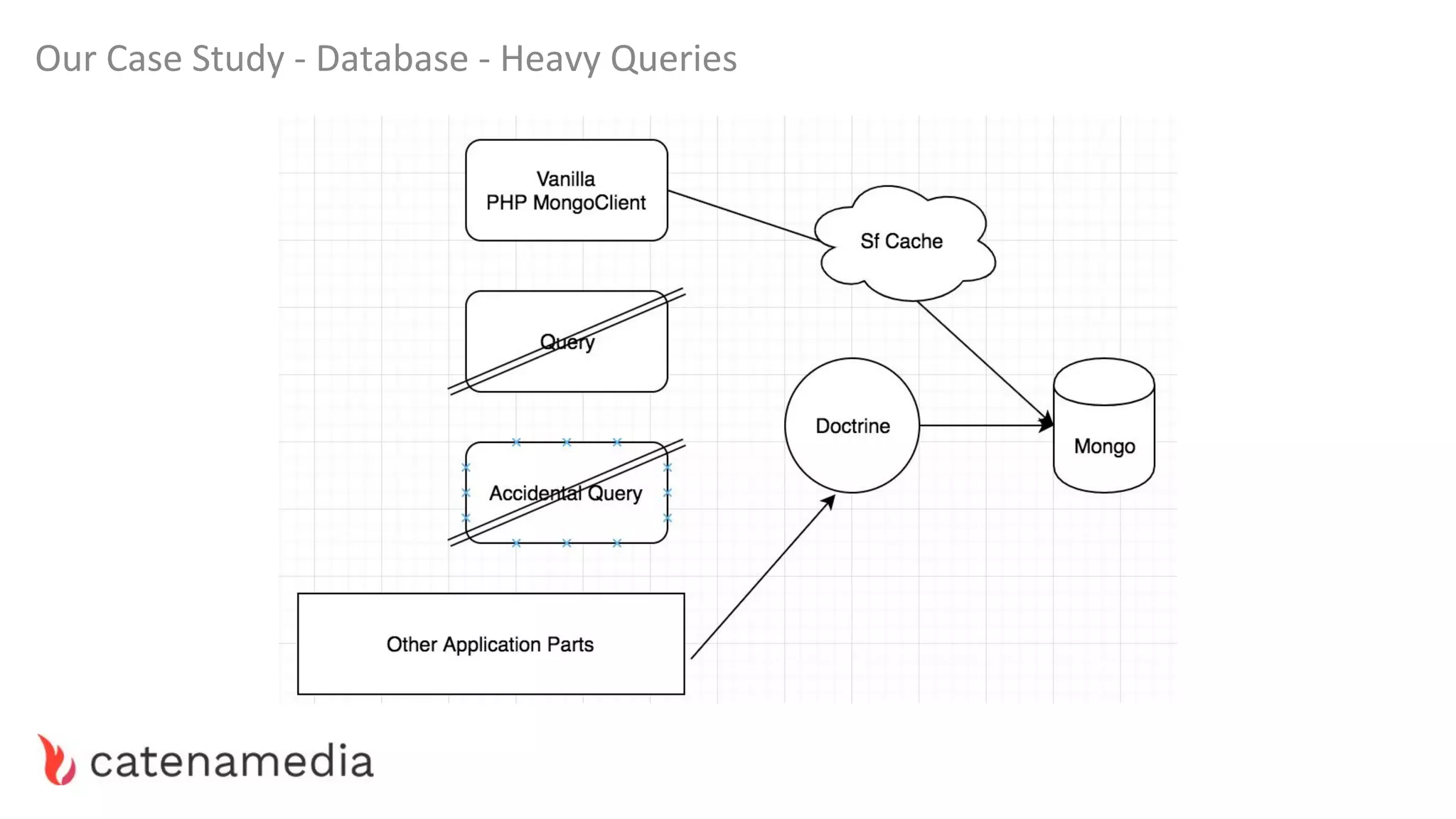
Not true. Once you have a bird’s-eye view of the code execution you start to notice the real
problems.
1. By some weird and not-easy-observable edge case, the query is run twice.
2. The real bottleneck is not DB, it is ODM.
Based on this, first we saved 3.1s by handling the edge case.
Then we created a new reader which simply uses direct DB queries for this particular query.
In the end, we use Symfony Cache mechanism to only run this once per day.
Our Case Study - Database - Heavy Queries
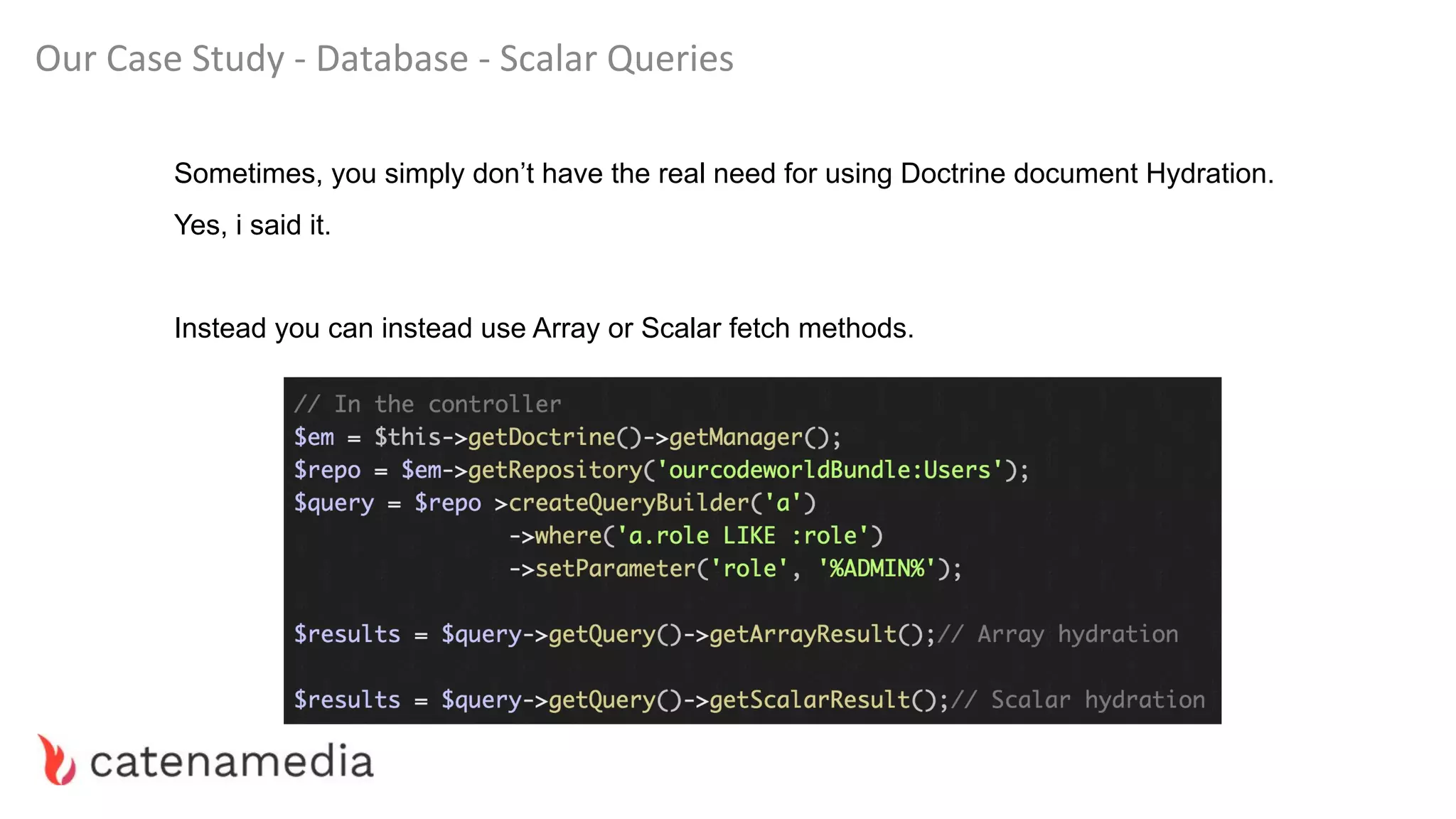
Our Case Study - Database - Scalar Queries
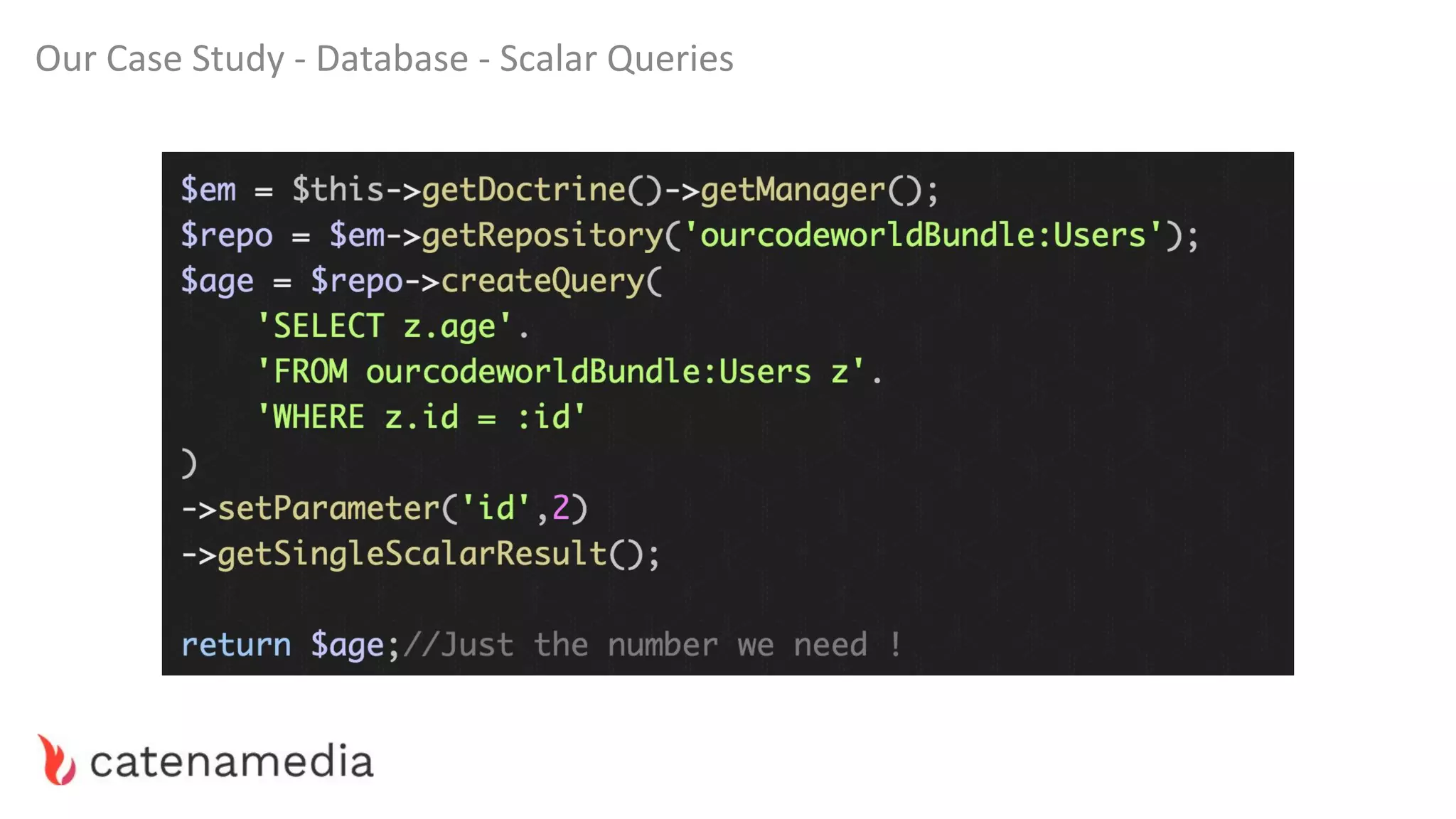
Sometimes, you simply don’t have the real need for using Doctrine document Hydration.
Yes, i said it.
Instead you can instead use Array or Scalar fetch methods.
Our Case Study - Database - Scalar Queries
Our Case Study - Database - Transaction Number
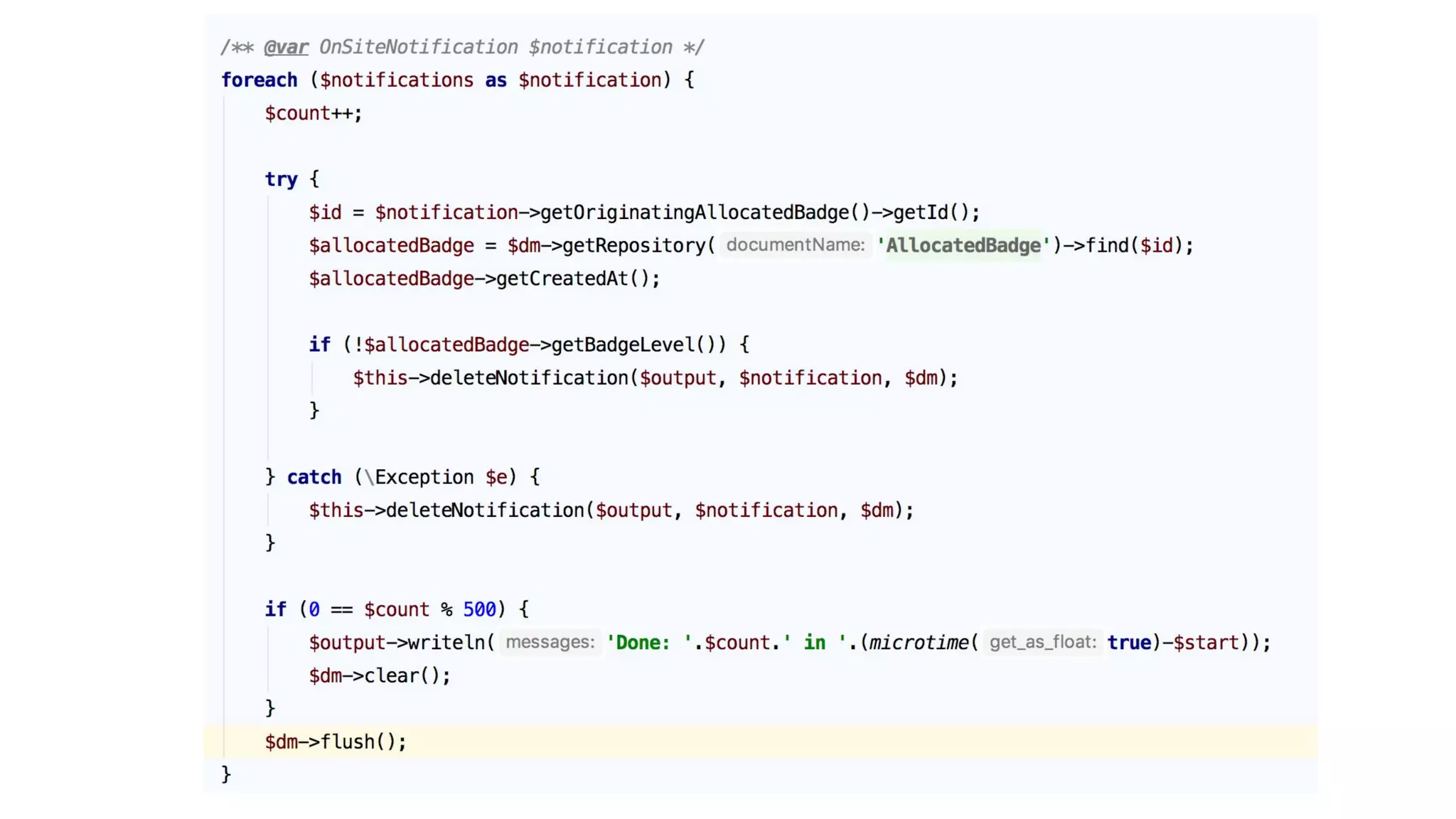
What is little known to developers who have never worked dealt withSQL directly is the
ability to prepare changes and trigger a DB transaction at a specific time.
In doctrine it’s called a flush().
All the changes that you make on entities are only saved to the database once you call the
flush method.
This is a double edged sword...
Our Case Study - Database - Transaction Number
Never flush within a loop.
Unless..
Our Case Study - Database - Transaction Number
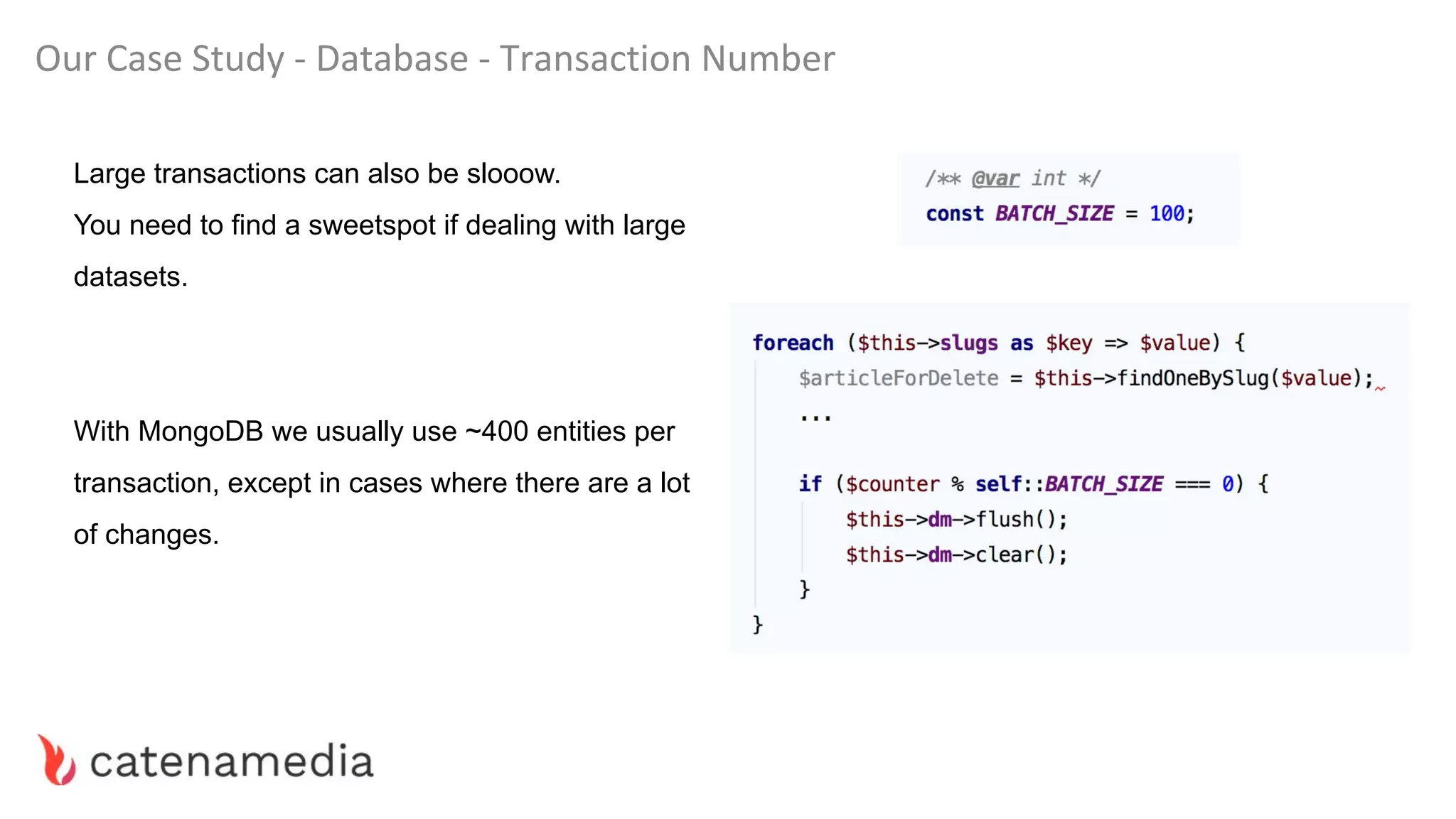
Large transactions can also be slooow.
You need to find a sweetspot if dealing with large
datasets.
With MongoDB we usually use ~400 entities per
transaction, except in cases where there are a lot
of changes.
Our Case Study - Database - Multi Updates
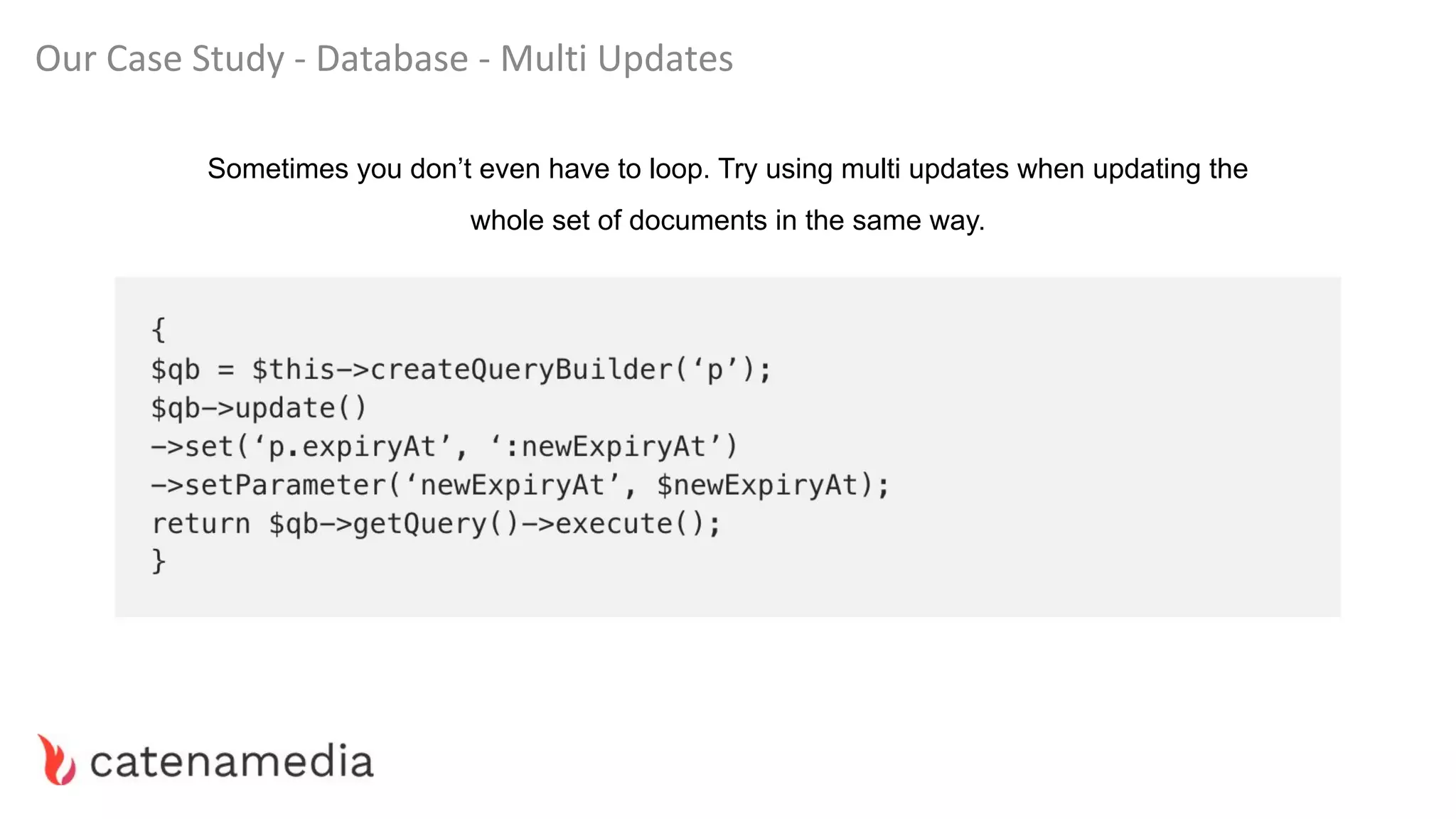
Sometimes you don’t even have to loop. Try using multi updates when updating the
whole set of documents in the same way.
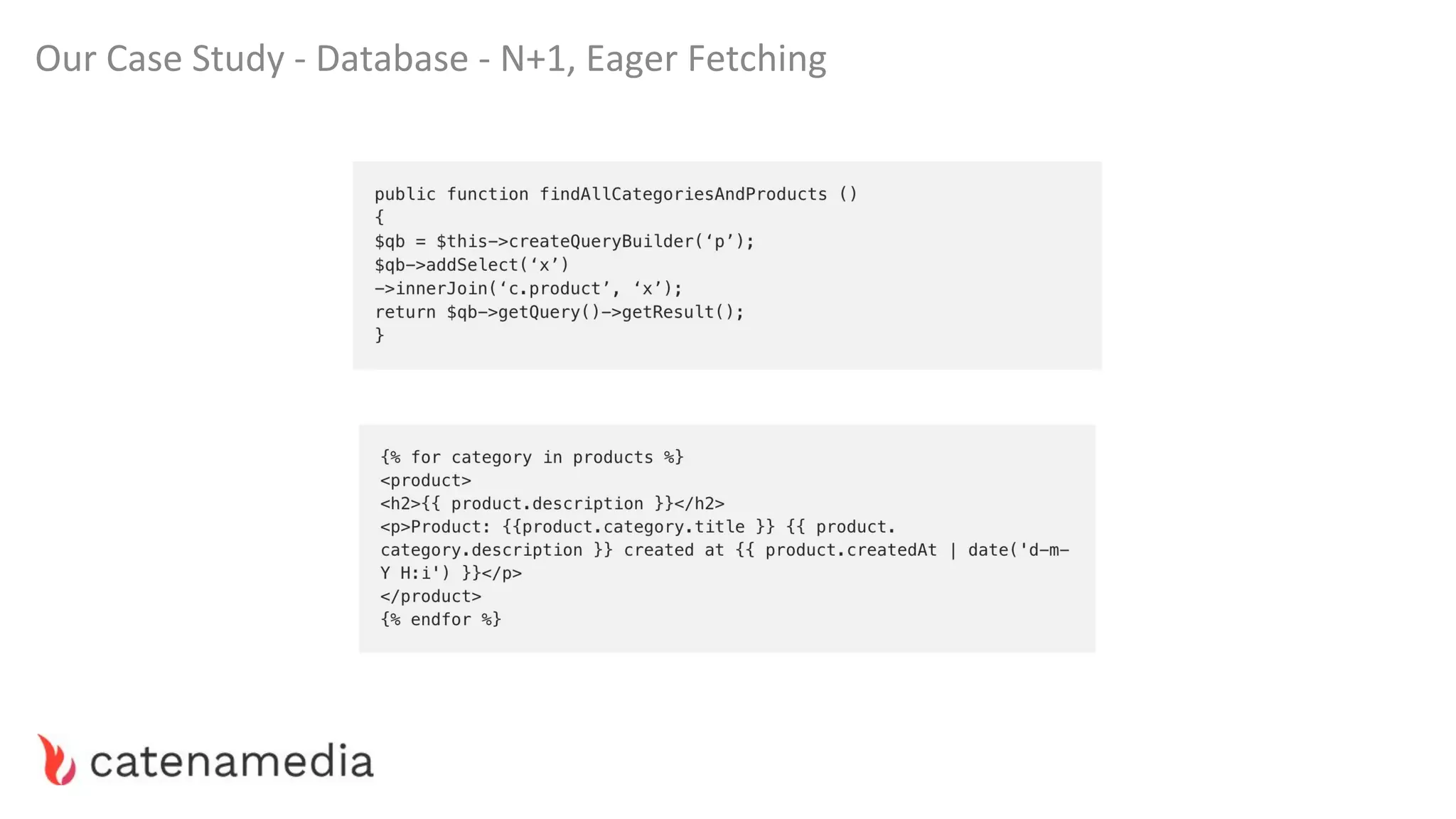
Our Case Study - Database - N+1, Eager Fetching
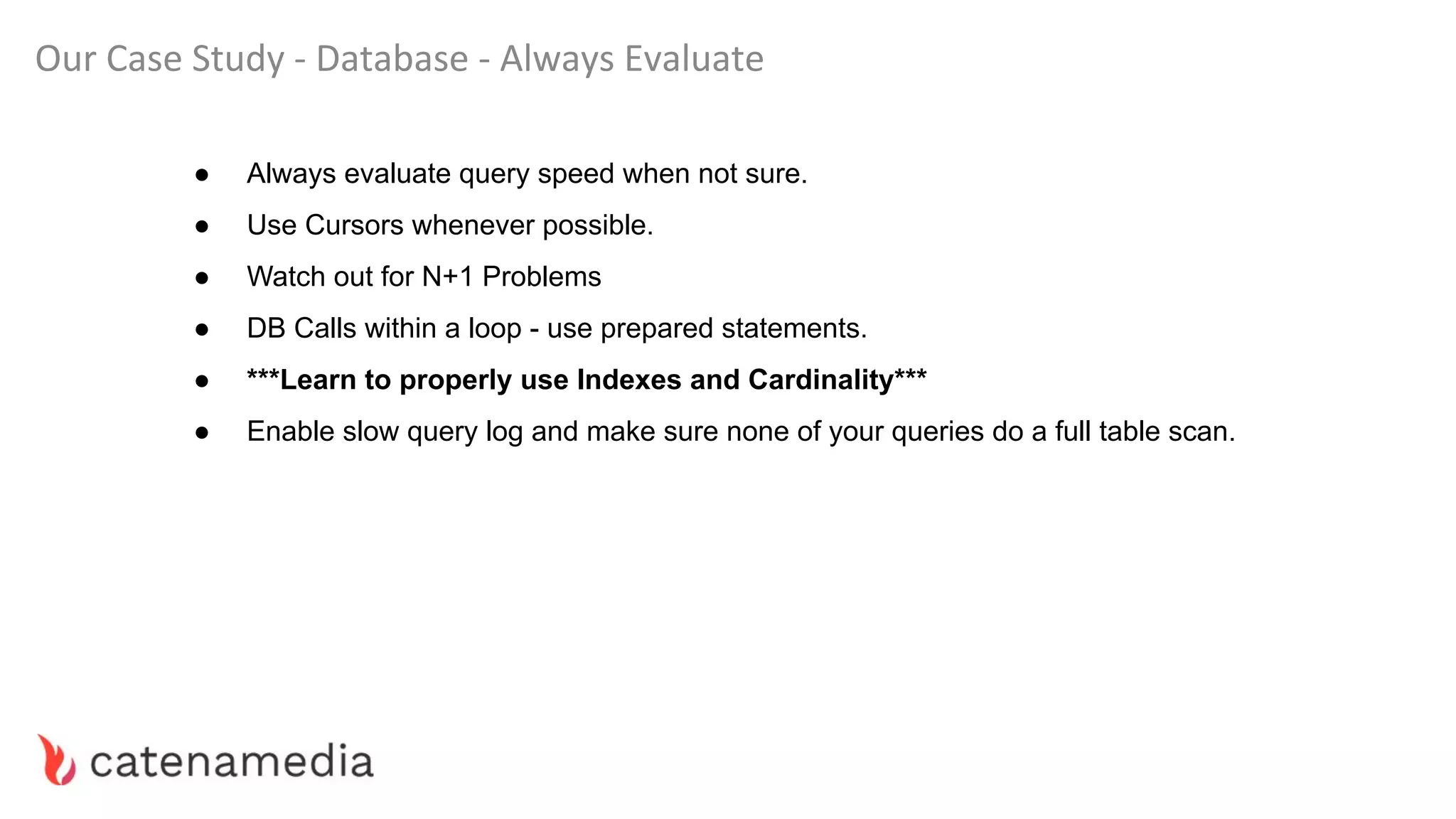
Our Case Study - Database - Always Evaluate
● Always evaluate query speed when not sure.
● Use Cursors whenever possible.
● Watch out for N+1 Problems
● DB Calls within a loop - use prepared statements.
● ***Learn to properly use Indexes and Cardinality***
● Enable slow query log and make sure none of your queries do a full table scan.
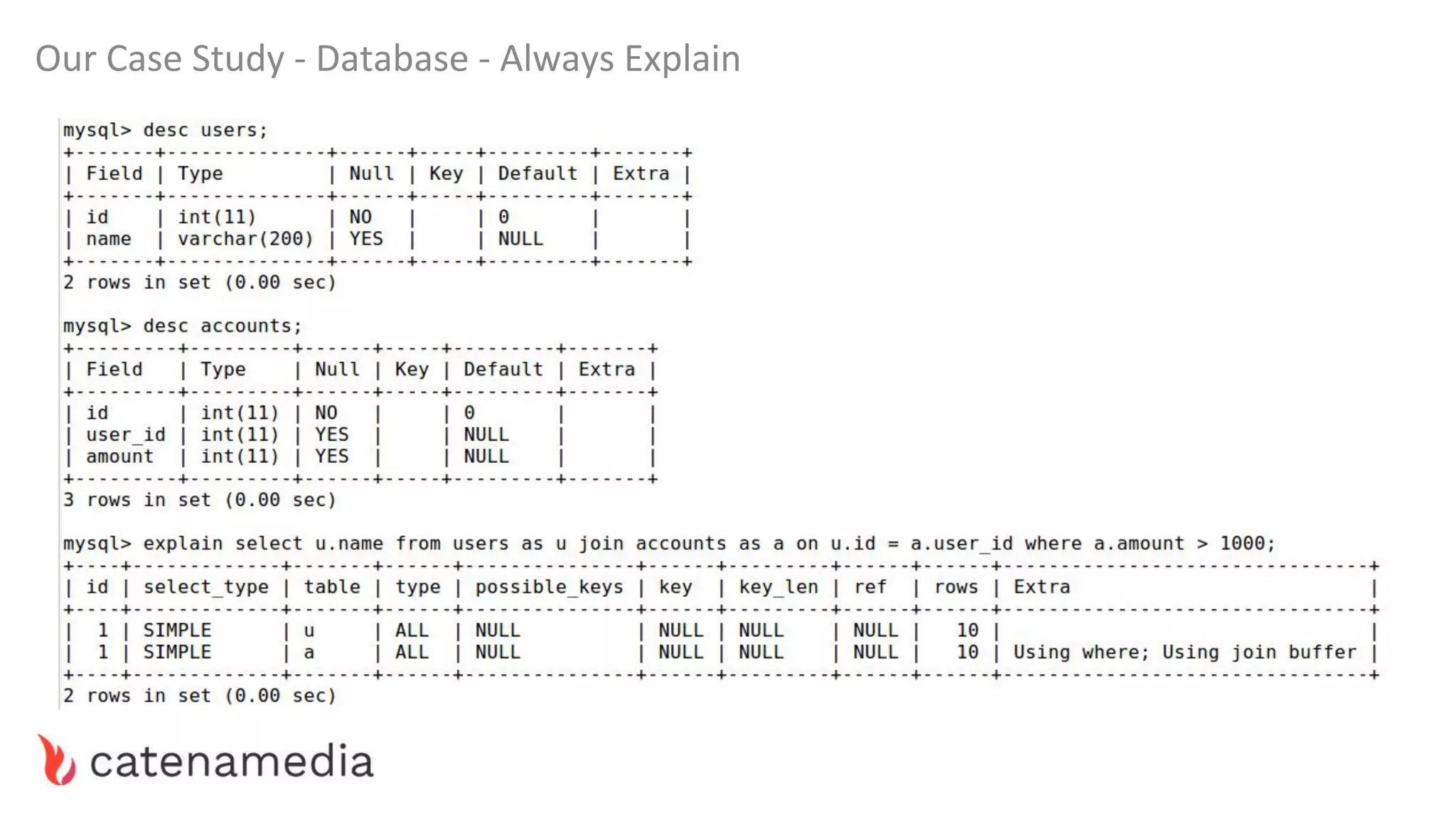
Our Case Study - Database - Always Explain
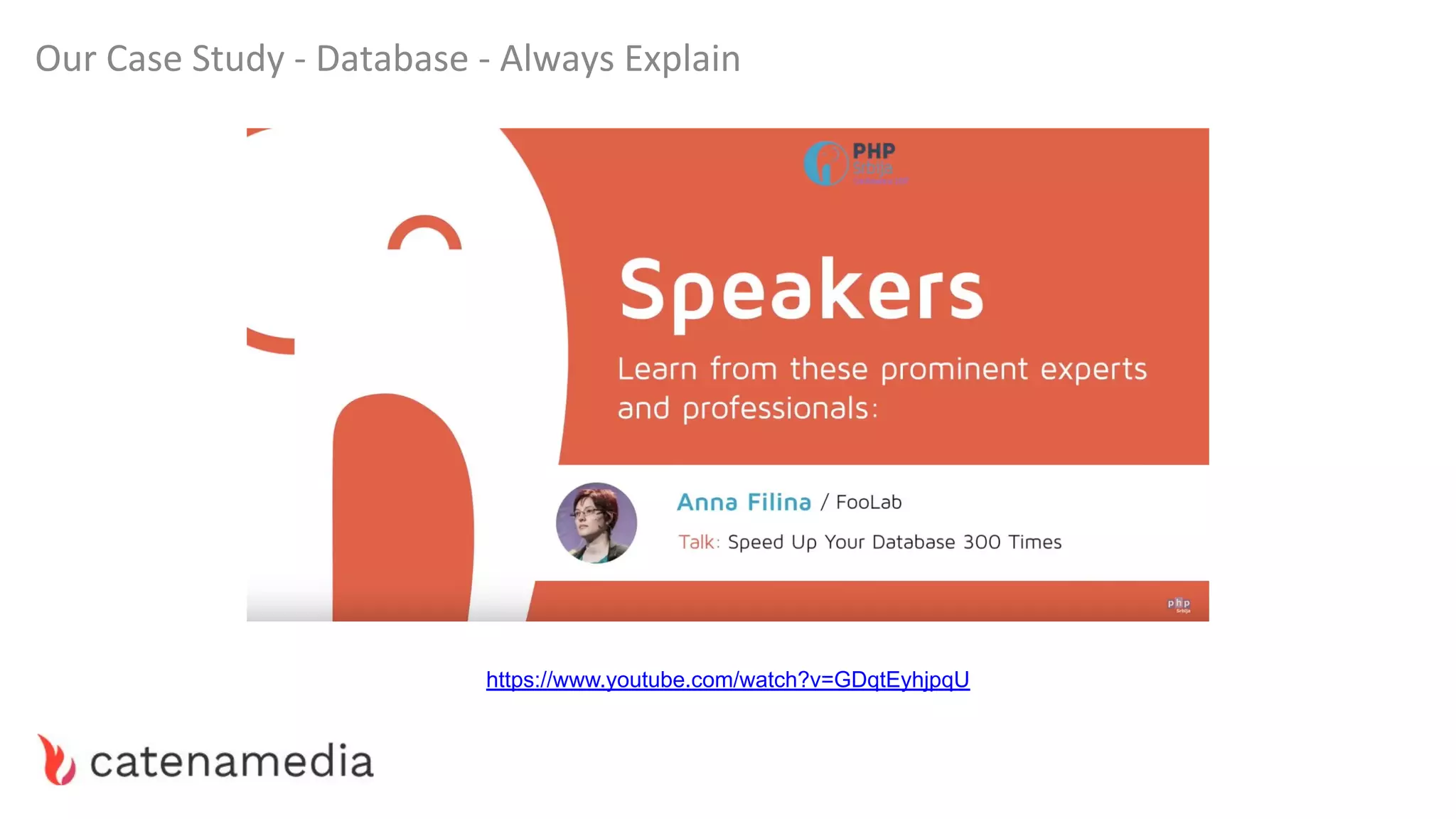
https://www.youtube.com/watch?v=GDqtEyhjpqU
Our Case Study - Database - Volume
If all else is done but you still have a problem with the volume of work (user visits, queries) it
might be time to start researching scaling techniques. (remember our Dwarf in the flask?)
Usually in these applications the same bottlenecks remain present.
Research database sharding, replication and DB caching layer.
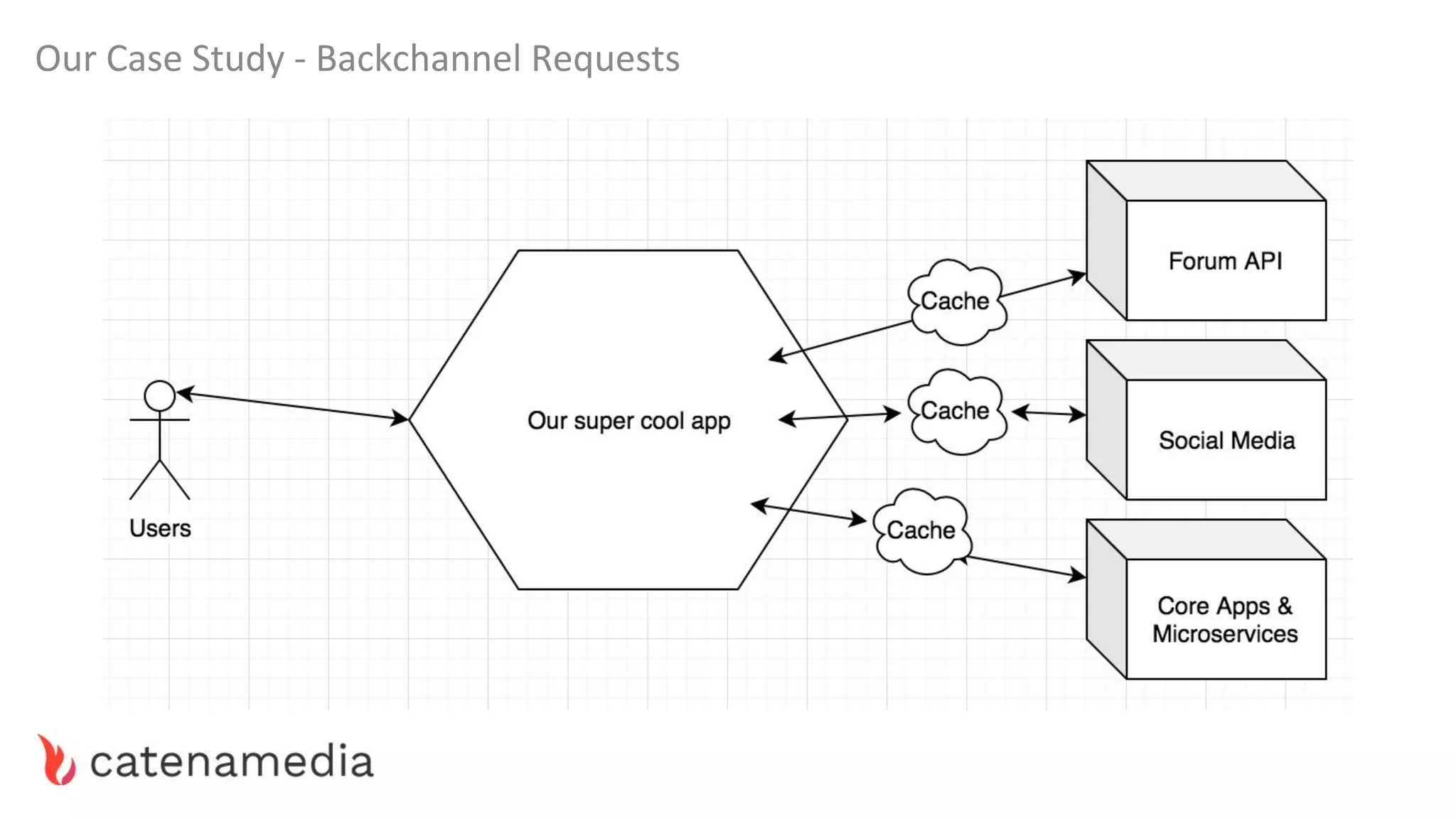
Our Case Study - Backchannel Requests
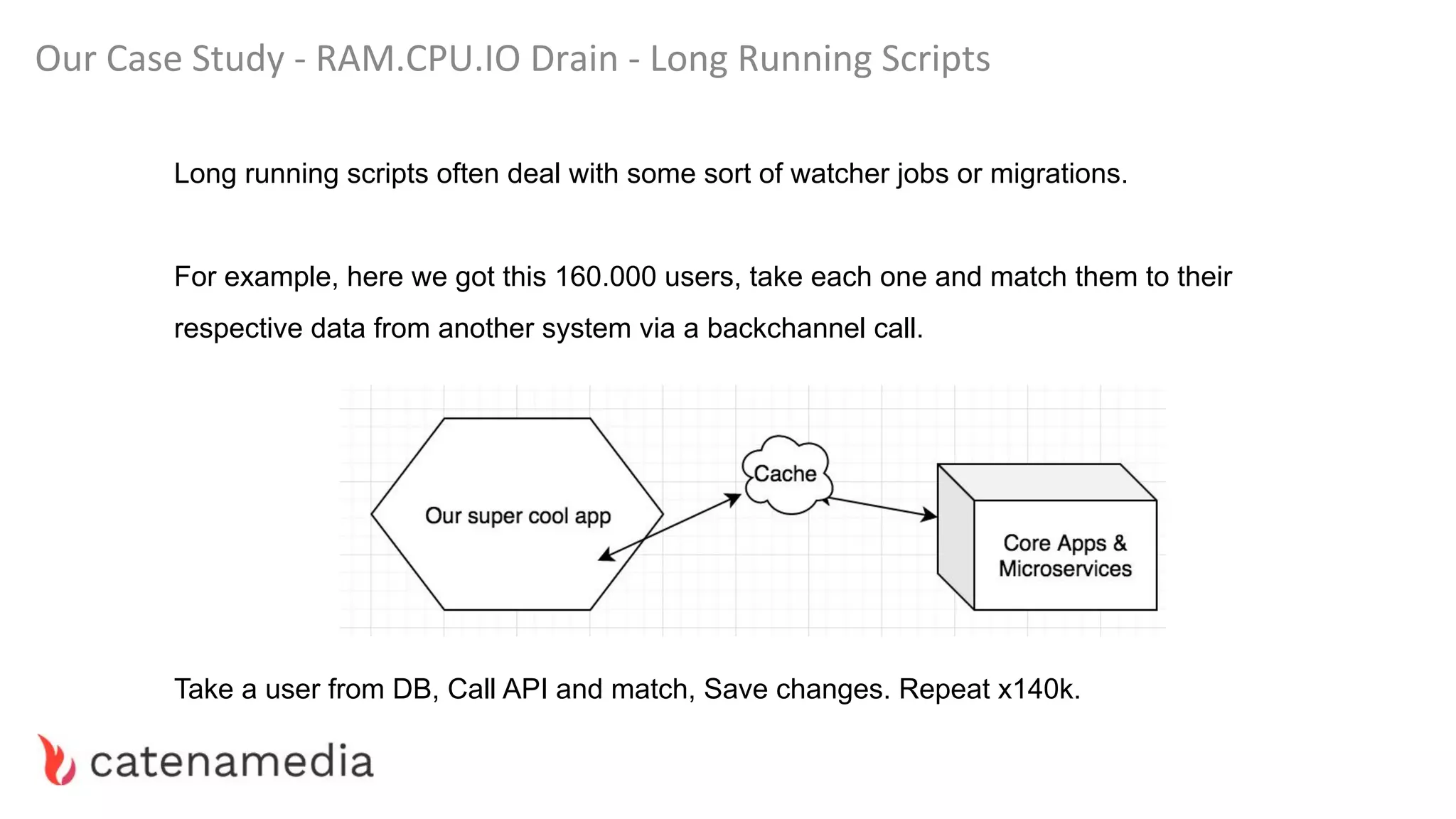
Our Case Study - RAM.CPU.IO Drain - Long Running Scripts
Long running scripts often deal with some sort of watcher jobs or migrations.
For example, here we got this 160.000 users, take each one and match them to their
respective data from another system via a backchannel call.
Take a user from DB, Call API and match, Save changes. Repeat x140k.
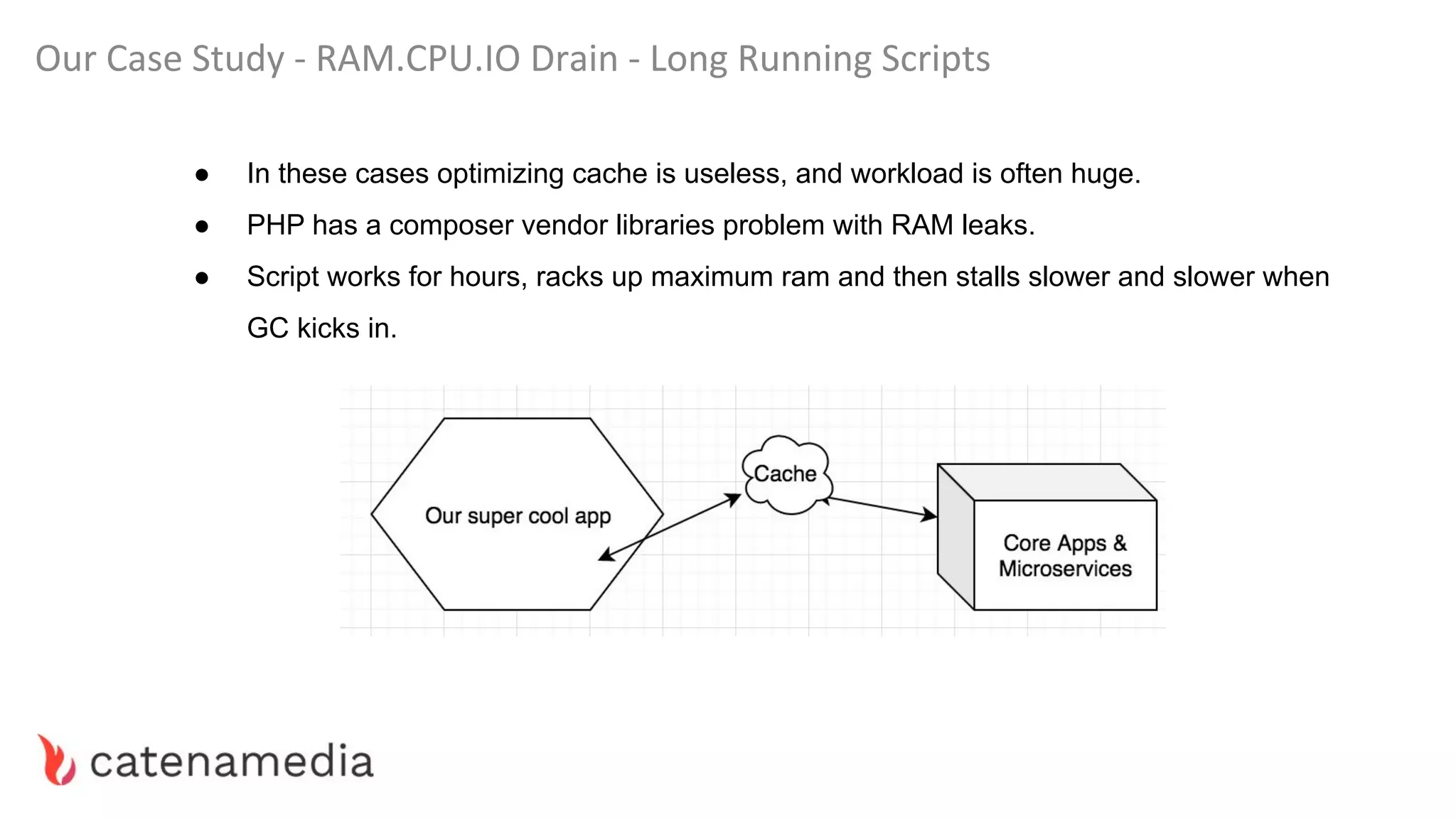
Our Case Study - RAM.CPU.IO Drain - Long Running Scripts
● In these cases optimizing cache is useless, and workload is often huge.
● PHP has a composer vendor libraries problem with RAM leaks.
● Script works for hours, racks up maximum ram and then stalls slower and slower when
GC kicks in.
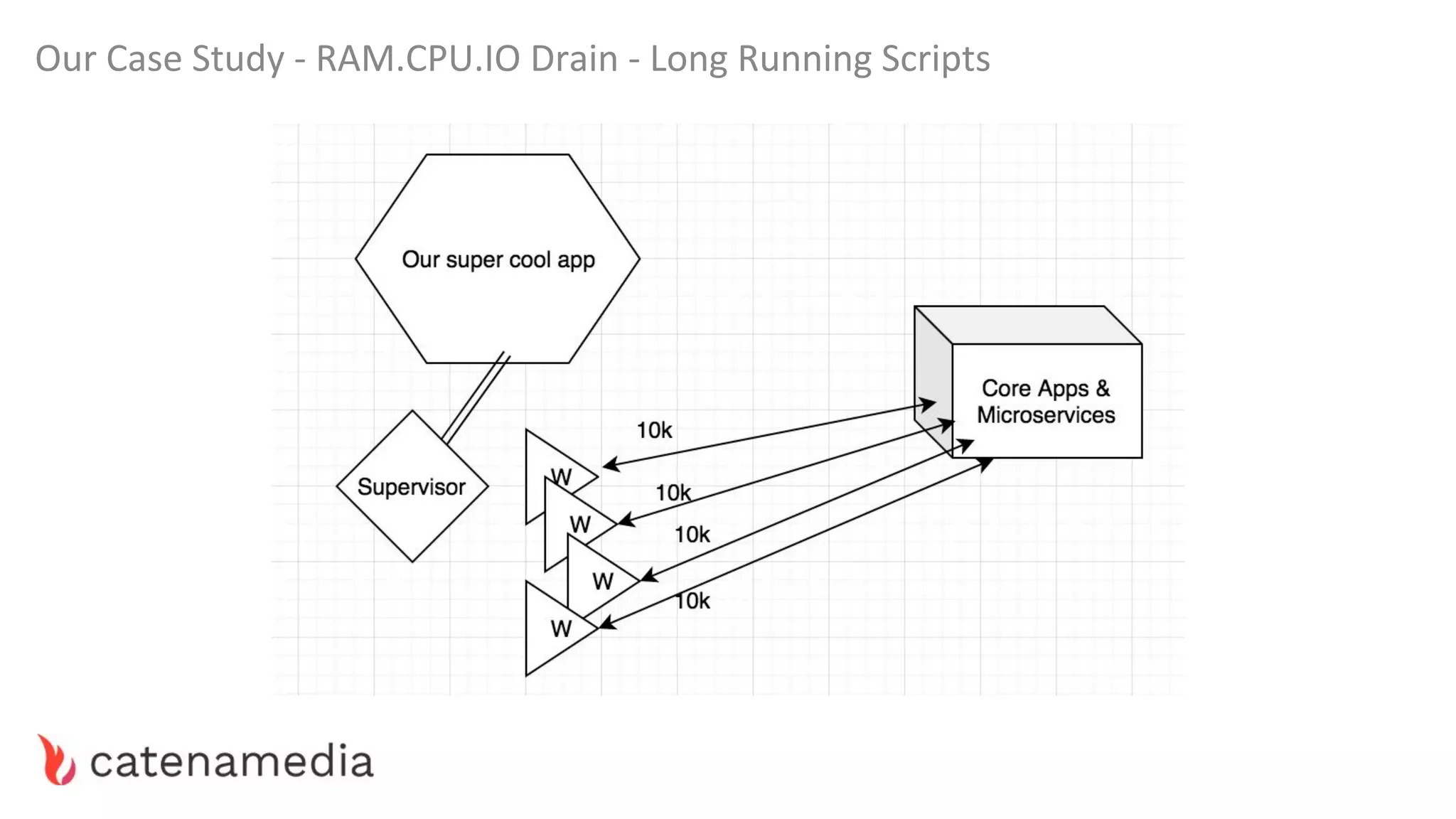
Our Case Study - RAM.CPU.IO Drain - Long Running Scripts
Our Case Study - RAM.CPU.IO Drain - Autoloading and DI
Always practice to use Dependency Injection instead of (ab)using Container directly.
Apart from being a prettier and more maintainable code style, this allows Symfony to
not-recompile parts of the container during the request.
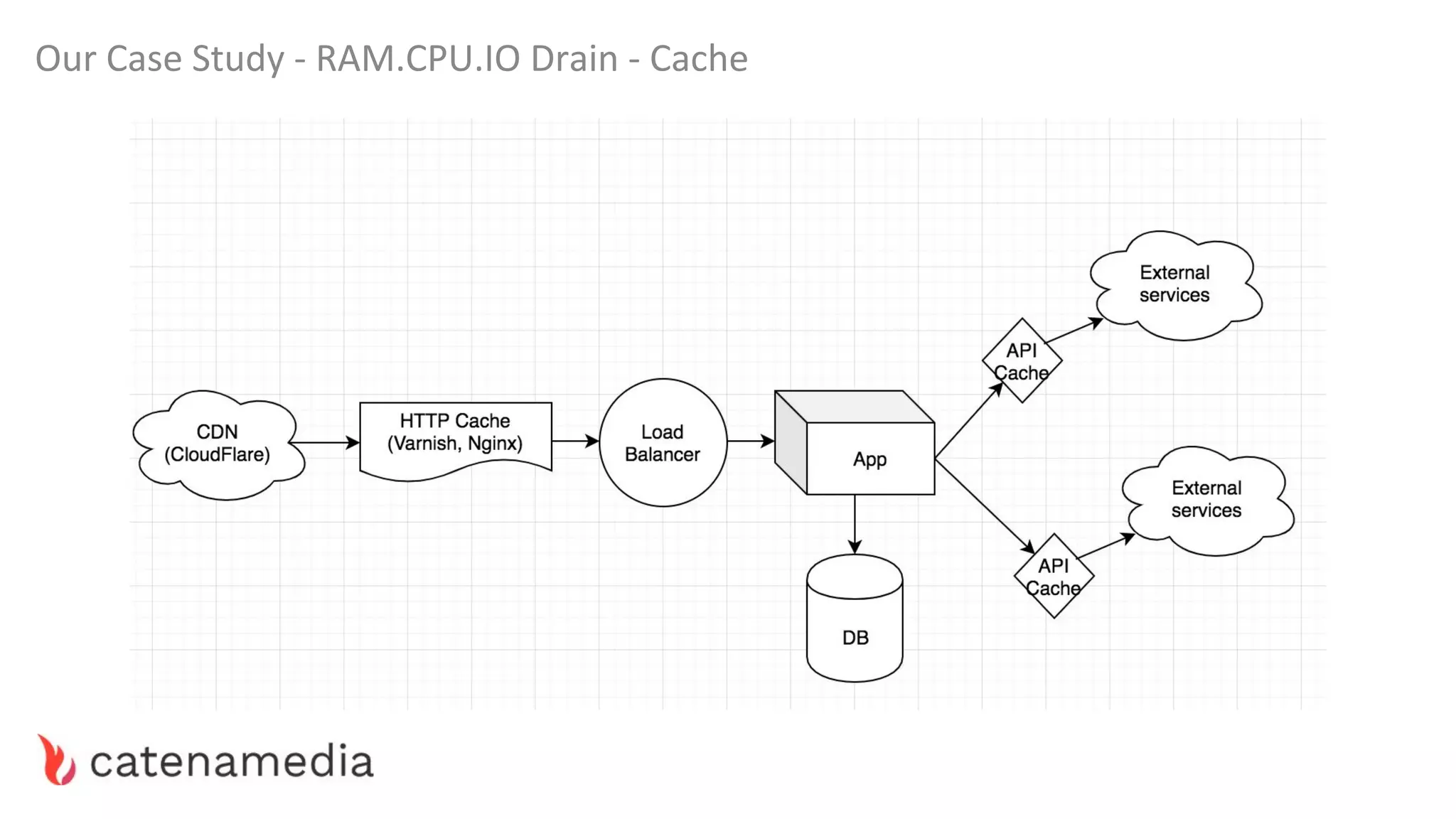
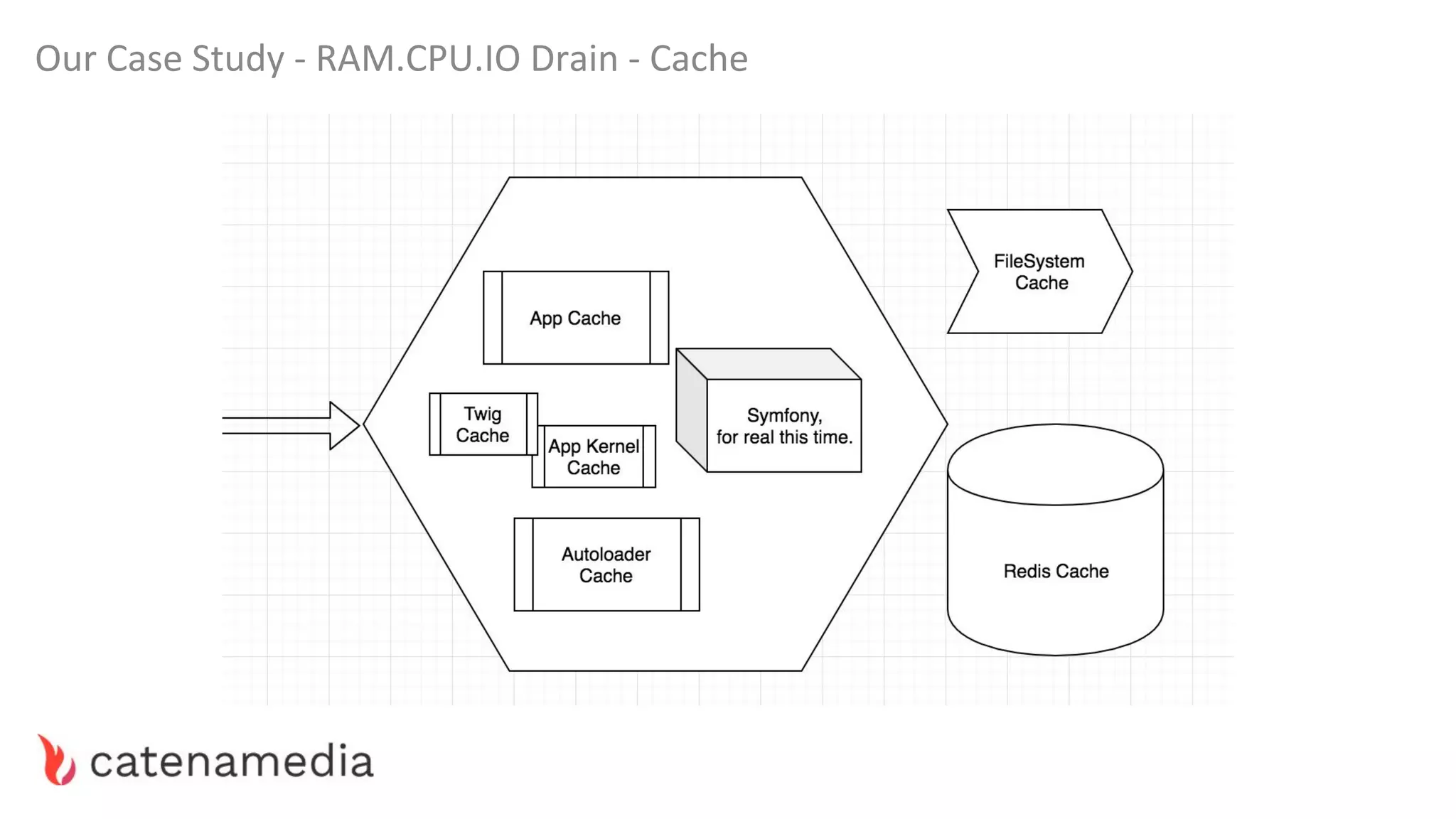
Our Case Study - RAM.CPU.IO Drain - Cache
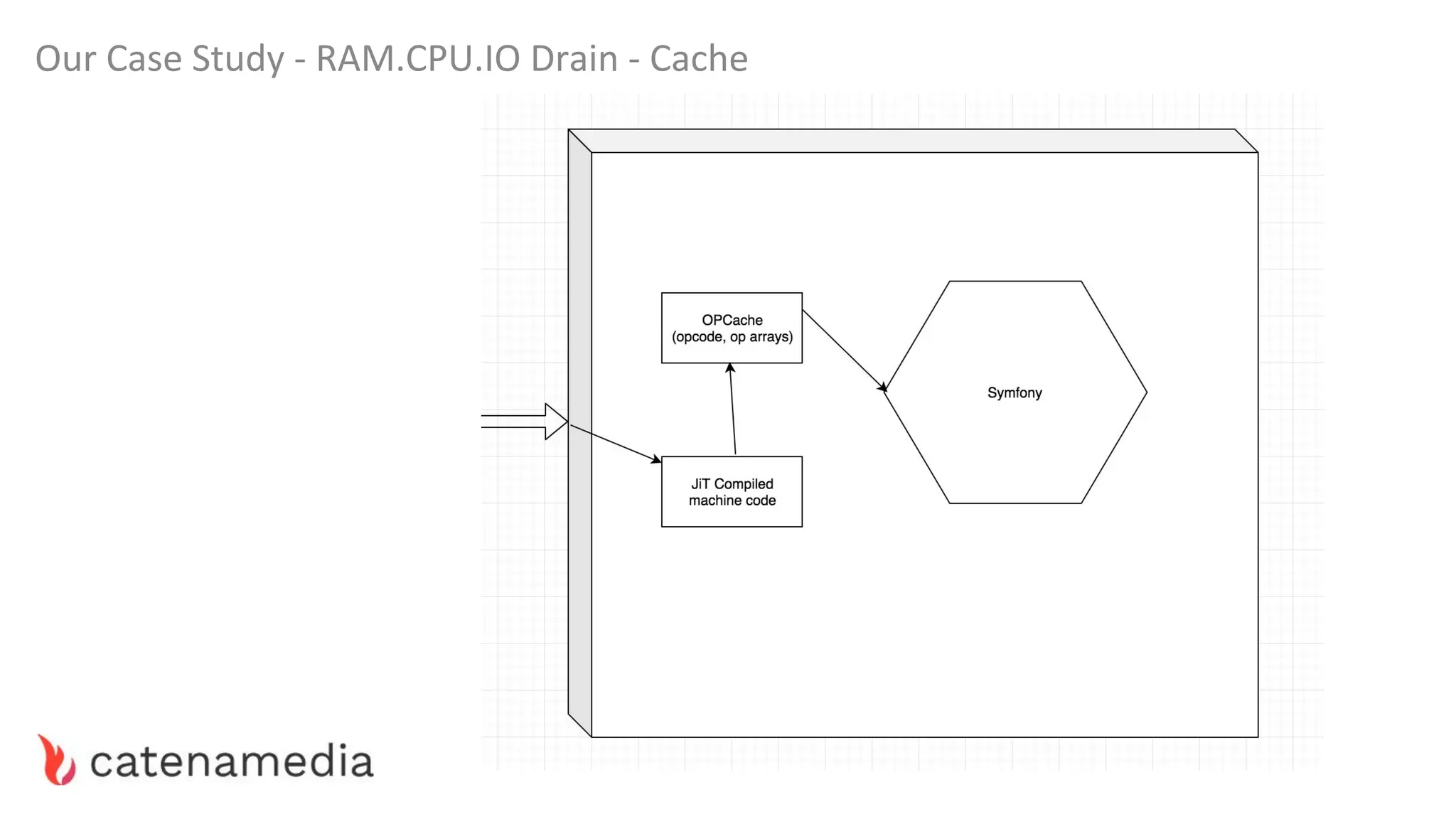
“If you care about performance and don’t use a bytecode
cache then you don’t really care about performance.
Please get one and start using it.”
~ Stas Malyshev, Core Contributor to PHP and Zend
Employee
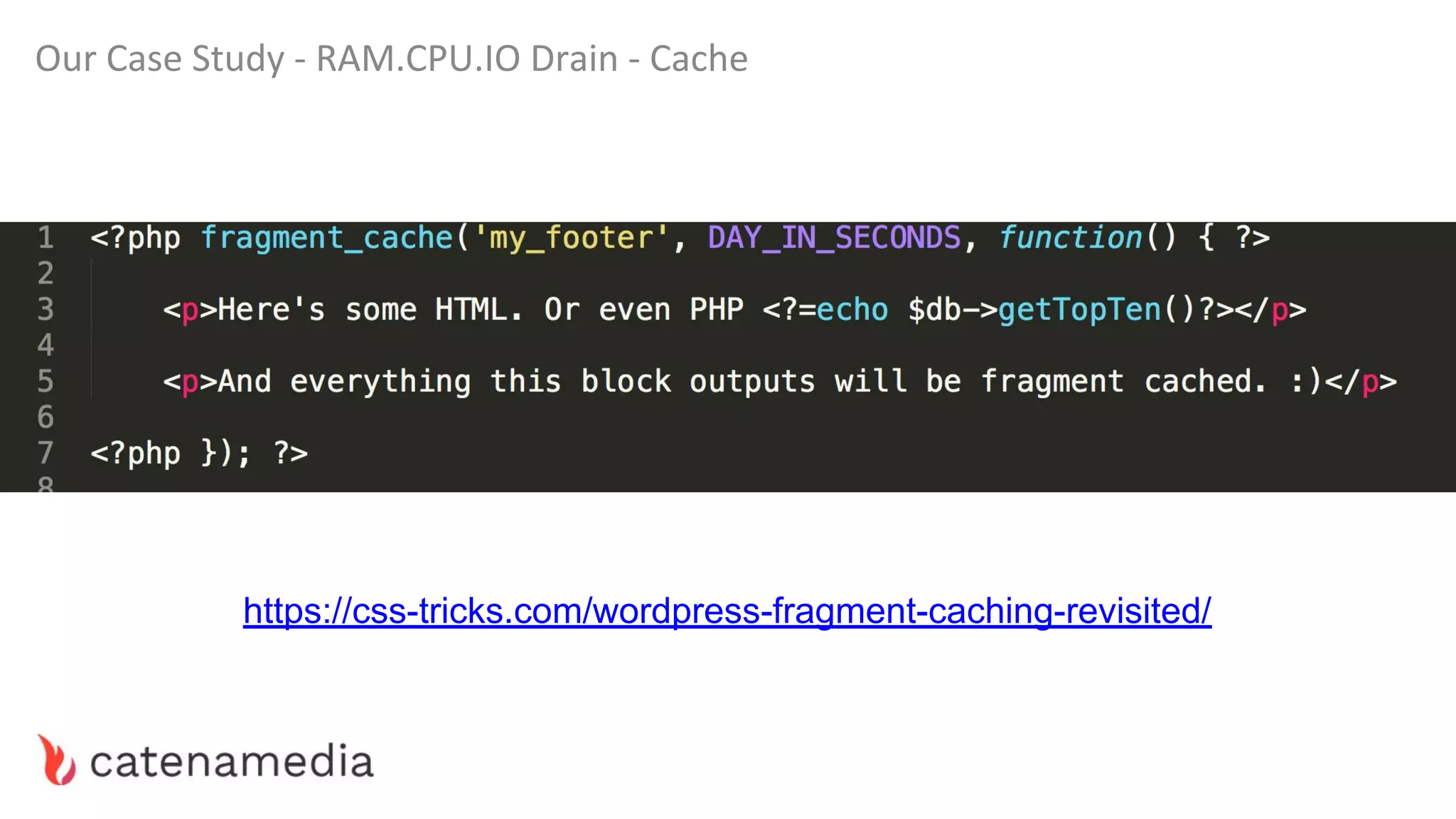
Our Case Study - RAM.CPU.IO Drain - Cache
https://css-tricks.com/wordpress-fragment-caching-revisited/
Our Case Study - RAM.CPU.IO Drain - Slow Vendors
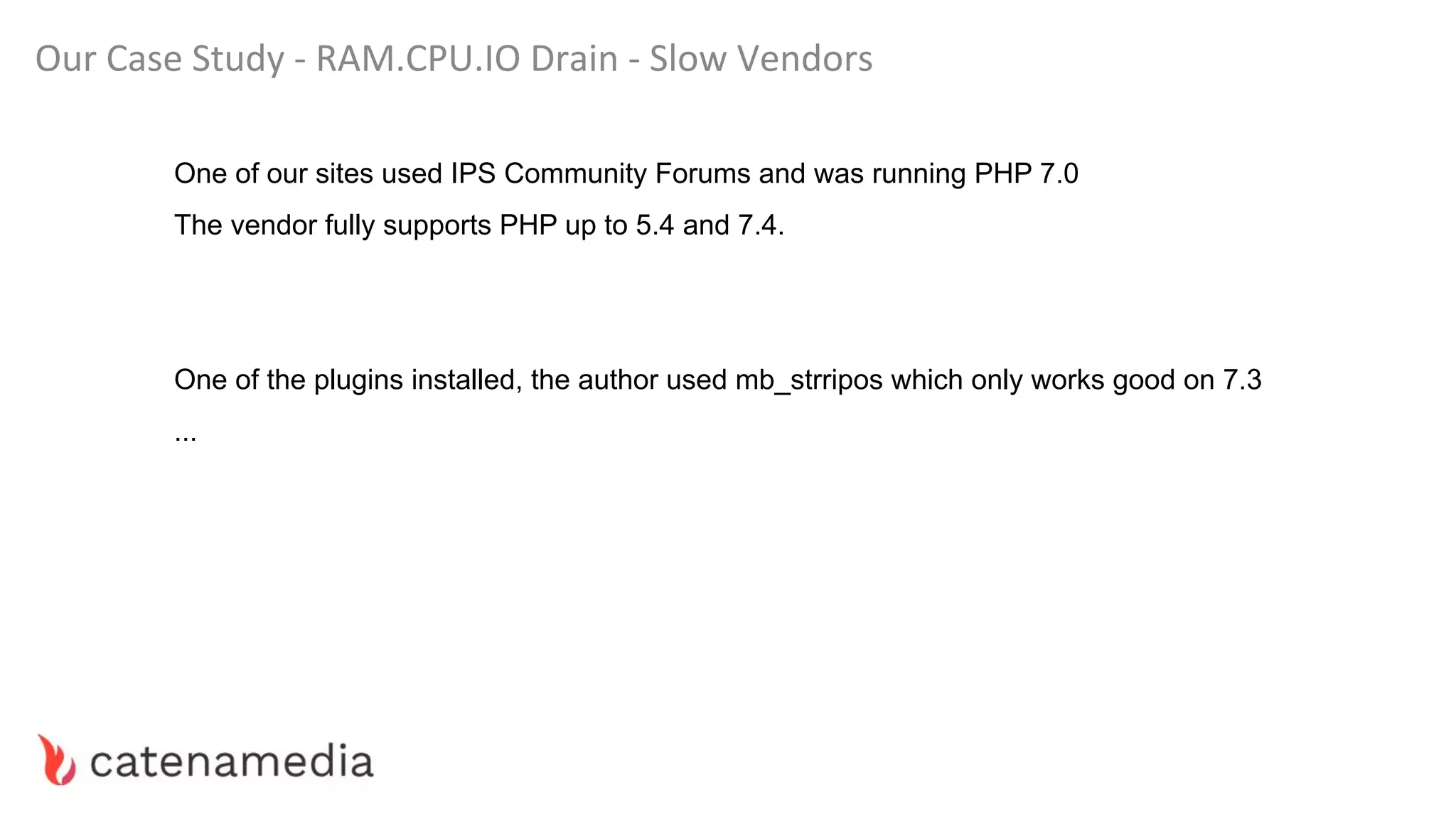
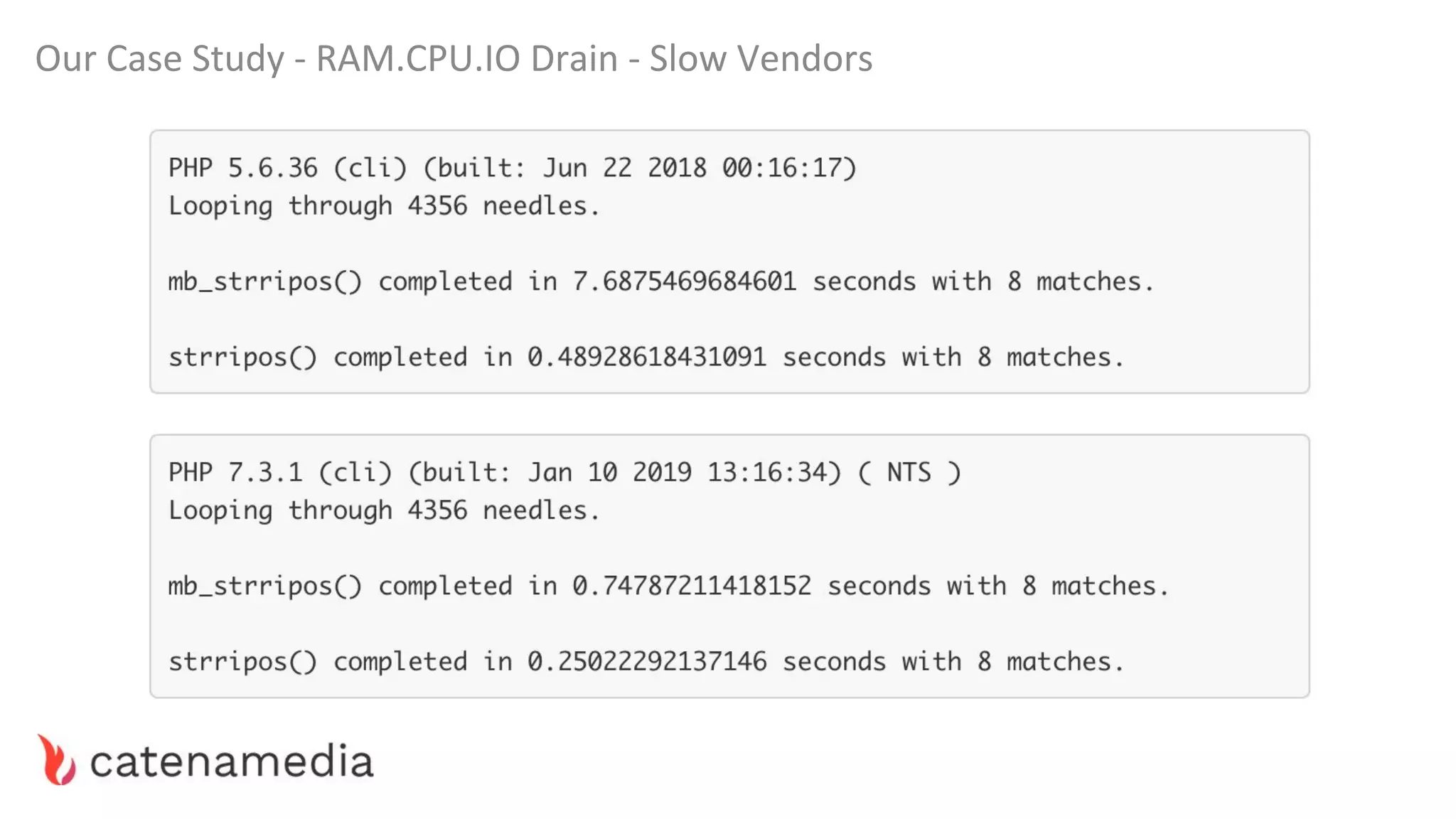
One of our sites used IPS Community Forums and was running PHP 7.0
The vendor fully supports PHP up to 5.4 and 7.4.
One of the plugins installed, the author used mb_strripos which only works good on 7.3
...
Our Case Study - RAM.CPU.IO Drain - Slow Vendors
Our Case Study - RAM.CPU.IO Drain - Slow Cache??
Sometimes a cache can be slow.
By default, most built-in caching mechanisms use Filesystem storage.
If you hit this bump, try with Redis, Varnish, or memcache.
Combine technologies when you see an opportunity.
Our Case Study - Micro Optimizations
● When instantiating objects within a big loop, use a factory which clones a prototype of
the object instead of new MyObject(); (66% faster).
● PHP 7 Already does most of these in the background. (For example ++$i)
● If you are working with objects of large cardinality, use named classes instead of
arrays. Use stdclass never.
● Avoid these slow built-in PHP functions.
https://github.com/dseguy/clearPHP/blob/master/rules/avoid-those-slow-functions.md
● Use associative arrays basically never.
https://steemit.com/php/@crell/php-use-associative-arrays-basically-never
Our Case Study - Micro Optimizations
● When instantiating objects within a big loop, use a factory which clones a prototype of
the object instead of new MyObject(); (66% faster).
● If you are working with objects of large cardinality, use named classes instead of
arrays. Use stdclass never.
● Avoid these slow built-in PHP functions.
https://github.com/dseguy/clearPHP/blob/master/rules/avoid-those-slow-functions.md
● Use associative arrays basically never.
https://steemit.com/php/@crell/php-use-associative-arrays-basically-never
Don’t optimize before
knowing what is slowing down
your application
“For premature optimization is
the root of all evil.”
WORKSHOP TIME!
(105 min - Let’s learn to actually use BlackFire)
Step 1
(Your first BlackFire Profile)
Step 2
(Just the price of business, i guess.)
Step 3
(Cache your API. Whenever you can.)
Step 4
(Yeah, files can be cached too.)
Step 5
(Let’s write our first BlackFire test!)
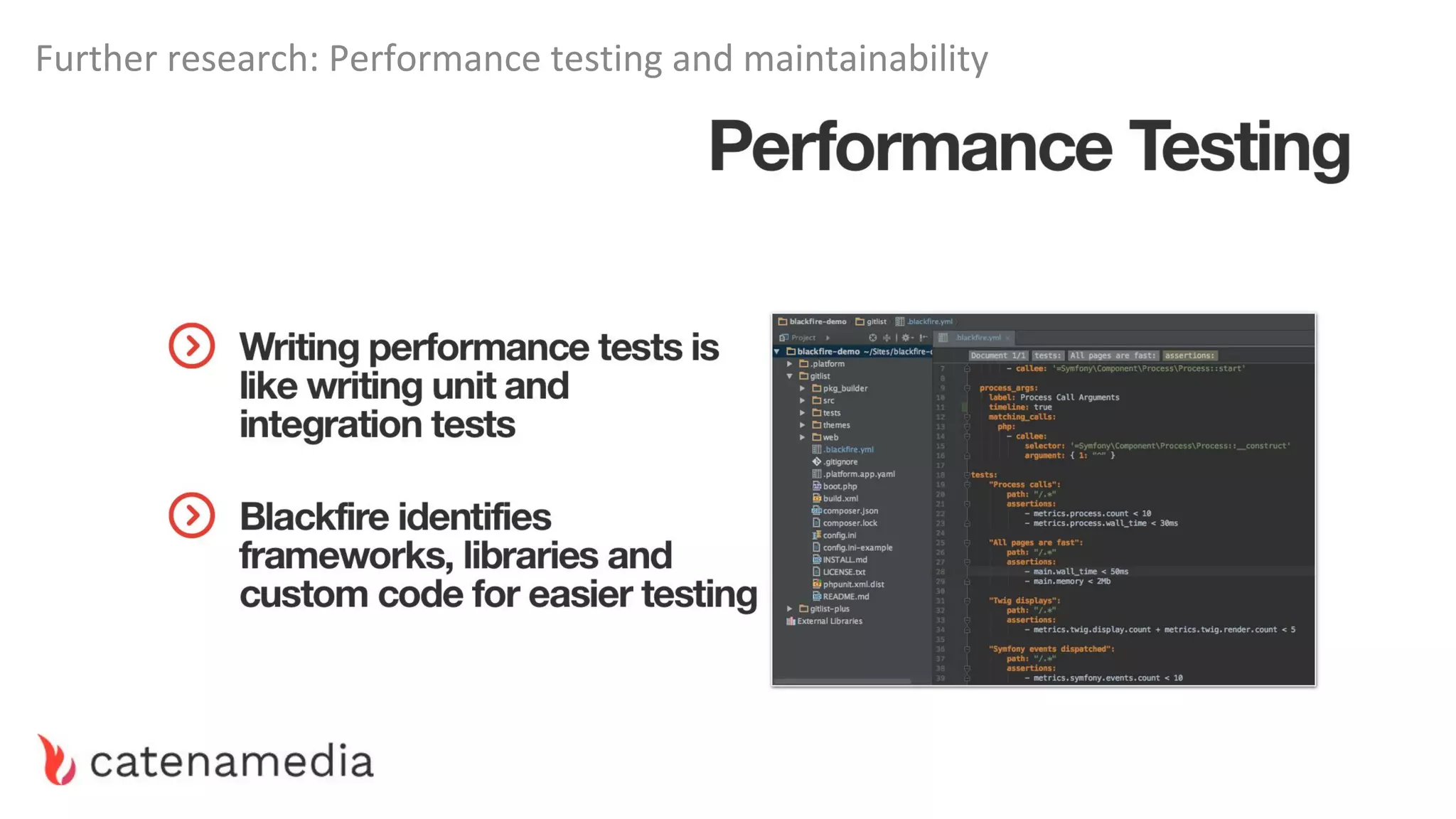
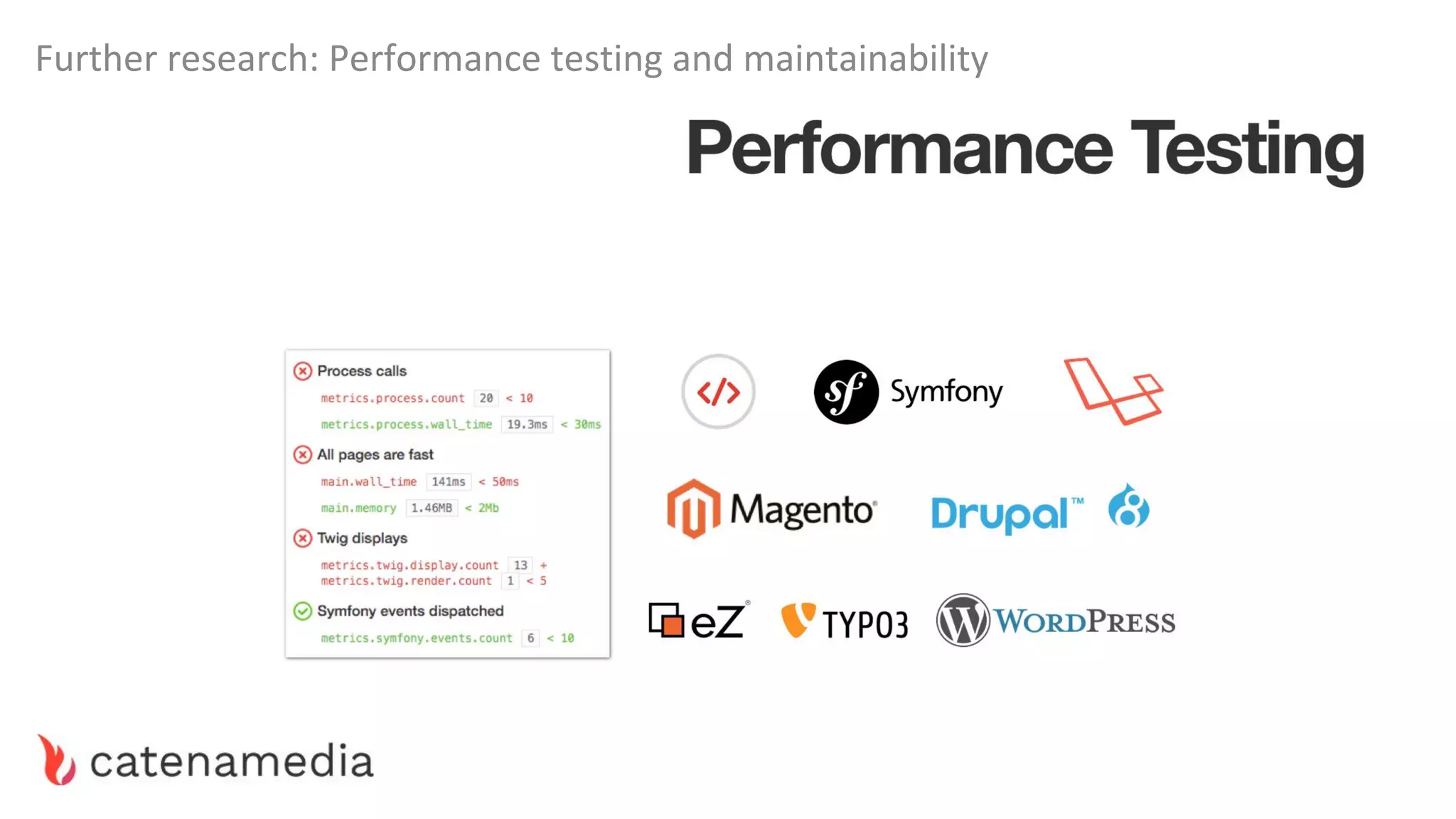
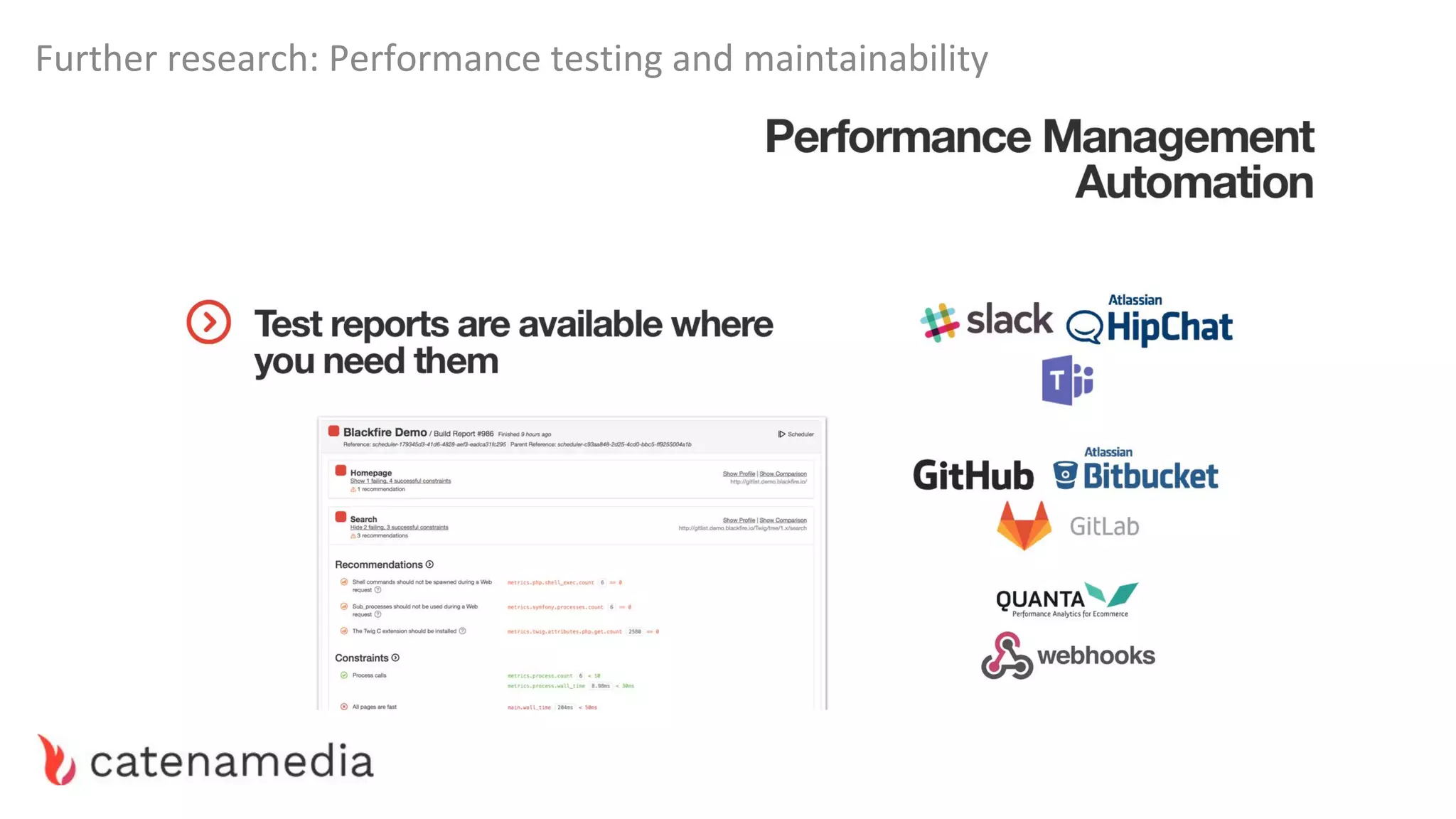
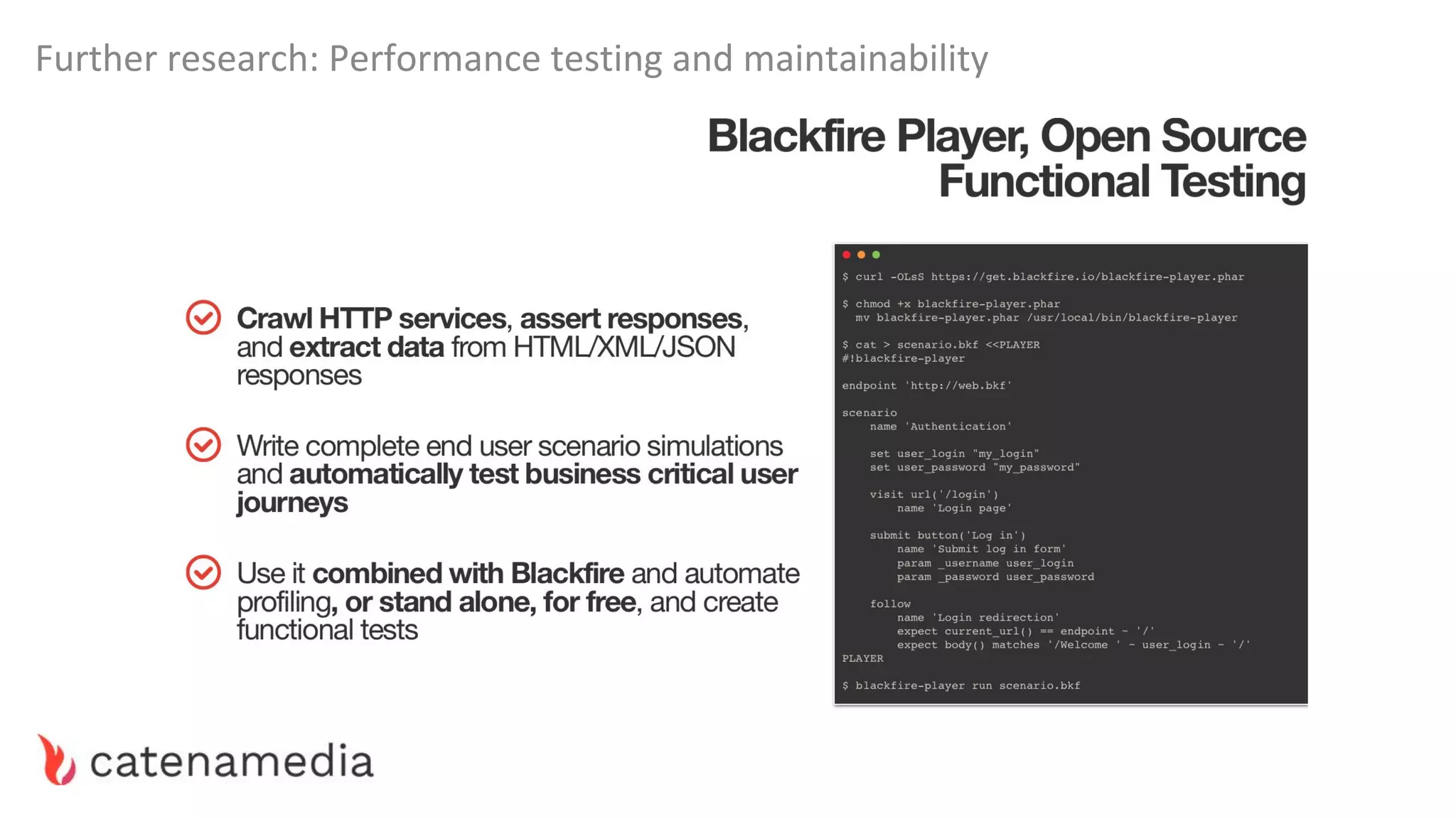
Further research: Performance testing and maintainability
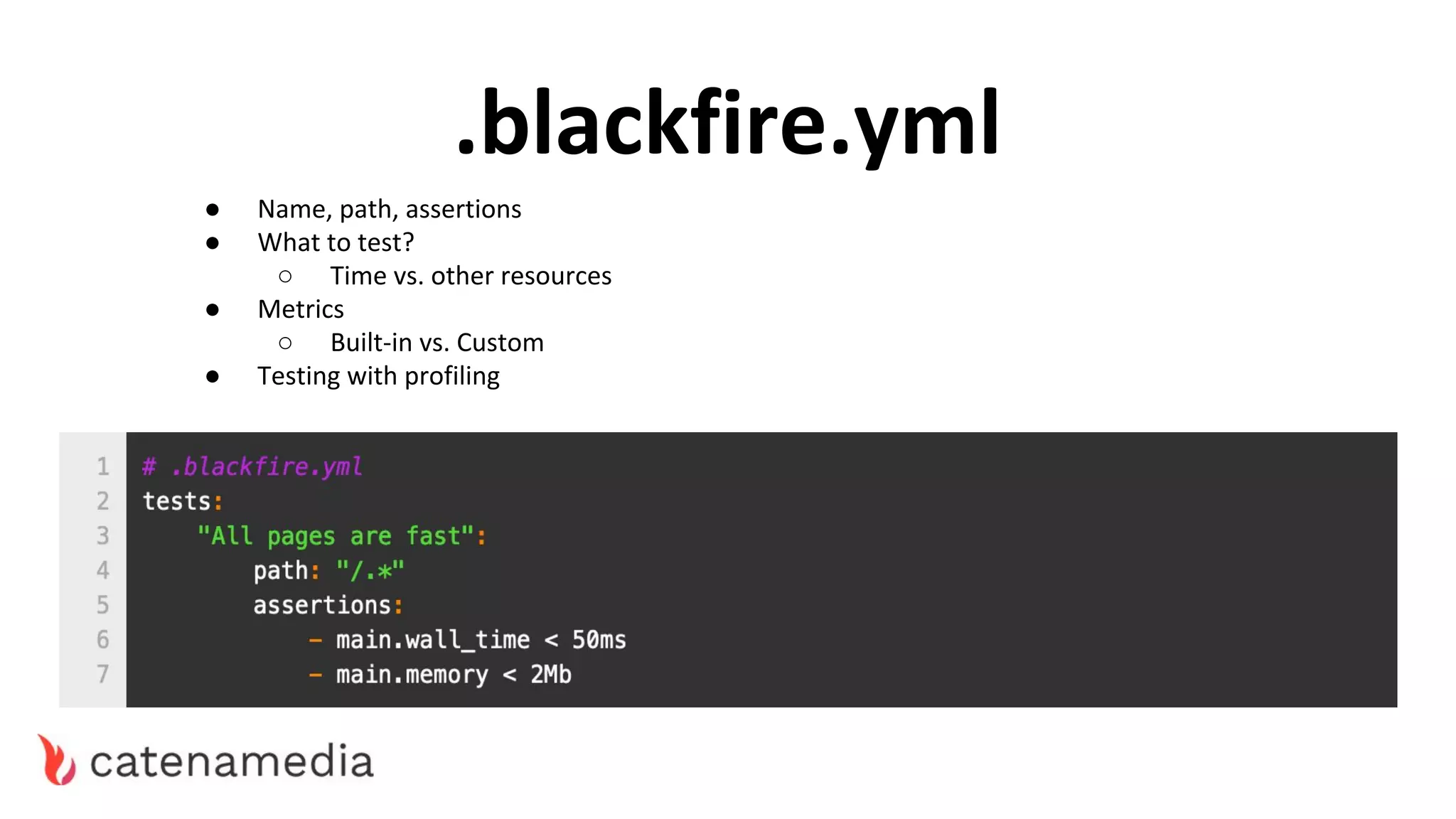
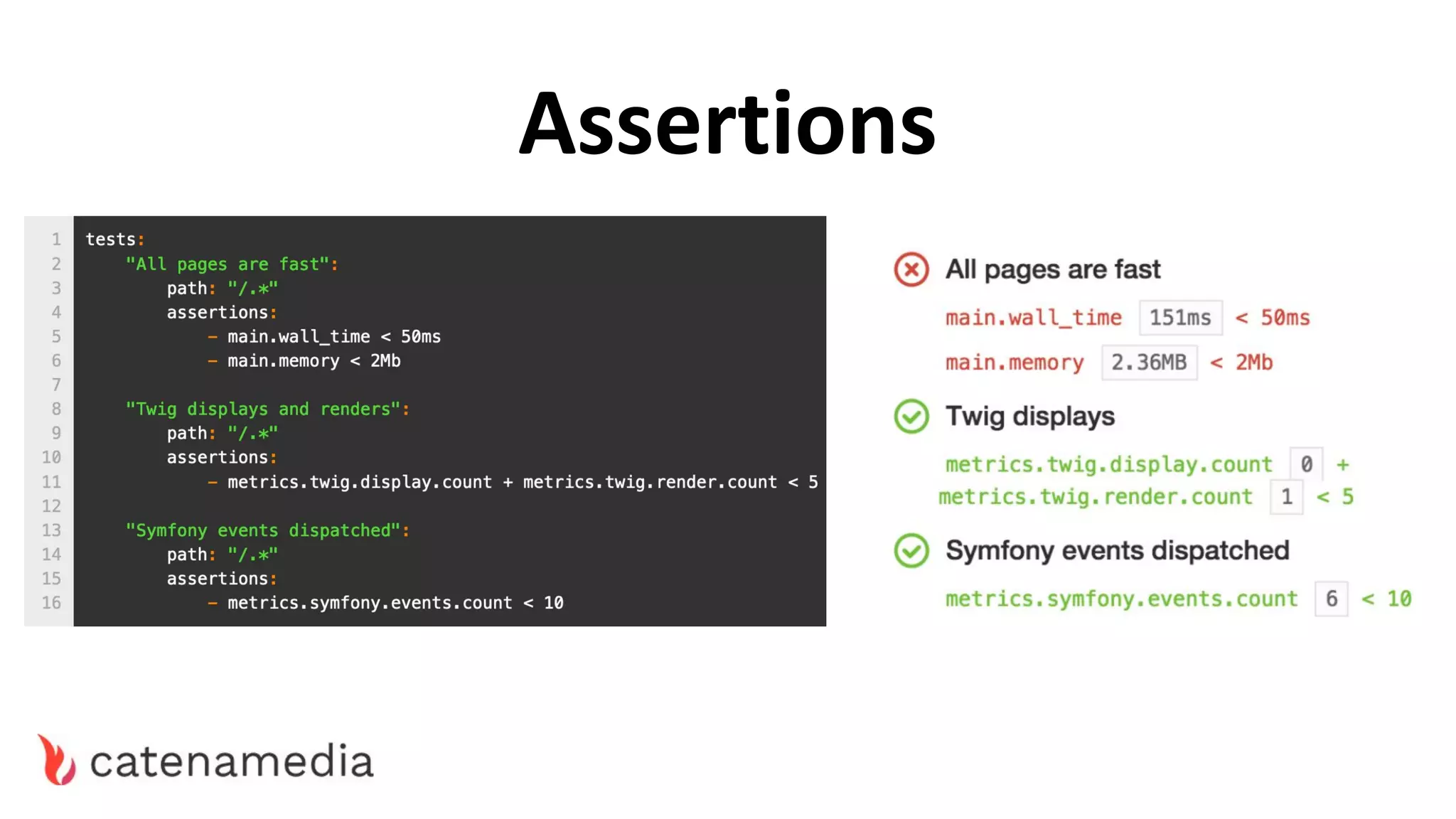
.blackfire.yml
● Name, path, assertions
● What to test?
○ Time vs. other resources
● Metrics
○ Built-in vs. Custom
● Testing with profiling
Assertions
Further research: Performance testing and maintainability
“First off, performance is an important aspect and cannot be an
afterthought. Often teams will finish the functionality and then do a
‘performance testing and fixing’ phase. It goes without saying that it is
the wrong approach.
Performance should be an exercise throughout the life cycle of the
project.”
~ Ideas2IT
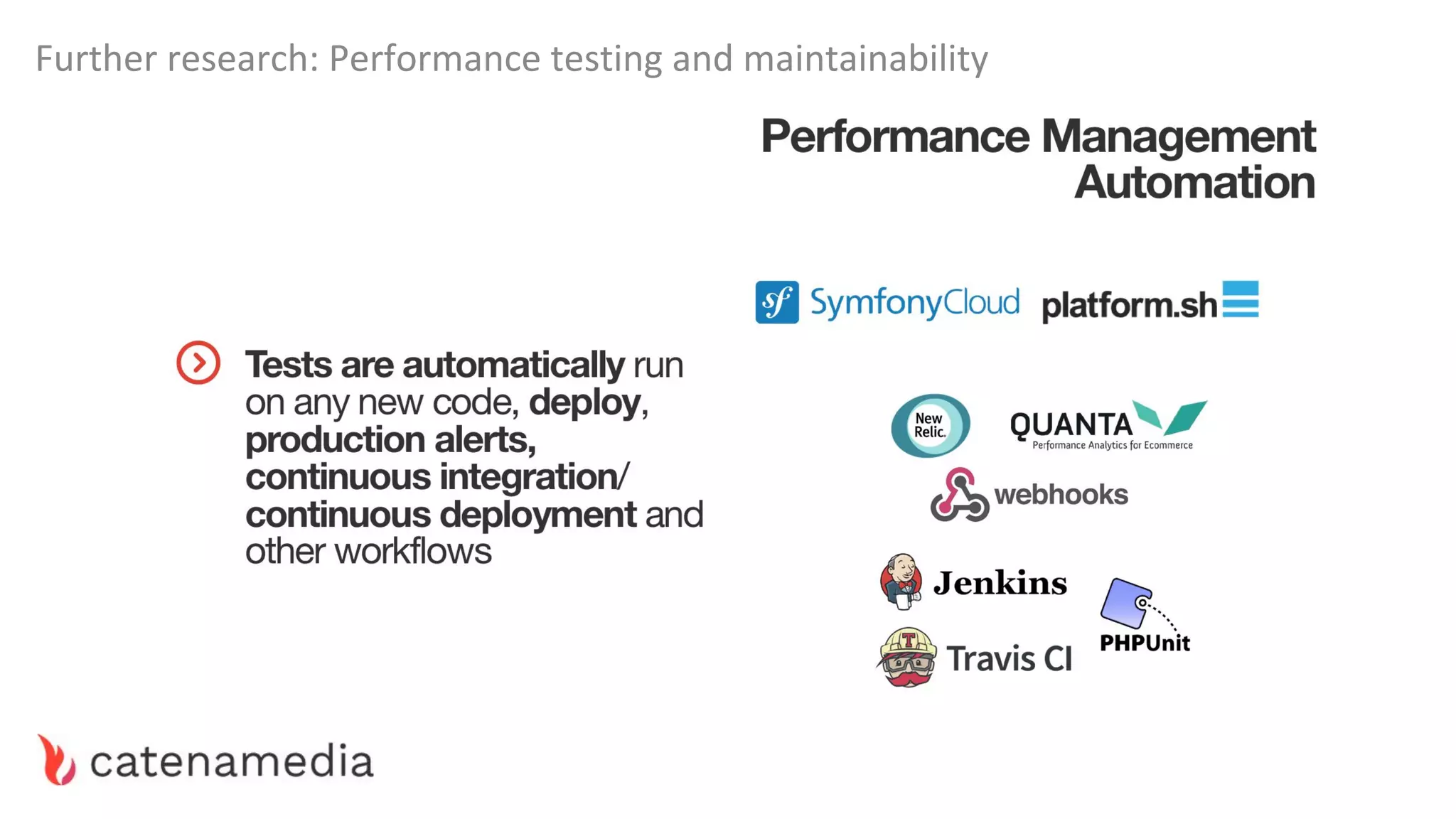
Further research: Performance testing and maintainability
THANK YOU!

2019 StartIT - Boosting your performance with Blackfire

  • 1.
    Boosting your performance withBlackfire StartIT Centar 2019
  • 2.
    Who are we MarkoMitranić Senior Backend Engineer @markomitranic Aleksandar Ilić Technical Architect @spiderkv Bojana Kovačević Backend Developer @bojanakovacevic89
  • 3.
  • 4.
    ● Wi-Fi ● Docker|| Docker for Mac ● Free BlackFire account (with 15-day premium trial) ● BlackFire Chrome Extension ● Patience... Project Setup - Prerequisites
  • 5.
  • 6.
    Project Setup -BlackFire 1. Create a BlackFire account over at blackfire.io/signup 1.1. You can use either Google, GitHub or SymfonyConnect for this. 1.2. Fill the Account Details. 2. Go to Dashboard -> Organizations tab and Create Organization. 2.1. After creating an organization, click on “Start the Premium Trial” package.
  • 7.
    3. Go tonewly created organization and create new Environment. 3.1. Check the option Development environment. 4. Under environment settings get Server ID and Server Token. Project Setup - BlackFire Credentials
  • 8.
    Prerequisite for runninga project is a Docker. If you haven’t installed it follow procedure on official website. Some of the steps: ● sign up ● confirm email ● download and install ● run https://www.docker.com/ Project Setup - Prerequisite
  • 9.
    Project Setup -Repository Download the Workshop Repository from: https://markomitranic.github.io/ PHP-Serbia-2019-Performance/ or shorthand https://bit.ly/2EmfCZU
  • 10.
    Project Setup -Docker Compose 1. Edit the /Docker/.env file by inserting your own BlackFire credentials and changing the ports if needed. 2. Enter the project’s Docker folder and execute ./deploy.sh. 3. Visit http://localhost:80/. That’s it.
  • 11.
    in 10 minutesor less.
  • 13.
    Introduction to BlackFire- What do we look for? Some usual suspect tools: FrontEnd — Google Chrome developer tools, PageSpeedInsight, Phantomas PHP layer — Blackfire, XDebug, microtime(), Symfony profiler Database — Depends on the database. For instance, for MySQL, we can use the inbuilt profiler and Jet profiler.
  • 14.
    Introduction to BlackFire- What do we look for?
  • 15.
  • 16.
  • 17.
    Introduction to BlackFire- Recommendations
  • 18.
    Introduction to BlackFire- Recommendations
  • 19.
    Introduction to BlackFire- Recommendations
  • 20.
  • 21.
  • 23.
    Improving performance isall about optimizing resource usage
  • 24.
    Bad Performance “AliExpress reducedload time by 36% and saw a 10.5% increase in orders and a 27% increase in conversion for new customers.” ~ Akamai Edge 2016 “Pinterest rebuilt their pages for performance led to a 40% decrease in wait time, a 15% increase in SEO traffic and a 15% percent increase in conversion rate to signup.” ~ Pinterest_Engineering
  • 27.
    Don’t optimize before knowingwhat is slowing down your application “For premature optimization is the root of all evil.”
  • 28.
    Introduction to Blackfire- Superstition 'SUPERSTITION' IN THE PIGEON
  • 29.
    Bad Performance -Day-to-Day Profiling Methodology 1. Profile key pages 2. Start from the slowest ones 3. Compare and analyze profiles to spot differences and bottlenecks 4. Always look for the biggest (solvable) bottleneck 5. Not all bottlenecks should be solved, sometimes they are the price of business
  • 30.
    Bad Performance -Price of Business The creature in the picture is a “Dwarf in the flask” from Fullmetal Alchemist anime. It was a successful experiment which broke its own flask and eventually nearly managed to kill everyone. The author did not plan on such success, so they did not take a great amount of precautions. Sometimes, you just grew out of your flask. Your failed performance can be compensated for via creating a good flexible app && server architecture.
  • 31.
    Bad Performance -Price of Business The solution is not always the code, it lies more often in the architecture of the app. Keep it as simple as possible, but prepare for the future. Splitting responsibilities, granulating your application into smaller ones, DB sharding or caching, CDN, continuous integration. But this is a topic for a whole set of other workshops...
  • 32.
  • 33.
    Our Case Study- Database - Heavy Queries When faced with a really heavy query, there is usually not much you can do. Sometimes you can do better indexing, optimize joins, even do some caching. 40k Client entities in total Sort and extract top 10. Based on a complex set of requirements. Symfony 3.4 | MongoDB 3.3 | Doctrine ODM Query Took ~6.2 seconds to complete. On each non-cached load of this page.
  • 34.
    Our Case Study- Database - Heavy Queries The business logic is what it is, you can’t make it simpler because it suits you. What you would usually do is start optimizing the query. Indexing, making joins when possible etc. But in this case all of that was already done by the previous team… So, it seems that no code could be improved.
  • 35.
    Our Case Study- Database - Heavy Queries Not true. Once you have a bird’s-eye view of the code execution you start to notice the real problems. 1. By some weird and not-easy-observable edge case, the query is run twice. 2. The real bottleneck is not DB, it is ODM. Based on this, first we saved 3.1s by handling the edge case. Then we created a new reader which simply uses direct DB queries for this particular query. In the end, we use Symfony Cache mechanism to only run this once per day.
  • 36.
    Our Case Study- Database - Heavy Queries
  • 37.
    Our Case Study- Database - Scalar Queries Sometimes, you simply don’t have the real need for using Doctrine document Hydration. Yes, i said it. Instead you can instead use Array or Scalar fetch methods.
  • 38.
    Our Case Study- Database - Scalar Queries
  • 39.
    Our Case Study- Database - Transaction Number What is little known to developers who have never worked dealt withSQL directly is the ability to prepare changes and trigger a DB transaction at a specific time. In doctrine it’s called a flush(). All the changes that you make on entities are only saved to the database once you call the flush method. This is a double edged sword...
  • 41.
    Our Case Study- Database - Transaction Number Never flush within a loop. Unless..
  • 42.
    Our Case Study- Database - Transaction Number Large transactions can also be slooow. You need to find a sweetspot if dealing with large datasets. With MongoDB we usually use ~400 entities per transaction, except in cases where there are a lot of changes.
  • 43.
    Our Case Study- Database - Multi Updates Sometimes you don’t even have to loop. Try using multi updates when updating the whole set of documents in the same way.
  • 44.
    Our Case Study- Database - N+1, Eager Fetching
  • 45.
    Our Case Study- Database - Always Evaluate ● Always evaluate query speed when not sure. ● Use Cursors whenever possible. ● Watch out for N+1 Problems ● DB Calls within a loop - use prepared statements. ● ***Learn to properly use Indexes and Cardinality*** ● Enable slow query log and make sure none of your queries do a full table scan.
  • 46.
    Our Case Study- Database - Always Explain
  • 47.
    Our Case Study- Database - Always Explain https://www.youtube.com/watch?v=GDqtEyhjpqU
  • 48.
    Our Case Study- Database - Volume If all else is done but you still have a problem with the volume of work (user visits, queries) it might be time to start researching scaling techniques. (remember our Dwarf in the flask?) Usually in these applications the same bottlenecks remain present. Research database sharding, replication and DB caching layer.
  • 49.
    Our Case Study- Backchannel Requests
  • 50.
    Our Case Study- RAM.CPU.IO Drain - Long Running Scripts Long running scripts often deal with some sort of watcher jobs or migrations. For example, here we got this 160.000 users, take each one and match them to their respective data from another system via a backchannel call. Take a user from DB, Call API and match, Save changes. Repeat x140k.
  • 51.
    Our Case Study- RAM.CPU.IO Drain - Long Running Scripts ● In these cases optimizing cache is useless, and workload is often huge. ● PHP has a composer vendor libraries problem with RAM leaks. ● Script works for hours, racks up maximum ram and then stalls slower and slower when GC kicks in.
  • 52.
    Our Case Study- RAM.CPU.IO Drain - Long Running Scripts
  • 53.
    Our Case Study- RAM.CPU.IO Drain - Autoloading and DI Always practice to use Dependency Injection instead of (ab)using Container directly. Apart from being a prettier and more maintainable code style, this allows Symfony to not-recompile parts of the container during the request.
  • 54.
    Our Case Study- RAM.CPU.IO Drain - Cache “If you care about performance and don’t use a bytecode cache then you don’t really care about performance. Please get one and start using it.” ~ Stas Malyshev, Core Contributor to PHP and Zend Employee
  • 55.
    Our Case Study- RAM.CPU.IO Drain - Cache
  • 56.
    Our Case Study- RAM.CPU.IO Drain - Cache
  • 57.
    Our Case Study- RAM.CPU.IO Drain - Cache
  • 58.
    Our Case Study- RAM.CPU.IO Drain - Cache https://css-tricks.com/wordpress-fragment-caching-revisited/
  • 59.
    Our Case Study- RAM.CPU.IO Drain - Slow Vendors One of our sites used IPS Community Forums and was running PHP 7.0 The vendor fully supports PHP up to 5.4 and 7.4. One of the plugins installed, the author used mb_strripos which only works good on 7.3 ...
  • 60.
    Our Case Study- RAM.CPU.IO Drain - Slow Vendors
  • 61.
    Our Case Study- RAM.CPU.IO Drain - Slow Cache?? Sometimes a cache can be slow. By default, most built-in caching mechanisms use Filesystem storage. If you hit this bump, try with Redis, Varnish, or memcache. Combine technologies when you see an opportunity.
  • 62.
    Our Case Study- Micro Optimizations ● When instantiating objects within a big loop, use a factory which clones a prototype of the object instead of new MyObject(); (66% faster). ● PHP 7 Already does most of these in the background. (For example ++$i) ● If you are working with objects of large cardinality, use named classes instead of arrays. Use stdclass never. ● Avoid these slow built-in PHP functions. https://github.com/dseguy/clearPHP/blob/master/rules/avoid-those-slow-functions.md ● Use associative arrays basically never. https://steemit.com/php/@crell/php-use-associative-arrays-basically-never
  • 63.
    Our Case Study- Micro Optimizations ● When instantiating objects within a big loop, use a factory which clones a prototype of the object instead of new MyObject(); (66% faster). ● If you are working with objects of large cardinality, use named classes instead of arrays. Use stdclass never. ● Avoid these slow built-in PHP functions. https://github.com/dseguy/clearPHP/blob/master/rules/avoid-those-slow-functions.md ● Use associative arrays basically never. https://steemit.com/php/@crell/php-use-associative-arrays-basically-never
  • 64.
    Don’t optimize before knowingwhat is slowing down your application “For premature optimization is the root of all evil.”
  • 65.
    WORKSHOP TIME! (105 min- Let’s learn to actually use BlackFire)
  • 66.
    Step 1 (Your firstBlackFire Profile)
  • 67.
    Step 2 (Just theprice of business, i guess.)
  • 68.
    Step 3 (Cache yourAPI. Whenever you can.)
  • 69.
    Step 4 (Yeah, filescan be cached too.)
  • 70.
    Step 5 (Let’s writeour first BlackFire test!)
  • 71.
    Further research: Performancetesting and maintainability
  • 72.
    .blackfire.yml ● Name, path,assertions ● What to test? ○ Time vs. other resources ● Metrics ○ Built-in vs. Custom ● Testing with profiling
  • 73.
  • 74.
    Further research: Performancetesting and maintainability
  • 75.
    Further research: Performancetesting and maintainability “First off, performance is an important aspect and cannot be an afterthought. Often teams will finish the functionality and then do a ‘performance testing and fixing’ phase. It goes without saying that it is the wrong approach. Performance should be an exercise throughout the life cycle of the project.” ~ Ideas2IT
  • 76.
    Further research: Performancetesting and maintainability
  • 77.
    Further research: Performancetesting and maintainability
  • 78.
    Further research: Performancetesting and maintainability
  • 79.