@chonla 
Hello, 
human. 
September 25, 2014
 What’s robot framework? 
 Prerequisites 
 Installation 
 First Bot 
 Localized Bot 
 Data Driven Bot 
 Q&A
 Robot Framework is a keyword based test 
automation framework. 
 It suites for Acceptance Testing and 
Acceptance Test-Driven Development.
 Python 2.7.x 
 pip 
 Robot Framework 
 Selenium2 Library 
 Requests
 Python 2.7 
 Go to https://www.python.org/downloads/ and 
install the latest version of python in 2.7.x series. 
 Set environment 
▪ PYTHON_HOME to python path (C:Python27) 
▪ PYTHON_BIN to python script path 
(C:Python27Scripts)
 Verify installation 
▪ python --version
 Pip 
 Go to 
http://pip.readthedocs.org/en/latest/installing.ht 
ml, download getpip.py and install the latest 
version of pip via getpip.py.
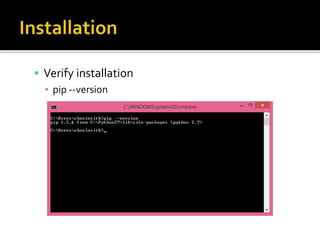
 Verify installation 
▪ pip --version
 Robot Framework 
 Go to 
https://code.google.com/p/robotframework/wiki/I 
nstallation and install the latest version of Robot 
Framework.
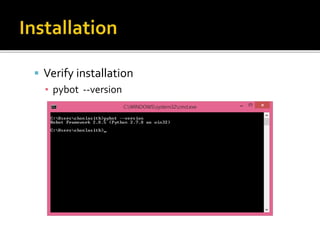
 Verify installation 
▪ pybot --version
 Selenium2 Library 
 Open command line and use the following 
command to download and install 
robotframework-selenium2library package 
▪ pip install robotframework-selenium2library
 Requests 
 Open command line and use the following 
command to download and install requests 
package 
▪ pip install requests
 Installation problem in Windows x64 via pip. 
 Insert 3 lines marked # new below into 
C:Python27Libmimetypes.py and rerun the 
installation.
Here we go.
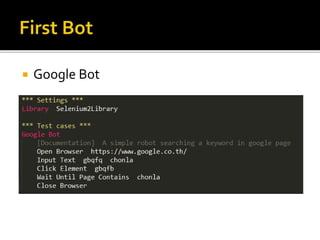
 Google Bot
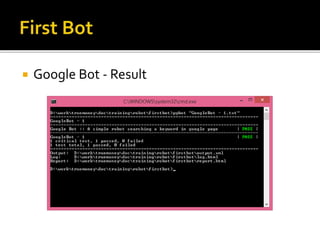
 Google Bot - Result
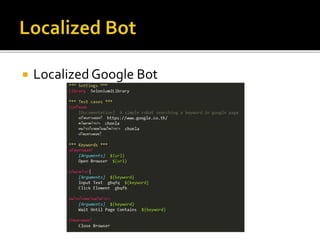
 Localized Google Bot
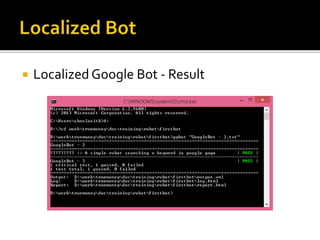
 Localized Google Bot - Result
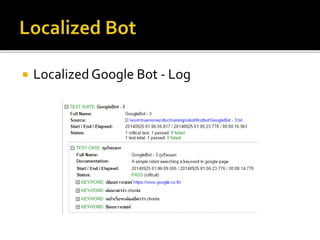
 Localized Google Bot - Log
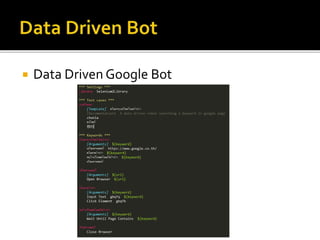
 Data Driven Google Bot
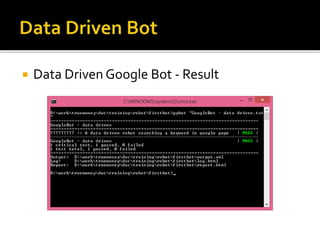
 Data Driven Google Bot - Result
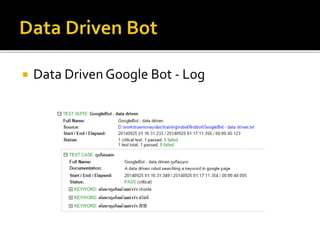
 Data Driven Google Bot - Log
Anything?

Introduction to robot framework