Presentation title here
Using Layouts
Presentation title here
Layouts
In this presentation
● Block Types
● Layout Builder
● Block Themes
● Context
● Controllers and Context Configurators
● Data and Data Providers
● Theme specific configurations and assets
Presentation title here
Layouts
What is layout?
● Layout defines the visual structure of the UI
● Layout is the tree hierarchy of page blocks
● Layout tree shouldn’t depend on data
Presentation title here
Layouts
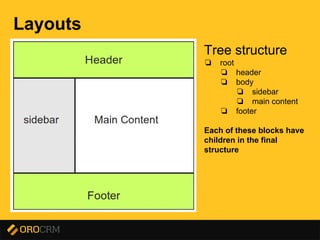
Tree structure
❏ root
❏ header
❏ body
❏ sidebar
❏ main content
❏ footer
Each of these blocks have
children in the final
structure
Presentation title here
Layout Component
Provides tools for defining layout elements,
managing structure and themes
Presentation title here
Layout Component
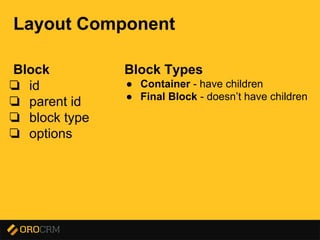
Block
❏ id
❏ parent id
❏ block type
❏ options
Block Types
● Container - have children
● Final Block - doesn’t have children
Presentation title here
Layout Component
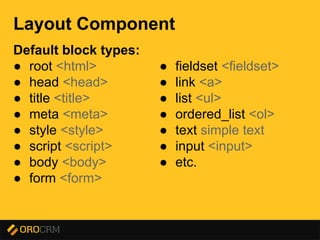
Default block types:
● root <html>
● head <head>
● title <title>
● meta <meta>
● style <style>
● script <script>
● body <body>
● form <form>
● fieldset <fieldset>
● link <a>
● list <ul>
● ordered_list <ol>
● text simple text
● input <input>
● etc.
Presentation title here
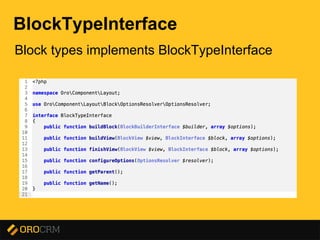
BlockTypeInterface
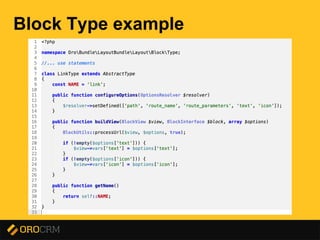
Block types implements BlockTypeInterface
Presentation title here
Block Type example
Presentation title here
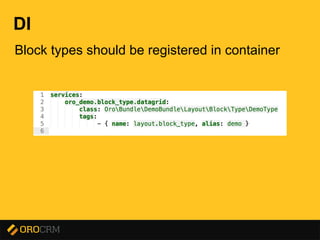
DI
Block types should be registered in container
Presentation title here
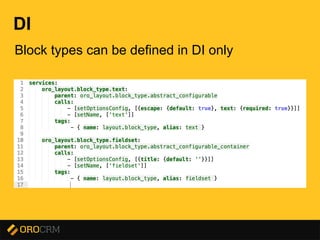
DI
Block types can be defined in DI only
Presentation title here
Layout Tree
❏ Difines block structure of the page
❏ Can be build using LayoutBuilder
Presentation title here
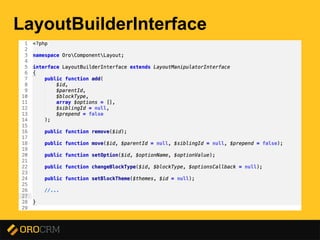
LayoutBuilderInterface
Presentation title here
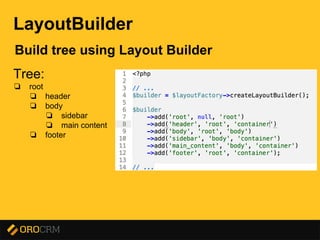
LayoutBuilder
Build tree using Layout Builder
Tree:
❏ root
❏ header
❏ body
❏ sidebar
❏ main content
❏ footer
Presentation title here
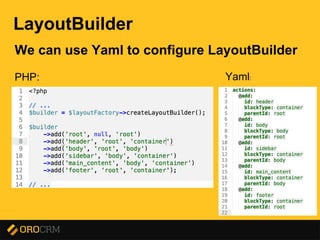
LayoutBuilder
We can use Yaml to configure LayoutBuilder
PHP: Yaml:
Presentation title here
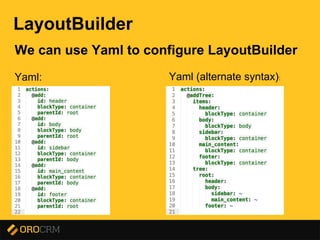
LayoutBuilder
We can use Yaml to configure LayoutBuilder
Yaml: Yaml (alternate syntax):
Presentation title here
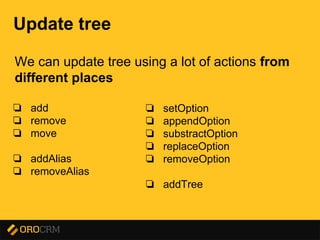
Update tree
We can update tree using a lot of actions from
different places
❏ add
❏ remove
❏ move
❏ addAlias
❏ removeAlias
❏ setOption
❏ appendOption
❏ substractOption
❏ replaceOption
❏ removeOption
❏ addTree
Presentation title here
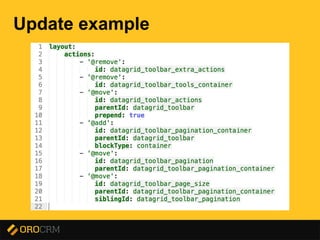
Update example
Presentation title here
Theming
Presentation title here
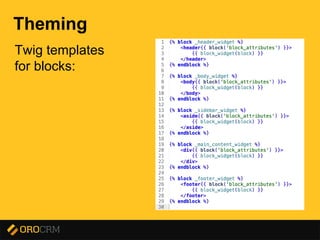
Theming
Twig templates
for blocks:
Presentation title here
Theming
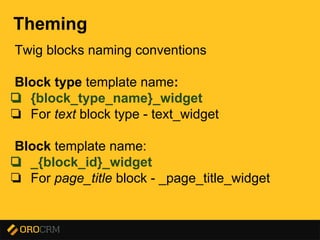
Twig blocks naming conventions
Block type template name:
❏ {block_type_name}_widget
❏ For text block type - text_widget
Block template name:
❏ _{block_id}_widget
❏ For page_title block - _page_title_widget
Presentation title here
Theming
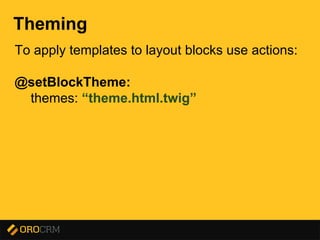
To apply templates to layout blocks use actions:
@setBlockTheme:
themes: “theme.html.twig”
Presentation title here
Theming
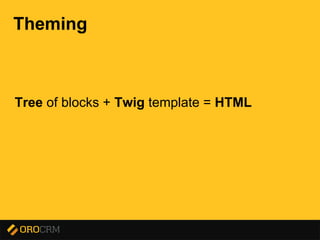
Tree of blocks + Twig template = HTML
Presentation title here
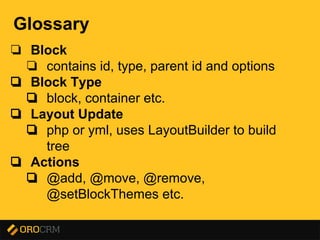
Glossary
❏ Block
❏ contains id, type, parent id and options
❏ Block Type
❏ block, container etc.
❏ Layout Update
❏ php or yml, uses LayoutBuilder to build
tree
❏ Actions
❏ @add, @move, @remove,
@setBlockThemes etc.
Presentation title here
Layout Bundle
Integrate Layout with Symfony
Presentation title here
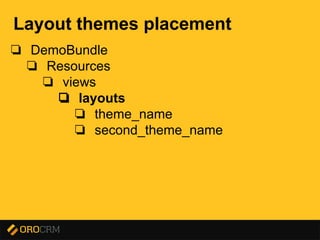
Layout themes placement
❏ DemoBundle
❏ Resources
❏ views
❏ layouts
❏ theme_name
❏ second_theme_name
Presentation title here
Context
Identify page layout
Presentation title here
Same Context = Same Tree Structure
Presentation title here
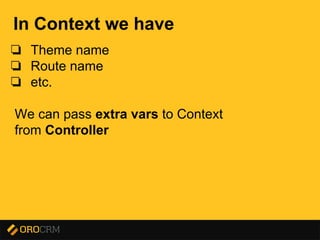
In Context we have
❏ Theme name
❏ Route name
❏ etc.
We can pass extra vars to Context
from Controller
Presentation title here
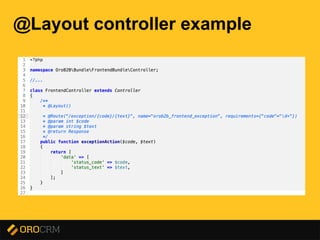
@Layout controller example
Presentation title here
Context
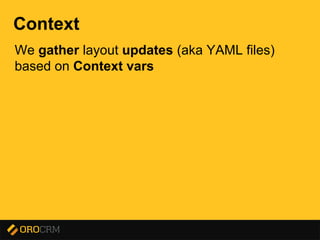
We gather layout updates (aka YAML files)
based on Context vars
Presentation title here
Context
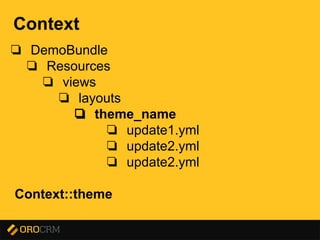
❏ DemoBundle
❏ Resources
❏ views
❏ layouts
❏ theme_name
❏ update1.yml
❏ update2.yml
❏ update2.yml
Context::theme
Presentation title here
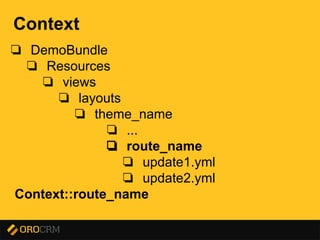
Context
❏ DemoBundle
❏ Resources
❏ views
❏ layouts
❏ theme_name
❏ ...
❏ route_name
❏ update1.yml
❏ update2.yml
Context::route_name
Presentation title here
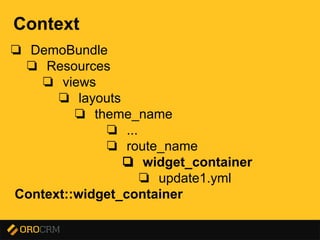
Context
❏ DemoBundle
❏ Resources
❏ views
❏ layouts
❏ theme_name
❏ ...
❏ route_name
❏ widget_container
❏ update1.yml
Context::widget_container
Presentation title here
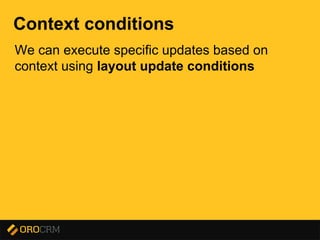
Context conditions
We can execute specific updates based on
context using layout update conditions
Presentation title here
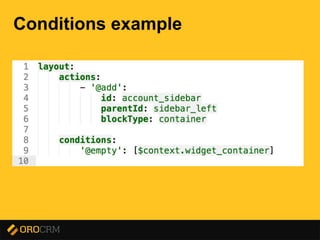
Conditions example
Presentation title here
Extending Context
We can add vars to context globally using
ContextConfigurators
❏ global
❏ controller independent
Presentation title here
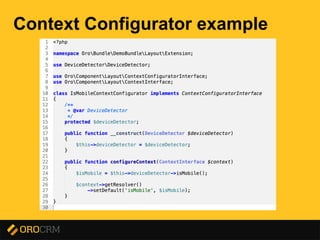
Context Configurator example
Presentation title here
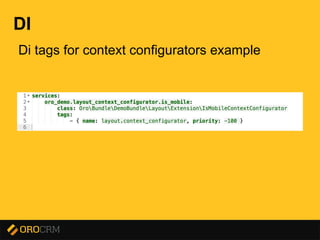
DI
Di tags for context configurators example
Presentation title here
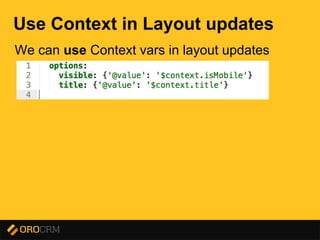
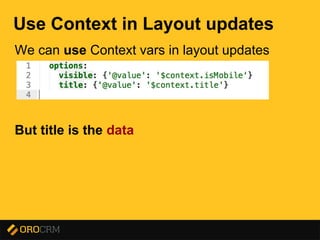
Use Context in Layout updates
We can use Context vars in layout updates
Presentation title here
Use Context in Layout updates
We can use Context vars in layout updates
But title is the data
Presentation title here
Layout Bundle
Structure can't rely on data - basic principle
We need something new
Presentation title here
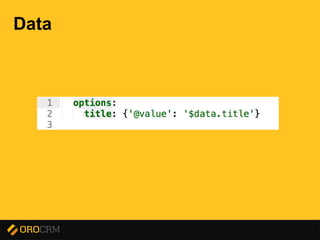
Data
Presentation title here
Data
Presentation title here
Data
How can I pass data from Controller?
Presentation title here
Data
How can I pass data from Controller?
context[“data”][“title”]
|_____ ______|
/
shortcut
Presentation title here
Data
U can’t use context[“data”] in layout updates
because
Layout tree can't depend on data(basic principle)
Use data instead
Presentation title here
Data
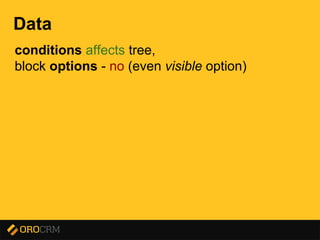
conditions affects tree,
block options - no (even visible option)
Presentation title here
Data
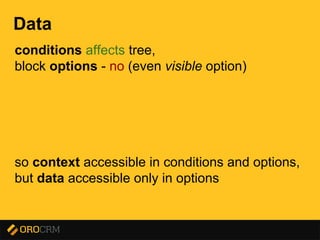
conditions affects tree,
block options - no (even visible option)
so context accessible in conditions and options,
but data accessible only in options
Presentation title here
Data
Ok, I can pass data from Controller,
but I have request independent data
For example Category list
Presentation title here
Data Providers
Presentation title here
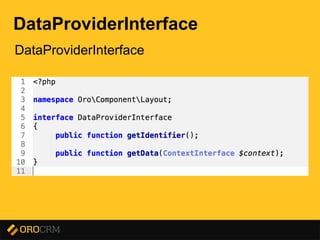
DataProviderInterface
Presentation title here
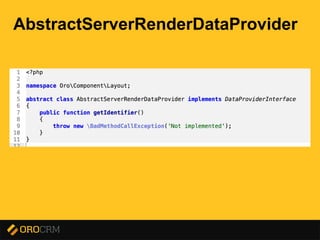
AbstractServerRenderDataProvider
Presentation title here
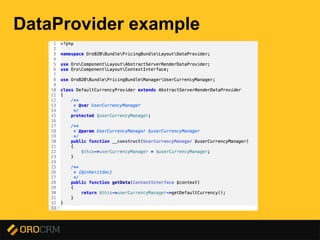
DataProvider example
Presentation title here
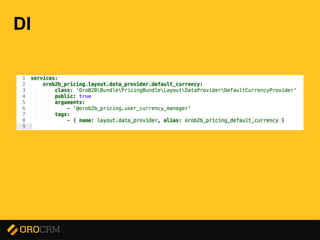
DI
Presentation title here
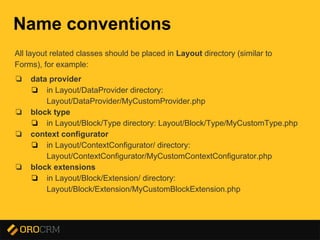
Name conventions
All layout related classes should be placed in Layout directory (similar to
Forms), for example:
❏ data provider
❏ in Layout/DataProvider directory:
Layout/DataProvider/MyCustomProvider.php
❏ block type
❏ in Layout/Block/Type directory: Layout/Block/Type/MyCustomType.php
❏ context configurator
❏ in Layout/ContextConfigurator/ directory:
Layout/ContextConfigurator/MyCustomContextConfigurator.php
❏ block extensions
❏ in Layout/Block/Extension/ directory:
Layout/Block/Extension/MyCustomBlockExtension.php
Presentation title here
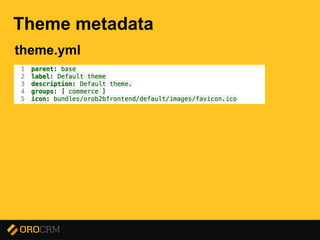
Theme metadata
theme.yml
Presentation title here
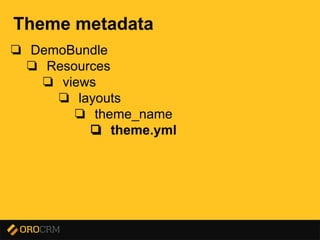
Theme metadata
❏ DemoBundle
❏ Resources
❏ views
❏ layouts
❏ theme_name
❏ theme.yml
Presentation title here
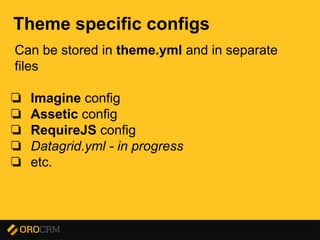
Theme specific configs
Can be stored in theme.yml and in separate
files
❏ Imagine config
❏ Assetic config
❏ RequireJS config
❏ Datagrid.yml - in progress
❏ etc.
Presentation title here
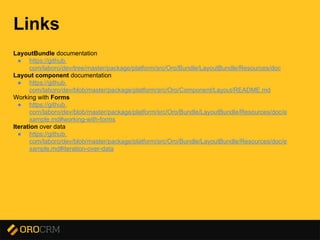
Links
LayoutBundle documentation
● https://github.
com/laboro/dev/tree/master/package/platform/src/Oro/Bundle/LayoutBundle/Resources/doc
Layout component documentation
● https://github.
com/laboro/dev/blob/master/package/platform/src/Oro/Component/Layout/README.md
Working with Forms
● https://github.
com/laboro/dev/blob/master/package/platform/src/Oro/Bundle/LayoutBundle/Resources/doc/e
xample.md#working-with-forms
Iteration over data
● https://github.
com/laboro/dev/blob/master/package/platform/src/Oro/Bundle/LayoutBundle/Resources/doc/e
xample.md#iteration-over-data
Presentation title here
?

Using Oro layouts