![Needed
• freertos10_xilinx_v1_6 –Trace.zip
• This is a patched version of the FreeRTOS Kernel and includes the Tracealyzer
sources [do not distribute it online]
• AVNET MiniZED Board
• Xilinx Vitis
• xsa export from Xilinx Vivado (your hardware project)
Vincent Claes](https://image.slidesharecdn.com/percepiotracealyzerforfreertosonminized-201112150527/75/Percepio-Tracealyzer-for-FreeRTOS-on-MiniZED-2-2048.jpg)
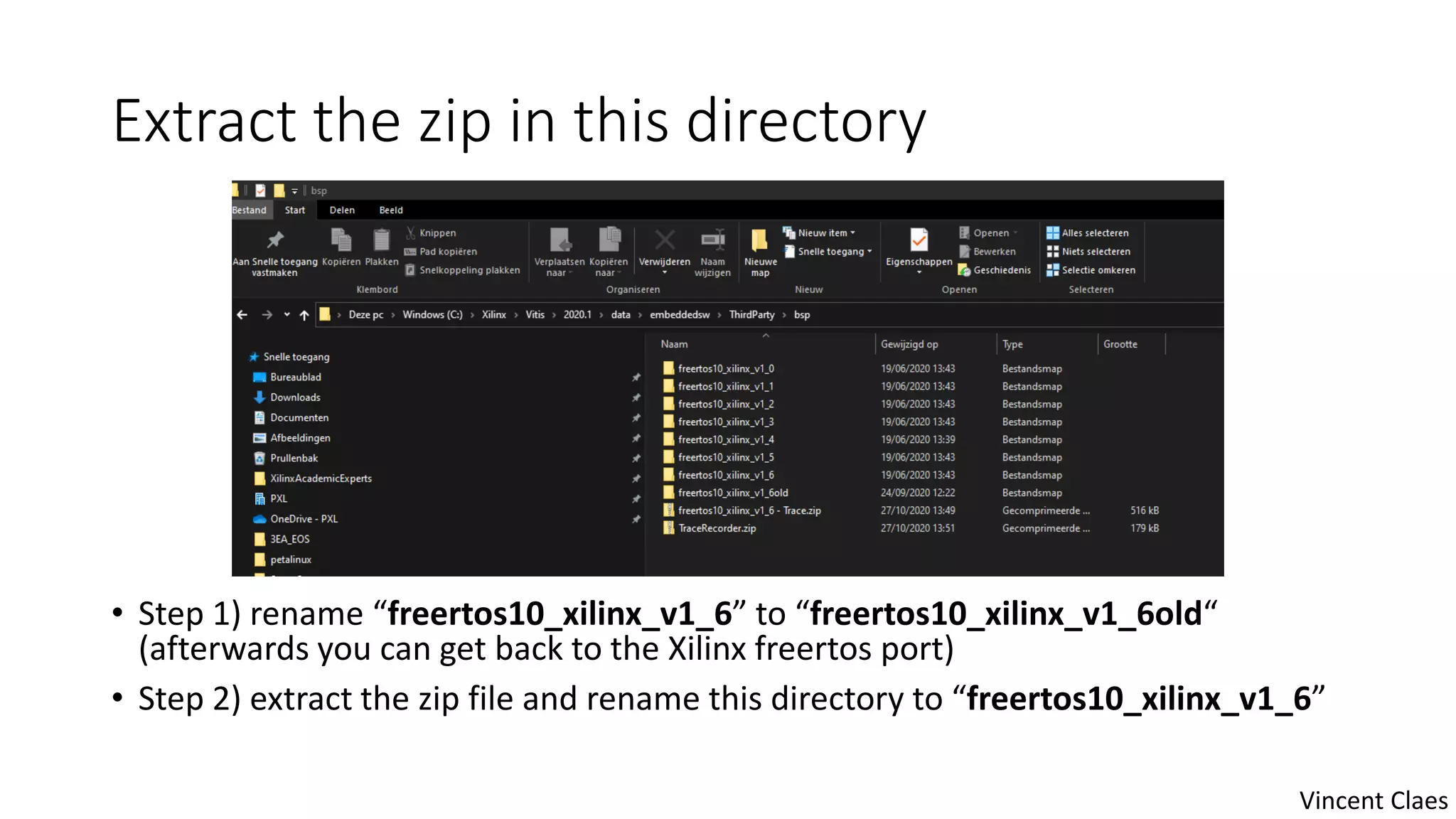
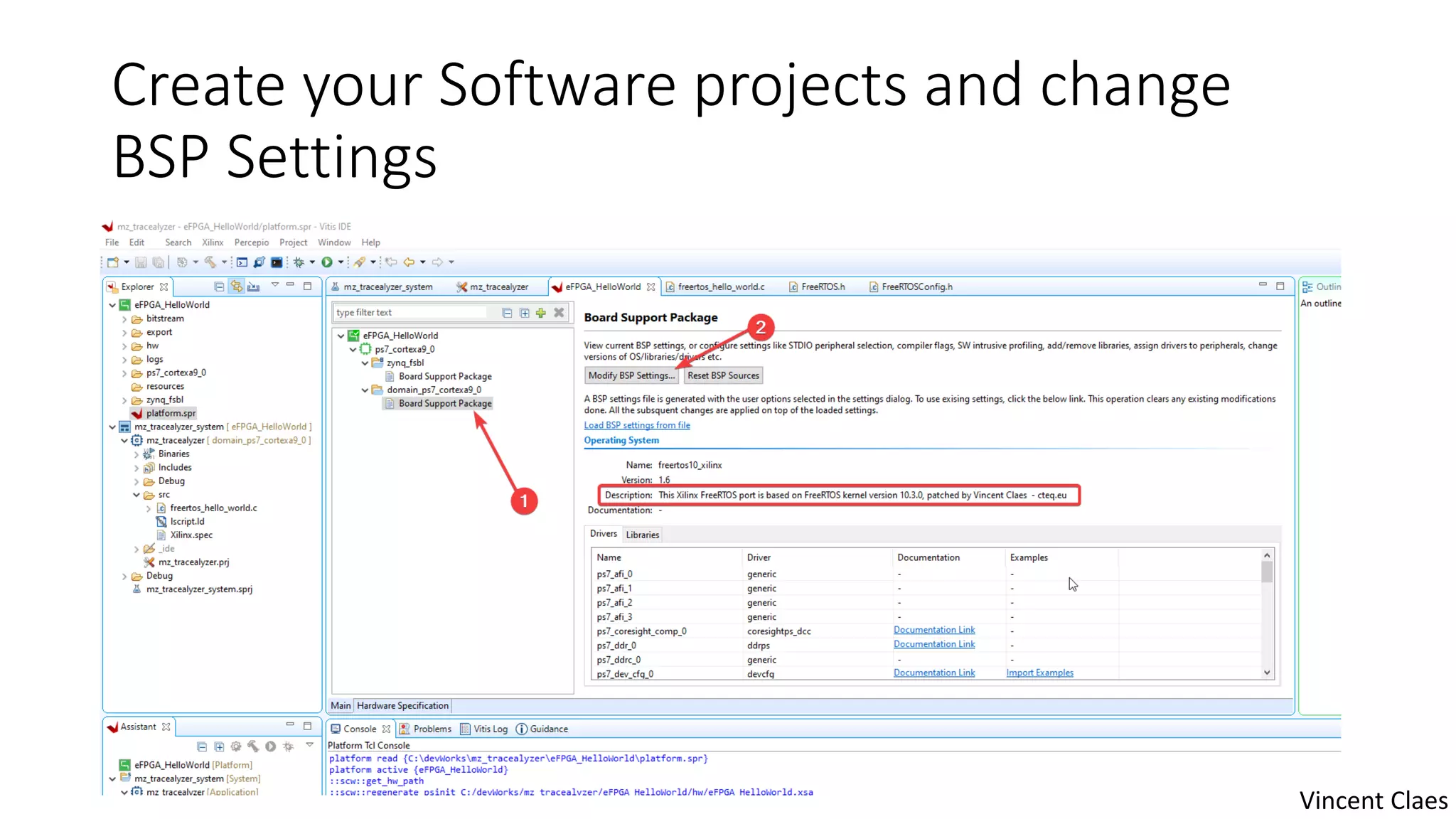
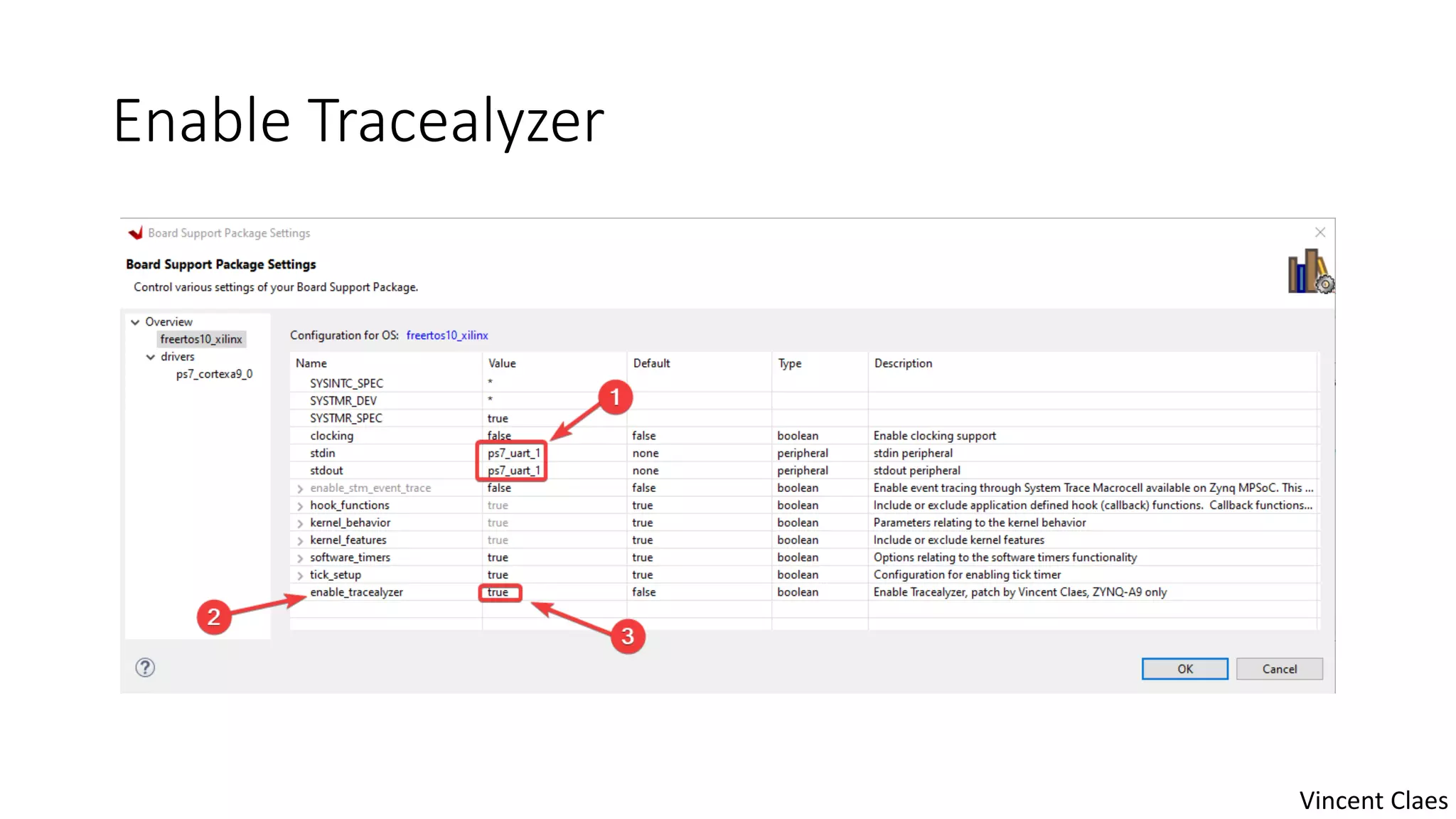
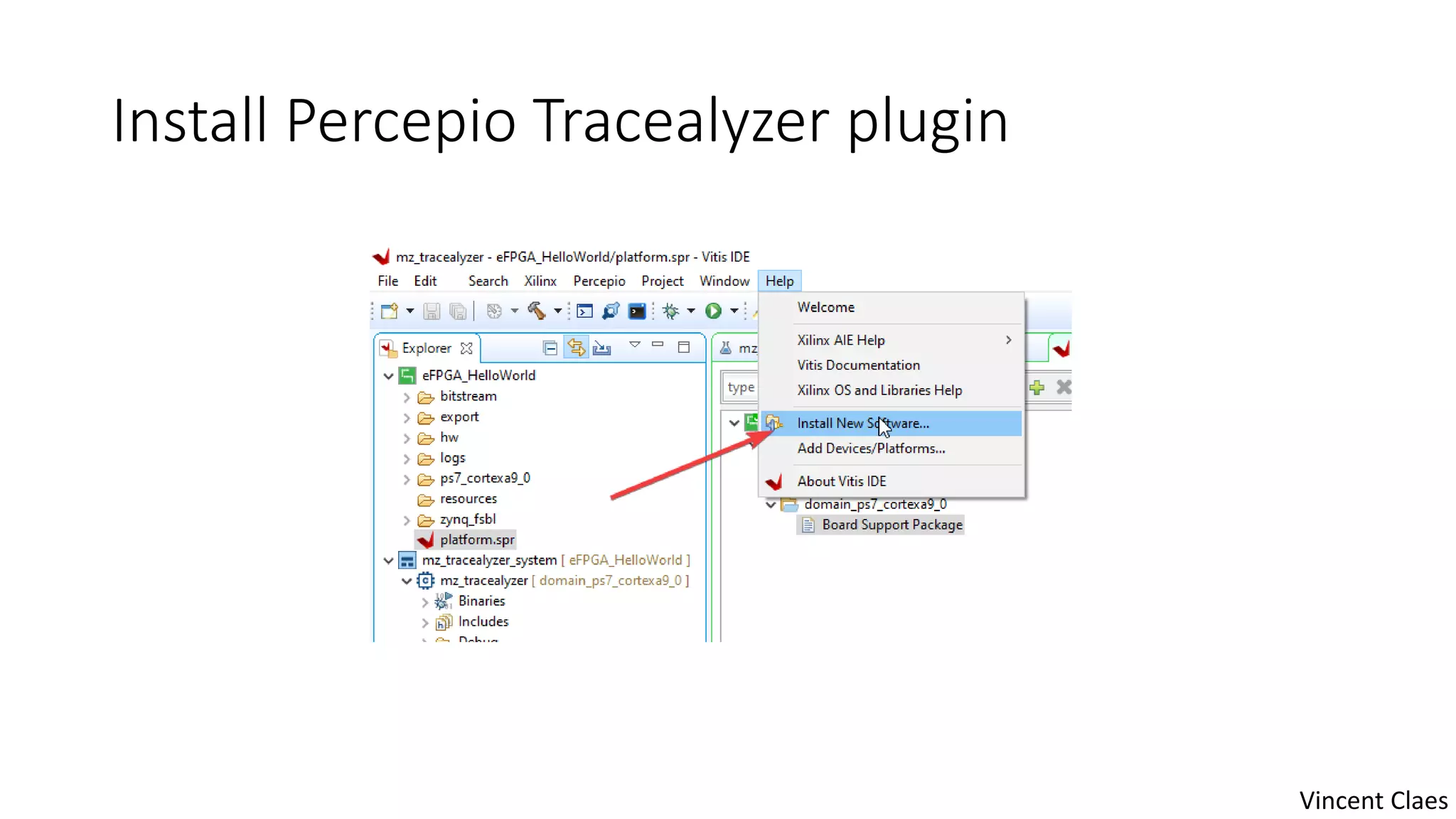
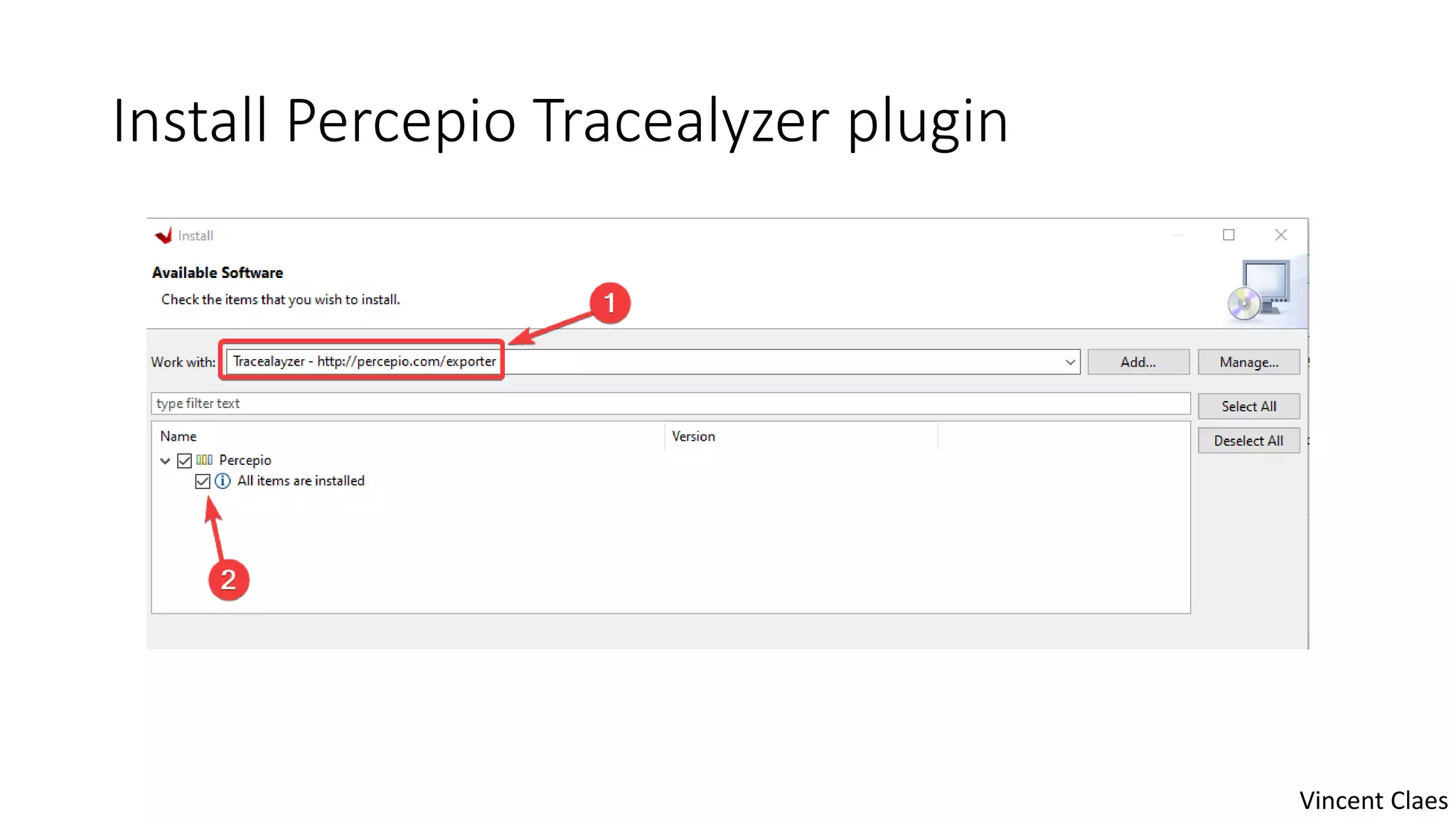
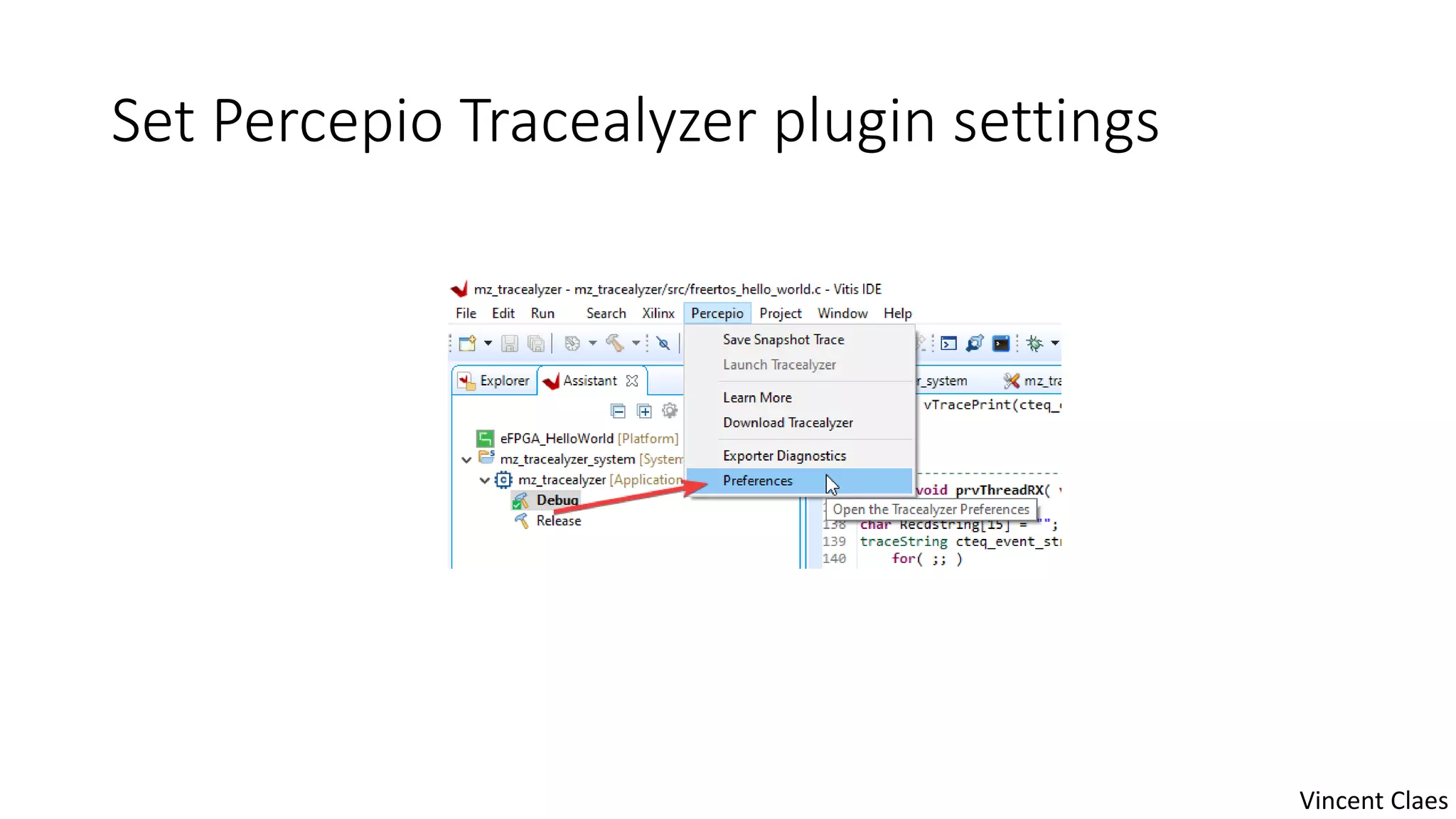
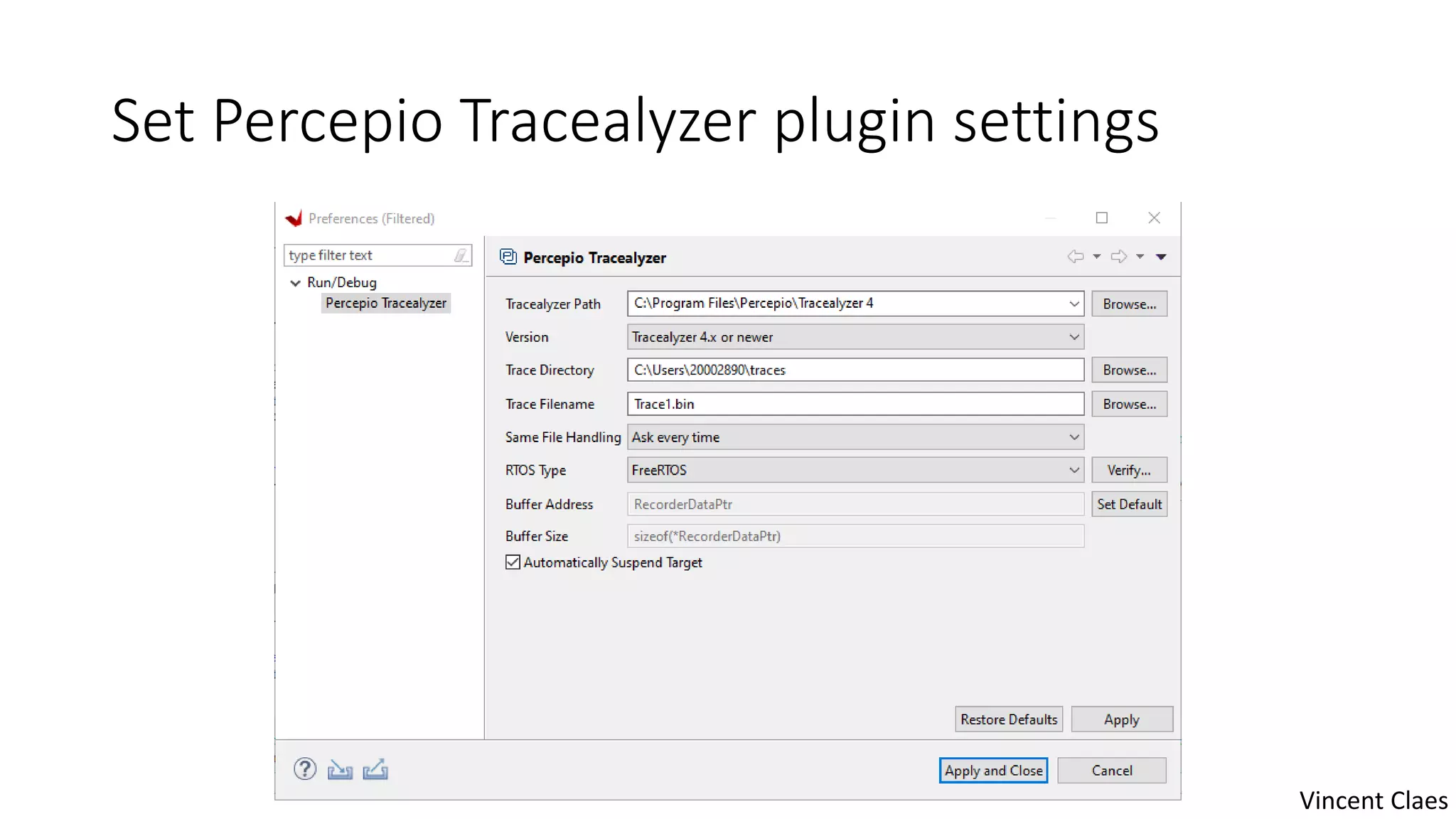
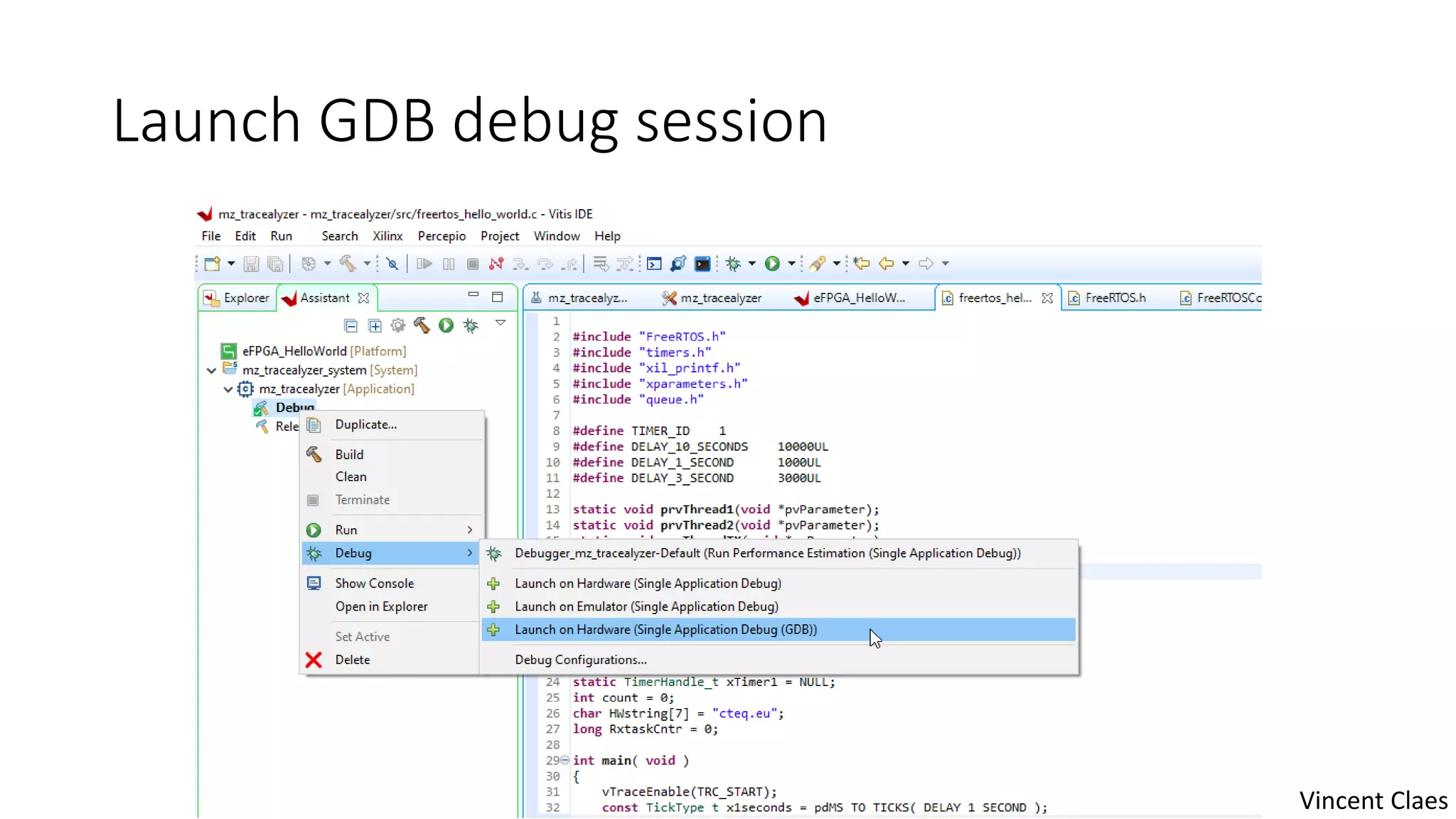
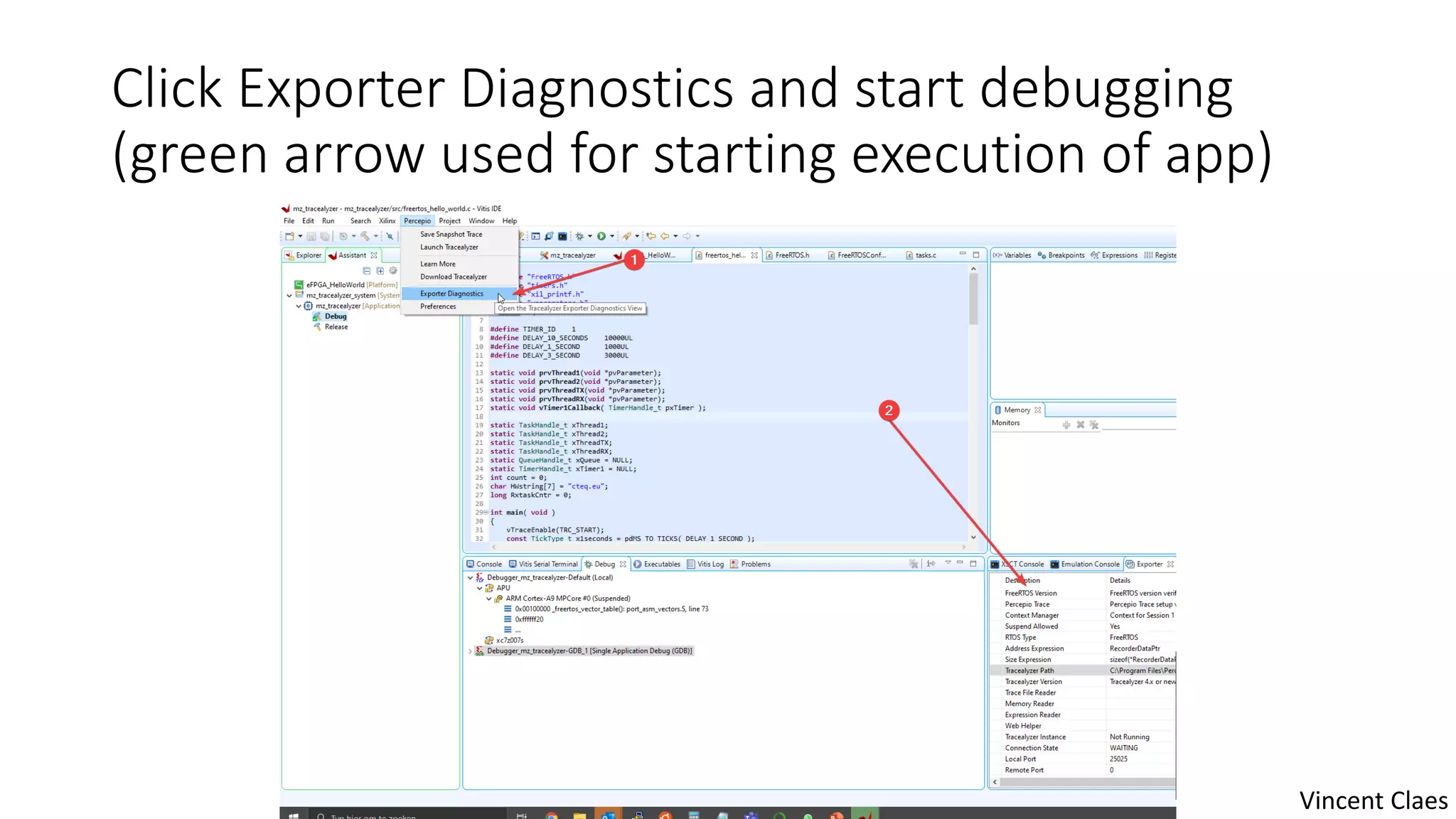
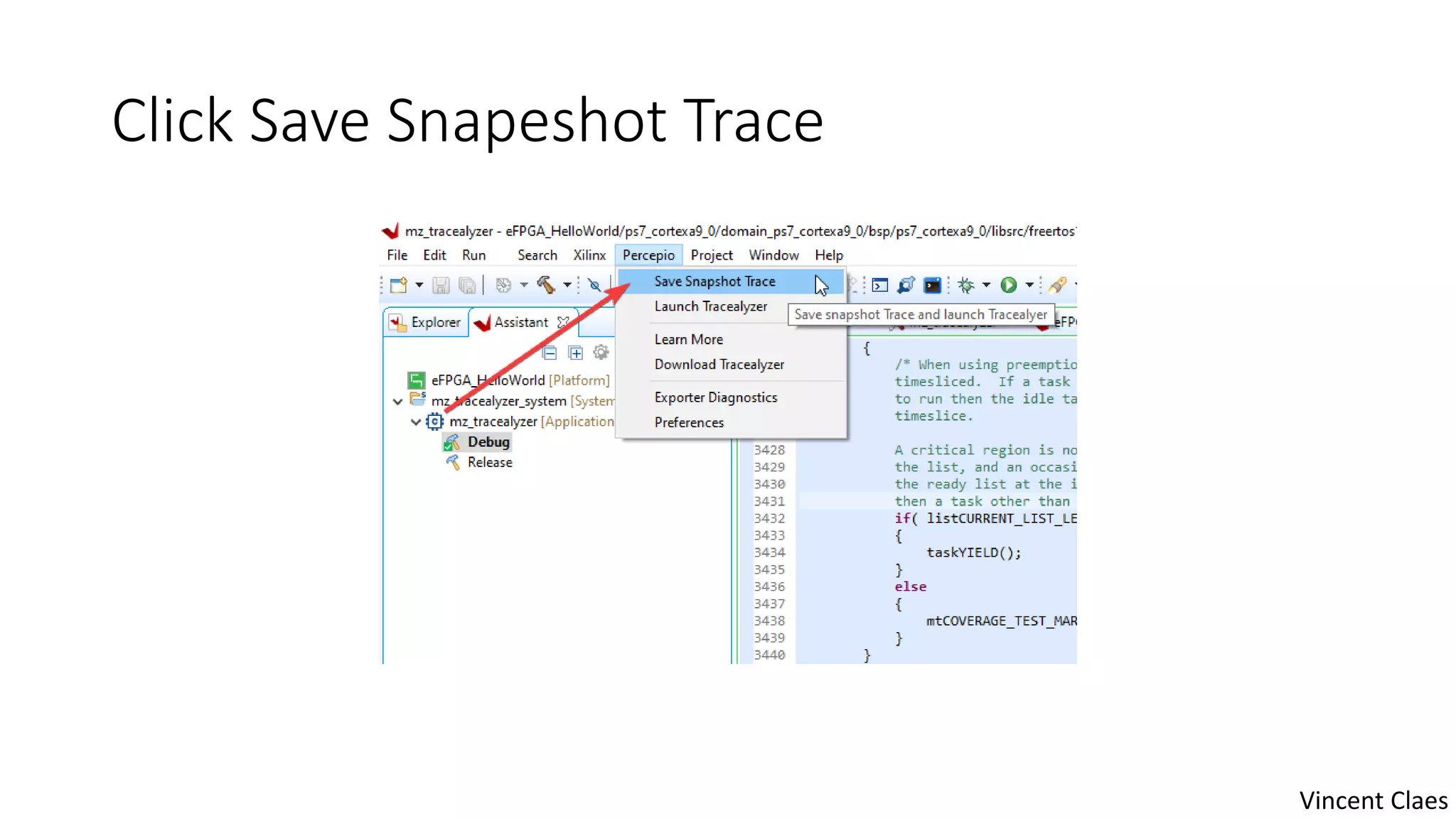
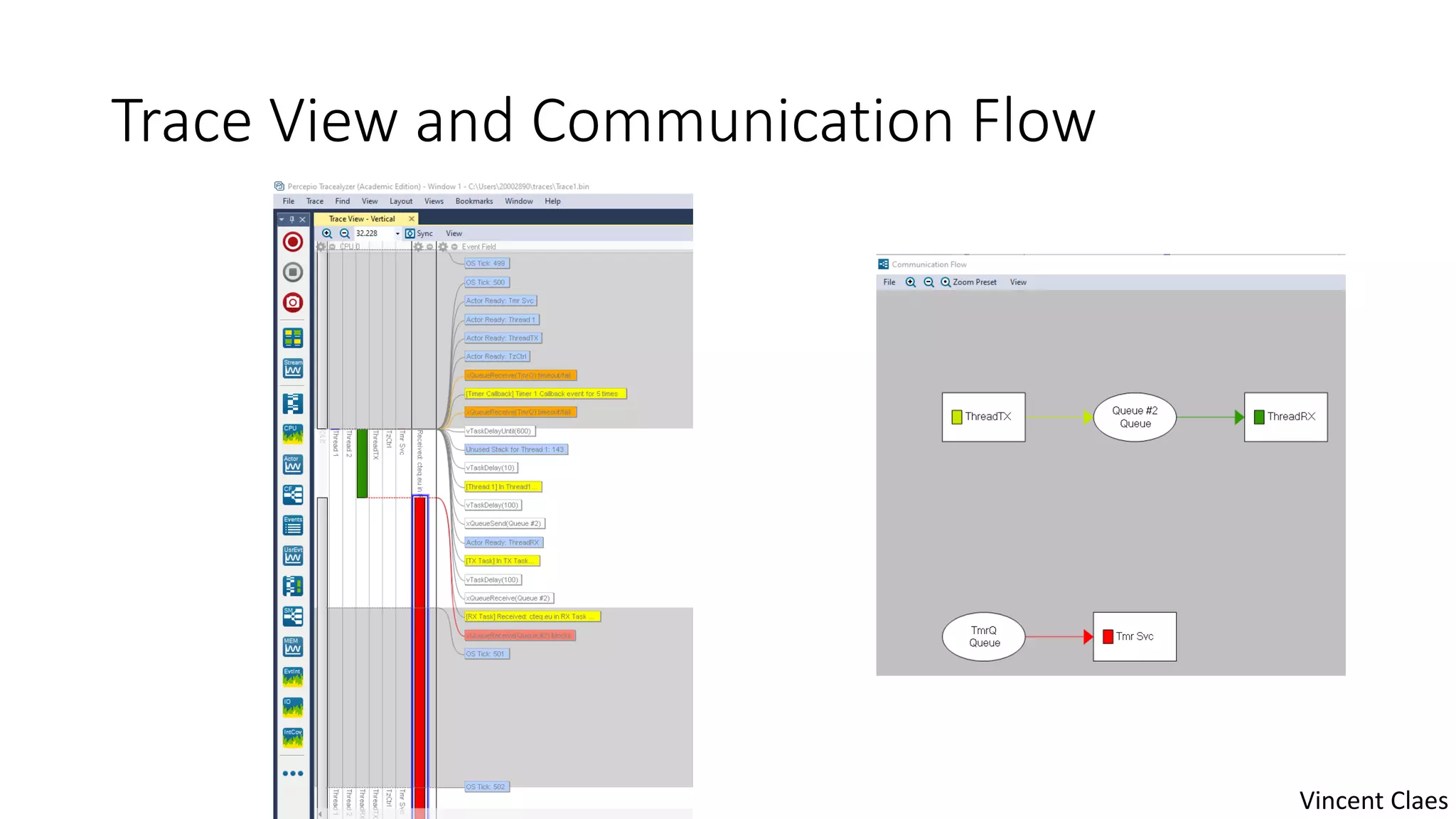
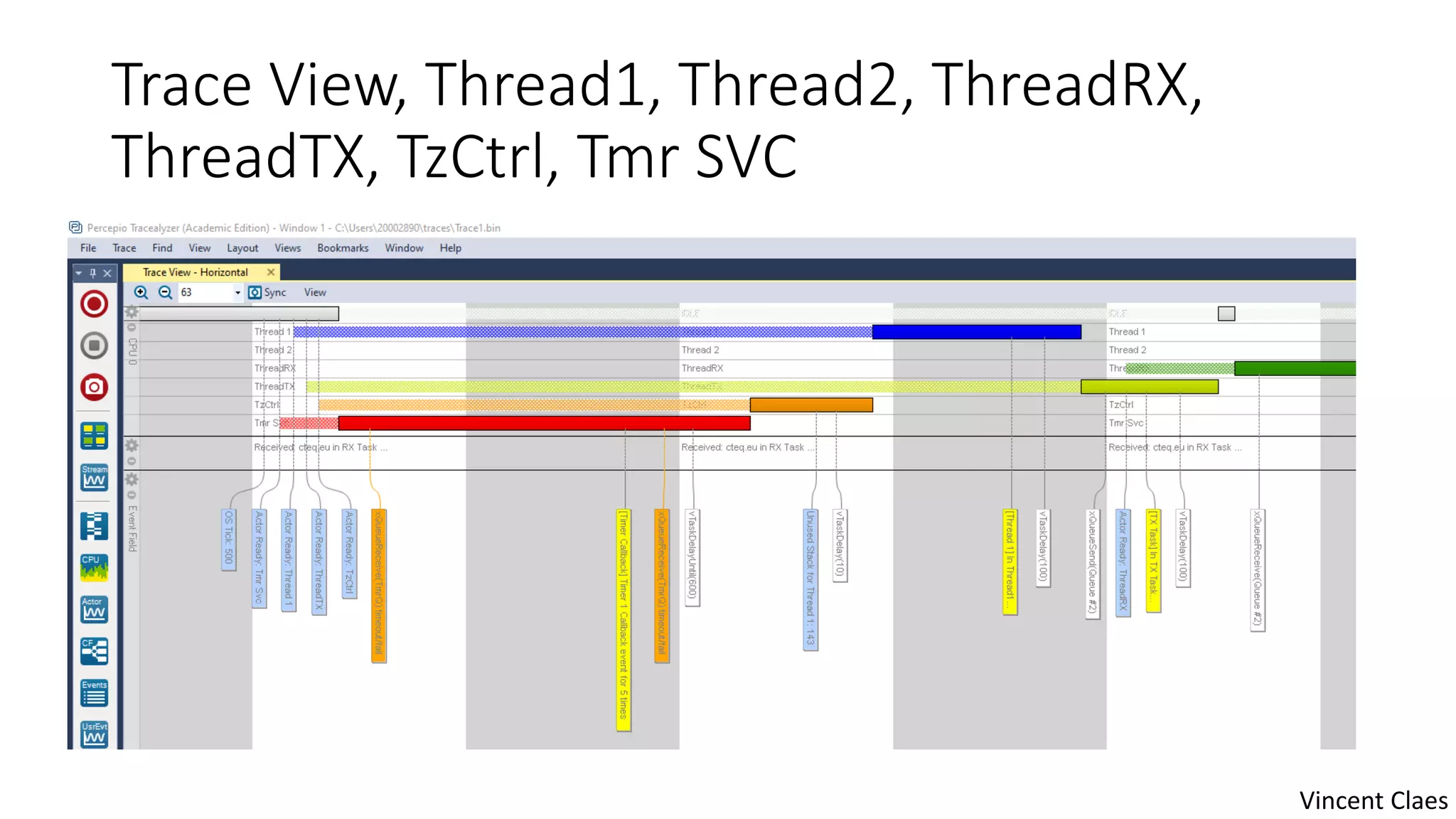
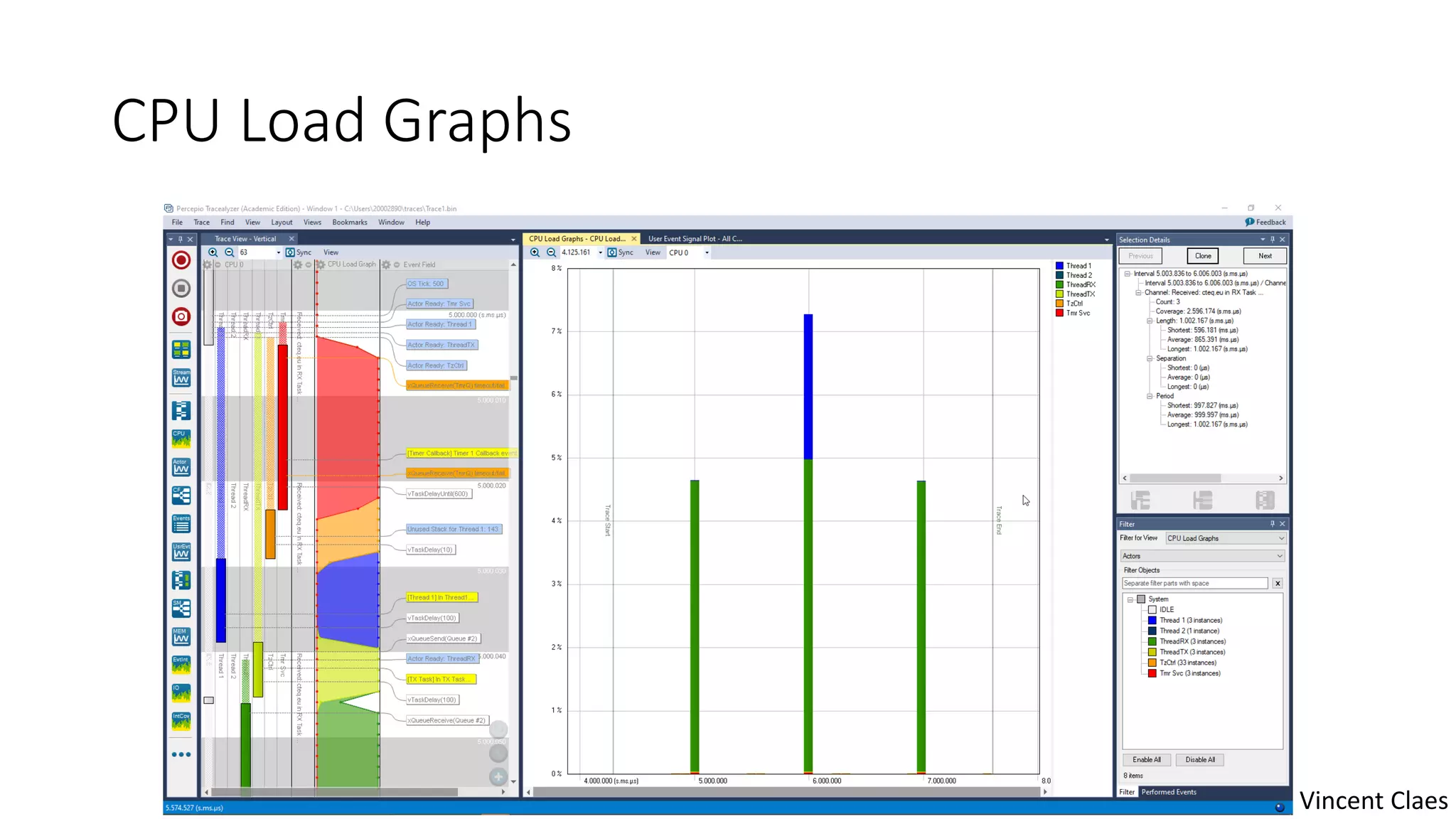

This document provides instructions for using Percepio Tracealyzer to analyze FreeRTOS programs running on an AVNET MiniZED board with Xilinx Vitis. It describes extracting a patched FreeRTOS source code zip, setting up software projects in Vitis, enabling the Tracealyzer plugin, configuring plugin settings, debugging with GDB, saving trace snapshots, and viewing results in Tracealyzer to see thread activity and CPU load graphs. It reminds the user to revert the FreeRTOS source code when finished.


![[Container Plumbing Days 2023] Why was nerdctl made?](https://cdn.slidesharecdn.com/ss_thumbnails/containerplumbing2023whywasnerdctlmade-230323115340-794fba85-thumbnail.jpg?width=640&height=640&fit=bounds)


![Coded Agents – with UiPath SDK + LangGraph [Virtual Hands-on Workshop]](https://cdn.slidesharecdn.com/ss_thumbnails/codedagentsdeck-251215155422-5497c599-thumbnail.jpg?width=640&height=640&fit=bounds)


