People &
Organizational Issues
in Health IT
Implementation
Nawanan Theera-Ampornpunt, MD, PhD
February 26, 2020
Except where
citing other works
2
Sociotechnical Systems
• Coined in 1960s by Eric Trist, Ken Bamforth &
Fred Emery
• “An approach to complex organizational work
design that recognizes the interaction
between people and technology in
workplaces.” (Wikipedia)
• “Interaction between society's complex
infrastructures and human behaviour.”
(Wikipedia)
http://en.wikipedia.org/wiki/Sociotechnical_system
3
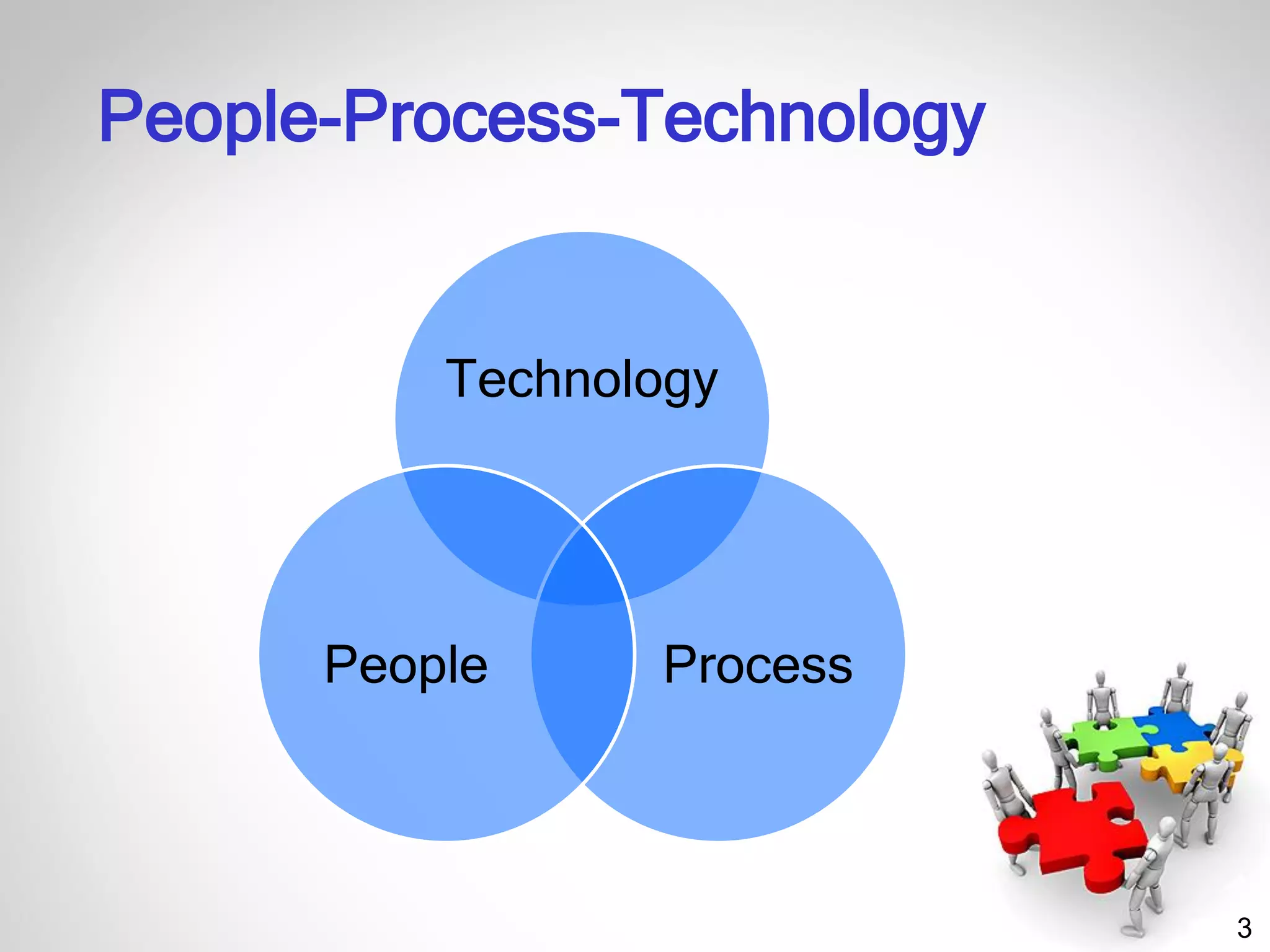
People-Process-Technology
Technology
ProcessPeople
4
“People & Organizational Issues” (POI)
• POI focuses on interactions between people
and technology, including designing,
implementing, and deploying safe and usable
health information systems and technology.
• AMIA POIWG addresses issues such as
– How systems change us and our social and clinical
environments
– How we should change them
– What we need to do to take the fullest advantage of
them to improve [...] health and health care.
– Our members strive to understand,
evaluate, and improve human-computer
and socio-technical interactions.
http://www.amia.org/programs/working-groups/people-and-organizational-issues
5
“People & Organizational Issues” (POI)
• We bring varied perspectives, methods, and tools
from
– Humanities, Social science, Cognitive science
– Computer science and informatics
– Business disciplines
– Patient safety
– Workflow
– Collaborative work and decision-making
– Human-computer interaction & Usability
– Human factors
– Project and change management
– Adoption and diffusion of innovations
– Unintended consequences
– Policy.
http://www.amia.org/programs/working-groups/people-and-organizational-issues
6
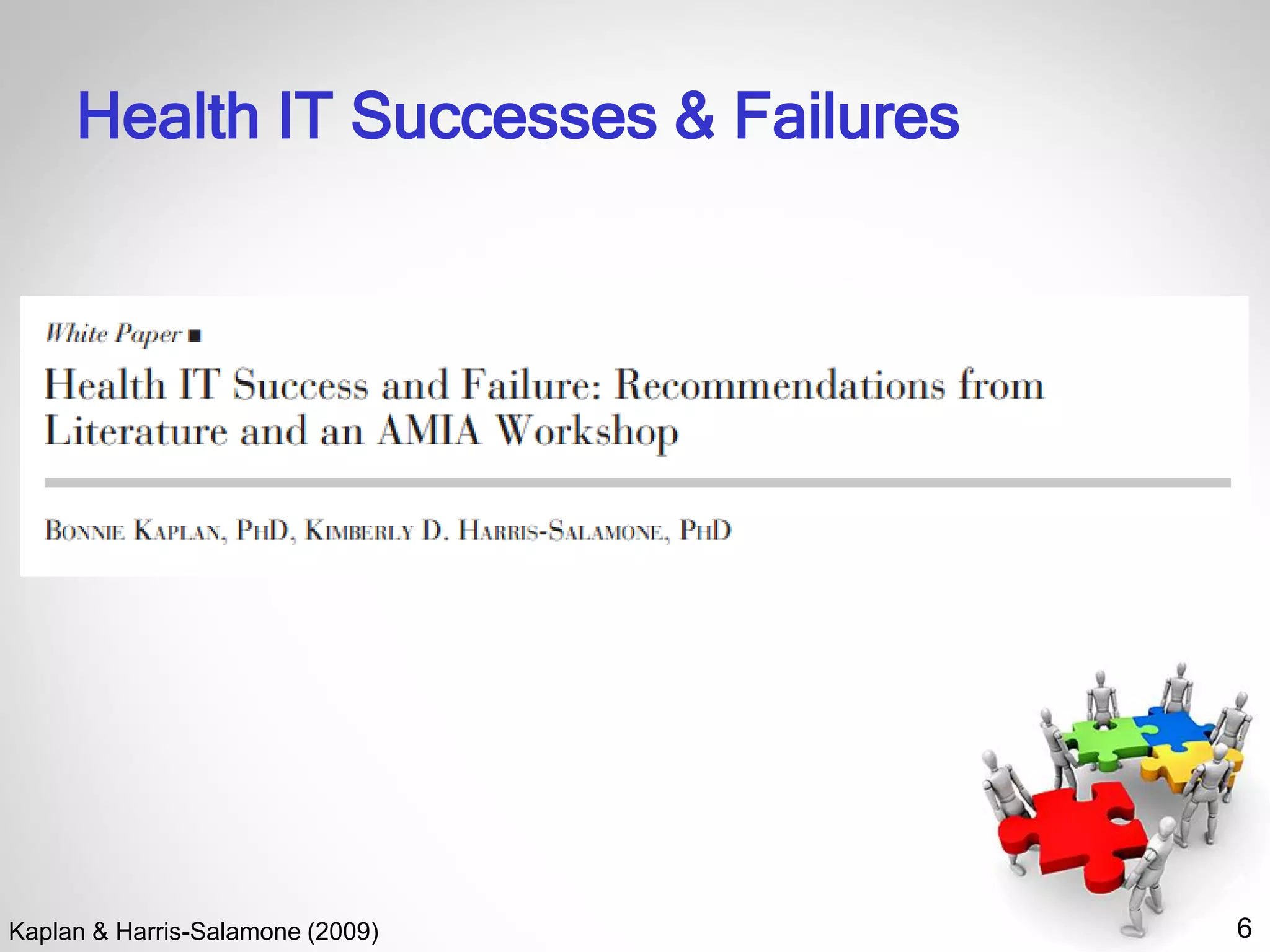
Health IT Successes & Failures
Kaplan & Harris-Salamone (2009)
7
Health IT Successes & Failures
What success is
• Different ideas and definitions of success
• Need more understanding of different stakeholder
views & more longitudinal and qualitative studies
of failure
What makes it so hard
• Communication, Workflow, & Quality
• Difficulties of communicating across different
groups makes it harder to identify requirements
and understand workflow
Kaplan & Harris-Salamone (2009)
8
Health IT Successes & Failures
What We Know—Lessons from Experience
• Provide incentives, remove disincentives
• Identify and mitigate risks
• Allow resources and time for training, exposure,
and learning to input data
• Learn from the past and from others
Kaplan & Harris-Salamone (2009)
9
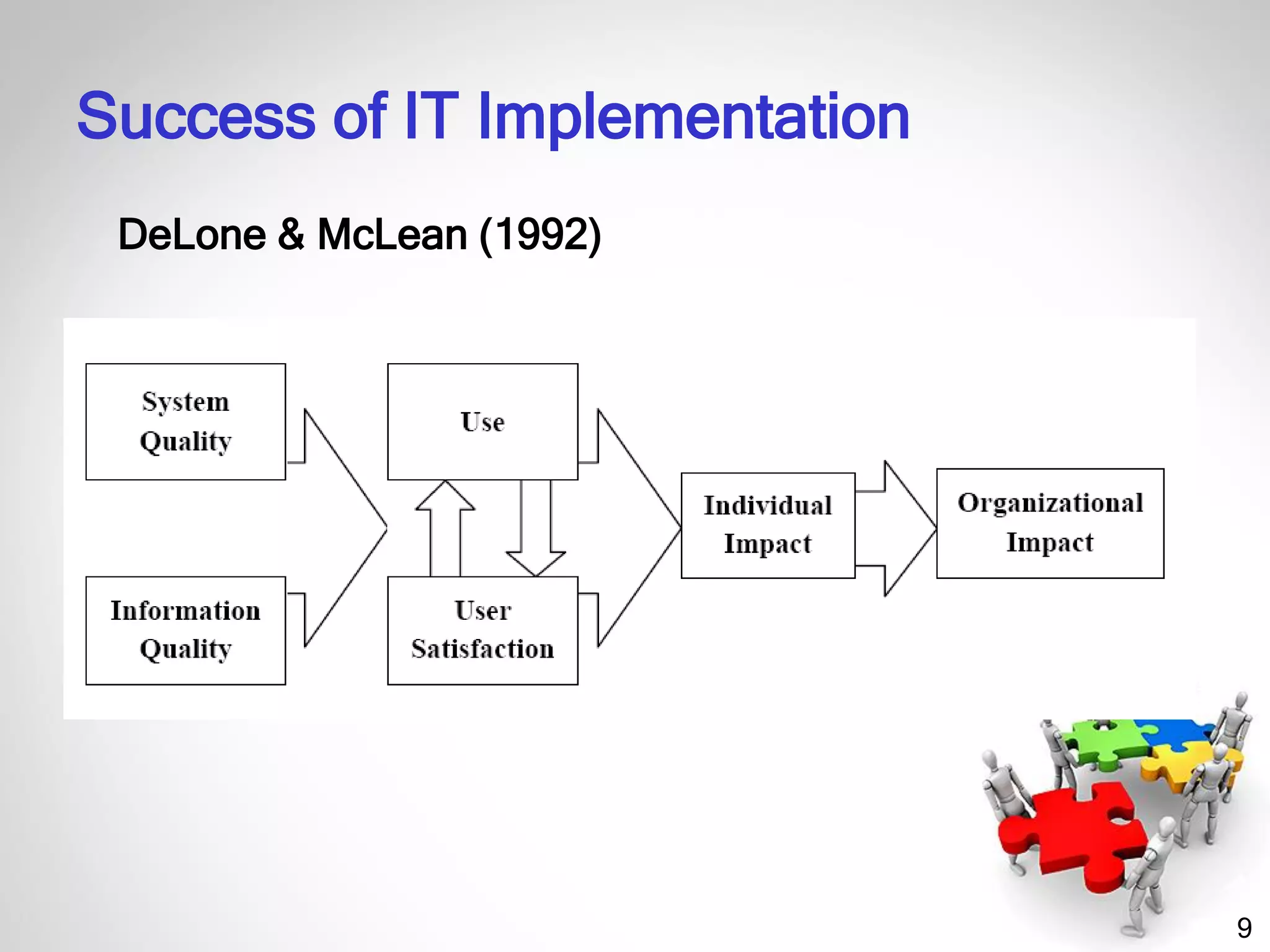
DeLone & McLean (1992)
Success of IT Implementation
10
System Quality
• System performance (response time,
reliability)
• Accuracy, error rate
• Flexibility
• Ease of use
• Accessibility
Success of IT Implementation
11
Information Quality
• Accuracy
• Currency, timeliness
• Reliability
• Completeness
• Relevance
• Usefulness
Success of IT Implementation
12
Use
• Subjective (e.g. asks a user “How often do you
use the system?”)
• Objective (e.g. number of orders done
electronically)
User Satisfaction
• Satisfaction toward system/information
• Satisfaction toward use
Success of IT Implementation
13
Individual Impacts
• Efficiency/productivity of the user
• Quality of clinical operations/decision-making
Organizational Impacts
• Faster operations, cost & time savings
• Better quality of care, better aggregate outcomes
• Reputation, increased market share
• Increased service volume or patient retention
Success of IT Implementation
14
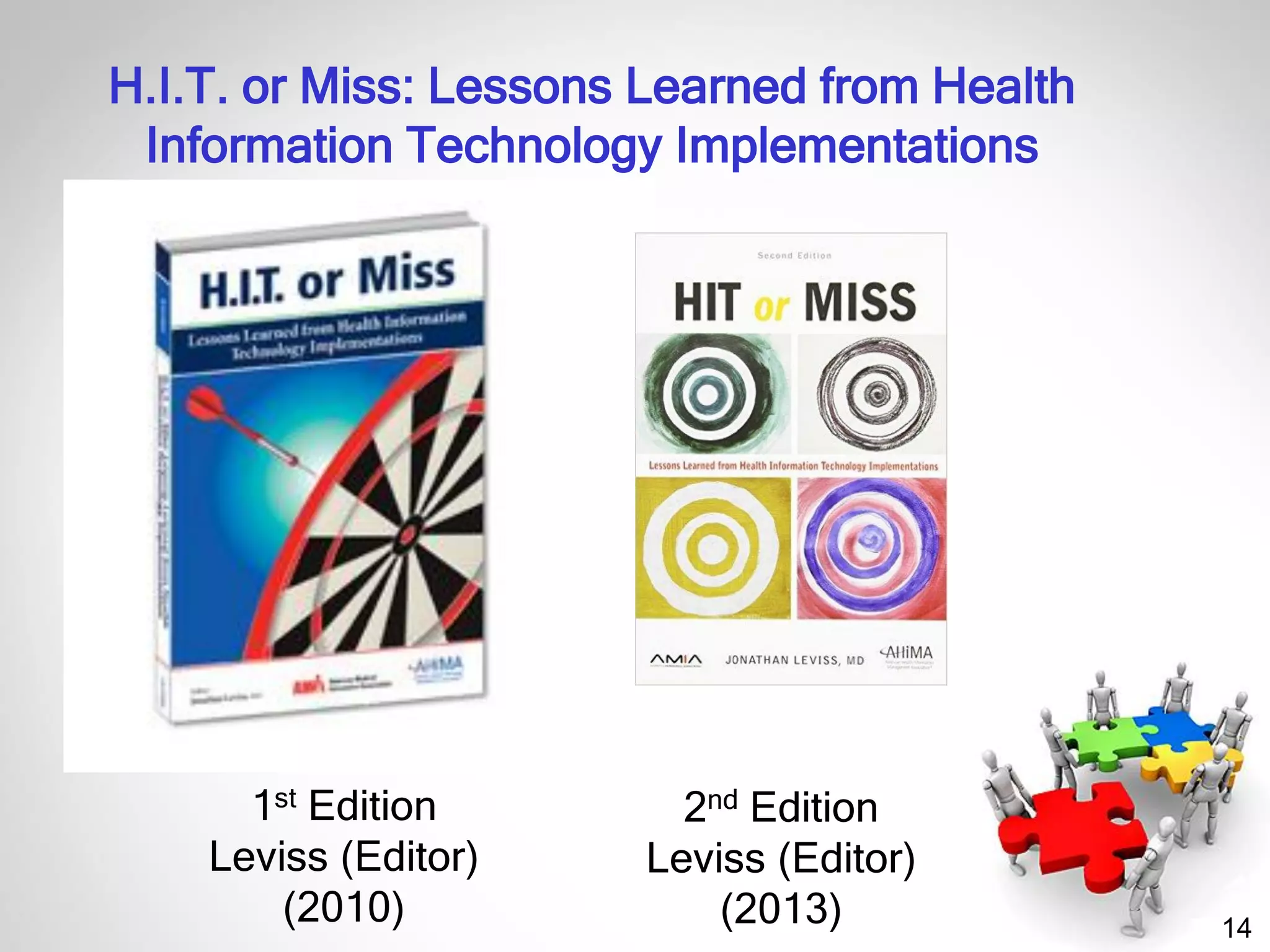
1st Edition
Leviss (Editor)
(2010)
H.I.T. or Miss: Lessons Learned from Health
Information Technology Implementations
2nd Edition
Leviss (Editor)
(2013)
15
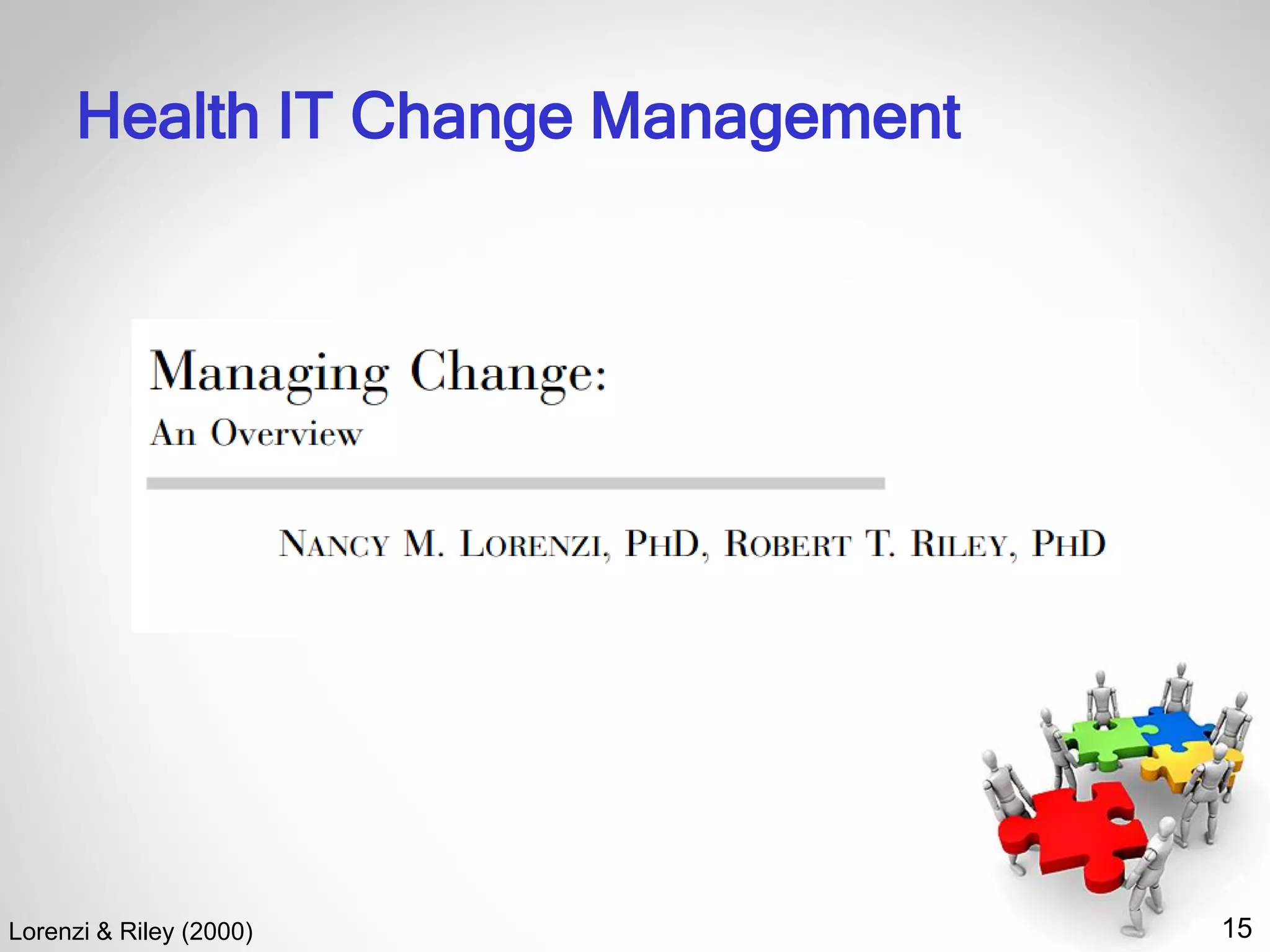
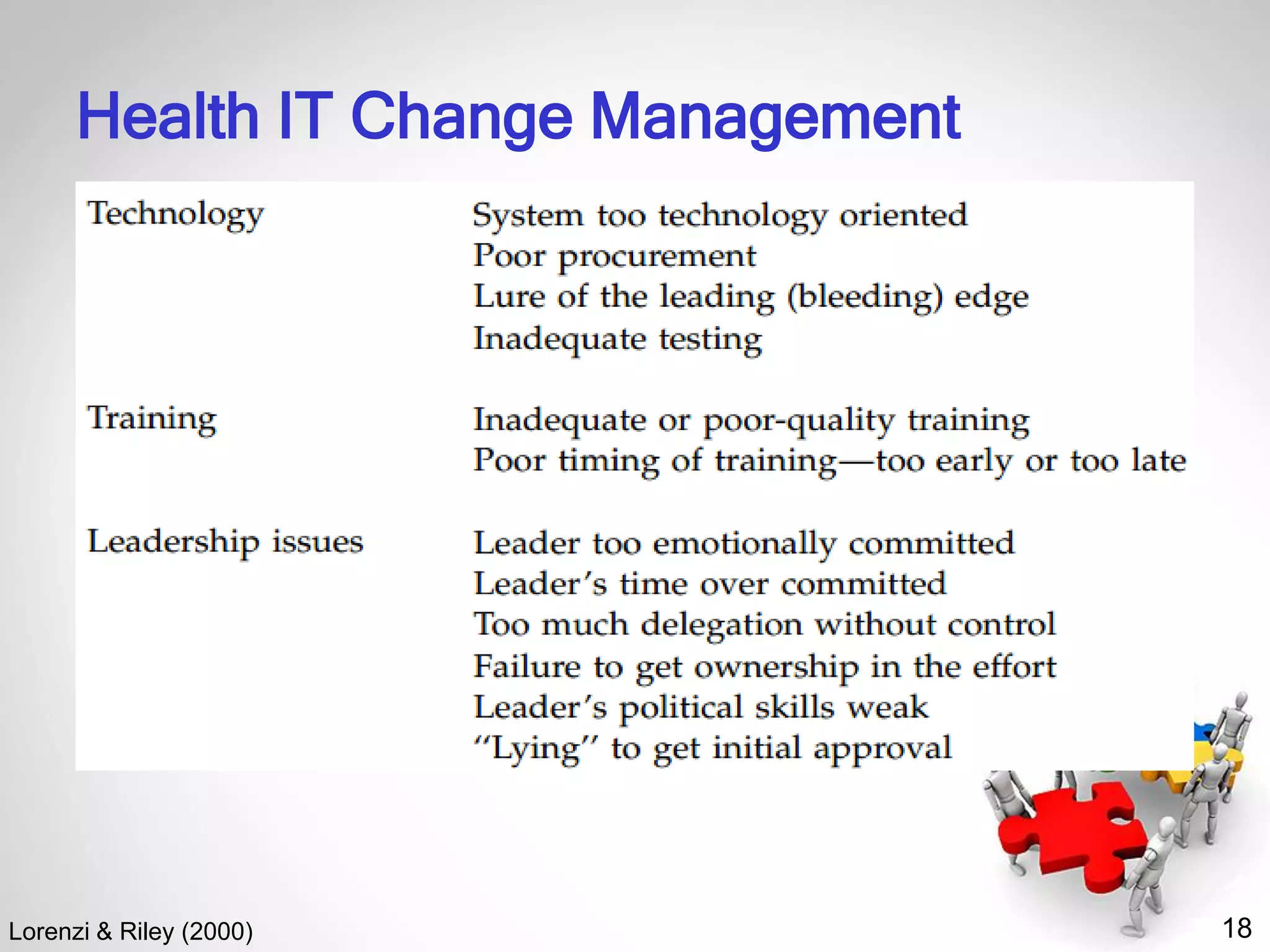
Health IT Change Management
Lorenzi & Riley (2000)
16
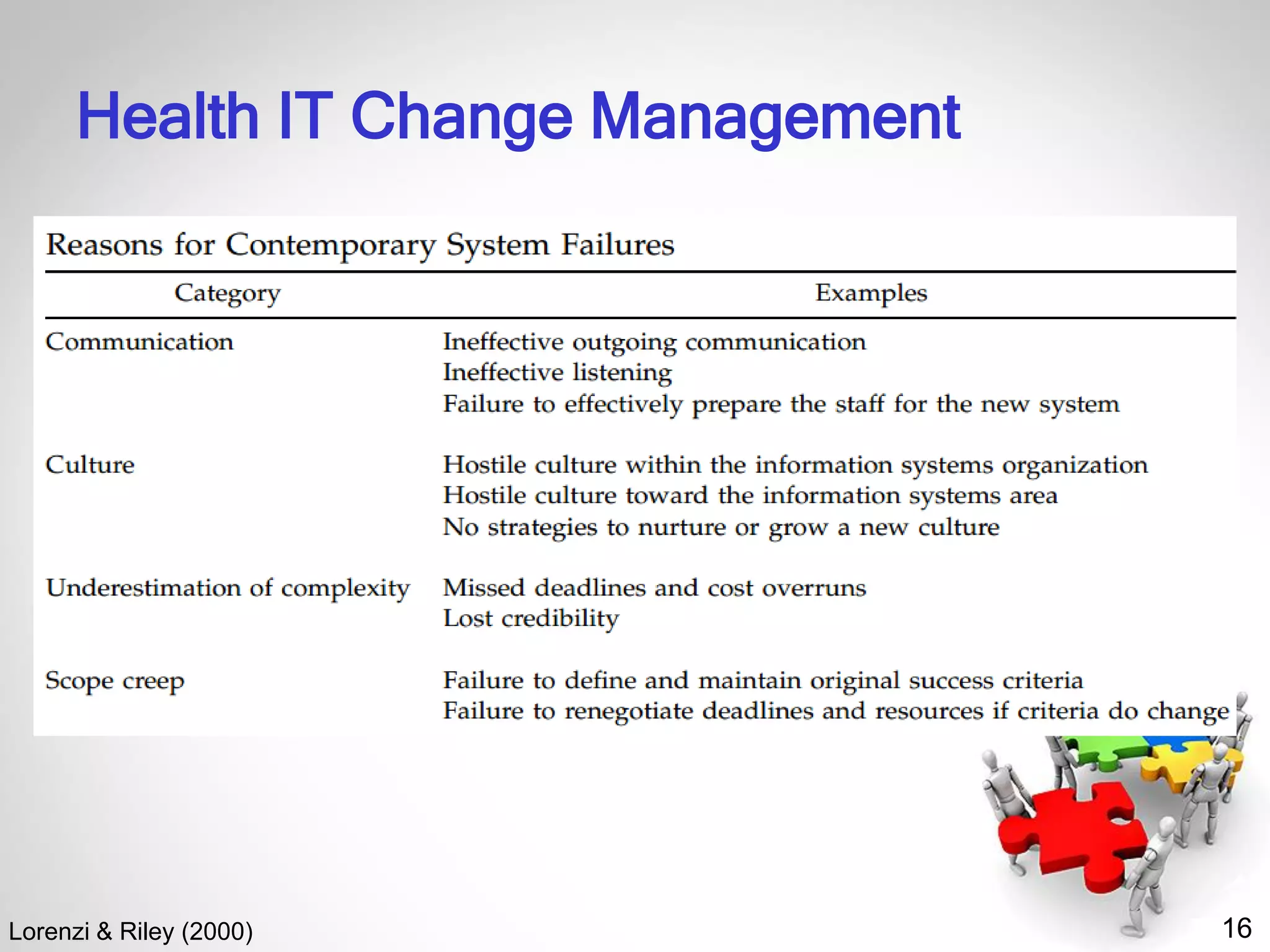
Health IT Change Management
Lorenzi & Riley (2000)
17
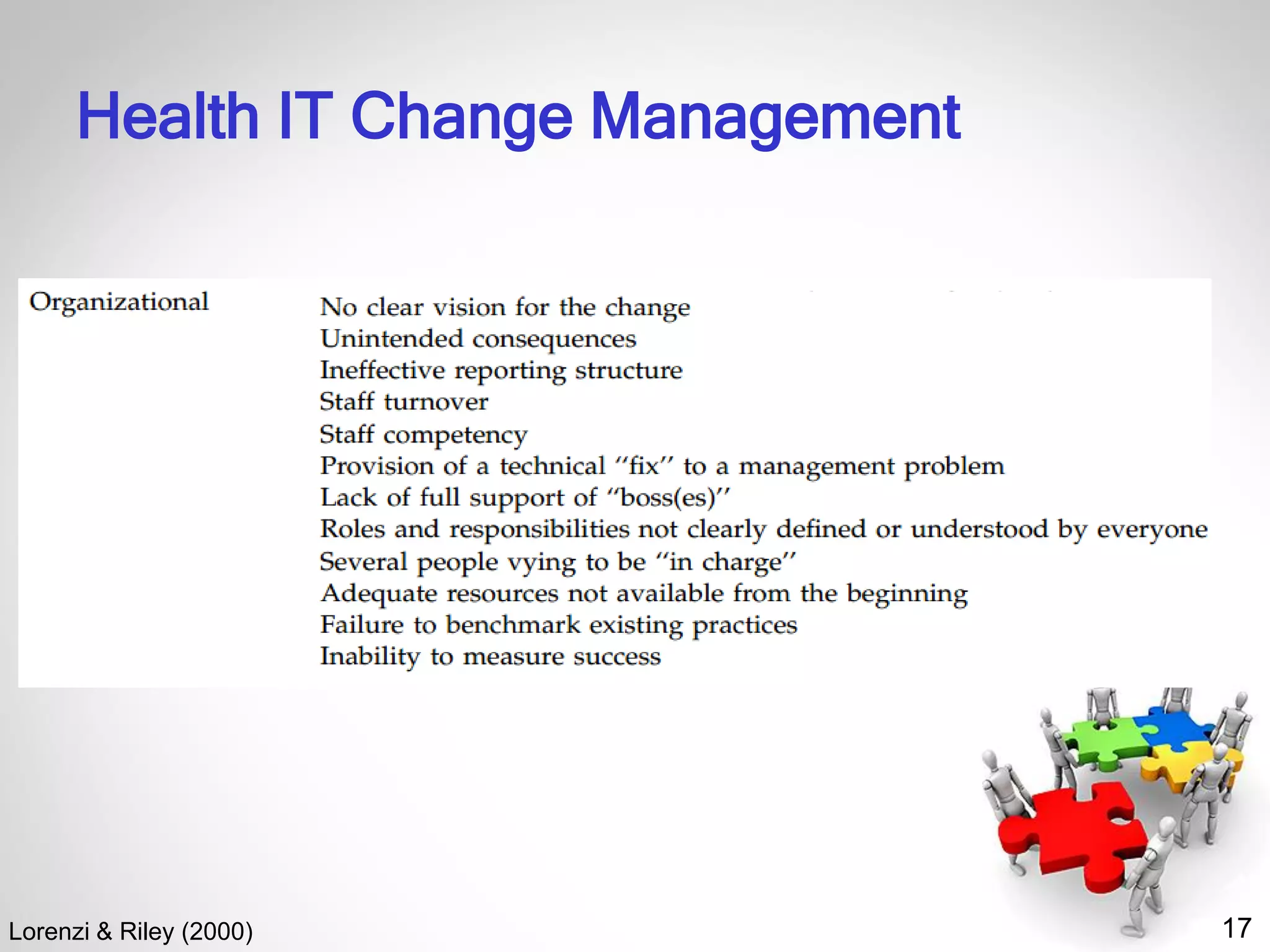
Health IT Change Management
Lorenzi & Riley (2000)
18
Health IT Change Management
Lorenzi & Riley (2000)
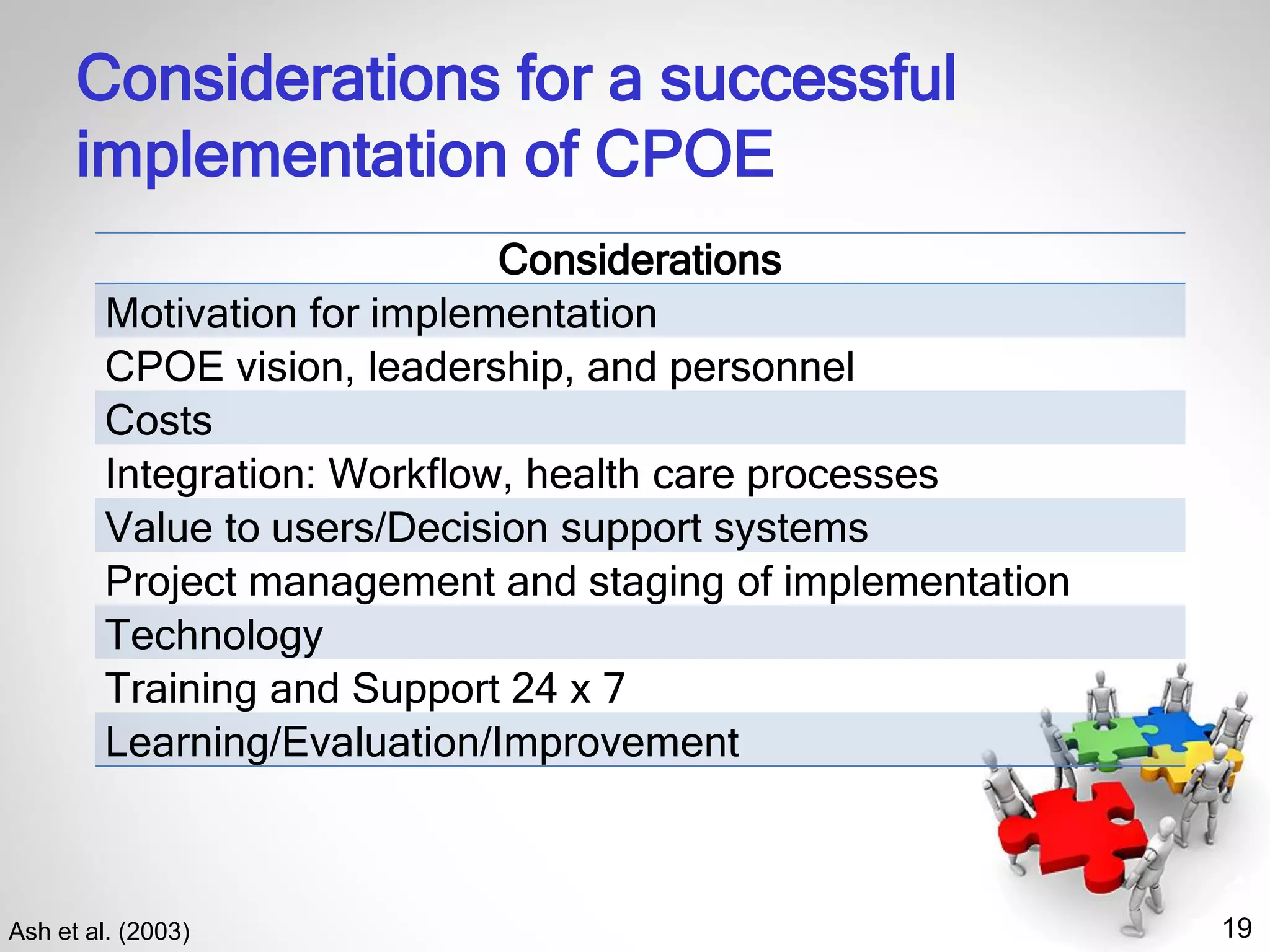
19
Considerations for a successful
implementation of CPOE
Ash et al. (2003)
Considerations
Motivation for implementation
CPOE vision, leadership, and personnel
Costs
Integration: Workflow, health care processes
Value to users/Decision support systems
Project management and staging of implementation
Technology
Training and Support 24 x 7
Learning/Evaluation/Improvement
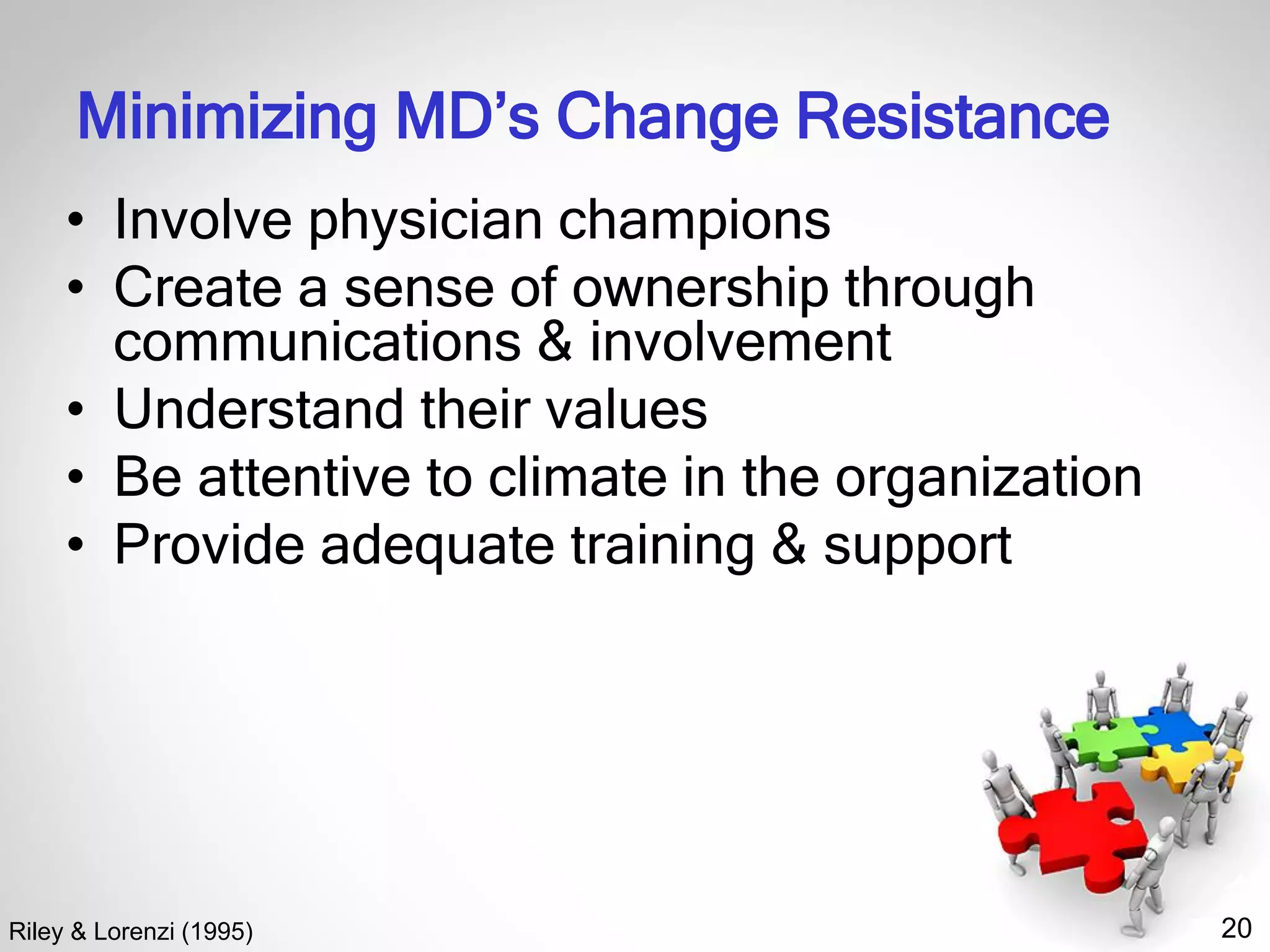
20
Minimizing MD’s Change Resistance
• Involve physician champions
• Create a sense of ownership through
communications & involvement
• Understand their values
• Be attentive to climate in the organization
• Provide adequate training & support
Riley & Lorenzi (1995)
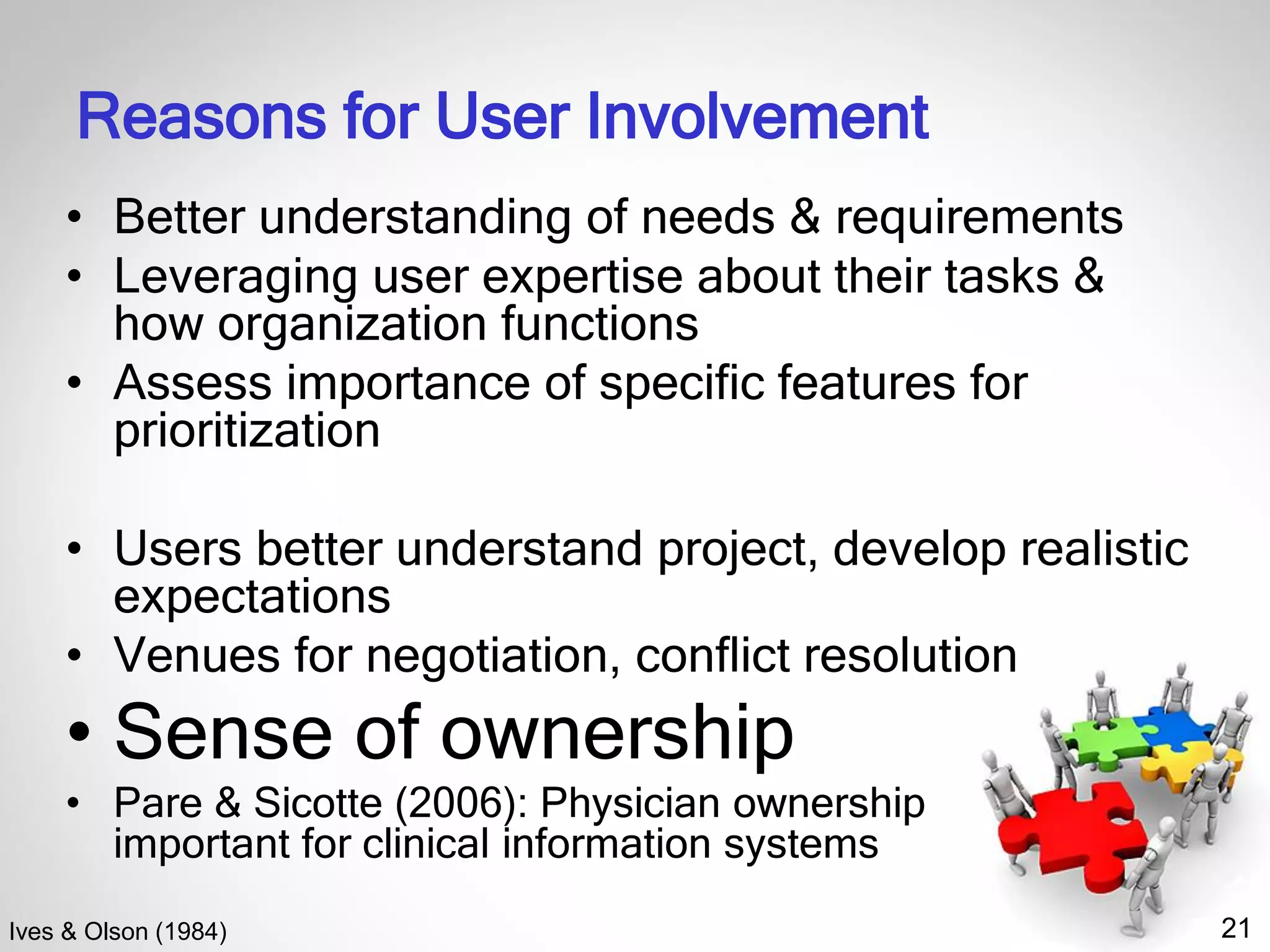
21
Reasons for User Involvement
• Better understanding of needs & requirements
• Leveraging user expertise about their tasks &
how organization functions
• Assess importance of specific features for
prioritization
• Users better understand project, develop realistic
expectations
• Venues for negotiation, conflict resolution
• Sense of ownership
• Pare & Sicotte (2006): Physician ownership
important for clinical information systems
Ives & Olson (1984)
22
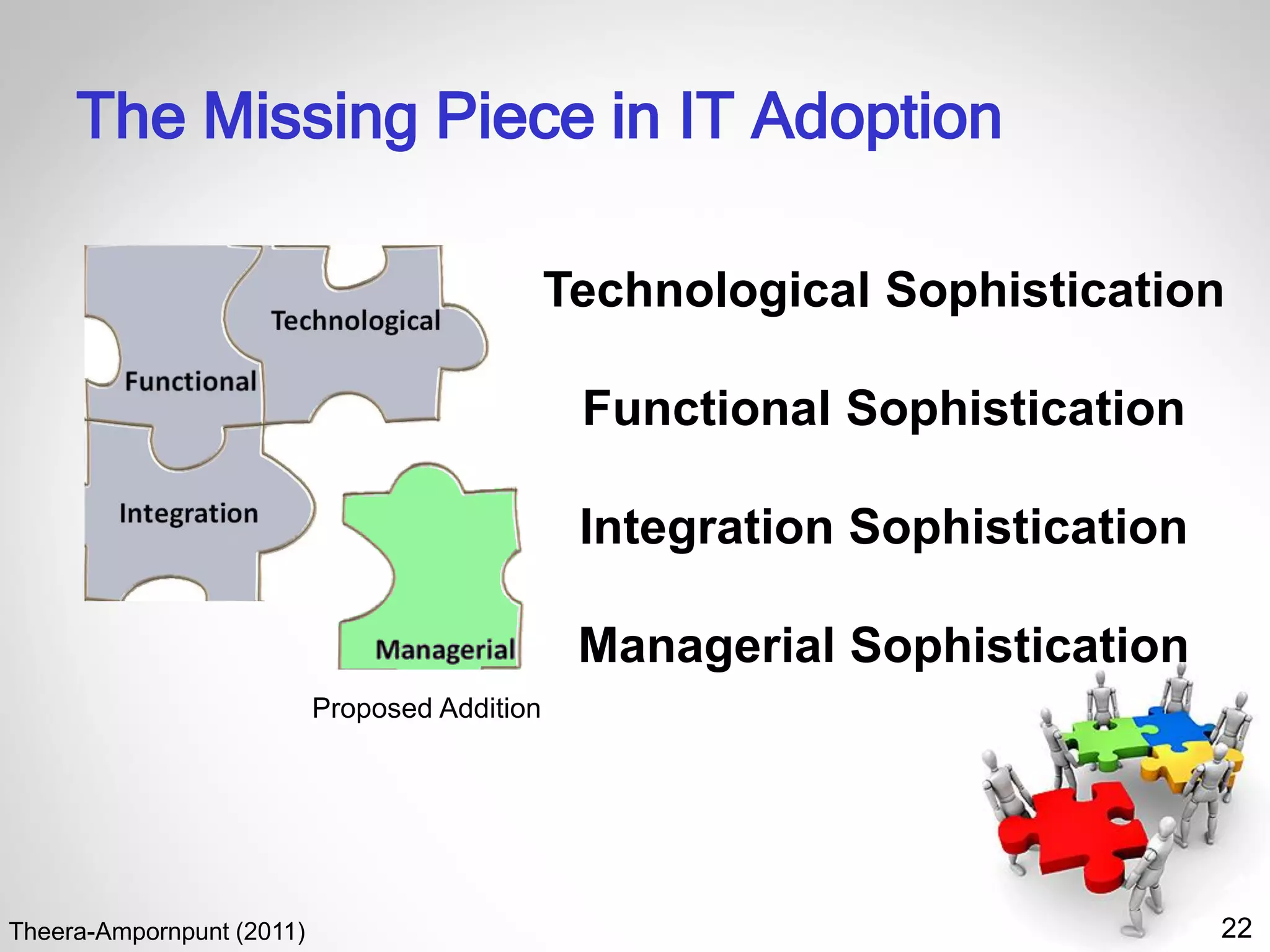
The Missing Piece in IT Adoption
Theera-Ampornpunt (2011)
Technological Sophistication
Functional Sophistication
Integration Sophistication
Managerial Sophistication
Proposed Addition
23
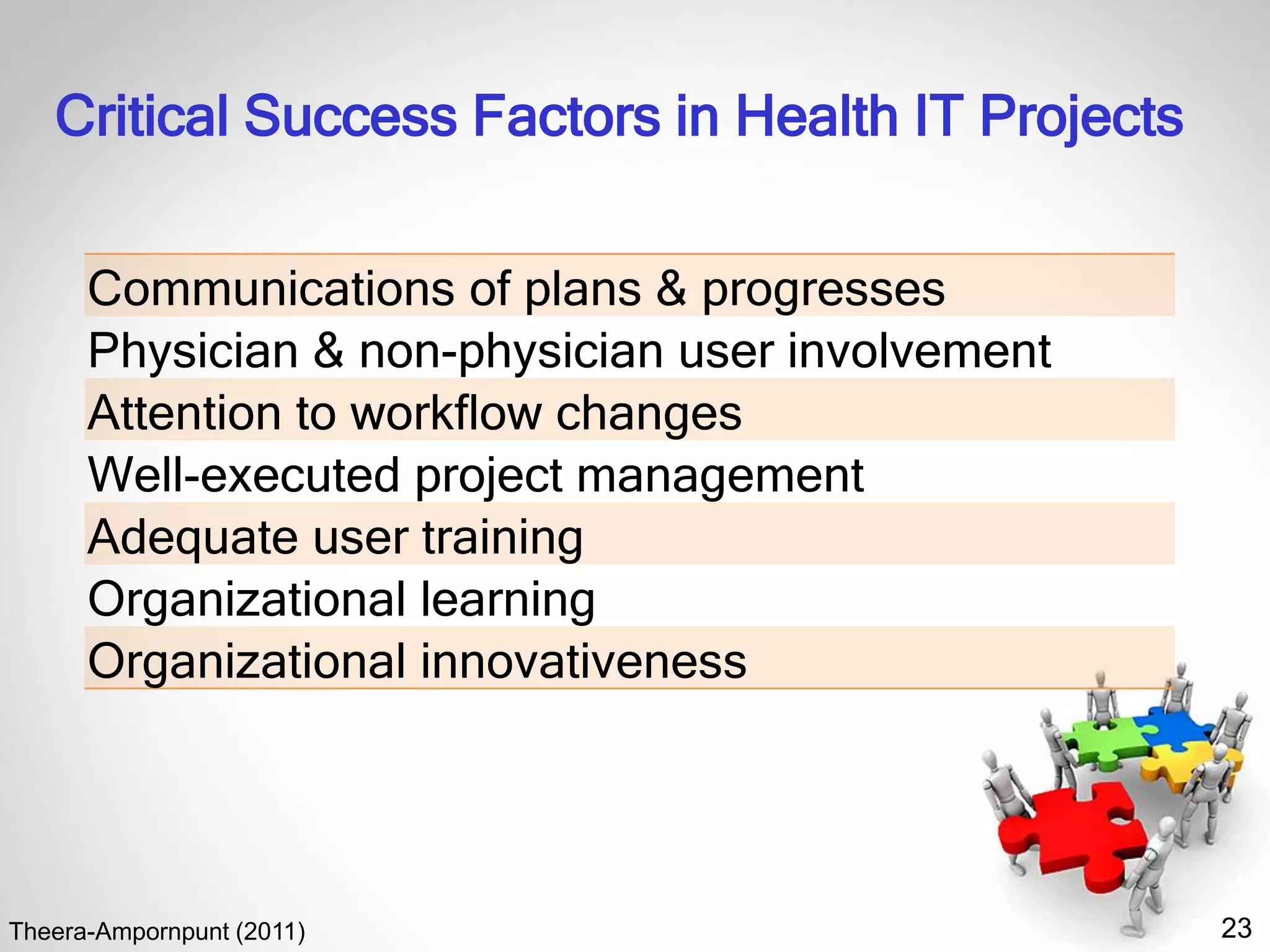
Critical Success Factors in Health IT Projects
Theera-Ampornpunt (2011)
Communications of plans & progresses
Physician & non-physician user involvement
Attention to workflow changes
Well-executed project management
Adequate user training
Organizational learning
Organizational innovativeness
24
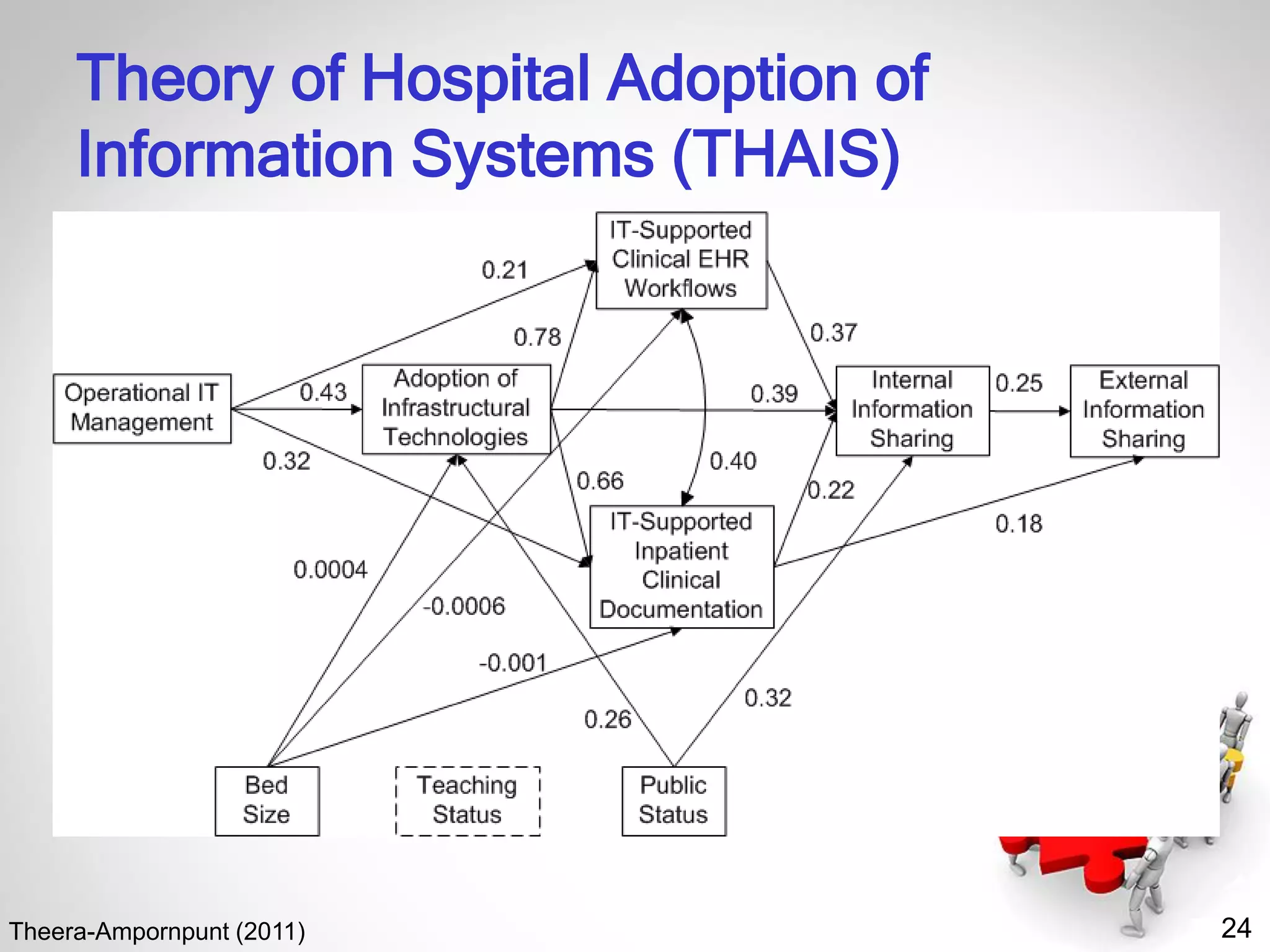
Theory of Hospital Adoption of
Information Systems (THAIS)
Theera-Ampornpunt (2011)
25
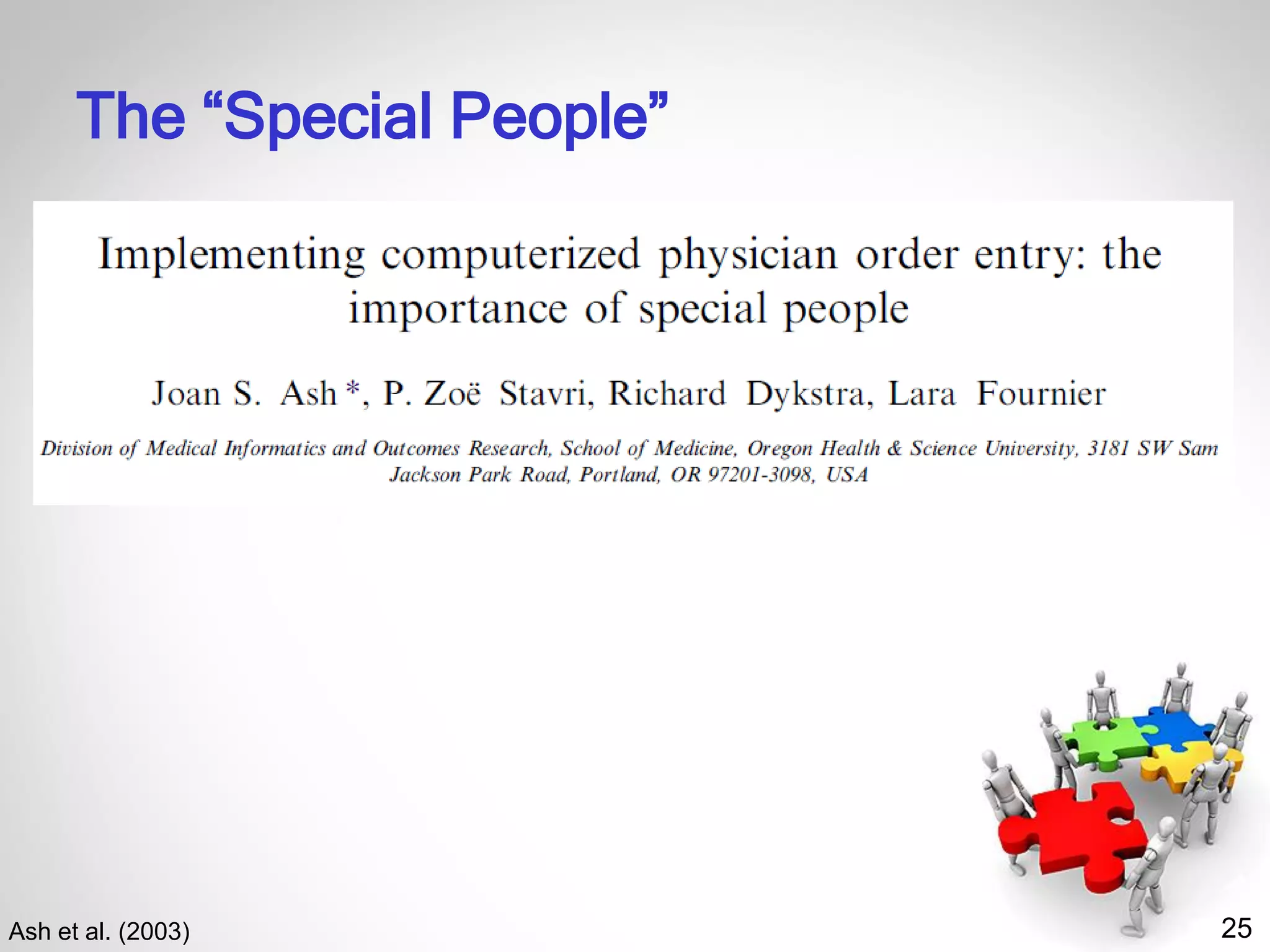
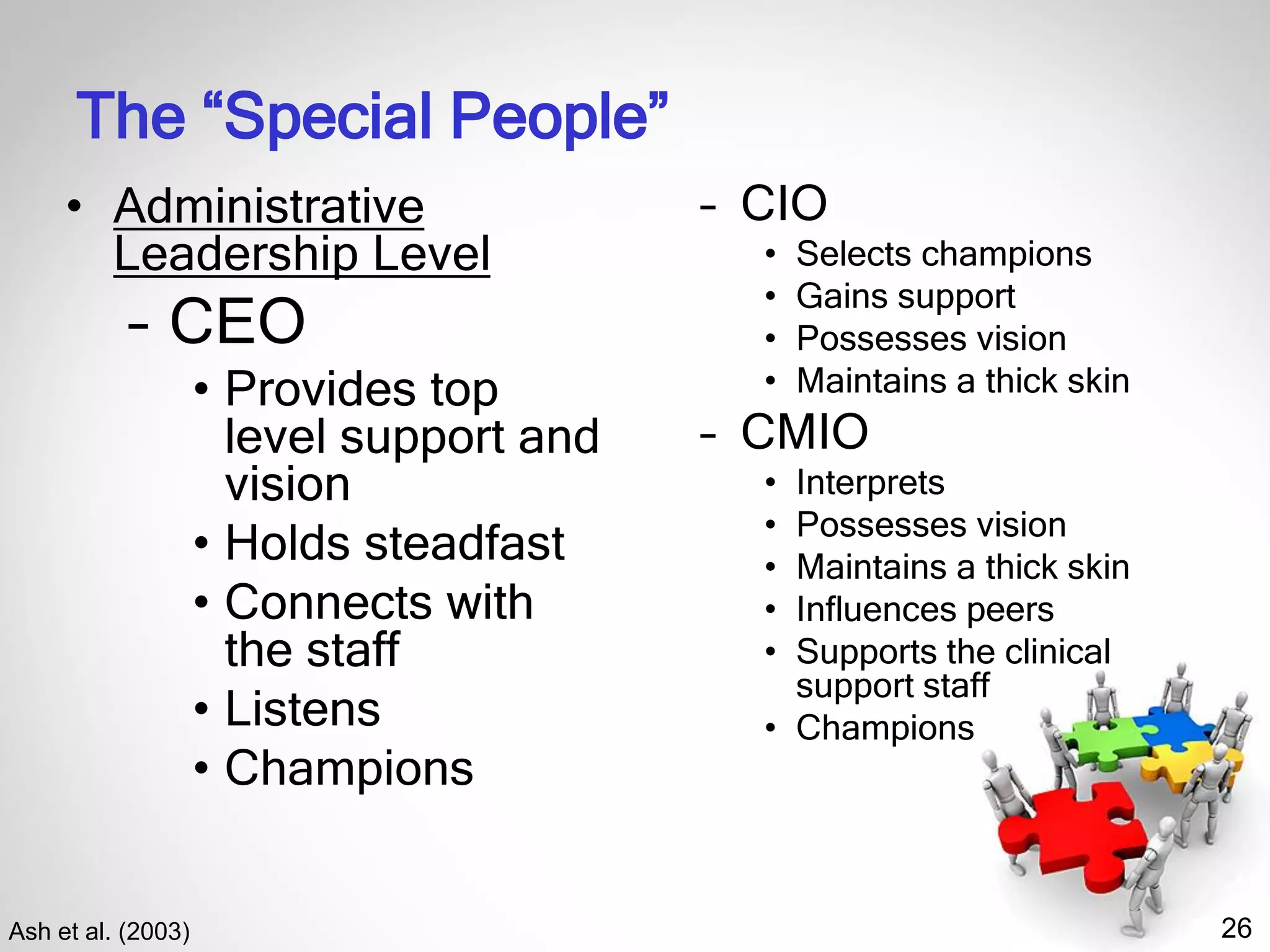
The “Special People”
Ash et al. (2003)
26
The “Special People”
Ash et al. (2003)
• Administrative
Leadership Level
– CEO
• Provides top
level support and
vision
• Holds steadfast
• Connects with
the staff
• Listens
• Champions
– CIO
• Selects champions
• Gains support
• Possesses vision
• Maintains a thick skin
– CMIO
• Interprets
• Possesses vision
• Maintains a thick skin
• Influences peers
• Supports the clinical
support staff
• Champions
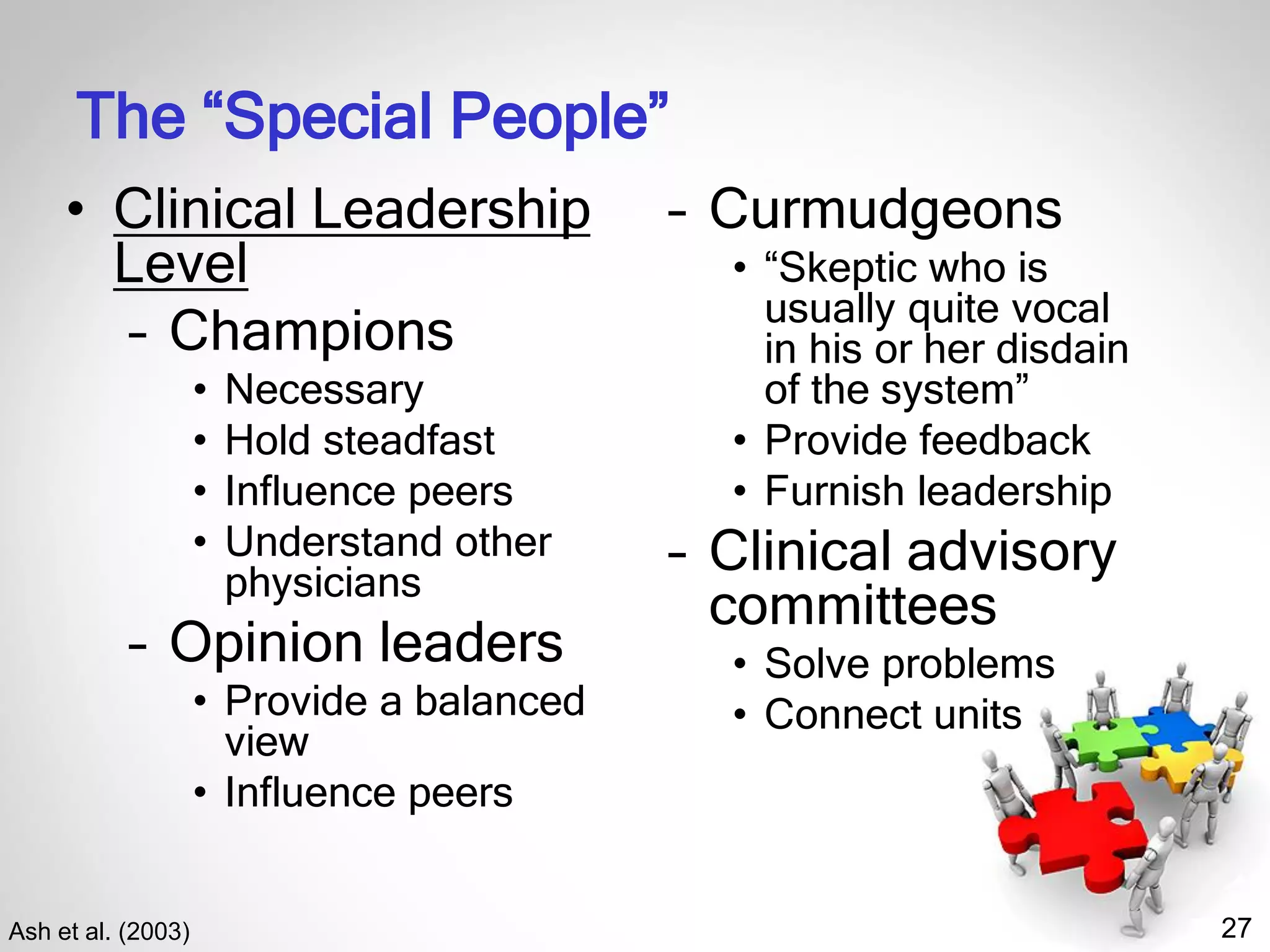
27
The “Special People”
Ash et al. (2003)
• Clinical Leadership
Level
– Champions
• Necessary
• Hold steadfast
• Influence peers
• Understand other
physicians
– Opinion leaders
• Provide a balanced
view
• Influence peers
– Curmudgeons
• “Skeptic who is
usually quite vocal
in his or her disdain
of the system”
• Provide feedback
• Furnish leadership
– Clinical advisory
committees
• Solve problems
• Connect units
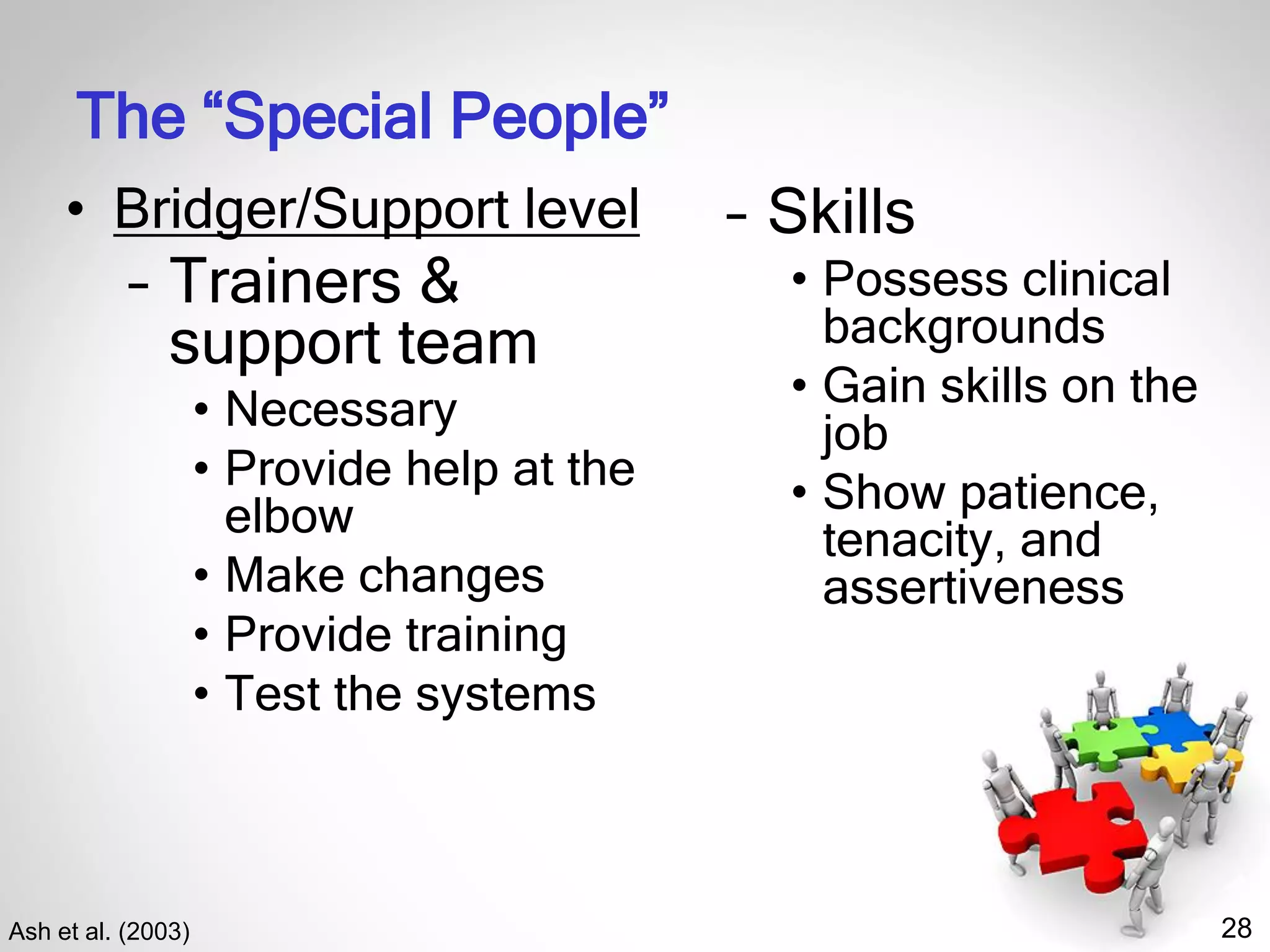
28
The “Special People”
Ash et al. (2003)
• Bridger/Support level
– Trainers &
support team
• Necessary
• Provide help at the
elbow
• Make changes
• Provide training
• Test the systems
– Skills
• Possess clinical
backgrounds
• Gain skills on the
job
• Show patience,
tenacity, and
assertiveness
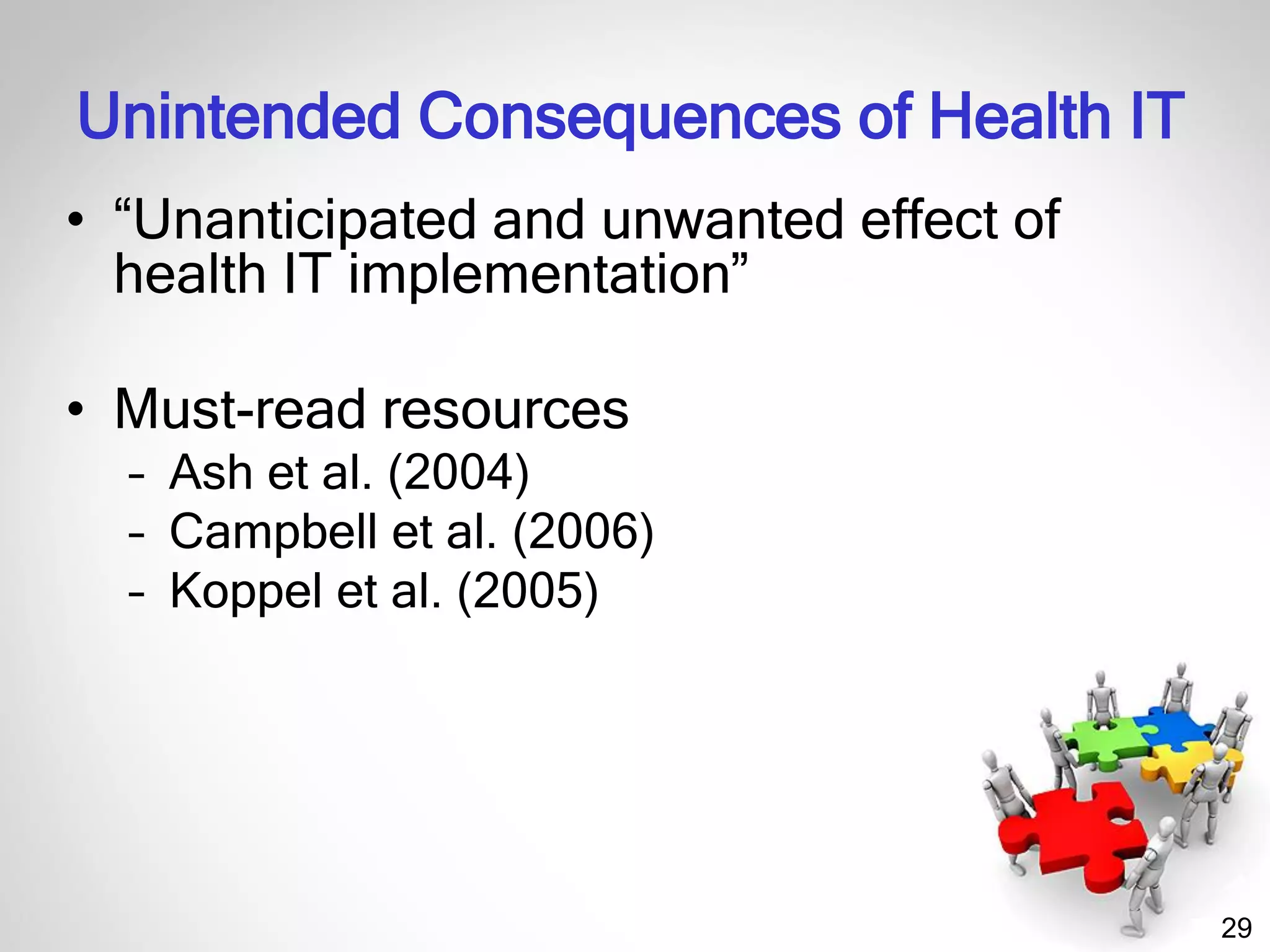
29
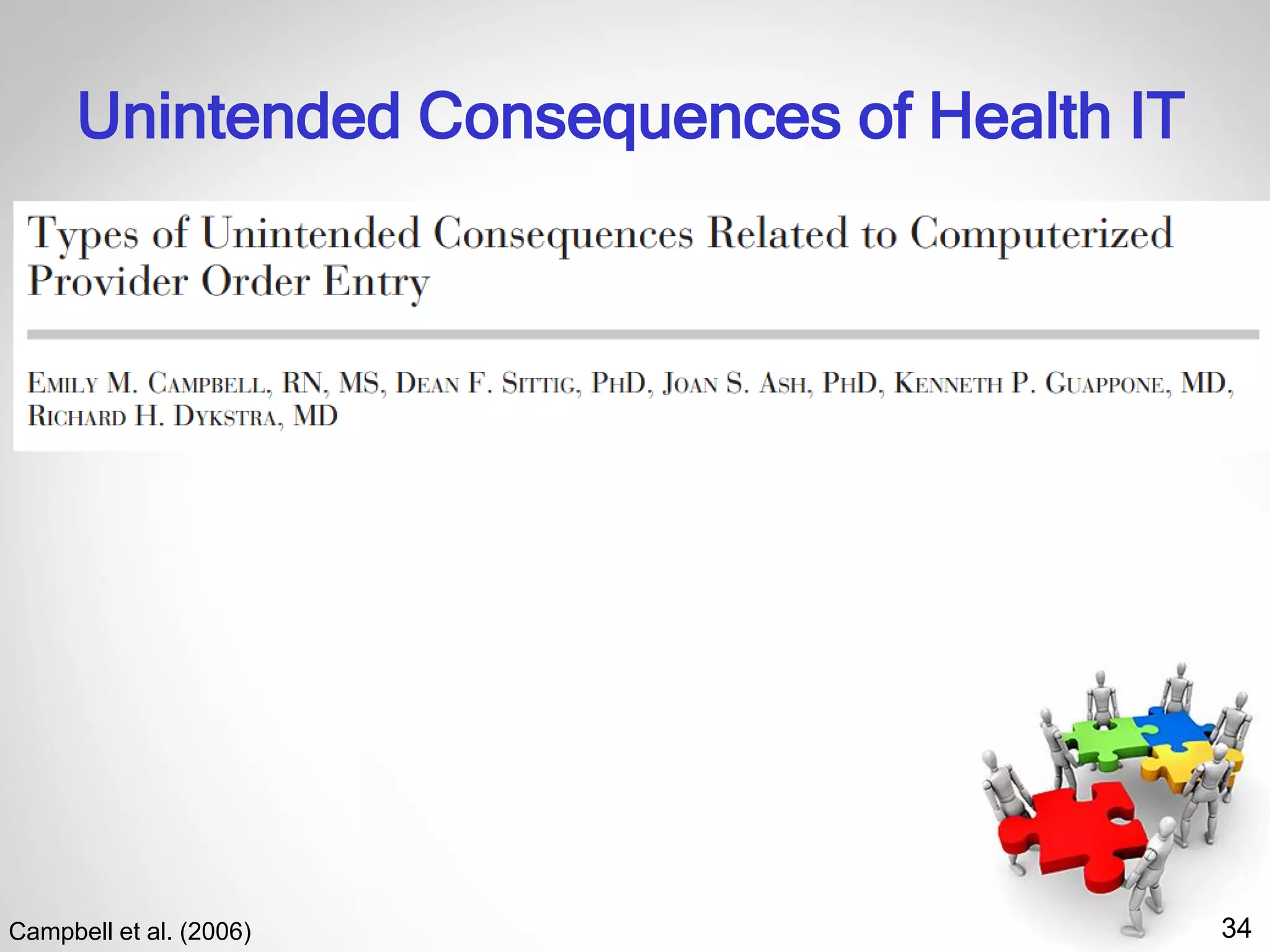
Unintended Consequences of Health IT
• “Unanticipated and unwanted effect of
health IT implementation”
• Must-read resources
– Ash et al. (2004)
– Campbell et al. (2006)
– Koppel et al. (2005)
30
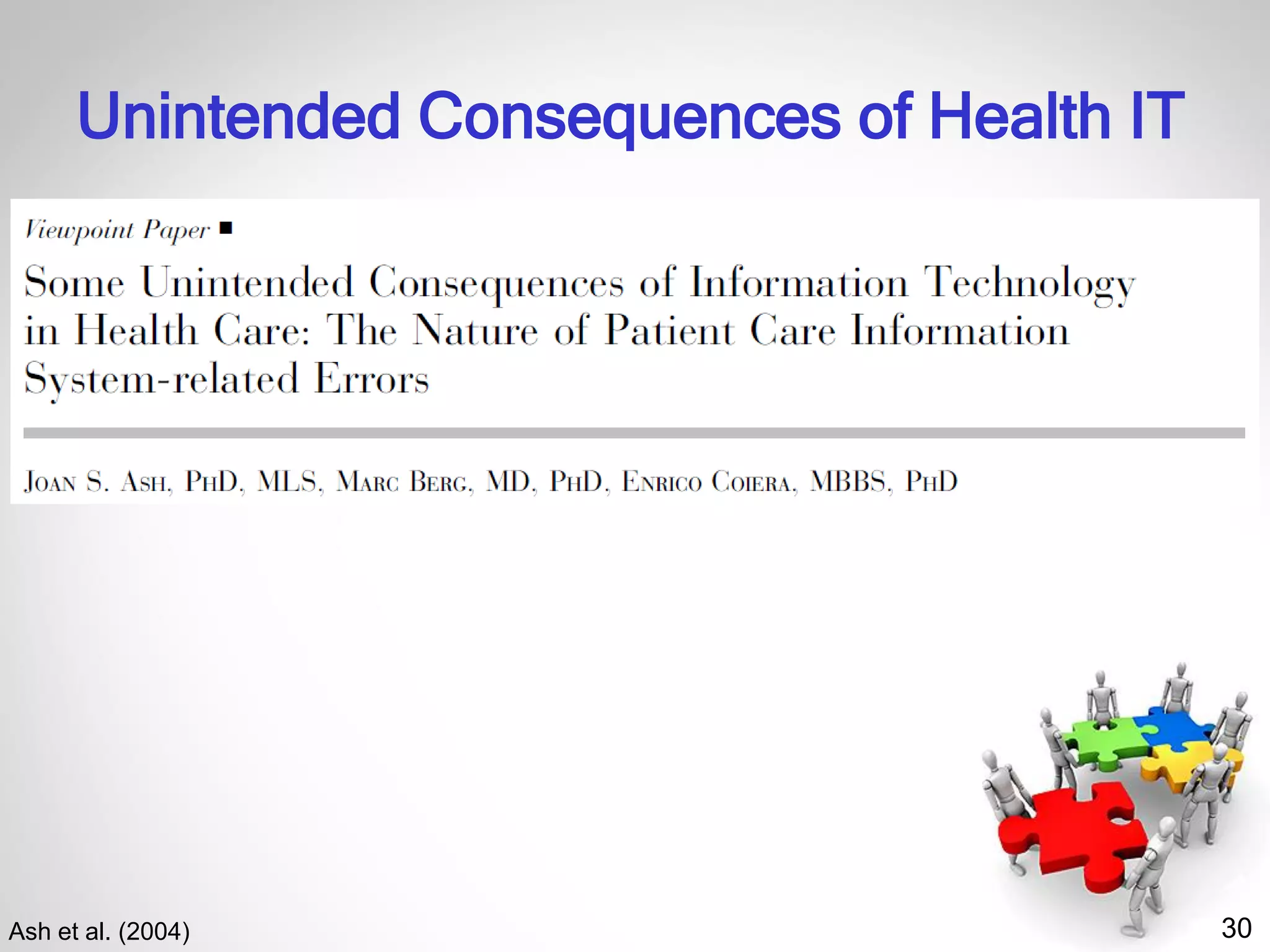
Unintended Consequences of Health IT
Ash et al. (2004)
31
Unintended Consequences of Health IT
• Errors in the process of entering and
retrieving information
– A human-computer interface that is not suitable
for a highly interruptive use context
– Causing cognitive overload by
overemphasizing structured and “complete”
information entry or retrieval
• Structure
• Fragmentation
• Overcompleteness
Ash et al. (2004)
32
Unintended Consequences of Health IT
• Errors in the communication and
coordination process
– Misrepresenting collective, interactive work as
a linear, clearcut, and predictable workflow
• Inflexibility
• Urgency
• Workarounds
• Transfers of patients
– Misrepresenting communication as information
transfer
• Loss of communication
• Loss of feedback
• Decision support overload
• Catching errors
Ash et al. (2004)
33
Unintended Consequences of Health IT
• Errors in the communication and
coordination process
– Misrepresenting collective, interactive work as
a linear, clearcut, and predictable workflow
• Inflexibility
• Urgency
• Workarounds
• Transfers of patients
– Misrepresenting communication as information
transfer
• Loss of communication
• Loss of feedback
• Decision support overload
• Catching errors
Ash et al. (2004)
34
Unintended Consequences of Health IT
Campbell et al. (2006)
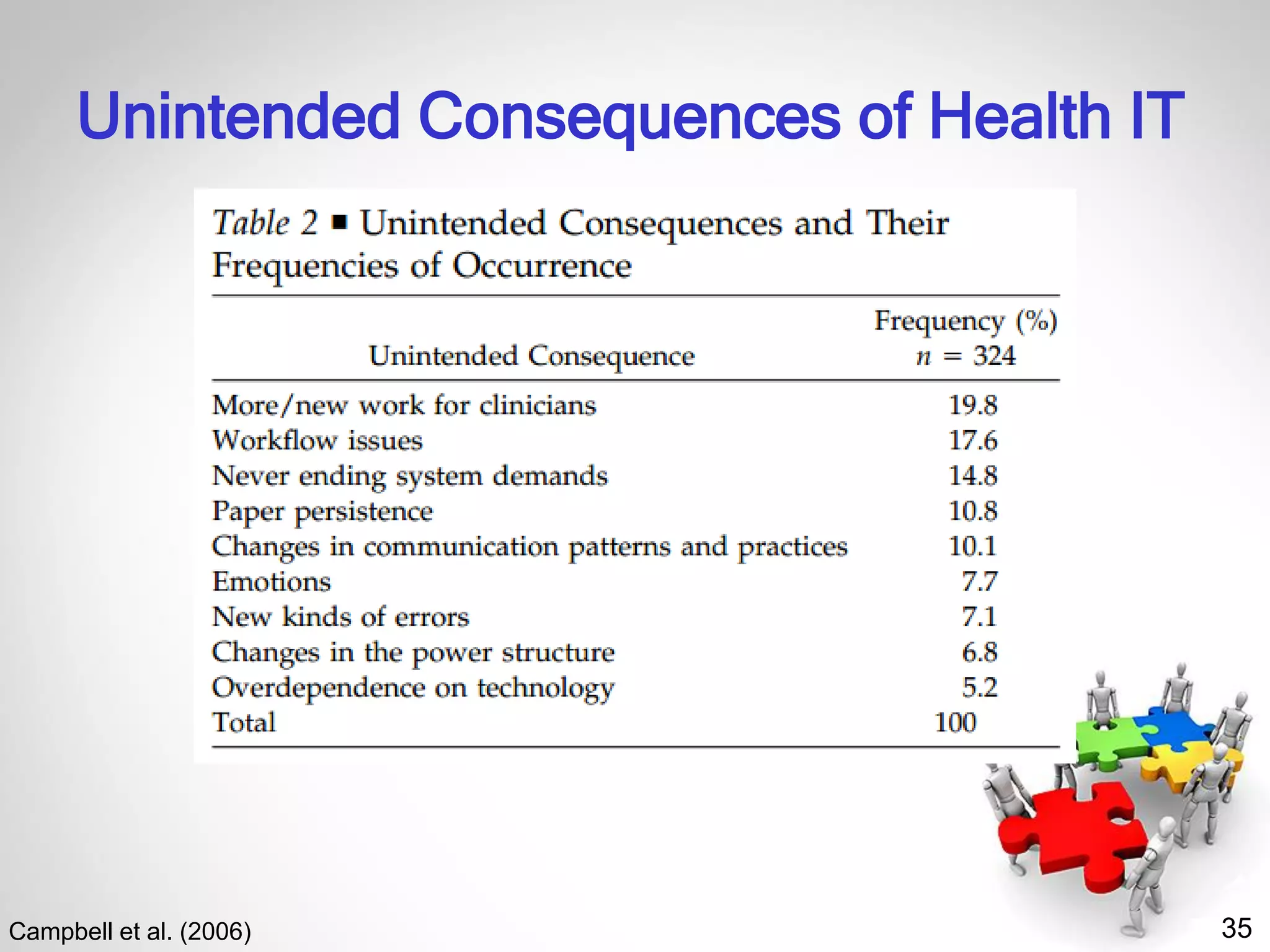
35
Unintended Consequences of Health IT
Campbell et al. (2006)
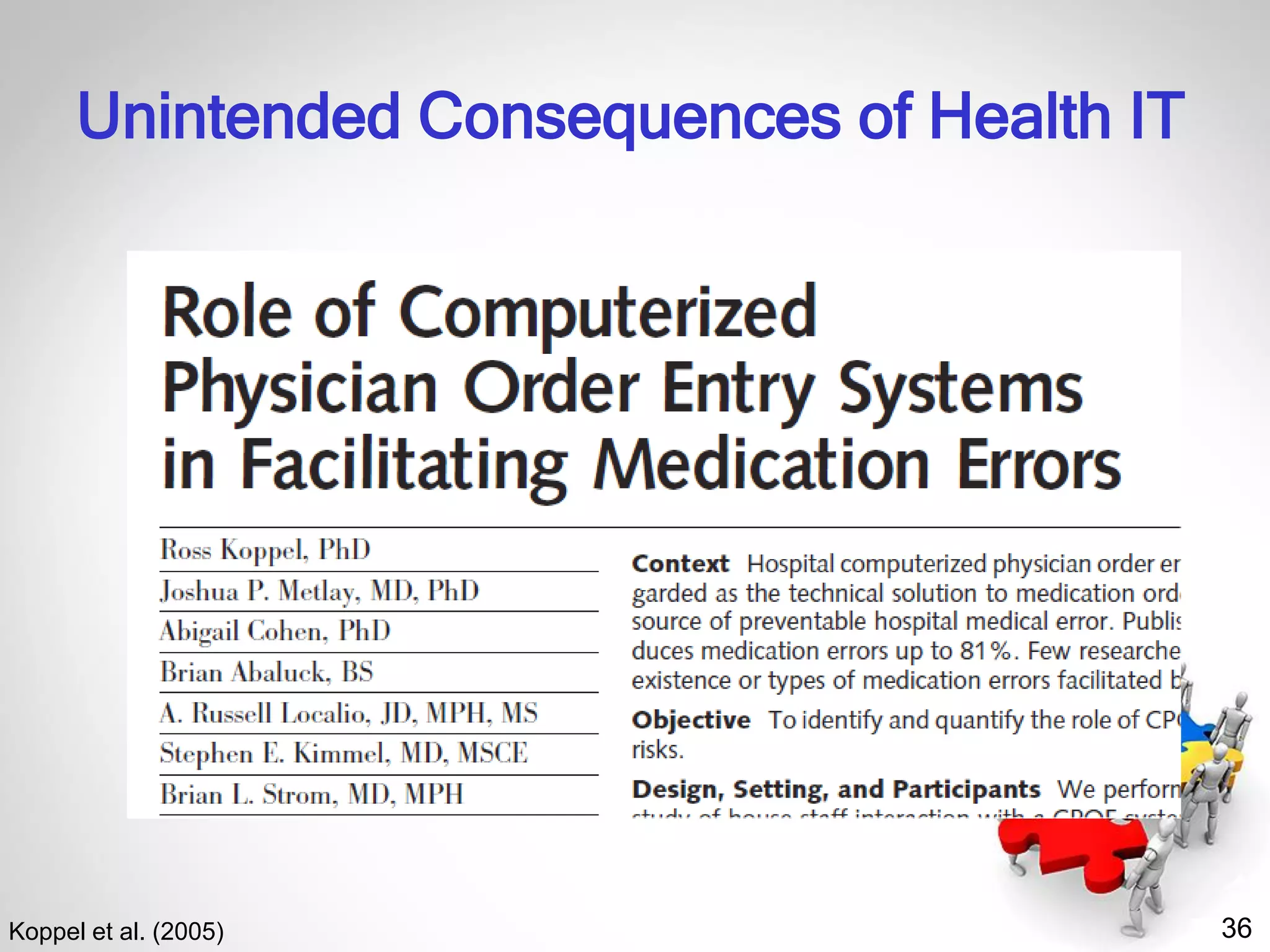
36
Unintended Consequences of Health IT
Koppel et al. (2005)
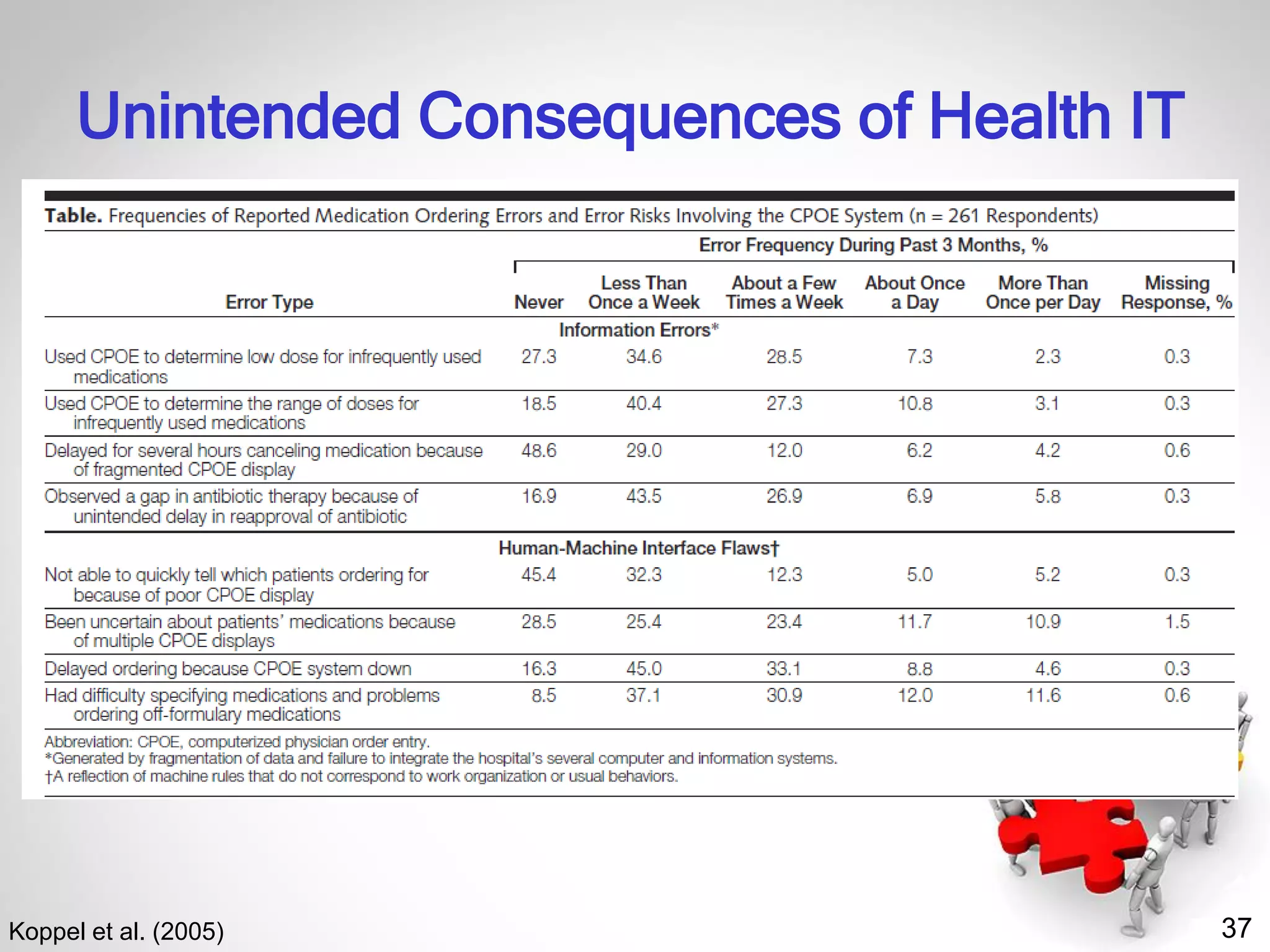
37
Unintended Consequences of Health IT
Koppel et al. (2005)
38
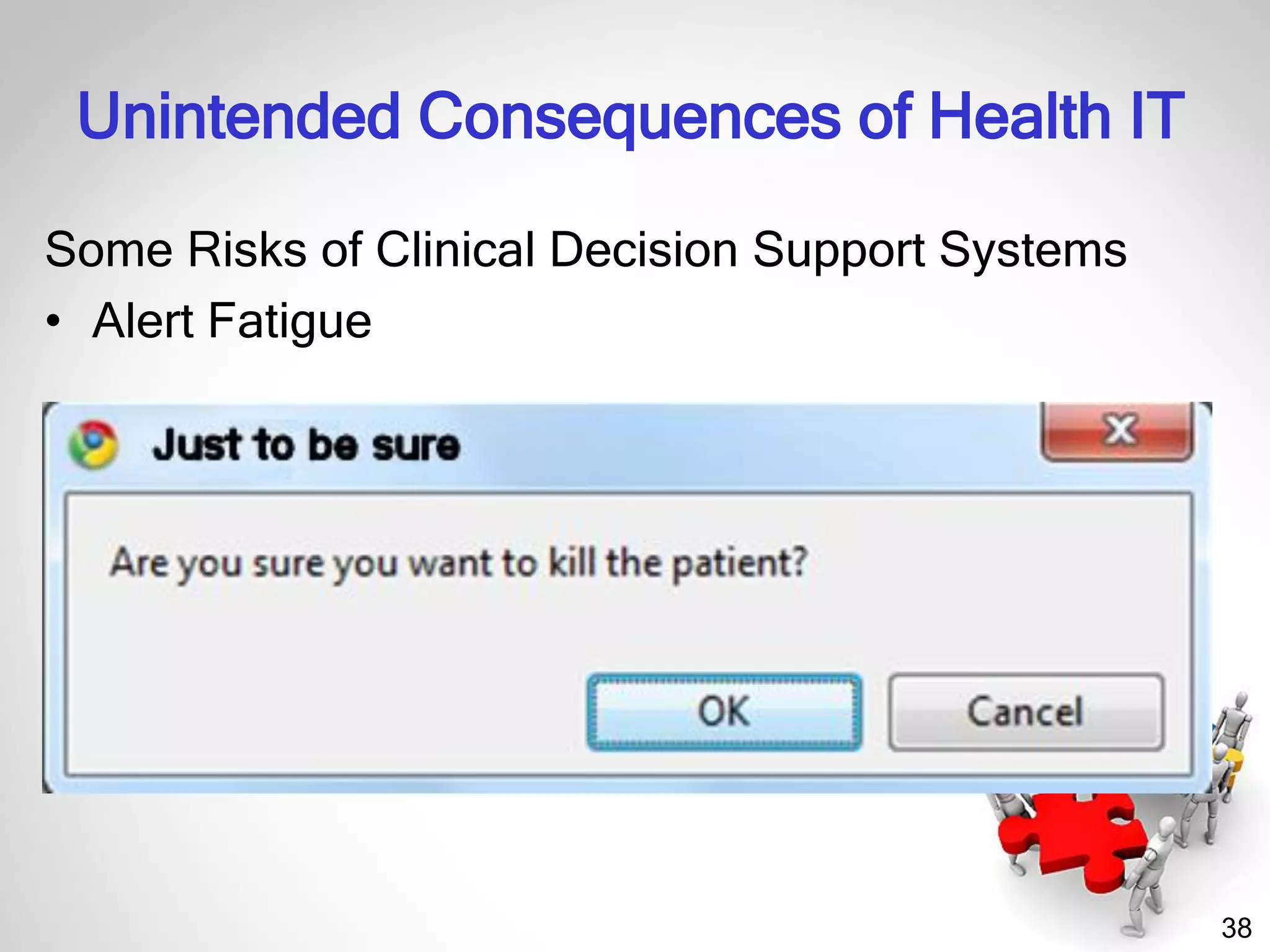
Some Risks of Clinical Decision Support Systems
• Alert Fatigue
Unintended Consequences of Health IT
39
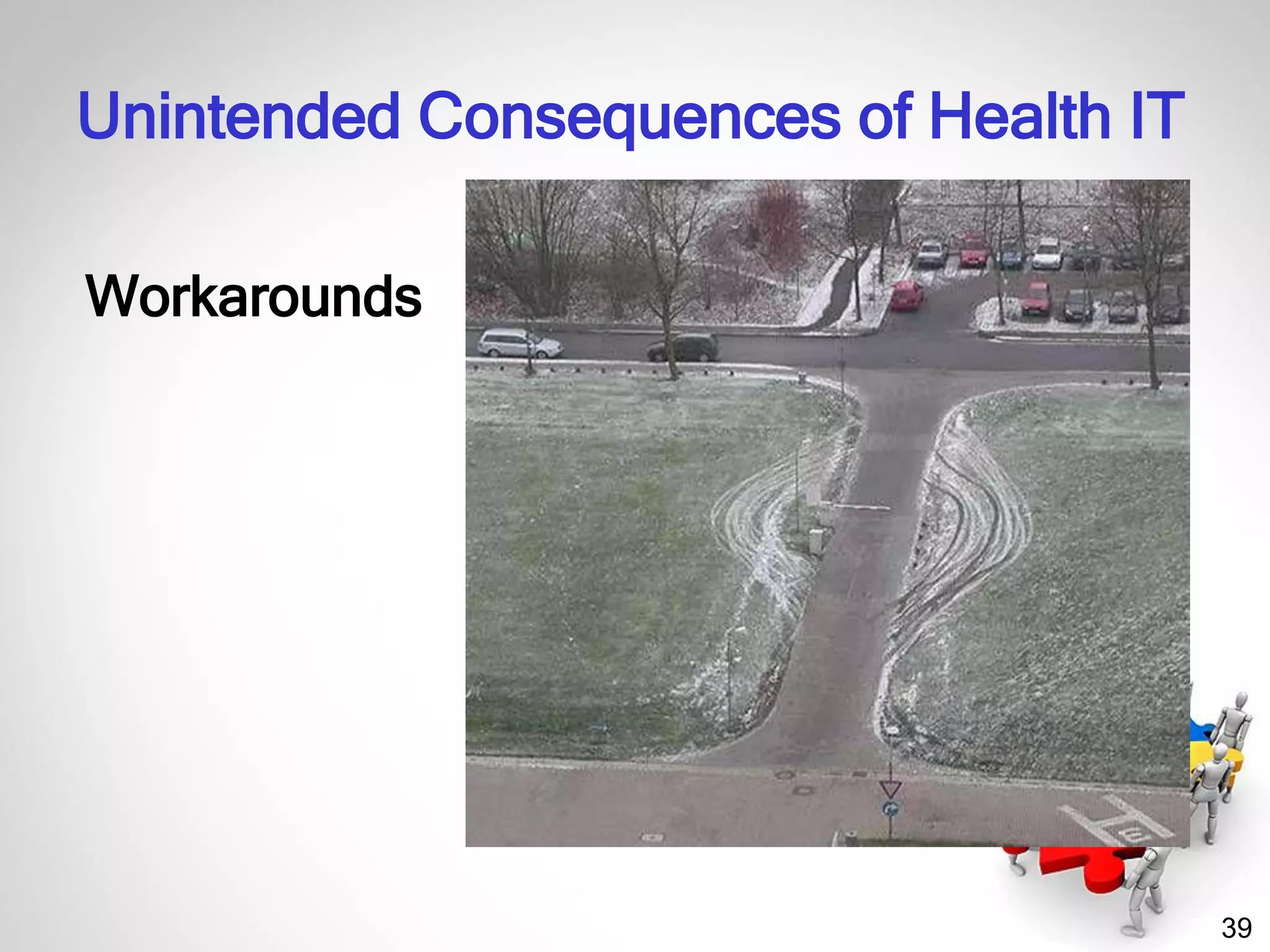
Workarounds
Unintended Consequences of Health IT
40
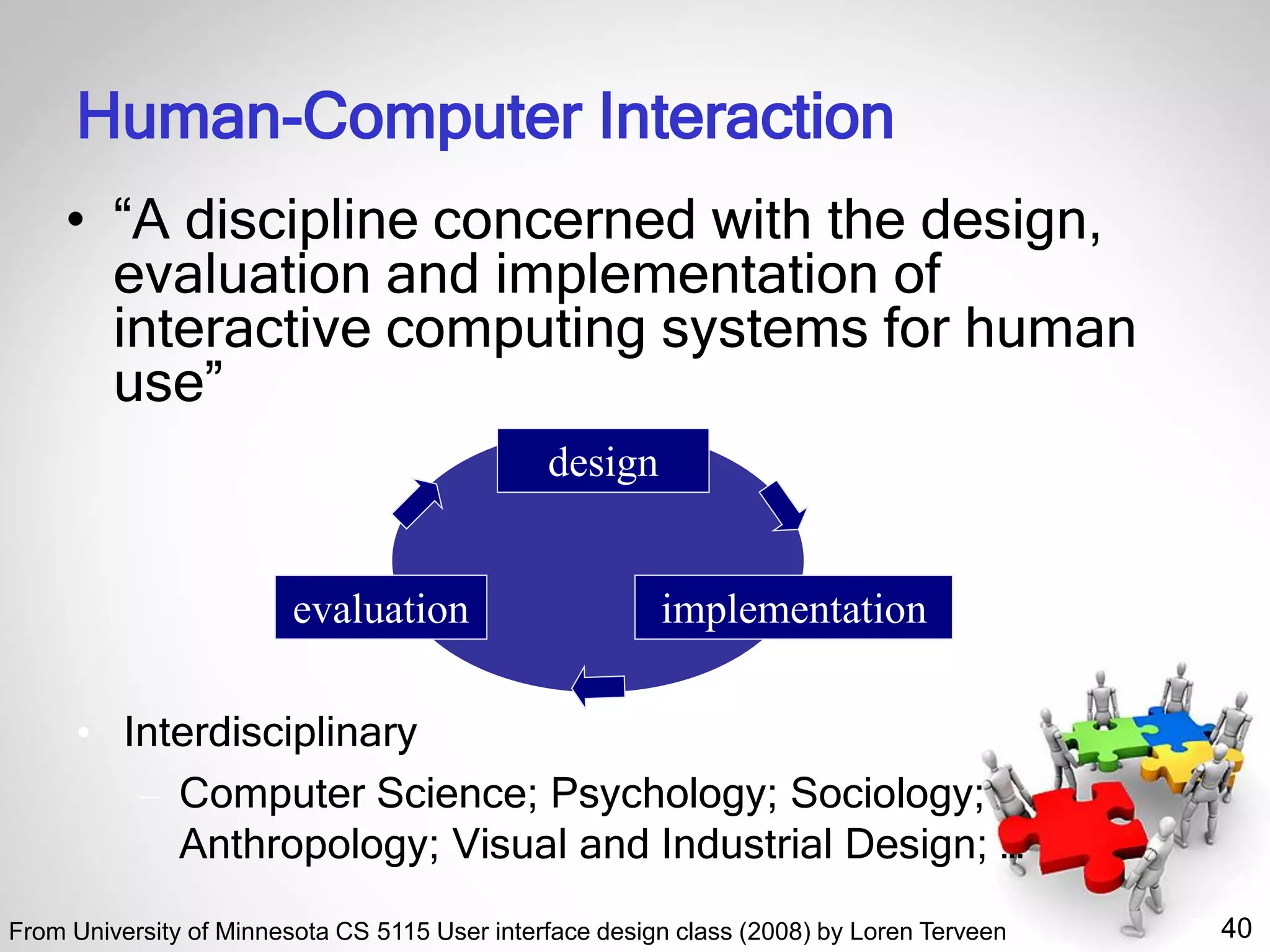
Human-Computer Interaction
• “A discipline concerned with the design,
evaluation and implementation of
interactive computing systems for human
use”
• Interdisciplinary
– Computer Science; Psychology; Sociology;
Anthropology; Visual and Industrial Design; …
design
implementationevaluation
From University of Minnesota CS 5115 User interface design class (2008) by Loren Terveen
41
41
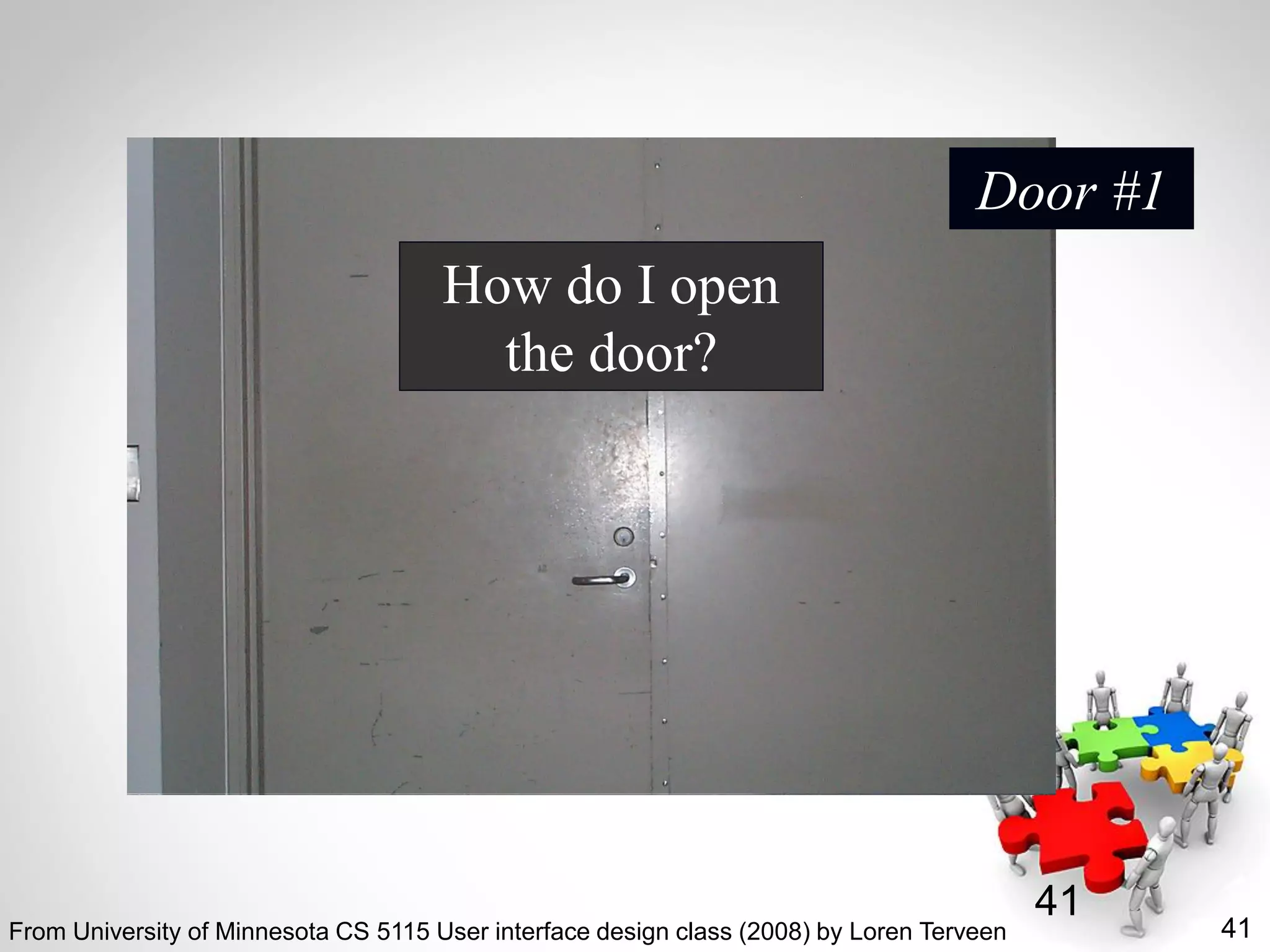
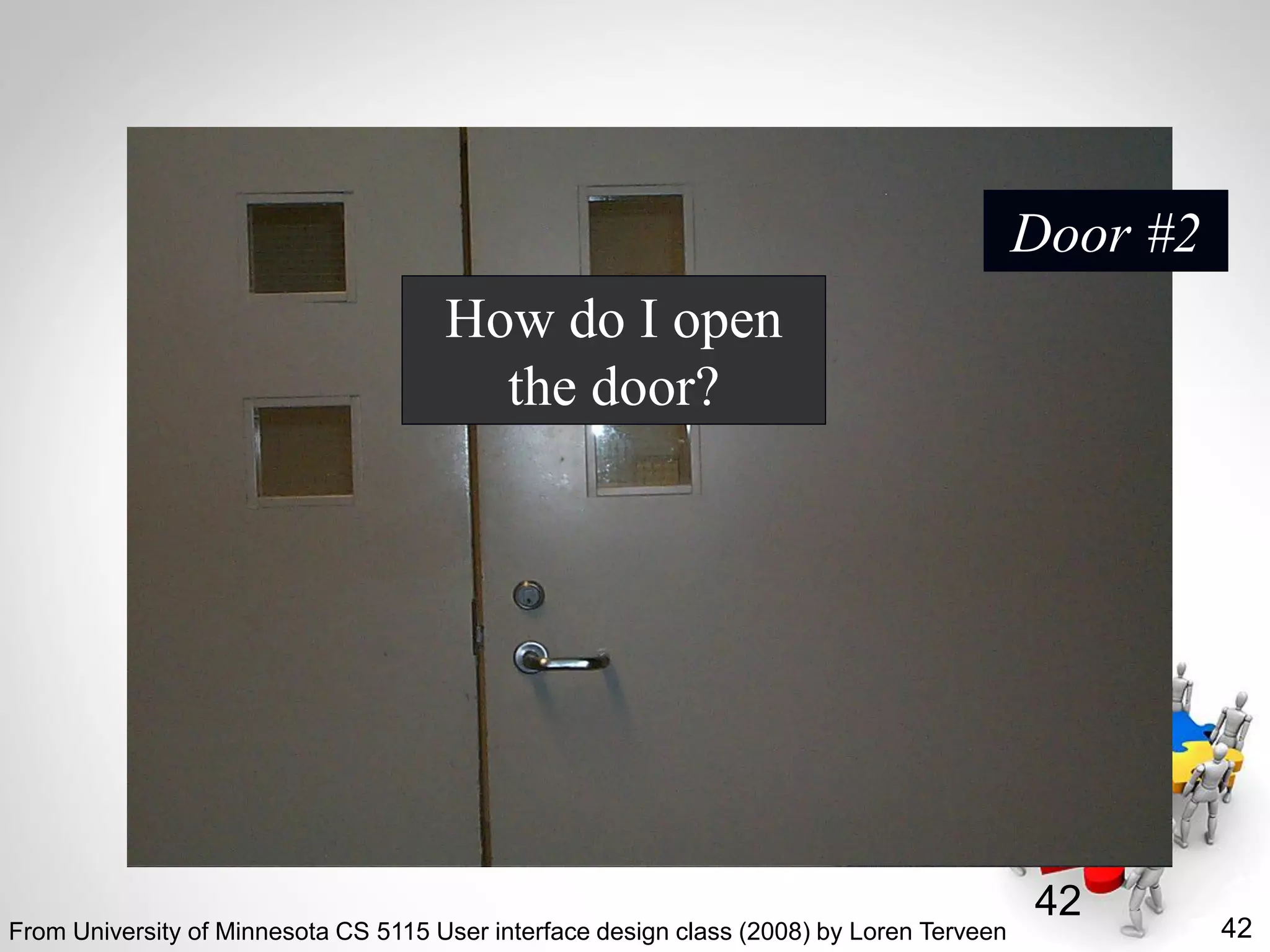
How do I open
the door?
Door #1
From University of Minnesota CS 5115 User interface design class (2008) by Loren Terveen
42
42
How do I open
the door?
Door #2
From University of Minnesota CS 5115 User interface design class (2008) by Loren Terveen
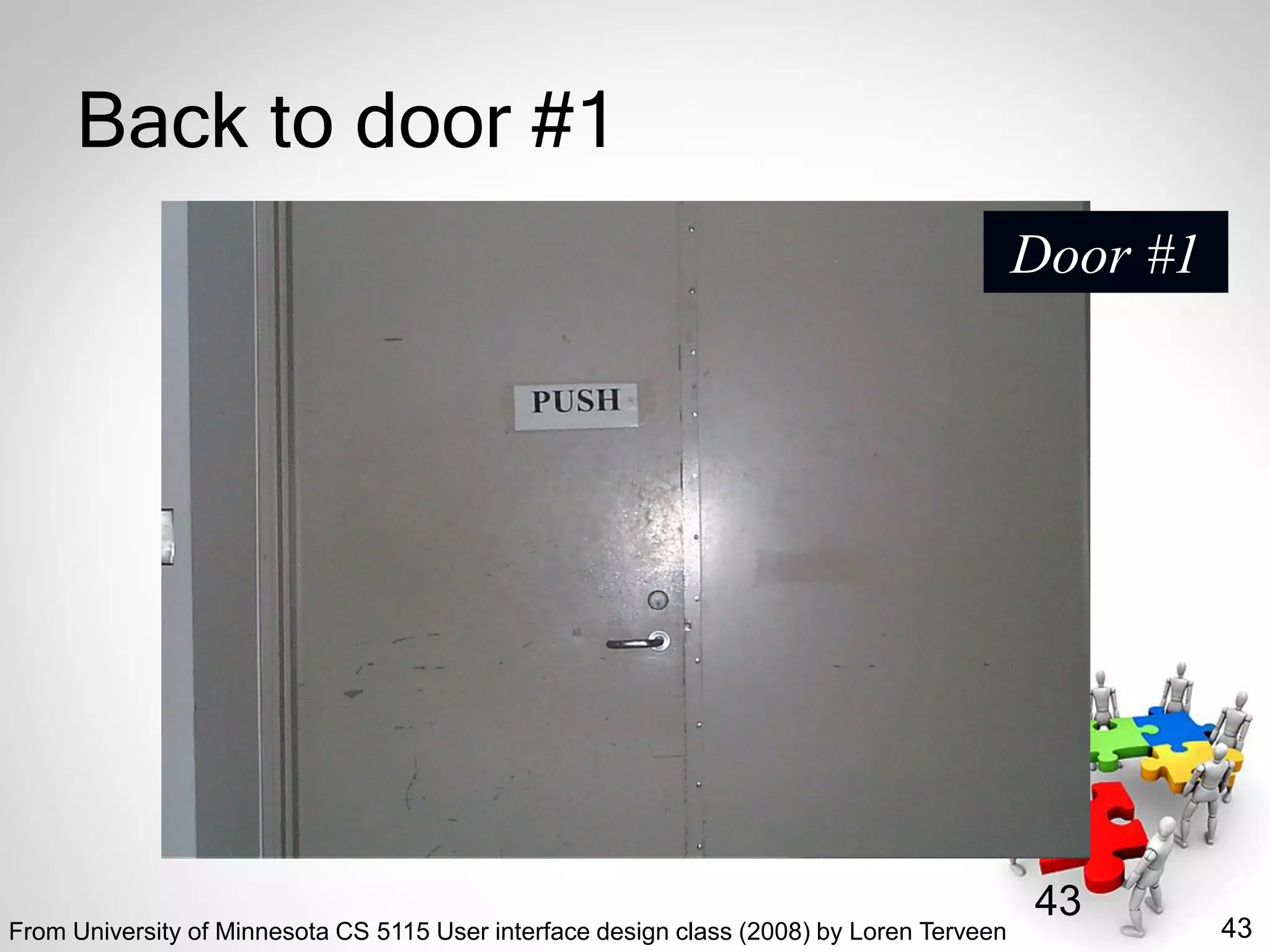
43
43
Back to door #1
Door #1
From University of Minnesota CS 5115 User interface design class (2008) by Loren Terveen
44
44
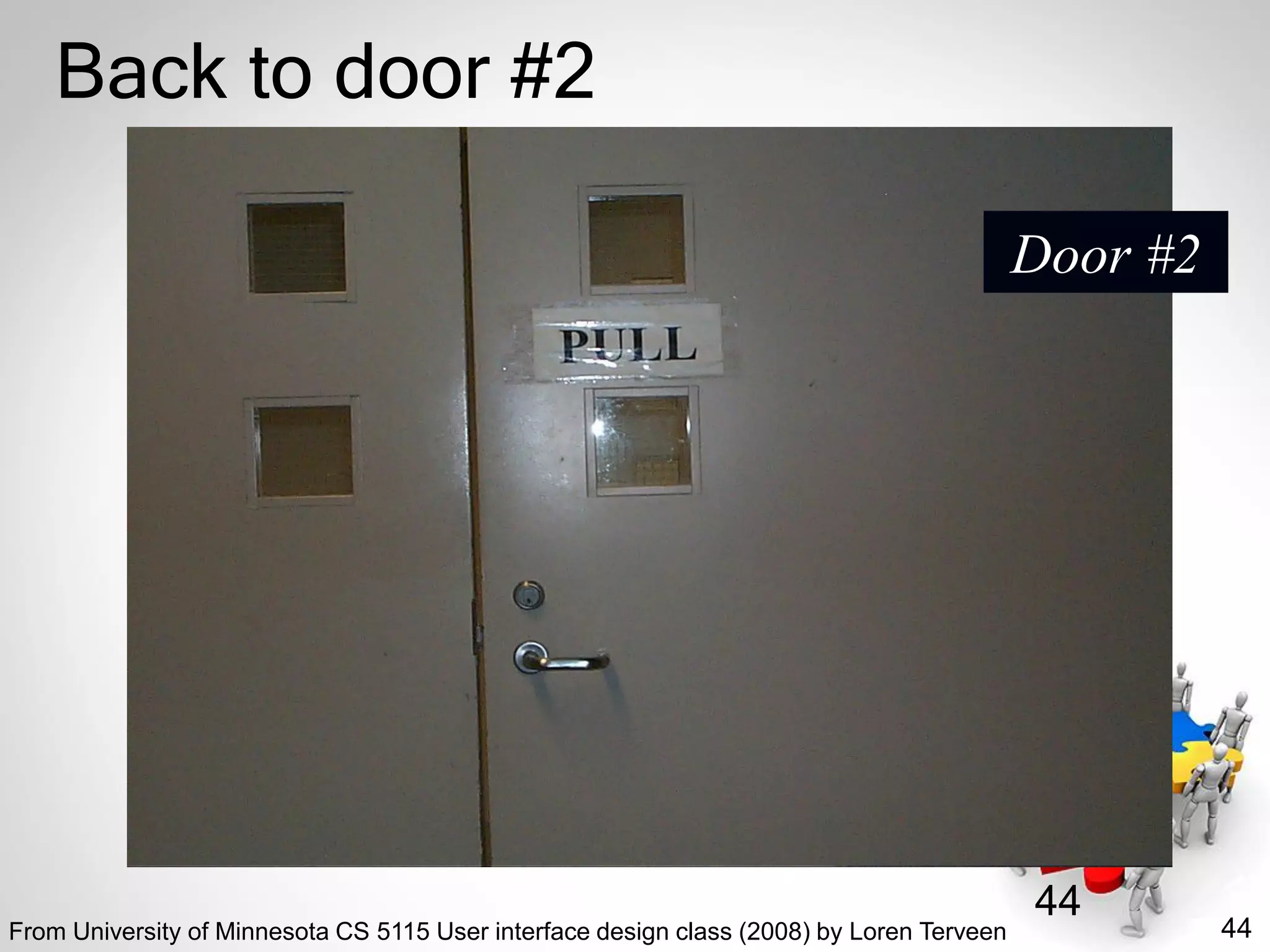
Back to door #2
Door #2
From University of Minnesota CS 5115 User interface design class (2008) by Loren Terveen
45
45
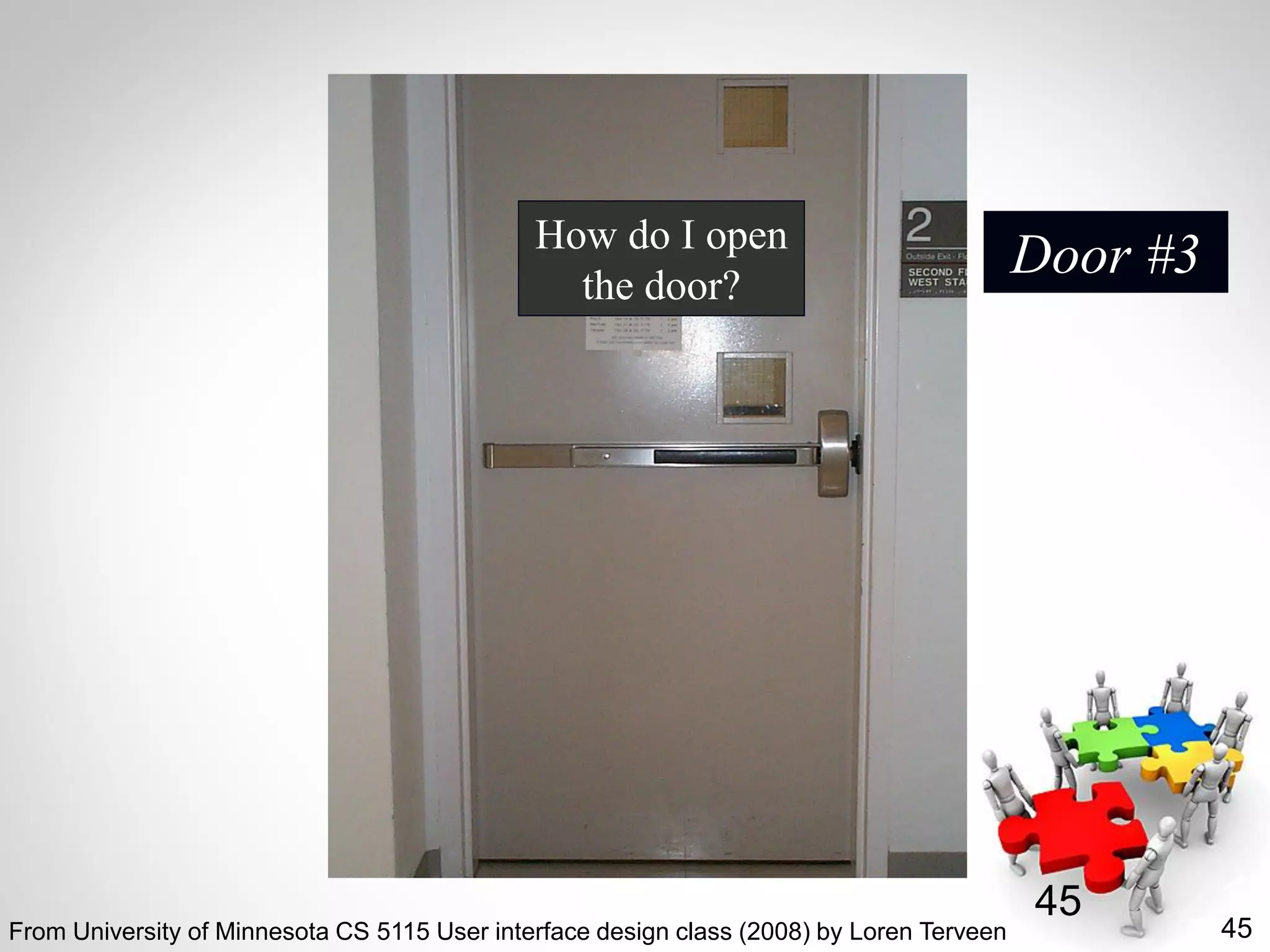
How do I open
the door?
Door #3
From University of Minnesota CS 5115 User interface design class (2008) by Loren Terveen
46
46
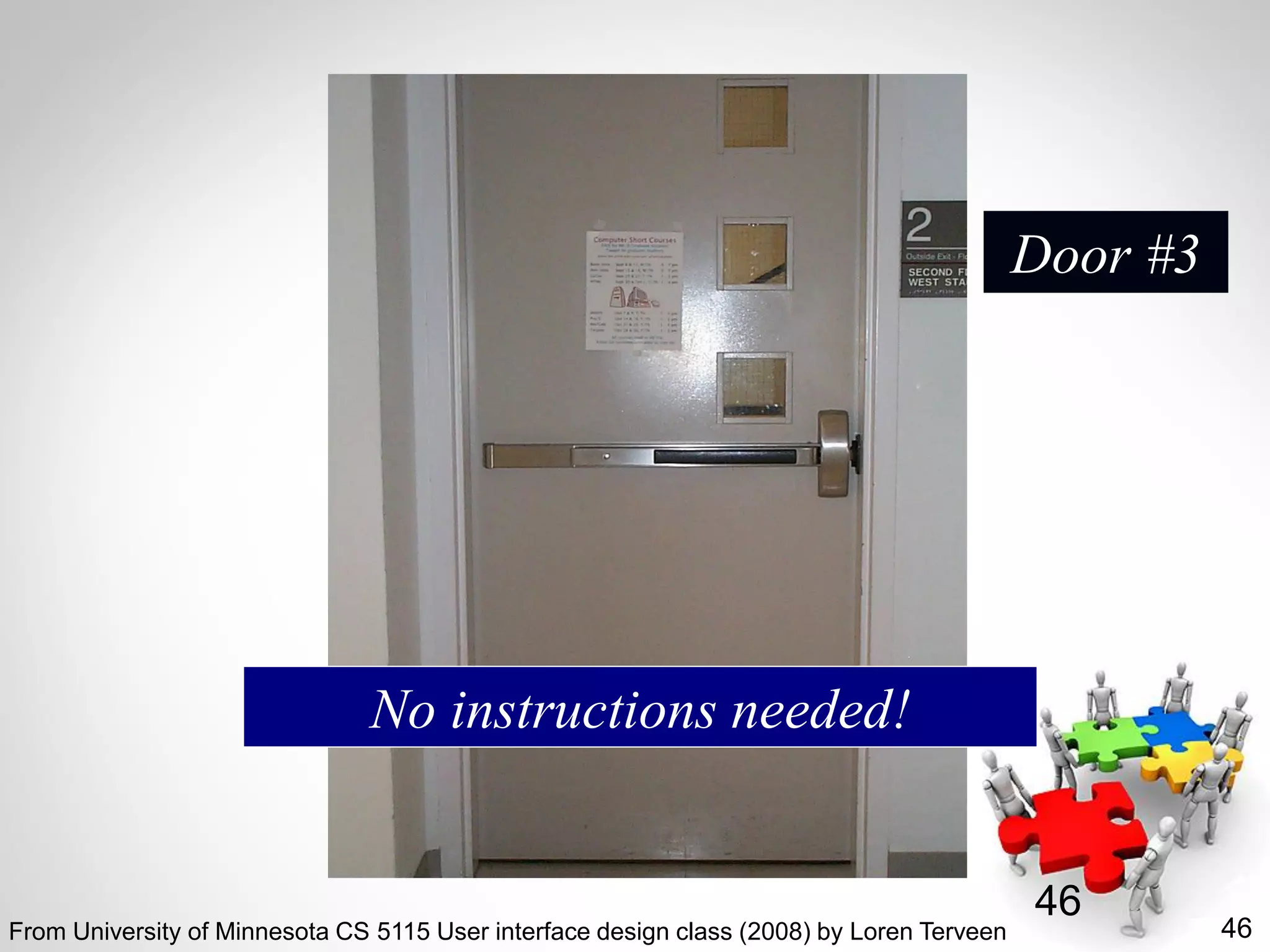
Door #3
No instructions needed!
From University of Minnesota CS 5115 User interface design class (2008) by Loren Terveen
47
Design Principles
• “Instructions/explanations are a sign of
failure!”
• Visibility
• Affordances
• Promoting recognition over recall
From University of Minnesota CS 5115 User interface design class (2008) by Loren Terveen
48
48
Foundations of UI Design (1)
• Human psychology
– Short-term & long-term memory
– Problem-solving
– Attention
• Design principles
– Conceptual models; knowledge in the world;
visibility; feedback; mappings; constraints;
affordances
From University of Minnesota CS 5115 User interface design class (2008) by Loren Terveen
49
49
Foundations of UI Design (2)
• Understanding users and tasks
– Tasks, task analysis, scenarios
– Contextual inquiry
– Personas
• User-centered design
– Low, medium, and high-fidelity prototypes
– visual design principles
• Evaluating designs
– Without users: cognitive walkthroughs; heuristic
evaluation; action analysis
– With users: qualitative and quantitative methods
From University of Minnesota CS 5115 User interface design class (2008) by Loren Terveen
50
Human Factors
• “The study of designing equipment and
devices that fit the human body and its
cognitive abilities” (Wikipedia)
• Also known as “Ergonomics”
• Specialties
– Physical ergonomics
– Cognitive ergonomics (including HCI)
– Organizational ergonomics (including
workplace design)
– Environmental ergonomics
http://en.wikipedia.org/wiki/Human_factors_and_ergonomics
51
Usability
• “Refers to how well users can learn and
use a product to achieve their goals and
how satisfied they are with that process”
(Usability.gov)
• “The ease of use and learnability of a
human-made object” (Wikipedia)
• “The extent to which a product can be used
by specified users to achieve specified
goals with effectiveness, efficiency, and
satisfaction in a specified context of use
(ISO)
• Key methodology: user-centered design
http://en.wikipedia.org/wiki/Usability
52
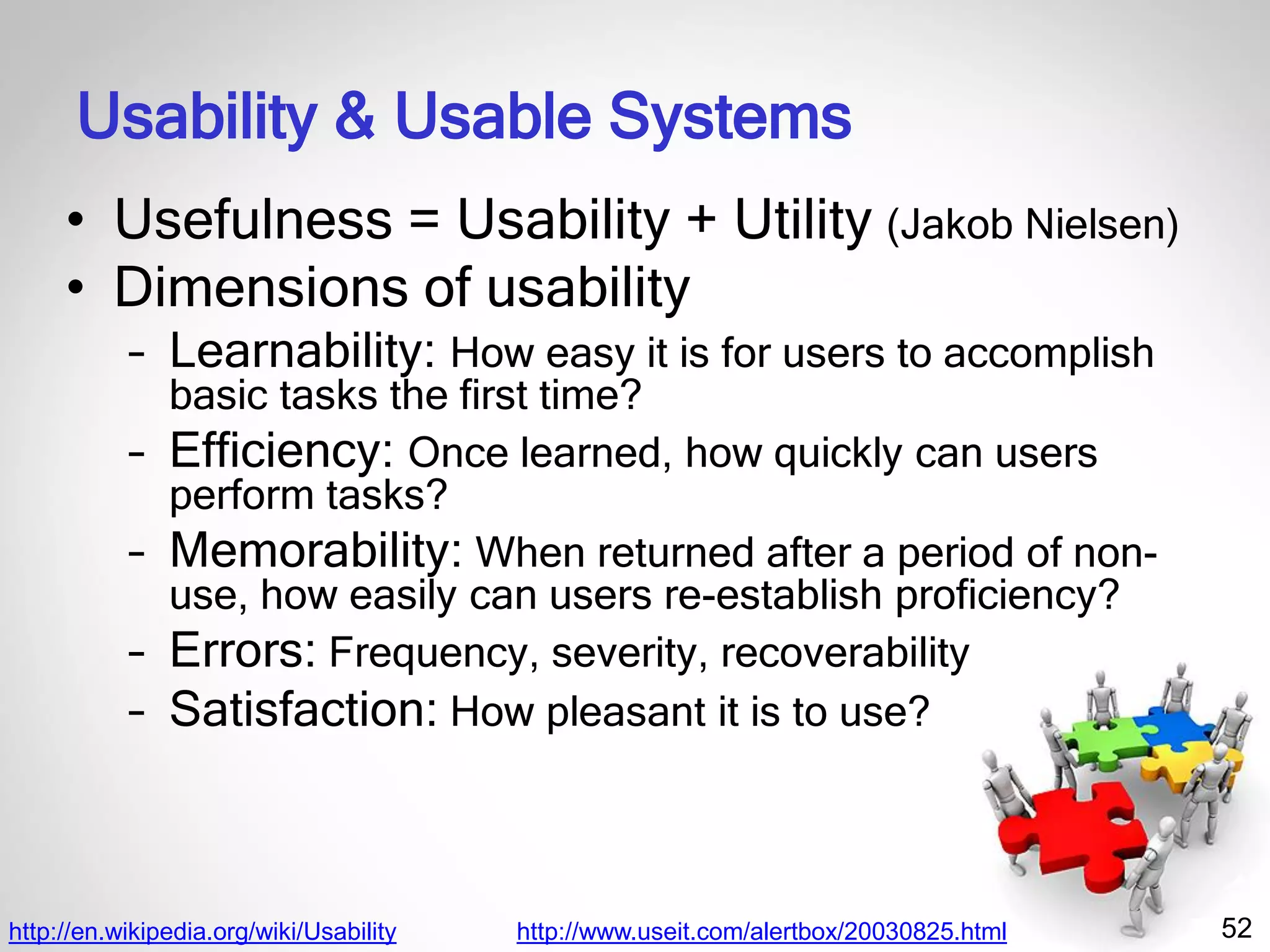
Usability & Usable Systems
• Usefulness = Usability + Utility (Jakob Nielsen)
• Dimensions of usability
– Learnability: How easy it is for users to accomplish
basic tasks the first time?
– Efficiency: Once learned, how quickly can users
perform tasks?
– Memorability: When returned after a period of non-
use, how easily can users re-establish proficiency?
– Errors: Frequency, severity, recoverability
– Satisfaction: How pleasant it is to use?
http://en.wikipedia.org/wiki/Usability http://www.useit.com/alertbox/20030825.html
53
User Experience
• “The way a person feels about using a
product, system or service” (Wikipedia)
• Focuses on the feelings and perceptions of
users
• Subjective
http://en.wikipedia.org/wiki/User_experience
54http://www.msn.com/
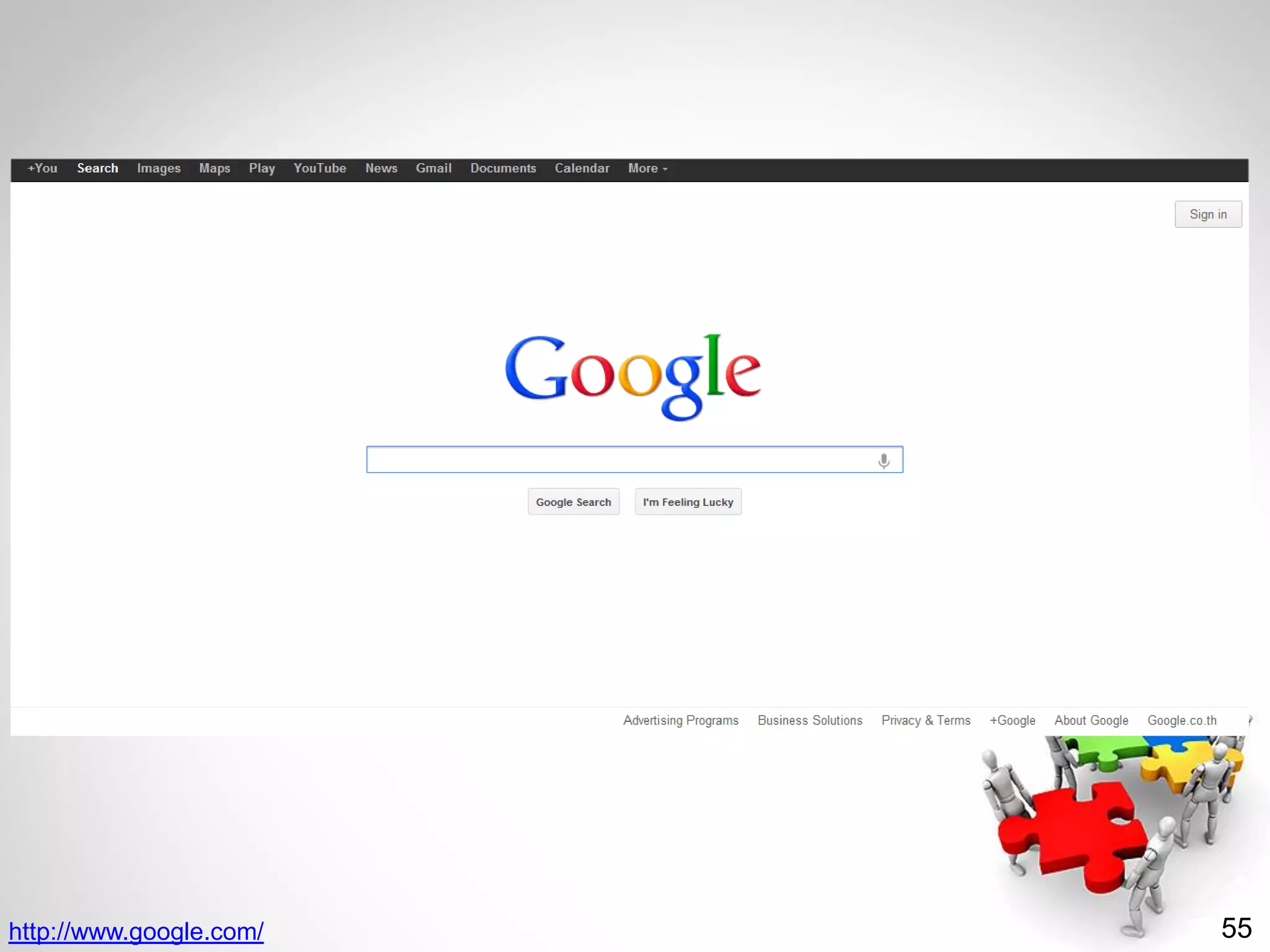
55http://www.google.com/
56
HCI & Usability Resources
• Usability.gov
• Useit.com
• Edwardtufte.com
• National Institute of Standards and
Technology (NIST)
– http://www.nist.gov/healthcare/usability/index
.cfm
– Technical Evaluation, Testing, and Validation
of the Usability of Electronic Health Records
– NIST Guide to the Processes Approach for
Improving the Usability of Electronic Health
Records
http://en.wikipedia.org/wiki/User_experience
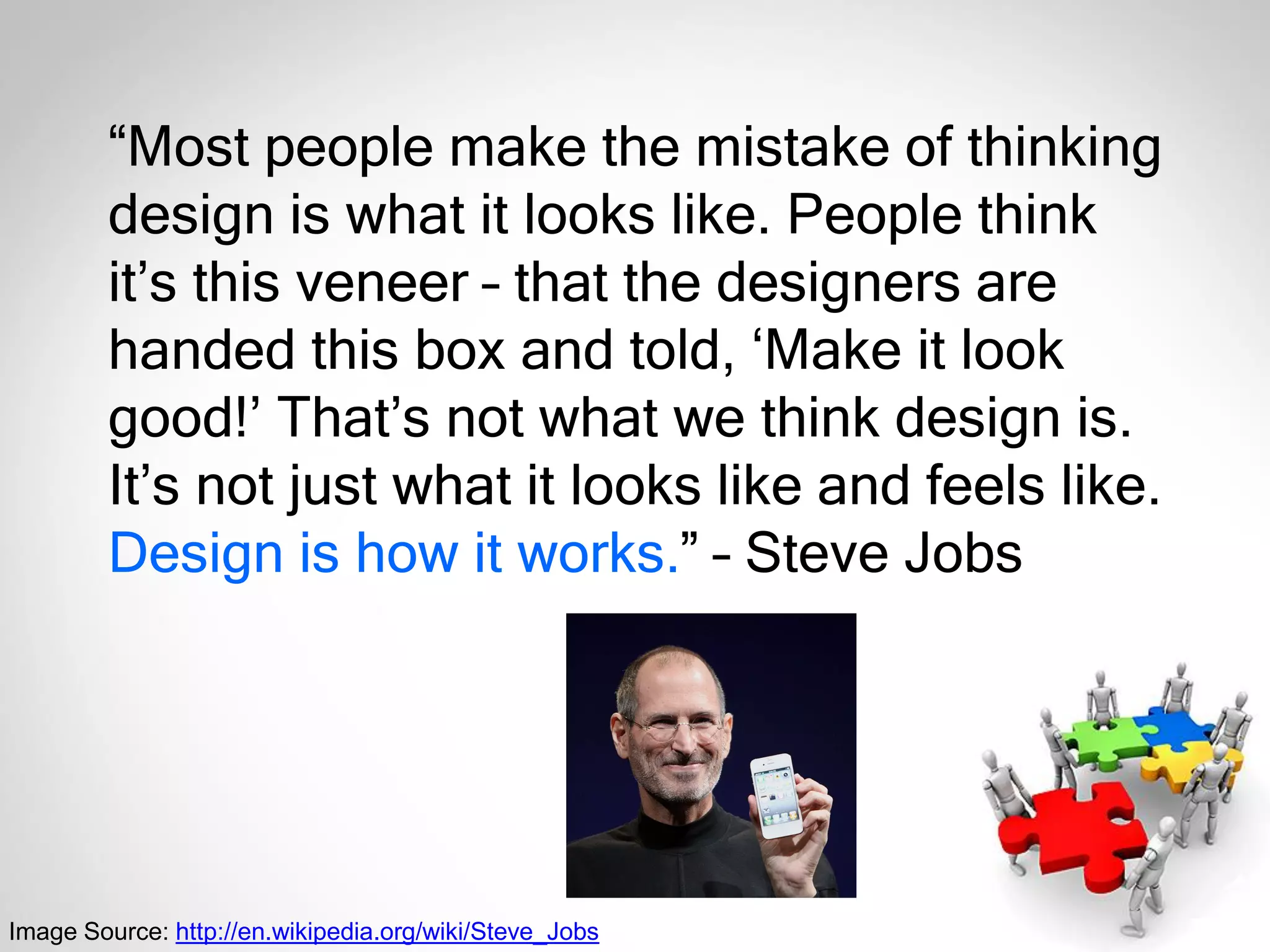
“Most people make the mistake of thinking
design is what it looks like. People think
it’s this veneer – that the designers are
handed this box and told, ‘Make it look
good!’ That’s not what we think design is.
It’s not just what it looks like and feels like.
Design is how it works.” – Steve Jobs
Image Source: http://en.wikipedia.org/wiki/Steve_Jobs
58
References
• Ash JS, Berg M, Coiera E. Some unintended consequences of information
technology in health care: the nature of patient care information system-
related errors. J Am Med Inform Assoc. 2004 Mar-Apr;11(2):104-12.
• Ash JS, Stavri PZ, Dykstra R, Fournier L. Implementing computerized
physician order entry: the importance of special people. Int J Med Inform.
2003 Mar; 69(2-3):235-50.
• Ash JS, Stavri PZ, Kuperman GJ. A consensus statement on considerations
for a successful CPOE implementation. J Am Med Inform Assoc. 2003 May-
Jun;10(3):229-34.
• Campbell, EM, Sittig DF, Ash JS, et al. Types of Unintended Consequences
Related to Computerized Provider Order Entry. J Am Med Inform Assoc. 2006
Sep-Oct; 13(5): 547-556.
• Ives B, Olson MH. User involvement and MIS success: a review of research.
Manage Sci. 1984 May;30(5):586-603.
• Kaplan B, Harris-Salamone KD. Health IT success and failure:
recommendations from the literature and an AMIA workshop. J Am Med
Inform Assoc. 2009 May-Jun;16(3):291-9.
59
References
• Koppel R, Metlay JP, Cohen A, Abaluck B, Localio AR, Kimmel SE, Strom BL.
Role of computerized physician order entry systems in facilitating medication
errors. JAMA. 2005 Mar 9;293(10):1197-203.
• Lorenzi NM, Riley RT. Managing change: an overview. J Am Med Inform
Assoc. 2000 Mar-Apr;7(2):116-24.
• Paré G, Sicotte C, Jacques H. The effects of creating psychological
ownership on physicians’ acceptance of clinical information systems. J Am
Med Inform Assoc. 2006 Mar-Apr;13(2):197-205.
• Riley RT, Lorenzi NM. Gaining physician acceptance of information
technology systems. Med Interface. 1995 Nov;8(11):78-80, 82-3.
• Theera-Ampornpunt N. Thai hospitals' adoption of information technology: a
theory development and nationwide survey [dissertation]. Minneapolis (MN):
University of Minnesota; 2011 Dec. 376 p.

People & Organizational Issues in Health IT Implementation (February 26, 2020)

  • 1.
    People & Organizational Issues inHealth IT Implementation Nawanan Theera-Ampornpunt, MD, PhD February 26, 2020 Except where citing other works
  • 2.
    2 Sociotechnical Systems • Coinedin 1960s by Eric Trist, Ken Bamforth & Fred Emery • “An approach to complex organizational work design that recognizes the interaction between people and technology in workplaces.” (Wikipedia) • “Interaction between society's complex infrastructures and human behaviour.” (Wikipedia) http://en.wikipedia.org/wiki/Sociotechnical_system
  • 3.
  • 4.
    4 “People & OrganizationalIssues” (POI) • POI focuses on interactions between people and technology, including designing, implementing, and deploying safe and usable health information systems and technology. • AMIA POIWG addresses issues such as – How systems change us and our social and clinical environments – How we should change them – What we need to do to take the fullest advantage of them to improve [...] health and health care. – Our members strive to understand, evaluate, and improve human-computer and socio-technical interactions. http://www.amia.org/programs/working-groups/people-and-organizational-issues
  • 5.
    5 “People & OrganizationalIssues” (POI) • We bring varied perspectives, methods, and tools from – Humanities, Social science, Cognitive science – Computer science and informatics – Business disciplines – Patient safety – Workflow – Collaborative work and decision-making – Human-computer interaction & Usability – Human factors – Project and change management – Adoption and diffusion of innovations – Unintended consequences – Policy. http://www.amia.org/programs/working-groups/people-and-organizational-issues
  • 6.
    6 Health IT Successes& Failures Kaplan & Harris-Salamone (2009)
  • 7.
    7 Health IT Successes& Failures What success is • Different ideas and definitions of success • Need more understanding of different stakeholder views & more longitudinal and qualitative studies of failure What makes it so hard • Communication, Workflow, & Quality • Difficulties of communicating across different groups makes it harder to identify requirements and understand workflow Kaplan & Harris-Salamone (2009)
  • 8.
    8 Health IT Successes& Failures What We Know—Lessons from Experience • Provide incentives, remove disincentives • Identify and mitigate risks • Allow resources and time for training, exposure, and learning to input data • Learn from the past and from others Kaplan & Harris-Salamone (2009)
  • 9.
    9 DeLone & McLean(1992) Success of IT Implementation
  • 10.
    10 System Quality • Systemperformance (response time, reliability) • Accuracy, error rate • Flexibility • Ease of use • Accessibility Success of IT Implementation
  • 11.
    11 Information Quality • Accuracy •Currency, timeliness • Reliability • Completeness • Relevance • Usefulness Success of IT Implementation
  • 12.
    12 Use • Subjective (e.g.asks a user “How often do you use the system?”) • Objective (e.g. number of orders done electronically) User Satisfaction • Satisfaction toward system/information • Satisfaction toward use Success of IT Implementation
  • 13.
    13 Individual Impacts • Efficiency/productivityof the user • Quality of clinical operations/decision-making Organizational Impacts • Faster operations, cost & time savings • Better quality of care, better aggregate outcomes • Reputation, increased market share • Increased service volume or patient retention Success of IT Implementation
  • 14.
    14 1st Edition Leviss (Editor) (2010) H.I.T.or Miss: Lessons Learned from Health Information Technology Implementations 2nd Edition Leviss (Editor) (2013)
  • 15.
    15 Health IT ChangeManagement Lorenzi & Riley (2000)
  • 16.
    16 Health IT ChangeManagement Lorenzi & Riley (2000)
  • 17.
    17 Health IT ChangeManagement Lorenzi & Riley (2000)
  • 18.
    18 Health IT ChangeManagement Lorenzi & Riley (2000)
  • 19.
    19 Considerations for asuccessful implementation of CPOE Ash et al. (2003) Considerations Motivation for implementation CPOE vision, leadership, and personnel Costs Integration: Workflow, health care processes Value to users/Decision support systems Project management and staging of implementation Technology Training and Support 24 x 7 Learning/Evaluation/Improvement
  • 20.
    20 Minimizing MD’s ChangeResistance • Involve physician champions • Create a sense of ownership through communications & involvement • Understand their values • Be attentive to climate in the organization • Provide adequate training & support Riley & Lorenzi (1995)
  • 21.
    21 Reasons for UserInvolvement • Better understanding of needs & requirements • Leveraging user expertise about their tasks & how organization functions • Assess importance of specific features for prioritization • Users better understand project, develop realistic expectations • Venues for negotiation, conflict resolution • Sense of ownership • Pare & Sicotte (2006): Physician ownership important for clinical information systems Ives & Olson (1984)
  • 22.
    22 The Missing Piecein IT Adoption Theera-Ampornpunt (2011) Technological Sophistication Functional Sophistication Integration Sophistication Managerial Sophistication Proposed Addition
  • 23.
    23 Critical Success Factorsin Health IT Projects Theera-Ampornpunt (2011) Communications of plans & progresses Physician & non-physician user involvement Attention to workflow changes Well-executed project management Adequate user training Organizational learning Organizational innovativeness
  • 24.
    24 Theory of HospitalAdoption of Information Systems (THAIS) Theera-Ampornpunt (2011)
  • 25.
  • 26.
    26 The “Special People” Ashet al. (2003) • Administrative Leadership Level – CEO • Provides top level support and vision • Holds steadfast • Connects with the staff • Listens • Champions – CIO • Selects champions • Gains support • Possesses vision • Maintains a thick skin – CMIO • Interprets • Possesses vision • Maintains a thick skin • Influences peers • Supports the clinical support staff • Champions
  • 27.
    27 The “Special People” Ashet al. (2003) • Clinical Leadership Level – Champions • Necessary • Hold steadfast • Influence peers • Understand other physicians – Opinion leaders • Provide a balanced view • Influence peers – Curmudgeons • “Skeptic who is usually quite vocal in his or her disdain of the system” • Provide feedback • Furnish leadership – Clinical advisory committees • Solve problems • Connect units
  • 28.
    28 The “Special People” Ashet al. (2003) • Bridger/Support level – Trainers & support team • Necessary • Provide help at the elbow • Make changes • Provide training • Test the systems – Skills • Possess clinical backgrounds • Gain skills on the job • Show patience, tenacity, and assertiveness
  • 29.
    29 Unintended Consequences ofHealth IT • “Unanticipated and unwanted effect of health IT implementation” • Must-read resources – Ash et al. (2004) – Campbell et al. (2006) – Koppel et al. (2005)
  • 30.
    30 Unintended Consequences ofHealth IT Ash et al. (2004)
  • 31.
    31 Unintended Consequences ofHealth IT • Errors in the process of entering and retrieving information – A human-computer interface that is not suitable for a highly interruptive use context – Causing cognitive overload by overemphasizing structured and “complete” information entry or retrieval • Structure • Fragmentation • Overcompleteness Ash et al. (2004)
  • 32.
    32 Unintended Consequences ofHealth IT • Errors in the communication and coordination process – Misrepresenting collective, interactive work as a linear, clearcut, and predictable workflow • Inflexibility • Urgency • Workarounds • Transfers of patients – Misrepresenting communication as information transfer • Loss of communication • Loss of feedback • Decision support overload • Catching errors Ash et al. (2004)
  • 33.
    33 Unintended Consequences ofHealth IT • Errors in the communication and coordination process – Misrepresenting collective, interactive work as a linear, clearcut, and predictable workflow • Inflexibility • Urgency • Workarounds • Transfers of patients – Misrepresenting communication as information transfer • Loss of communication • Loss of feedback • Decision support overload • Catching errors Ash et al. (2004)
  • 34.
    34 Unintended Consequences ofHealth IT Campbell et al. (2006)
  • 35.
    35 Unintended Consequences ofHealth IT Campbell et al. (2006)
  • 36.
    36 Unintended Consequences ofHealth IT Koppel et al. (2005)
  • 37.
    37 Unintended Consequences ofHealth IT Koppel et al. (2005)
  • 38.
    38 Some Risks ofClinical Decision Support Systems • Alert Fatigue Unintended Consequences of Health IT
  • 39.
  • 40.
    40 Human-Computer Interaction • “Adiscipline concerned with the design, evaluation and implementation of interactive computing systems for human use” • Interdisciplinary – Computer Science; Psychology; Sociology; Anthropology; Visual and Industrial Design; … design implementationevaluation From University of Minnesota CS 5115 User interface design class (2008) by Loren Terveen
  • 41.
    41 41 How do Iopen the door? Door #1 From University of Minnesota CS 5115 User interface design class (2008) by Loren Terveen
  • 42.
    42 42 How do Iopen the door? Door #2 From University of Minnesota CS 5115 User interface design class (2008) by Loren Terveen
  • 43.
    43 43 Back to door#1 Door #1 From University of Minnesota CS 5115 User interface design class (2008) by Loren Terveen
  • 44.
    44 44 Back to door#2 Door #2 From University of Minnesota CS 5115 User interface design class (2008) by Loren Terveen
  • 45.
    45 45 How do Iopen the door? Door #3 From University of Minnesota CS 5115 User interface design class (2008) by Loren Terveen
  • 46.
    46 46 Door #3 No instructionsneeded! From University of Minnesota CS 5115 User interface design class (2008) by Loren Terveen
  • 47.
    47 Design Principles • “Instructions/explanationsare a sign of failure!” • Visibility • Affordances • Promoting recognition over recall From University of Minnesota CS 5115 User interface design class (2008) by Loren Terveen
  • 48.
    48 48 Foundations of UIDesign (1) • Human psychology – Short-term & long-term memory – Problem-solving – Attention • Design principles – Conceptual models; knowledge in the world; visibility; feedback; mappings; constraints; affordances From University of Minnesota CS 5115 User interface design class (2008) by Loren Terveen
  • 49.
    49 49 Foundations of UIDesign (2) • Understanding users and tasks – Tasks, task analysis, scenarios – Contextual inquiry – Personas • User-centered design – Low, medium, and high-fidelity prototypes – visual design principles • Evaluating designs – Without users: cognitive walkthroughs; heuristic evaluation; action analysis – With users: qualitative and quantitative methods From University of Minnesota CS 5115 User interface design class (2008) by Loren Terveen
  • 50.
    50 Human Factors • “Thestudy of designing equipment and devices that fit the human body and its cognitive abilities” (Wikipedia) • Also known as “Ergonomics” • Specialties – Physical ergonomics – Cognitive ergonomics (including HCI) – Organizational ergonomics (including workplace design) – Environmental ergonomics http://en.wikipedia.org/wiki/Human_factors_and_ergonomics
  • 51.
    51 Usability • “Refers tohow well users can learn and use a product to achieve their goals and how satisfied they are with that process” (Usability.gov) • “The ease of use and learnability of a human-made object” (Wikipedia) • “The extent to which a product can be used by specified users to achieve specified goals with effectiveness, efficiency, and satisfaction in a specified context of use (ISO) • Key methodology: user-centered design http://en.wikipedia.org/wiki/Usability
  • 52.
    52 Usability & UsableSystems • Usefulness = Usability + Utility (Jakob Nielsen) • Dimensions of usability – Learnability: How easy it is for users to accomplish basic tasks the first time? – Efficiency: Once learned, how quickly can users perform tasks? – Memorability: When returned after a period of non- use, how easily can users re-establish proficiency? – Errors: Frequency, severity, recoverability – Satisfaction: How pleasant it is to use? http://en.wikipedia.org/wiki/Usability http://www.useit.com/alertbox/20030825.html
  • 53.
    53 User Experience • “Theway a person feels about using a product, system or service” (Wikipedia) • Focuses on the feelings and perceptions of users • Subjective http://en.wikipedia.org/wiki/User_experience
  • 54.
  • 55.
  • 56.
    56 HCI & UsabilityResources • Usability.gov • Useit.com • Edwardtufte.com • National Institute of Standards and Technology (NIST) – http://www.nist.gov/healthcare/usability/index .cfm – Technical Evaluation, Testing, and Validation of the Usability of Electronic Health Records – NIST Guide to the Processes Approach for Improving the Usability of Electronic Health Records http://en.wikipedia.org/wiki/User_experience
  • 57.
    “Most people makethe mistake of thinking design is what it looks like. People think it’s this veneer – that the designers are handed this box and told, ‘Make it look good!’ That’s not what we think design is. It’s not just what it looks like and feels like. Design is how it works.” – Steve Jobs Image Source: http://en.wikipedia.org/wiki/Steve_Jobs
  • 58.
    58 References • Ash JS,Berg M, Coiera E. Some unintended consequences of information technology in health care: the nature of patient care information system- related errors. J Am Med Inform Assoc. 2004 Mar-Apr;11(2):104-12. • Ash JS, Stavri PZ, Dykstra R, Fournier L. Implementing computerized physician order entry: the importance of special people. Int J Med Inform. 2003 Mar; 69(2-3):235-50. • Ash JS, Stavri PZ, Kuperman GJ. A consensus statement on considerations for a successful CPOE implementation. J Am Med Inform Assoc. 2003 May- Jun;10(3):229-34. • Campbell, EM, Sittig DF, Ash JS, et al. Types of Unintended Consequences Related to Computerized Provider Order Entry. J Am Med Inform Assoc. 2006 Sep-Oct; 13(5): 547-556. • Ives B, Olson MH. User involvement and MIS success: a review of research. Manage Sci. 1984 May;30(5):586-603. • Kaplan B, Harris-Salamone KD. Health IT success and failure: recommendations from the literature and an AMIA workshop. J Am Med Inform Assoc. 2009 May-Jun;16(3):291-9.
  • 59.
    59 References • Koppel R,Metlay JP, Cohen A, Abaluck B, Localio AR, Kimmel SE, Strom BL. Role of computerized physician order entry systems in facilitating medication errors. JAMA. 2005 Mar 9;293(10):1197-203. • Lorenzi NM, Riley RT. Managing change: an overview. J Am Med Inform Assoc. 2000 Mar-Apr;7(2):116-24. • Paré G, Sicotte C, Jacques H. The effects of creating psychological ownership on physicians’ acceptance of clinical information systems. J Am Med Inform Assoc. 2006 Mar-Apr;13(2):197-205. • Riley RT, Lorenzi NM. Gaining physician acceptance of information technology systems. Med Interface. 1995 Nov;8(11):78-80, 82-3. • Theera-Ampornpunt N. Thai hospitals' adoption of information technology: a theory development and nationwide survey [dissertation]. Minneapolis (MN): University of Minnesota; 2011 Dec. 376 p.