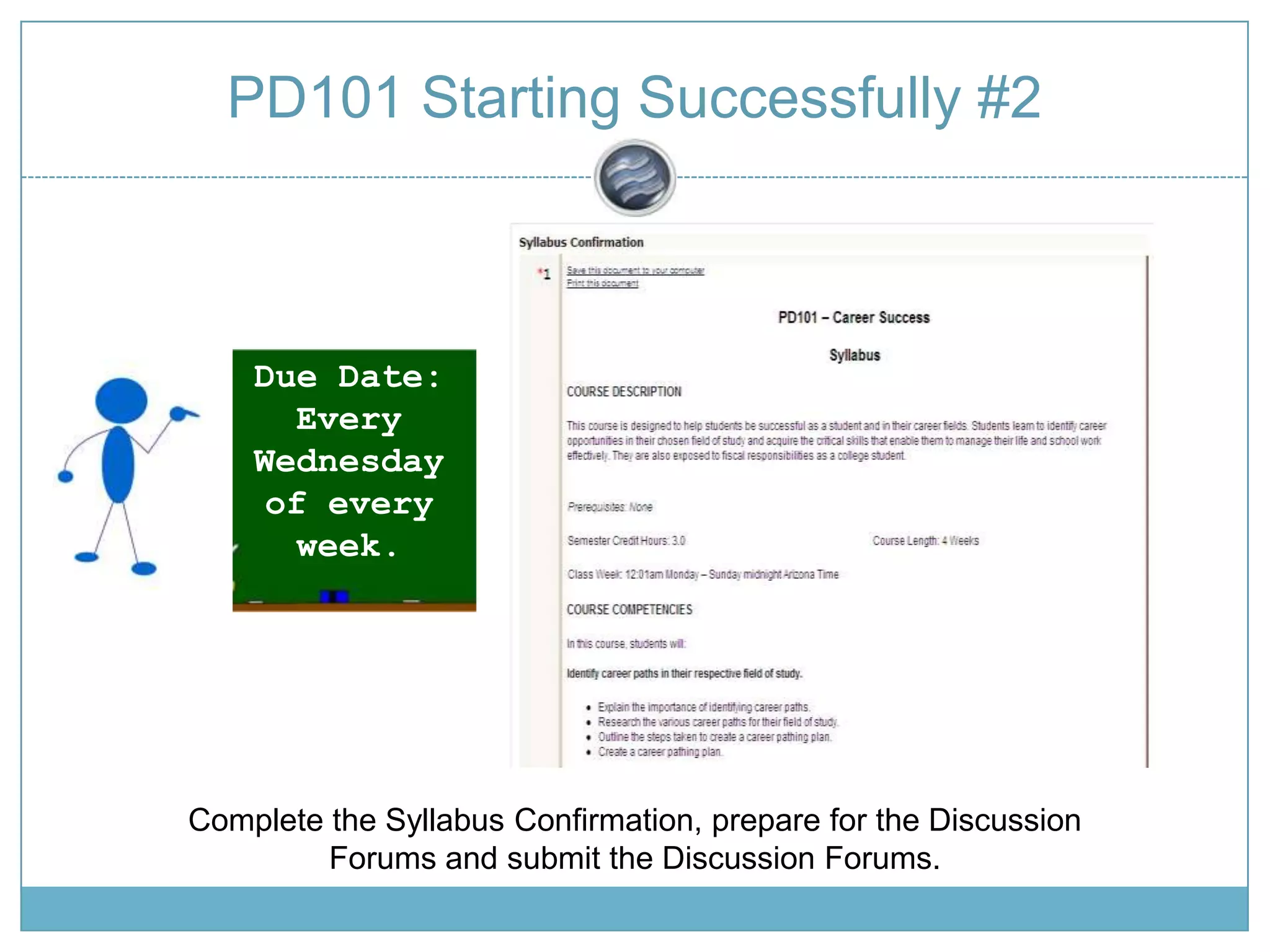
PD101 Starting Successfully #2Due Date: Every Wednesday of every week.Complete the Syllabus Confirmation, prepare for the Discussion Forums and submit the Discussion Forums.
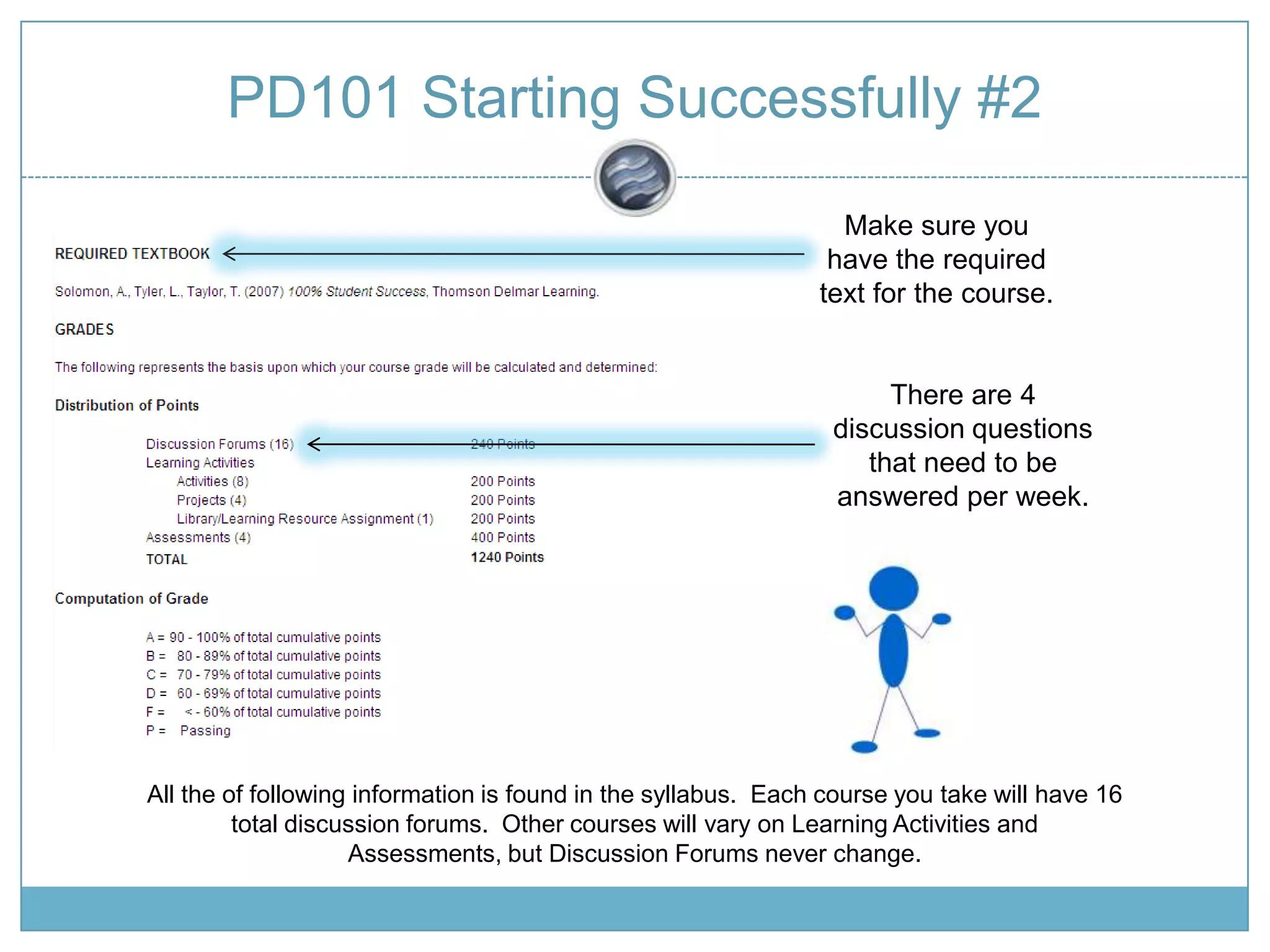
PD101 Starting Successfully #2Make sure you have the required text for the course.There are 4 discussion questions that need to be answered per week.All the of following information is found in the syllabus.  Each course you take will have 16 total discussion forums.  Other courses will vary on Learning Activities and Assessments, but Discussion Forums never change.
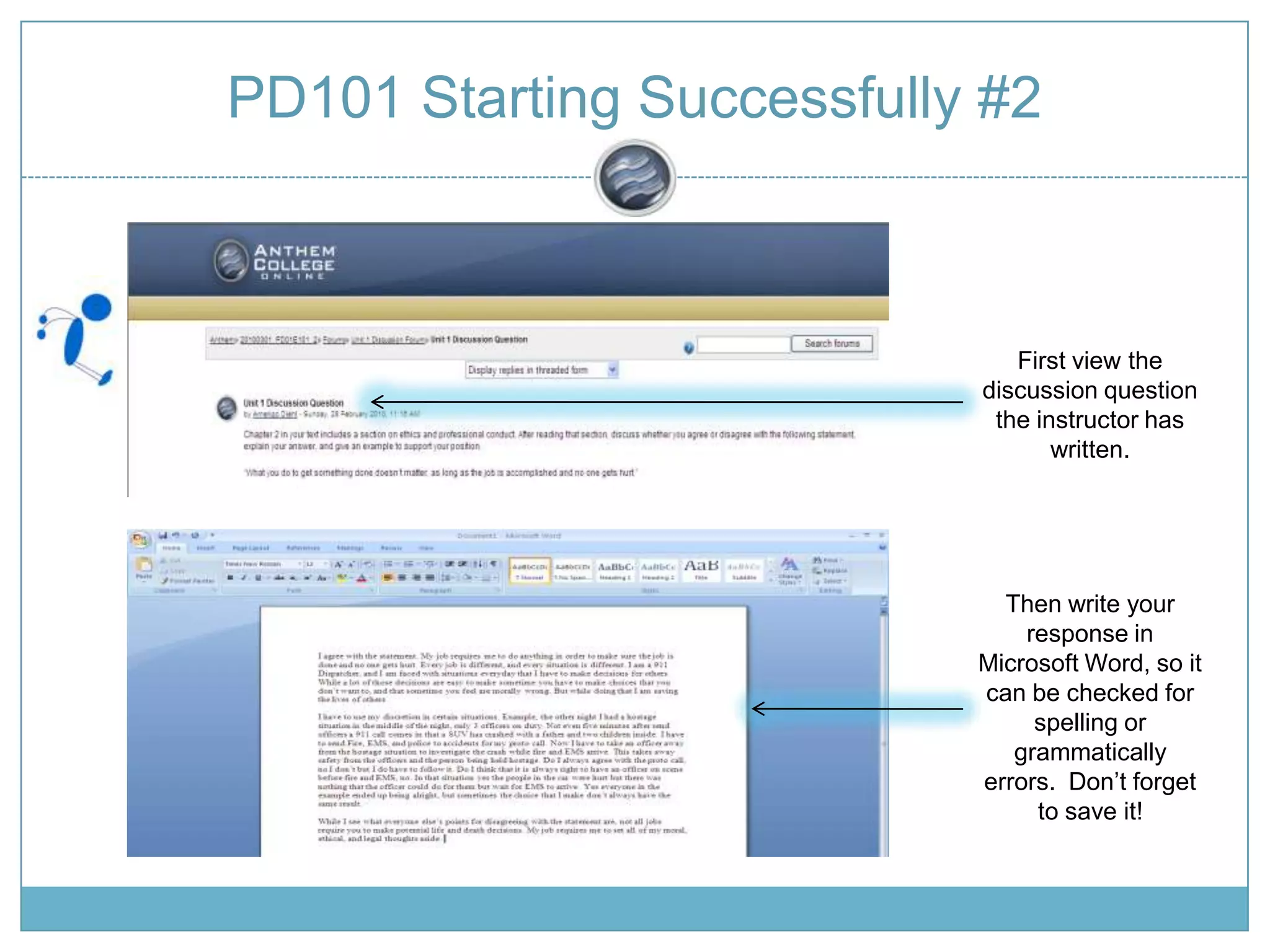
PD101 Starting Successfully #2First view the discussion question the instructor has written.Then write your response in Microsoft Word, so it can be checked for spelling or grammatically errors.  Don’t forget to save it!
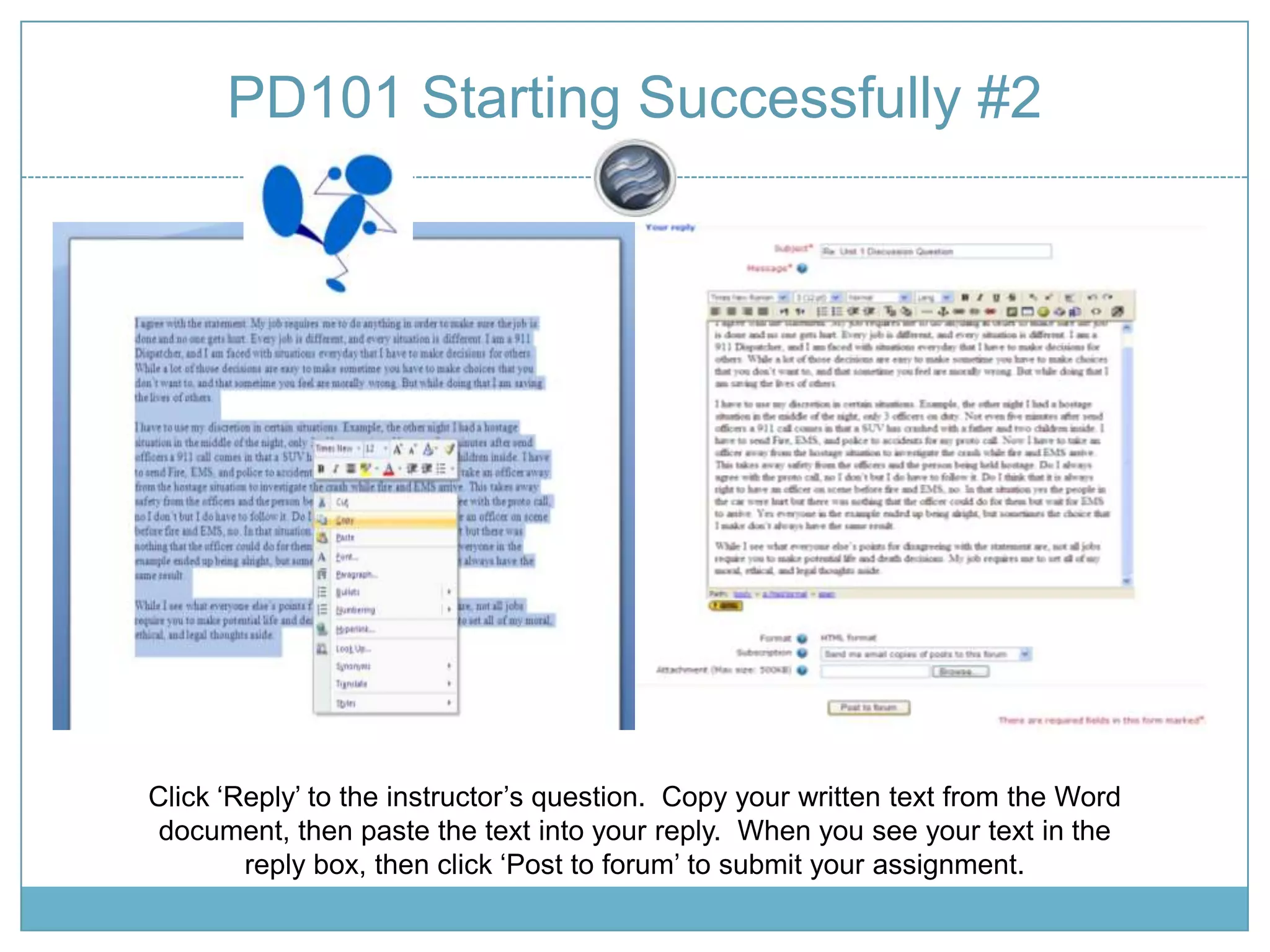
PD101 Starting Successfully #2Click ‘Reply’ to the instructor’s question.  Copy your written text from the Word document, then paste the text into your reply.  When you see your text in the reply box, then click ‘Post to forum’ to submit your assignment.

PD101 – Starting Successfully Session 2

  • 1.
    PD101 Starting Successfully#2Due Date: Every Wednesday of every week.Complete the Syllabus Confirmation, prepare for the Discussion Forums and submit the Discussion Forums.
  • 2.
    PD101 Starting Successfully#2Make sure you have the required text for the course.There are 4 discussion questions that need to be answered per week.All the of following information is found in the syllabus. Each course you take will have 16 total discussion forums. Other courses will vary on Learning Activities and Assessments, but Discussion Forums never change.
  • 3.
    PD101 Starting Successfully#2First view the discussion question the instructor has written.Then write your response in Microsoft Word, so it can be checked for spelling or grammatically errors. Don’t forget to save it!
  • 4.
    PD101 Starting Successfully#2Click ‘Reply’ to the instructor’s question. Copy your written text from the Word document, then paste the text into your reply. When you see your text in the reply box, then click ‘Post to forum’ to submit your assignment.