PCB Design Process
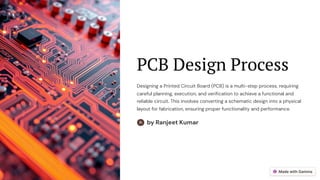
Designing a Printed Circuit Board (PCB) is a multi-step process, requiring
careful planning, execution, and verification to achieve a functional and
reliable circuit. This involves converting a schematic design into a physical
layout for fabrication, ensuring proper functionality and performance.
by Ranjeet Kumar
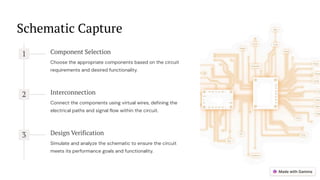
Schematic Capture
1 Component Selection
Choose the appropriate components based on the circuit
requirements and desired functionality.
2 Interconnection
Connect the components using virtual wires, defining the
electrical paths and signal flow within the circuit.
3 Design Verification
Simulate and analyze the schematic to ensure the circuit
meets its performance goals and functionality.
Component Selection
Type
Determine the necessary components
(resistors, capacitors, transistors, etc.)
for the circuit's operation.
Value and Tolerance
Select the appropriate values and
tolerances for each component, based
on circuit design requirements.
Availability
Verify the availability of chosen
components, considering factors such
as manufacturer, lead time, and pricing.
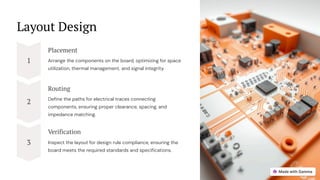
Layout Design
1
Placement
Arrange the components on the board, optimizing for space
utilization, thermal management, and signal integrity.
2
Routing
Define the paths for electrical traces connecting
components, ensuring proper clearance, spacing, and
impedance matching.
3
Verification
Inspect the layout for design rule compliance, ensuring the
board meets the required standards and specifications.
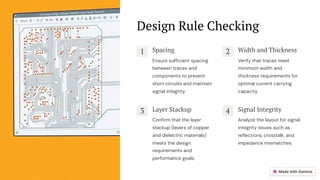
Design Rule Checking
1 Spacing
Ensure sufficient spacing
between traces and
components to prevent
short circuits and maintain
signal integrity.
2 Width and Thickness
Verify that traces meet
minimum width and
thickness requirements for
optimal current carrying
capacity.
3 Layer Stackup
Confirm that the layer
stackup (layers of copper
and dielectric materials)
meets the design
requirements and
performance goals.
4 Signal Integrity
Analyze the layout for signal
integrity issues such as
reflections, crosstalk, and
impedance mismatches.
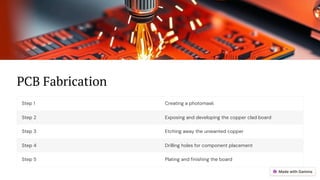
PCB Fabrication
Step 1 Creating a photomask
Step 2 Exposing and developing the copper clad board
Step 3 Etching away the unwanted copper
Step 4 Drilling holes for component placement
Step 5 Plating and finishing the board
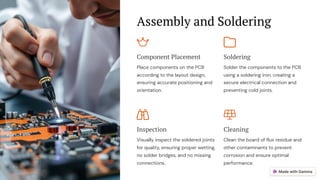
Assembly and Soldering
Component Placement
Place components on the PCB
according to the layout design,
ensuring accurate positioning and
orientation.
Soldering
Solder the components to the PCB
using a soldering iron, creating a
secure electrical connection and
preventing cold joints.
Inspection
Visually inspect the soldered joints
for quality, ensuring proper wetting,
no solder bridges, and no missing
connections.
Cleaning
Clean the board of flux residue and
other contaminants to prevent
corrosion and ensure optimal
performance.
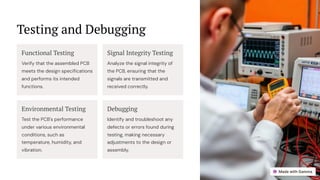
Testing and Debugging
Functional Testing
Verify that the assembled PCB
meets the design specifications
and performs its intended
functions.
Signal Integrity Testing
Analyze the signal integrity of
the PCB, ensuring that the
signals are transmitted and
received correctly.
Environmental Testing
Test the PCB's performance
under various environmental
conditions, such as
temperature, humidity, and
vibration.
Debugging
Identify and troubleshoot any
defects or errors found during
testing, making necessary
adjustments to the design or
assembly.
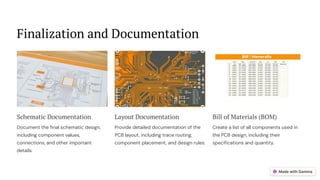
Finalization and Documentation
Schematic Documentation
Document the final schematic design,
including component values,
connections, and other important
details.
Layout Documentation
Provide detailed documentation of the
PCB layout, including trace routing,
component placement, and design rules.
Bill of Materials (BOM)
Create a list of all components used in
the PCB design, including their
specifications and quantity.

PCB Design Process | Key Steps for Efficient Circuit Board Development

  • 1.
    PCB Design Process Designinga Printed Circuit Board (PCB) is a multi-step process, requiring careful planning, execution, and verification to achieve a functional and reliable circuit. This involves converting a schematic design into a physical layout for fabrication, ensuring proper functionality and performance. by Ranjeet Kumar
  • 2.
    Schematic Capture 1 ComponentSelection Choose the appropriate components based on the circuit requirements and desired functionality. 2 Interconnection Connect the components using virtual wires, defining the electrical paths and signal flow within the circuit. 3 Design Verification Simulate and analyze the schematic to ensure the circuit meets its performance goals and functionality.
  • 3.
    Component Selection Type Determine thenecessary components (resistors, capacitors, transistors, etc.) for the circuit's operation. Value and Tolerance Select the appropriate values and tolerances for each component, based on circuit design requirements. Availability Verify the availability of chosen components, considering factors such as manufacturer, lead time, and pricing.
  • 4.
    Layout Design 1 Placement Arrange thecomponents on the board, optimizing for space utilization, thermal management, and signal integrity. 2 Routing Define the paths for electrical traces connecting components, ensuring proper clearance, spacing, and impedance matching. 3 Verification Inspect the layout for design rule compliance, ensuring the board meets the required standards and specifications.
  • 5.
    Design Rule Checking 1Spacing Ensure sufficient spacing between traces and components to prevent short circuits and maintain signal integrity. 2 Width and Thickness Verify that traces meet minimum width and thickness requirements for optimal current carrying capacity. 3 Layer Stackup Confirm that the layer stackup (layers of copper and dielectric materials) meets the design requirements and performance goals. 4 Signal Integrity Analyze the layout for signal integrity issues such as reflections, crosstalk, and impedance mismatches.
  • 6.
    PCB Fabrication Step 1Creating a photomask Step 2 Exposing and developing the copper clad board Step 3 Etching away the unwanted copper Step 4 Drilling holes for component placement Step 5 Plating and finishing the board
  • 7.
    Assembly and Soldering ComponentPlacement Place components on the PCB according to the layout design, ensuring accurate positioning and orientation. Soldering Solder the components to the PCB using a soldering iron, creating a secure electrical connection and preventing cold joints. Inspection Visually inspect the soldered joints for quality, ensuring proper wetting, no solder bridges, and no missing connections. Cleaning Clean the board of flux residue and other contaminants to prevent corrosion and ensure optimal performance.
  • 8.
    Testing and Debugging FunctionalTesting Verify that the assembled PCB meets the design specifications and performs its intended functions. Signal Integrity Testing Analyze the signal integrity of the PCB, ensuring that the signals are transmitted and received correctly. Environmental Testing Test the PCB's performance under various environmental conditions, such as temperature, humidity, and vibration. Debugging Identify and troubleshoot any defects or errors found during testing, making necessary adjustments to the design or assembly.
  • 9.
    Finalization and Documentation SchematicDocumentation Document the final schematic design, including component values, connections, and other important details. Layout Documentation Provide detailed documentation of the PCB layout, including trace routing, component placement, and design rules. Bill of Materials (BOM) Create a list of all components used in the PCB design, including their specifications and quantity.