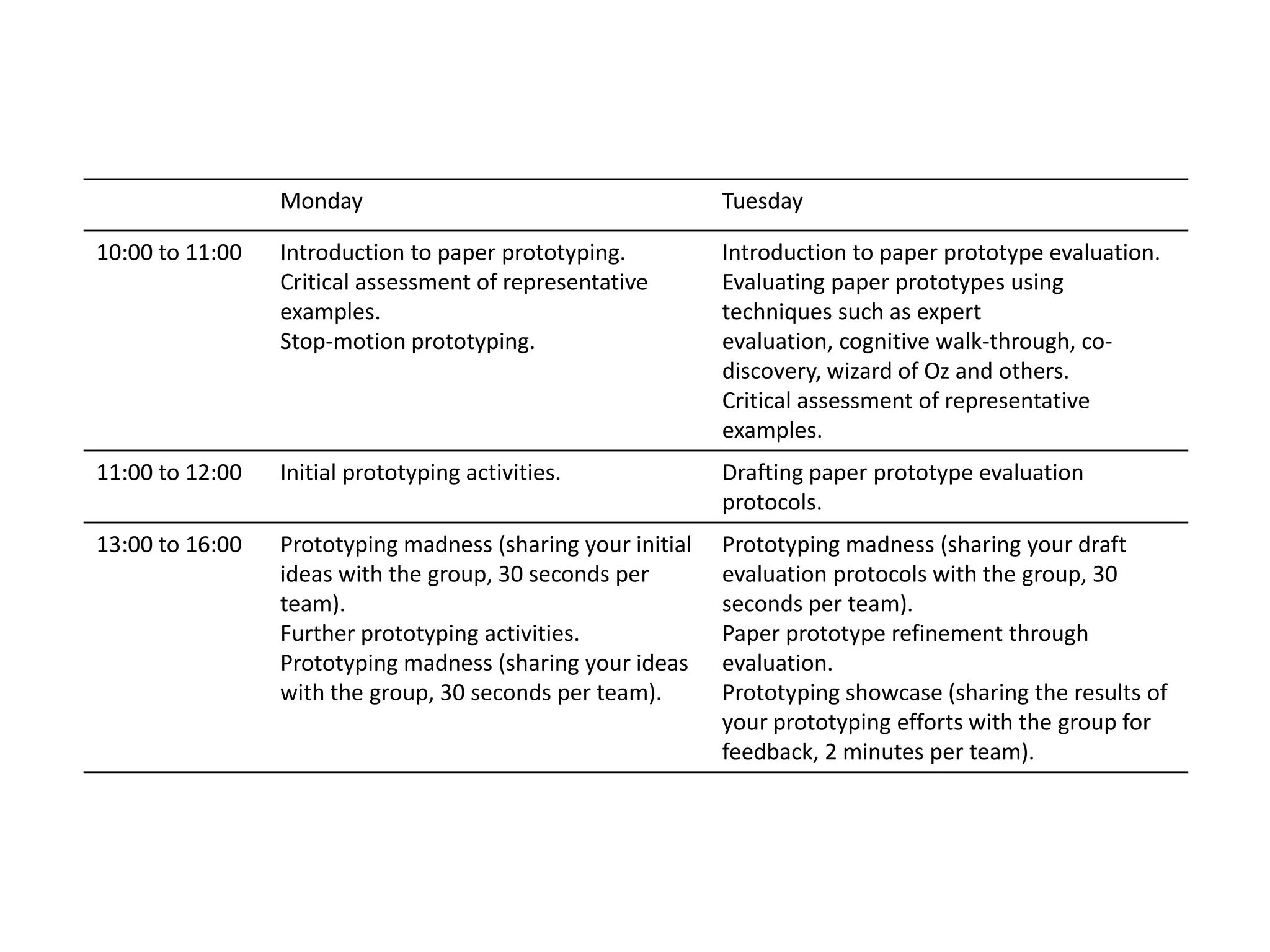
Monday Tuesday
10:00 to 11:00 Introduction to paper prototyping.
Critical assessment of representative
examples.
Stop-motion prototyping.
Introduction to paper prototype evaluation.
Evaluating paper prototypes using
techniques such as expert
evaluation, cognitive walk-through, co-
discovery, wizard of Oz and others.
Critical assessment of representative
examples.
11:00 to 12:00 Initial prototyping activities. Drafting paper prototype evaluation
protocols.
13:00 to 16:00 Prototyping madness (sharing your initial
ideas with the group, 30 seconds per
team).
Further prototyping activities.
Prototyping madness (sharing your ideas
with the group, 30 seconds per team).
Prototyping madness (sharing your draft
evaluation protocols with the group, 30
seconds per team).
Paper prototype refinement through
evaluation.
Prototyping showcase (sharing the results of
your prototyping efforts with the group for
feedback, 2 minutes per team).
Paper
Prototyping
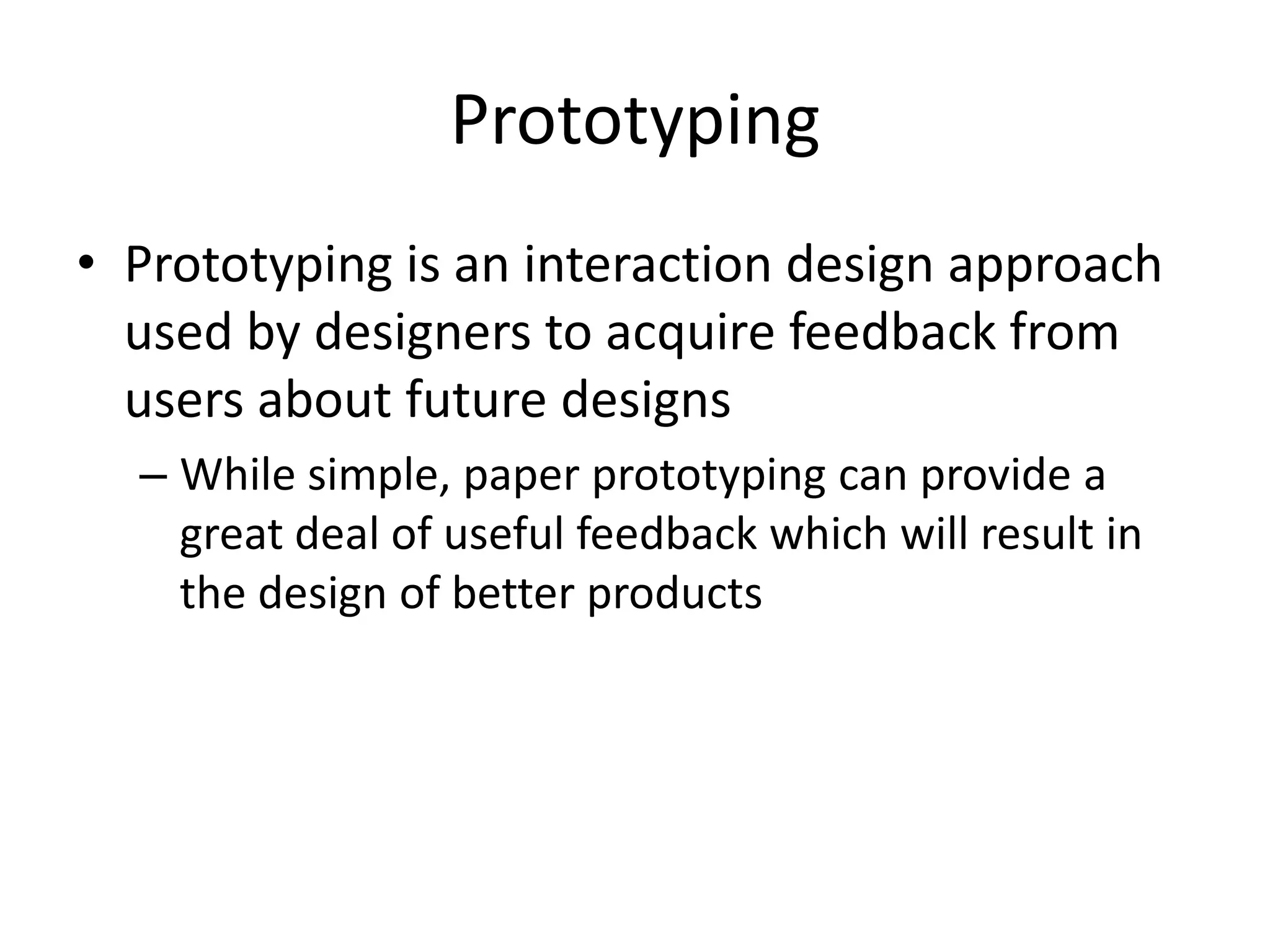
Prototyping
• Prototyping is an interaction design approach
used by designers to acquire feedback from
users about future designs
– While simple, paper prototyping can provide a
great deal of useful feedback which will result in
the design of better products
Explorative prototyping
• Explorative prototyping is used to explore
system requirements in cooperation with
users
– I can be seen as a communication facilitator
designers, developers and users
Experimental prototyping
• Experimental prototyping aims to assess
whether the planned system will be adequate
and acceptable when finished
– Experimental prototypes can be used as
requirements specification
Evolutionary prototyping
• And prototyping can also be evolutionary in
nature
– This is the case when a design evolves through
multiple generations succeeding each other
– In this case, each prototype is an early version of a
product or service that is further worked upon
until the prototype has evolved into a final
solution
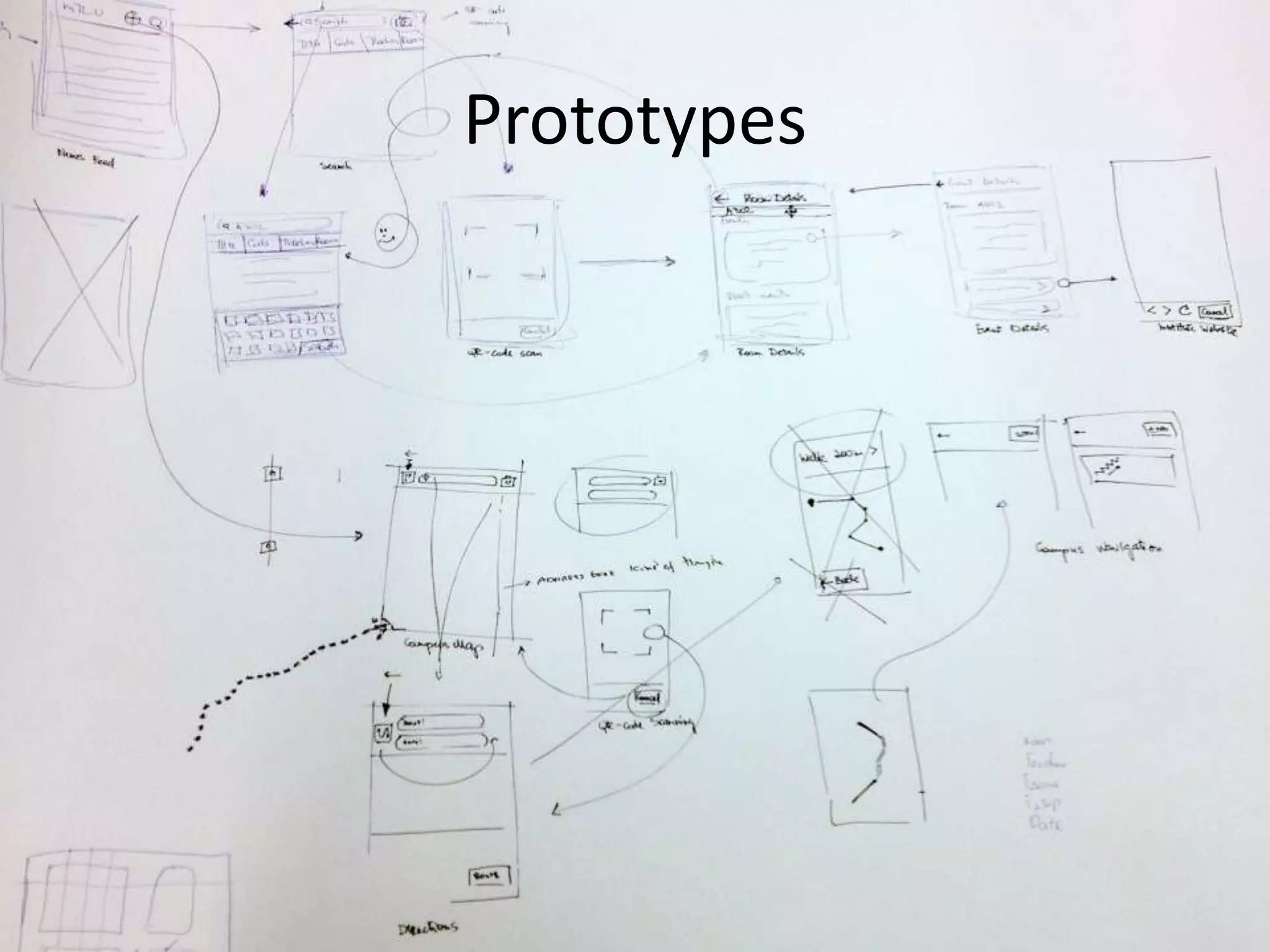
Prototypes
• Prototypes may be horizontal or vertical
– Horizontal prototypes cover a very broad range of
the intended future features, but only very little of
the actual functionality of the features is
addressed
– Vertical prototypes address fewer features but, on
the other hand, these are almost fully described.
Prototypes
• Prototypes serve several purposes…
– They incite and facilitate experimentation as they
are inexpensive to alter
• As they focus on content and functionality and turn
attention away from details of graphic design
Prototypes
• Prototypes serve several purposes…
– They incite criticism from users because they are
perceived as being low-cost and low-fidelity
• If a user is presented with an early version of a product
or service that has required substantial work, she or he
is likely to be more reluctant (as well as able) to criticize
it
Prototypes
• Prototypes serve several purposes…
– They have the advantage of ‘grounding’ the
discussion during a stakeholder session, making
the sure the session does not get too much off
track
Prototypes
Prototypes
• The question now should be…
– How do we go about it?
Prototyping process
• You…
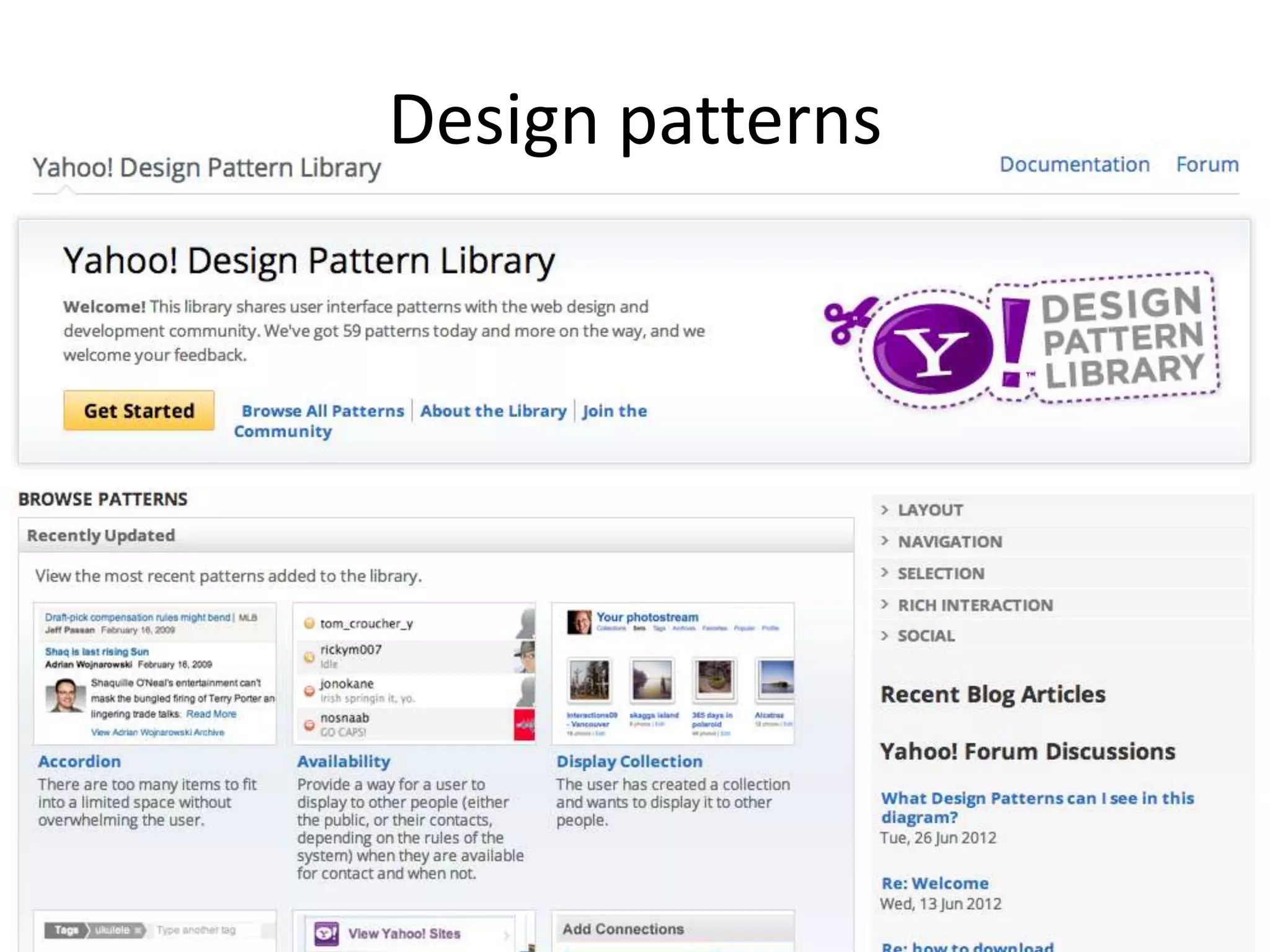
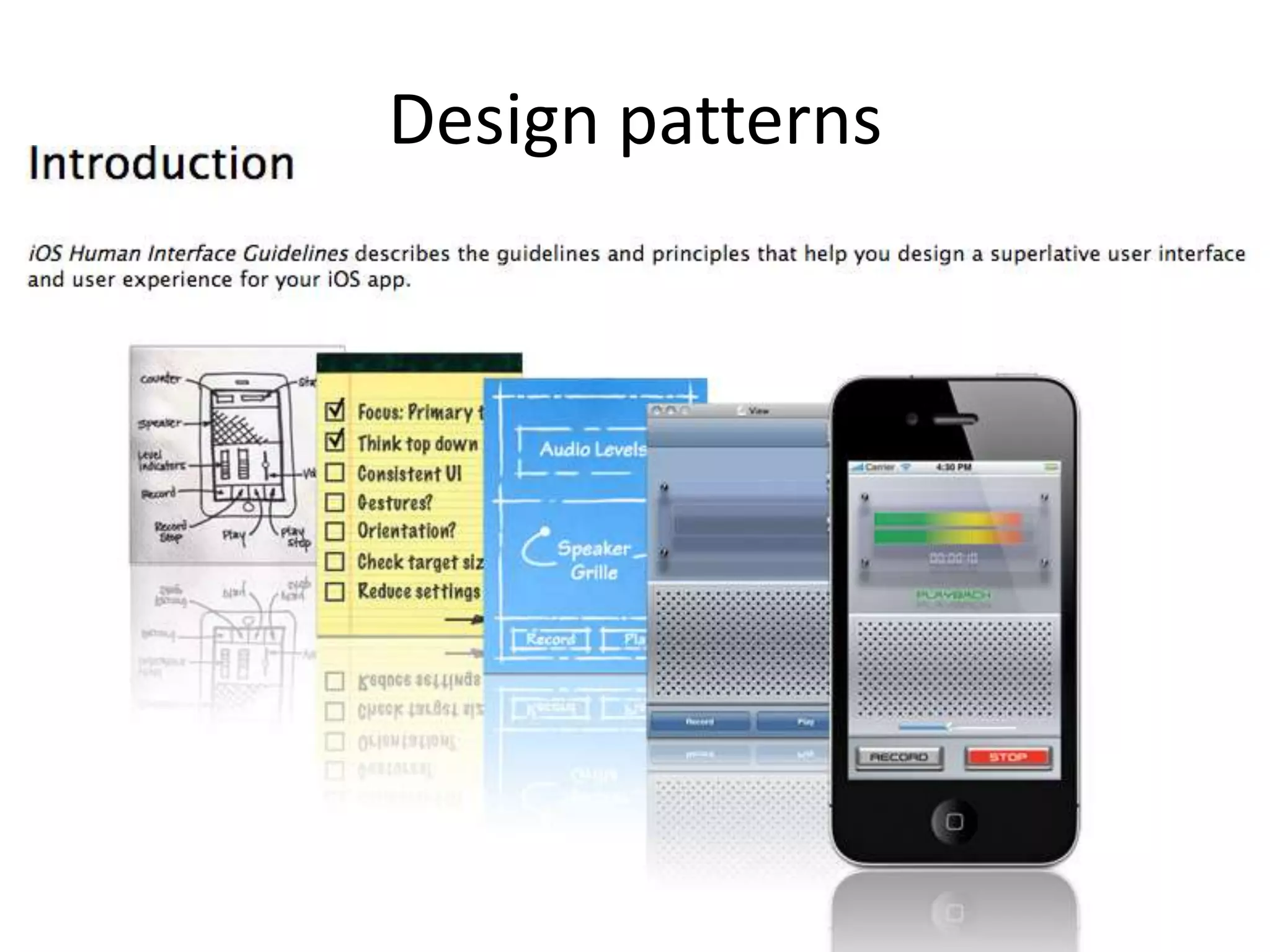
– Follow design patterns
– Create a prototype for each (set of) user stories
• Starting by sketching and structuring and eventually
ending with a paper mockup of the envisioned product
or service frontend
– You iterate the prototype and the user stories
• There is an interplay between both so its only
expectable that they will co-evolve
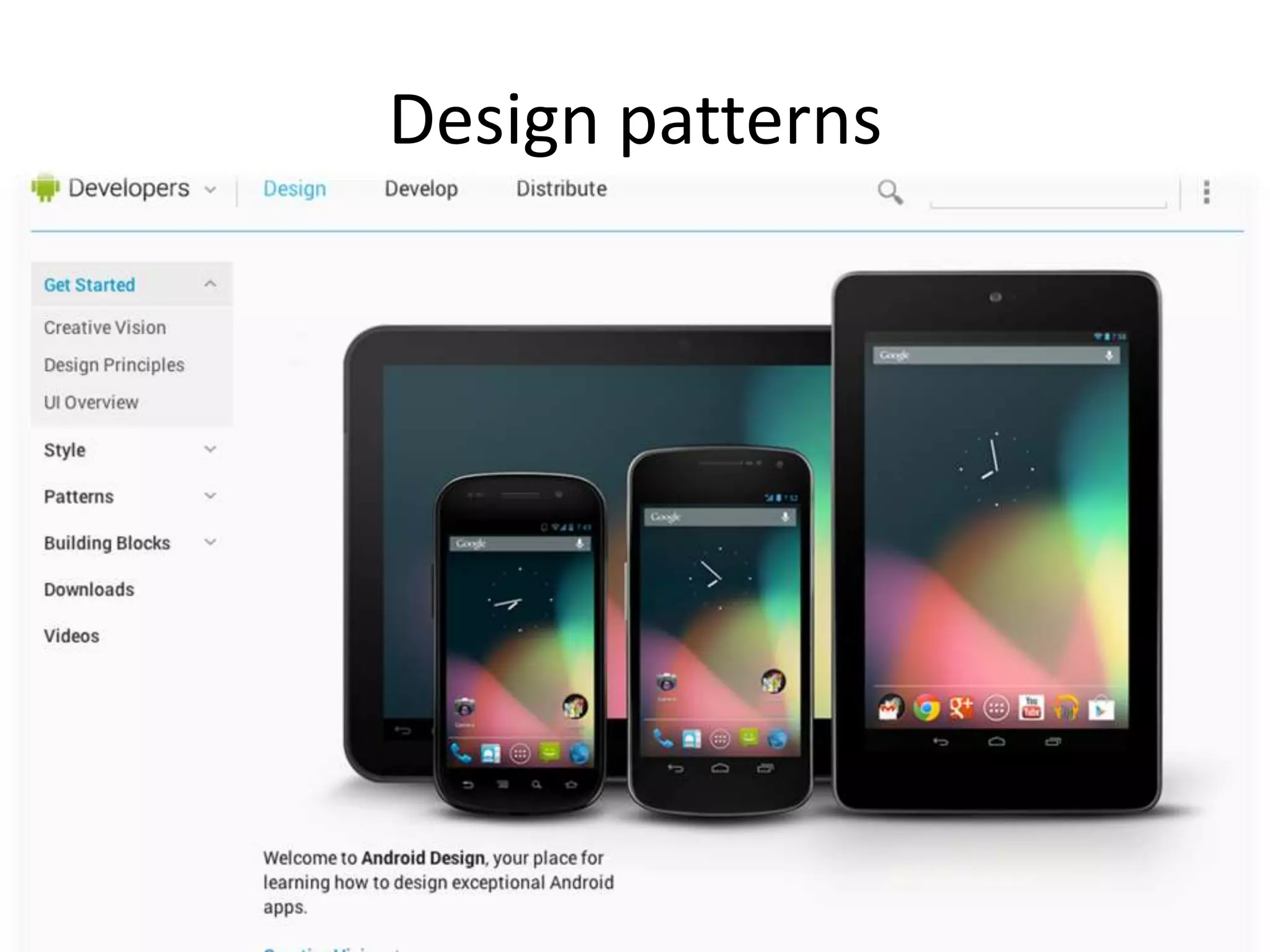
Design patterns
Design patterns
Design patterns
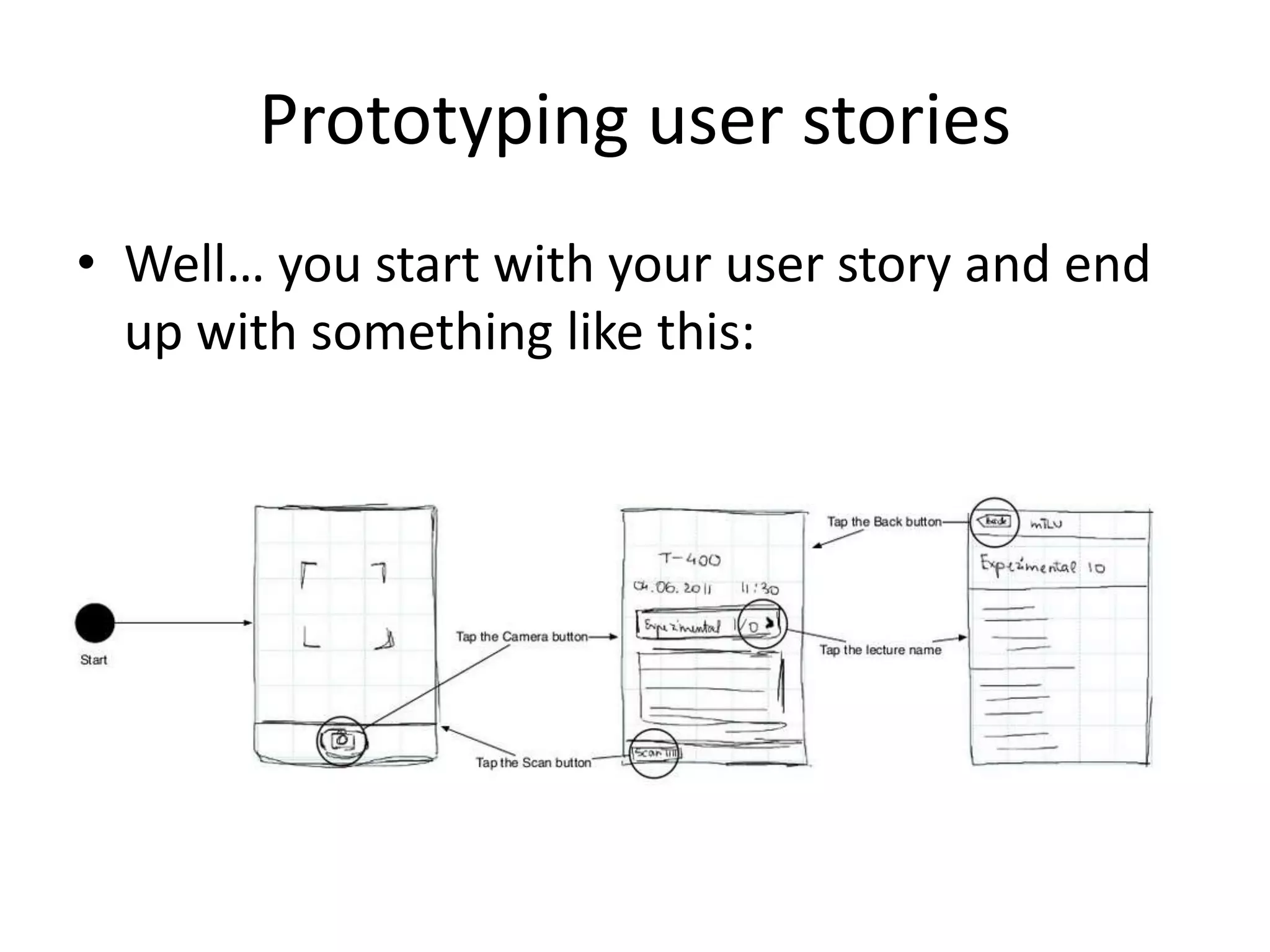
Prototyping user stories
• Well… you start with your user story and end
up with something like this:
Prototyping user stories
• Early prototypes normally evolve through a
sketching and structuring iterative process
– Sketching is normally based on existing design
patterns, unless there is an unusual problem to be
addressed or a novel solution with potential
added value
– Structuring normally follows state transition
diagrams principles, which allows clear validation
of the underlying user stories
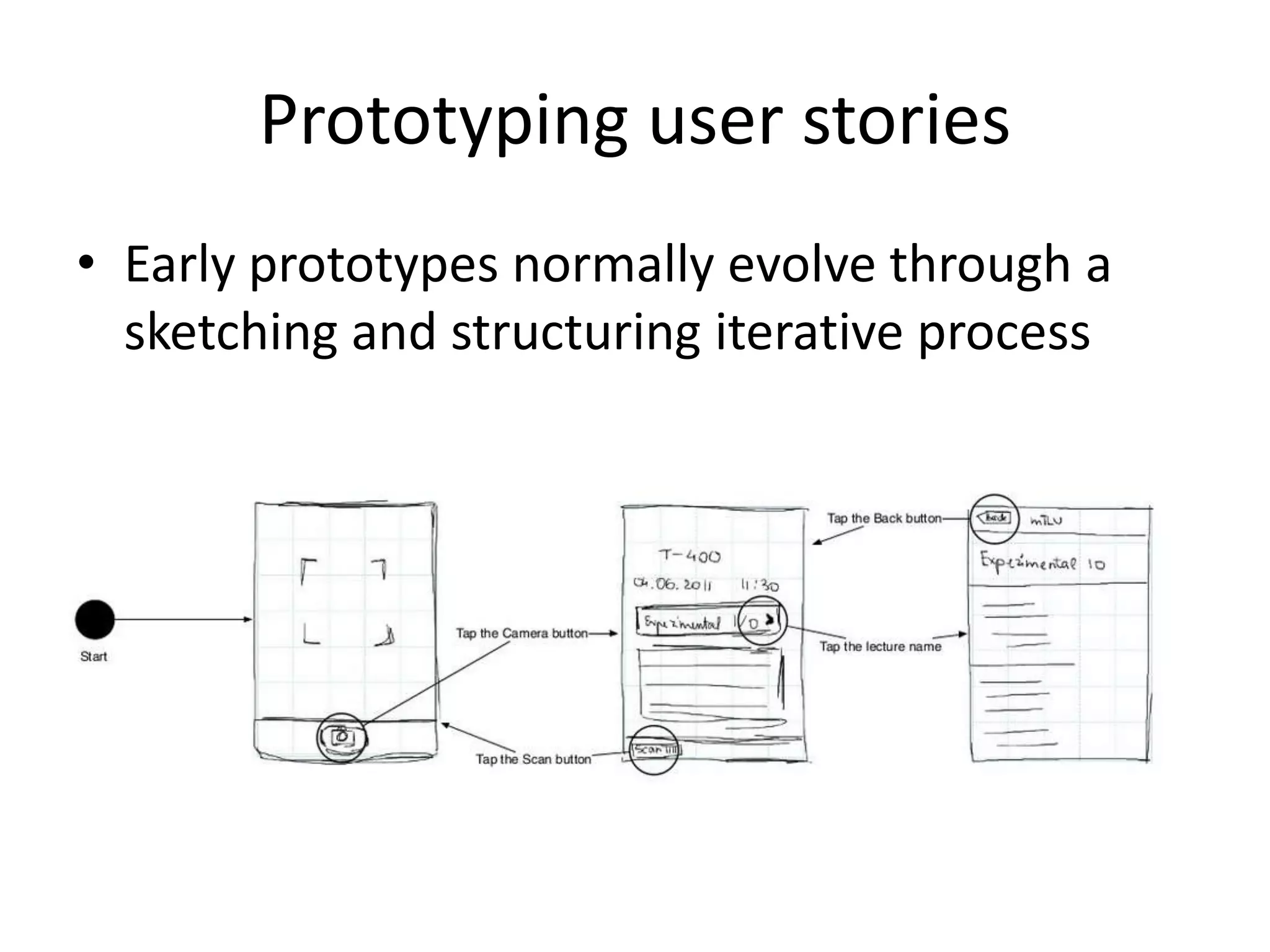
Prototyping user stories
• Early prototypes normally evolve through a
sketching and structuring iterative process
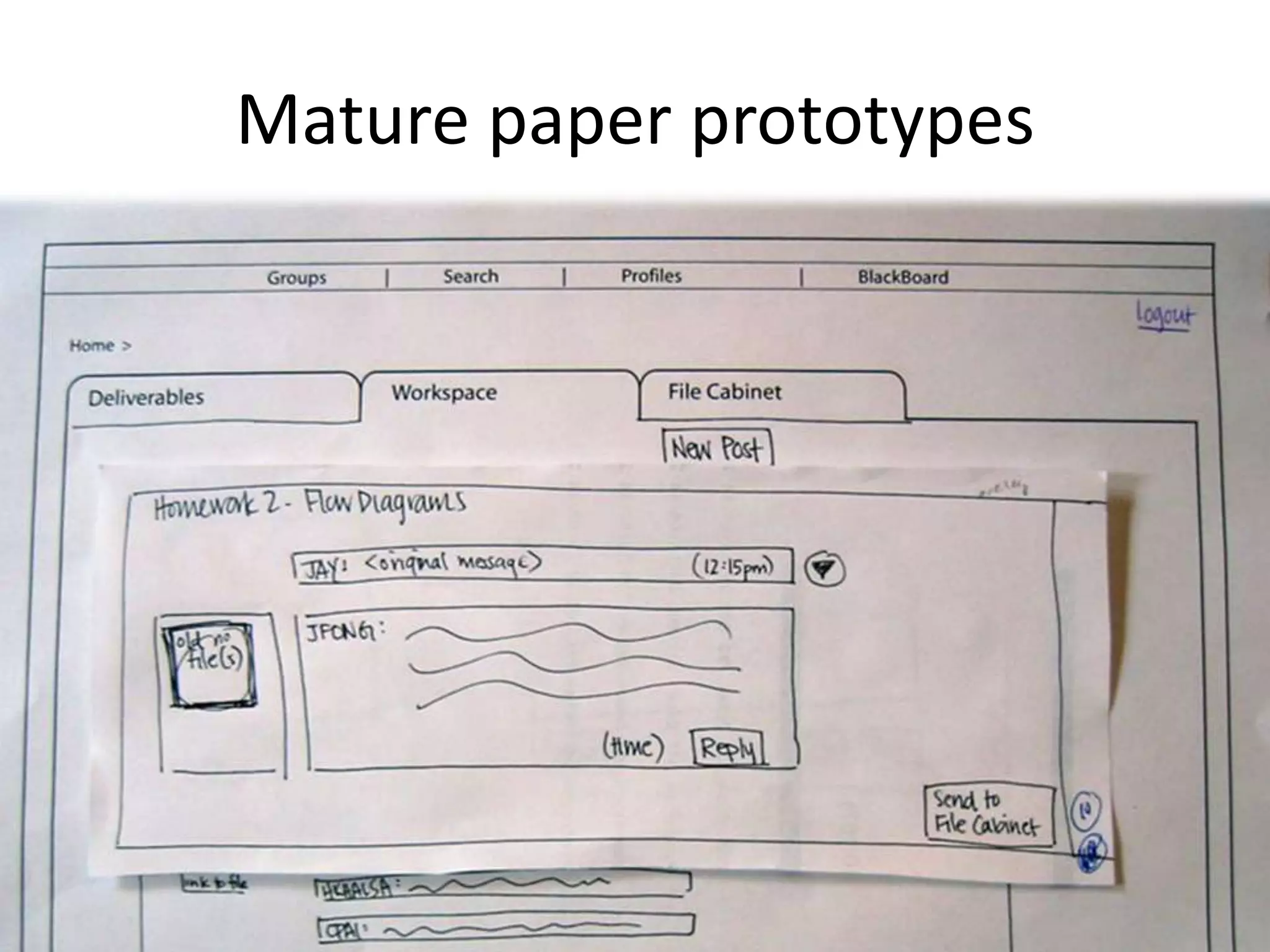
Mature paper prototypes
• Mature paper prototypes usually let go of the
state transition diagram and become fully
actionable paper prototypes
– Of course, in this case the processor is the person
animating the prootype
Mature paper prototypes
• For demonstration purposes, mature paper
prototypes can also be animated using stop
motion animation
However…
However…
• This only makes sense if you have progressed
from your idea’s personas into scenarios and
user stories
– Most likely you have actually address all this in
previous activities but under different names or
even implicitly
• My recommendation is that you reframe what you have
under this heading to better start this interaction
design process
However…
• This only makes sense if you have progressed
from your idea’s personas into scenarios and
user stories
– If this is not so clear for you, please bear with me
for a little longer
Personas
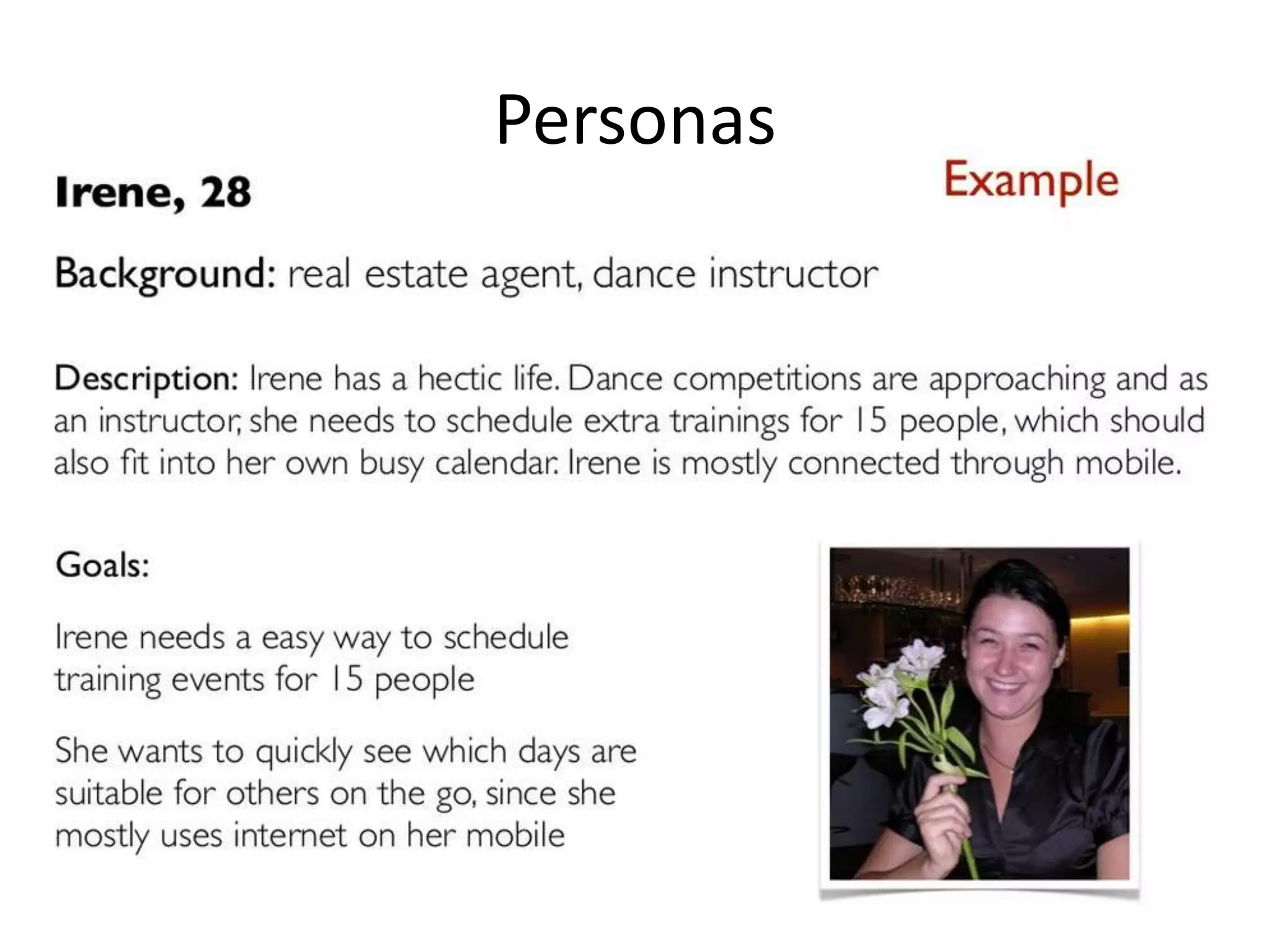
• These are base on observation, interviews,
research
• They can be primary, secondary, etc…
• Personas support design decisions
– But should not entirely replace real users
Personas
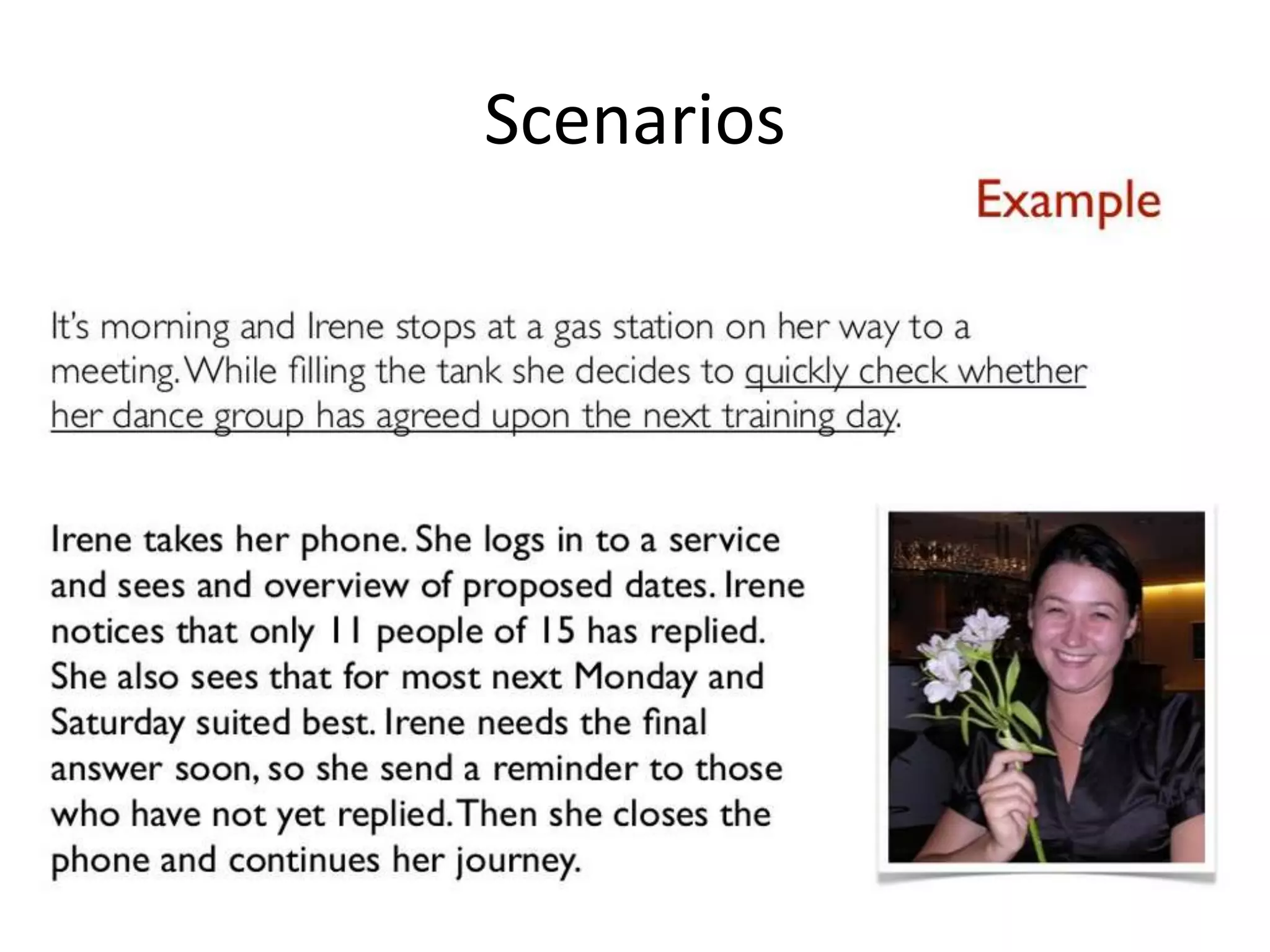
Scenarios
• Scenarios describe the context of the
interaction between the personas and the
envisioned product or service
– These consist of goals, expectations, actions and
reactions
– They aim to reflect the real context and usage
Scenarios
User stories
• User stories are written sequences of actions
and events leading to an outcome
– Good user stories are standalone, short and
testable
– They bring users, designers and developers
together
– Users stories are a powerful way to reflect upon
user needs
User stories
• Go more or less like this…
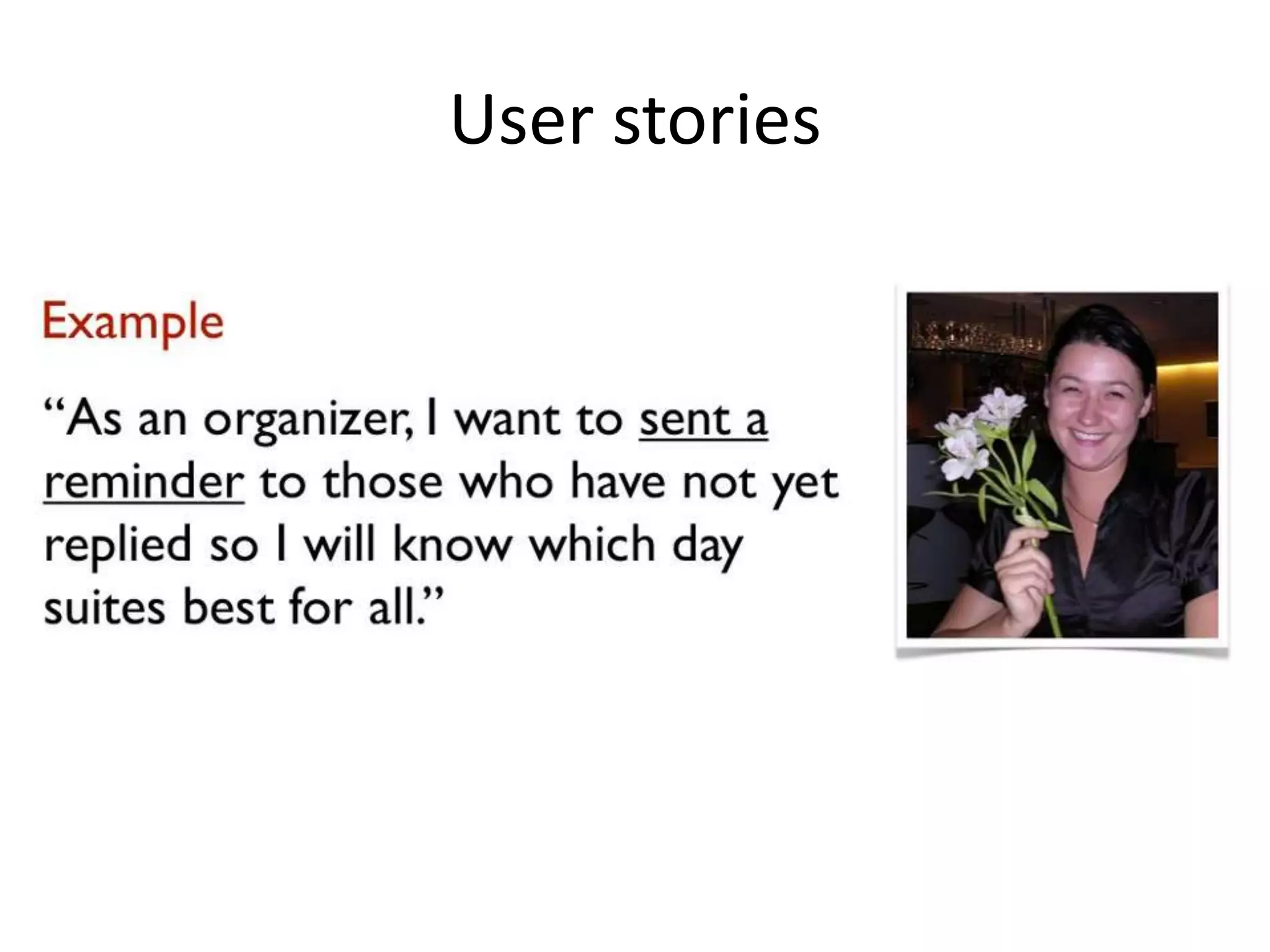
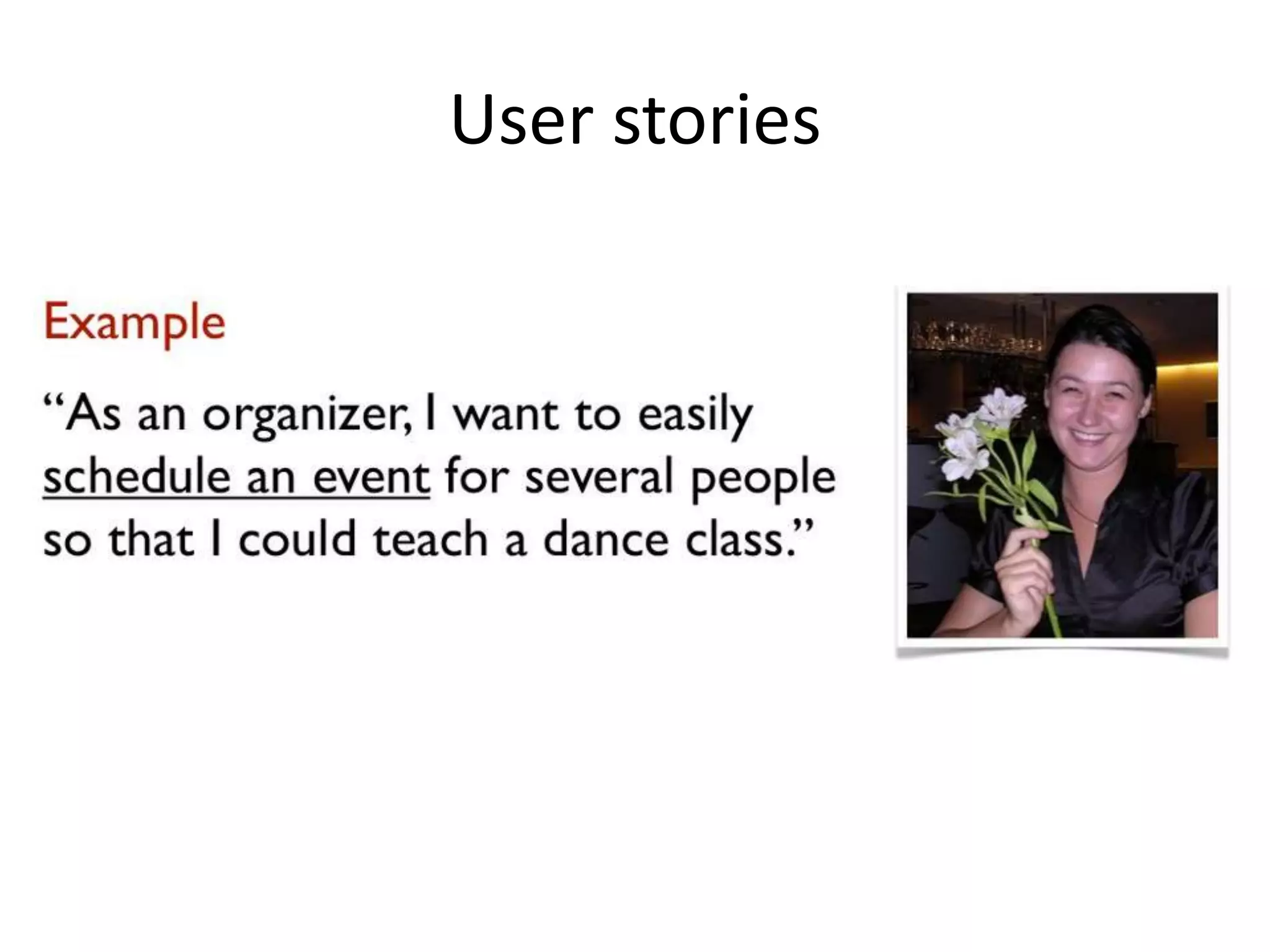
– As a <ROLE>, I want to <DO SOMETHING> so that I
could <GET SOMETHING>
• User stories:
– Describe one specific need
– Are not to detailed
– Are testable
User stories
User stories
Now it’s up to you to
make it happen
paperprototypingateia
.wordpress.com

Paper prototyping

  • 2.
    Monday Tuesday 10:00 to11:00 Introduction to paper prototyping. Critical assessment of representative examples. Stop-motion prototyping. Introduction to paper prototype evaluation. Evaluating paper prototypes using techniques such as expert evaluation, cognitive walk-through, co- discovery, wizard of Oz and others. Critical assessment of representative examples. 11:00 to 12:00 Initial prototyping activities. Drafting paper prototype evaluation protocols. 13:00 to 16:00 Prototyping madness (sharing your initial ideas with the group, 30 seconds per team). Further prototyping activities. Prototyping madness (sharing your ideas with the group, 30 seconds per team). Prototyping madness (sharing your draft evaluation protocols with the group, 30 seconds per team). Paper prototype refinement through evaluation. Prototyping showcase (sharing the results of your prototyping efforts with the group for feedback, 2 minutes per team).
  • 3.
  • 4.
    Prototyping • Prototyping isan interaction design approach used by designers to acquire feedback from users about future designs – While simple, paper prototyping can provide a great deal of useful feedback which will result in the design of better products
  • 5.
    Explorative prototyping • Explorativeprototyping is used to explore system requirements in cooperation with users – I can be seen as a communication facilitator designers, developers and users
  • 6.
    Experimental prototyping • Experimentalprototyping aims to assess whether the planned system will be adequate and acceptable when finished – Experimental prototypes can be used as requirements specification
  • 7.
    Evolutionary prototyping • Andprototyping can also be evolutionary in nature – This is the case when a design evolves through multiple generations succeeding each other – In this case, each prototype is an early version of a product or service that is further worked upon until the prototype has evolved into a final solution
  • 8.
    Prototypes • Prototypes maybe horizontal or vertical – Horizontal prototypes cover a very broad range of the intended future features, but only very little of the actual functionality of the features is addressed – Vertical prototypes address fewer features but, on the other hand, these are almost fully described.
  • 9.
    Prototypes • Prototypes serveseveral purposes… – They incite and facilitate experimentation as they are inexpensive to alter • As they focus on content and functionality and turn attention away from details of graphic design
  • 10.
    Prototypes • Prototypes serveseveral purposes… – They incite criticism from users because they are perceived as being low-cost and low-fidelity • If a user is presented with an early version of a product or service that has required substantial work, she or he is likely to be more reluctant (as well as able) to criticize it
  • 11.
    Prototypes • Prototypes serveseveral purposes… – They have the advantage of ‘grounding’ the discussion during a stakeholder session, making the sure the session does not get too much off track
  • 12.
  • 13.
    Prototypes • The questionnow should be… – How do we go about it?
  • 14.
    Prototyping process • You… –Follow design patterns – Create a prototype for each (set of) user stories • Starting by sketching and structuring and eventually ending with a paper mockup of the envisioned product or service frontend – You iterate the prototype and the user stories • There is an interplay between both so its only expectable that they will co-evolve
  • 15.
  • 16.
  • 17.
  • 18.
    Prototyping user stories •Well… you start with your user story and end up with something like this:
  • 19.
    Prototyping user stories •Early prototypes normally evolve through a sketching and structuring iterative process – Sketching is normally based on existing design patterns, unless there is an unusual problem to be addressed or a novel solution with potential added value – Structuring normally follows state transition diagrams principles, which allows clear validation of the underlying user stories
  • 20.
    Prototyping user stories •Early prototypes normally evolve through a sketching and structuring iterative process
  • 21.
    Mature paper prototypes •Mature paper prototypes usually let go of the state transition diagram and become fully actionable paper prototypes – Of course, in this case the processor is the person animating the prootype
  • 22.
  • 23.
    Mature paper prototypes •For demonstration purposes, mature paper prototypes can also be animated using stop motion animation
  • 24.
  • 25.
    However… • This onlymakes sense if you have progressed from your idea’s personas into scenarios and user stories – Most likely you have actually address all this in previous activities but under different names or even implicitly • My recommendation is that you reframe what you have under this heading to better start this interaction design process
  • 26.
    However… • This onlymakes sense if you have progressed from your idea’s personas into scenarios and user stories – If this is not so clear for you, please bear with me for a little longer
  • 27.
    Personas • These arebase on observation, interviews, research • They can be primary, secondary, etc… • Personas support design decisions – But should not entirely replace real users
  • 28.
  • 29.
    Scenarios • Scenarios describethe context of the interaction between the personas and the envisioned product or service – These consist of goals, expectations, actions and reactions – They aim to reflect the real context and usage
  • 30.
  • 31.
    User stories • Userstories are written sequences of actions and events leading to an outcome – Good user stories are standalone, short and testable – They bring users, designers and developers together – Users stories are a powerful way to reflect upon user needs
  • 32.
    User stories • Gomore or less like this… – As a <ROLE>, I want to <DO SOMETHING> so that I could <GET SOMETHING> • User stories: – Describe one specific need – Are not to detailed – Are testable
  • 33.
  • 34.
  • 35.
    Now it’s upto you to make it happen
  • 36.