Machine Learning
Pandas
-Jyoti Shukla
Today’s Agenda
• What is Pandas?
• Why Pandas?
• How to use Pandas?
• Series
• Practical on Series
• DataFrame
• Practical on DataFrame
What is Pandas?
What is Pandas?
• Panel Data System
• Similar to NumPy, Pandas is also the most widely used python libraries in
machine learning.
• It is a Python package providing fast, flexible, and expressive data
structures designed to make working with structured (tabular,
multidimensional, potentially heterogeneous) and time series data.
• Built on top of Numpy with it’s high performance array-computing
features.
Why Pandas?
• Flexible data manipulation capabilities of spreadsheets and relational
databases.
• Sophisticated indexing functionality
• Slice , dice , perform aggregations , select subsets of data.
Key Features of Pandas
• Fast and efficient DataFrame object with default and customized indexing.
• Tools for loading data into in-memory data objects from different file
formats.
• Data alignment and integrated handling of missing data.
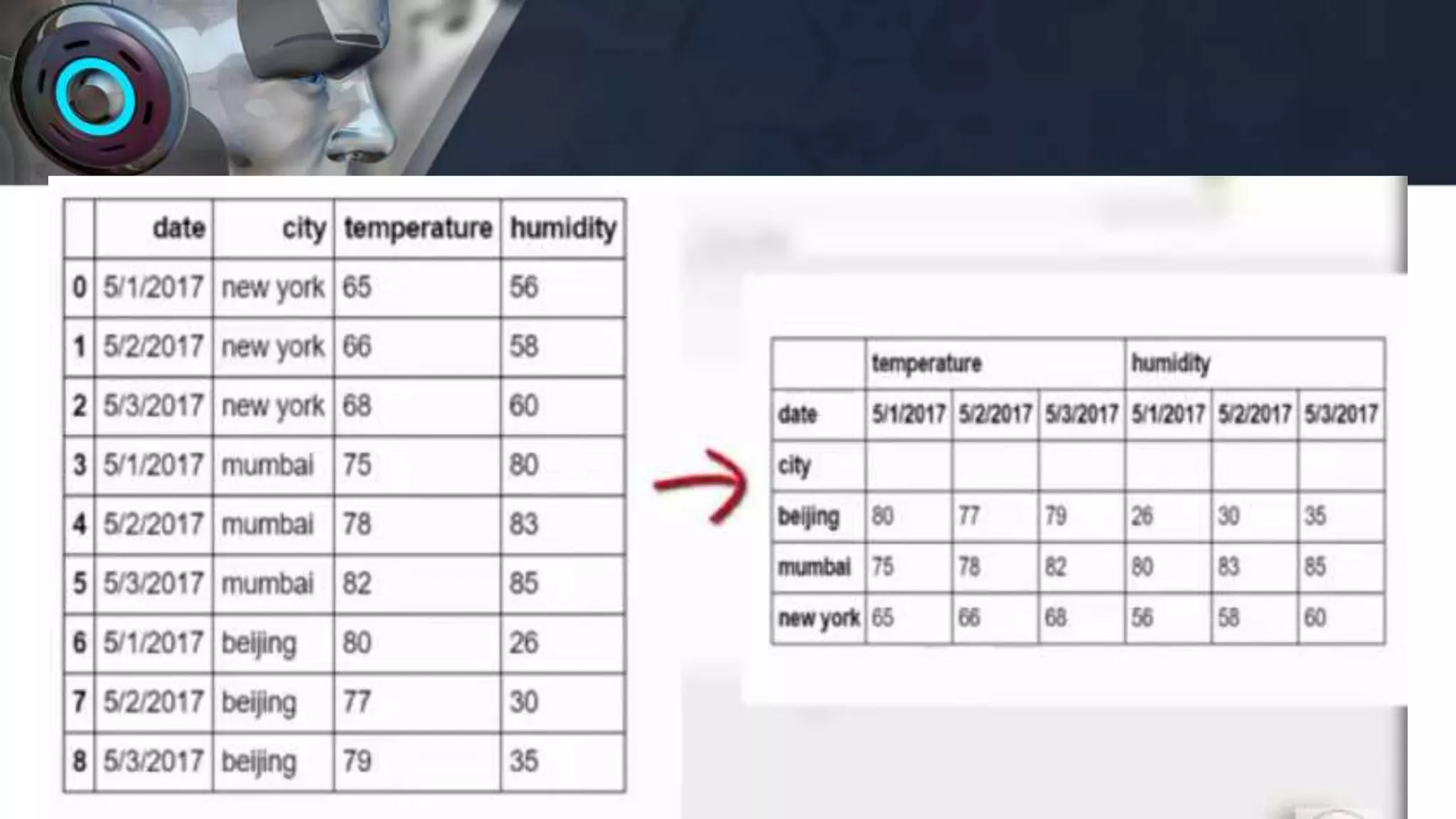
• Reshaping and pivoting of date sets.
• Label-based slicing, indexing and subsetting of large data sets.
• Columns from a data structure can be deleted or inserted.
• Group by data for aggregation and transformations.
• High performance merging and joining of data.
• Time Series functionality.
Pandas deals with the following three data structures −
• Series
• DataFrame
• Panel
These data structures are built on top of Numpy array,
which means they are fast.
• Module Required :
import pandas as pd
• Usage is
pd.Series (parameter)
pd.DataFrame (parameter)
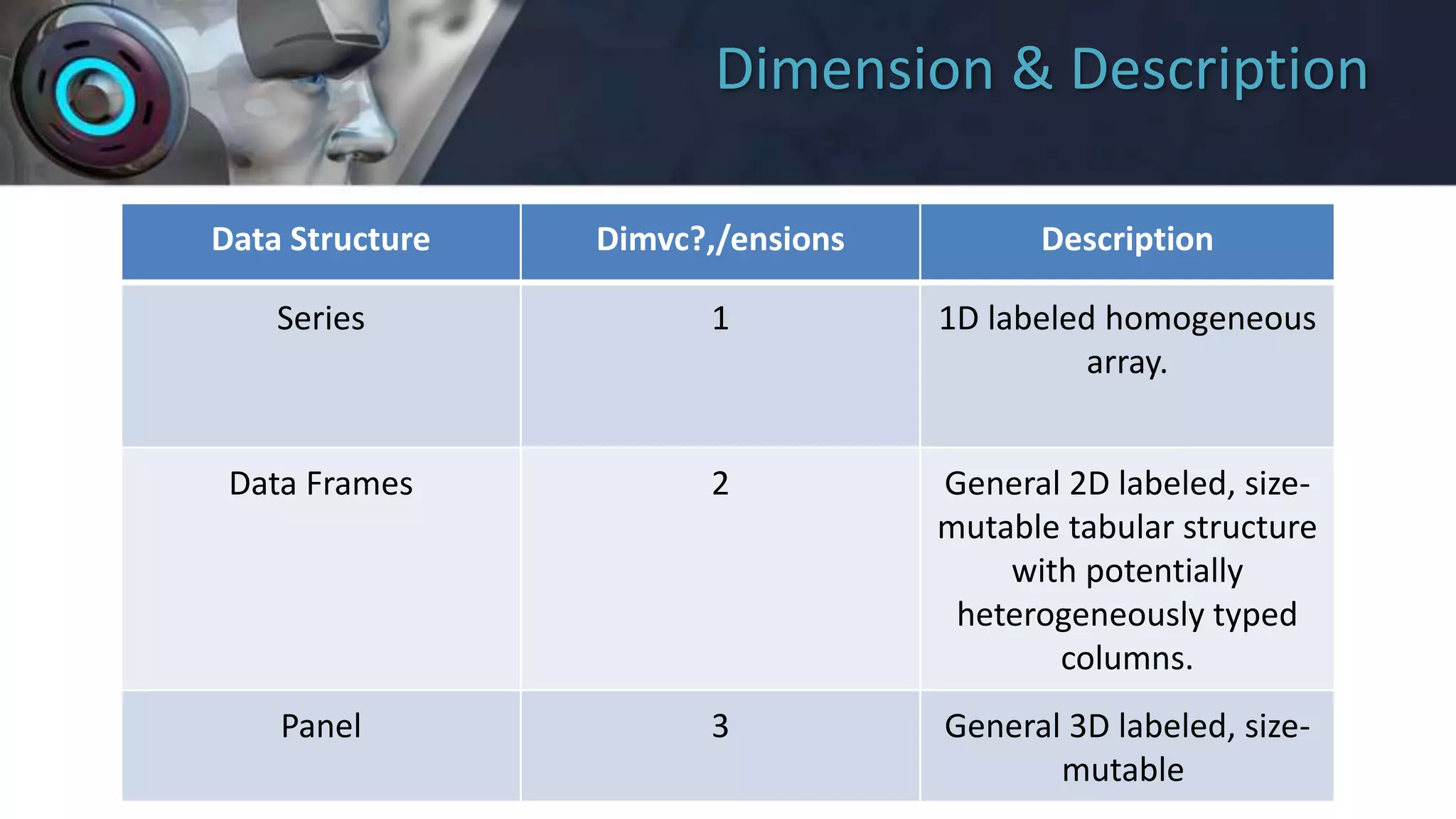
Dimension & Description
Data Structure Dimvc?,/ensions Description
Series 1 1D labeled homogeneous
array.
Data Frames 2 General 2D labeled, size-
mutable tabular structure
with potentially
heterogeneously typed
columns.
Panel 3 General 3D labeled, size-
mutable
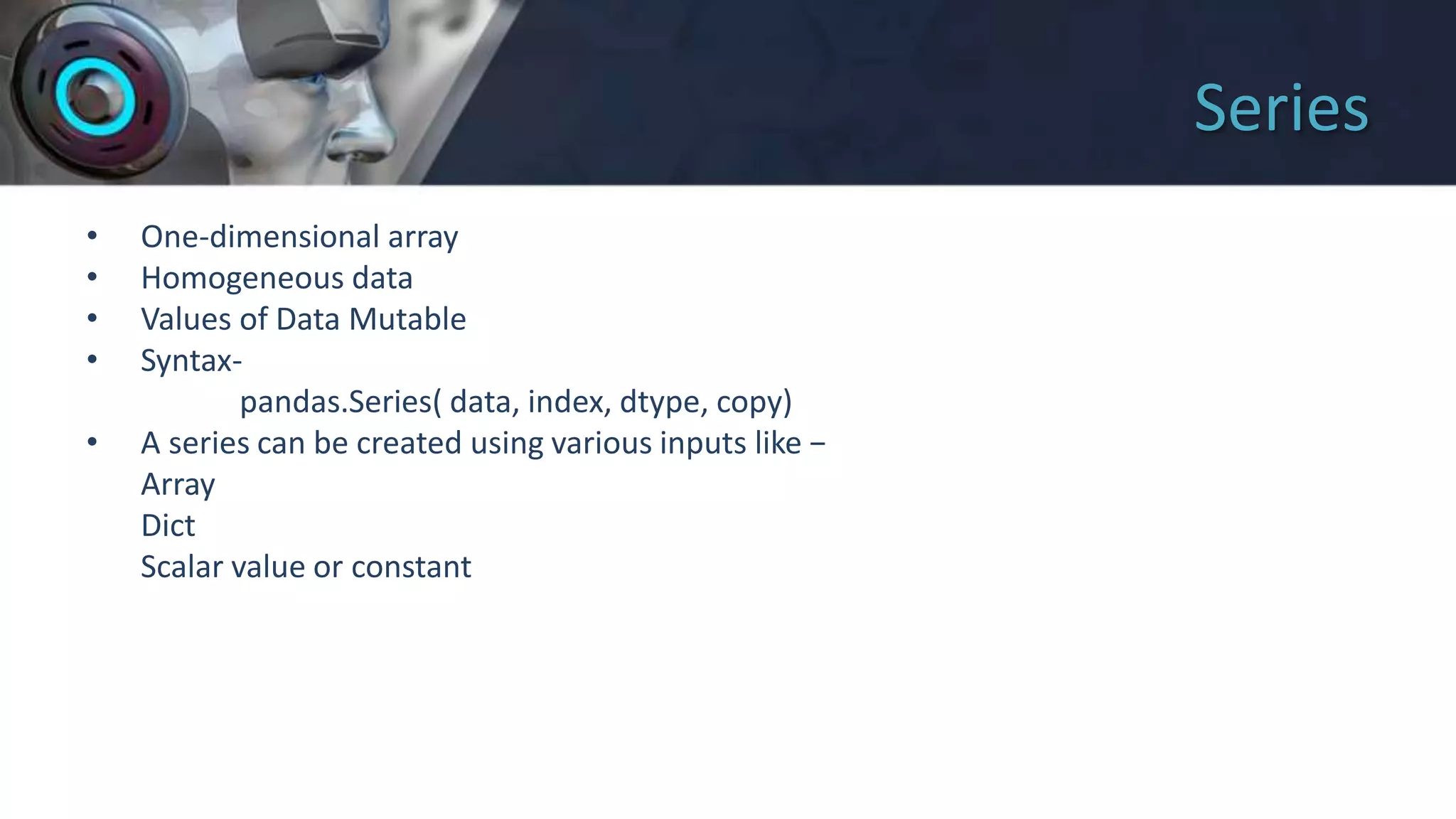
Series
• One-dimensional array
• Homogeneous data
• Values of Data Mutable
• Syntax-
pandas.Series( data, index, dtype, copy)
• A series can be created using various inputs like −
Array
Dict
Scalar value or constant
DataFrame
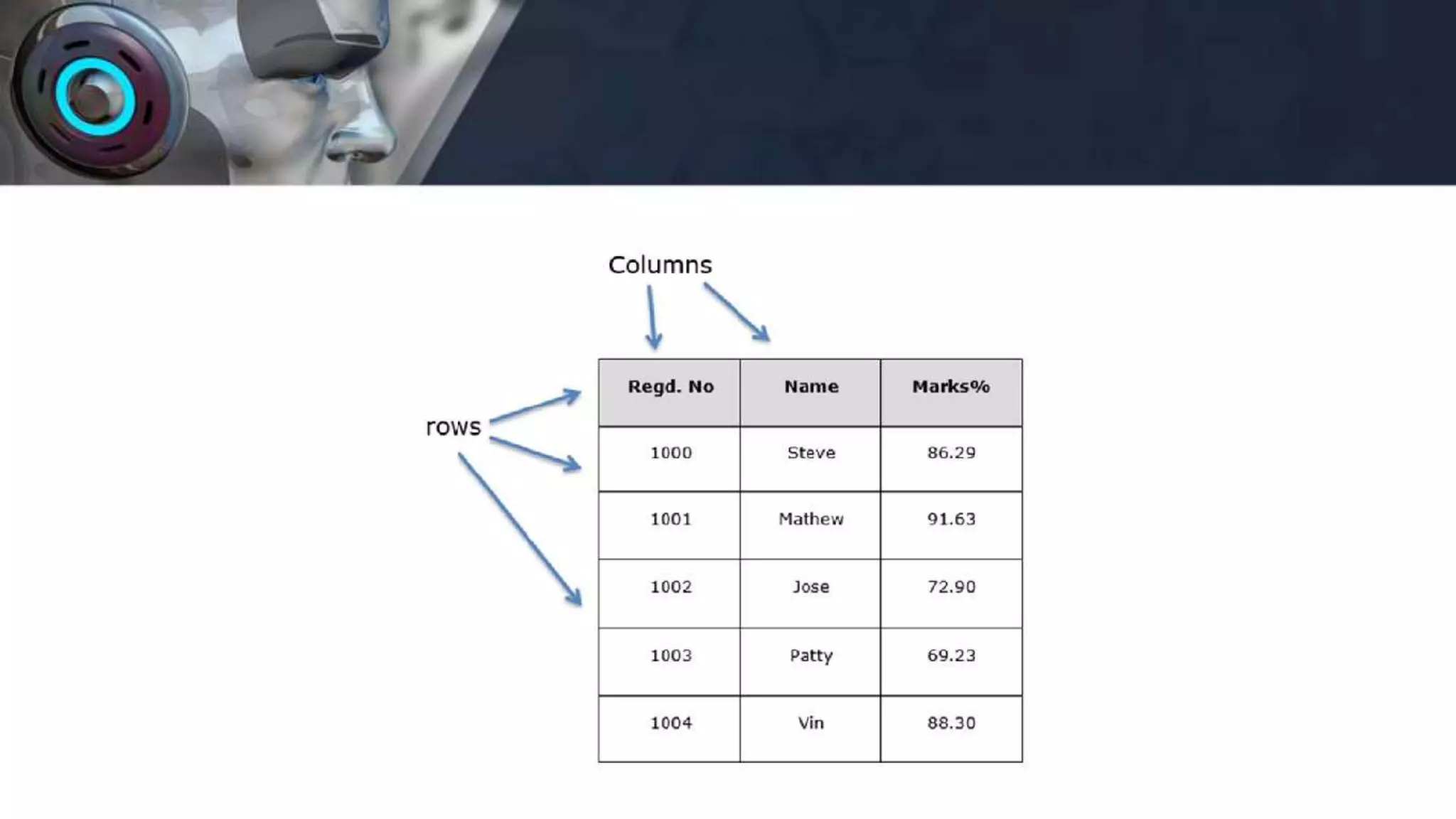
• 2 – dimensional tabular data
• Potentially columns are of different types
• Size – Mutable
• Labeled axes (rows and columns)
• Can Perform Arithmetic operations on rows and columns
• A pandas DataFrame can be created using various inputs like −
Lists,dict,Series,Numpy ndarrays
• Syntax-
pandas.DataFrame( data, index, columns, dtype, copy)
DataFrame
• Two-dimensional array
import numpy as np
import pandas as pd
arr = np.array([1,2,3,4],[5,6,7,8])
data = pd.DataFrame(arr)
Lets explore… practically!!!

Pandas

  • 1.
  • 2.
    Today’s Agenda • Whatis Pandas? • Why Pandas? • How to use Pandas? • Series • Practical on Series • DataFrame • Practical on DataFrame
  • 3.
  • 4.
    What is Pandas? •Panel Data System • Similar to NumPy, Pandas is also the most widely used python libraries in machine learning. • It is a Python package providing fast, flexible, and expressive data structures designed to make working with structured (tabular, multidimensional, potentially heterogeneous) and time series data. • Built on top of Numpy with it’s high performance array-computing features.
  • 5.
    Why Pandas? • Flexibledata manipulation capabilities of spreadsheets and relational databases. • Sophisticated indexing functionality • Slice , dice , perform aggregations , select subsets of data.
  • 6.
    Key Features ofPandas • Fast and efficient DataFrame object with default and customized indexing. • Tools for loading data into in-memory data objects from different file formats. • Data alignment and integrated handling of missing data. • Reshaping and pivoting of date sets. • Label-based slicing, indexing and subsetting of large data sets. • Columns from a data structure can be deleted or inserted. • Group by data for aggregation and transformations. • High performance merging and joining of data. • Time Series functionality.
  • 8.
    Pandas deals withthe following three data structures − • Series • DataFrame • Panel These data structures are built on top of Numpy array, which means they are fast.
  • 9.
    • Module Required: import pandas as pd • Usage is pd.Series (parameter) pd.DataFrame (parameter)
  • 10.
    Dimension & Description DataStructure Dimvc?,/ensions Description Series 1 1D labeled homogeneous array. Data Frames 2 General 2D labeled, size- mutable tabular structure with potentially heterogeneously typed columns. Panel 3 General 3D labeled, size- mutable
  • 11.
    Series • One-dimensional array •Homogeneous data • Values of Data Mutable • Syntax- pandas.Series( data, index, dtype, copy) • A series can be created using various inputs like − Array Dict Scalar value or constant
  • 12.
    DataFrame • 2 –dimensional tabular data • Potentially columns are of different types • Size – Mutable • Labeled axes (rows and columns) • Can Perform Arithmetic operations on rows and columns • A pandas DataFrame can be created using various inputs like − Lists,dict,Series,Numpy ndarrays • Syntax- pandas.DataFrame( data, index, columns, dtype, copy)
  • 14.
    DataFrame • Two-dimensional array importnumpy as np import pandas as pd arr = np.array([1,2,3,4],[5,6,7,8]) data = pd.DataFrame(arr)
  • 15.