Pair Programming:
2 > 1 + 1
Neha Batra
@nerdneha
1. Intro
2. Adapting pairing to your work
3. The big picture
4. Pairing techniques
5. Resources on pairing
Pair Programming: 2 > 1 + 1
@nerdneha
(What/Why)
(When)
(Where)
(How)
(Says who [else]?)
1. Intro (What/Why)
2. Adapting pairing to your work
3. The big picture
4. Pairing techniques
5. Resources on pairing
Pair Programming: 2 > 1 + 1
@nerdneha
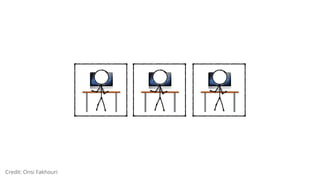
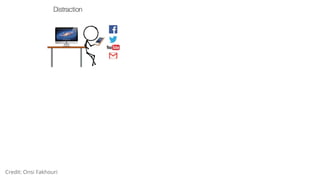
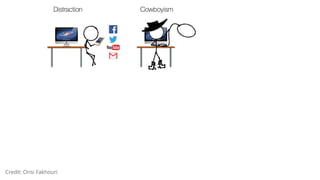
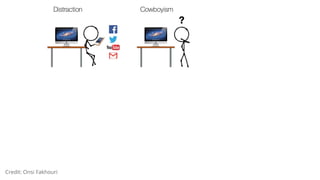
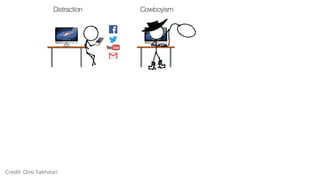
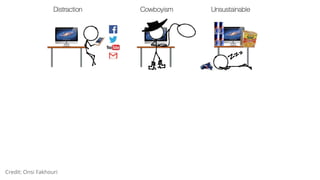
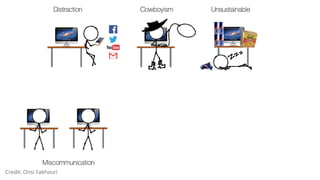
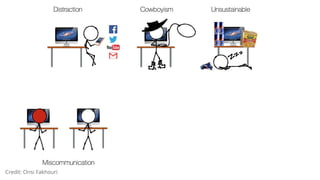
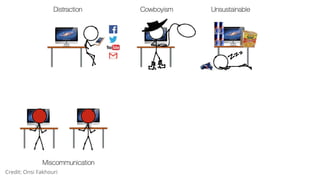
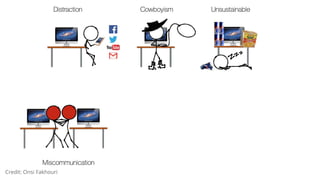
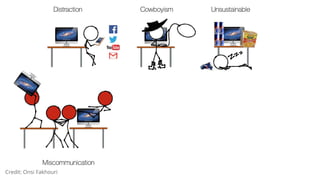
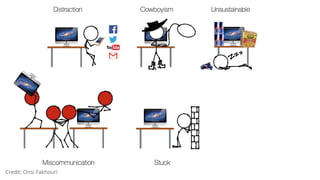
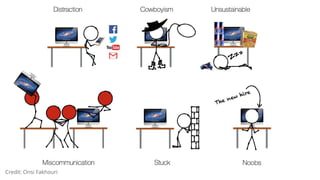
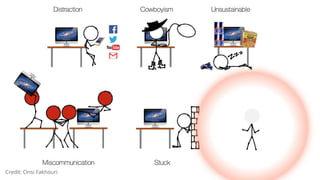
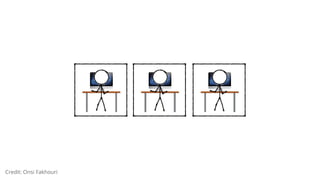
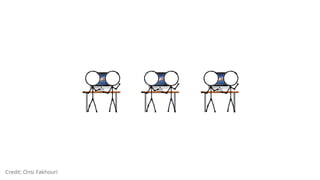
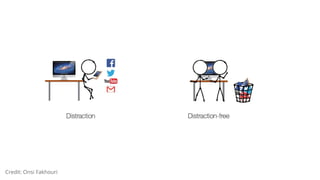
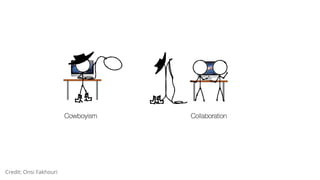
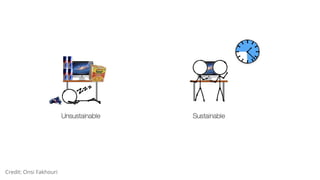
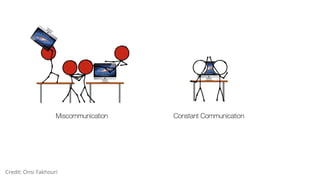
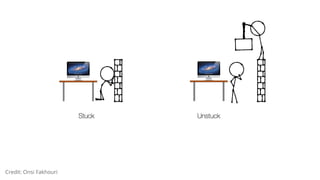
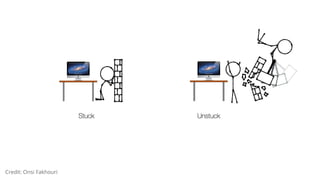
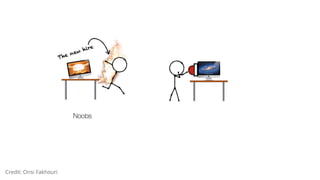
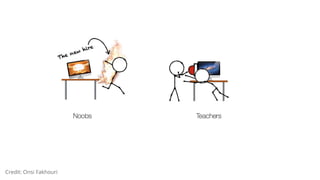
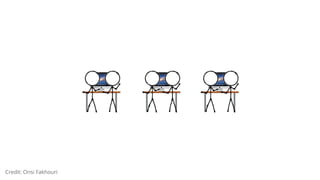
Credit: Onsi Fakhouri
What does good Pairing look like?
➔ Distraction-free
➔ Collaboration
➔ Sustainability (“bus factor”)
➔ Fewer rabbit holes
➔ Constant communication
➔ Teaching/Learning symbiosis
@nerdneha
The Benefits of Pairing
➔ Productivity
➔ Code Quality
➔ Project Success
@nerdneha
The Benefits of Pairing
➔ Productivity
➔ Code Quality
➔ Project Success
◆ Easy temperature on team
◆ Easy to help/understand what’s going on
➔ Happiness
➔ Skill growth/sharing
➔ Career Success @nerdneha
My world of Pair Programming
@nerdneha
1. Intro
2. Adapting pairing to your work (When)
3. The big picture
4. Pairing techniques
5. Resources on pairing
Pair Programming: 2 > 1 + 1
@nerdneha
Best pairing conditions?
➔ Isolated team
➔ Few interruptions/meetings
➔ Buy-in to execute on priorities
➔ PM/Design resources available
@nerdneha
Tips and Tricks to get bu -in
➔ Select team with “all hands on deck” feature
➔ Introduce concept as an experiment
➔ Loop in product owner frequently
➔ Release early, often, and iterate
@nerdneha
Prepair: Know the opposition
“I’m exhausted, talking so much is tiring”
“Won’t the team move half as fast?”
“I don’t get much value out of it”
“[X activity] isn’t pair worthy”
“I don’t like the inflexible schedule”
“I’m always being watched”
“Hard to work with someone when you disagree”
“It’s the blind leading the blind” @nerdneha
Imposter Syndrome, defined
When it comes to your work life, it’s
not a sprint, it’s a marathon. Pair to
groom, grow, and share the
knowledge in your team.
@nerdneha
1. Intro
2. Adapting pairing to your work
3. The big picture (Where)
4. Pairing techniques
5. Resources on pairing
Pair Programming: 2 > 1 + 1
@nerdneha
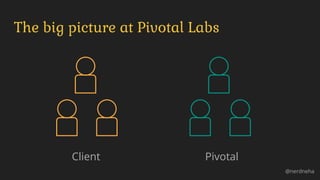
The big picture at Pivotal Labs
@nerdneha
Client Pivotal
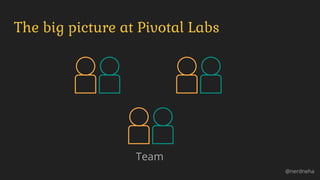
The big picture at Pivotal Labs
@nerdneha
Team
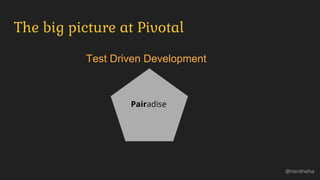
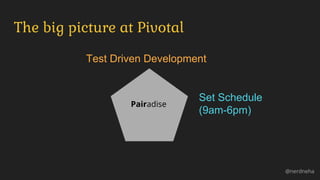
The big picture at Pivotal
@nerdneha
Test Driven Development
Pairadise
The big picture at Pivotal
@nerdneha
Test Driven Development
Set Schedule
(9am-6pm)
Pairadise
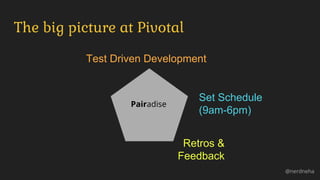
The big picture at Pivotal
@nerdneha
Test Driven Development
Set Schedule
(9am-6pm)
Retros &
Feedback
Pairadise
RETROS BE LIKE
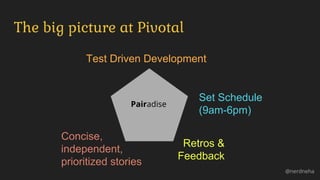
The big picture at Pivotal
@nerdneha
Test Driven Development
Set Schedule
(9am-6pm)
Retros &
Feedback
Concise,
independent,
prioritized stories
Pairadise
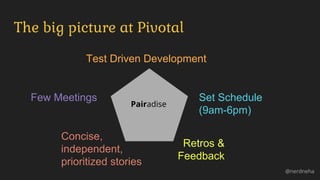
The big picture at Pivotal
@nerdneha
Test Driven Development
Set Schedule
(9am-6pm)
Retros &
Feedback
Few Meetings
Concise,
independent,
prioritized stories
Pairadise
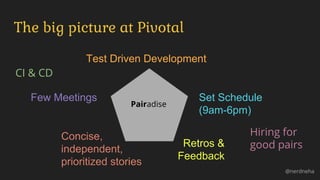
The big picture at Pivotal
@nerdneha
Test Driven Development
Set Schedule
(9am-6pm)
Retros &
Feedback
Few Meetings
Concise,
independent,
prioritized stories
CI & CD
Hiring for
good pairs
Pairadise
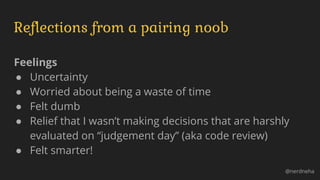
Reflections from a pairing noob
Feelings
● Uncertainty
● Worried about being a waste of time
● Felt dumb
● Relief that I wasn’t making decisions that are harshly
evaluated on “judgement day” (aka code review)
● Felt smarter!
@nerdneha
Reflections from a pairing noob
What Helped
● Structured predictable breaks
● Feedback at EOD
● Positive specific feedback on how I was helpful
● Talking about what we’re doing first explicitly (ex: via
TextMate)
@nerdneha
1. Intro
2. Adapting pairing to your work
3. The big picture
4. Pairing techniques (How)
5. Resources on pairing
Pair Programming: 2 > 1 + 1
@nerdneha
Pairing setup: hardware/software
➔ 1 computer, 2 monitors, 2 mice, 2 keyboards
➔ Mirror screens
➔ Increase your font
➔ Git duet-commit
➔ Good IDE
➔ Keycastr to see shortcut keystrokes
@nerdneha
Pairing setup: the intangibles
➔ Take turns - try ping-pong pairing or Timeout
➔ Take breaks -
◆ Bonding: ping pong, cards (set)
◆ Time apart: catch up on emails/personal life
➔ Expairiment - mobbing
➔ Keep an open mind
@nerdneha
Imposter Syndrome, defined
Pairing is like making a new friend: it
isn’t always easy
but with patience and an open mind,
it can be worthwhile.
@nerdneha
1. Intro
2. Adapting pairing to your work
3. The big picture
4. Pairing techniques
5. Resources on pairing (Says who?)
Pair Programming: 2 > 1 + 1
@nerdneha
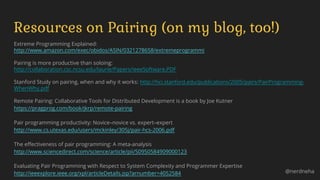
Extreme Programming Explained:
http://www.amazon.com/exec/obidos/ASIN/0321278658/extremeprogrammi
Pairing is more productive than soloing:
http://collaboration.csc.ncsu.edu/laurie/Papers/ieeeSoftware.PDF
Stanford Study on pairing, when and why it works: http://hci.stanford.edu/publications/2005/pairs/PairProgramming-
WhenWhy.pdf
Remote Pairing: Collaborative Tools for Distributed Development is a book by Joe Kutner
https://pragprog.com/book/jkrp/remote-pairing
Pair programming productivity: Novice–novice vs. expert–expert
http://www.cs.utexas.edu/users/mckinley/305j/pair-hcs-2006.pdf
The effectiveness of pair programming: A meta-analysis
http://www.sciencedirect.com/science/article/pii/S0950584909000123
Evaluating Pair Programming with Respect to System Complexity and Programmer Expertise
http://ieeexplore.ieee.org/xpl/articleDetails.jsp?arnumber=4052584
Resources on Pairing (on my blog, too!)
@nerdneha
1. Intro
2. Adapting pairing to your work
3. The big picture
4. Pairing techniques
5. Resources on pairing
Pair Programming: 2 > 1 + 1
@nerdneha
(What/Why)
(When)
(Where)
(How)
(Says who [else]?)
Prepair: Know the opposition
“I’m exhausted, talking so much is tiring”
“Won’t the team move half as fast?”
“I don’t get much value out of it”
“[X activity] isn’t pair worthy”
“I don’t like the inflexible schedule”
“I’m always being watched”
“Hard to work with someone when you disagree”
“It’s the blind leading the blind” @nerdneha

Pair programming 2 > 1 + 1

  • 1.
    Pair Programming: 2 >1 + 1 Neha Batra @nerdneha
  • 2.
    1. Intro 2. Adaptingpairing to your work 3. The big picture 4. Pairing techniques 5. Resources on pairing Pair Programming: 2 > 1 + 1 @nerdneha (What/Why) (When) (Where) (How) (Says who [else]?)
  • 3.
    1. Intro (What/Why) 2.Adapting pairing to your work 3. The big picture 4. Pairing techniques 5. Resources on pairing Pair Programming: 2 > 1 + 1 @nerdneha
  • 4.
  • 5.
  • 6.
  • 7.
  • 8.
  • 9.
  • 10.
  • 11.
  • 12.
  • 13.
  • 14.
  • 15.
  • 16.
  • 17.
  • 18.
  • 19.
  • 20.
  • 21.
  • 22.
  • 23.
  • 24.
  • 25.
  • 26.
  • 27.
  • 28.
  • 29.
    What does goodPairing look like? ➔ Distraction-free ➔ Collaboration ➔ Sustainability (“bus factor”) ➔ Fewer rabbit holes ➔ Constant communication ➔ Teaching/Learning symbiosis @nerdneha
  • 30.
    The Benefits ofPairing ➔ Productivity ➔ Code Quality ➔ Project Success @nerdneha
  • 31.
    The Benefits ofPairing ➔ Productivity ➔ Code Quality ➔ Project Success ◆ Easy temperature on team ◆ Easy to help/understand what’s going on ➔ Happiness ➔ Skill growth/sharing ➔ Career Success @nerdneha
  • 32.
    My world ofPair Programming @nerdneha
  • 33.
    1. Intro 2. Adaptingpairing to your work (When) 3. The big picture 4. Pairing techniques 5. Resources on pairing Pair Programming: 2 > 1 + 1 @nerdneha
  • 34.
    Best pairing conditions? ➔Isolated team ➔ Few interruptions/meetings ➔ Buy-in to execute on priorities ➔ PM/Design resources available @nerdneha
  • 35.
    Tips and Tricksto get bu -in ➔ Select team with “all hands on deck” feature ➔ Introduce concept as an experiment ➔ Loop in product owner frequently ➔ Release early, often, and iterate @nerdneha
  • 36.
    Prepair: Know theopposition “I’m exhausted, talking so much is tiring” “Won’t the team move half as fast?” “I don’t get much value out of it” “[X activity] isn’t pair worthy” “I don’t like the inflexible schedule” “I’m always being watched” “Hard to work with someone when you disagree” “It’s the blind leading the blind” @nerdneha
  • 37.
    Imposter Syndrome, defined Whenit comes to your work life, it’s not a sprint, it’s a marathon. Pair to groom, grow, and share the knowledge in your team. @nerdneha
  • 38.
    1. Intro 2. Adaptingpairing to your work 3. The big picture (Where) 4. Pairing techniques 5. Resources on pairing Pair Programming: 2 > 1 + 1 @nerdneha
  • 41.
    The big pictureat Pivotal Labs @nerdneha Client Pivotal
  • 42.
    The big pictureat Pivotal Labs @nerdneha Team
  • 43.
    The big pictureat Pivotal @nerdneha Test Driven Development Pairadise
  • 44.
    The big pictureat Pivotal @nerdneha Test Driven Development Set Schedule (9am-6pm) Pairadise
  • 45.
    The big pictureat Pivotal @nerdneha Test Driven Development Set Schedule (9am-6pm) Retros & Feedback Pairadise
  • 46.
  • 47.
    The big pictureat Pivotal @nerdneha Test Driven Development Set Schedule (9am-6pm) Retros & Feedback Concise, independent, prioritized stories Pairadise
  • 48.
    The big pictureat Pivotal @nerdneha Test Driven Development Set Schedule (9am-6pm) Retros & Feedback Few Meetings Concise, independent, prioritized stories Pairadise
  • 49.
    The big pictureat Pivotal @nerdneha Test Driven Development Set Schedule (9am-6pm) Retros & Feedback Few Meetings Concise, independent, prioritized stories CI & CD Hiring for good pairs Pairadise
  • 52.
    Reflections from apairing noob Feelings ● Uncertainty ● Worried about being a waste of time ● Felt dumb ● Relief that I wasn’t making decisions that are harshly evaluated on “judgement day” (aka code review) ● Felt smarter! @nerdneha
  • 53.
    Reflections from apairing noob What Helped ● Structured predictable breaks ● Feedback at EOD ● Positive specific feedback on how I was helpful ● Talking about what we’re doing first explicitly (ex: via TextMate) @nerdneha
  • 54.
    1. Intro 2. Adaptingpairing to your work 3. The big picture 4. Pairing techniques (How) 5. Resources on pairing Pair Programming: 2 > 1 + 1 @nerdneha
  • 55.
    Pairing setup: hardware/software ➔1 computer, 2 monitors, 2 mice, 2 keyboards ➔ Mirror screens ➔ Increase your font ➔ Git duet-commit ➔ Good IDE ➔ Keycastr to see shortcut keystrokes @nerdneha
  • 56.
    Pairing setup: theintangibles ➔ Take turns - try ping-pong pairing or Timeout ➔ Take breaks - ◆ Bonding: ping pong, cards (set) ◆ Time apart: catch up on emails/personal life ➔ Expairiment - mobbing ➔ Keep an open mind @nerdneha
  • 57.
    Imposter Syndrome, defined Pairingis like making a new friend: it isn’t always easy but with patience and an open mind, it can be worthwhile. @nerdneha
  • 59.
    1. Intro 2. Adaptingpairing to your work 3. The big picture 4. Pairing techniques 5. Resources on pairing (Says who?) Pair Programming: 2 > 1 + 1 @nerdneha
  • 60.
    Extreme Programming Explained: http://www.amazon.com/exec/obidos/ASIN/0321278658/extremeprogrammi Pairingis more productive than soloing: http://collaboration.csc.ncsu.edu/laurie/Papers/ieeeSoftware.PDF Stanford Study on pairing, when and why it works: http://hci.stanford.edu/publications/2005/pairs/PairProgramming- WhenWhy.pdf Remote Pairing: Collaborative Tools for Distributed Development is a book by Joe Kutner https://pragprog.com/book/jkrp/remote-pairing Pair programming productivity: Novice–novice vs. expert–expert http://www.cs.utexas.edu/users/mckinley/305j/pair-hcs-2006.pdf The effectiveness of pair programming: A meta-analysis http://www.sciencedirect.com/science/article/pii/S0950584909000123 Evaluating Pair Programming with Respect to System Complexity and Programmer Expertise http://ieeexplore.ieee.org/xpl/articleDetails.jsp?arnumber=4052584 Resources on Pairing (on my blog, too!) @nerdneha
  • 61.
    1. Intro 2. Adaptingpairing to your work 3. The big picture 4. Pairing techniques 5. Resources on pairing Pair Programming: 2 > 1 + 1 @nerdneha (What/Why) (When) (Where) (How) (Says who [else]?)
  • 62.
    Prepair: Know theopposition “I’m exhausted, talking so much is tiring” “Won’t the team move half as fast?” “I don’t get much value out of it” “[X activity] isn’t pair worthy” “I don’t like the inflexible schedule” “I’m always being watched” “Hard to work with someone when you disagree” “It’s the blind leading the blind” @nerdneha