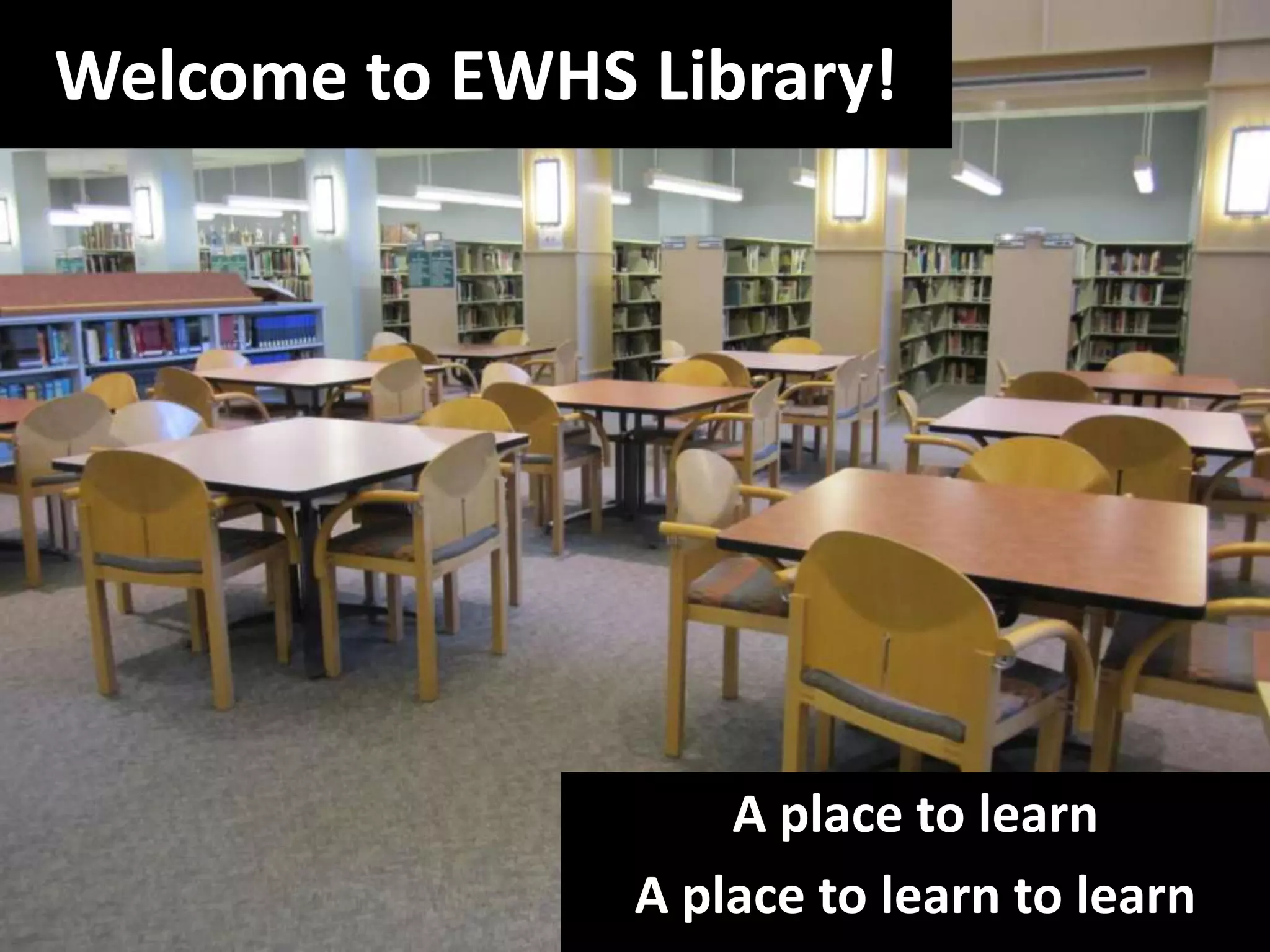
Welcome to EWHS Library!A place to learnA place to learn to learn
Some tips for success in the library and in generalCommunicateNeed help?Ask permissionExplain situationBe courteous—in word and action.Know yourself and your situation.
Often, when we think of the library, we think of…
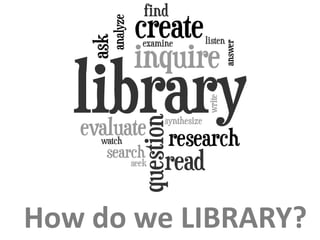
How do we LIBRARY?
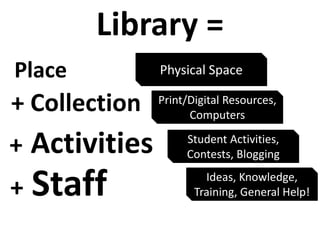
Library =PlacePhysical Space+ CollectionPrint/Digital Resources, Computers+ActivitiesStudent Activities, Contests, Blogging+StaffIdeas, Knowledge, Training, General Help!
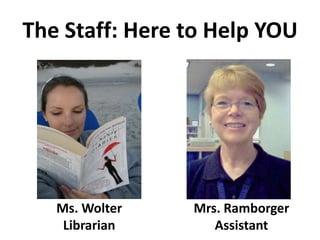
The Staff: Here to Help YOUMrs. RamborgerAssistantMs. WolterLibrarian
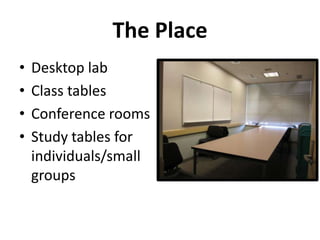
The PlaceDesktop labClass tablesConference roomsStudy tables for individuals/small groups
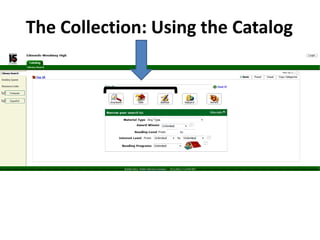
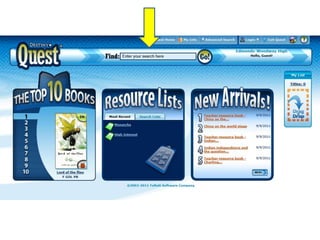
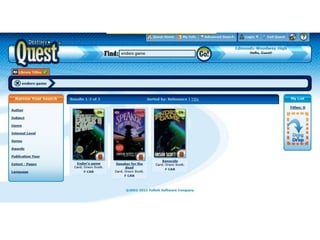
The Collection: Using the Catalog
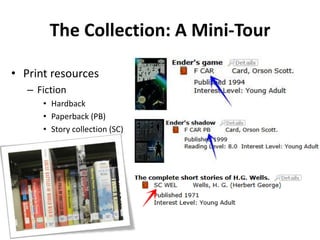
The Collection: A Mini-TourPrint resourcesFictionHardback Paperback (PB)Story collection (SC)
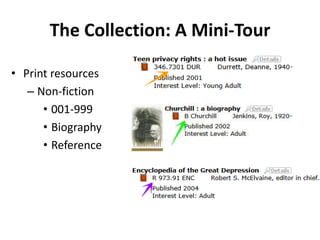
The Collection: A Mini-TourPrint resourcesNon-fiction 001-999BiographyReference
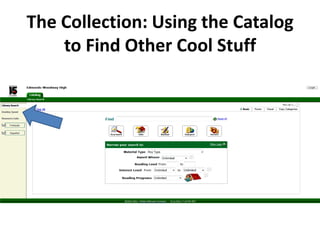
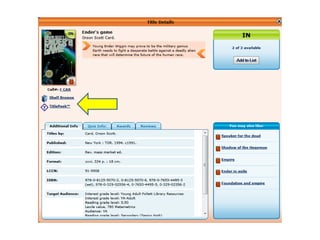
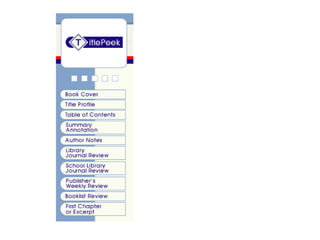
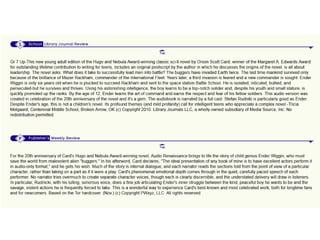
The Collection: Using the Catalog to Find Other Cool Stuff
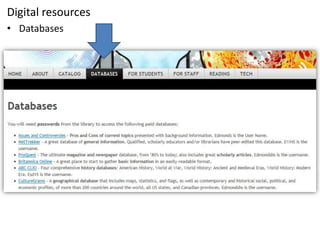
Digital resourcesDatabasesThe ProgramStudent activitiesRock and Read marathonNew ideas to be developed this year!New blog for communication!Student and staff bloggingNew incentivesContestsPolls
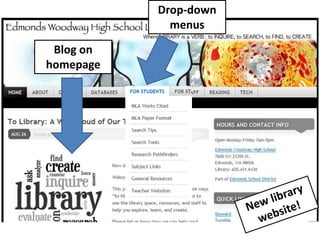
Drop-down menusBlog on homepageNew library website!
Library Homepage URL:libraryasverb.wordpress.com
When Can You Use the EW Library?Before school: opens at 7:00 amDuring passing periodsDuring lunchDuring class-time: WITH A PASS sign in on laptopAfter school: closes at 5:00 pm starting next weekDuring advisory on travel days WITH A PASSTues, Weds, Thurs—to use computer or check out book
Other Resources We OfferTextbooks and some other suppliesLoaned for collateralMagazines to cut upLocated under newspaper rack (do NOT cut up new magazines)Copy machine$0.10 per copyPencil sharpener, hold punch, stapler at front deskShow ID card to check out books for 2 weeks.
What Are the EW Library Rules?Be courteous in word and action. Think of others.Respect the space & equipment Push chairs in when you leave. Pick up trash/papers.No food, no liquids (except water in closed container)No cell phone use during school timesI-pods are okay if working alone as long as you: keep the volume so that ONLY you can hear itremove them when a teacher/librarian is talkingNO GAMES on COMPUTERS in library or labFound a flash drive?      “Pay it forward”
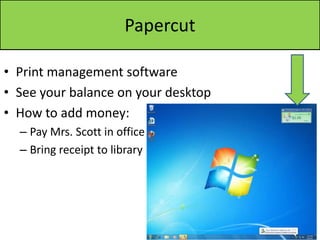
PapercutPrint management softwareSee your balance on your desktopHow to add money:Pay Mrs. Scott in officeBring receipt to library
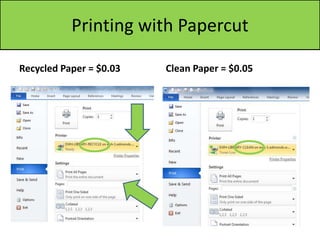
Printing with PapercutRecycled Paper = $0.03Clean Paper = $0.05
Need More? Edmonds Public LibraryNeed a library cardComputers that have Microsoft Office programs like Word; also have internet access2 teen computers20 others that you may also use70 free pages of printing per weekMon-Thurs: open 9am-8pmFri: open 9am-6pmSat: open 9am-5pmSun: open 1pm-5pm
Sign in to ComputerUsername: usual Skyward usernameUsually first 5 letters of last name, first 3 letters of first name, and 000NO spacesPassword: resets over every summerFirst 4 letters of last name, 2-digit birth month, 2-digit birth dayExample: Sarah Smith, born on 3/7/96Password: smit0307
Things to Do…Check your Papercut balance. It is probably $0. Consider bringing some money to Mrs. Scott soon.Open Internet Explorer. The homepage should be the library website. Click on some of the different tabs. Go to the catalog. Enter in a search. Look at Destiny Quest.
Orientation to library

Orientation to library

  • 1.
    Welcome to EWHSLibrary!A place to learnA place to learn to learn
  • 2.
    Some tips forsuccess in the library and in generalCommunicateNeed help?Ask permissionExplain situationBe courteous—in word and action.Know yourself and your situation.
  • 3.
    Often, when wethink of the library, we think of…
  • 4.
    How do weLIBRARY?
  • 5.
    Library =PlacePhysical Space+CollectionPrint/Digital Resources, Computers+ActivitiesStudent Activities, Contests, Blogging+StaffIdeas, Knowledge, Training, General Help!
  • 6.
    The Staff: Hereto Help YOUMrs. RamborgerAssistantMs. WolterLibrarian
  • 7.
    The PlaceDesktop labClasstablesConference roomsStudy tables for individuals/small groups
  • 8.
  • 9.
    The Collection: AMini-TourPrint resourcesFictionHardback Paperback (PB)Story collection (SC)
  • 10.
    The Collection: AMini-TourPrint resourcesNon-fiction 001-999BiographyReference
  • 11.
    The Collection: Usingthe Catalog to Find Other Cool Stuff
  • 17.
    Digital resourcesDatabasesThe ProgramStudentactivitiesRock and Read marathonNew ideas to be developed this year!New blog for communication!Student and staff bloggingNew incentivesContestsPolls
  • 18.
    Drop-down menusBlog onhomepageNew library website!
  • 19.
  • 20.
    When Can YouUse the EW Library?Before school: opens at 7:00 amDuring passing periodsDuring lunchDuring class-time: WITH A PASS sign in on laptopAfter school: closes at 5:00 pm starting next weekDuring advisory on travel days WITH A PASSTues, Weds, Thurs—to use computer or check out book
  • 21.
    Other Resources WeOfferTextbooks and some other suppliesLoaned for collateralMagazines to cut upLocated under newspaper rack (do NOT cut up new magazines)Copy machine$0.10 per copyPencil sharpener, hold punch, stapler at front deskShow ID card to check out books for 2 weeks.
  • 22.
    What Are theEW Library Rules?Be courteous in word and action. Think of others.Respect the space & equipment Push chairs in when you leave. Pick up trash/papers.No food, no liquids (except water in closed container)No cell phone use during school timesI-pods are okay if working alone as long as you: keep the volume so that ONLY you can hear itremove them when a teacher/librarian is talkingNO GAMES on COMPUTERS in library or labFound a flash drive? “Pay it forward”
  • 23.
    PapercutPrint management softwareSeeyour balance on your desktopHow to add money:Pay Mrs. Scott in officeBring receipt to library
  • 24.
    Printing with PapercutRecycledPaper = $0.03Clean Paper = $0.05
  • 25.
    Need More? EdmondsPublic LibraryNeed a library cardComputers that have Microsoft Office programs like Word; also have internet access2 teen computers20 others that you may also use70 free pages of printing per weekMon-Thurs: open 9am-8pmFri: open 9am-6pmSat: open 9am-5pmSun: open 1pm-5pm
  • 26.
    Sign in toComputerUsername: usual Skyward usernameUsually first 5 letters of last name, first 3 letters of first name, and 000NO spacesPassword: resets over every summerFirst 4 letters of last name, 2-digit birth month, 2-digit birth dayExample: Sarah Smith, born on 3/7/96Password: smit0307
  • 27.
    Things to Do…Checkyour Papercut balance. It is probably $0. Consider bringing some money to Mrs. Scott soon.Open Internet Explorer. The homepage should be the library website. Click on some of the different tabs. Go to the catalog. Enter in a search. Look at Destiny Quest.