United Global Soft 
Call : +91 8099902123(IND) 
+1-201-710-8393(USA) 
Email : Info@Unitedglobalsoft.com
 ORACLE DBA Course Contents 
 No. Of Hours : 48 Hours. 

 Architecture & Configuration 
 Overview of Oracle DBA tasks 
 Oracle as a flexible, complex & robust RDBMS 
 The evolution of hardware and the relation to 
Oracle 
 Different DBA job roles(VP of DBA, developer 
DBA,production DBA, database babysitter) 
 The changing job role of the Oracle DBA 
 Environment management (network, CPU, 
disk and RAM) 
Email : Info@Unitedglobalsoft.com
 Instance management (managing SGA regions) 
 Oracle table and index management 
 Instance Architecture 
 Instance vs. database 
 Components of an instance 
 Creating the OFA file structure ($DBA, bdump, 
udump, pfile) 
 Oracle Instance Internals 
 
 SGA vs. PGA 
 Background processes 
 Interfaces with server and disk I/O subsystem 
 Using SQL*Plus for DBA management 
 
 
Email : Info@Unitedglobalsoft.com
 Connecting and executing SQL 
 Using the “as sysdba” syntax 
 Overview of SQL*Plus DBA commands 
(startup, etc.) 
 Control file, UNDO and REDO management 
 Explaining the use of control files 
 Listing the Contents of the control File 
 File locations for control Files 
 Obtaining Control File Information 
 Listing control file contents 
Email : Info@Unitedglobalsoft.com
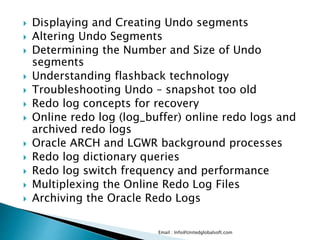
 Displaying and Creating Undo segments 
 Altering Undo Segments 
 Determining the Number and Size of Undo 
segments 
 Understanding flashback technology 
 Troubleshooting Undo – snapshot too old 
 Redo log concepts for recovery 
 Online redo log (log_buffer) online redo logs and 
archived redo logs 
 Oracle ARCH and LGWR background processes 
 Redo log dictionary queries 
 Redo log switch frequency and performance 
 Multiplexing the Online Redo Log Files 
 Archiving the Oracle Redo Logs 
Email : Info@Unitedglobalsoft.com
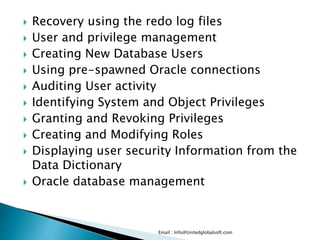
 Recovery using the redo log files 
 User and privilege management 
 Creating New Database Users 
 Using pre-spawned Oracle connections 
 Auditing User activity 
 Identifying System and Object Privileges 
 Granting and Revoking Privileges 
 Creating and Modifying Roles 
 Displaying user security Information from the 
Data Dictionary 
 Oracle database management 
Email : Info@Unitedglobalsoft.com
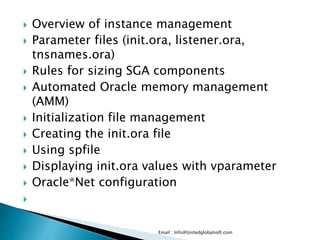
 Overview of instance management 
 Parameter files (init.ora, listener.ora, 
tnsnames.ora) 
 Rules for sizing SGA components 
 Automated Oracle memory management 
(AMM) 
 Initialization file management 
 Creating the init.ora file 
 Using spfile 
 Displaying init.ora values with vparameter 
 Oracle*Net configuration 
 
Email : Info@Unitedglobalsoft.com
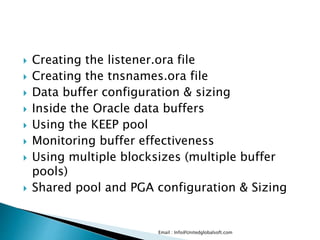
 Creating the listener.ora file 
 Creating the tnsnames.ora file 
 Data buffer configuration & sizing 
 Inside the Oracle data buffers 
 Using the KEEP pool 
 Monitoring buffer effectiveness 
 Using multiple blocksizes (multiple buffer 
pools) 
 Shared pool and PGA configuration & Sizing 
Email : Info@Unitedglobalsoft.com
 Shared pool concepts and components 
 Understanding the library cache 
 Relieving shared pool contention 
 Overview of PGA for sorting and hash joins 
 Using sort_area_size, hash_area_size and 
pga_aggregate_target 
 Troubleshooting network connectivity 
 Verifying network connectivity with ping and 
tnsping 
 Testing database links 
 Oracle object management 
Email : Info@Unitedglobalsoft.com
 Oracle tables, views and materialized views 
 Types of Oracle tables (regular, IOT, sorted hash 
clusters, nested tables) 
 Oracle Views 
 Oracle materialized views 
 Oracle indexes 
 Types of Oracle indexes (b-tree, bitmap, bitmap 
join index) 
 
 Creating B*-Tree, bitmap and function-based 
Indexes 
 Function-based indexes 
 Finding indexing opportunities 
 
Email : Info@Unitedglobalsoft.com
 Index maintenance 
 Oracle constraints 
 Costs & benefits of constraints 
 Types of Oracle indexes constraints (check, 
not null, unique, PK, FK) 
 Cascading constraints 
 Schema, File & tablespace management 
 Describing the relationship between data 
files, tablespaces and table 
 Understanding Oracle segments 
 Creating Tablespaces – using the autoextend 
option 
 
Email : Info@Unitedglobalsoft.com
 Changing the Size of Tablespaces – alter database datafile 
command 
 Defining a TEMP tablespace 
 Changing the default storage Settings for a tablespace 
 Review of the storage parameters in DBA views (ASM, 
ASSM, pctfree, pctused 
 and freelists) 
 Monitoring Chained rows (fetch continued rows) 
 Monitoring Insert and Update performance (pctused, 
APPEND) 
 Database Maintenance 
 Reason for reorgs – chained rows, imbalanced freelists 
 Reorganizing Tables using Export and Import 
 Using CTAS to reorganize data 
 Index rebuilding 
 
Email : Info@Unitedglobalsoft.com
 Backup & Recovery overview (hot & cold 
Backups, RMAN, block change tracking) 
 Oracle DBA Utilities 
 Data pump (Imp and exp utilities) 
 SQL*Loader 
 LogMiner ,Flashback Introduction DataGuard 
 Creating and Modifying Roles 
 Oracle DBA utilities – Oracle dbms packages 
(dbms_redefinition) 
 Introduction Replication (Streams, 
multimaster, materialized views) 
 Monitoring Oracle 
 
Email : Info@Unitedglobalsoft.com
 This section explores the methods used for 
monitoring all active components 
 of the Oracle database. 
 Dictionary and v$ views 
 The dba_, all_ and user_ structures 
 Querying the tables, indexes, and segments 
views 
 Querying the AWR (STATSPACK) tables 
 Table & index monitoring 
 Monitoring table extents and fragmentation 
 Using the dba_tables and dba_segments 
views 
 Monitoring table CBO statistics 
Email : Info@Unitedglobalsoft.com
 Monitoring table extents and fragmentation 
 Locating chained rows 
 Monitoring table & index growth 
 Monitoring index usage 
 Monitoring index fragmentation 
 Locating un-used indexes 
 Identifying IOT candidates 
 Reorganizing Indexes with alter index rebuild 
 Dropping Indexes 
 Getting Index Information from the Data 
Dictionary 
 Instance monitoring 
 
Email : Info@Unitedglobalsoft.com
 Monitoring with the AWR and STATSPACK 
 Creating a time-series performance report 
 Using www.statspackanalyzer.com 
 Scripts for AWR and STATSPACK 
 Plotting performance data (WISE, Excel) 
 Finding performance trends and signatures 
 Oracle environment monitoring 
 Displaying and managing Oracle sessions 
(v$session, v$process) 
 Using AWR to monitor disk, network and CPU 
consumption 
 Monitoring the alert log 
Email : Info@Unitedglobalsoft.com
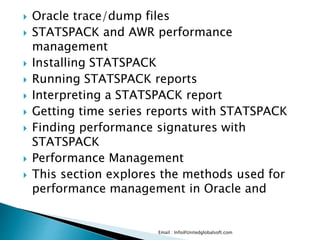
 Oracle trace/dump files 
 STATSPACK and AWR performance 
management 
 Installing STATSPACK 
 Running STATSPACK reports 
 Interpreting a STATSPACK report 
 Getting time series reports with STATSPACK 
 Finding performance signatures with 
STATSPACK 
 Performance Management 
 This section explores the methods used for 
performance management in Oracle and 
Email : Info@Unitedglobalsoft.com
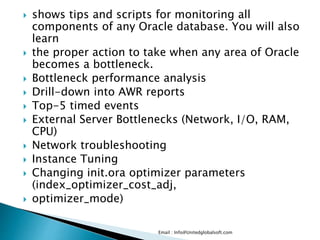
 shows tips and scripts for monitoring all 
components of any Oracle database. You will also 
learn 
 the proper action to take when any area of Oracle 
becomes a bottleneck. 
 Bottleneck performance analysis 
 Drill-down into AWR reports 
 Top-5 timed events 
 External Server Bottlenecks (Network, I/O, RAM, 
CPU) 
 Network troubleshooting 
 Instance Tuning 
 Changing init.ora optimizer parameters 
(index_optimizer_cost_adj, 
 optimizer_mode) 
Email : Info@Unitedglobalsoft.com
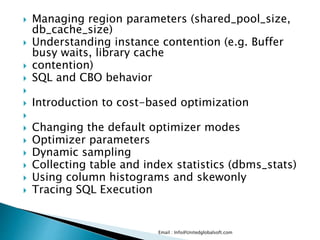
 Managing region parameters (shared_pool_size, 
db_cache_size) 
 Understanding instance contention (e.g. Buffer 
busy waits, library cache 
 contention) 
 SQL and CBO behavior 
 
 Introduction to cost-based optimization 
 
 Changing the default optimizer modes 
 Optimizer parameters 
 Dynamic sampling 
 Collecting table and index statistics (dbms_stats) 
 Using column histograms and skewonly 
 Tracing SQL Execution 
Email : Info@Unitedglobalsoft.com
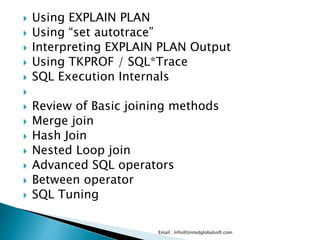
 Using EXPLAIN PLAN 
 Using “set autotrace” 
 Interpreting EXPLAIN PLAN Output 
 Using TKPROF / SQL*Trace 
 SQL Execution Internals 
 
 Review of Basic joining methods 
 Merge join 
 Hash Join 
 Nested Loop join 
 Advanced SQL operators 
 Between operator 
 SQL Tuning 
Email : Info@Unitedglobalsoft.com
 Using hints to improve SQL performance 
 Using parallel query to improve performance 
 SQL reusability within the library cache 
 Table high-water mark 
 Table striping and table partitions 
 Using indexes to improve performance 
 Identifying full-table scans 
 Re-writing SQL queries 
 Tuning sub-queries 
 Oracle High Availability tools 
Email : Info@Unitedglobalsoft.com
 Continuous availability and disaster recovery 
 Quantifying the cost of unplanned downtime 
 Oracle multi-master replication 
 Introduction to Data Guard 
 Introduction to Oracle Streams 
 Introduction to Real Application Clusters 
 Backup & Recovery 
 OS-level backups 
 Hardware-level backup & recovery 
 Block-level change tracking 
 Disk mirroring 
 & recovery and RAID level 
 Oracle-level backups (exp, expdp & RMAN) 
 Hot vs. Cold backups 
 
Email : Info@Unitedglobalsoft.com
 Backup & recovery and RAID level 
 Oracle-level backups (exp, expdp & RMAN) 
 Hot vs. Cold backups 
Email : Info@Unitedglobalsoft.com

Oracle DBA Training in Hyderabad

  • 1.
    United Global Soft Call : +91 8099902123(IND) +1-201-710-8393(USA) Email : Info@Unitedglobalsoft.com
  • 2.
     ORACLE DBACourse Contents  No. Of Hours : 48 Hours.  Architecture & Configuration  Overview of Oracle DBA tasks  Oracle as a flexible, complex & robust RDBMS  The evolution of hardware and the relation to Oracle  Different DBA job roles(VP of DBA, developer DBA,production DBA, database babysitter)  The changing job role of the Oracle DBA  Environment management (network, CPU, disk and RAM) Email : Info@Unitedglobalsoft.com
  • 3.
     Instance management(managing SGA regions)  Oracle table and index management  Instance Architecture  Instance vs. database  Components of an instance  Creating the OFA file structure ($DBA, bdump, udump, pfile)  Oracle Instance Internals   SGA vs. PGA  Background processes  Interfaces with server and disk I/O subsystem  Using SQL*Plus for DBA management   Email : Info@Unitedglobalsoft.com
  • 4.
     Connecting andexecuting SQL  Using the “as sysdba” syntax  Overview of SQL*Plus DBA commands (startup, etc.)  Control file, UNDO and REDO management  Explaining the use of control files  Listing the Contents of the control File  File locations for control Files  Obtaining Control File Information  Listing control file contents Email : Info@Unitedglobalsoft.com
  • 5.
     Displaying andCreating Undo segments  Altering Undo Segments  Determining the Number and Size of Undo segments  Understanding flashback technology  Troubleshooting Undo – snapshot too old  Redo log concepts for recovery  Online redo log (log_buffer) online redo logs and archived redo logs  Oracle ARCH and LGWR background processes  Redo log dictionary queries  Redo log switch frequency and performance  Multiplexing the Online Redo Log Files  Archiving the Oracle Redo Logs Email : Info@Unitedglobalsoft.com
  • 6.
     Recovery usingthe redo log files  User and privilege management  Creating New Database Users  Using pre-spawned Oracle connections  Auditing User activity  Identifying System and Object Privileges  Granting and Revoking Privileges  Creating and Modifying Roles  Displaying user security Information from the Data Dictionary  Oracle database management Email : Info@Unitedglobalsoft.com
  • 7.
     Overview ofinstance management  Parameter files (init.ora, listener.ora, tnsnames.ora)  Rules for sizing SGA components  Automated Oracle memory management (AMM)  Initialization file management  Creating the init.ora file  Using spfile  Displaying init.ora values with vparameter  Oracle*Net configuration  Email : Info@Unitedglobalsoft.com
  • 8.
     Creating thelistener.ora file  Creating the tnsnames.ora file  Data buffer configuration & sizing  Inside the Oracle data buffers  Using the KEEP pool  Monitoring buffer effectiveness  Using multiple blocksizes (multiple buffer pools)  Shared pool and PGA configuration & Sizing Email : Info@Unitedglobalsoft.com
  • 9.
     Shared poolconcepts and components  Understanding the library cache  Relieving shared pool contention  Overview of PGA for sorting and hash joins  Using sort_area_size, hash_area_size and pga_aggregate_target  Troubleshooting network connectivity  Verifying network connectivity with ping and tnsping  Testing database links  Oracle object management Email : Info@Unitedglobalsoft.com
  • 10.
     Oracle tables,views and materialized views  Types of Oracle tables (regular, IOT, sorted hash clusters, nested tables)  Oracle Views  Oracle materialized views  Oracle indexes  Types of Oracle indexes (b-tree, bitmap, bitmap join index)   Creating B*-Tree, bitmap and function-based Indexes  Function-based indexes  Finding indexing opportunities  Email : Info@Unitedglobalsoft.com
  • 11.
     Index maintenance  Oracle constraints  Costs & benefits of constraints  Types of Oracle indexes constraints (check, not null, unique, PK, FK)  Cascading constraints  Schema, File & tablespace management  Describing the relationship between data files, tablespaces and table  Understanding Oracle segments  Creating Tablespaces – using the autoextend option  Email : Info@Unitedglobalsoft.com
  • 12.
     Changing theSize of Tablespaces – alter database datafile command  Defining a TEMP tablespace  Changing the default storage Settings for a tablespace  Review of the storage parameters in DBA views (ASM, ASSM, pctfree, pctused  and freelists)  Monitoring Chained rows (fetch continued rows)  Monitoring Insert and Update performance (pctused, APPEND)  Database Maintenance  Reason for reorgs – chained rows, imbalanced freelists  Reorganizing Tables using Export and Import  Using CTAS to reorganize data  Index rebuilding  Email : Info@Unitedglobalsoft.com
  • 13.
     Backup &Recovery overview (hot & cold Backups, RMAN, block change tracking)  Oracle DBA Utilities  Data pump (Imp and exp utilities)  SQL*Loader  LogMiner ,Flashback Introduction DataGuard  Creating and Modifying Roles  Oracle DBA utilities – Oracle dbms packages (dbms_redefinition)  Introduction Replication (Streams, multimaster, materialized views)  Monitoring Oracle  Email : Info@Unitedglobalsoft.com
  • 14.
     This sectionexplores the methods used for monitoring all active components  of the Oracle database.  Dictionary and v$ views  The dba_, all_ and user_ structures  Querying the tables, indexes, and segments views  Querying the AWR (STATSPACK) tables  Table & index monitoring  Monitoring table extents and fragmentation  Using the dba_tables and dba_segments views  Monitoring table CBO statistics Email : Info@Unitedglobalsoft.com
  • 15.
     Monitoring tableextents and fragmentation  Locating chained rows  Monitoring table & index growth  Monitoring index usage  Monitoring index fragmentation  Locating un-used indexes  Identifying IOT candidates  Reorganizing Indexes with alter index rebuild  Dropping Indexes  Getting Index Information from the Data Dictionary  Instance monitoring  Email : Info@Unitedglobalsoft.com
  • 16.
     Monitoring withthe AWR and STATSPACK  Creating a time-series performance report  Using www.statspackanalyzer.com  Scripts for AWR and STATSPACK  Plotting performance data (WISE, Excel)  Finding performance trends and signatures  Oracle environment monitoring  Displaying and managing Oracle sessions (v$session, v$process)  Using AWR to monitor disk, network and CPU consumption  Monitoring the alert log Email : Info@Unitedglobalsoft.com
  • 17.
     Oracle trace/dumpfiles  STATSPACK and AWR performance management  Installing STATSPACK  Running STATSPACK reports  Interpreting a STATSPACK report  Getting time series reports with STATSPACK  Finding performance signatures with STATSPACK  Performance Management  This section explores the methods used for performance management in Oracle and Email : Info@Unitedglobalsoft.com
  • 18.
     shows tipsand scripts for monitoring all components of any Oracle database. You will also learn  the proper action to take when any area of Oracle becomes a bottleneck.  Bottleneck performance analysis  Drill-down into AWR reports  Top-5 timed events  External Server Bottlenecks (Network, I/O, RAM, CPU)  Network troubleshooting  Instance Tuning  Changing init.ora optimizer parameters (index_optimizer_cost_adj,  optimizer_mode) Email : Info@Unitedglobalsoft.com
  • 19.
     Managing regionparameters (shared_pool_size, db_cache_size)  Understanding instance contention (e.g. Buffer busy waits, library cache  contention)  SQL and CBO behavior   Introduction to cost-based optimization   Changing the default optimizer modes  Optimizer parameters  Dynamic sampling  Collecting table and index statistics (dbms_stats)  Using column histograms and skewonly  Tracing SQL Execution Email : Info@Unitedglobalsoft.com
  • 20.
     Using EXPLAINPLAN  Using “set autotrace”  Interpreting EXPLAIN PLAN Output  Using TKPROF / SQL*Trace  SQL Execution Internals   Review of Basic joining methods  Merge join  Hash Join  Nested Loop join  Advanced SQL operators  Between operator  SQL Tuning Email : Info@Unitedglobalsoft.com
  • 21.
     Using hintsto improve SQL performance  Using parallel query to improve performance  SQL reusability within the library cache  Table high-water mark  Table striping and table partitions  Using indexes to improve performance  Identifying full-table scans  Re-writing SQL queries  Tuning sub-queries  Oracle High Availability tools Email : Info@Unitedglobalsoft.com
  • 22.
     Continuous availabilityand disaster recovery  Quantifying the cost of unplanned downtime  Oracle multi-master replication  Introduction to Data Guard  Introduction to Oracle Streams  Introduction to Real Application Clusters  Backup & Recovery  OS-level backups  Hardware-level backup & recovery  Block-level change tracking  Disk mirroring  & recovery and RAID level  Oracle-level backups (exp, expdp & RMAN)  Hot vs. Cold backups  Email : Info@Unitedglobalsoft.com
  • 23.
     Backup &recovery and RAID level  Oracle-level backups (exp, expdp & RMAN)  Hot vs. Cold backups Email : Info@Unitedglobalsoft.com
  • 24.
  • 25.
  • 26.
  • 27.
  • 28.
  • 29.
  • 30.
  • 31.
  • 32.
  • 33.
  • 34.
  • 35.
  • 36.
  • 37.
  • 38.
  • 39.
  • 40.
  • 41.
  • 42.
  • 43.
  • 44.
  • 45.
  • 46.
  • 47.
  • 48.
  • 49.