United Global Soft
Call : +91 8099902123(IND)
+1-201-710-8393(USA)
Email : Info@Unitedglobalsoft.com
ORACLE DBA Course Contents
No. Of Hours : 48 Hours.
Architecture & Configuration
Overview of Oracle DBA tasks
Oracle as a flexible, complex & robust RDBMS
The evolution of hardware and the relation to
Oracle
Different DBA job roles(VP of DBA, developer
DBA,production DBA, database babysitter)
The changing job role of the Oracle DBA
Environment management (network, CPU,
disk and RAM)
Email : Info@Unitedglobalsoft.com
Instance management (managing SGA regions)
Oracle table and index management
Instance Architecture
Instance vs. database
Components of an instance
Creating the OFA file structure ($DBA, bdump,
udump, pfile)
Oracle Instance Internals
SGA vs. PGA
Background processes
Interfaces with server and disk I/O subsystem
Using SQL*Plus for DBA management
Email : Info@Unitedglobalsoft.com
Connecting and executing SQL
Using the “as sysdba” syntax
Overview of SQL*Plus DBA commands
(startup, etc.)
Control file, UNDO and REDO management
Explaining the use of control files
Listing the Contents of the control File
File locations for control Files
Obtaining Control File Information
Listing control file contents
Email : Info@Unitedglobalsoft.com
Displaying and Creating Undo segments
Altering Undo Segments
Determining the Number and Size of Undo
segments
Understanding flashback technology
Troubleshooting Undo – snapshot too old
Redo log concepts for recovery
Online redo log (log_buffer) online redo logs and
archived redo logs
Oracle ARCH and LGWR background processes
Redo log dictionary queries
Redo log switch frequency and performance
Multiplexing the Online Redo Log Files
Archiving the Oracle Redo Logs
Email : Info@Unitedglobalsoft.com
Recovery using the redo log files
User and privilege management
Creating New Database Users
Using pre-spawned Oracle connections
Auditing User activity
Identifying System and Object Privileges
Granting and Revoking Privileges
Creating and Modifying Roles
Displaying user security Information from the
Data Dictionary
Oracle database management
Email : Info@Unitedglobalsoft.com
Overview of instance management
Parameter files (init.ora, listener.ora,
tnsnames.ora)
Rules for sizing SGA components
Automated Oracle memory management
(AMM)
Initialization file management
Creating the init.ora file
Using spfile
Displaying init.ora values with vparameter
Oracle*Net configuration
Email : Info@Unitedglobalsoft.com
Creating the listener.ora file
Creating the tnsnames.ora file
Data buffer configuration & sizing
Inside the Oracle data buffers
Using the KEEP pool
Monitoring buffer effectiveness
Using multiple blocksizes (multiple buffer
pools)
Shared pool and PGA configuration & Sizing
Email : Info@Unitedglobalsoft.com
Shared pool concepts and components
Understanding the library cache
Relieving shared pool contention
Overview of PGA for sorting and hash joins
Using sort_area_size, hash_area_size and
pga_aggregate_target
Troubleshooting network connectivity
Verifying network connectivity with ping and
tnsping
Testing database links
Oracle object management
Email : Info@Unitedglobalsoft.com
Oracle tables, views and materialized views
Types of Oracle tables (regular, IOT, sorted hash
clusters, nested tables)
Oracle Views
Oracle materialized views
Oracle indexes
Types of Oracle indexes (b-tree, bitmap, bitmap
join index)
Creating B*-Tree, bitmap and function-based
Indexes
Function-based indexes
Finding indexing opportunities
Email : Info@Unitedglobalsoft.com
Index maintenance
Oracle constraints
Costs & benefits of constraints
Types of Oracle indexes constraints (check,
not null, unique, PK, FK)
Cascading constraints
Schema, File & tablespace management
Describing the relationship between data
files, tablespaces and table
Understanding Oracle segments
Creating Tablespaces – using the autoextend
option
Email : Info@Unitedglobalsoft.com
Changing the Size of Tablespaces – alter database datafile
command
Defining a TEMP tablespace
Changing the default storage Settings for a tablespace
Review of the storage parameters in DBA views (ASM,
ASSM, pctfree, pctused
and freelists)
Monitoring Chained rows (fetch continued rows)
Monitoring Insert and Update performance (pctused,
APPEND)
Database Maintenance
Reason for reorgs – chained rows, imbalanced freelists
Reorganizing Tables using Export and Import
Using CTAS to reorganize data
Index rebuilding
Email : Info@Unitedglobalsoft.com
Backup & Recovery overview (hot & cold
Backups, RMAN, block change tracking)
Oracle DBA Utilities
Data pump (Imp and exp utilities)
SQL*Loader
LogMiner ,Flashback Introduction DataGuard
Creating and Modifying Roles
Oracle DBA utilities – Oracle dbms packages
(dbms_redefinition)
Introduction Replication (Streams,
multimaster, materialized views)
Monitoring Oracle
Email : Info@Unitedglobalsoft.com
This section explores the methods used for
monitoring all active components
of the Oracle database.
Dictionary and v$ views
The dba_, all_ and user_ structures
Querying the tables, indexes, and segments
views
Querying the AWR (STATSPACK) tables
Table & index monitoring
Monitoring table extents and fragmentation
Using the dba_tables and dba_segments
views
Monitoring table CBO statistics
Email : Info@Unitedglobalsoft.com
Monitoring table extents and fragmentation
Locating chained rows
Monitoring table & index growth
Monitoring index usage
Monitoring index fragmentation
Locating un-used indexes
Identifying IOT candidates
Reorganizing Indexes with alter index rebuild
Dropping Indexes
Getting Index Information from the Data
Dictionary
Instance monitoring
Email : Info@Unitedglobalsoft.com
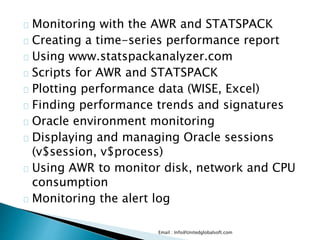
Monitoring with the AWR and STATSPACK
Creating a time-series performance report
Using www.statspackanalyzer.com
Scripts for AWR and STATSPACK
Plotting performance data (WISE, Excel)
Finding performance trends and signatures
Oracle environment monitoring
Displaying and managing Oracle sessions
(v$session, v$process)
Using AWR to monitor disk, network and CPU
consumption
Monitoring the alert log
Email : Info@Unitedglobalsoft.com
Oracle trace/dump files
STATSPACK and AWR performance
management
Installing STATSPACK
Running STATSPACK reports
Interpreting a STATSPACK report
Getting time series reports with STATSPACK
Finding performance signatures with
STATSPACK
Performance Management
This section explores the methods used for
performance management in Oracle and
Email : Info@Unitedglobalsoft.com
shows tips and scripts for monitoring all
components of any Oracle database. You will also
learn
the proper action to take when any area of Oracle
becomes a bottleneck.
Bottleneck performance analysis
Drill-down into AWR reports
Top-5 timed events
External Server Bottlenecks (Network, I/O, RAM,
CPU)
Network troubleshooting
Instance Tuning
Changing init.ora optimizer parameters
(index_optimizer_cost_adj,
optimizer_mode)
Email : Info@Unitedglobalsoft.com
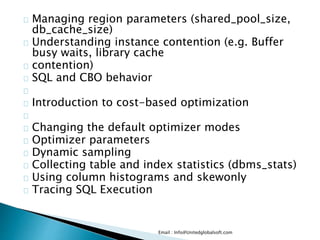
Managing region parameters (shared_pool_size,
db_cache_size)
Understanding instance contention (e.g. Buffer
busy waits, library cache
contention)
SQL and CBO behavior
Introduction to cost-based optimization
Changing the default optimizer modes
Optimizer parameters
Dynamic sampling
Collecting table and index statistics (dbms_stats)
Using column histograms and skewonly
Tracing SQL Execution
Email : Info@Unitedglobalsoft.com
Using EXPLAIN PLAN
Using “set autotrace”
Interpreting EXPLAIN PLAN Output
Using TKPROF / SQL*Trace
SQL Execution Internals
Review of Basic joining methods
Merge join
Hash Join
Nested Loop join
Advanced SQL operators
Between operator
SQL Tuning
Email : Info@Unitedglobalsoft.com
Using hints to improve SQL performance
Using parallel query to improve performance
SQL reusability within the library cache
Table high-water mark
Table striping and table partitions
Using indexes to improve performance
Identifying full-table scans
Re-writing SQL queries
Tuning sub-queries
Oracle High Availability tools
Email : Info@Unitedglobalsoft.com
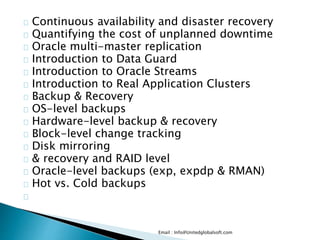
Continuous availability and disaster recovery
Quantifying the cost of unplanned downtime
Oracle multi-master replication
Introduction to Data Guard
Introduction to Oracle Streams
Introduction to Real Application Clusters
Backup & Recovery
OS-level backups
Hardware-level backup & recovery
Block-level change tracking
Disk mirroring
& recovery and RAID level
Oracle-level backups (exp, expdp & RMAN)
Hot vs. Cold backups
Email : Info@Unitedglobalsoft.com
Backup & recovery and RAID level
Oracle-level backups (exp, expdp & RMAN)
Hot vs. Cold backups
Email : Info@Unitedglobalsoft.com

Oracle DBA Online Trainingin India

  • 1.
    United Global Soft Call: +91 8099902123(IND) +1-201-710-8393(USA) Email : Info@Unitedglobalsoft.com
  • 2.
    ORACLE DBA CourseContents No. Of Hours : 48 Hours. Architecture & Configuration Overview of Oracle DBA tasks Oracle as a flexible, complex & robust RDBMS The evolution of hardware and the relation to Oracle Different DBA job roles(VP of DBA, developer DBA,production DBA, database babysitter) The changing job role of the Oracle DBA Environment management (network, CPU, disk and RAM) Email : Info@Unitedglobalsoft.com
  • 3.
    Instance management (managingSGA regions) Oracle table and index management Instance Architecture Instance vs. database Components of an instance Creating the OFA file structure ($DBA, bdump, udump, pfile) Oracle Instance Internals SGA vs. PGA Background processes Interfaces with server and disk I/O subsystem Using SQL*Plus for DBA management Email : Info@Unitedglobalsoft.com
  • 4.
    Connecting and executingSQL Using the “as sysdba” syntax Overview of SQL*Plus DBA commands (startup, etc.) Control file, UNDO and REDO management Explaining the use of control files Listing the Contents of the control File File locations for control Files Obtaining Control File Information Listing control file contents Email : Info@Unitedglobalsoft.com
  • 5.
    Displaying and CreatingUndo segments Altering Undo Segments Determining the Number and Size of Undo segments Understanding flashback technology Troubleshooting Undo – snapshot too old Redo log concepts for recovery Online redo log (log_buffer) online redo logs and archived redo logs Oracle ARCH and LGWR background processes Redo log dictionary queries Redo log switch frequency and performance Multiplexing the Online Redo Log Files Archiving the Oracle Redo Logs Email : Info@Unitedglobalsoft.com
  • 6.
    Recovery using theredo log files User and privilege management Creating New Database Users Using pre-spawned Oracle connections Auditing User activity Identifying System and Object Privileges Granting and Revoking Privileges Creating and Modifying Roles Displaying user security Information from the Data Dictionary Oracle database management Email : Info@Unitedglobalsoft.com
  • 7.
    Overview of instancemanagement Parameter files (init.ora, listener.ora, tnsnames.ora) Rules for sizing SGA components Automated Oracle memory management (AMM) Initialization file management Creating the init.ora file Using spfile Displaying init.ora values with vparameter Oracle*Net configuration Email : Info@Unitedglobalsoft.com
  • 8.
    Creating the listener.orafile Creating the tnsnames.ora file Data buffer configuration & sizing Inside the Oracle data buffers Using the KEEP pool Monitoring buffer effectiveness Using multiple blocksizes (multiple buffer pools) Shared pool and PGA configuration & Sizing Email : Info@Unitedglobalsoft.com
  • 9.
    Shared pool conceptsand components Understanding the library cache Relieving shared pool contention Overview of PGA for sorting and hash joins Using sort_area_size, hash_area_size and pga_aggregate_target Troubleshooting network connectivity Verifying network connectivity with ping and tnsping Testing database links Oracle object management Email : Info@Unitedglobalsoft.com
  • 10.
    Oracle tables, viewsand materialized views Types of Oracle tables (regular, IOT, sorted hash clusters, nested tables) Oracle Views Oracle materialized views Oracle indexes Types of Oracle indexes (b-tree, bitmap, bitmap join index) Creating B*-Tree, bitmap and function-based Indexes Function-based indexes Finding indexing opportunities Email : Info@Unitedglobalsoft.com
  • 11.
    Index maintenance Oracle constraints Costs& benefits of constraints Types of Oracle indexes constraints (check, not null, unique, PK, FK) Cascading constraints Schema, File & tablespace management Describing the relationship between data files, tablespaces and table Understanding Oracle segments Creating Tablespaces – using the autoextend option Email : Info@Unitedglobalsoft.com
  • 12.
    Changing the Sizeof Tablespaces – alter database datafile command Defining a TEMP tablespace Changing the default storage Settings for a tablespace Review of the storage parameters in DBA views (ASM, ASSM, pctfree, pctused and freelists) Monitoring Chained rows (fetch continued rows) Monitoring Insert and Update performance (pctused, APPEND) Database Maintenance Reason for reorgs – chained rows, imbalanced freelists Reorganizing Tables using Export and Import Using CTAS to reorganize data Index rebuilding Email : Info@Unitedglobalsoft.com
  • 13.
    Backup & Recoveryoverview (hot & cold Backups, RMAN, block change tracking) Oracle DBA Utilities Data pump (Imp and exp utilities) SQL*Loader LogMiner ,Flashback Introduction DataGuard Creating and Modifying Roles Oracle DBA utilities – Oracle dbms packages (dbms_redefinition) Introduction Replication (Streams, multimaster, materialized views) Monitoring Oracle Email : Info@Unitedglobalsoft.com
  • 14.
    This section exploresthe methods used for monitoring all active components of the Oracle database. Dictionary and v$ views The dba_, all_ and user_ structures Querying the tables, indexes, and segments views Querying the AWR (STATSPACK) tables Table & index monitoring Monitoring table extents and fragmentation Using the dba_tables and dba_segments views Monitoring table CBO statistics Email : Info@Unitedglobalsoft.com
  • 15.
    Monitoring table extentsand fragmentation Locating chained rows Monitoring table & index growth Monitoring index usage Monitoring index fragmentation Locating un-used indexes Identifying IOT candidates Reorganizing Indexes with alter index rebuild Dropping Indexes Getting Index Information from the Data Dictionary Instance monitoring Email : Info@Unitedglobalsoft.com
  • 16.
    Monitoring with theAWR and STATSPACK Creating a time-series performance report Using www.statspackanalyzer.com Scripts for AWR and STATSPACK Plotting performance data (WISE, Excel) Finding performance trends and signatures Oracle environment monitoring Displaying and managing Oracle sessions (v$session, v$process) Using AWR to monitor disk, network and CPU consumption Monitoring the alert log Email : Info@Unitedglobalsoft.com
  • 17.
    Oracle trace/dump files STATSPACKand AWR performance management Installing STATSPACK Running STATSPACK reports Interpreting a STATSPACK report Getting time series reports with STATSPACK Finding performance signatures with STATSPACK Performance Management This section explores the methods used for performance management in Oracle and Email : Info@Unitedglobalsoft.com
  • 18.
    shows tips andscripts for monitoring all components of any Oracle database. You will also learn the proper action to take when any area of Oracle becomes a bottleneck. Bottleneck performance analysis Drill-down into AWR reports Top-5 timed events External Server Bottlenecks (Network, I/O, RAM, CPU) Network troubleshooting Instance Tuning Changing init.ora optimizer parameters (index_optimizer_cost_adj, optimizer_mode) Email : Info@Unitedglobalsoft.com
  • 19.
    Managing region parameters(shared_pool_size, db_cache_size) Understanding instance contention (e.g. Buffer busy waits, library cache contention) SQL and CBO behavior Introduction to cost-based optimization Changing the default optimizer modes Optimizer parameters Dynamic sampling Collecting table and index statistics (dbms_stats) Using column histograms and skewonly Tracing SQL Execution Email : Info@Unitedglobalsoft.com
  • 20.
    Using EXPLAIN PLAN Using“set autotrace” Interpreting EXPLAIN PLAN Output Using TKPROF / SQL*Trace SQL Execution Internals Review of Basic joining methods Merge join Hash Join Nested Loop join Advanced SQL operators Between operator SQL Tuning Email : Info@Unitedglobalsoft.com
  • 21.
    Using hints toimprove SQL performance Using parallel query to improve performance SQL reusability within the library cache Table high-water mark Table striping and table partitions Using indexes to improve performance Identifying full-table scans Re-writing SQL queries Tuning sub-queries Oracle High Availability tools Email : Info@Unitedglobalsoft.com
  • 22.
    Continuous availability anddisaster recovery Quantifying the cost of unplanned downtime Oracle multi-master replication Introduction to Data Guard Introduction to Oracle Streams Introduction to Real Application Clusters Backup & Recovery OS-level backups Hardware-level backup & recovery Block-level change tracking Disk mirroring & recovery and RAID level Oracle-level backups (exp, expdp & RMAN) Hot vs. Cold backups Email : Info@Unitedglobalsoft.com
  • 23.
    Backup & recoveryand RAID level Oracle-level backups (exp, expdp & RMAN) Hot vs. Cold backups Email : Info@Unitedglobalsoft.com
  • 24.
  • 25.
  • 26.
  • 27.
  • 28.
  • 29.
  • 30.
  • 31.
  • 32.
  • 33.
  • 34.
  • 35.
  • 36.
  • 37.
  • 38.
  • 39.
  • 40.
  • 41.
  • 42.
  • 43.
  • 44.
  • 45.
  • 46.
  • 47.
  • 48.
  • 49.