ORACLE
SEGMENT
ADVISOR
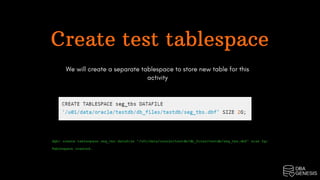
Create test tablespace
We will create a separate tablespace to store new table for this
activity
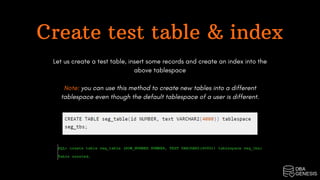
Create test table & index
Let us create a test table, insert some records and create an index into the
above tablespace
Note: you can use this method to create new tables into a different
tablespace even though the default tablespace of a user is different.
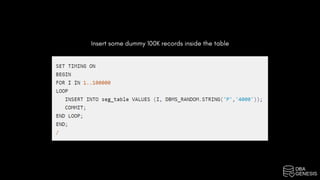
Insert some dummy 100K records inside the table
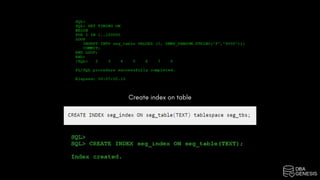
Create index on table
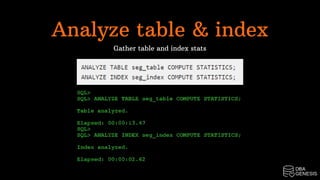
Analyze table & index
Gather table and index stats
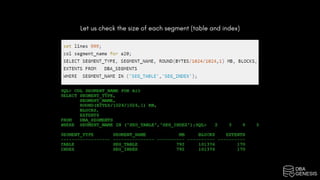
Let us check the size of each segment (table and index)
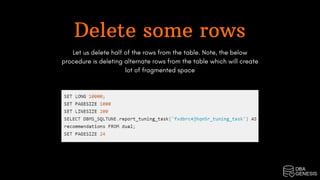
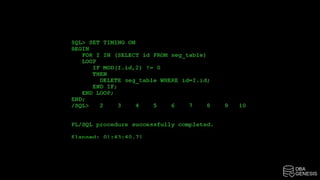
Delete some rows
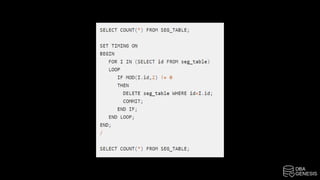
Let us delete half of the rows from the table. Note, the below
procedure is deleting alternate rows from the table which will create
lot of fragmented space
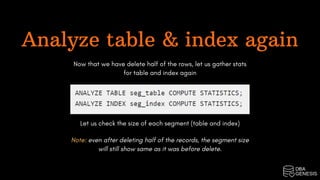
Analyze table & index again
Now that we have delete half of the rows, let us gather stats
for table and index again
Let us check the size of each segment (table and index)
Note: even after deleting half of the records, the segment size
will still show same as it was before delete.
Run Oracle segment advisor
Even though we have delete half of the rows, the statistics
show no change. We will run Oracle segment advisor and see
what recommendations we will get
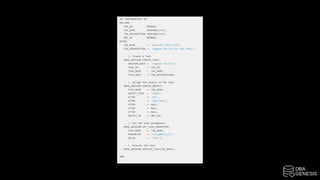
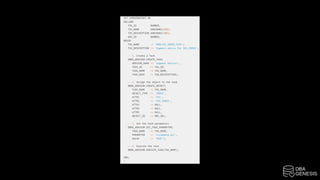
Create advisor task for table
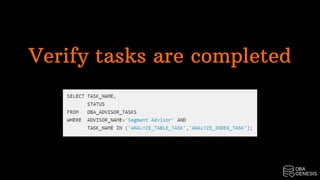
Verify tasks are completed
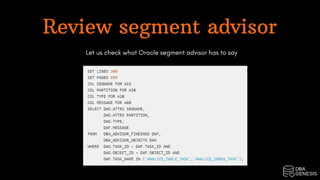
Review segment advisor
Let us check what Oracle segment advisor has to say
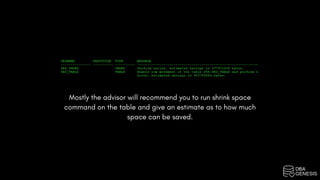
Mostly the advisor will recommend you to run shrink space
command on the table and give an estimate as to how much
space can be saved.
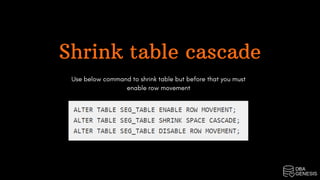
Shrink table cascade
Use below command to shrink table but before that you must
enable row movement
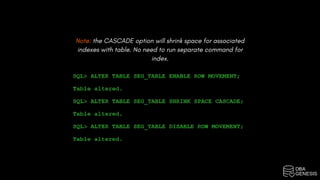
Note: the CASCADE option will shrink space for associated
indexes with table. No need to run separate command for
index.
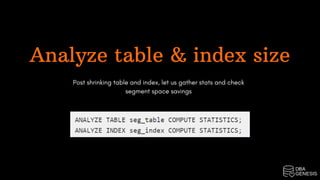
Analyze table & index size
Post shrinking table and index, let us gather stats and check
segment space savings
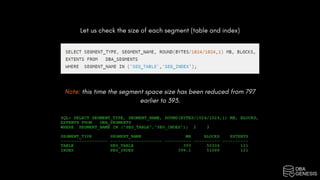
Let us check the size of each segment (table and index)
Note: this time the segment space size has been reduced from 797
earlier to 393.
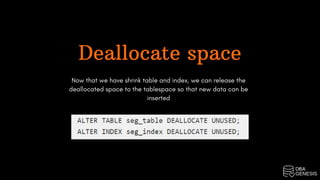
Deallocate space
Now that we have shrink table and index, we can release the
deallocated space to the tablespace so that new data can be
inserted
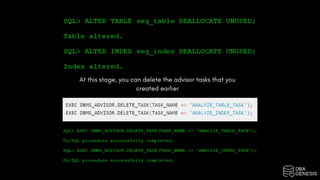
At this stage, you can delete the advisor tasks that you
created earlier
Courses | Projects | Bootcamps

Oracle Segment Advisor

  • 1.
  • 2.
    Create test tablespace Wewill create a separate tablespace to store new table for this activity
  • 3.
    Create test table& index Let us create a test table, insert some records and create an index into the above tablespace Note: you can use this method to create new tables into a different tablespace even though the default tablespace of a user is different.
  • 4.
    Insert some dummy100K records inside the table
  • 5.
  • 6.
    Analyze table &index Gather table and index stats
  • 7.
    Let us checkthe size of each segment (table and index)
  • 8.
    Delete some rows Letus delete half of the rows from the table. Note, the below procedure is deleting alternate rows from the table which will create lot of fragmented space
  • 11.
    Analyze table &index again Now that we have delete half of the rows, let us gather stats for table and index again Let us check the size of each segment (table and index) Note: even after deleting half of the records, the segment size will still show same as it was before delete.
  • 13.
    Run Oracle segmentadvisor Even though we have delete half of the rows, the statistics show no change. We will run Oracle segment advisor and see what recommendations we will get Create advisor task for table
  • 16.
  • 17.
    Review segment advisor Letus check what Oracle segment advisor has to say
  • 18.
    Mostly the advisorwill recommend you to run shrink space command on the table and give an estimate as to how much space can be saved.
  • 19.
    Shrink table cascade Usebelow command to shrink table but before that you must enable row movement
  • 20.
    Note: the CASCADEoption will shrink space for associated indexes with table. No need to run separate command for index.
  • 21.
    Analyze table &index size Post shrinking table and index, let us gather stats and check segment space savings
  • 22.
    Let us checkthe size of each segment (table and index) Note: this time the segment space size has been reduced from 797 earlier to 393.
  • 23.
    Deallocate space Now thatwe have shrink table and index, we can release the deallocated space to the tablespace so that new data can be inserted
  • 24.
    At this stage,you can delete the advisor tasks that you created earlier
  • 25.
    Courses | Projects| Bootcamps