SCHEDULE
RMAN BACKUP
ON WINDOWS
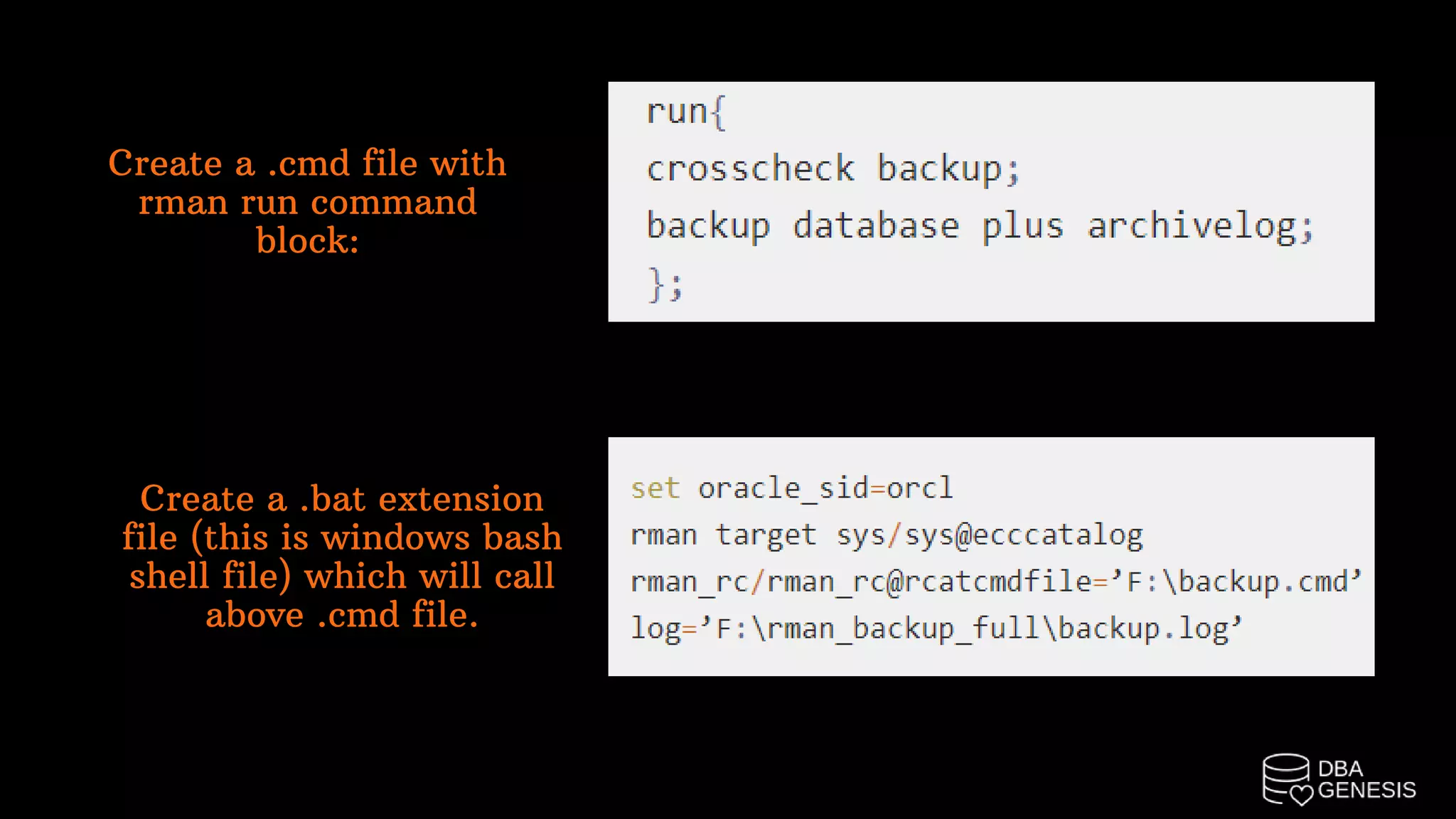
Create a .cmd file with
rman run command
block:
Create a .bat extension
file (this is windows bash
shell file) which will call
above .cmd file.
Schedule the above .bat script in windows scheduler.
1. Launch the task scheduler from start menu.
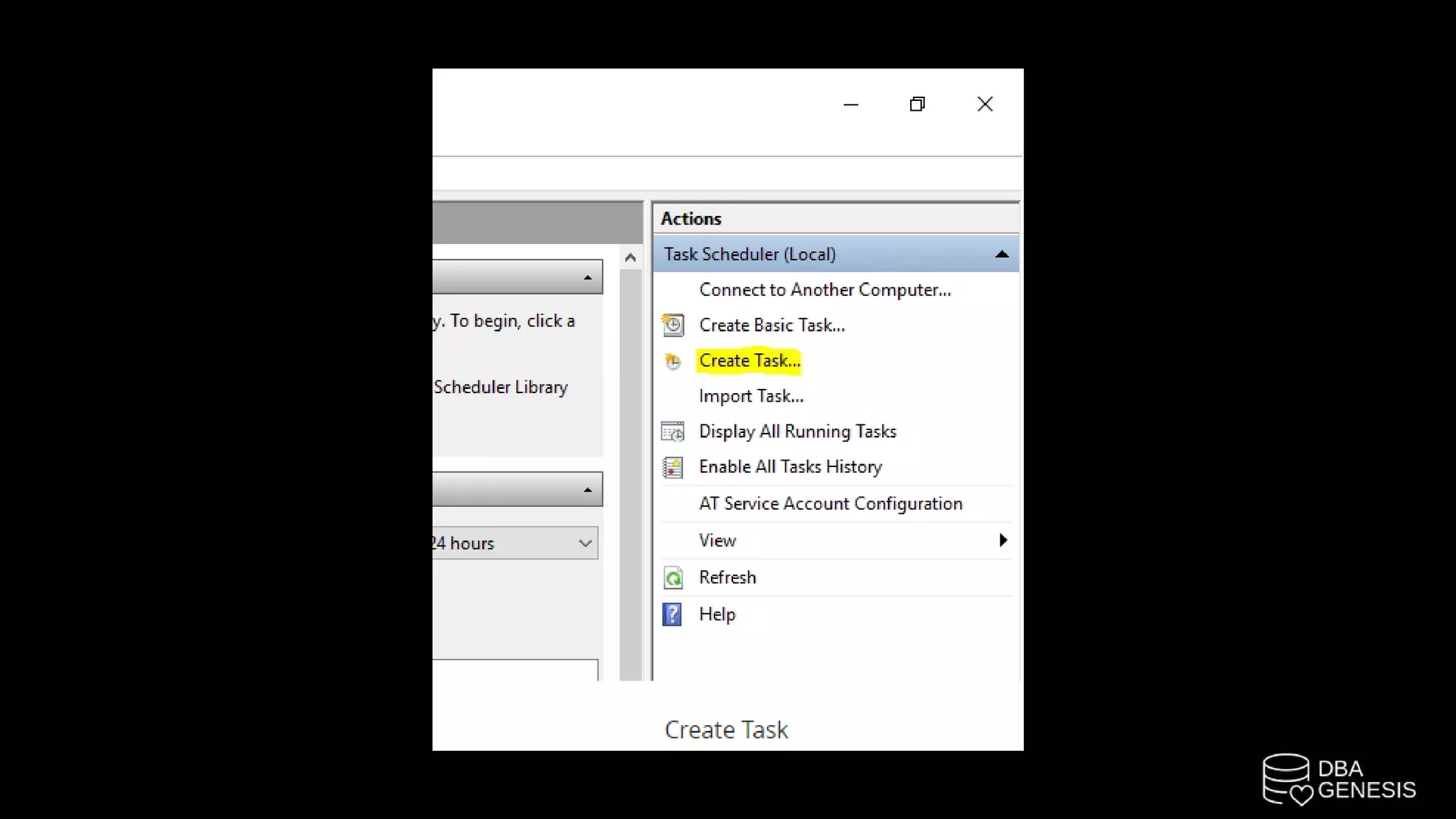
2. On the right-hand panel, click on create task.
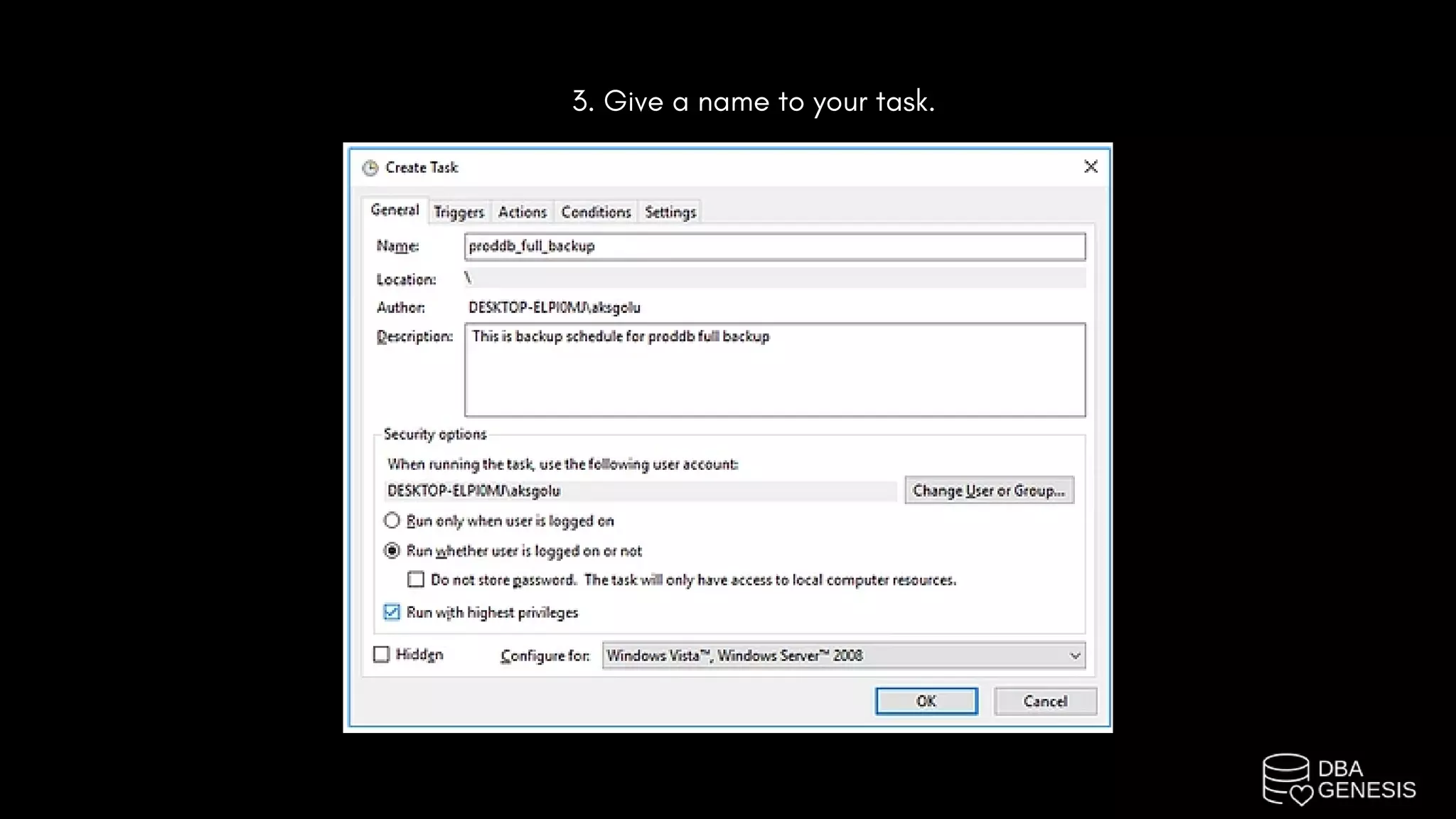
3. Give a name to your task.
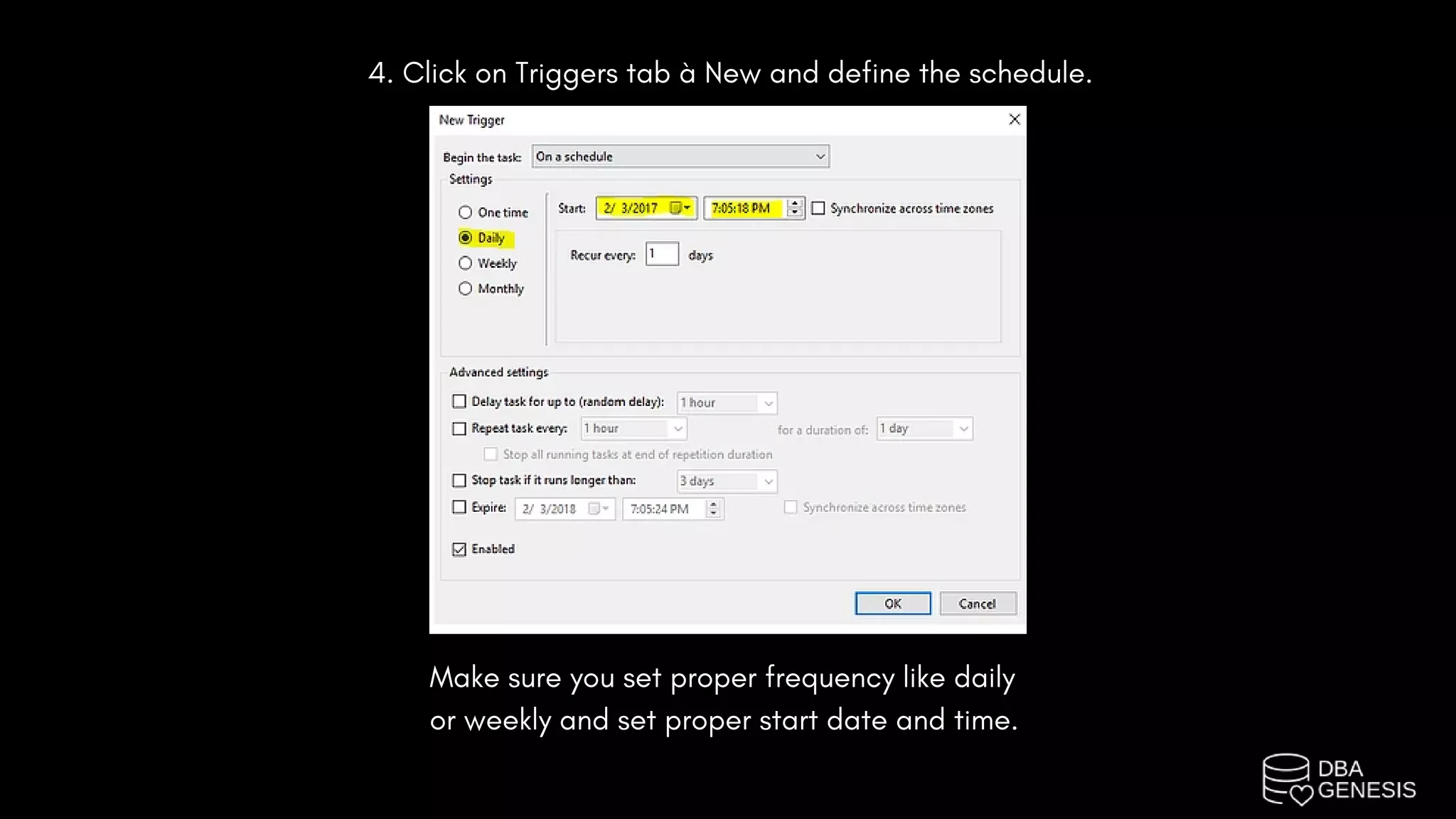
4. Click on Triggers tab à New and define the schedule.
Make sure you set proper frequency like daily
or weekly and set proper start date and time.
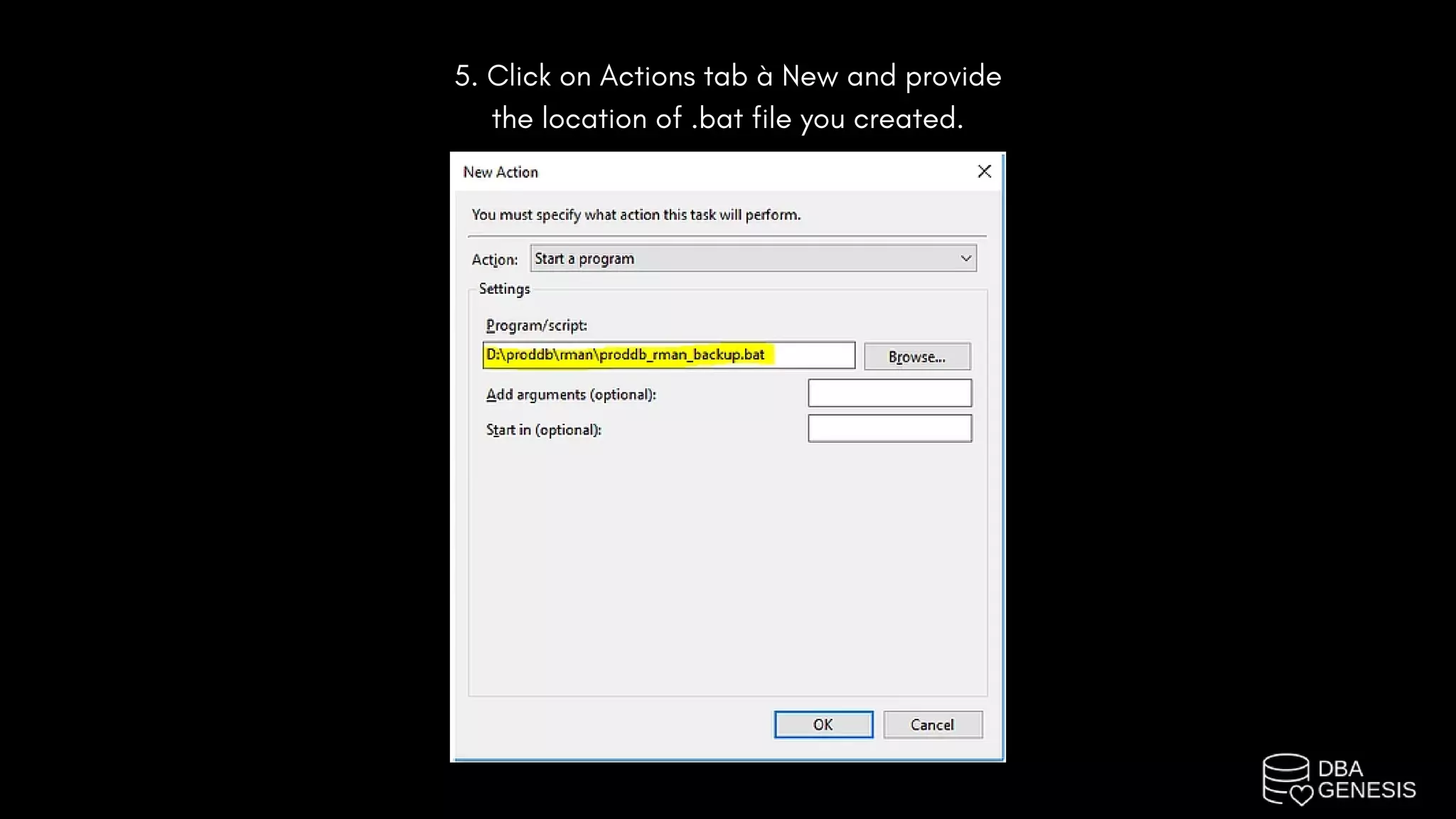
5. Click on Actions tab à New and provide
the location of .bat file you created.
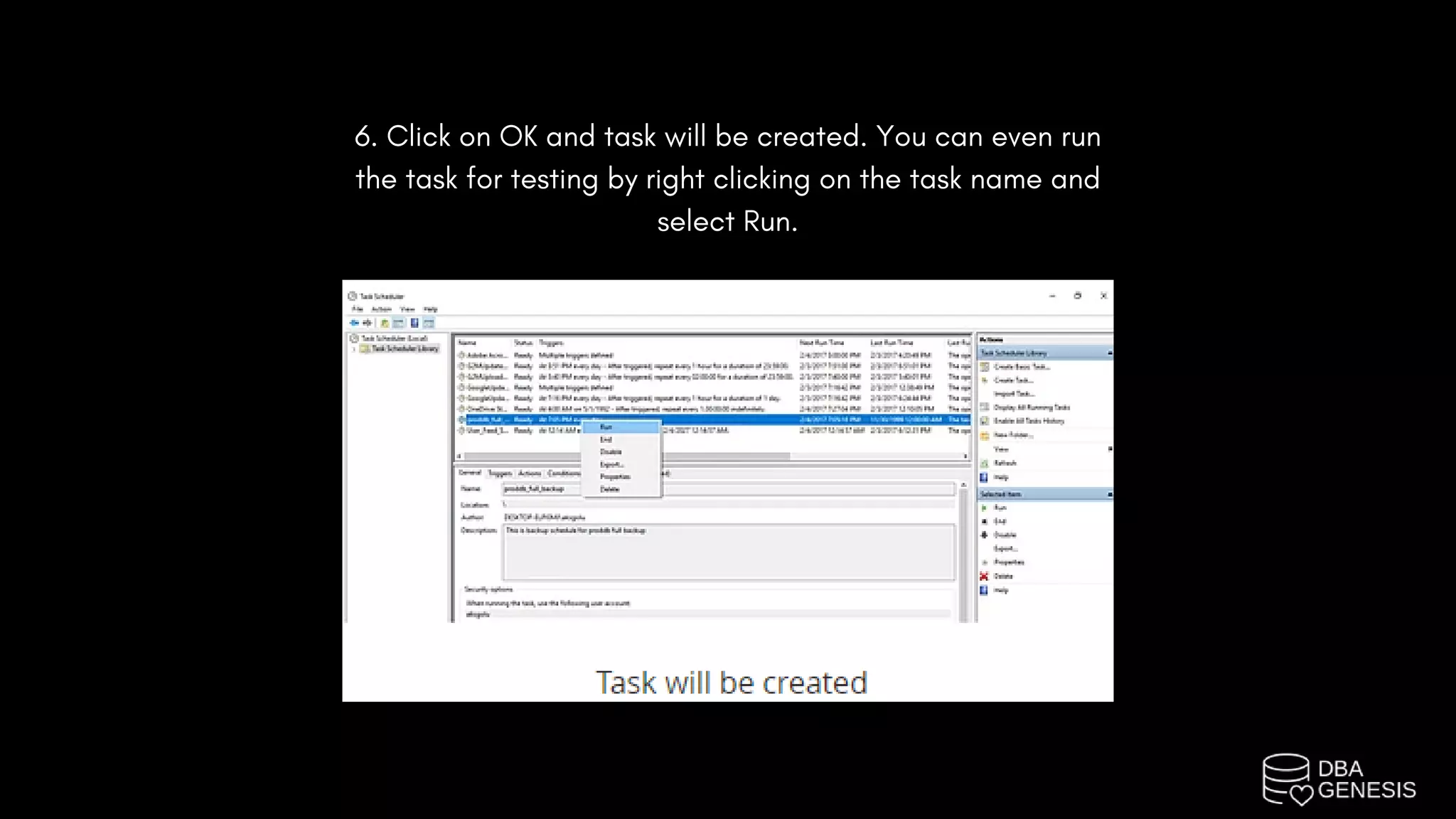
6. Click on OK and task will be created. You can even run
the task for testing by right clicking on the task name and
select Run.
Courses | Projects | Bootcamps

Schedule RMAN Backups On Windows

  • 1.
  • 2.
    Create a .cmdfile with rman run command block: Create a .bat extension file (this is windows bash shell file) which will call above .cmd file.
  • 3.
    Schedule the above.bat script in windows scheduler. 1. Launch the task scheduler from start menu. 2. On the right-hand panel, click on create task.
  • 5.
    3. Give aname to your task.
  • 6.
    4. Click onTriggers tab à New and define the schedule. Make sure you set proper frequency like daily or weekly and set proper start date and time.
  • 7.
    5. Click onActions tab à New and provide the location of .bat file you created.
  • 8.
    6. Click onOK and task will be created. You can even run the task for testing by right clicking on the task name and select Run.
  • 9.
    Courses | Projects| Bootcamps