This document contains a presentation on Oracle 9i database features including:
1. An introduction to Oracle 9i describing it as a scalable and manageable object relational database for e-business.
2. Overviews of key Oracle 9i components like SQL, database administration, data dictionary, and the Recovery Manager tool.
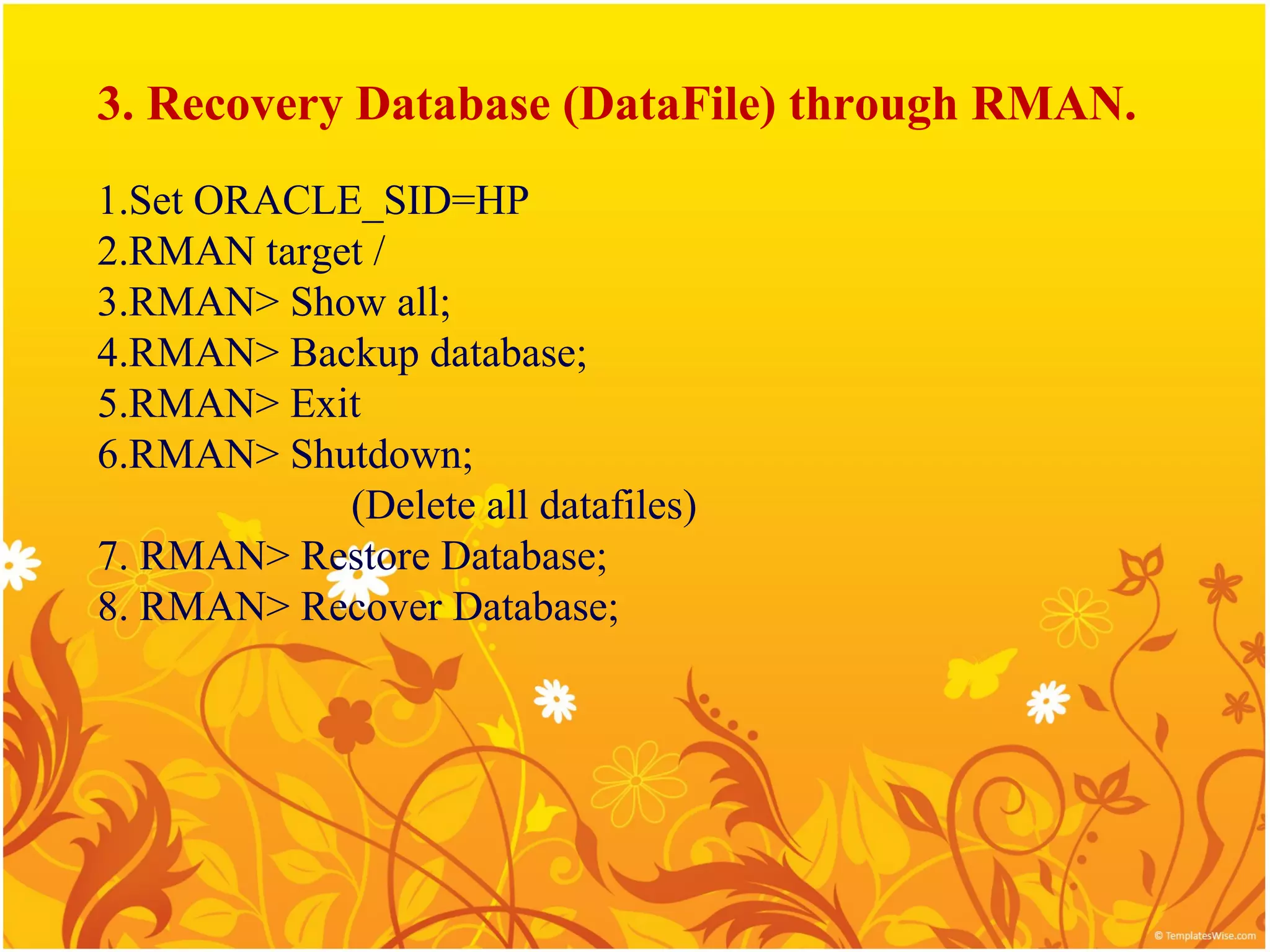
3. Steps for using the Recovery Manager tool to back up a database, restore datafiles, and recover a database including control files.
In this document
Powered by AI
Introduction of Oracle 9i, its features, and overview of database management content.
Describes Oracle 9i as a scalable RDBMS, its high-performance infrastructure, and features like multiple inserts, data types (XML, multimedia).
Introduction to SQL statements for RDBMS communication including DML, DDL, and DCL, along with examples of substitution variables.
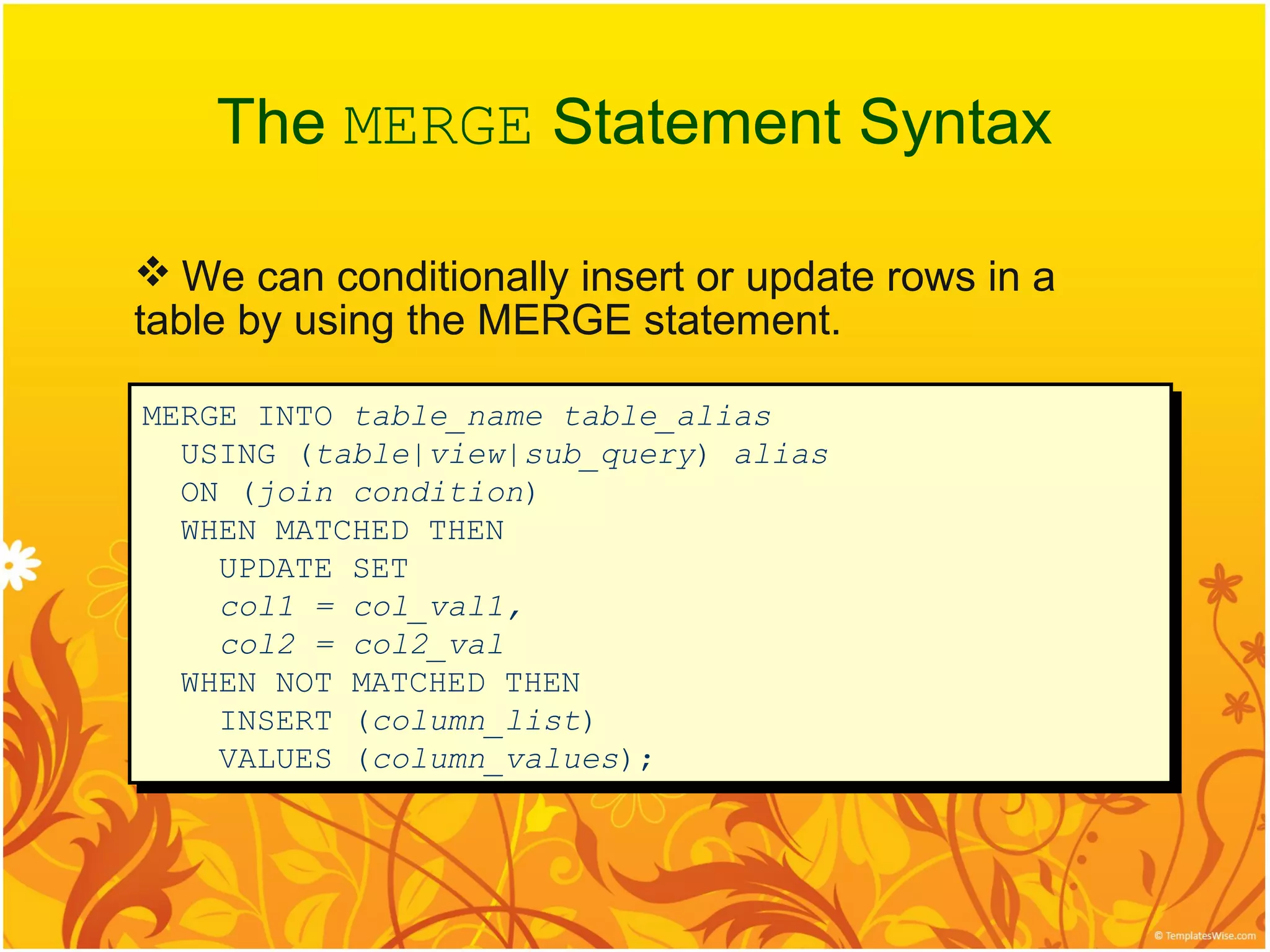
Provides insights into MERGE statement syntax for conditional insert/update operations in tables.
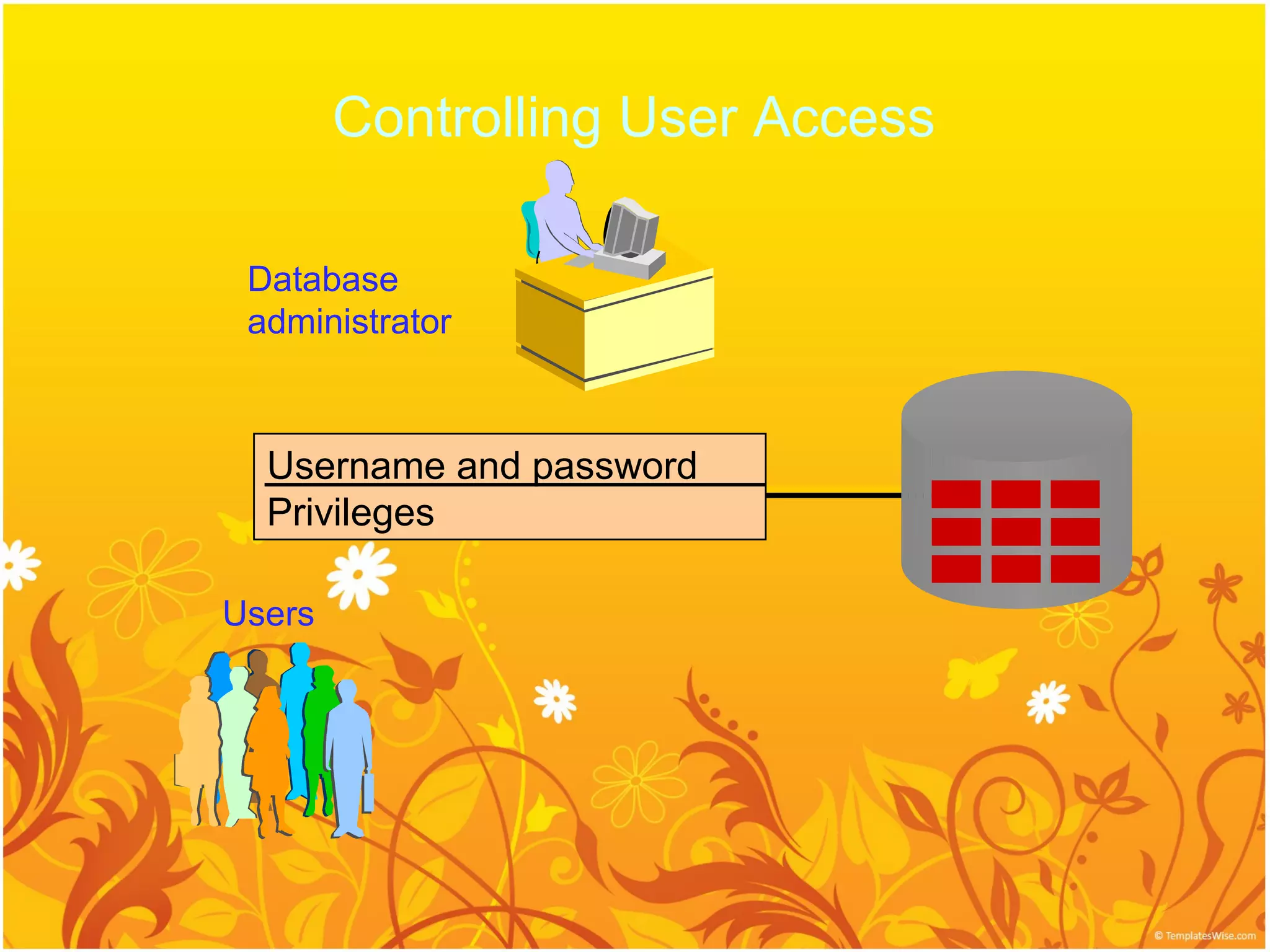
Focuses on user access control, tasks of database administrators, and primary components of database administration.
Database Dictionary role in Oracle, creation of data dictionary views, and managing tablespaces and data files.
User password management, security protocols, and roles/privileges for database users.
Detailed steps for using RMAN for database backup, recovery, setting archive mode and controlling files.
Introduction
Oracle9i EnterpriseEdition is an object relational database
that is scalable and easily manageable.
Oracle 9i offers a comprehensive high-performance
infrastructure for e-busines .It is called oracle 9i.
oracle 9i includs everything needed to develop,deploy,and
manage Internet applications.
4.
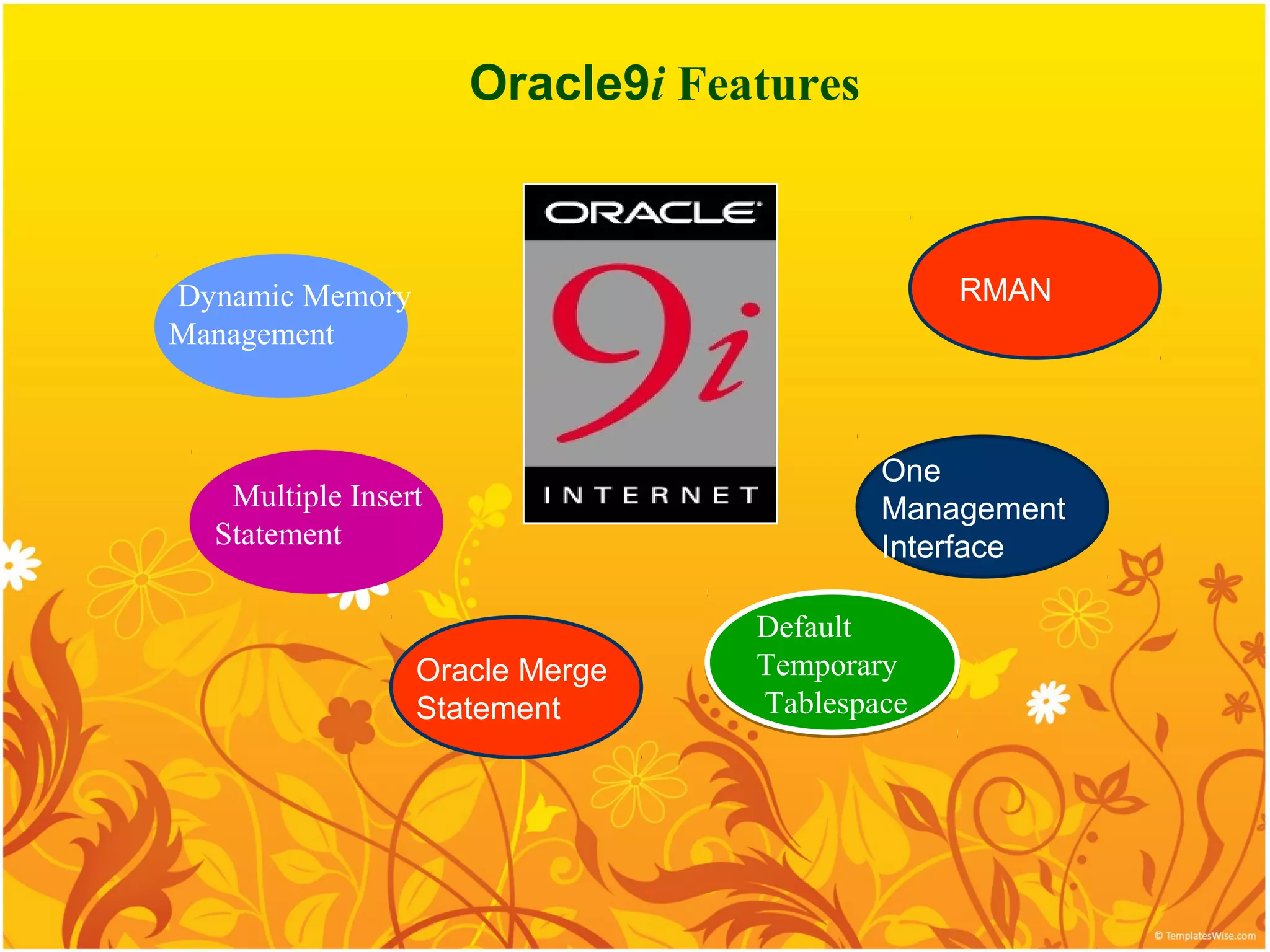
Oracle9i Features
Dynamic Memory RMAN
Management
One
Multiple Insert Management
Statement Interface
Default
Oracle Merge Temporary
Statement Tablespace
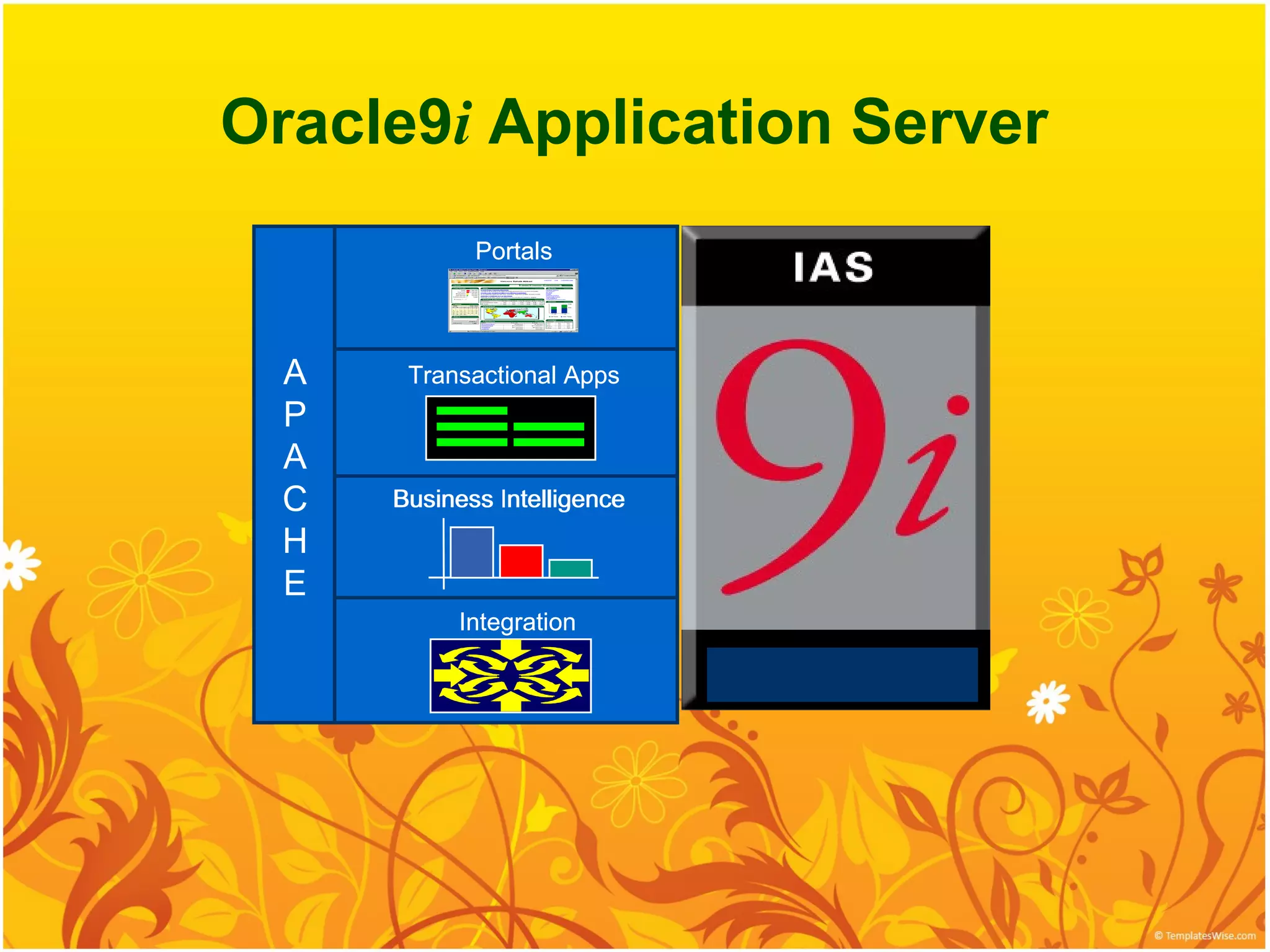
Oracle9i Application Server
Portals
A Transactional Apps
P
A
C Business Intelligence
intelligence
H
E
Integration
7.
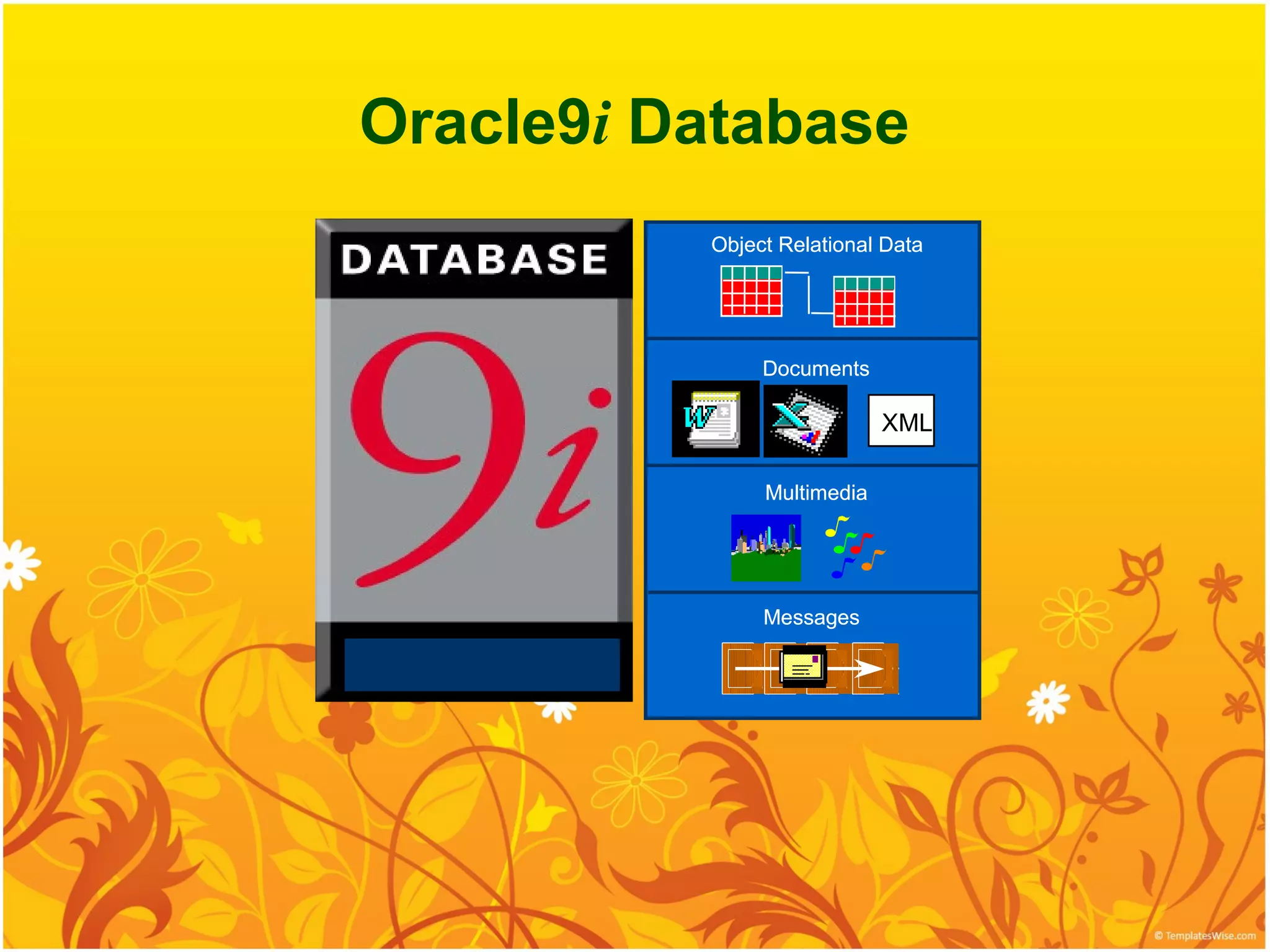
Oracle9i Database
Object Relational Data
Documents
XML
Multimedia
Messages
8.
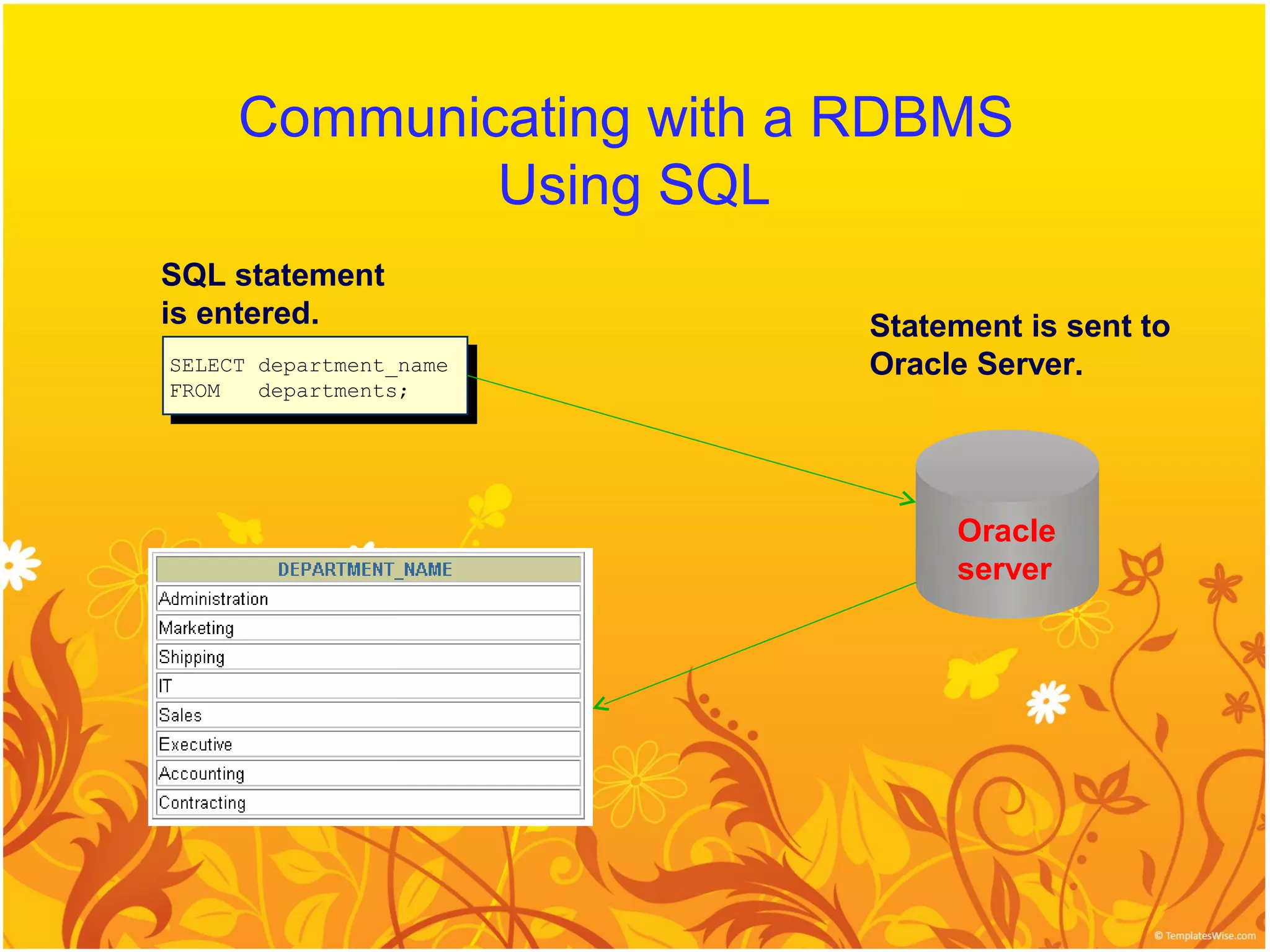
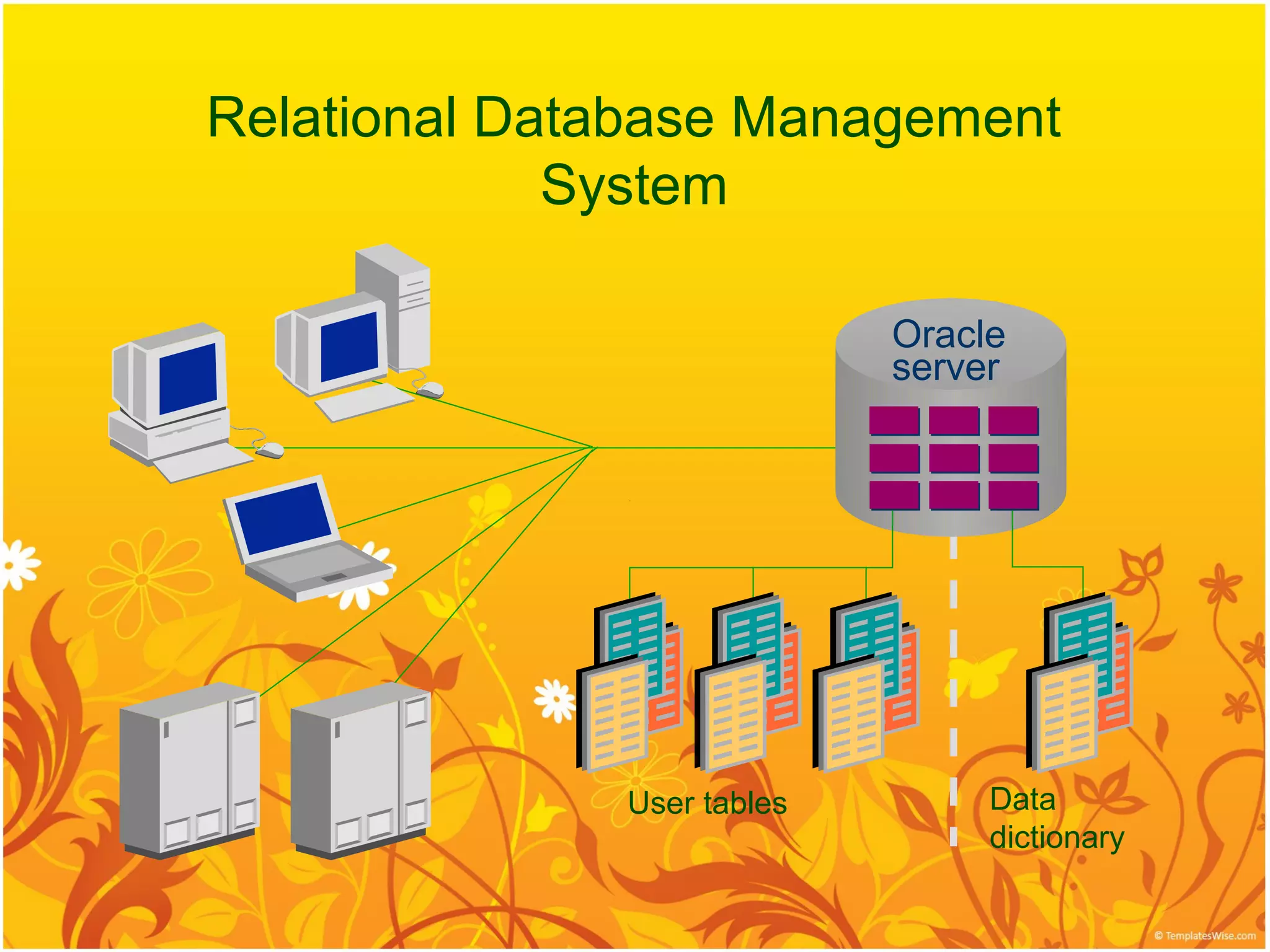
Communicating with aRDBMS
Using SQL
SQL statement
is entered. Statement is sent to
SELECT department_name
SELECT department_name Oracle Server.
FROM
FROM departments;
departments;
Oracle
server
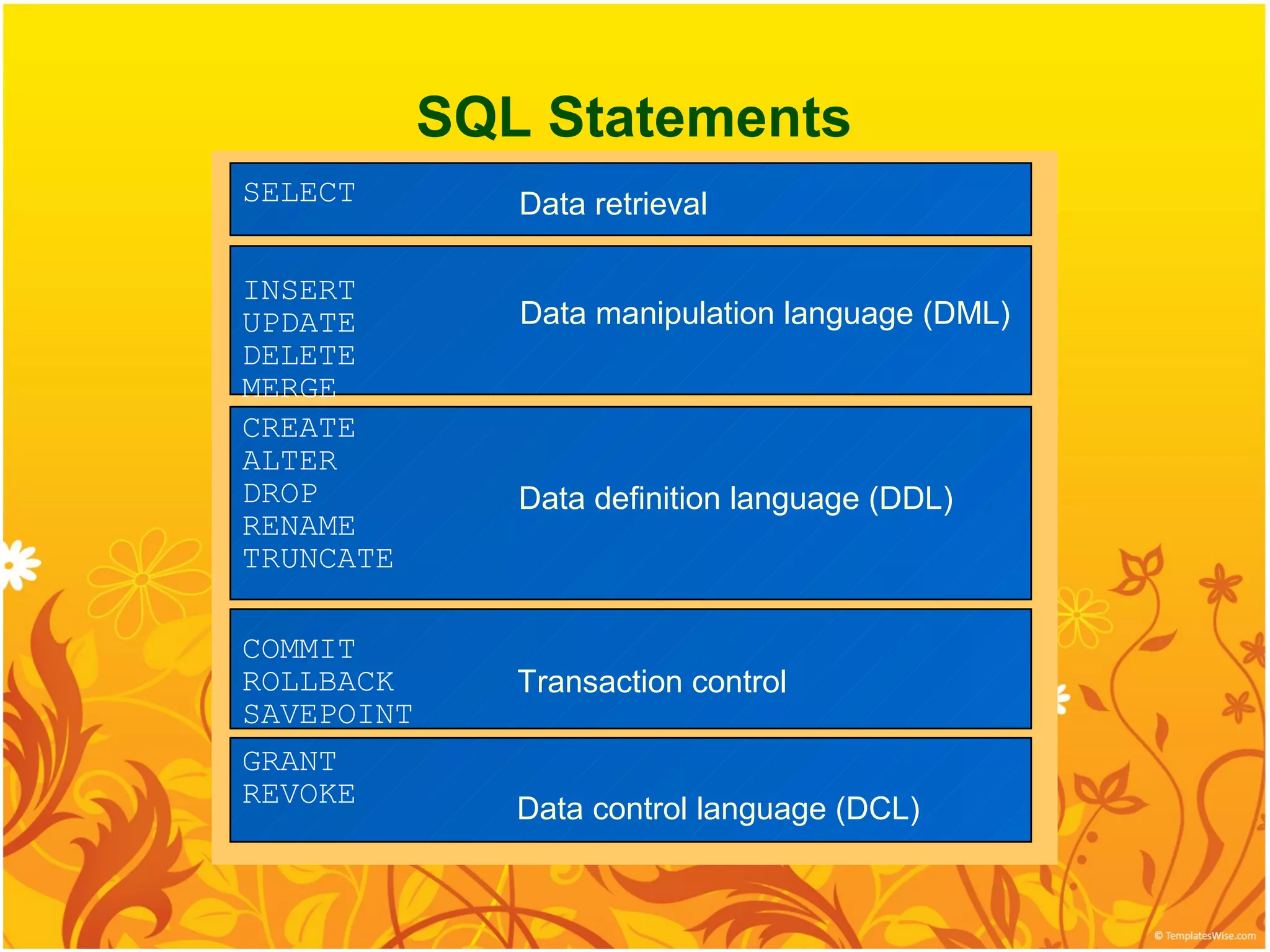
SQL Statements
SELECT Data retrieval
INSERT
UPDATE Data manipulation language (DML)
DELETE
MERGE
CREATE
ALTER
DROP Data definition language (DDL)
RENAME
TRUNCATE
COMMIT
ROLLBACK Transaction control
SAVEPOINT
GRANT
REVOKE
Data control language (DCL)
The MERGE StatementSyntax
We can conditionally insert or update rows in a
table by using the MERGE statement.
MERGE INTO table_name table_alias
MERGE INTO table_name table_alias
USING (table|view|sub_query) alias
USING (table|view|sub_query) alias
ON (join condition)
ON (join condition)
WHEN MATCHED THEN
WHEN MATCHED THEN
UPDATE SET
UPDATE SET
col1 = col_val1,
col1 = col_val1,
col2 = col2_val
col2 = col2_val
WHEN NOT MATCHED THEN
WHEN NOT MATCHED THEN
INSERT (column_list)
INSERT (column_list)
VALUES (column_values);
VALUES (column_values);
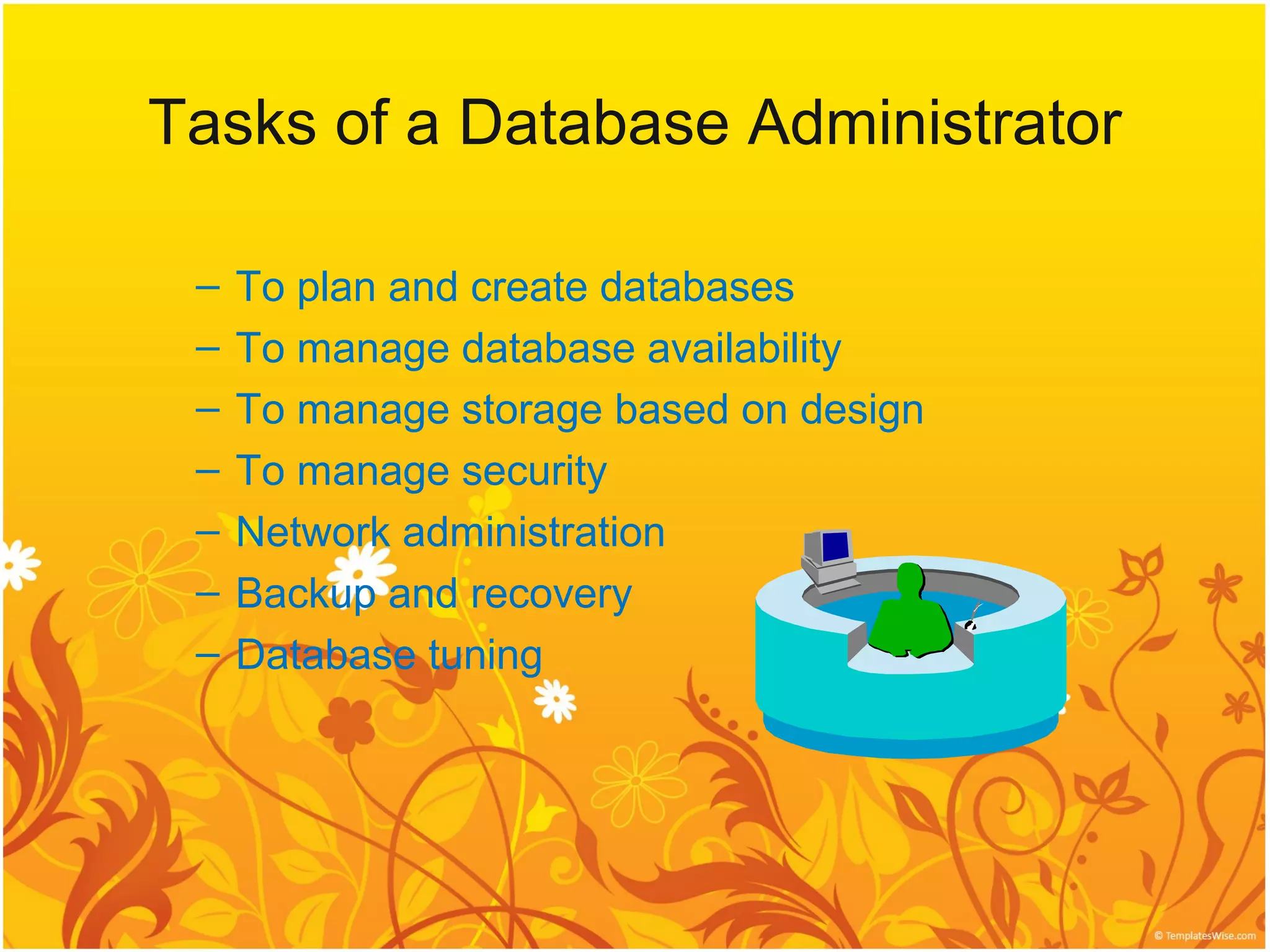
Tasks of aDatabase Administrator
– To plan and create databases
– To manage database availability
– To manage storage based on design
– To manage security
– Network administration
– Backup and recovery
– Database tuning
17.
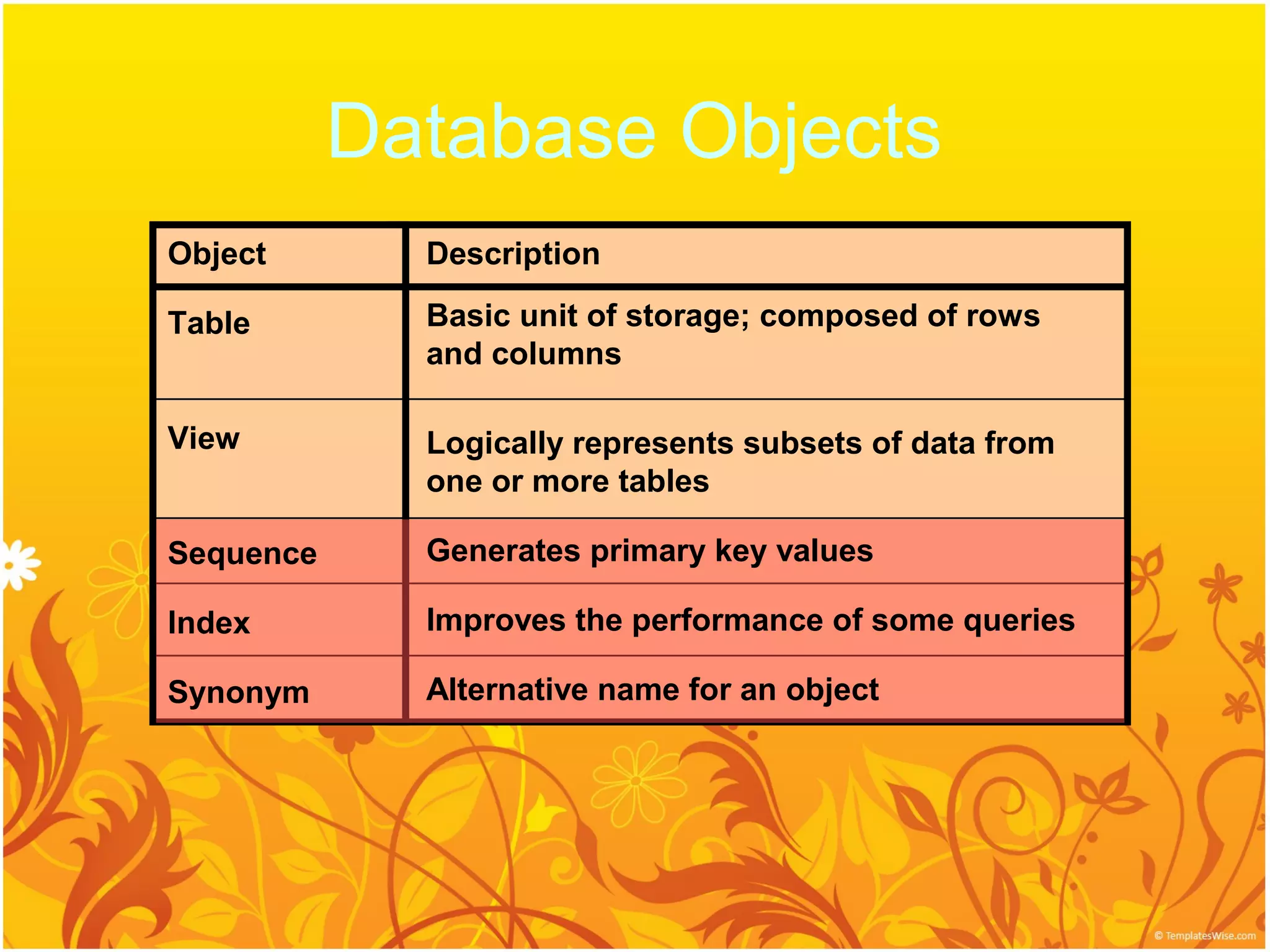
Database Objects
Object Description
Table Basic unit of storage; composed of rows
and columns
View Logically represents subsets of data from
one or more tables
Sequence Generates primary key values
Index Improves the performance of some queries
Synonym Alternative name for an object
18.
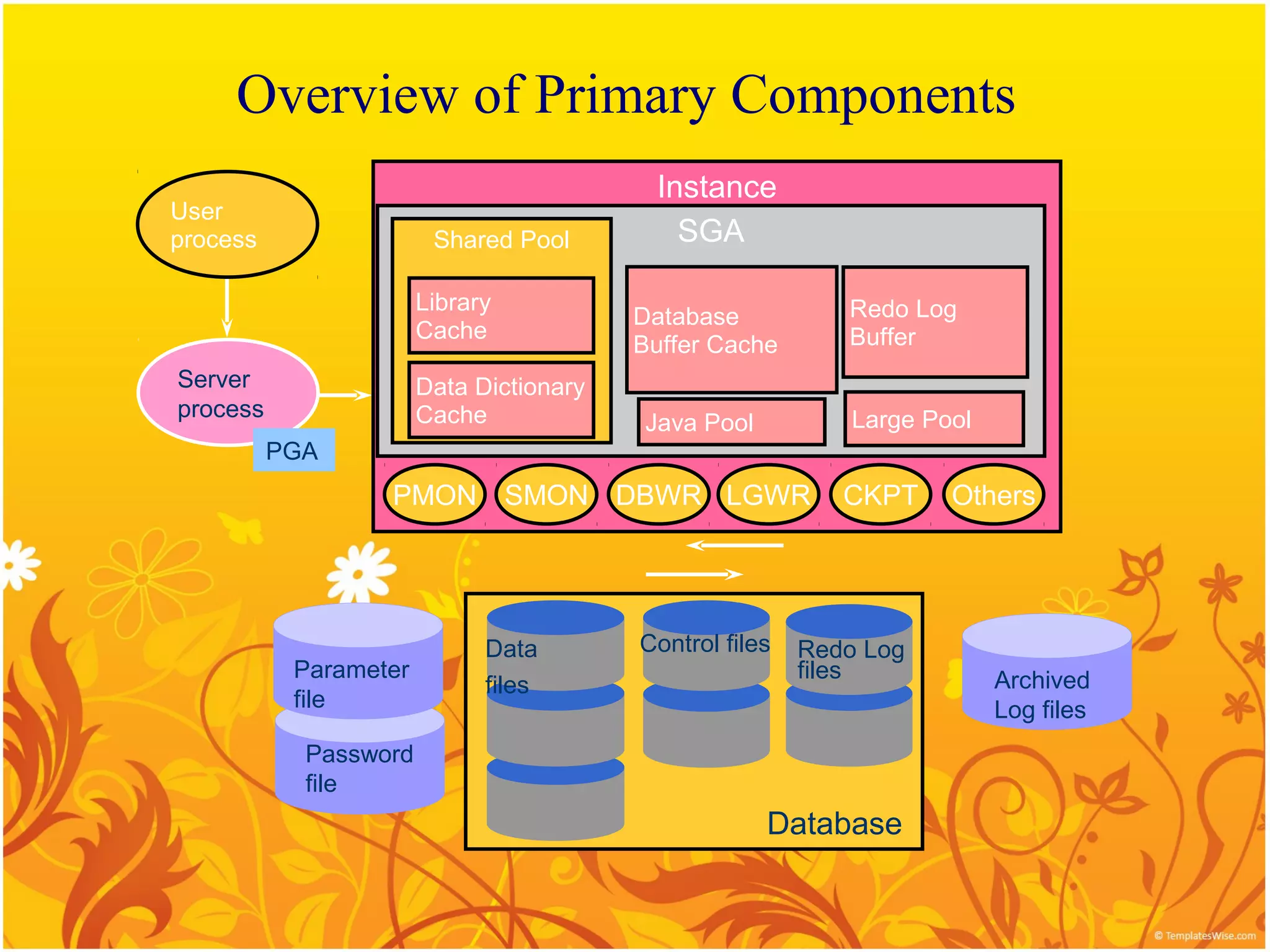
Overview of PrimaryComponents
Instance
User
process Shared Pool SGA
Library Redo Log
Database
Cache Buffer
Buffer Cache
Server Data Dictionary
process Cache Large Pool
Java Pool
PGA
PMON SMON DBWR LGWR CKPT Others
Data Control files Redo Log
Parameter files Archived
files
file Log files
Password
file
Database
19.
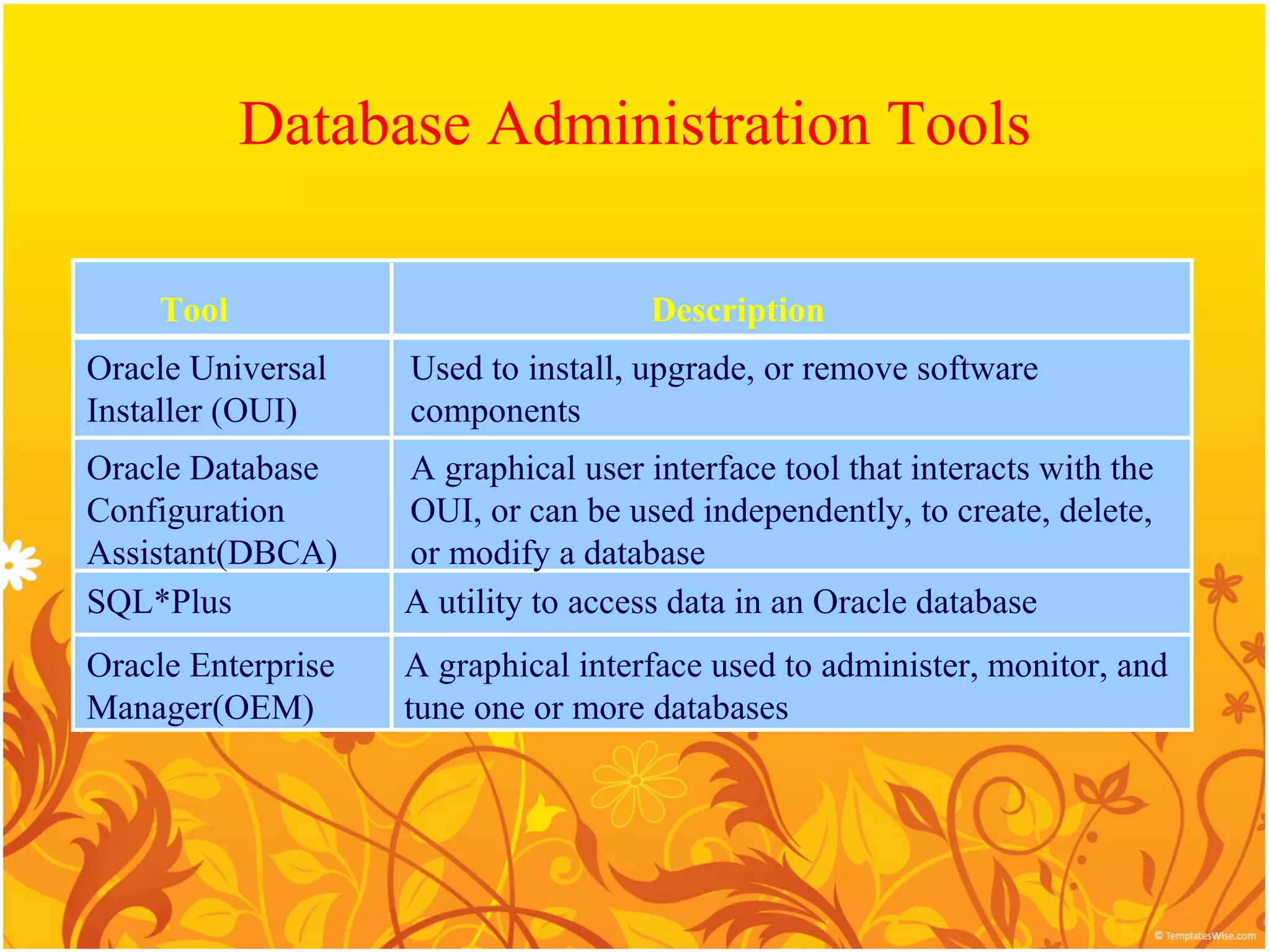
Database Administration Tools
Tool Description
Oracle Universal Used to install, upgrade, or remove software
Installer (OUI) components
Oracle Database A graphical user interface tool that interacts with the
Configuration OUI, or can be used independently, to create, delete,
Assistant(DBCA) or modify a database
SQL*Plus A utility to access data in an Oracle database
Oracle Enterprise A graphical interface used to administer, monitor, and
Manager(OEM) tune one or more databases
20.
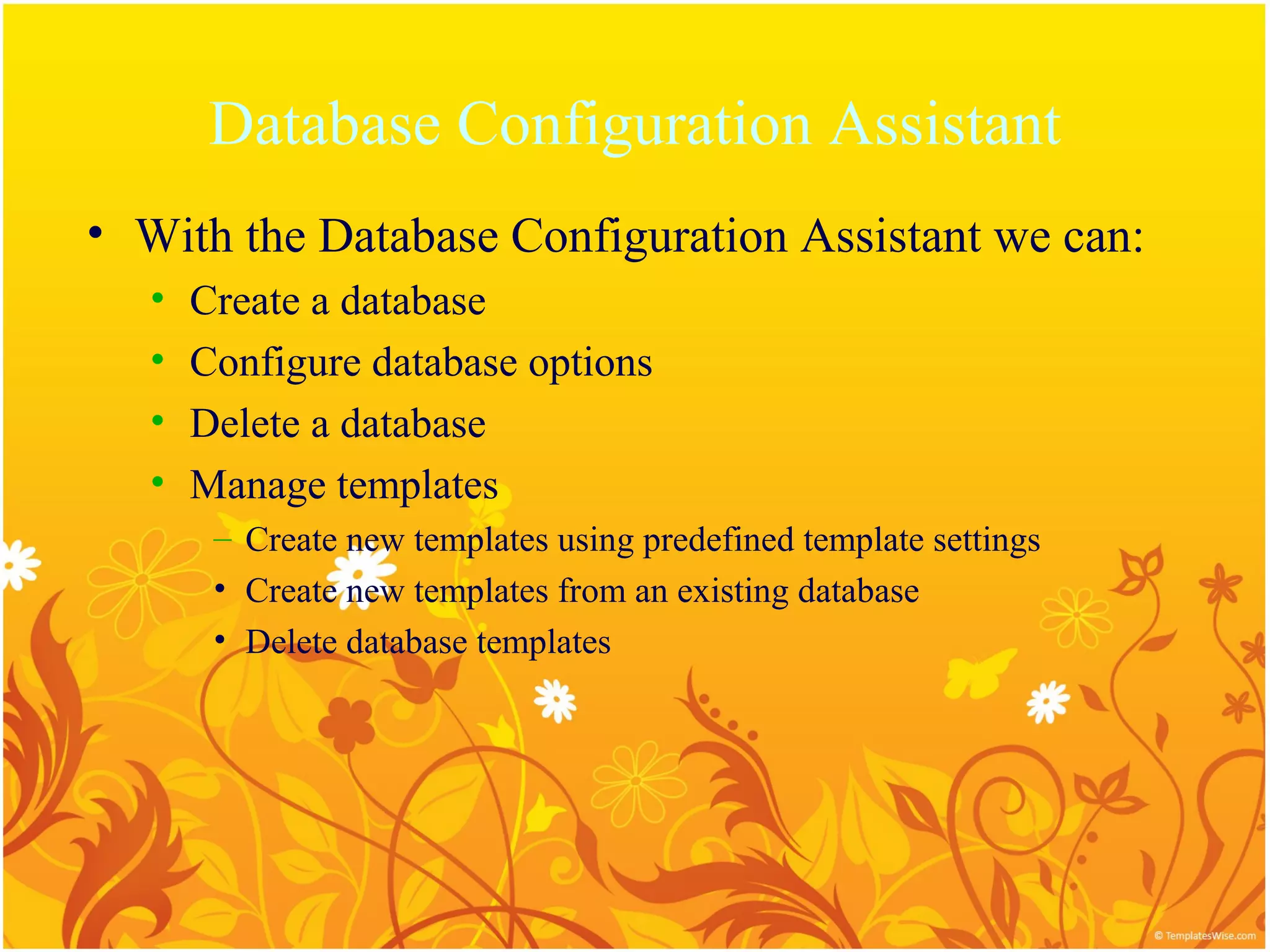
Database Configuration Assistant
•With the Database Configuration Assistant we can:
• Create a database
• Configure database options
• Delete a database
• Manage templates
– Create new templates using predefined template settings
• Create new templates from an existing database
• Delete database templates
21.
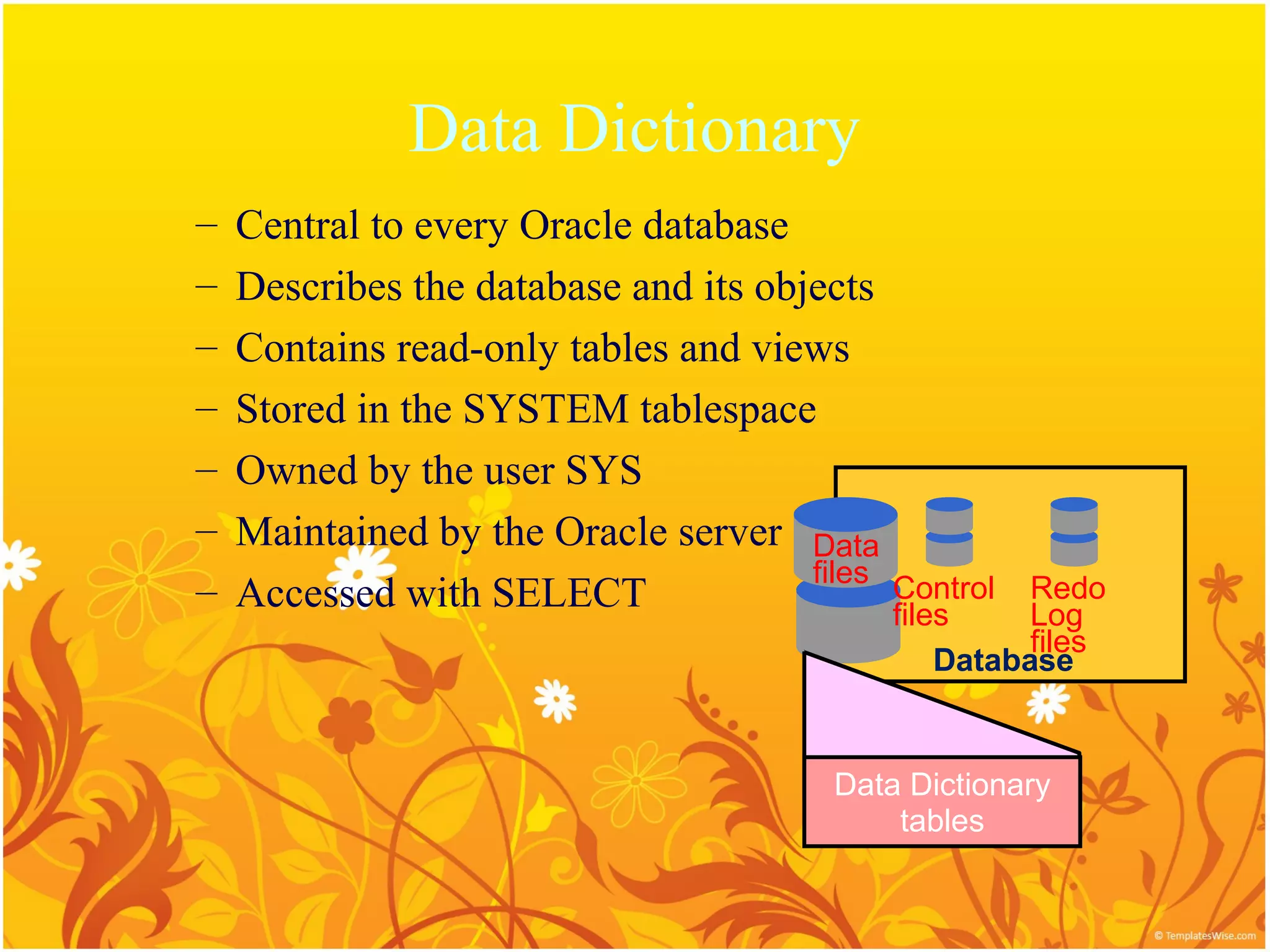
Data Dictionary
– Central to every Oracle database
– Describes the database and its objects
– Contains read-only tables and views
– Stored in the SYSTEM tablespace
– Owned by the user SYS
– Maintained by the Oracle server Data
files
– Accessed with SELECT Control Redo
files Log
files
Database
Data Dictionary
tables
22.
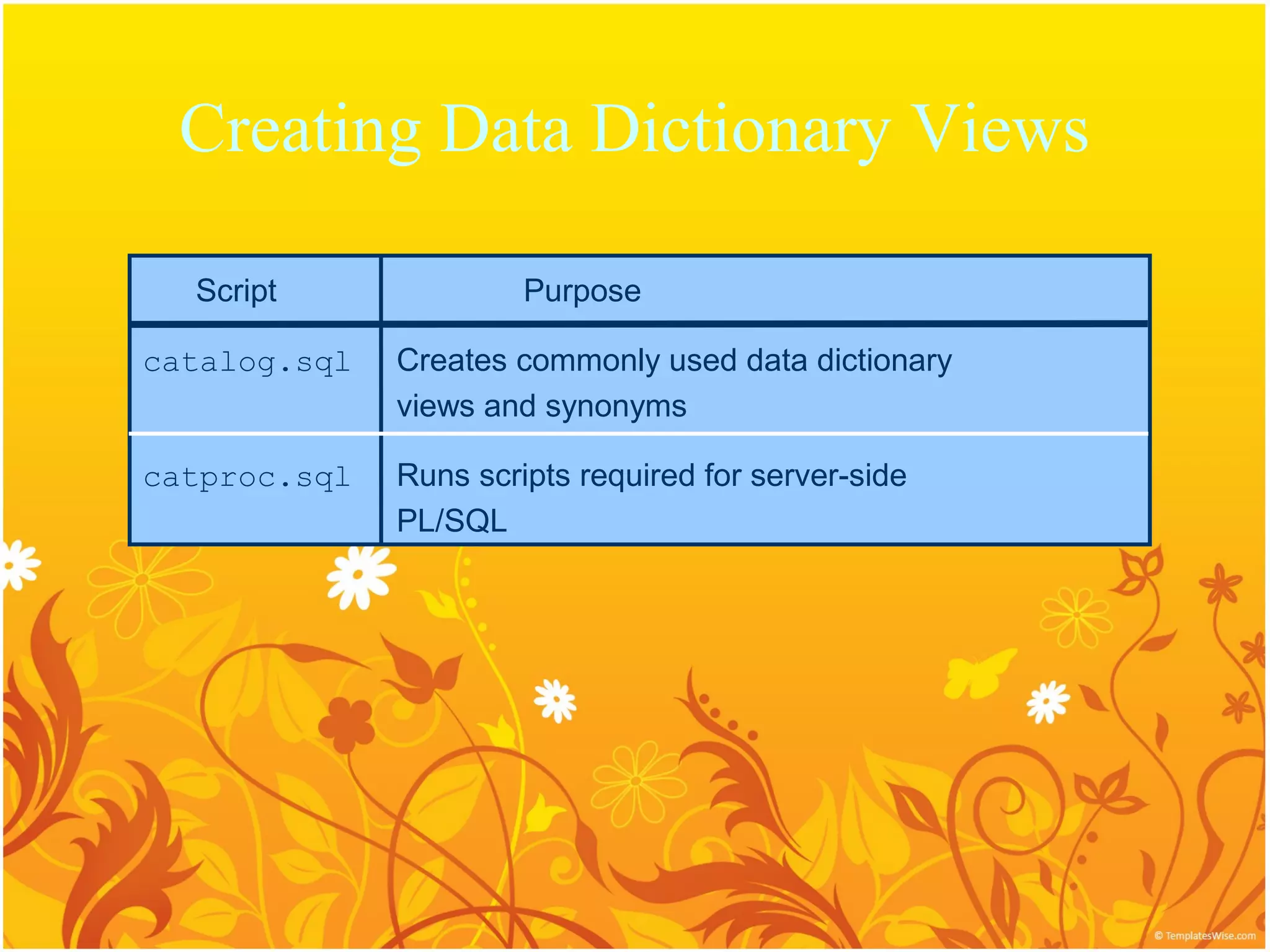
Creating Data DictionaryViews
Script Purpose
catalog.sql Creates commonly used data dictionary
views and synonyms
catproc.sql Runs scripts required for server-side
PL/SQL
23.
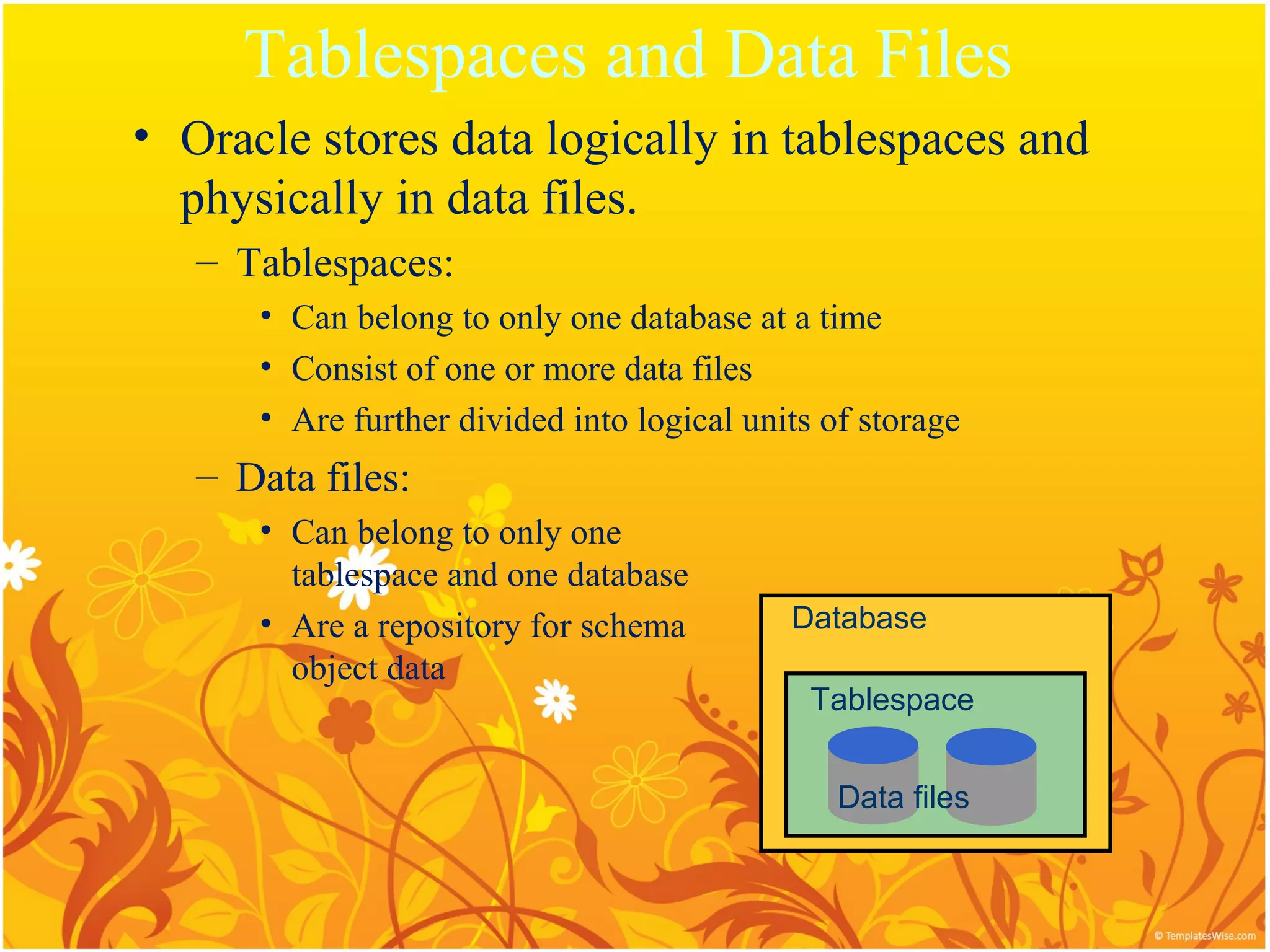
Tablespaces and DataFiles
• Oracle stores data logically in tablespaces and
physically in data files.
– Tablespaces:
• Can belong to only one database at a time
• Consist of one or more data files
• Are further divided into logical units of storage
– Data files:
• Can belong to only one
tablespace and one database
• Are a repository for schema Database
object data
Tablespace
Data files
24.
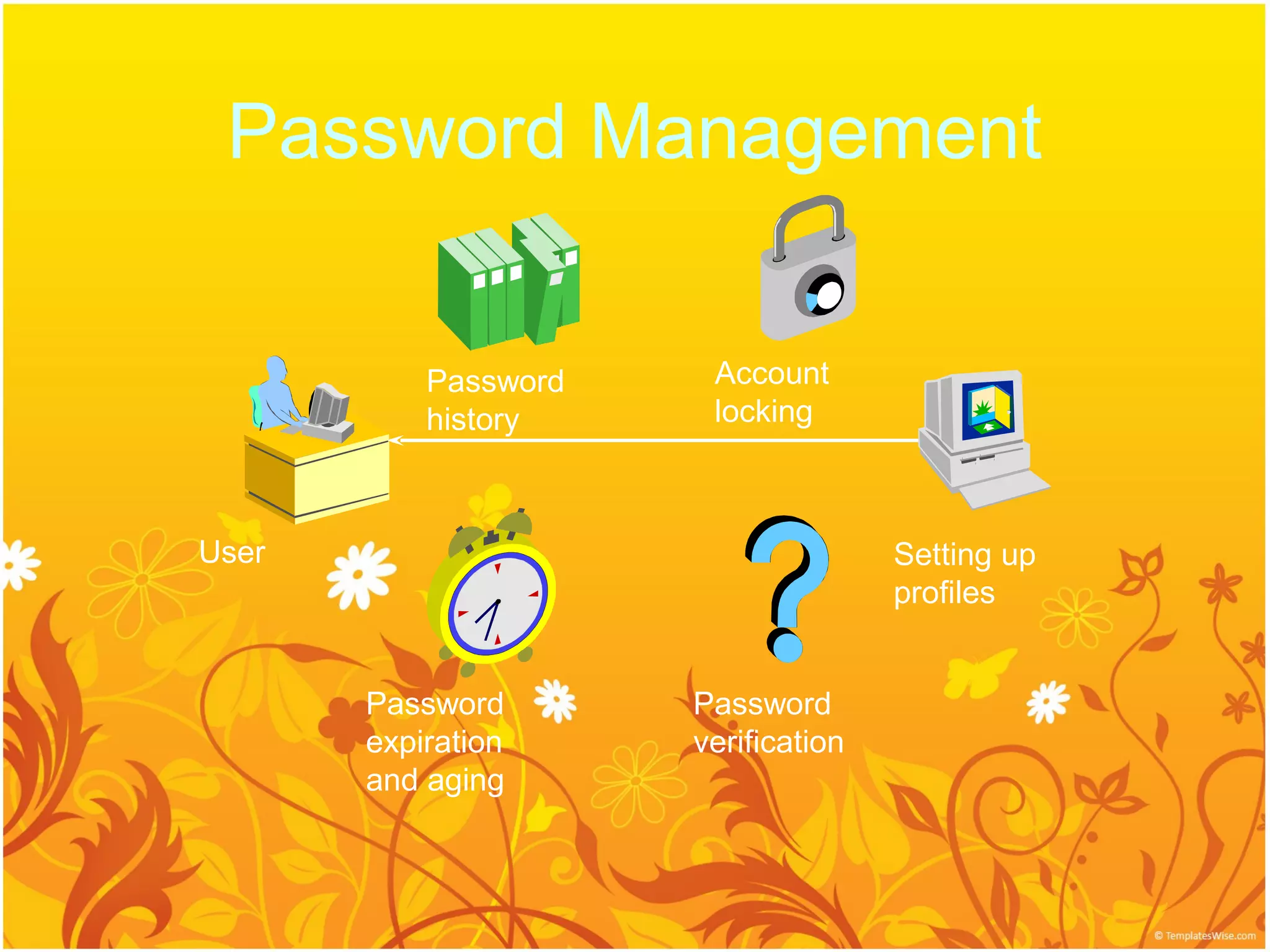
Password Management
Password Account
history locking
User Setting up
profiles
Password Password
expiration verification
and aging
25.
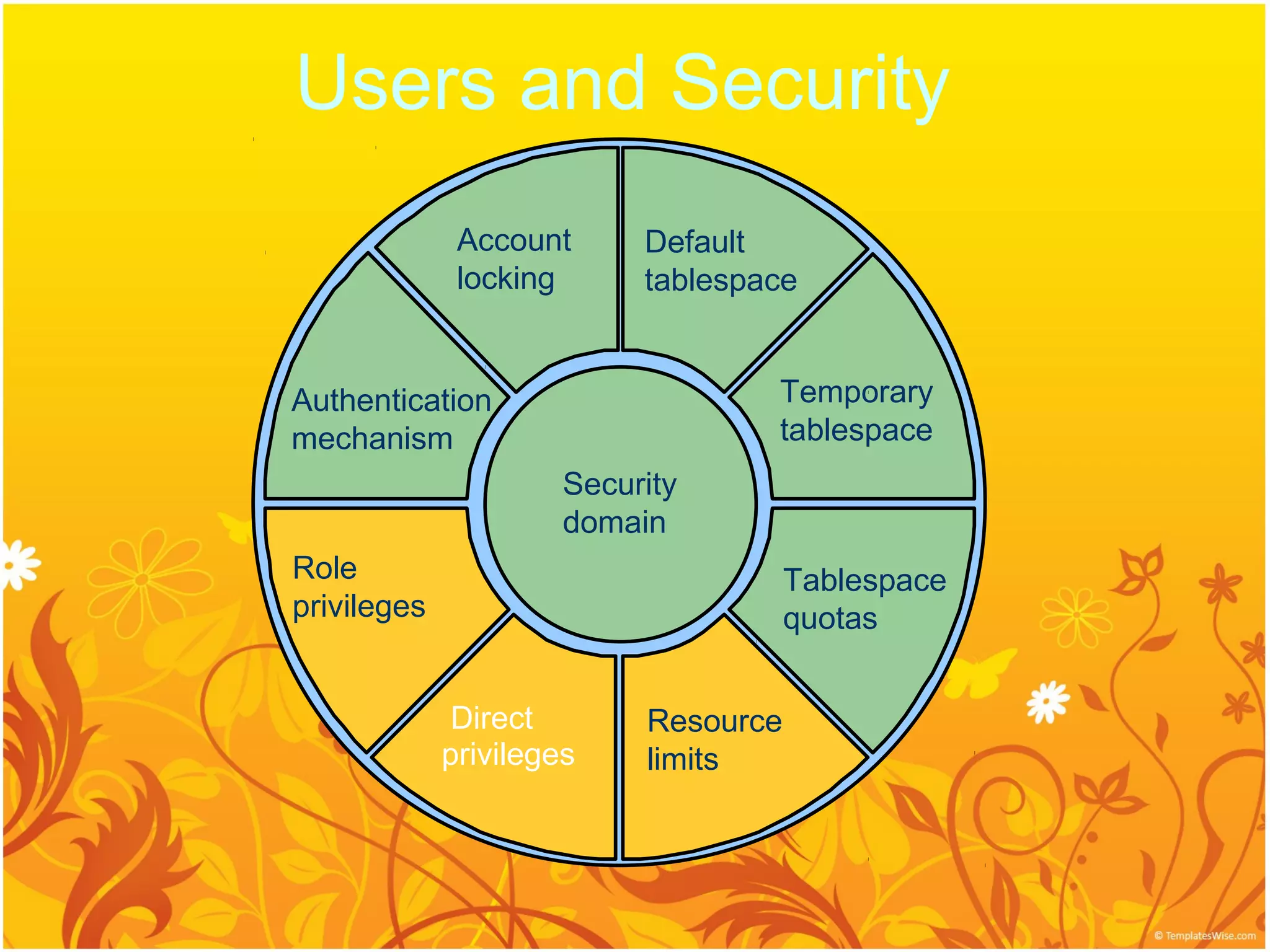
Users and Security
Account Default
locking tablespace
Authentication Temporary
mechanism tablespace
Security
domain
Role Tablespace
privileges quotas
Direct Resource
privileges limits
26.
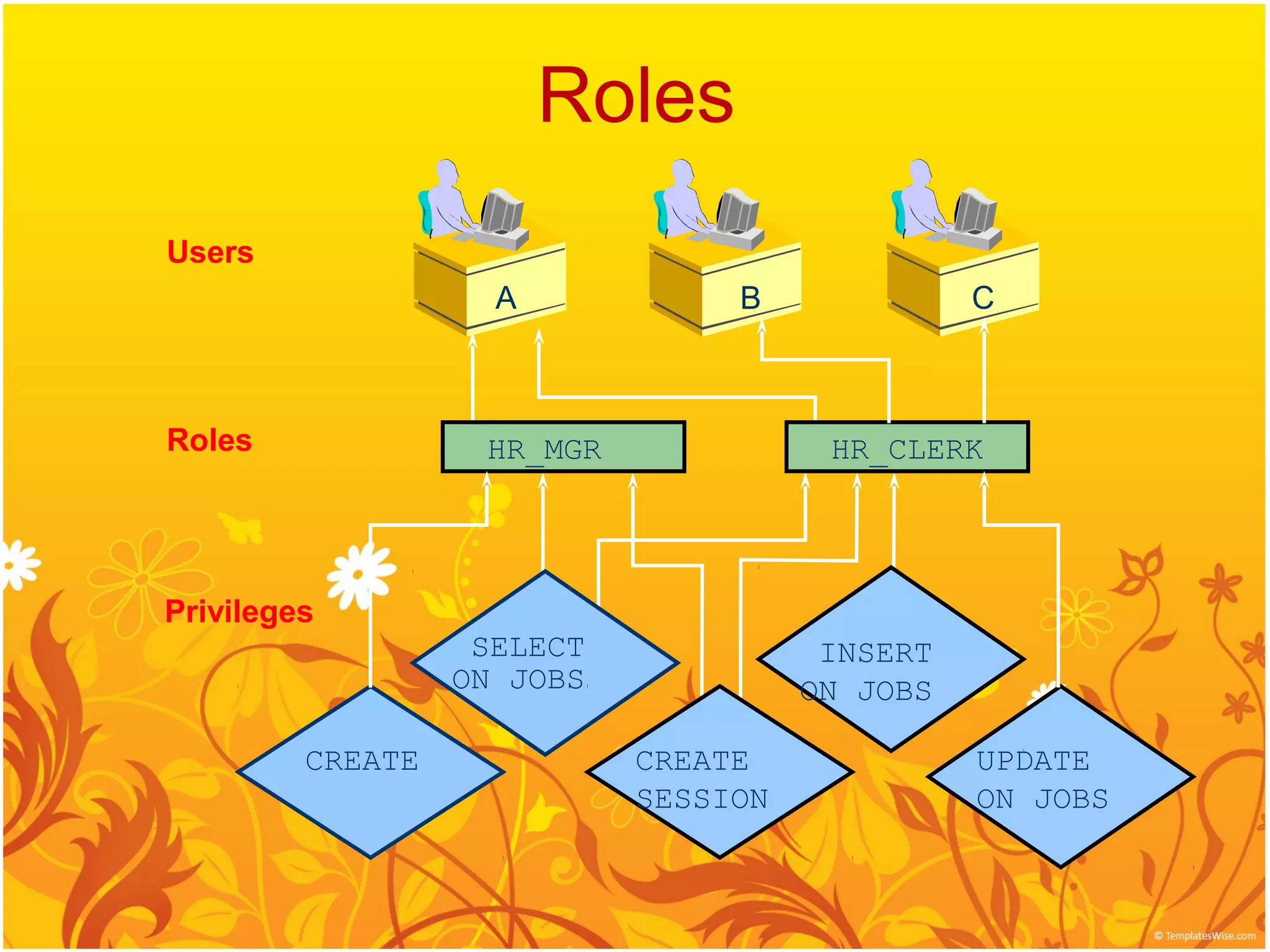
Roles
Users
A B C
Roles HR_MGR HR_CLERK
Privileges
SELECT INSERT
ON JOBS ON JOBS
CREATE CREATE UPDATE
SESSION ON JOBS
27.
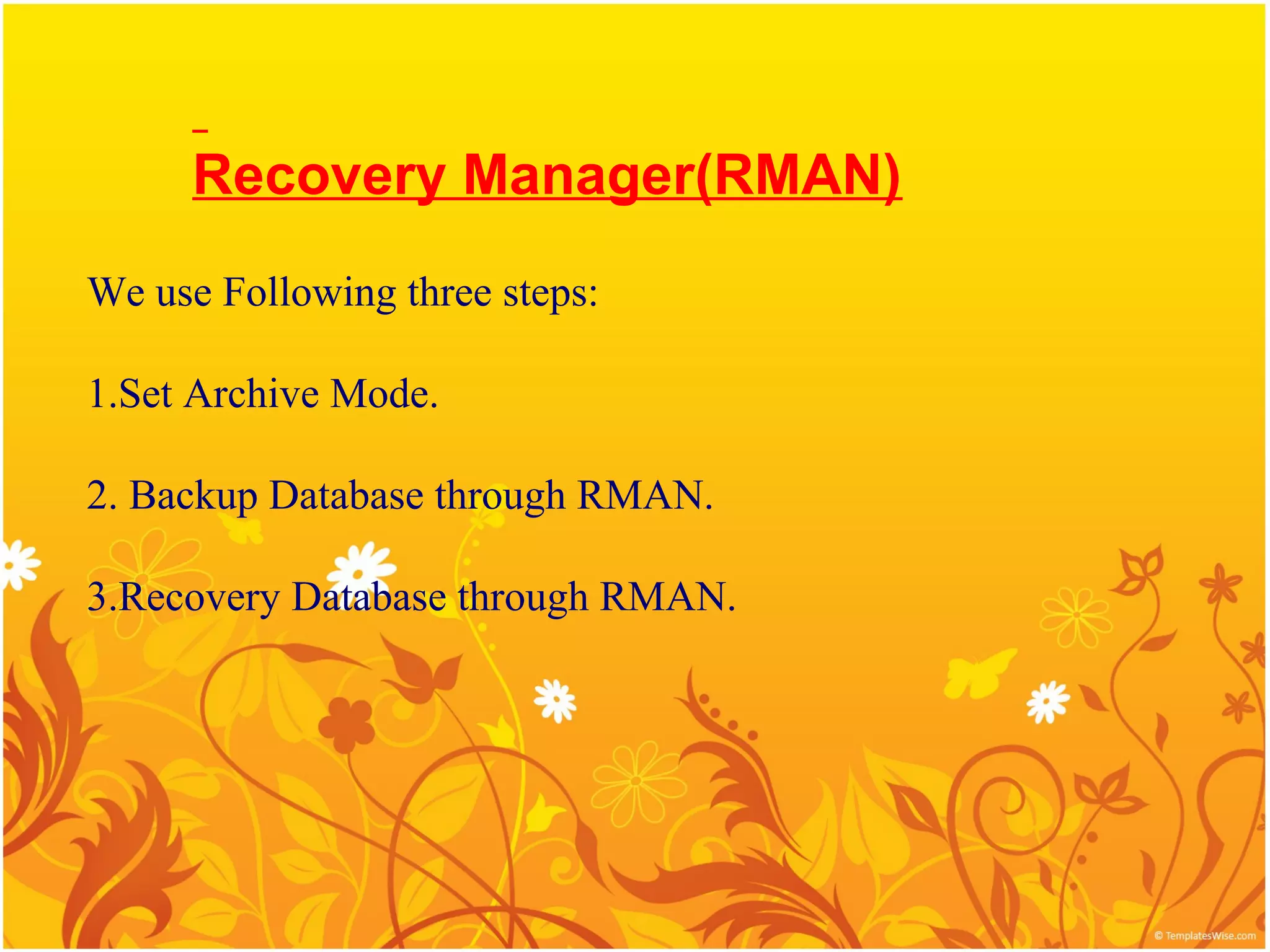
Recovery Manager(RMAN)
We useFollowing three steps:
1.Set Archive Mode.
2. Backup Database through RMAN.
3.Recovery Database through RMAN.
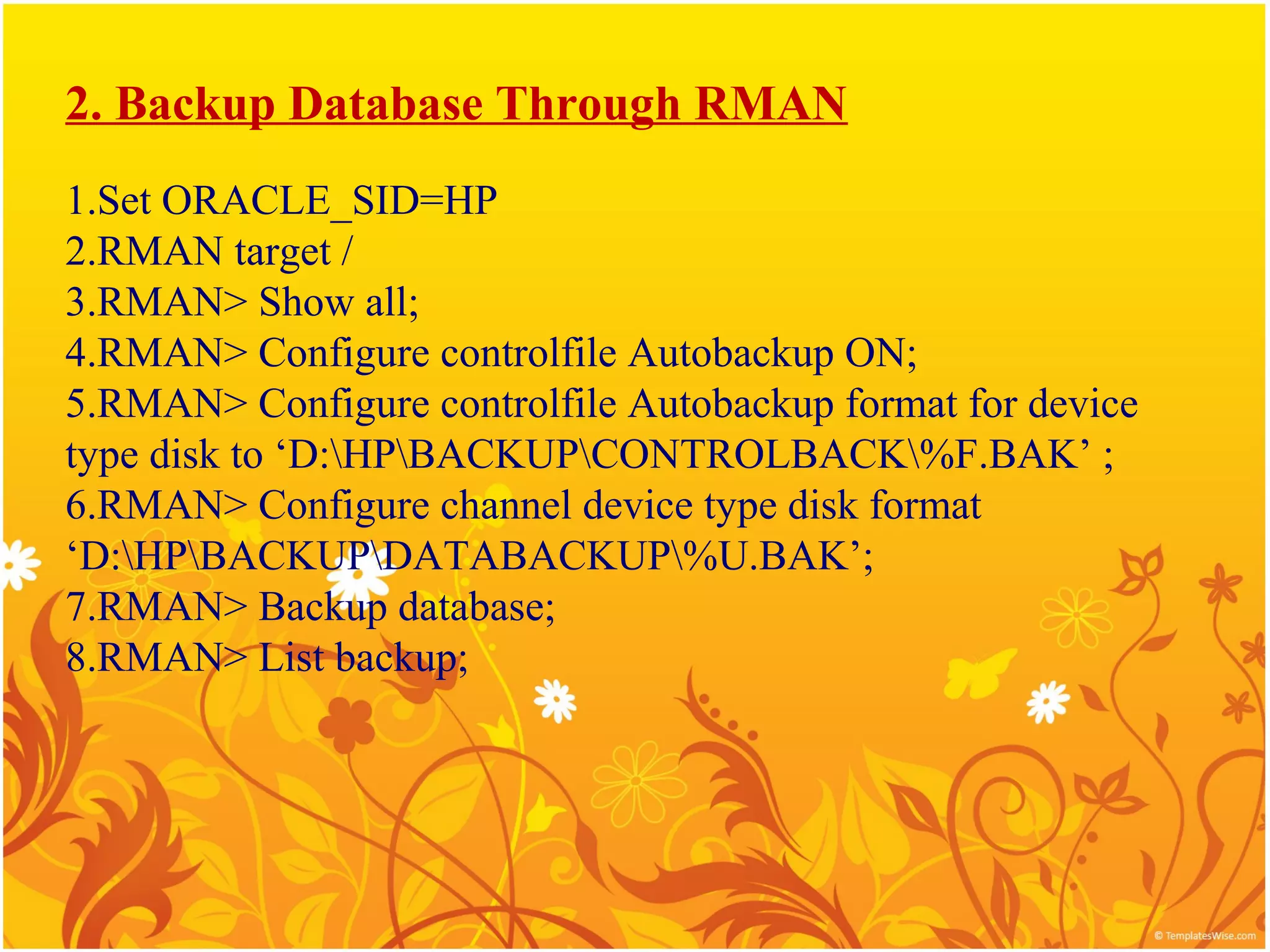
2. Backup DatabaseThrough RMAN
1.Set ORACLE_SID=HP
2.RMAN target /
3.RMAN> Show all;
4.RMAN> Configure controlfile Autobackup ON;
5.RMAN> Configure controlfile Autobackup format for device
type disk to ‘D:HPBACKUPCONTROLBACK%F.BAK’ ;
6.RMAN> Configure channel device type disk format
‘D:HPBACKUPDATABACKUP%U.BAK’;
7.RMAN> Backup database;
8.RMAN> List backup;
Recover Database(ControlFiles) ThroughRMAN
1.RMAN> startup
2. RMAN> set DB_ID=1425892549 (v$database)
OR
RMAN> set ORACLE_SID=HP;
3. RMAN> Restore controlfile from
‘D:HPBACKUPCONTROLC-125492_06.BAK’;
4. RMAN> Alter database mount;
5. RMAN> Recover Database;
6. RMAN> Alter database open resetlogs;





![[PHPUGPH] PHP Roadshow - MySQL](https://cdn.slidesharecdn.com/ss_thumbnails/phpugphmysqlv3-110121124746-phpapp01-thumbnail.jpg?width=640&height=640&fit=bounds)


