Optimizing AWS DevOps Workflows Through Smarter CI/CD and Version Control
Learn how to optimize AWS DevOps workflows using smarter CI/CD pipelines and version control. Discover best practices, AWS tools, and automation tips to accelerate deployment and improve software quality. Contact Now: 7498992609, 7058987273
Optimizing AWS DevOps Workflows Through Smarter CI/CD and Version Control
1.
Building Smarter CI/CD
Pipelineswith Version
Control in AWS DevOps
Ever waited fora deployment that took forever, orfoundaproductionbug
that should have beencaught sooner? Smarter CI/CD pipelineshelpteams
move from stressful emergencies to steady, confident releases.
https://www.fusion-institute.com/building-smarter-ci-cd-pipelines-with-version-control-in-aws-devops
2.
Understanding the
Foundation
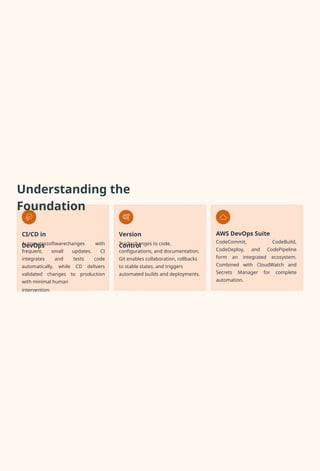
CI/CD in
DevOps
Version
Control
AWSDevOps Suite
CodeCommit, CodeBuild,
CodeDeploy, and CodePipeline
form an integrated ecosystem.
Combined with CloudWatch and
Secrets Manager for complete
automation.
Automatessoftwarechanges with
frequent, small updates. CI
integrates and tests code
automatically, while CD delivers
validated changes to production
with minimal human
intervention.
Trackschanges to code,
configurations, and documentation.
Git enables collaboration, rollbacks
to stable states, and triggers
automated builds and deployments.
3.
Version Control: The
PipelineBackbone
Version control shapes how teams work and make decisions. A well-
organized repository enables effective branching, pull request
reviews, and automated
checks.
With AWS CodePipeline
connected to your
repository, every merge
triggers builds, runs tests,
and deploys changes4
creating a steady feedback
loop.
Developers get quick feedback on code
quality
Test failures surface before production
Easy rollbacks linked to specific
commits
Complete audit trail for compliance
Key
Benefits
4.
Building Your Pipeline:Six Essential
Steps
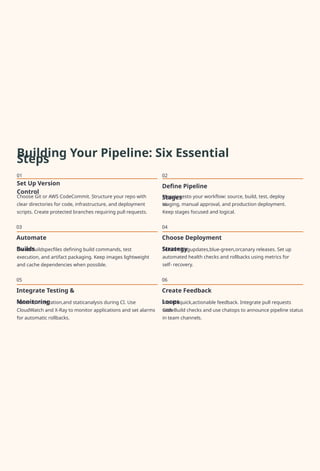
01
Set Up Version
Control
02
Define Pipeline
Stages
03
Automate
Builds
05
Integrate Testing &
Monitoring
06
Create Feedback
Loops
04
Choose Deployment
Strategy
Choose Git or AWS CodeCommit. Structure your repo with
clear directories for code, infrastructure, and deployment
scripts. Create protected branches requiring pull requests.
Createbuildspecfiles defining build commands, test
execution, and artifact packaging. Keep images lightweight
and cache dependencies when possible.
Rununit, integration,and staticanalysis during CI. Use
CloudWatch and X-Ray to monitor applications and set alarms
for automatic rollbacks.
Mapstagesto your workflow: source, build, test, deploy
to
staging, manual approval, and production deployment.
Keep stages focused and logical.
Selectrollingupdates,blue-green,orcanary releases. Set up
automated health checks and rollbacks using metrics for
self- recovery.
Providequick,actionable feedback. Integrate pull requests
with
CodeBuild checks and use chatops to announce pipeline status
in team channels.
5.
Best Practices forPipeline
Excellence
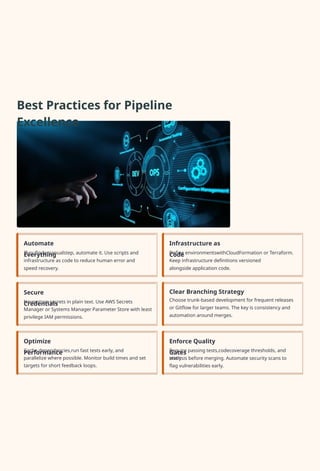
Secure
Credentials
Automate
Everything
Optimize
Performance
Enforce Quality
Gates
Infrastructure as
Code
Clear Branching Strategy
Choose trunk-based development for frequent releases
or Gitflow for larger teams. The key is consistency and
automation around merges.
Cache dependencies,run fast tests early, and
parallelize where possible. Monitor build times and set
targets for short feedback loops.
Ifyoufindamanualstep, automate it. Use scripts and
infrastructure as code to reduce human error and
speed recovery.
Neverstore secrets in plain text. Use AWS Secrets
Manager or Systems Manager Parameter Store with least
privilege IAM permissions.
Define environmentswithCloudFormation or Terraform.
Keep infrastructure definitions versioned
alongside application code.
Require passing tests,codecoverage thresholds, and
static
analysis before merging. Automate security scans to
flag vulnerabilities early.
6.
Overcoming Common
Challenges
Merge
Conflicts
Cost
Optimization
Pipeline
Bottlenecks
Security &
Compliance
Environment
Management
MonitorCodeBuildminutes and storage usage. Use spot instances or small build images, tear down
ephemeral
environments after
testing.
Encouragesmaller,focused changes and frequent merges. Rebase responsibly and keep commit messages
clear.
IntegrateSASTandDASTscanners, manage secrets properly, ensure audit trails. Use IAM roles and minimize
wide
permissions
.
KeepenvironmentparityusingIaCand configuration management. Automate environment creation so staging
mirrors
production
.
Splittests,optimizeimages, enable caching. Use parallel builds or ephemeral environments for heavy integration
suites.
7.
Real-World Pipeline in
Action
1
2
3
4
5
Staging
Deploy
Auto - Re
cove r y
Pull Request
Developer opens PRinCodeCommit
Canary
Rollout
Automated
Tests
If errors spike, CodeDeploy
triggersautomaticrollback
CodePipeline deploys to staging,
runsintegrationtests
CodeBuildrunsunittests and static analysis
Smallproductionrollout monitored by CloudWatch
8.
The Future of
CI/CD
AI- Powe
re d
Pipelines
GitOps
Workflows
Git becomes the
single source of
truth for application
and infrastructure
state.
Tools reconcile live
environments to
match declared
state.
Progressive
Delivery
Sophisticated
pipelines with better
observability and
smarter rollouts.
Focus on reducing
blast radius while
improving deployment
speed.
AIwill prioritizetests,
predict flaky builds,
and offer
remediation
suggestions. Smart
automation
recommends which
tests to run based on
code changes.
9.
Start Your Journey
Today
PracticalChecklist to Get
Started
1
2
3
4
5
Pick a small, non-critical repository to experiment
on
Enforce pull requests requiring at least one review before
merging
Add automated unit tests that run on every
push
Configure CodePipeline with build stage and isolated staging
deployment
Add basic monitoring and alarms to track error trends
quickly
Good engineering is mostly small, consistent improvements. Start small, iterate, and keep learning. For hands-on
practice and guided projects, explore resources like Fusion Software Institute that offer practical labs to build market-
ready
skills.