Implementing Continuous
Integration and Deployment
(CI/CD) Pipelines
CI/CD pipelines automate the software development lifecycle, from code
commit to production deployment. By streamlining this process, teams
can deliver new features and updates faster and with fewer errors.
by Significant Dirt
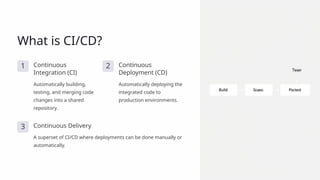
What is CI/CD?
1 Continuous
Integration (CI)
Automatically building,
testing, and merging code
changes into a shared
repository.
2 Continuous
Deployment (CD)
Automatically deploying the
integrated code to
production environments.
3 Continuous Delivery
A superset of CI/CD where deployments can be done manually or
automatically.
Benefits of CI/CD Pipelines
Faster Delivery
Streamlined workflows and
automated processes enable teams
to release updates more frequently.
Reduced Errors
Automated testing and deployment
reduce the risk of human errors and
inconsistencies.
Improved Collaboration
CI/CD fosters a culture of shared
responsibility and continuous
improvement.
Key Components of a CI/CD
Pipeline
1 Source Control
Manage code changes and versions in a central repository.
2 Build Automation
Automatically compile and package the application for
deployment.
3 Testing
Run automated tests to ensure quality and catch
regressions.
Selecting the Right CI/CD Tools
Jenkins
A popular open-source tool for building and deploying
software projects.
GitHub Actions
A cloud-based CI/CD service integrated with the GitHub
platform.
Azure DevOps
A comprehensive suite of tools for managing the software
development lifecycle.
Travis CI
A popular hosted CI/CD service that integrates with various
source control and cloud platforms.
Configuring Your Pipeline
1 Define Workflow
Specify the stages of your pipeline, such as build, test,
and deploy.
2 Write Configuration
Use your tool's specific configuration syntax to define the
pipeline steps.
3 Test and Iterate
Continuously refine your pipeline to optimize for speed,
reliability, and flexibility.
Strategies for Deployment
Blue-Green Deployment
Maintain two identical
production environments and
switch between them for zero-
downtime updates.
Canary Deployment
Gradually roll out changes to a
small subset of users before a
full release.
Rolling Deployment
Update the application in a
rolling fashion, with one
server or service at a time.
Feature Flags
Use toggles to enable or
disable new features, allowing
for incremental releases.
Monitoring and Optimizing Your Pipeline
Pipeline Metrics
Track build times, test coverage,
deployment frequency, and other key
performance indicators.
Automated Alerting
Set up notifications to quickly identify
and address pipeline failures or
bottlenecks.
Continuous Improvement
Regularly review pipeline data to
identify areas for optimization and
automation.
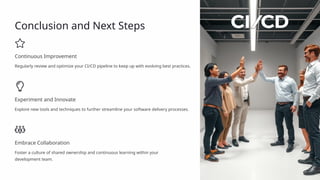
Conclusion and Next Steps
Continuous Improvement
Regularly review and optimize your CI/CD pipeline to keep up with evolving best practices.
Experiment and Innovate
Explore new tools and techniques to further streamline your software delivery processes.
Embrace Collaboration
Foster a culture of shared ownership and continuous learning within your
development team.

Implementing-Continuous-Integration-and-Deployment-CICD-Pipelines.pptx

  • 1.
    Implementing Continuous Integration andDeployment (CI/CD) Pipelines CI/CD pipelines automate the software development lifecycle, from code commit to production deployment. By streamlining this process, teams can deliver new features and updates faster and with fewer errors. by Significant Dirt
  • 2.
    What is CI/CD? 1Continuous Integration (CI) Automatically building, testing, and merging code changes into a shared repository. 2 Continuous Deployment (CD) Automatically deploying the integrated code to production environments. 3 Continuous Delivery A superset of CI/CD where deployments can be done manually or automatically.
  • 3.
    Benefits of CI/CDPipelines Faster Delivery Streamlined workflows and automated processes enable teams to release updates more frequently. Reduced Errors Automated testing and deployment reduce the risk of human errors and inconsistencies. Improved Collaboration CI/CD fosters a culture of shared responsibility and continuous improvement.
  • 4.
    Key Components ofa CI/CD Pipeline 1 Source Control Manage code changes and versions in a central repository. 2 Build Automation Automatically compile and package the application for deployment. 3 Testing Run automated tests to ensure quality and catch regressions.
  • 5.
    Selecting the RightCI/CD Tools Jenkins A popular open-source tool for building and deploying software projects. GitHub Actions A cloud-based CI/CD service integrated with the GitHub platform. Azure DevOps A comprehensive suite of tools for managing the software development lifecycle. Travis CI A popular hosted CI/CD service that integrates with various source control and cloud platforms.
  • 6.
    Configuring Your Pipeline 1Define Workflow Specify the stages of your pipeline, such as build, test, and deploy. 2 Write Configuration Use your tool's specific configuration syntax to define the pipeline steps. 3 Test and Iterate Continuously refine your pipeline to optimize for speed, reliability, and flexibility.
  • 7.
    Strategies for Deployment Blue-GreenDeployment Maintain two identical production environments and switch between them for zero- downtime updates. Canary Deployment Gradually roll out changes to a small subset of users before a full release. Rolling Deployment Update the application in a rolling fashion, with one server or service at a time. Feature Flags Use toggles to enable or disable new features, allowing for incremental releases.
  • 8.
    Monitoring and OptimizingYour Pipeline Pipeline Metrics Track build times, test coverage, deployment frequency, and other key performance indicators. Automated Alerting Set up notifications to quickly identify and address pipeline failures or bottlenecks. Continuous Improvement Regularly review pipeline data to identify areas for optimization and automation.
  • 9.
    Conclusion and NextSteps Continuous Improvement Regularly review and optimize your CI/CD pipeline to keep up with evolving best practices. Experiment and Innovate Explore new tools and techniques to further streamline your software delivery processes. Embrace Collaboration Foster a culture of shared ownership and continuous learning within your development team.