Operating Systems:
A Journey
An operating system (OS) is the core software that manages a
computer's resources.
by parth mange
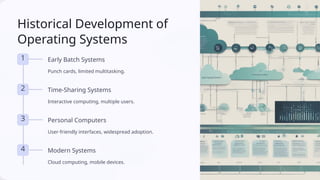
Historical Development of
Operating Systems
1 Early Batch Systems
Punch cards, limited multitasking.
2 Time-Sharing Systems
Interactive computing, multiple users.
3 Personal Computers
User-friendly interfaces, widespread adoption.
4 Modern Systems
Cloud computing, mobile devices.
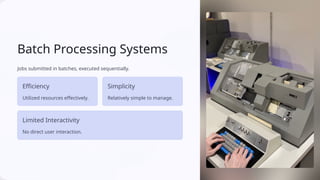
Batch Processing Systems
Jobs submitted in batches, executed sequentially.
Efficiency
Utilized resources effectively.
Simplicity
Relatively simple to manage.
Limited Interactivity
No direct user interaction.
Time-Sharing Operating Systems
Allowed multiple users to share a single computer.
Multitasking
Multiple programs running
concurrently.
Interactivity
Users could interact with programs
directly.
Resource Sharing
Shared access to hardware and
software.
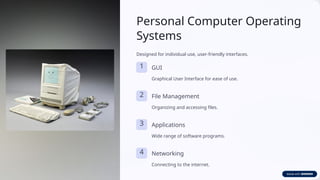
Personal Computer Operating
Systems
Designed for individual use, user-friendly interfaces.
1 GUI
Graphical User Interface for ease of use.
2 File Management
Organizing and accessing files.
3 Applications
Wide range of software programs.
4 Networking
Connecting to the internet.
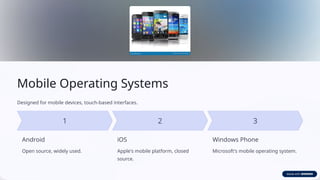
Mobile Operating Systems
Designed for mobile devices, touch-based interfaces.
Android
Open source, widely used.
iOS
Apple's mobile platform, closed
source.
Windows Phone
Microsoft's mobile operating system.
Kernel and System Architecture
The kernel is the heart of the OS, responsible for managing core resources.
Kernel Core OS component
System Calls Interface between user programs and the kernel
Drivers Control hardware devices

Operating-Systems-A-Journey ( by information

  • 1.
    Operating Systems: A Journey Anoperating system (OS) is the core software that manages a computer's resources. by parth mange
  • 2.
    Historical Development of OperatingSystems 1 Early Batch Systems Punch cards, limited multitasking. 2 Time-Sharing Systems Interactive computing, multiple users. 3 Personal Computers User-friendly interfaces, widespread adoption. 4 Modern Systems Cloud computing, mobile devices.
  • 3.
    Batch Processing Systems Jobssubmitted in batches, executed sequentially. Efficiency Utilized resources effectively. Simplicity Relatively simple to manage. Limited Interactivity No direct user interaction.
  • 4.
    Time-Sharing Operating Systems Allowedmultiple users to share a single computer. Multitasking Multiple programs running concurrently. Interactivity Users could interact with programs directly. Resource Sharing Shared access to hardware and software.
  • 5.
    Personal Computer Operating Systems Designedfor individual use, user-friendly interfaces. 1 GUI Graphical User Interface for ease of use. 2 File Management Organizing and accessing files. 3 Applications Wide range of software programs. 4 Networking Connecting to the internet.
  • 6.
    Mobile Operating Systems Designedfor mobile devices, touch-based interfaces. Android Open source, widely used. iOS Apple's mobile platform, closed source. Windows Phone Microsoft's mobile operating system.
  • 7.
    Kernel and SystemArchitecture The kernel is the heart of the OS, responsible for managing core resources. Kernel Core OS component System Calls Interface between user programs and the kernel Drivers Control hardware devices