An Introduction to
Operating Systems
Definition
 An Operating System is the most
important software without which no
computer system can work.
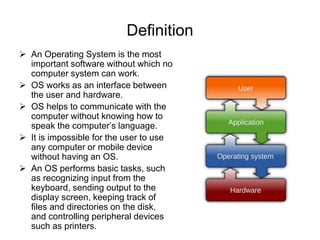
 OS works as an interface between
the user and hardware.
 OS helps to communicate with the
computer without knowing how to
speak the computer’s language.
 It is impossible for the user to use
any computer or mobile device
without having an OS.
 An OS performs basic tasks, such
as recognizing input from the
keyboard, sending output to the
display screen, keeping track of
files and directories on the disk,
and controlling peripheral devices
such as printers.
Need of Operating System
 Hardware is nothing but a machine which requires instruction to
work
 OS is the software which manages and controls all the resources of
the computer
 It effectively utilize every part of the computer.
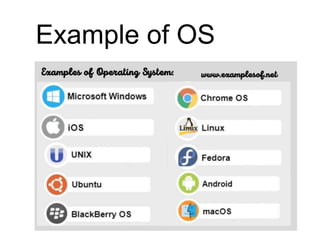
Example of OS
Functions of Operating System
 Process Management
 Device Management
 Memory Management
 File Management
 Security
 Means of Communication between user and
computer
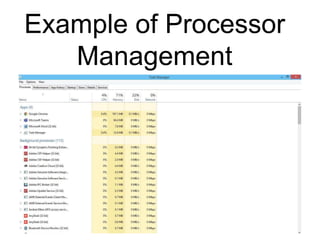
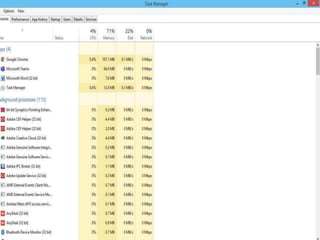
Example of Processor
Management
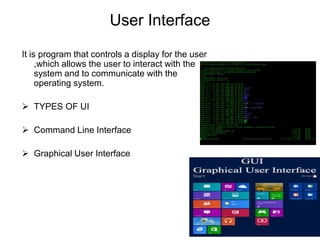
User Interface
It is program that controls a display for the user
,which allows the user to interact with the
system and to communicate with the
operating system.
 TYPES OF UI
 Command Line Interface
 Graphical User Interface
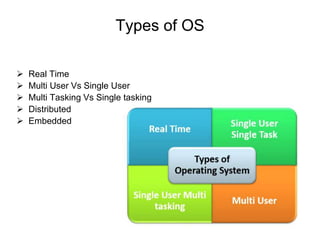
Types of OS
 Real Time
 Multi User Vs Single User
 Multi Tasking Vs Single tasking
 Distributed
 Embedded
Operating system and its Funtions and uses

Operating system and its Funtions and uses

  • 1.
  • 2.
    Definition  An OperatingSystem is the most important software without which no computer system can work.  OS works as an interface between the user and hardware.  OS helps to communicate with the computer without knowing how to speak the computer’s language.  It is impossible for the user to use any computer or mobile device without having an OS.  An OS performs basic tasks, such as recognizing input from the keyboard, sending output to the display screen, keeping track of files and directories on the disk, and controlling peripheral devices such as printers.
  • 3.
    Need of OperatingSystem  Hardware is nothing but a machine which requires instruction to work  OS is the software which manages and controls all the resources of the computer  It effectively utilize every part of the computer.
  • 4.
  • 5.
    Functions of OperatingSystem  Process Management  Device Management  Memory Management  File Management  Security  Means of Communication between user and computer
  • 6.
  • 7.
    User Interface It isprogram that controls a display for the user ,which allows the user to interact with the system and to communicate with the operating system.  TYPES OF UI  Command Line Interface  Graphical User Interface
  • 8.
    Types of OS Real Time  Multi User Vs Single User  Multi Tasking Vs Single tasking  Distributed  Embedded