Cold Storage with Swift
About me
@systemdump
xlucas
blog.systemdump.org
Senior DevOps Engineer
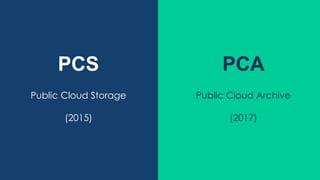
PCS PCA
Public Cloud Storage
(2015)
Public Cloud Archive
(2017)
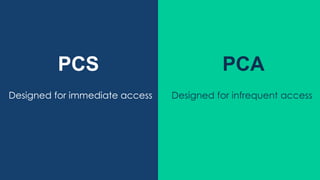
PCS PCA
Designed for immediate access Designed for infrequent access
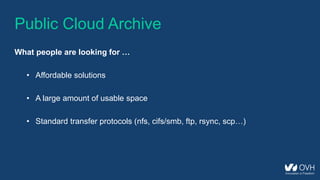
Public Cloud Archive
What people are looking for …
• Affordable solutions
• A large amount of usable space
• Standard transfer protocols (nfs, cifs/smb, ftp, rsync, scp…)
Public Cloud Archive
What we achieved to offer …
• Affordable solution (2€ / TB / month + transfer fees)
• Unlimited usable space
• Standard transfer protocols (nfs, cifs/smb, sftp, rsync, scp)
Public Cloud Archive
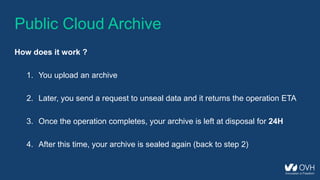
How does it work ?
1. You upload an archive
2. Later, you send a request to unseal data and it returns the operation ETA
3. Once the operation completes, your archive is left at disposal for 24H
4. After this time, your archive is sealed again (back to step 2)
Public Cloud Archive
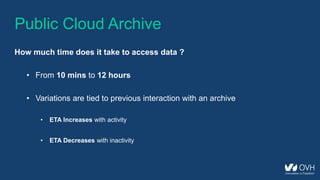
How much time does it take to access data ?
• From 10 mins to 12 hours
• Variations are tied to previous interaction with an archive
• ETA Increases with activity
• ETA Decreases with inactivity
Under the hood
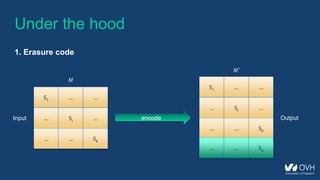
1. Erasure code
S1 … …
… Si …
… … Sk
S1 … …
… Si …
… … Sk
encodeInput Output
𝑀
𝑀′
… … Sn
Under the hood
1. Erasure code
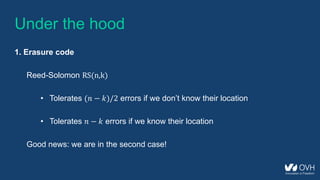
Reed-Solomon RS(n,k)
• Tolerates (𝑛 − 𝑘)/2 errors if we don’t know their location
• Tolerates 𝑛 − 𝑘 errors if we know their location
Good news: we are in the second case!
Under the hood
1. Erasure code
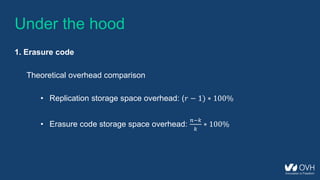
Theoretical overhead comparison
• Replication storage space overhead: (𝑟 − 1) ∗ 100%
• Erasure code storage space overhead:
𝑛−𝑘
𝑘
∗ 100%
Under the hood
1. Erasure code
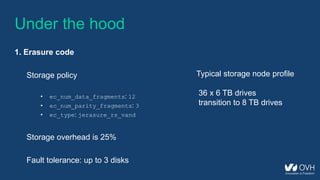
Storage policy
• ec_num_data_fragments: 12
• ec_num_parity_fragments: 3
• ec_type: jerasure_rs_vand
Storage overhead is 25%
Fault tolerance: up to 3 disks
Typical storage node profile
36 x 6 TB drives
transition to 8 TB drives
Under the hood
1. Erasure code
from pyeclib.ec_iface import ECDriver
def main():
# Pick an EC library and configure it
driver = ECDriver(k=12, m=3, ec_type='jerasure_rs_vand')
# Encode
fragments = driver.encode('Hello World!')
print "Fragment count: %d" % len(fragments)
print "Fragment size: %d" % len(fragments[0])
print "Message size: %d" % sum([len(fragment) for fragment in fragments])
if __name__ == '__main__':
main()
Fragment count: 15
Fragment size: 82
Message size: 1230
from pyeclib.ec_iface import ECDriver
def main():
# Pick an EC library and configure it
driver = ECDriver(k=12, m=3, ec_type='jerasure_rs_vand')
# Encode
fragments = driver.encode('Hello World!')
# Delete fragments (0, 1, 2)
del(fragments[:3])
print "Fragment count: %d" % len(fragments)
print "Original message: " + driver.decode(fragments)
if __name__ == '__main__':
main()
Under the hood
1. Erasure code
Fragment count: 12
Original message: Hello World!
from pyeclib.ec_iface import ECDriver
def main():
# Pick an EC library and configure it
driver = ECDriver(k=12, m=3, ec_type='jerasure_rs_vand’)
# Encode
fragments = driver.encode('Hello World!')
# Delete fragments (0, 1, 2, 3)
del(fragments[:4])
# Try to decode
try:
print "Original message: " + driver.decode(fragments)
except Exception as e:
print e
if __name__ == '__main__':
main()
Under the hood
1. Erasure code
Not enough fragments given in ECPyECLibDriver.decode
Under the hood
1. Erasure code
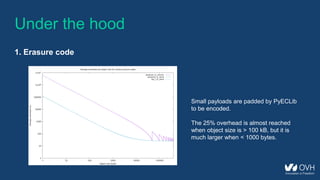
Small payloads are padded by PyECLib
to be encoded.
The 25% overhead is almost reached
when object size is > 100 kB, but it is
much larger when < 1000 bytes.
Under the hood
1. Erasure code
What happens when uploading data ?
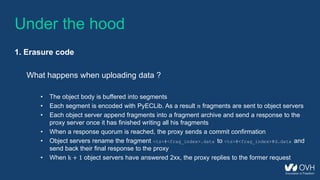
• The object body is buffered into segments
• Each segment is encoded with PyECLib. As a result 𝑛 fragments are sent to object servers
• Each object server append fragments into a fragment archive and send a response to the
proxy server once it has finished writing all his fragments
• When a response quorum is reached, the proxy sends a commit confirmation
• Object servers rename the fragment <ts>#<frag_index>.data to <ts>#<frag_index>#d.data and
send back their final response to the proxy
• When k + 1 object servers have answered 2xx, the proxy replies to the former request
Under the hood
1. Erasure code
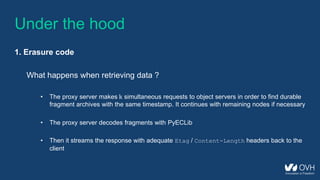
What happens when retrieving data ?
• The proxy server makes k simultaneous requests to object servers in order to find durable
fragment archives with the same timestamp. It continues with remaining nodes if necessary
• The proxy server decodes fragments with PyECLib
• Then it streams the response with adequate Etag / Content-Length headers back to the
client
Under the hood
2. The archive middleware
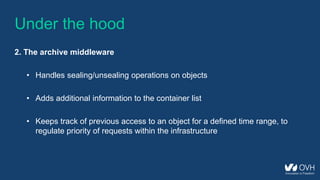
• Handles sealing/unsealing operations on objects
• Adds additional information to the container list
• Keeps track of previous access to an object for a defined time range, to
regulate priority of requests within the infrastructure
Under the hood
2. The archive middleware
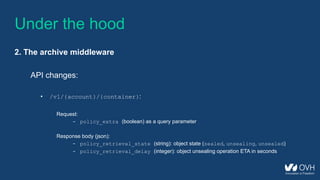
API changes:
• /v1/{account}/{container}:
Request:
- policy_extra (boolean) as a query parameter
Response body (json):
- policy_retrieval_state (string): object state (sealed, unsealing, unsealed)
- policy_retrieval_delay (integer): object unsealing operation ETA in seconds
Under the hood
2. The archive middleware
GET /v1/AUTH_e80c212388cd4d509abc959643993b9f/archives?policy_extra=true HTTP/1.1
Host: storage.gra1.cloud.ovh.net
Accept: application/json
X-Auth-Token: 3caec5b614a94326b0e9b847661e3d6a
[
{
"hash" : "l0dad6ursvjudy1ea4xyfftbwdsfqhqq",
"policy_retrieval_state" : "unsealing",
"bytes" : 1024,
"last_modified" : "2017-02-24T10:09:12.026940",
"policy_retrieval_delay" : 1851,
"name" : "archive1.zip",
"content_type" : "application/octet-stream"
}
]
Under the hood
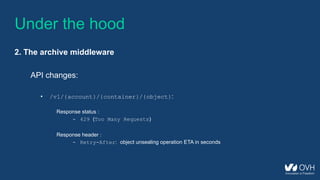
2. The archive middleware
API changes:
• /v1/{account}/{container}/{object}:
Response status :
- 429 (Too Many Requests)
Response header :
- Retry-After: object unsealing operation ETA in seconds
Under the hood
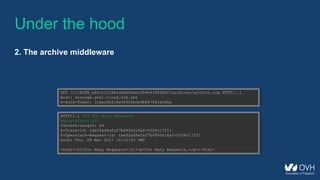
2. The archive middleware
GET /v1/AUTH_e80c212388cd4d509abc959643993b9f/archives/archive.zip HTTP/1.1
Host: storage.gra1.cloud.ovh.net
X-Auth-Token: 3caec5b614a94326b0e9b847661e3d6a
HTTP/1.1 429 Too Many Requests
Retry-After: 637
Content-Length: 64
X-Trans-Id: txe9fad9afaf7b4950a16af-0058c17f11
X-Openstack-Request-Id: txe9fad9afaf7b4950a16af-0058c17f11
Date: Thu, 09 Mar 2017 16:13:05 GMT
<html><h1>Too Many Requests</h1><p>Too Many Requests.</p></html>
Under the hood
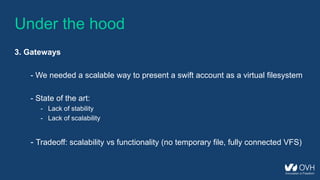
3. Gateways
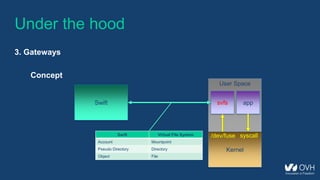
- We needed a scalable way to present a swift account as a virtual filesystem
- State of the art:
- Lack of stability
- Lack of scalability
- Tradeoff: scalability vs functionality (no temporary file, fully connected VFS)
Under the hood
3. Gateways
- We created svfs (Swift Virtual File System) in early 2016
- It’s open source ! (https://github.com/ovh/svfs)
- It’s designed and built for Swift users before anything else
Under the hood
3. Gateways
Concept
Kernel
User Space
Swift
/dev/fuse
svfs app
syscallSwift Virtual File System
Account Mountpoint
Pseudo Directory Directory
Object File
Under the hood
3. Gateways
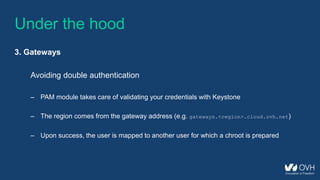
Avoiding double authentication
– PAM module takes care of validating your credentials with Keystone
– The region comes from the gateway address (e.g. gateways.<region>.cloud.ovh.net)
– Upon success, the user is mapped to another user for which a chroot is prepared
Under the hood
3. Gateways
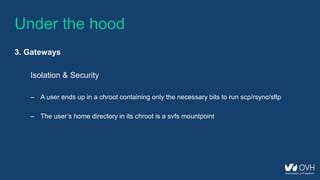
Isolation & Security
– A user ends up in a chroot containing only the necessary bits to run scp/rsync/sftp
– The user’s home directory in its chroot is a svfs mountpoint
Under the hood
3. Gateways
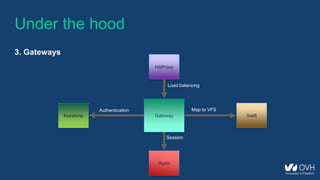
Keystone Gateway Swift
Redis
HAProxy
Map to VFSAuthentication
Session
Load balancing
Under the hood
4. What’s next ?
- Encourage adoption in open source projects
- Keep exploring ways to integrate standard protocols like NFS, SMB/CIFS
- Share more with the community
Q&A

Openstack meetup lyon_2017-09-28

  • 1.
  • 2.
  • 3.
    PCS PCA Public CloudStorage (2015) Public Cloud Archive (2017)
  • 4.
    PCS PCA Designed forimmediate access Designed for infrequent access
  • 5.
    Public Cloud Archive Whatpeople are looking for … • Affordable solutions • A large amount of usable space • Standard transfer protocols (nfs, cifs/smb, ftp, rsync, scp…)
  • 6.
    Public Cloud Archive Whatwe achieved to offer … • Affordable solution (2€ / TB / month + transfer fees) • Unlimited usable space • Standard transfer protocols (nfs, cifs/smb, sftp, rsync, scp)
  • 7.
    Public Cloud Archive Howdoes it work ? 1. You upload an archive 2. Later, you send a request to unseal data and it returns the operation ETA 3. Once the operation completes, your archive is left at disposal for 24H 4. After this time, your archive is sealed again (back to step 2)
  • 8.
    Public Cloud Archive Howmuch time does it take to access data ? • From 10 mins to 12 hours • Variations are tied to previous interaction with an archive • ETA Increases with activity • ETA Decreases with inactivity
  • 9.
    Under the hood 1.Erasure code S1 … … … Si … … … Sk S1 … … … Si … … … Sk encodeInput Output 𝑀 𝑀′ … … Sn
  • 10.
    Under the hood 1.Erasure code Reed-Solomon RS(n,k) • Tolerates (𝑛 − 𝑘)/2 errors if we don’t know their location • Tolerates 𝑛 − 𝑘 errors if we know their location Good news: we are in the second case!
  • 11.
    Under the hood 1.Erasure code Theoretical overhead comparison • Replication storage space overhead: (𝑟 − 1) ∗ 100% • Erasure code storage space overhead: 𝑛−𝑘 𝑘 ∗ 100%
  • 12.
    Under the hood 1.Erasure code Storage policy • ec_num_data_fragments: 12 • ec_num_parity_fragments: 3 • ec_type: jerasure_rs_vand Storage overhead is 25% Fault tolerance: up to 3 disks Typical storage node profile 36 x 6 TB drives transition to 8 TB drives
  • 13.
    Under the hood 1.Erasure code from pyeclib.ec_iface import ECDriver def main(): # Pick an EC library and configure it driver = ECDriver(k=12, m=3, ec_type='jerasure_rs_vand') # Encode fragments = driver.encode('Hello World!') print "Fragment count: %d" % len(fragments) print "Fragment size: %d" % len(fragments[0]) print "Message size: %d" % sum([len(fragment) for fragment in fragments]) if __name__ == '__main__': main() Fragment count: 15 Fragment size: 82 Message size: 1230
  • 14.
    from pyeclib.ec_iface importECDriver def main(): # Pick an EC library and configure it driver = ECDriver(k=12, m=3, ec_type='jerasure_rs_vand') # Encode fragments = driver.encode('Hello World!') # Delete fragments (0, 1, 2) del(fragments[:3]) print "Fragment count: %d" % len(fragments) print "Original message: " + driver.decode(fragments) if __name__ == '__main__': main() Under the hood 1. Erasure code Fragment count: 12 Original message: Hello World!
  • 15.
    from pyeclib.ec_iface importECDriver def main(): # Pick an EC library and configure it driver = ECDriver(k=12, m=3, ec_type='jerasure_rs_vand’) # Encode fragments = driver.encode('Hello World!') # Delete fragments (0, 1, 2, 3) del(fragments[:4]) # Try to decode try: print "Original message: " + driver.decode(fragments) except Exception as e: print e if __name__ == '__main__': main() Under the hood 1. Erasure code Not enough fragments given in ECPyECLibDriver.decode
  • 16.
    Under the hood 1.Erasure code Small payloads are padded by PyECLib to be encoded. The 25% overhead is almost reached when object size is > 100 kB, but it is much larger when < 1000 bytes.
  • 17.
    Under the hood 1.Erasure code What happens when uploading data ? • The object body is buffered into segments • Each segment is encoded with PyECLib. As a result 𝑛 fragments are sent to object servers • Each object server append fragments into a fragment archive and send a response to the proxy server once it has finished writing all his fragments • When a response quorum is reached, the proxy sends a commit confirmation • Object servers rename the fragment <ts>#<frag_index>.data to <ts>#<frag_index>#d.data and send back their final response to the proxy • When k + 1 object servers have answered 2xx, the proxy replies to the former request
  • 18.
    Under the hood 1.Erasure code What happens when retrieving data ? • The proxy server makes k simultaneous requests to object servers in order to find durable fragment archives with the same timestamp. It continues with remaining nodes if necessary • The proxy server decodes fragments with PyECLib • Then it streams the response with adequate Etag / Content-Length headers back to the client
  • 19.
    Under the hood 2.The archive middleware • Handles sealing/unsealing operations on objects • Adds additional information to the container list • Keeps track of previous access to an object for a defined time range, to regulate priority of requests within the infrastructure
  • 20.
    Under the hood 2.The archive middleware API changes: • /v1/{account}/{container}: Request: - policy_extra (boolean) as a query parameter Response body (json): - policy_retrieval_state (string): object state (sealed, unsealing, unsealed) - policy_retrieval_delay (integer): object unsealing operation ETA in seconds
  • 21.
    Under the hood 2.The archive middleware GET /v1/AUTH_e80c212388cd4d509abc959643993b9f/archives?policy_extra=true HTTP/1.1 Host: storage.gra1.cloud.ovh.net Accept: application/json X-Auth-Token: 3caec5b614a94326b0e9b847661e3d6a [ { "hash" : "l0dad6ursvjudy1ea4xyfftbwdsfqhqq", "policy_retrieval_state" : "unsealing", "bytes" : 1024, "last_modified" : "2017-02-24T10:09:12.026940", "policy_retrieval_delay" : 1851, "name" : "archive1.zip", "content_type" : "application/octet-stream" } ]
  • 22.
    Under the hood 2.The archive middleware API changes: • /v1/{account}/{container}/{object}: Response status : - 429 (Too Many Requests) Response header : - Retry-After: object unsealing operation ETA in seconds
  • 23.
    Under the hood 2.The archive middleware GET /v1/AUTH_e80c212388cd4d509abc959643993b9f/archives/archive.zip HTTP/1.1 Host: storage.gra1.cloud.ovh.net X-Auth-Token: 3caec5b614a94326b0e9b847661e3d6a HTTP/1.1 429 Too Many Requests Retry-After: 637 Content-Length: 64 X-Trans-Id: txe9fad9afaf7b4950a16af-0058c17f11 X-Openstack-Request-Id: txe9fad9afaf7b4950a16af-0058c17f11 Date: Thu, 09 Mar 2017 16:13:05 GMT <html><h1>Too Many Requests</h1><p>Too Many Requests.</p></html>
  • 24.
    Under the hood 3.Gateways - We needed a scalable way to present a swift account as a virtual filesystem - State of the art: - Lack of stability - Lack of scalability - Tradeoff: scalability vs functionality (no temporary file, fully connected VFS)
  • 25.
    Under the hood 3.Gateways - We created svfs (Swift Virtual File System) in early 2016 - It’s open source ! (https://github.com/ovh/svfs) - It’s designed and built for Swift users before anything else
  • 26.
    Under the hood 3.Gateways Concept Kernel User Space Swift /dev/fuse svfs app syscallSwift Virtual File System Account Mountpoint Pseudo Directory Directory Object File
  • 27.
    Under the hood 3.Gateways Avoiding double authentication – PAM module takes care of validating your credentials with Keystone – The region comes from the gateway address (e.g. gateways.<region>.cloud.ovh.net) – Upon success, the user is mapped to another user for which a chroot is prepared
  • 28.
    Under the hood 3.Gateways Isolation & Security – A user ends up in a chroot containing only the necessary bits to run scp/rsync/sftp – The user’s home directory in its chroot is a svfs mountpoint
  • 29.
    Under the hood 3.Gateways Keystone Gateway Swift Redis HAProxy Map to VFSAuthentication Session Load balancing
  • 30.
    Under the hood 4.What’s next ? - Encourage adoption in open source projects - Keep exploring ways to integrate standard protocols like NFS, SMB/CIFS - Share more with the community
  • 31.